stop CITROEN C1 2018 Owner's Manual
[x] Cancel search | Manufacturer: CITROEN, Model Year: 2018, Model line: C1, Model: CITROEN C1 2018Pages: 269, PDF Size: 7.63 MB
Page 75 of 269
73
C1_en_Chap04_conduite_ed01-2016
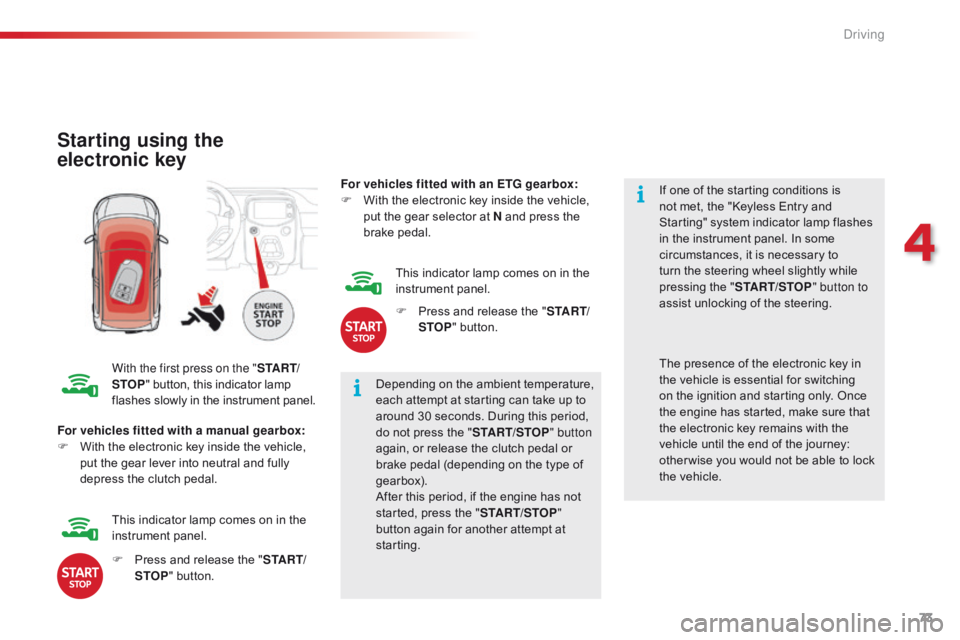
Starting using the
electronic key
With the first press on the "S TA R T/
STOP "
button, this indicator lamp f
lashes slowly in the instrument panel.Depending
on the ambient temperature,
e
ach attempt at starting can take up to
a
round 30 seconds. During this period,
d
o not press the "START/STOP " button
again,
or release the clutch pedal or
b
rake pedal (depending on the type of
g
earbox).
After
this period, if the engine has not
s
tarted, press the "START/STOP "
button
again for another attempt at
s
tarting. If
one of the starting conditions is
n
ot met, the "Keyless Entry and
S
tarting" system indicator lamp flashes
i
n the instrument panel. In some
c
ircumstances, it is necessary to
t
urn the steering wheel slightly while
p
ressing the "
START/STOP " button to
assist unlocking of the steering.
For vehicles fitted with a manual gearbox:
F
W
ith
the electronic key inside the vehicle,
p
ut
the gear lever into neutral and fully
d
epress the clutch pedal. The
presence of the electronic key in t
he vehicle is essential for switching
o
n the ignition and starting only. Once
t
he engine has started, make sure that
t
he electronic key remains with the
v
ehicle until the end of the journey:
o
ther wise you would not be able to lock
t
he vehicle.
F
P
ress and release the "S TA R T/
STOP "
button.
This
indicator lamp comes on in the
in
strument
pan
el. For vehicles fitted with an ETG gearbox:
F
W
ith the electronic key inside the vehicle,
p
ut the gear selector at N and press the
b
rake
ped
al.
This indicator lamp comes on in the
in
strument
pan
el.
F
P
ress and release the "
S TA R T/
STOP " button.
4
Driving
Page 76 of 269
74
C1_en_Chap04_conduite_ed01-2016
There is an audible signal when the driver's door is opened and the vehicle is in "ACC "
mode.
If
the vehicle is not immobilised, the
e
ngine will not stop.
Switching off using the
electronic key
F Immobilise
the vehicle.
F W ith a manual gearbox: put the gear lever
i
nto neutral.
F
W
ith an ETG gearbox: place the gear
s
elector at N .
F
W
ith the electronic key inside
t
he vehicle, press the " S TA R T/
STOP "
button.
The
engine stops.
The
steering locks when a door is opened or on
l
ocking the vehicle.
F
P
ress the "START/STOP " button
again
to change to "OFF "
mode.
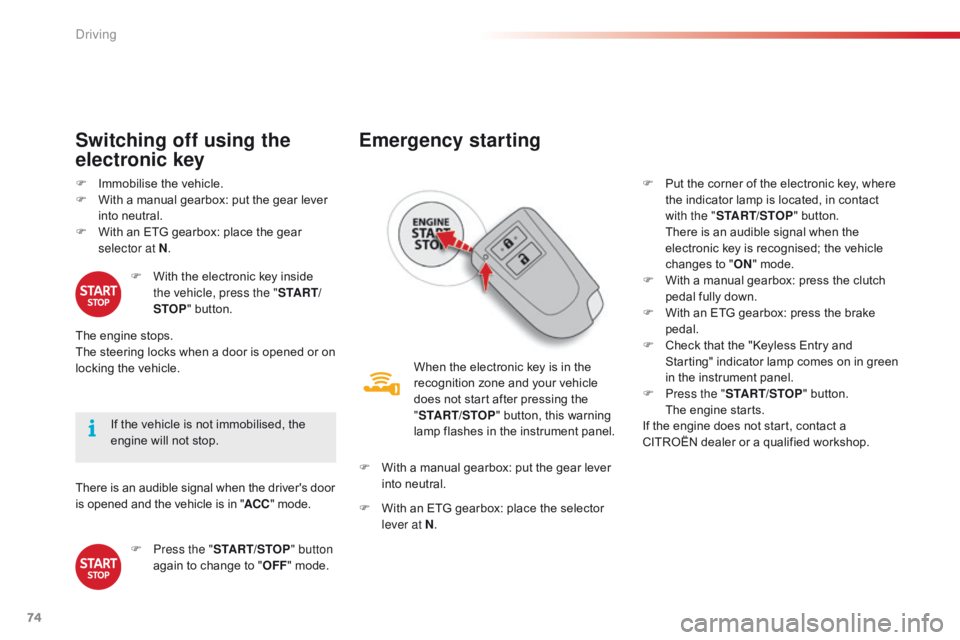
Emergency starting
When the electronic key is in the recognition zone and your vehicle
d
oes not start after pressing the
"ST
ART/STOP "
button, this warning
l
amp flashes in the instrument panel.
F
W
ith
a manual gearbox: put the gear lever
i
nto
neutral.
F
W
ith
an ETG gearbox: place the selector
l
ever at N . F
P
ut the corner of the electronic key, where
t
he indicator lamp is located, in contact
w
ith the "
START/STOP " button.
T
here is an audible signal when the
e
lectronic key is recognised; the vehicle
c
hanges to "
ON " mode.
F
W
ith a manual gearbox: press the clutch
p
edal fully down.
F
W
ith an ETG gearbox: press the brake
ped
al.
F
C
heck that the "Keyless Entry and S
tarting" indicator lamp comes on in green i
n the instrument panel.
F
P
ress the "START/STOP "
button.
T
he engine starts.
If
the engine does not start, contact a
C
ITROËN dealer or a qualified workshop.
Driving
Page 77 of 269
75
C1_en_Chap04_conduite_ed01-2016
Emergency switch-off
In the event of an emergency only, the engine can be switched of without conditions. To do
t
his, press for more than 2 seconds, or make
a
minimum of 3 successive presses on the
"ST
ART/STOP "
button.
In
this case the steering column locks as soon
a
s the vehicle stops.
Electronic key not
recognised
If the electronic key is no longer in the recognition zone when driving or when you
(
later) request switching off the engine, there is
a
n audible signal to warn you.
F
P
ress for more than 2 seconds,
o
r make a minimum of
3 s
uccessive presses on the
"ST
ART/STOP" button if you
want
to force switching off of the
e
ngine (note that restarting
will not be possible without
the
key).
Electronic e ngine
i
mmobiliser
This locks the engine management system as s
oon as the ignition has been switched off and
t
herefore prevents starting of the vehicle by
a
nyone who does not have the key.
The
ignition key has an electronic chip which
h
as a special code. When the ignition is
s
witched on, the code must be recognised for
s
tarting to be possible.
In
the event of a malfunction, your vehicle will
n
ot start.
Contact
a CITROËN dealer or a qualified
w
orkshop. Do
not make any modifications to the
e
lectronic immobiliser system.
4
Driving
Page 82 of 269
80
C1_en_Chap04_conduite_ed01-2016
The vehicle can be stopped whatever the position of the gear selector (N , E or R ).
However,
there is an audible signal on opening
t
he driver's door if the gear selector is not at
p
osition N .
Switching off
When the vehicle is stopped with the e
ngine running, always put the gear
s
elector to neutral N .
There
is a continuous audible signal
i
f you turn the ignition switch to "OFF "
with
the vehicle in 2
nd, 3rd, 4th or 5th ge a r.
In
this
case
return
the
ignition
switch
t
o " ON ",
move
the
gear
selector
to
p
osition
N , then to position E , M or R,
then
turn
the
ignition
switch
to
" OFF ".
On
a
slope,
use
the
brakes
to
i
mmobilise
the
vehicle
and
place
the
g
ear
selector
in
position
N , E or R . With
the ignition on, illumination
o
f this warning lamp indicates a
g
earbox fault.
Contact a CITROËN dealer or a
q
ualified
w
orkshop.
Operating faults
In all cases, it is essential
that you
apply the parking brake to immobilise
t
he vehicle.
Before
doing anything under the
b
onnet, check that the gear selector is
i
n neutral N and the parking brake is
a
pplied.
Limits of operation
On a gradient, or when hill start assist is activated, n ever hold the vehicle using the
accelerator :
you could damage the clutch.
In
these situations there is an audible signal.
F
M
ove the gear selector to position N.
F
W
ait 15 minutes to allow the clutch to cool
d
own before setting off. -
c
heck that the ignition switch is at the
"
O
N
"
position,
-
p
lace the gear selector at N
, then move it
t
o E
, M or R .
If 1 is flashing in the instrument panel:
- p lace the gear selector at E or M
, then
move it to N.
If R
is flashing in the instrument panel:
-
p
lace the gear selector at R,
then move it
t
o N.
If
N is flashing in the instrument panel
a
ccompanied by an audible signal for a long time:
Driving
Page 85 of 269
83
C1_en_Chap04_conduite_ed01-2016
Stop & Start (VTi 68 S&S engine)
Operation
Going into engine STOP
mode
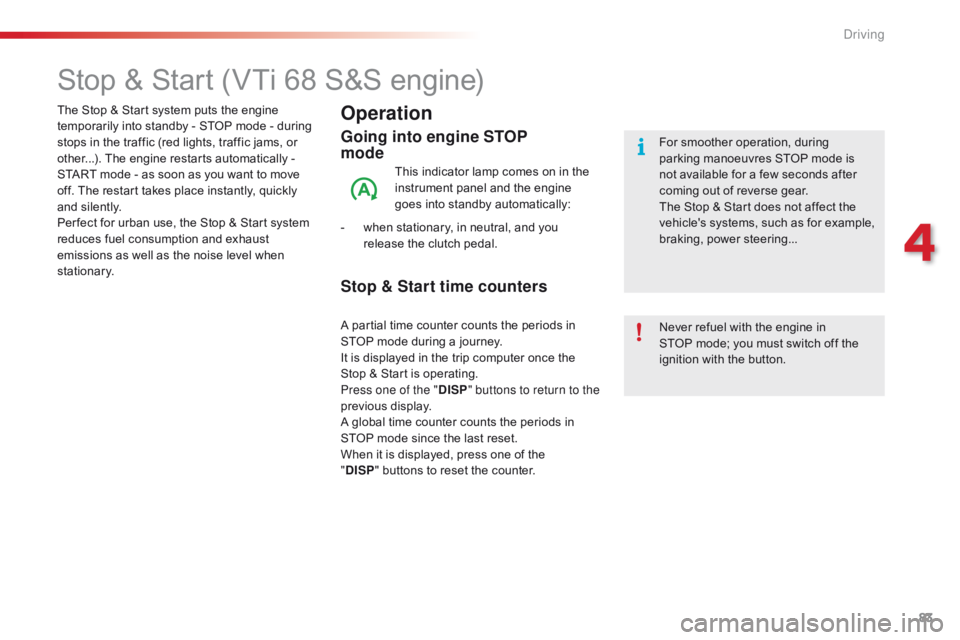
This indicator lamp comes on in the instrument panel and the engine
g
oes into standby automatically:
-
w
hen
stationary, in neutral, and you
r
elease the clutch pedal.
Never
refuel with the engine in
S
TOP mode; you must switch off the
i
gnition with the button.
For
smoother operation, during p
arking manoeuvres STOP mode is n
ot available for a few seconds after
c
oming out of reverse gear.
The
Stop & Start does not affect the
v
ehicle's systems, such as for example,
b
raking, power steering...
The
Stop
&
Start system
puts
the
engine
t
emporarily
into
standby
-
STOP
mode
-
during
s
tops
in
the
traffic
(red
lights,
traffic
jams,
or
o
ther...).
The
engine
restarts
automatically
-
S
TART
mode
-
as
soon
as
you
want
to
move
o
ff.
The
restart
takes
place
instantly,
quickly
a
nd
silently.
Per fect
for
urban
use,
the
Stop
&
Start
system
r
educes
fuel
consumption
and
exhaust
e
missions
as
well
as
the
noise
level
when
s
tationary.
Stop & Start time counters
A partial time counter counts the periods in S TOP mode during a journey.
It
is displayed in the trip computer once the
S
top & Start is operating.
Press one of the " DISP" buttons to return to the
previous
d
isplay.
A
global time counter counts the periods in
S
TOP mode since the last reset.
When
it is displayed, press one of the
"D
ISP " buttons
to reset the counter.
4
Driving
Page 86 of 269
84
C1_en_Chap04_conduite_ed01-2016
Going into engine START
mode
This indicator lamp goes off and the engine s tarts a utomatically:
-
w
hen
you fully
depress the clutch pedal.
START
mode is invoked automatically when:
-
y
ou
open the driver's door,
-
y
ou
open the bonnet,
-
y
ou
unfasten the driver's seat belt,
-
s
ome
special conditions (battery charge,
e
ngine temperature, braking assistance,
d
escending a steep gradient, adjustment of
t
he
air conditioning...) where the engine is
n
eeded for control of a system.
Special cases: START invoked
automatically
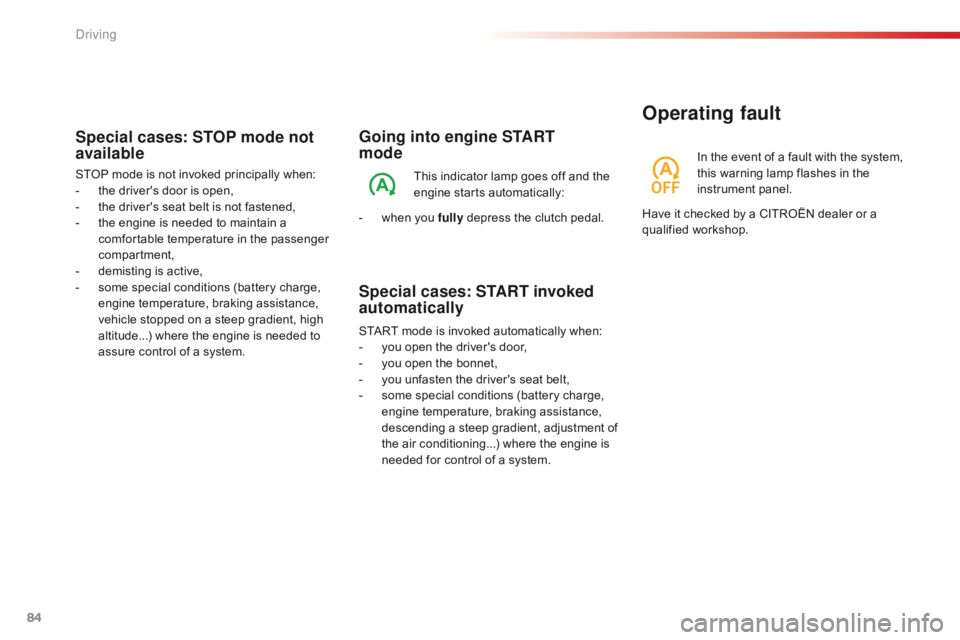
In the event o f a f ault w ith t he s ystem, t
his warning lamp flashes in the
in
strument
pan
el.
Operating fault
Have it checked by a CITROËN dealer or a qualified w orkshop.
Special cases: STOP mode not
available
STOP mode is not invoked principally when:
- t he driver's door is open,
-
t
he driver's seat belt is not fastened,
-
t
he engine is needed to maintain a
c
omfortable temperature in the passenger
c
ompartment,
-
d
emisting is active,
-
s
ome special conditions (battery charge,
e
ngine temperature, braking assistance,
v
ehicle stopped on a steep gradient, high
a
ltitude...) where the engine is needed to
a
ssure control of a system.
Driving
Page 87 of 269
85
C1_en_Chap04_conduite_ed01-2016
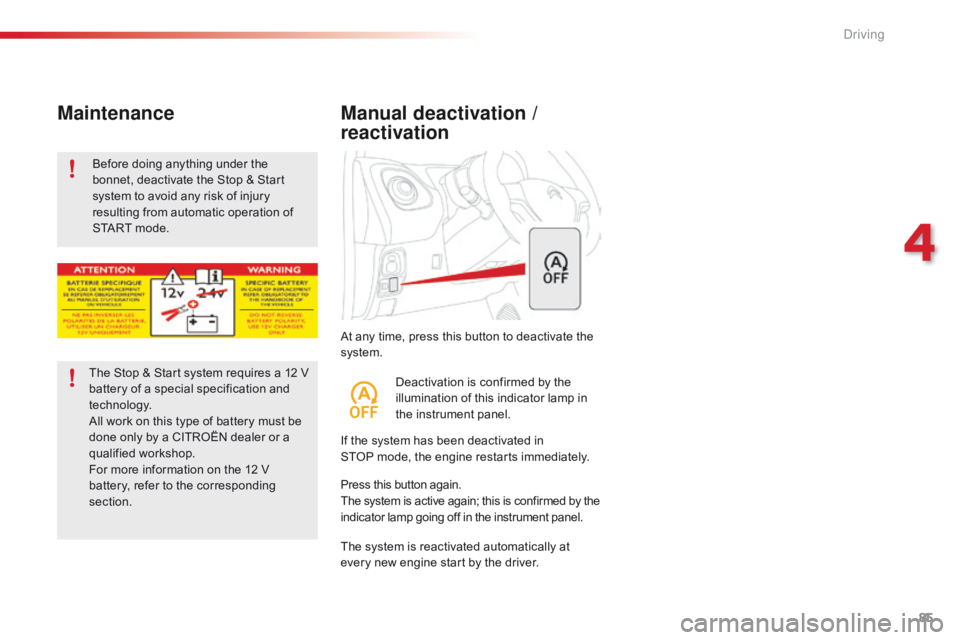
At any time, press this button to deactivate the system.
Manual deactivation /
reactivation
If the system has been deactivated in S TOP mode, the engine restarts immediately.
The
system is reactivated automatically at
e
very new engine start by the driver.
Press
this button again.
The
system is active again; this is confirmed by the
i
ndicator lamp going off in the instrument panel.
Deactivation
is confirmed by the
i
llumination of this indicator lamp in
t
he instrument panel.
Before
doing
anything
under
the
b
onnet,
deactivate
the
Stop
&
Start
s
ystem
to
avoid
any
risk
of
injury
r
esulting
from
automatic
operation
of
S
TART
mode.
Maintenance
The Stop & Start system requires a 12 V b
attery of a special specification and
t
echnology.
All
work on this type of battery must be
d
one only by a CITROËN dealer or a
q
ualified
w
orkshop.
For
more information on the 12 V
b
attery, refer to the corresponding
s
ection.
4
Driving
Page 89 of 269
87
C1_en_Chap04_conduite_ed01-2016
Switching on
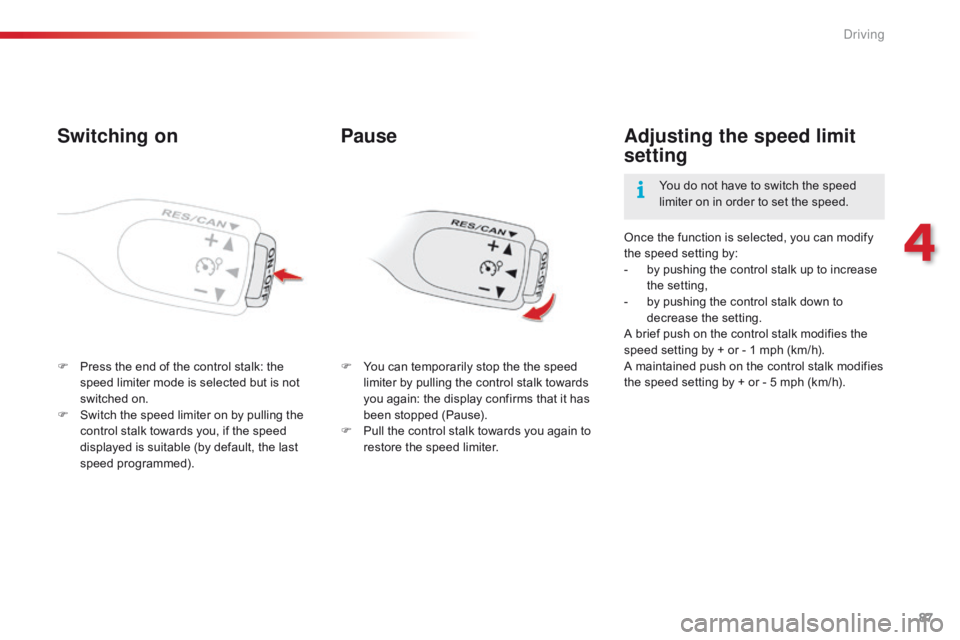
F Press the end of the control stalk: the s
peed limiter mode is selected but is not
s
witched on.
F
S
witch the speed limiter on by pulling the
c
ontrol stalk towards you, if the speed
d
isplayed is suitable (by default, the last
s
peed
pro
grammed). Once
the function is selected, you can modify
t
he speed setting by:
-
b
y pushing the control stalk up to increase
t
he
se
tting,
-
b
y pushing the control stalk down to
d
ecrease
t
he
se
tting.
A brief push on the control stalk modifies the
s
peed setting by + or - 1 mph (km/h).
A maintained push on the control stalk modifies t
he speed setting by + or - 5 mph (km/h).
Adjusting the speed limit
setting
You do not have to switch the speed l
imiter on in order to set the speed.
Pause
F You can temporarily stop the the speed l
imiter by pulling the control stalk towards
y
ou again: the display confirms that it has
b
een stopped (Pause).
F
P
ull the control stalk towards you again to
r
estore the speed limiter.
4
Driving
Page 92 of 269
90
C1_en_Chap04_conduite_ed01-2016
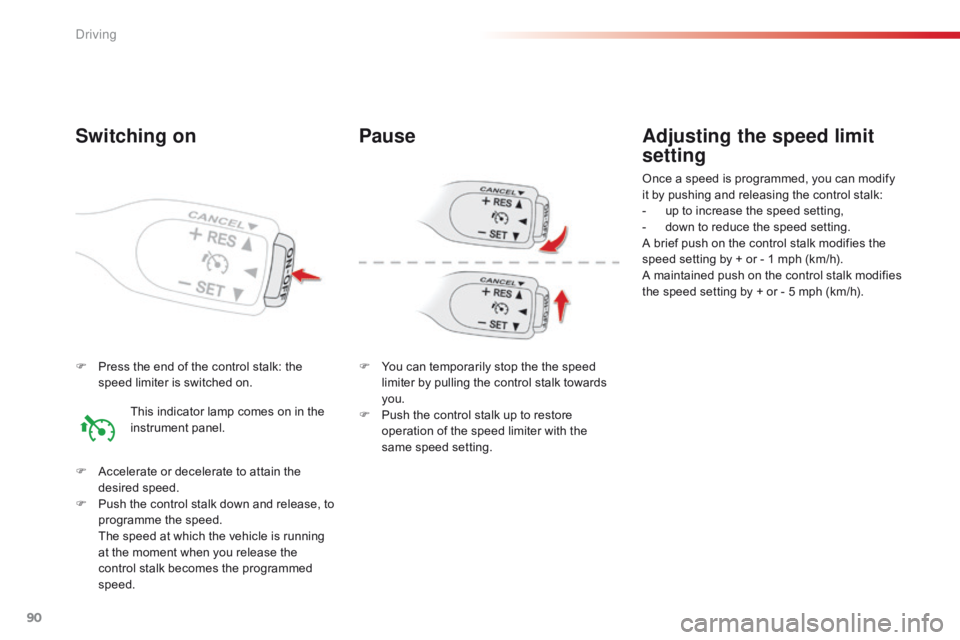
F Press the end of the control stalk: the s
peed limiter is switched on.
F
A
ccelerate or decelerate to attain the
de
sired
s
peed.
F
P
ush the control stalk down and release, to
p
rogramme the speed.
T
he speed at which the vehicle is running
a
t the moment when you release the
c
ontrol stalk becomes the programmed
s
peed.
Adjusting the speed limit
setting
Once a speed is programmed, you can modify it by pushing and releasing the control stalk:
-
u
p to increase the speed setting,
-
d
own to reduce the speed setting.
A
brief push on the control stalk modifies the
s
peed setting by + or - 1 mph (km/h).
A
maintained push on the control stalk modifies
t
he speed setting by + or - 5 mph (km/h).
Switching on
This indicator lamp comes on in the instrument pan el.
Pause
F You can temporarily stop the the speed l
imiter by pulling the control stalk towards
yo
u.
F
P
ush the control stalk up to restore
o
peration of the speed limiter with the
s
ame speed setting.
Driving
Page 95 of 269
93
C1_en_Chap04_conduite_ed01-2016
Lane departure warning system
System which detects the unintended crossing of longitudinal traffic lane markings on the ground, using a camera that recognises both solid and broken lines.
To
improve your safety, the camera analyses the image and then triggers a warning if the vehicle wanders over a lane marking (speed higher than
3
0 mph (50 km/h)).
This
system is particularly suitable for motor ways and dual carriageways.
The
lane departure warning system
c
annot in any circumstances replace
t
he need for vigilance on the part of the
d
river.
It
is necessary to observe driving
r
egulations and take a break every
two
hours.
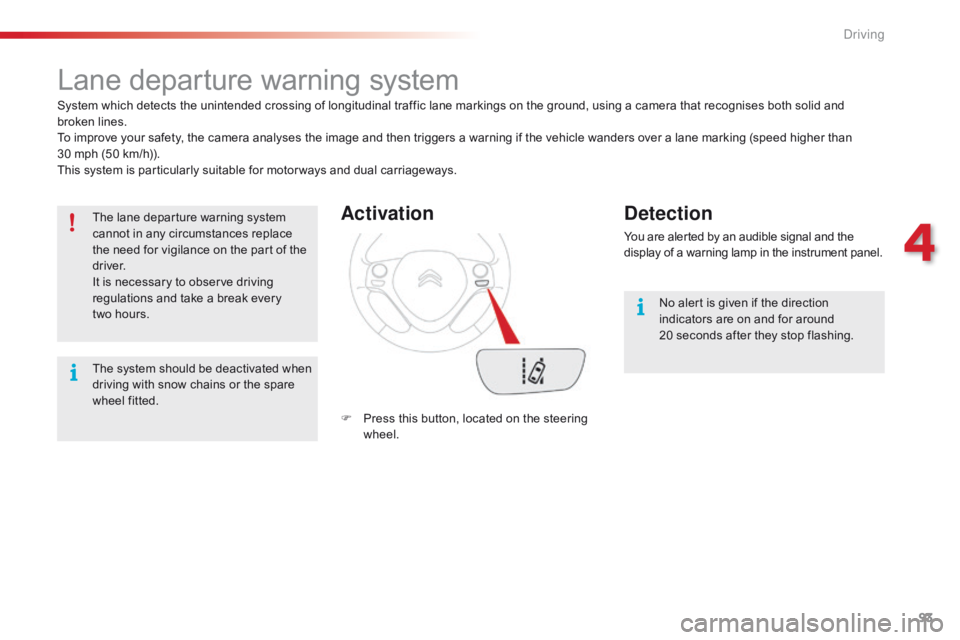
Activation
F Press this button, located on the steering w
heel.
Detection
You are alerted by an audible signal and the display of a warning lamp in the instrument panel.
No
alert is given if the direction
i
ndicators are on and for around
20
seconds after they stop flashing.
The
s
ystem
s
hould
b
e
d
eactivated
w
hen
d
riving
with
snow
chains
or
the
spare
w
heel
fitted.
4
Driving