ignition Citroen C3 2015 2.G Repair Manual
[x] Cancel search | Manufacturer: CITROEN, Model Year: 2015, Model line: C3, Model: Citroen C3 2015 2.GPages: 401, PDF Size: 13.04 MB
Page 192 of 401
190
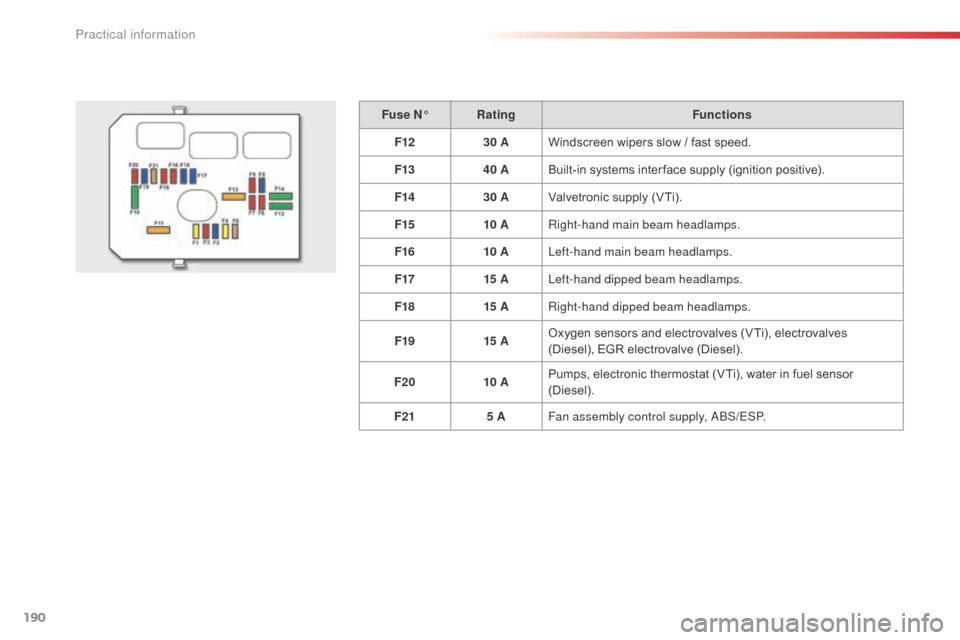
Fuse N°Rating Functions
F12 30 AWindscreen wipers slow / fast speed.
F13 40 ABuilt-in systems inter face supply (ignition positive).
F14 30 AValvetronic supply (VTi).
F15 10 ARight-hand main beam headlamps.
F16 10 ALeft-hand main beam headlamps.
F17 15 ALeft-hand dipped beam headlamps.
F18 15 ARight-hand dipped beam headlamps.
F19 15 AOxygen sensors and electrovalves (VTi), electrovalves
(Diesel), EGR electrovalve (Diesel).
F20 10 APumps, electronic thermostat (VTi), water in fuel sensor
(Diesel).
F21 5 AFan assembly control supply,
ab
S
/ESP.
Practical information
Page 194 of 401

192
Changing a front or rear wiper blade
Removal
F Raise the corresponding wiper arm.
F U nclip the wiper blade and remove it.
Fitting
F At the front, check the size of the wiper blade as the shorter blade is fitted to the
passenger side of the vehicle.
F
P
ut the corresponding new wiper blade in
place and clip it.
F
F
old down the wiper arm carefully.
Before removing a front
wiper blade
F Within one minute after switching off the ignition, operate the wiper stalk to position
the wiper blades in the vertical position.
This position must be used in order to avoid
damaging the wiper blade and the bonnet.
After fitting a front wiper
blade
F Switch on the ignition.
F O perate the wiper stalk again to park the
wiper blades.
Procedure for replacing a worn wiper blade with a new one without the use of tools.
Practical information
Page 196 of 401
194
Starting using another
batteryCharging the battery using
a battery charger
When the battery on your vehicle is discharged,
the engine can be started using a slave battery
(external or on another vehicle) and jump leads. F
F ollow the instructions for use provided by
the manufacturer of the charger.
First check that the slave battery has a nominal
voltage of 12 V and a capacity at least equal to
that of the discharged battery.
do n
ot try to start the engine by connecting a
battery charger.
Do not disconnect the (+) terminal when the
engine is running.
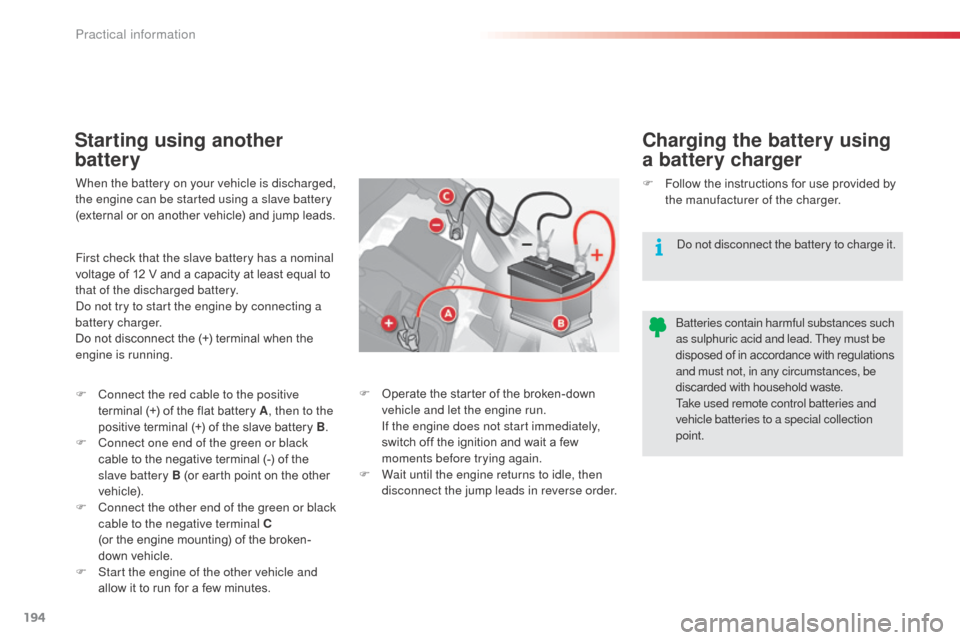
F
C
onnect the red cable to the positive
terminal (+) of the flat battery A , then to the
positive terminal (+) of the slave battery B.
F
C
onnect one end of the green or black
cable to the negative terminal (-) of the
slave battery B (or earth point on the other
vehicle).
F
C
onnect the other end of the green or black
cable to the negative terminal C
(or the engine mounting) of the broken-
down vehicle.
F
S
tart the engine of the other vehicle and
allow it to run for a few minutes.
do n
ot disconnect the battery to charge it.
F
O
perate the starter of the broken-down
vehicle and let the engine run.
I
f the engine does not start immediately,
switch off the ignition and wait a few
moments before trying again.
F
W
ait until the engine returns to idle, then
disconnect the jump leads in reverse order.
ba
tteries contain harmful substances such
as sulphuric acid and lead. They must be
disposed of in accordance with regulations
and must not, in any circumstances, be
discarded with household waste.
Take used remote control batteries and
vehicle batteries to a special collection
point.
Practical information
Page 201 of 401

199
Towing your vehicle
F on the front bumper, unclip the cover by pressing at the bottom.
F
S
crew the towing eye in fully.
F
I
nstall the towing arm.
F
P
lace the gear lever in neutral (position N
for an electronic or automatic gearbox). F
on t he rear bumper, unclip the cover by
pressing at the bottom.
F
S
crew the towing eye in fully.
F
I
nstall the towing arm.
F
S
witch on the hazard warning lamps on
both vehicles.
F
M
ove off gently and drive for a short
distance only.
Towing another vehicle
Failure to observe this special condition
could result in damage to certain
components (braking, transmission..)
and the absence of braking assistance
the next time the engine is started. F
U
nlock the steering by turning the key one
notch in the ignition switch and release the
parking brake.
F
S
witch on the hazard warning lamps on
both vehicles.
F
M
ove off gently and drive for a short
distance only.
11
Practical information
Page 218 of 401

216
Localised Assistance Call
If you purchased your vehicle outside
the CITROËN dealer network, we
invite you to have a dealer check the
configuration of these services and, if
desired, modified to suit your wishes.
In a multi-lingual country, configuration
is possible in the official national
language of your choice.
For technical reasons, particularly
to improve the quality of Telematic
services to customers, the
manufacturer reserves the right to
carry out updates to the vehicle's
on-board telematic system.
Press this button for more than
2 seconds to request assistance
if the vehicle breaks down.a
voice message confirms that
the call has been started*.
Pressing this button again immediately cancels
the request.
The cancellation is confirmed by a voice
message.
Operation of the system
When the ignition is switched
on, the green LEd comes on for
3 seconds indicating that the
system is operating correctly.
If the orange LE
d
is on continuously: the
backup battery must be replaced.
In either case, contact a CITR
oËn
dealer.
If the orange LE
d
flashes: there
is a system fault.
*
T
hese services are subject to conditions and
availability.
C
onsult a CITR
oËn d
ealer.
Audio and Telematics
Page 248 of 401
246
Media
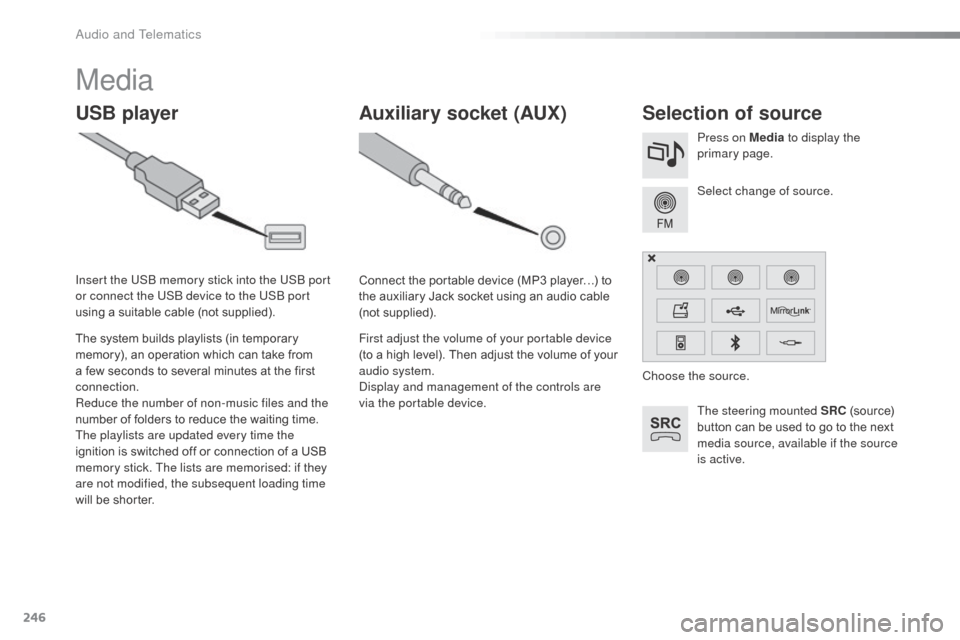
USB playerSelection of source
The steering mounted SRC (source)
button can be used to go to the next
media source, available if the source
is active. Select change of source. Press on Media to display the
primary page.
The system builds playlists (in temporary
memory), an operation which can take from
a few seconds to several minutes at the first
connection.
Reduce the number of non-music files and the
number of folders to reduce the waiting time.
The playlists are updated every time the
ignition is switched off or connection of a USB
memory stick. The lists are memorised: if they
are not modified, the subsequent loading time
will be shorter. Insert the US
b
memory stick into the US
b
port
or connect the US
b
device to the US
b
port
using a suitable cable (not supplied).
Auxiliary socket (AUX)
Connect the portable device (MP3 player…) to
the auxiliary Jack socket using an audio cable
(not supplied).
First adjust the volume of your portable device
(to a high level). Then adjust the volume of your
audio system.
di
splay and management of the controls are
via the portable device. Choose the source.
audio and Telematics
Page 271 of 401
269
The services available depend on
the network, the SIM card and the
compatibility of the b
l
uetooth telephone
used. Check the telephone manual and
with your network provider for details of
the services available to you.
The ability of the system to connect
with only one profile depends on the
telephone. The two profiles may both
connect by default.
Visit www.citroen.co.uk for more information
(compatibility, additional help, ...).
The recognised telephone
appears in the list.
dep
ending on your telephone, you may be
asked to accept automatic connection every
time the ignition is switched on.
on r
eturn to the vehicle, if the last telephone
connected is present again, it is reconnected
automatically and within around 30 seconds
after switching on the ignition the pairing is
done without any action on your part, with
(Bluetooth activated).
To modify the automatic connection mode,
select the telephone in the list then select the
desired profile.de pending on the type of telephone,
the system will ask you to accept or not
the transfer of your contacts.
If not, select " Update".
Connecting a Bluetooth®
peripheral device
Automatic reconnection
On switching on the ignition, the telephone
connected when the ignition was last switched
off is automatically reconnected, if this
connection mode had been activated during the
pairing procedure.
The connection is confirmed by the display of a
message and the name of the telephone.
Manual connection
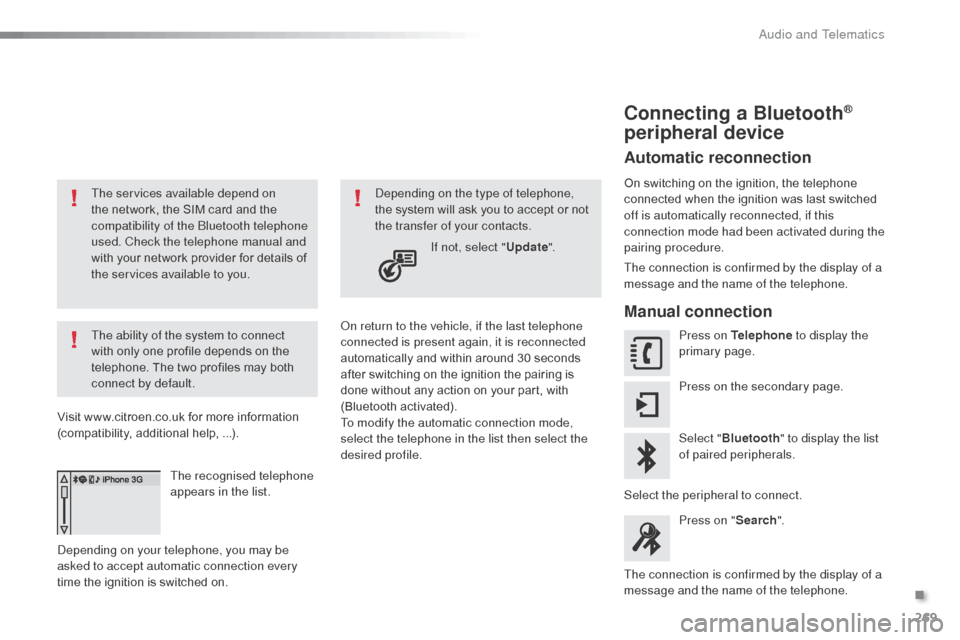
Press on Telephone to display the
primary page.
Press on the secondary page.
Select " Bluetooth " to display the list
of paired peripherals.
Select the peripheral to connect. Press on " Search".
The connection is confirmed by the display of a
message and the name of the telephone.
.
audio and Telematics
Page 286 of 401
284
C3_en_Chap13c_RD45_ed01-2015
Media
USB player
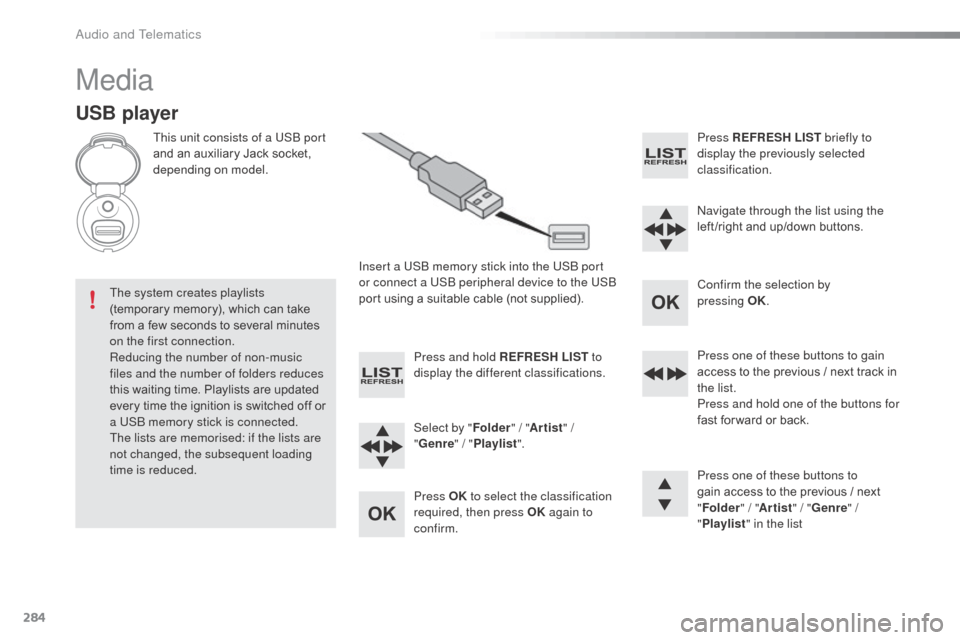
This unit consists of a USb port
and an auxiliary Jack socket,
depending on model.
Insert a US
b
memory stick into the US
b
port
or connect a US
b
peripheral device to the US
b
port using a suitable cable (not supplied).
The system creates playlists
(temporary memory), which can take
from a few seconds to several minutes
on the first connection.
Reducing the number of non-music
files and the number of folders reduces
this waiting time. Playlists are updated
every time the ignition is switched off or
a US
b
memory stick is connected.
The lists are memorised: if the lists are
not changed, the subsequent loading
time is reduced. Press and hold REFRESH LIST
to
display the different classifications.
Select by " Folder" / "Artist " /
" Genre " / "Playlist ".
Press OK to select the classification
required, then press OK again to
confirm. Press REFRESH LIST
briefly to
display the previously selected
classification.
na
vigate through the list using the
left /right and up/down buttons.
Confirm the selection by
pressing
OK.
Press one of these buttons to gain
access to the previous / next track in
the list.
Press and hold one of the buttons for
fast for ward or back.
Press one of these buttons to
gain access to the previous / next
" Folder " / "Artist " / "Genre " /
" Playlist " in the list
audio and Telematics
Page 290 of 401
288
C3_en_Chap13c_RD45_ed01-2015
Telephone
Pairing a Bluetooth® telephone
Screen C
(Available according to model and version)
as a safety measure and because they
require prolonged attention on the part
of the driver, the operations for pairing
of the Bluetooth mobile telephone with
the b
l
uetooth hands-free system of
your audio equipment must be carried
out with the vehicle stationary and the
ignition on.
Go to www.citroen.co.uk for more information
(compatibility, more help, ...).
ac
tivate the telephone's b
l
uetooth function
and ensure that it is "visible to all" (telephone
configuration).
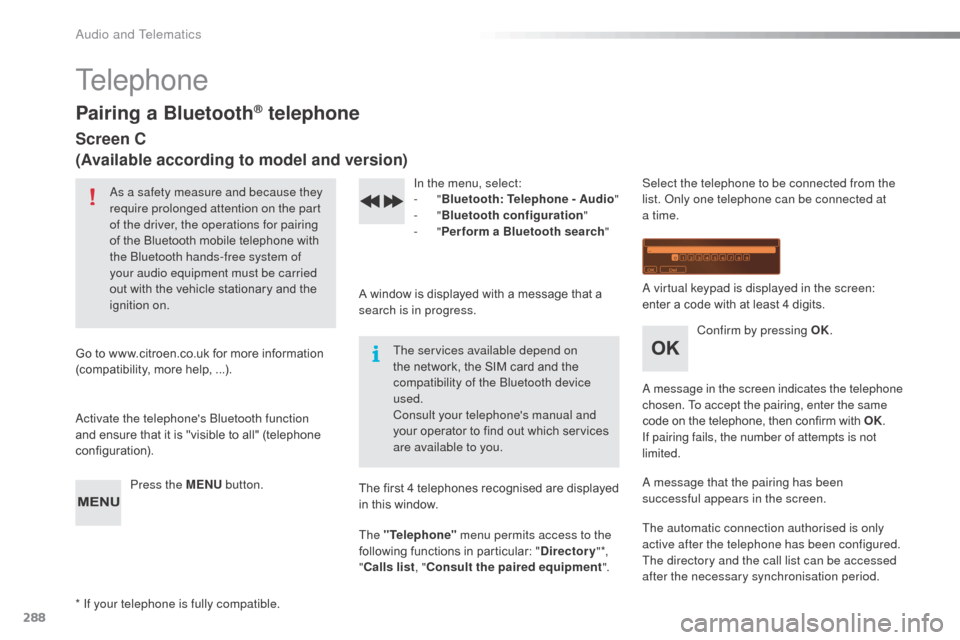
Press the MENU button. In the menu, select:
-
"Bluetooth : Telephone - Audio "
-
"Bluetooth configuration "
-
"Perform a Bluetooth search "
A window is displayed with a message that a
search is in progress. The services available depend on
the network, the SIM card and the
compatibility of the
b
l
uetooth device
used.
Consult your telephone's manual and
your operator to find out which services
are available to you.
* If your telephone is fully compatible. The first 4 telephones recognised are displayed
in this window.
The "Telephone"
menu permits access to the
following functions in particular: " Directory" *,
" Calls list , "Consult the paired equipment ".Select the telephone to be connected from the
list.
on ly one telephone can be connected at
a time.
a
virtual keypad is displayed in the screen:
enter a code with at least 4 digits.
Confirm by pressing OK.
a
message in the screen indicates the telephone
chosen. To accept the pairing, enter the same
code on the telephone, then confirm with OK.
If pairing fails, the number of attempts is not
limited.
a
message that the pairing has been
successful appears in the screen.
The automatic connection authorised is only
active after the telephone has been configured.
The directory and the call list can be accessed
after the necessary synchronisation period.
audio and Telematics
Page 306 of 401
304
C3_en_Chap14_Recherche-visuel-Index-Alpha_ed01-2015
Labels, identification .....................................2 13
Lamps, front .................................................. 178
Lamps, rear
................................................... 182
Lamps, warning and indicator
...................12-23
LE
d da
ytime running lamps
...........................76
Level,
a d
blu
e
® additive ................................. 15 6
Level, brake fluid ........................................... 14
8
Levels and checks
................................. 145 -149
Lighting bulbs (replacement)
.................17
8 -18 4
Lighting control stalk
....................................... 72
Lighting dimmer
..............................
................29
Lighting, guide-me home
.......................... 74, 75
Lighting, interior
................................ 80, 81, 184
Loading
............................................................. 8
Load reduction mode
.................................... 19 6
Localised
a
s
sistance Call
............................. 2
15
Locating your vehicle
...................................... 64
L
ocking from the inside
................................... 69
L
ow fuel level
................................................ 152
LPG
.......
........................................................ 206
Jack
........
....................................................... 171
Jack cable
............................................. 246, 285
JACK socket
.................................... 85, 246, 285
Jukebox
......................................................... 249
ke
eping children safe
...................... 8
9 -102, 114
Key in ignition warning
.................................. 120
Key with remote control
..................... 63 - 65, 118
LI
J
K
M
Main beam .............................................. 72, 180
Maintenance ....................................... 8, 147-151
Markings, identification
.................................213
Mat
.................................................................. 86
Menu
........................... 222, 224, 228, 236, 238,
240, 250, 252, 254, 264, 266
Menu, main
................................................... 282
Menus (audio)
............................... 236, 238, 240Menus (Touch screen tablet)
.................
217, 221
Mirrorlink connection
....................................
263
Mirror, rear view ..............................................
58
Mirrors, door .................................................... 57
Misfuel prevention
...............................
..........
15 4
Mountings for IS
oF
IX seats
...................
98, 100
MP3 CD .........................................................
286
N
O
navigation .............................................. 222-235nu
mber plate lamps ...................................... 18
2
oi
l change
..................................................... 147
oi
l consumption
............................................ 147
oil
filter
...............
........................................... 150
oi
l level ..................................................... 27, 147
op
ening the bonnet
...................................... 14
4
op
ening the boot
..............................
........63, 71
op
ening the doors
...............................
.....63, 68
op
ening the fuel filler flap
.............................15
2
op
eration indicator lamps
.........................12-23
Indicators, direction
......................................
103
Inflating accessories (using the kit)
..............
169
Inflating tyres
............................................
8, 212
Installing speakers
..........................................
59
Instrument panel lighting
................................ 29
In
strument panels
.....................................
10, 11
Instrument panel screen
.................... 1
0, 11, 131
Interior fittings
............................................
82- 86
Interior lamp
............................................
80, 184
Interior mood lighting
......................................
81
Internet
..................................................
258, 259
Internet browser
....................................
258, 259
ISoFI
X
.....................................................
9 8 -10 0
ISoF
IX mountings ................................... 98, 100
alphabetical index