instrument panel CITROEN C3 AIRCROSS 2017 User Guide
[x] Cancel search | Manufacturer: CITROEN, Model Year: 2017, Model line: C3 AIRCROSS, Model: CITROEN C3 AIRCROSS 2017Pages: 308, PDF Size: 9.13 MB
Page 30 of 308
28
CHECK
Resetting the service indicator
After each service, the service indicator must
be reset to zero.
If you have carried out the ser vice on your
vehicle yourself, switch off the ignition:
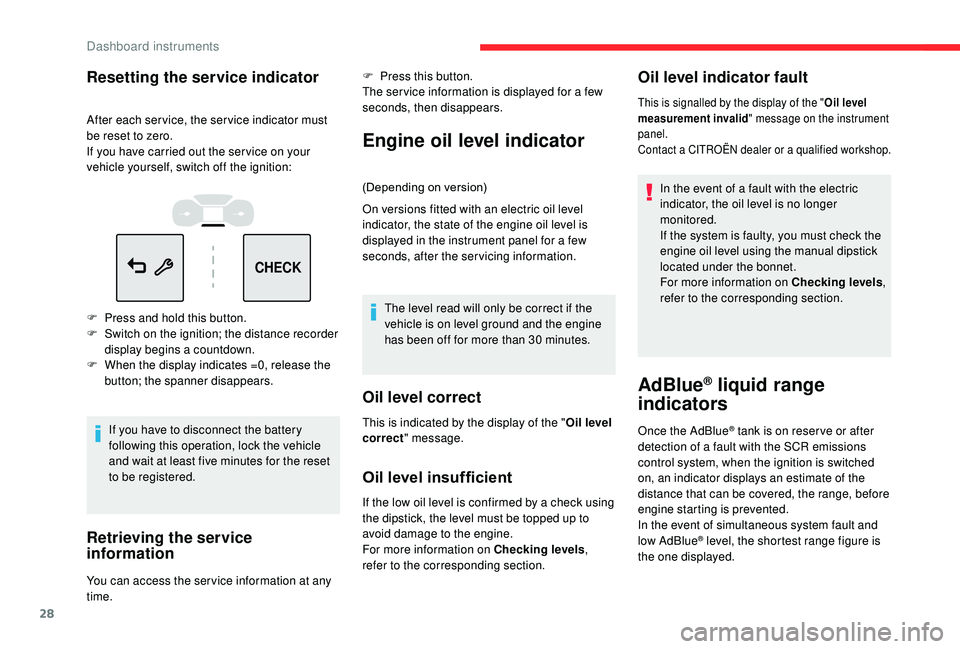
F
P
ress and hold this button.
F
S
witch on the ignition; the distance recorder
display begins a countdown.
F
W
hen the display indicates =0, release the
button; the spanner disappears.
If you have to disconnect the battery
following this operation, lock the vehicle
and wait at least five minutes for the reset
to be registered.
Retrieving the service
information
You can access the ser vice information at any
time. F
P
ress this button.
The ser vice information is displayed for a few
seconds, then disappears.
Engine oil level indicator
(Depending on version)
On versions fitted with an electric oil level
indicator, the state of the engine oil level is
displayed in the instrument panel for a few
seconds, after the servicing information.
The level read will only be correct if the
vehicle is on level ground and the engine
has been off for more than 30
minutes.
Oil level correct
Oil level insufficient
If the low oil level is confirmed by a check using
the dipstick, the level must be topped up to
avoid damage to the engine.
For more information on Checking levels ,
refer to the corresponding section.
Oil level indicator fault
In the event of a fault with the electric
indicator, the oil level is no longer
monitored.
If the system is faulty, you must check the
engine oil level using the manual dipstick
located under the bonnet.
For more information on Checking levels ,
refer to the corresponding section.
AdBlue® liquid range
indicators
Once the AdBlue® tank is on reser ve or after
detection of a fault with the SCR emissions
control system, when the ignition is switched
on, an indicator displays an estimate of the
distance that can be covered, the range, before
engine starting is prevented.
In the event of simultaneous system fault and
low AdBlue
® level, the shortest range figure is
the one displayed.
This is indicated by the display of the "
Oil level
correct " message.
This is signalled by the display of the " Oil level
measurement invalid " message on the instrument
panel.
Contact a CITROËN dealer or a qualified workshop.
Dashboard instruments
Page 31 of 308
29
CHECK
F You can access the information via the Driving/Vehicle
menu, by selecting " Driving
functions " then "Diagnostic ".When driving, this message is displayed
approximately every 200
miles (300 km) until
the liquid has been topped up.
The reser ve level has been reached; it is
recommended that you top up as soon as
possible.
It is recommended that you do not top up by
more than 10 litres of AdBlue.
For more information on AdBlue
® and
the SCR system , and, in particular,
on topping up the AdBlue
®, refer to the
corresponding section.
Range below 370 miles (600 km)
When driving, this message is displayed every
30 seconds until the AdBlue fluid has been
topped up.
It is essential to top up as soon as possible and
before the tank is completely empty; other wise
it will not be possible to restart the engine after
the next stop.
In the event of the risk of non-
starting related to a lack of
AdBlue
®
The engine start prevention system
required by regulations is activated
automatically once the AdBlue
® tank is
e m pt y.
Range greater than 1,500
miles (2,400 km)
When switching on the ignition, there is no
automatic display of range in the instrument
panel.
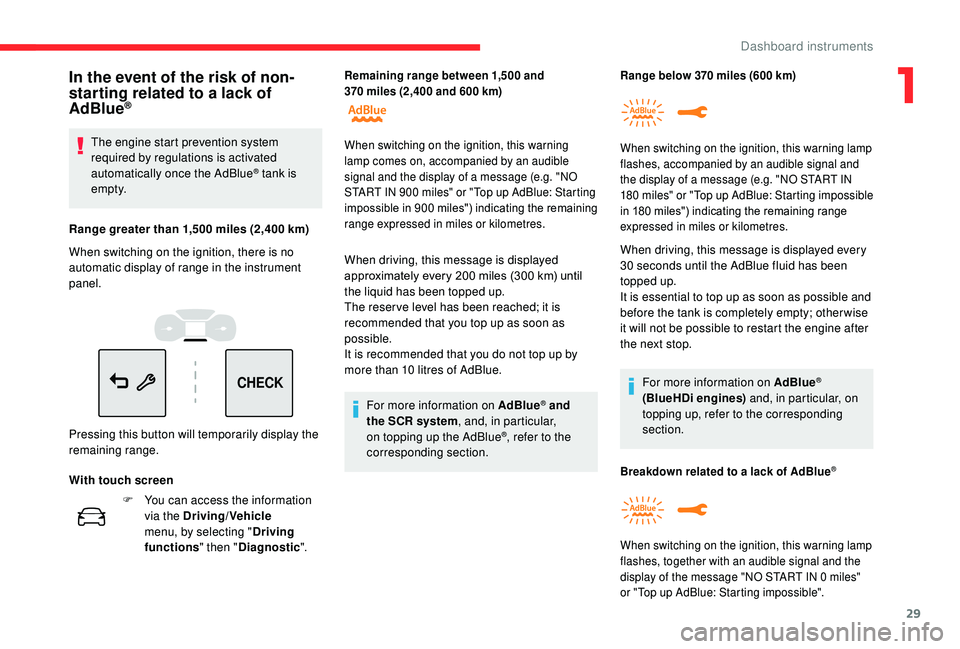
Pressing this button will temporarily display the
remaining range.
With touch screen
Remaining range between 1,500 and
370 miles (2,400 and 600 km)
When switching on the ignition, this
warning
lamp comes on, accompanied by an audible
signal and the display of a message (e.g. "NO
START IN 900
miles" or "Top up AdBlue: Starting
impossible in 900
miles") indicating the remaining
range expressed in miles or kilometres. When switching on the ignition, this warning lamp
flashes, accompanied by an audible signal and
the display of a message (e.g. "NO START IN
180
m
iles" or "Top up AdBlue: Starting impossible
in 180
miles") indicating the remaining range
expressed in miles or kilometres.
For more information on AdBlue®
(BlueHDi engines) and, in particular, on
topping up, refer to the corresponding
section.
Breakdown related to a lack of AdBlue®
When switching on the ignition, this warning lamp
flashes, together with an audible signal and the
display of the message "NO START IN 0
miles"
or "Top up AdBlue: Starting impossible".
1
Dashboard instruments
Page 33 of 308
31
When travelling abroad, you may have to
change the units of distance: the display
of road speed must be in the official units
(miles or km) for the country.
The change of units is done via the screen
configuration menu, with the vehicle
stationary.
Total distance recorder
It measures the total distance travelled by the
vehicle since its first registration.
Trip distance recorder
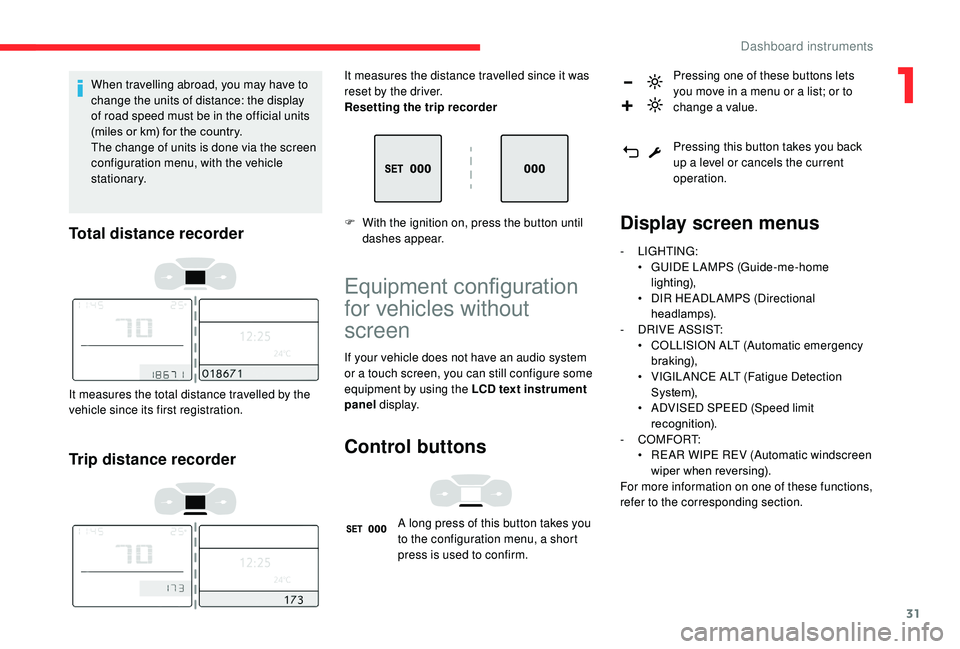
It measures the distance travelled since it was
reset by the driver.
Resetting the trip recorder
F
W
ith the ignition on, press the button until
dashes appear.
Equipment configuration
for vehicles without
screen
If your vehicle does not have an audio system
or a touch screen, you can still configure some
equipment by using the LCD text instrument
panel display.
Control buttons
A long press of this button takes you
to the configuration menu, a short
press is used to confirm. Pressing one of these buttons lets
you move in a menu or a list; or to
change a value.
Pressing this button takes you back
up a level or cancels the current
operation.
Display screen menus
-
LIGHTING:
•
G UIDE LAMPS (Guide-me-home
lighting),
•
D
IR HEADLAMPS (Directional
headlamps).
-
D
RIVE ASSIST:
•
C
OLLISION ALT (Automatic emergency
b r ak ing),
•
V
IGILANCE ALT (Fatigue Detection
S yste m),
•
A
DVISED SPEED (Speed limit
recognition).
-
COMFORT:
•
R
EAR WIPE REV (Automatic windscreen
wiper when reversing).
For more information on one of these functions,
refer to the corresponding section.
1
Dashboard instruments
Page 40 of 308
38
With LCD text instrument panel
A few definitions…
Range
(miles or km)The distance which can
still be travelled with the
fuel remaining in the tank
(related to the average
fuel consumption over the
last few miles (kilometres)
travelled).
This value may fluctuate if a change
of driving style or terrain results in a
significant change in the current fuel
consumption. After filling with at least 5
litres of fuel, the
range is recalculated and is displayed if it
exceeds 60 miles (100 km).
If dashes instead of figures continue to
be displayed when driving, contact a
CITROËN dealer or a qualified workshop.
Current fuel consumption
(mpg or l/100 km or km/l)
C alculated over the last few
seconds.
This function is only displayed above
20
mph (30 km/h).
Average fuel consumption
Reset trip
With LCD text or matrix
instrument panel
F When the trip is displayed, press the button on the end of the wiper control stalk for
more than two seconds.
F
O
r, depending on equipment, press the
thumbwheel on the steering wheel for
more than two seconds. F
W
hen the desired trip is displayed, press
the reset button in the instrument panel for
more than two seconds.
(mpg or l/100
km or km/l)
Calculated since the last trip
computer reset.
Average speed
(mph or km/h)
Calculated since the last trip
computer reset.
Dashes are displayed when the range falls
below 20
miles (30
km).
Dashboard instruments
Page 41 of 308
39
Distance travelled
(miles or km)Calculated since the last trip
computer reset.
Stop & Star t time counter
(minutes/seconds or hours/minutes)
A time counter calculates the sum of the
periods in STOP mode during a journey.
It resets to zero every time the ignition is
switched on.
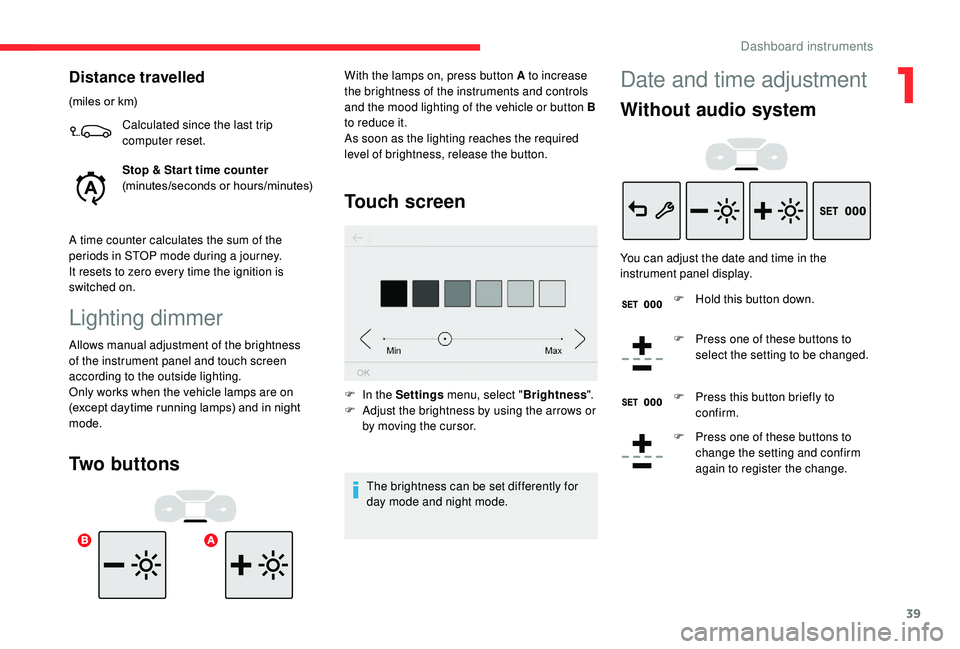
Lighting dimmer
Allows manual adjustment of the brightness
of the instrument panel and touch screen
according to the outside lighting.
Only works when the vehicle lamps are on
(except daytime running lamps) and in night
mode.
Two buttons Touch screen
F In the Settings
menu, select "Brightness".
F A djust the brightness by using the arrows or
by moving the cursor.
The brightness can be set differently for
day mode and night mode.
With the lamps on, press button A to increase
the brightness of the instruments and controls
and the mood lighting of the vehicle or button B
to reduce it.
As soon as the lighting reaches the required
level of brightness, release the button.
Date and time adjustment
Without audio system
You can adjust the date and time in the
instrument panel display.
F
H
old this button down.
F
P
ress one of these buttons to
select the setting to be changed.
F
P
ress this button briefly to
confirm.
F
P
ress one of these buttons to
change the setting and confirm
again to register the change.
1
Dashboard instruments
Page 48 of 308
46
If the alarm is activated, the siren sounds
on opening the door; switch on the ignition
to stop it.
If your vehicle is fitted with an alarm, this
function will not be activated when locking
with the key.
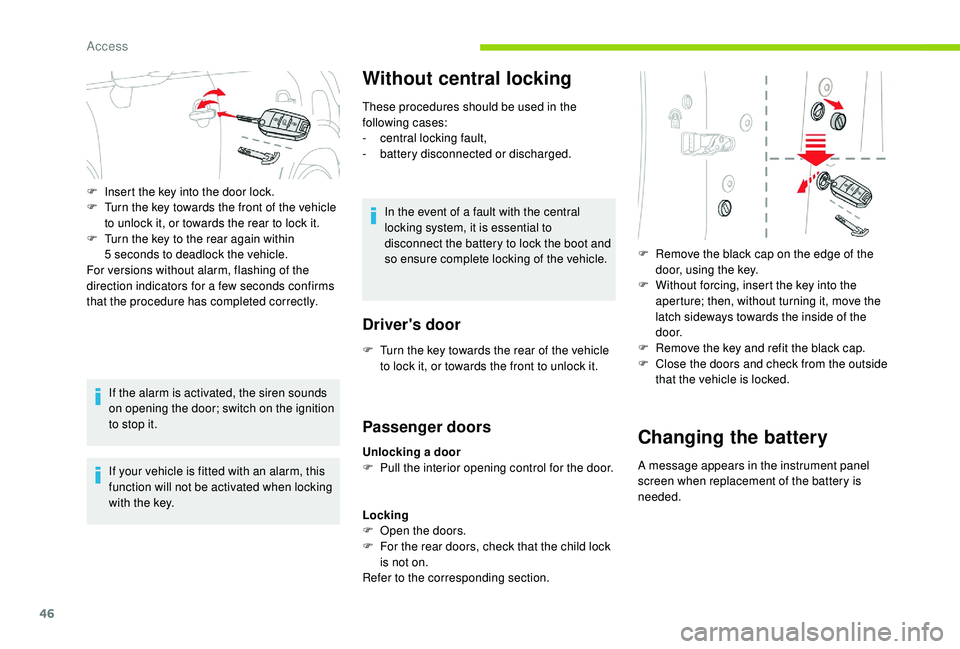
Without central locking
These procedures should be used in the
following cases:
-
c
entral locking fault,
-
b
attery disconnected or discharged.
In the event of a fault with the central
locking system, it is essential to
disconnect the battery to lock the boot and
so ensure complete locking of the vehicle.
Driver's door
F Insert the key into the door lock.
F T urn the key towards the front of the vehicle
to unlock it, or towards the rear to lock it.
F
T
urn the key to the rear again within
5
seconds to deadlock the vehicle.
For versions without alarm, flashing of the
direction indicators for a few seconds confirms
that the procedure has completed correctly.
F
T
urn the key towards the rear of the vehicle
to lock it, or towards the front to unlock it.
Passenger doors
Unlocking a door
F P ull the interior opening control for the door.
Locking
F
O
pen the doors.
F
F
or the rear doors, check that the child lock
is not on.
Refer to the corresponding section. F
R
emove the black cap on the edge of the
door, using the key.
F
W
ithout forcing, insert the key into the
aperture; then, without turning it, move the
latch sideways towards the inside of the
d o o r.
F
R
emove the key and refit the black cap.
F
C
lose the doors and check from the outside
that the vehicle is locked.Changing the battery
A message appears in the instrument panel
screen when replacement of the battery is
needed.
Access
Page 52 of 308
50
Unlocking
When locking/deadlocking from the
outside
When the vehicle is locked or deadlocked
from the outside, the red indicator lamp
flashes and the button is inactive.
F
A
fter normal locking, pull one of the
interior door controls to unlock the
vehicle.
F
A
fter deadlocking, it is necessary to
use the remote control,
K
eyless Entry
and Starting or the integral key to
unlock the vehicle.
Automatic mode
This is the automatic central locking of the
vehicle when driving, also called anti-intrusion
s e c u r i t y.
For more information on Anti-intrusion
security , refer to the corresponding section.
Anti-intrusion security
This system allows automatic simultaneous
locking of the doors and boot as soon as the
speed of the vehicle exceeds 6
mph (10 km/h).
Operation
This is signalled by the sound of
the locks rebounding, accompanied
by illumination of this symbol in the
instrument panel, an audible signal
and the display of an alert message.
If any of the doors or the boot is open, the
automatic central locking does not take place.
Carrying long or voluminous objects
If you want to drive with the boot open, you
should press the central locking button
to lock the doors. Other wise, every time
the speed of the vehicle exceeds 6
mph
(10
km/h), the locks will rebound and the
alerts mentioned above will appear.
Pressing the central locking button
unlocks the vehicle.
Above 6
mph (10 km/h), this unlocking is
te m p o r a r y.
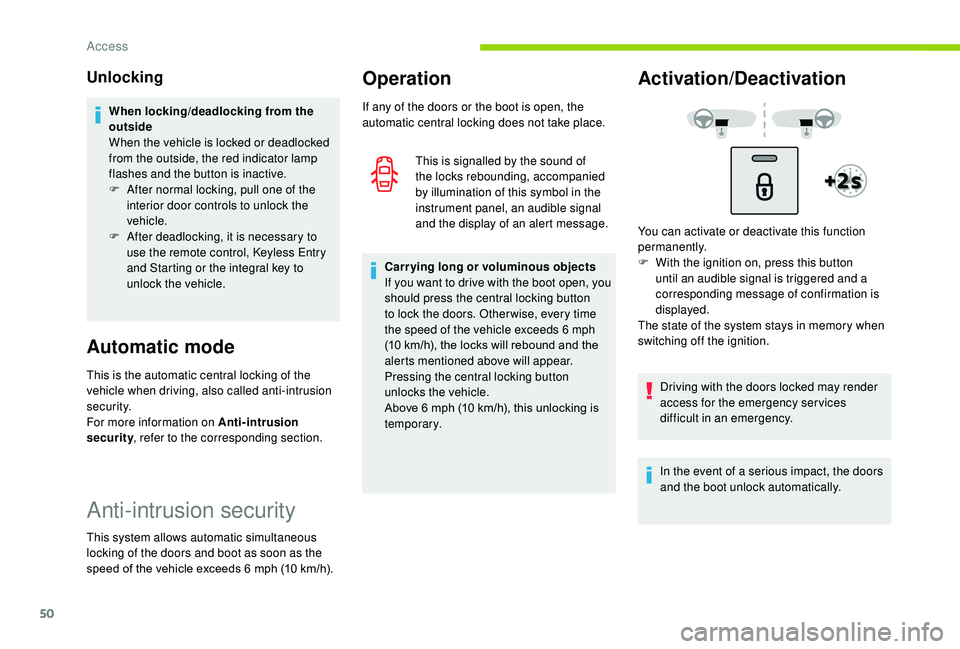
Activation/Deactivation
You can activate or deactivate this function
permanently.
F
W
ith the ignition on, press this button
until an audible signal is triggered and a
corresponding message of confirmation is
displayed.
The state of the system stays in memory when
switching off the ignition.
Driving with the doors locked may render
access for the emergency services
difficult in an emergency.
In the event of a serious impact, the doors
and the boot unlock automatically.
Access
Page 59 of 308
57
Front seats
For safety reasons, the driver's seat must
only be adjusted when the vehicle is
stationary.
Correct driving position
Before taking to the road and to make the most
of the ergonomic layout of the instruments and
controls, carry out these adjustments in the
following order:
-
h
eight of the head restraint,
-
b
ackrest angle,
-
sea
t cushion height,
-
l
ongitudinal position of the seat,
-
hei
ght and reach of the steering wheel,
-
i
nterior and door mirrors.
Once these adjustments have been made,
check the instrument panel can be viewed
correctly from your driving position.
Settings
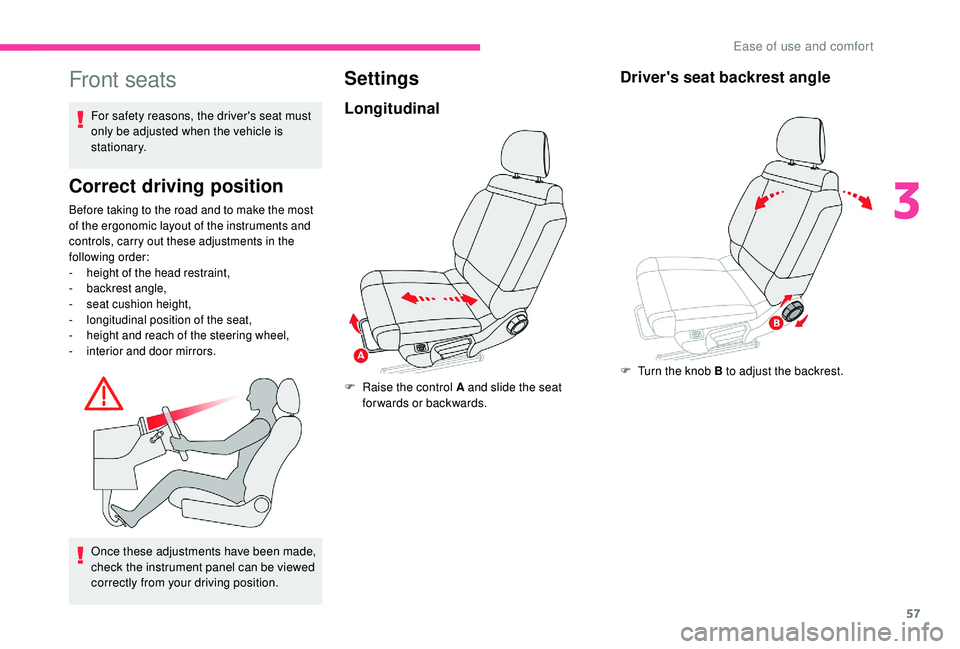
Longitudinal
F Raise the control A and slide the seat forwards or backwards.
Driver's seat backrest angle
F Turn the knob B to adjust the backrest.
3
Ease of use and comfort
Page 82 of 308
80
Lighting control
In some weather conditions (e.g. low
temperature or humidity), the presence
of misting on the internal sur face of the
glass of the headlamps and rear lamps is
normal; it disappears after the lamps have
been on for a few minutes.
If one or more lamps fails, a message
asks you to check the lamp or lamps
concerned.
Travelling abroad
If planning to use your vehicle in a country
that drives on the other side of the road,
the headlamp dipped beams must be
adjusted to avoid dazzling oncoming
drivers. Contact a CITROËN dealer or a
qualified workshop.
Main lighting
Selection of main lighting
mode
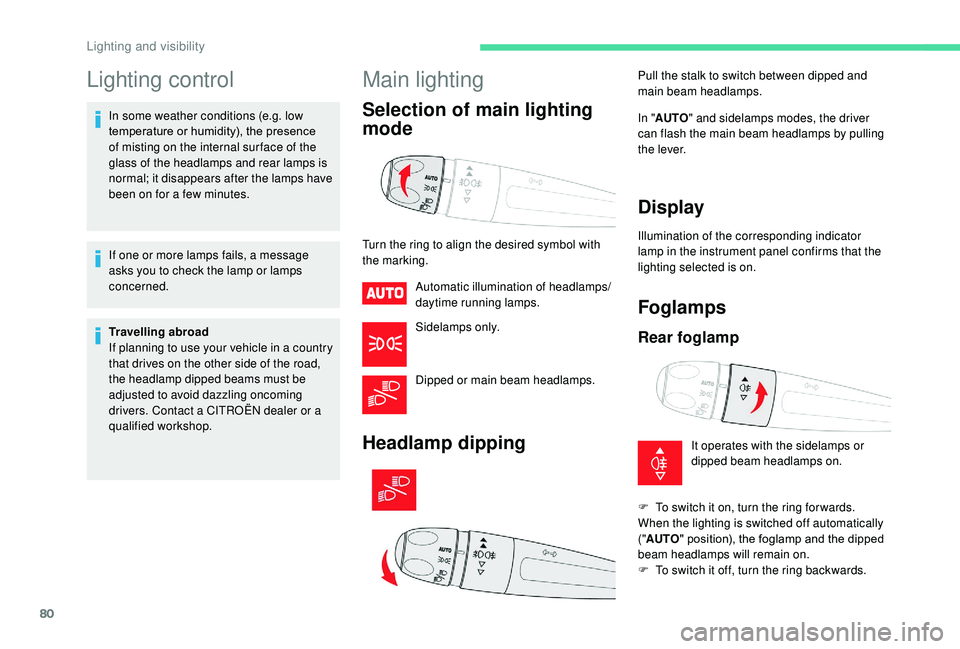
Turn the ring to align the desired symbol with
the marking.Automatic illumination of headlamps/
daytime running lamps.
Sidelamps only.
Dipped or main beam headlamps.
Headlamp dipping
In "AUTO " and sidelamps modes, the driver
can flash the main beam headlamps by pulling
the lever.
Display
Illumination of the corresponding indicator
lamp in the instrument panel confirms that the
lighting selected is on.
Foglamps
Rear foglamp
Pull the stalk to switch between dipped and
main beam headlamps.
It operates with the sidelamps or
dipped beam headlamps on.
F
T
o switch it on, turn the ring for wards.
When the lighting is switched off automatically
(" AUTO " position), the foglamp and the dipped
beam headlamps will remain on.
F
T
o switch it off, turn the ring backwards.
Lighting and visibility
Page 84 of 308
82
Three flashes
F Press briefly upwards or downwards, without going beyond the point of
resistance; the direction indicators will flash
3 times.
Automatic illumination of
headlamps
When the ring is at the " AUTO" position
and a low level of ambient light is detected
by a sunshine sensor, the number plate
lamps,
sidelamps and dipped beam headlamps
are switched on automatically, without any
action on the part of the driver. They can also
come on if rain is detected, at the same time as
automatic operation of the windscreen wipers.
As soon as the brightness returns to a
sufficient level or after the windscreen wipers
are switched off, the lamps are switched off
automatically.
Malfunction
In the event of a malfunction of the
sunshine sensor, the lighting comes
on, this warning lamp is displayed in
the instrument panel accompanied
by an audible signal and/or a
message.
Contact a CITROËN dealer or a
qualified workshop. Do not cover the sunshine sensor,
integrated with the rain sensor and located
at the top centre of the windscreen behind
the rear view mirror; the associated
functions would no longer be controlled.
In fog or snow, the sunshine sensor may
detect sufficient light. In this case, the
lighting will not come on automatically.
Daytime running lamps/
Sidelamps
In daytime running lamps mode, the
diodes are brighter.
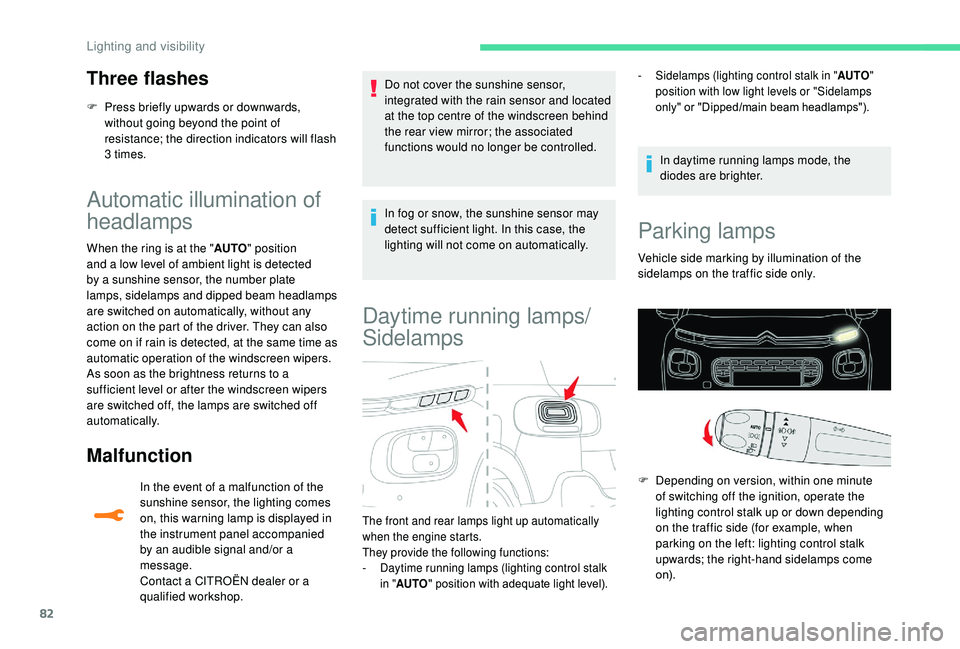
The front and rear lamps light up automatically
when the engine starts.
They provide the following functions:
-
D
aytime running lamps (lighting control stalk
in " AUTO " position with adequate light level). -
S
idelamps (lighting control stalk in "
AUTO"
position with low light levels or "Sidelamps
only" or "Dipped/main beam headlamps").
Parking lamps
Vehicle side marking by illumination of the
sidelamps on the traffic side only.
F
D
epending on version, within one minute
of switching off the ignition, operate the
lighting control stalk up or down depending
on the traffic side (for example, when
parking on the left: lighting control stalk
upwards; the right-hand sidelamps come
o n).
Lighting and visibility