lighting CITROEN C3 AIRCROSS 2017 User Guide
[x] Cancel search | Manufacturer: CITROEN, Model Year: 2017, Model line: C3 AIRCROSS, Model: CITROEN C3 AIRCROSS 2017Pages: 308, PDF Size: 9.13 MB
Page 36 of 308
34
Recommendations
This screen is of the capacitive type.
Use is possible in all temperatures.
Do not use pointed objects on the touch
screen.
Do not touch the touch screen with wet hands.
Use a soft clean cloth to clean the touch
screen.
Principles
Use the buttons on each side of the touch
screen to access the menus, then use the
buttons that appear on the touch screen.
Certain functions may be displayed over 1 or
2 pages.
To deactivate/activate a function, press OFF/
ON.
To modify a setting (lighting duration, etc.) or
access additional information, press the symbol
for the function.After a few moments with no action on
the secondary page, the primary page is
displayed automatically. Use this button to confirm.
Use this button to return to the
previous page.
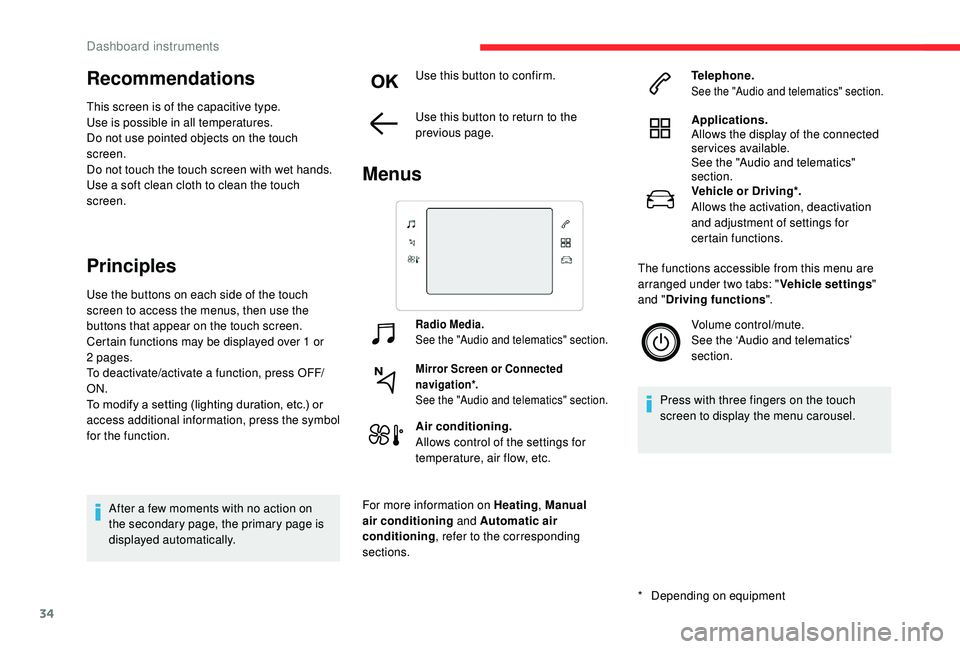
Menus
Radio Media.
See the "Audio and telematics" section.
Mirror Screen or Connected
navigation*.
See the "Audio and telematics" section.
Air conditioning.
Allows control of the settings for
temperature, air flow, etc.
For more information on Heating , Manual
air conditioning and Automatic air
conditioning , refer to the corresponding
sections.
*
D
epending on equipment Telephone.
See the "Audio and telematics" section.
Applications.
Allows the display of the connected
services available.
See the "Audio and telematics"
section.
Vehicle or Driving*.
Allows the activation, deactivation
and adjustment of settings for
certain functions.
The functions accessible from this menu are
arranged under two tabs: " Vehicle settings"
and " Driving functions ".
Volume control/mute.
See the ‘Audio and telematics’
section.
Press with three fingers on the touch
screen to display the menu carousel.
Dashboard instruments
Page 37 of 308
35
Upper bar
* Depending on equipment
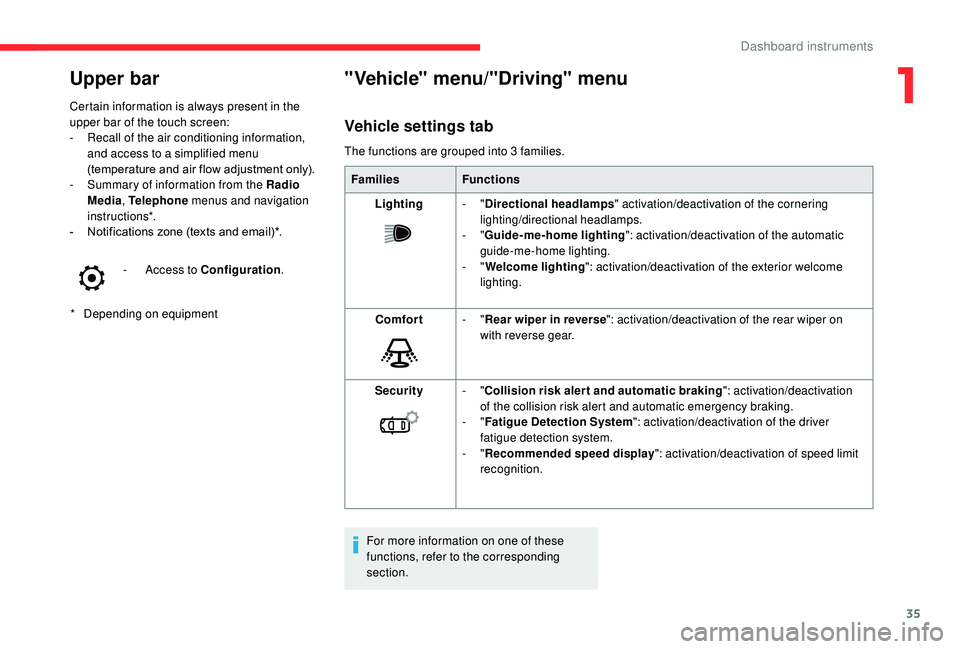
Certain information is always present in the
upper bar of the touch screen:
-
R
ecall of the air conditioning information,
and access to a simplified menu
(temperature and air flow adjustment only).
-
S
ummary of information from the Radio
Media , Telephone menus and navigation
instructions*.
-
N
otifications zone (texts and email)*.
-
A
ccess to Configuration
.
"Vehicle" menu/"Driving" menu
Vehicle settings tab
The functions are grouped into 3 families.
Families Functions
Lighting -
"Directional headlamps " activation/deactivation of the cornering
lighting/directional headlamps.
-
"Guide-me-home lighting ": activation/deactivation of the automatic
guide-me-home lighting.
-
"Welcome lighting ": activation/deactivation of the exterior welcome
lighting.
Comfort -
"Rear wiper in reverse ": activation/deactivation of the rear wiper on
with reverse gear.
Security -
"Collision risk alert and automatic braking ": activation/deactivation
of the collision risk alert and automatic emergency braking.
-
"Fatigue Detection System ": activation/deactivation of the driver
fatigue detection system.
-
"Recommended speed display ": activation/deactivation of speed limit
recognition.
For more information on one of these
functions, refer to the corresponding
section.
1
Dashboard instruments
Page 41 of 308
39
Distance travelled
(miles or km)Calculated since the last trip
computer reset.
Stop & Star t time counter
(minutes/seconds or hours/minutes)
A time counter calculates the sum of the
periods in STOP mode during a journey.
It resets to zero every time the ignition is
switched on.
Lighting dimmer
Allows manual adjustment of the brightness
of the instrument panel and touch screen
according to the outside lighting.
Only works when the vehicle lamps are on
(except daytime running lamps) and in night
mode.
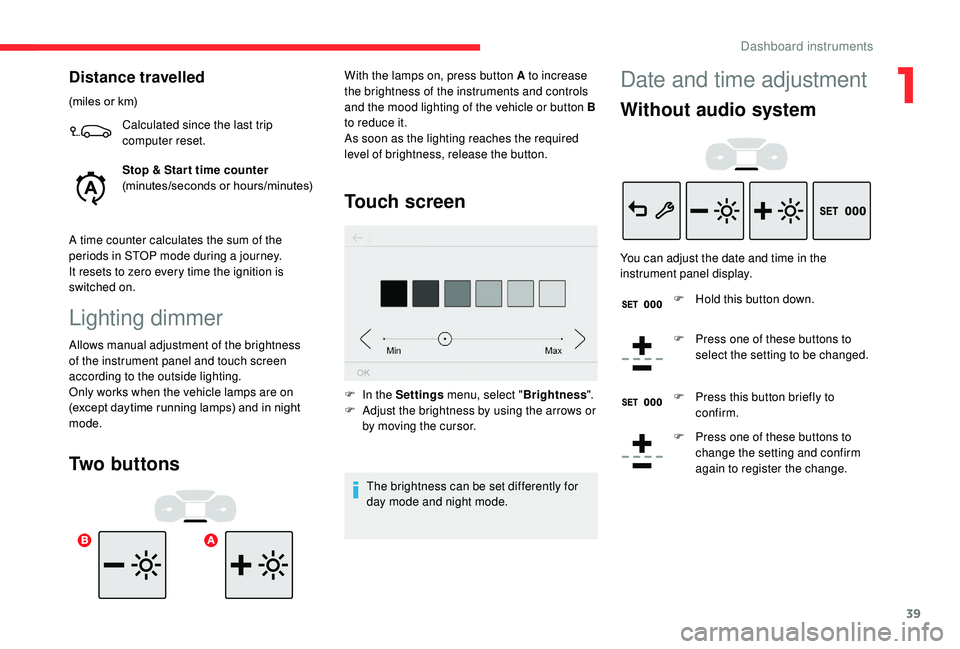
Two buttons Touch screen
F In the Settings
menu, select "Brightness".
F A djust the brightness by using the arrows or
by moving the cursor.
The brightness can be set differently for
day mode and night mode.
With the lamps on, press button A to increase
the brightness of the instruments and controls
and the mood lighting of the vehicle or button B
to reduce it.
As soon as the lighting reaches the required
level of brightness, release the button.
Date and time adjustment
Without audio system
You can adjust the date and time in the
instrument panel display.
F
H
old this button down.
F
P
ress one of these buttons to
select the setting to be changed.
F
P
ress this button briefly to
confirm.
F
P
ress one of these buttons to
change the setting and confirm
again to register the change.
1
Dashboard instruments
Page 43 of 308
41
Remote control
General information
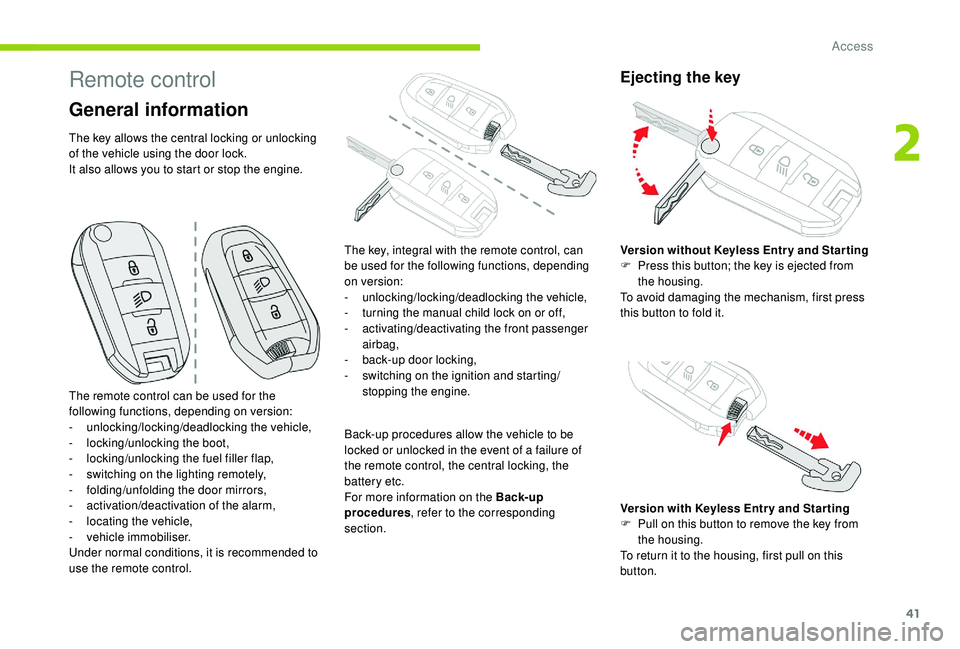
The key allows the central locking or unlocking
of the vehicle using the door lock.
It also allows you to start or stop the engine.Back-up procedures allow the vehicle to be
locked or unlocked in the event of a failure of
the remote control, the central locking, the
battery etc.
For more information on the Back-up
procedures, refer to the corresponding
section.
Ejecting the key
The remote control can be used for the
following functions, depending on version:
-
u
nlocking/locking/deadlocking the vehicle,
-
l
ocking/unlocking the boot,
-
l
ocking/unlocking the fuel filler flap,
-
s
witching on the lighting remotely,
-
fo
lding/unfolding the door mirrors,
-
a
ctivation/deactivation of the alarm,
-
l
ocating the vehicle,
-
v
ehicle immobiliser.
Under normal conditions, it is recommended to
use the remote control. The key, integral with the remote control, can
be used for the following functions, depending
on version:
-
u
nlocking/locking/deadlocking the vehicle,
-
t
urning the manual child lock on or off,
-
a
ctivating/deactivating the front passenger
airbag,
-
b
ack-up door locking,
-
s
witching on the ignition and starting/
stopping the engine. Version without
K
eyless Entr y and Star ting
F
P
ress this button; the key is ejected from
the housing.
To avoid damaging the mechanism, first press
this button to fold it.
Version with
K
eyless Entr y and Star ting
F
P
ull on this button to remove the key from
the housing.
To return it to the housing, first pull on this
button.
2
Access
Page 46 of 308
44
As a safety measure (children on board),
never leave the vehicle without taking the
electronic key for the
K
eyless Entry and
Starting system with you, even for a short
period.
Be aware of the risk of theft when the
electronic key for the
K
eyless Entry and
Starting system is in one of the defined
zones with the vehicle unlocked.
In order to preser ve the battery in the
electronic key and the vehicle's battery,
the "hands-free" functions are put into
long-term standby after 21 days without
use. To restore these functions, press
one of the remote control buttons or start
the engine with the electronic key in the
reader.
For more information on Star ting with
K
eyless Entr y and Star ting , refer to the
corresponding section.Locking the vehicle
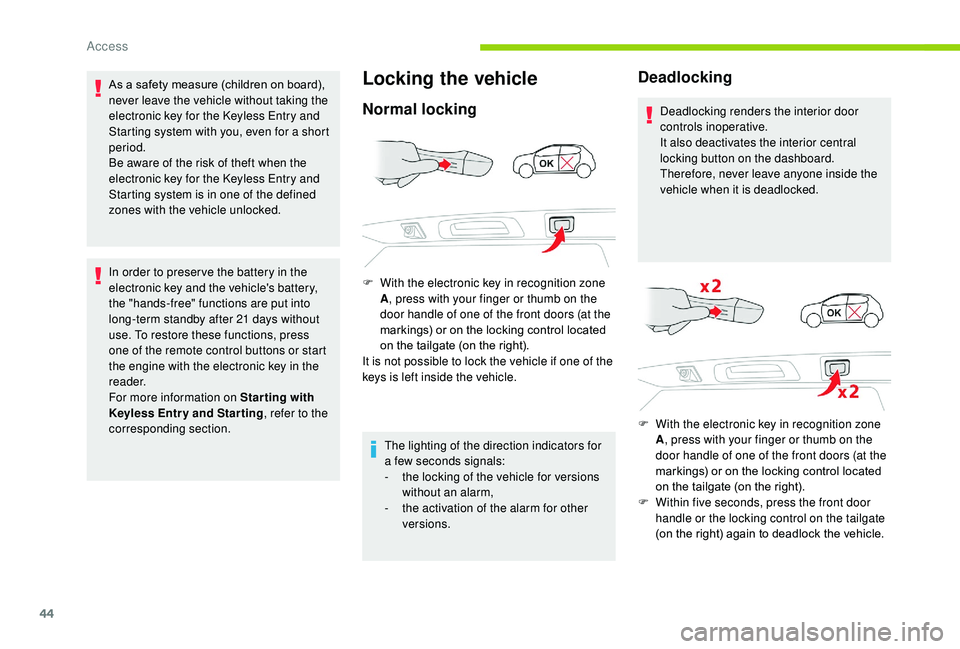
Normal locking
F With the electronic key in recognition zone A, press with your finger or thumb on the
door handle of one of the front doors (at the
markings) or on the locking control located
on the tailgate (on the right).
It is not possible to lock the vehicle if one of the
keys is left inside the vehicle.
The lighting of the direction indicators for
a few seconds signals:
-
t
he locking of the vehicle for versions
without an alarm,
-
t
he activation of the alarm for other
versions.
Deadlocking
Deadlocking renders the interior door
controls inoperative.
It also deactivates the interior central
locking button on the dashboard.
Therefore, never leave anyone inside the
vehicle when it is deadlocked.
F
W
ith the electronic key in recognition zone
A , press with your finger or thumb on the
door handle of one of the front doors (at the
markings) or on the locking control located
on the tailgate (on the right).
F
W
ithin five seconds, press the front door
handle or the locking control on the tailgate
(on the right) again to deadlock the vehicle.
Access
Page 72 of 308
70
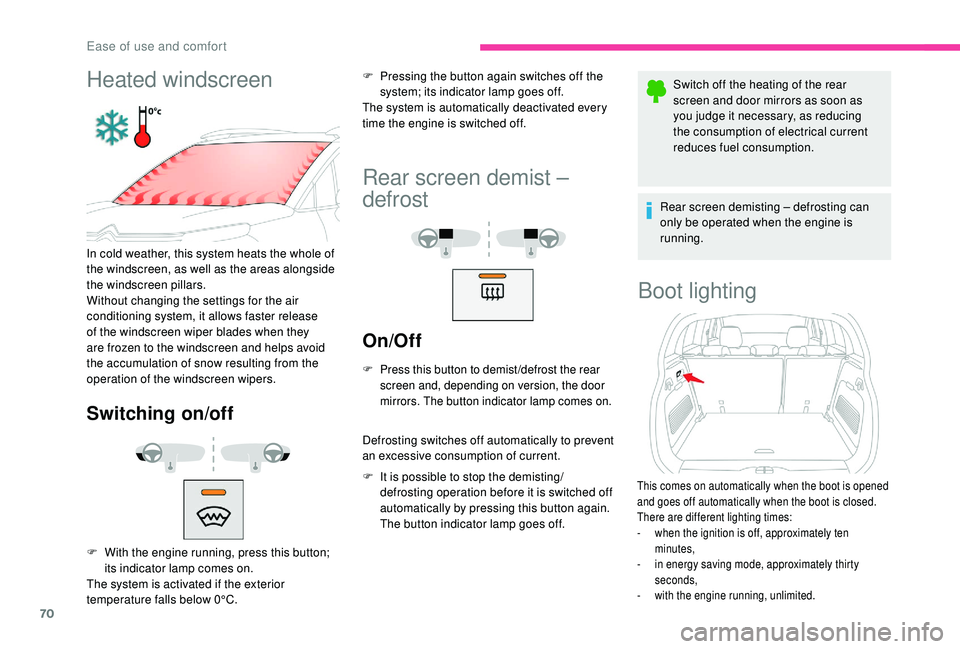
Heated windscreen
In cold weather, this system heats the whole of
the windscreen, as well as the areas alongside
the windscreen pillars.
Without changing the settings for the air
conditioning system, it allows faster release
of the windscreen wiper blades when they
are frozen to the windscreen and helps avoid
the accumulation of snow resulting from the
operation of the windscreen wipers.
Switching on/off
F Pressing the button again switches off the system; its indicator lamp goes off.
The system is automatically deactivated every
time the engine is switched off.
Rear screen demist –
defrost
On/Off
F Press this button to demist /defrost the rear screen and, depending on version, the door
mirrors. The button indicator lamp comes on.
Defrosting switches off automatically to prevent
an excessive consumption of current.
F
I
t is possible to stop the demisting/
defrosting operation before it is switched off
automatically by pressing this button again.
The button indicator lamp goes off. Switch off the heating of the rear
screen and door mirrors as soon as
you judge it necessary, as reducing
the consumption of electrical current
reduces fuel consumption.
Rear screen demisting – defrosting can
only be operated when the engine is
running.
Boot lighting
This comes on automatically when the boot is opened
and goes off automatically when the boot is closed.
There are different lighting times:
-
w
hen the ignition is off, approximately ten
minutes,
-
i
n energy saving mode, approximately thirty
seconds,
-
w
ith the engine running, unlimited.
F With the engine running, press this button; its indicator lamp comes on.
The system is activated if the exterior
temperature falls below 0°C.
Ease of use and comfort
Page 80 of 308
78
Depending on version, it includes:
- a t emporary puncture repair kit with the
vehicle tools,
-
a s
pare wheel with or without the vehicle
tools.
F
R
aise the boot floor as far as possible to
access the storage compartment.
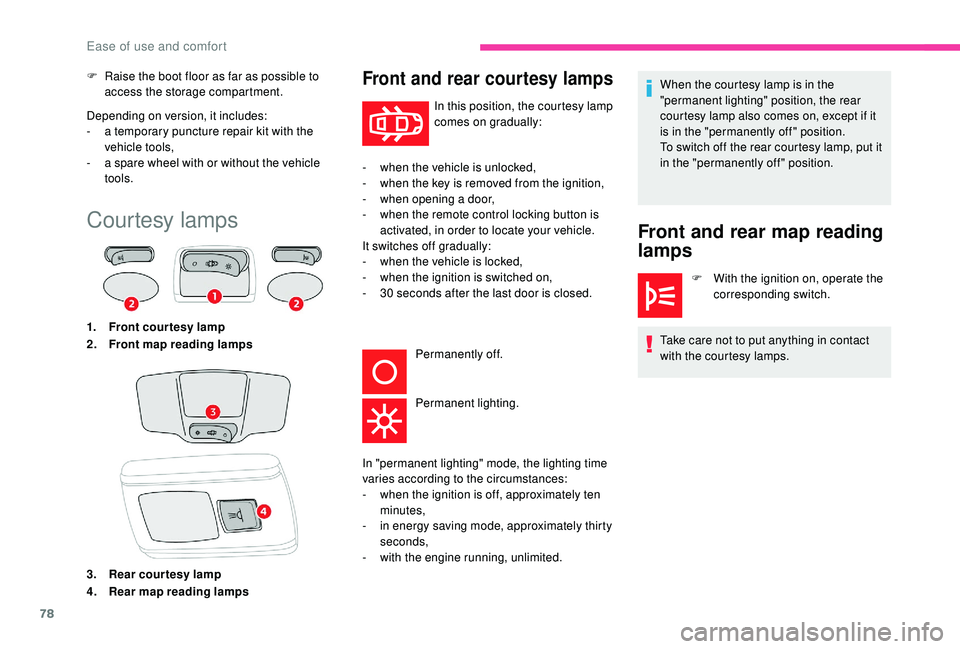
Courtesy lamps
1. Front courtesy lamp
2. Front map reading lamps
3. Rear courtesy lamp
4. Rear map reading lamps
Front and rear courtesy lamps
In this position, the courtesy lamp
comes on gradually:
-
w
hen the vehicle is unlocked,
-
w
hen the key is removed from the ignition,
-
w
hen opening a door,
-
w
hen the remote control locking button is
activated, in order to locate your vehicle.
It switches off gradually:
-
w
hen the vehicle is locked,
-
w
hen the ignition is switched on,
-
3
0
seconds after the last door is closed. Permanently off.
Permanent lighting.
Front and rear map reading
lamps
F With the ignition on, operate the corresponding switch.
Take care not to put anything in contact
with the courtesy lamps.
In "permanent lighting" mode, the lighting time
varies according to the circumstances:
-
w
hen the ignition is off, approximately ten
minutes,
-
i
n energy saving mode, approximately thirty
seconds,
-
w
ith the engine running, unlimited. When the courtesy lamp is in the
"permanent lighting" position, the rear
courtesy lamp also comes on, except if it
is in the "permanently off " position.
To switch off the rear courtesy lamp, put it
in the "permanently off " position.
Ease of use and comfort
Page 81 of 308
79
Switching on
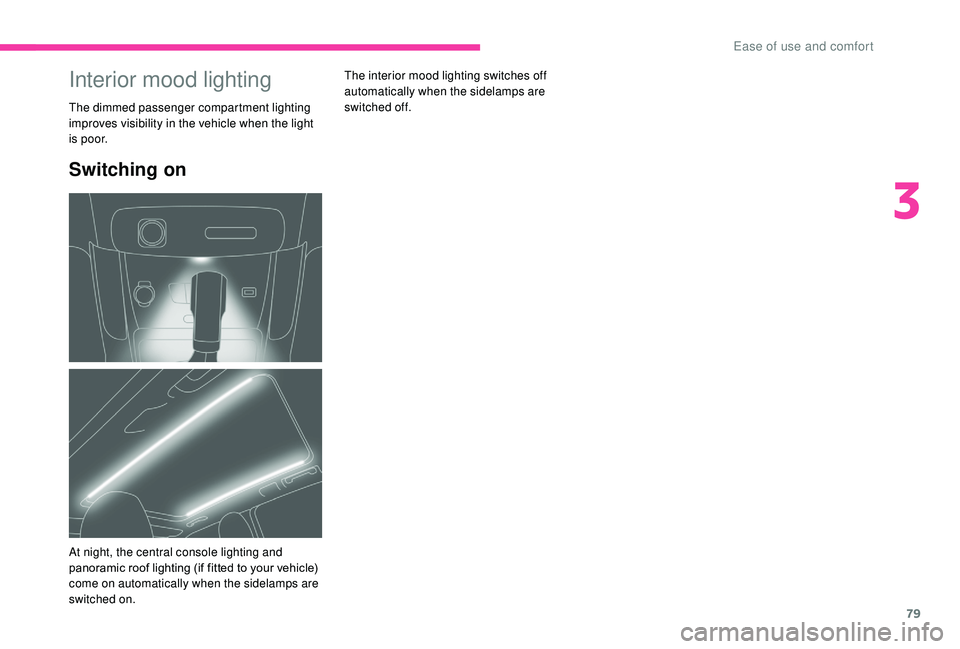
The interior mood lighting switches off
automatically when the sidelamps are
switched
off.Interior mood lighting
The dimmed passenger compartment lighting
improves visibility in the vehicle when the light
i s p o o r.
At night, the central console lighting and
panoramic roof lighting (if fitted to your vehicle)
come on automatically when the sidelamps are
switched on.
3
Ease of use and comfort
Page 82 of 308
80
Lighting control
In some weather conditions (e.g. low
temperature or humidity), the presence
of misting on the internal sur face of the
glass of the headlamps and rear lamps is
normal; it disappears after the lamps have
been on for a few minutes.
If one or more lamps fails, a message
asks you to check the lamp or lamps
concerned.
Travelling abroad
If planning to use your vehicle in a country
that drives on the other side of the road,
the headlamp dipped beams must be
adjusted to avoid dazzling oncoming
drivers. Contact a CITROËN dealer or a
qualified workshop.
Main lighting
Selection of main lighting
mode
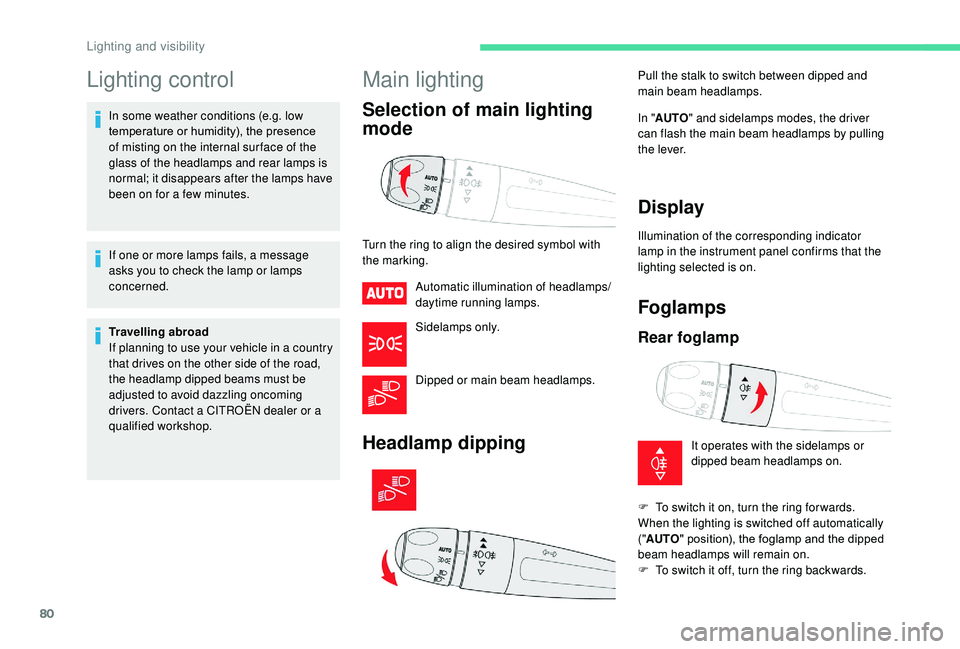
Turn the ring to align the desired symbol with
the marking.Automatic illumination of headlamps/
daytime running lamps.
Sidelamps only.
Dipped or main beam headlamps.
Headlamp dipping
In "AUTO " and sidelamps modes, the driver
can flash the main beam headlamps by pulling
the lever.
Display
Illumination of the corresponding indicator
lamp in the instrument panel confirms that the
lighting selected is on.
Foglamps
Rear foglamp
Pull the stalk to switch between dipped and
main beam headlamps.
It operates with the sidelamps or
dipped beam headlamps on.
F
T
o switch it on, turn the ring for wards.
When the lighting is switched off automatically
(" AUTO " position), the foglamp and the dipped
beam headlamps will remain on.
F
T
o switch it off, turn the ring backwards.
Lighting and visibility
Page 83 of 308
81
Front and rear foglamps
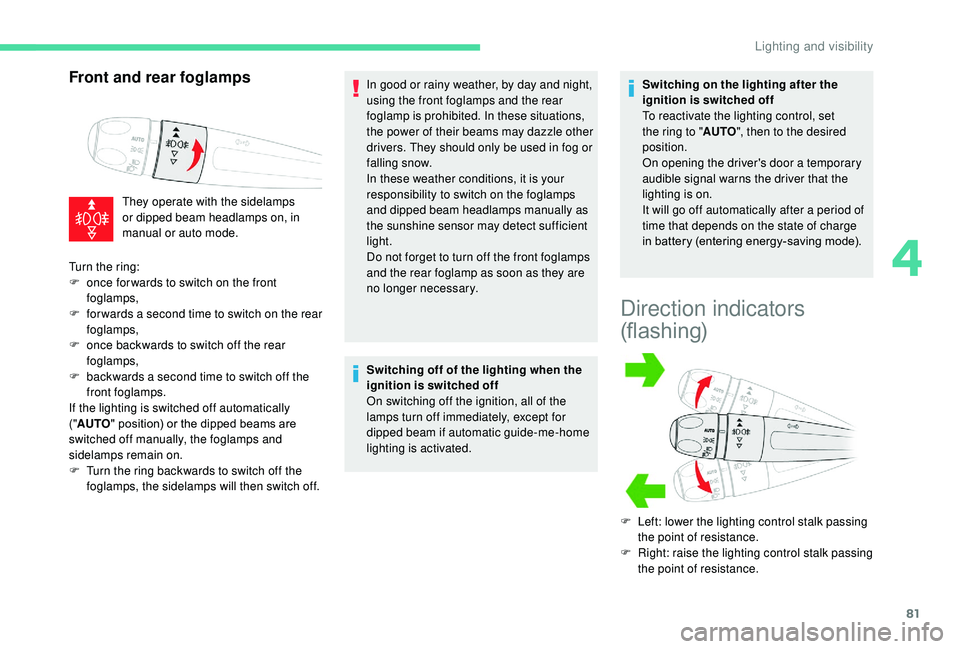
They operate with the sidelamps
or dipped beam headlamps on, in
manual or auto mode.In good or rainy weather, by day and night,
using the front foglamps and the rear
foglamp is prohibited. In these situations,
the power of their beams may dazzle other
drivers. They should only be used in fog or
falling snow.
In these weather conditions, it is your
responsibility to switch on the foglamps
and dipped beam headlamps manually as
the sunshine sensor may detect sufficient
light.
Do not forget to turn off the front foglamps
and the rear foglamp as soon as they are
no longer necessary.
Switching off of the lighting when the
ignition is switched off
On switching off the ignition, all of the
lamps turn off immediately, except for
dipped beam if automatic guide-me-home
lighting is activated. Switching on the lighting after the
ignition is switched off
To reactivate the lighting control, set
the ring to "
AUTO", then to the desired
position.
On opening the driver's door a temporary
audible signal warns the driver that the
lighting is on.
It will go off automatically after a period of
time that depends on the state of charge
in battery (entering energy-saving mode).
Direction indicators
(flashing)
F Left: lower the lighting control stalk passing the point of resistance.
F
R
ight: raise the lighting control stalk passing
the point of resistance.
Turn the ring:
F
o
nce for wards to switch on the front
foglamps,
F
f
or wards a second time to switch on the rear
foglamps,
F
o
nce backwards to switch off the rear
foglamps,
F
b
ackwards a second time to switch off the
front foglamps.
If the lighting is switched off automatically
(" AUTO " position) or the dipped beams are
switched off manually, the foglamps and
sidelamps remain on.
F
T
urn the ring backwards to switch off the
foglamps, the sidelamps will then switch off.
4
Lighting and visibility