fuel consumption CITROEN C3 AIRCROSS 2021 Handbook (in English)
[x] Cancel search | Manufacturer: CITROEN, Model Year: 2021, Model line: C3 AIRCROSS, Model: CITROEN C3 AIRCROSS 2021Pages: 244, PDF Size: 6.29 MB
Page 137 of 244
135
Practical information
7Wheels and tyres
The inflation pressure of all tyres, including the spare wheel, must be
checked on "cold” tyres.
The pressures indicated on the tyre pressure
label are valid for "cold" tyres. If you have driven
for more than 10 minutes or more than 6 miles
(10 kilometres) at over 31 mph (50 km/h), add 0.3 bar (30 kPa) to the values indicated on the
label.
Under-inflation increases fuel
consumption. Non-compliant tyre
pressure causes premature wear on tyres and
has an adverse effect on the vehicle's road
holding - risk of an accident!
Driving with worn or damaged tyres reduces the
braking and road holding performance of the
vehicle. It is recommended to regularly check the
condition of the tyres (tread and sidewalls) and
wheel rims as well as the presence of the valves.
When the wear indicators no longer appear set
back from the tread, the depth of the grooves is
less than 1.6 mm; it is imperative to replace the
tyres.
Using different size wheels and tyres from those
specified can affect the lifetime of tyres, wheel
rotation, ground clearance, the speedometer
reading and have an adverse effect on road
holding.
Fitting different tyres on the front and rear axles
can cause the ESC to mistime.
AdBlue® (BlueHDi)
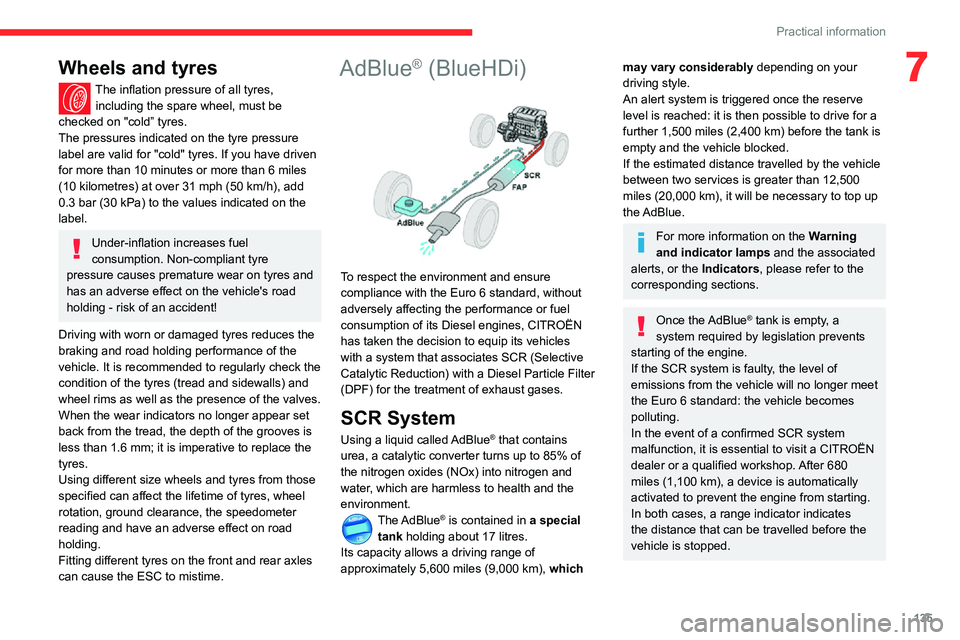
To respect the environment and ensure
compliance with the Euro 6 standard, without
adversely affecting the performance or fuel
consumption of its Diesel engines, CITROËN
has taken the decision to equip its vehicles
with a system that associates SCR (Selective
Catalytic Reduction) with a Diesel Particle Filter
(DPF) for the treatment of exhaust gases.
SCR System
Using a liquid called AdBlue® that contains
urea, a catalytic converter turns up to 85% of
the nitrogen oxides (NOx) into nitrogen and
water, which are harmless to health and the
environment.
The AdBlue® is contained in a special
tank holding about 17 litres.
Its capacity allows a driving range of
approximately 5,600 miles (9,000 km), which
may vary considerably depending on your
driving style.
An alert system is triggered once the reserve
level is reached: it is then possible to drive for a
further 1,500 miles (2,400 km) before the tank is empty and the vehicle blocked.
If the estimated distance travelled by the vehicle
between two services is greater than 12,500
miles (20,000 km), it will be necessary to top up
the AdBlue.
For more information on the Warning
and indicator lamps and the associated
alerts, or the Indicators, please refer to the
corresponding sections.
Once the AdBlue® tank is empty, a
system required by legislation prevents
starting of the engine.
If the SCR system is faulty, the level of
emissions from the vehicle will no longer meet
the Euro 6 standard: the vehicle becomes
polluting.
In the event of a confirmed SCR system
malfunction, it is essential to visit a CITROËN
dealer or a qualified workshop. After 680
miles (1,100 km), a device is automatically
activated to prevent the engine from starting.
In both cases, a range indicator indicates
the distance that can be travelled before the
vehicle is stopped.
Page 188 of 244
186
CITROËN Connect Radio
Calling a new number
Press Telephone to display the main
page.
Enter the phone number using the digital
keypad.
Press "Call" to start the call.
Calling a contact
Press Telephone to display the main
page.
Or press and hold
the steering mounted PHONE button.
Press "Contacts".
Select the desired contact from the displayed list.
Press "Call".
Calling a recently used
number
Press Telephone to display the main
page.
Or
Press and hold
the steering mounted button.
Press "Recent calls".
Select the desired contact from the displayed list.
It is always possible to make a call
directly from the telephone; as a safety
measure, first park the vehicle.
Setting the ringtone
Press Telephone to display the main
page.
Press the "OPTIONS " button to access the
secondary page.
Press "Ring volume " to display the
volume bar.
Press the arrows or move the slider to set the ring volume.
Settings
Configuring profiles
Press Settings to display the main page.
Press "Profiles".
Select "Profile 1", "Profile 2", "Profile 3” or
"Common profile ".
Press this button to enter a name for the profile using the virtual keypad.Press "OK" to save.
Press the back arrow to confirm.
Press this button to activate the profile.
Press the back arrow again to confirm.
Press this button to reset the selected profile.
Adjusting the brightness
Press Settings to display the main page.
Press Brightness.
Move the slider to adjust the brightness of the screen and/or the instrument panel
(depending on version).
Press in the shaded area to confirm.
Modifying system settings
Press Settings to display the main page.
Press "Configuration" to access the
secondary page.
Press "System configuration".
Press the "Units" tab to change the units of
distance, fuel consumption and temperature.
Press the "Factory settings" tab to restore the
initial settings.
Returning the system to factory settings
activates the English language by default
(depending on version).
Page 211 of 244
209
CITROËN Connect Nav
12Onboard audio: Arkamys Sound Staging©
optimises the sound balance/distribution
inside the passenger compartment.
Configuring profiles
As a safety measure and because it requires the sustained attention of the
driver, the operations must only be done with
the vehicle stationary.
Press Settings to display the main page.
Press the "OPTIONS " button to access the
secondary page.
Select "Setting of the profiles ".
Select "Profile 1", "Profile 2", "Profile 3” or
"Common profile ".
Press this button to enter a name for the profile using the virtual keypad.Press "OK" to confirm.
Press this button to add a photograph to the profile.Insert a USB memory stick containing the photograph in the USB socket.Select the photograph.Press "OK" to accept the transfer of the
photograph.
Press "OK" again to save the settings.
The location for the photograph is square; the system reshapes the original
photograph if in another format.
Press this button to reset the selected profile.
Resetting the selected profile activates
the English language by default.
Select a "Profile" (1 or 2 or 3) to link the "Audio
settings" with it.
Select "Audio settings ".
Select "Ambience".
Or
"Position ".
Or
"Sound ".
Or
"Voice".
Or
"Ringtone ".
Press "OK" to save the settings.
Modifying system settings
Press Settings to display the main page.
Press the "OPTIONS " button to access the
secondary page.
Select "Screen configuration ".
Select "Animation".
Activate or deactivate: “Automatic
scrolling ”.
Select "Brightness".
Move the slider to adjust the brightness of the screen and/or the instrument panel.Press Settings to display the main page.
Press the "OPTIONS " button to access the
secondary page.
Select "System settings".
Select "Units" to change the units of distance,
fuel consumption and temperature.
Select "Factory settings" to restore the initial
settings.
Returning the system to factory settings
activates the English language by
default.
Select "System info" to display the versions of
the various modules installed in the system.
Selecting the language
Press Settings to display the main page.
Press the "OPTIONS " button to go to the
secondary page.
Select "Languages" to change the
language.
Page 218 of 244
216
Alphabetical index
Fittings, boot 51Fittings, interior 47–48, 50Fittings, rear 50Flap, fuel filler 123–124Flashing indicators 56, 147Floor, boot, adjustable 52Fluid, brake 132Fluid, engine coolant 133Foglamp, rear 55
Foglamps, front 55, 59–60, 147–148Foglamps, rear 55Folding the rear seats 38–40Frequency (radio) 203Fuel 6, 123Fuel consumption 6Fuel tank 123–124Fusebox, dashboard 150, 152Fusebox, engine compartment 150, 152Fuses 150–152
G
Gauge, fuel 123–124Gearbox, automatic 92, 94–96, 134Gearbox, manual 91–92, 95–96, 134Gear lever, manual gearbox 91–92Gear shift indicator ~ Gear efficiency indicator 94Glove box 48G.P.S. 197Grab handles 50
Grip control 68
H
Hazard warning lamps 64headlamp adjustment 59Headlamp adjustment 59Headlamps, automatic dipping 58–59
Headlamps, automatic illumination 57–58Headlamps, dipped beam 55, 147–148Headlamps, halogen 147Headlamps, main beam 55, 147–148Head restraints, front 36Head restraints, rear 38–40Head-up display 99–101Heating 42–44Hill Assist Descent 69Hill Assist Descent Control (HADC) 69–70Hill Descent Control 69–70Hill start assist 94–95Hooks 52Horn 65
I
Ignition 45, 90, 207Ignition on 90Ignition switch 87–88Immobiliser, electronic 87Indicator, AdBlue® range 14
Indicator, coolant temperature 13Indicator, engine oil level 14Indicators, direction 56Inflating tyres 135, 163Inflating tyres and accessories (using the kit) 140, 142Infrared camera 99Instrument panel 7–8, 99Instrument panel, matrix 7
Instrument panels 7Internet browser 199ISOFIX mountings 80
J
Jack 140, 143, 204Jump starting 153
K
Key 23–27Key, electronic 24–26Keyless Entry and Starting 24–26, 87, 89Key not recognised 90Key with remote control 87Kit, hands-free 170–171, 184–185, 205–206Kit, puncture repair 140Kit, temporary puncture repair 139–142
Page 219 of 244
217
Alphabetical index
L
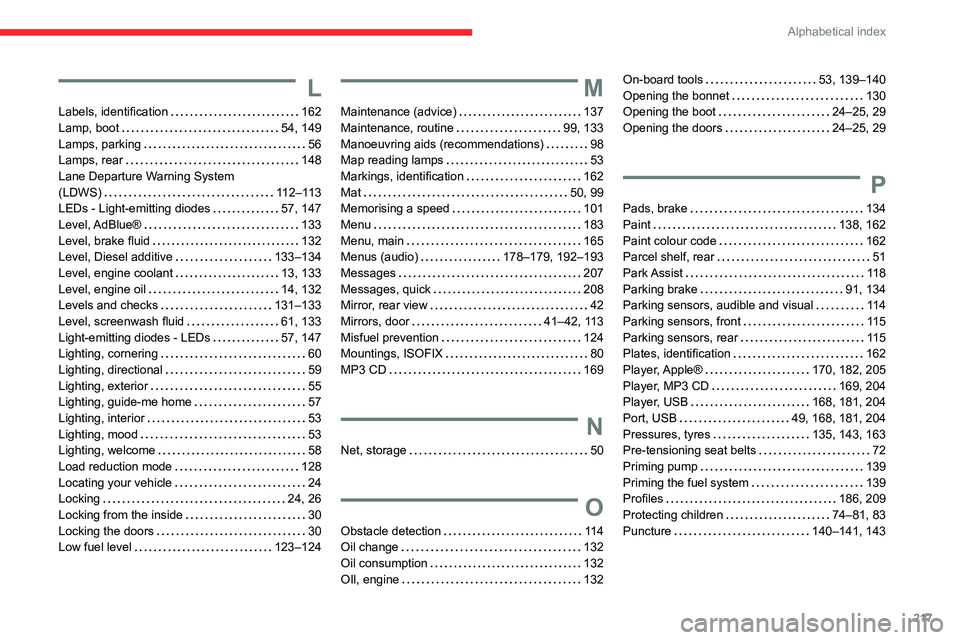
Labels, identification 162Lamp, boot 54, 149Lamps, parking 56Lamps, rear 148Lane Departure Warning System (LDWS) 112–113LEDs - Light-emitting diodes 57, 147
Level, AdBlue® 133Level, brake fluid 132Level, Diesel additive 133–134Level, engine coolant 13, 133Level, engine oil 14, 132Levels and checks 131–133Level, screenwash fluid 61, 133Light-emitting diodes - LEDs 57, 147Lighting, cornering 60Lighting, directional 59Lighting, exterior 55Lighting, guide-me home 57Lighting, interior 53Lighting, mood 53Lighting, welcome 58Load reduction mode 128Locating your vehicle 24Locking 24, 26Locking from the inside 30Locking the doors 30Low fuel level 123–124
M
Maintenance (advice) 137Maintenance, routine 99, 133Manoeuvring aids (recommendations) 98Map reading lamps 53Markings, identification 162Mat 50, 99Memorising a speed 101
Menu 183Menu, main 165Menus (audio) 178–179, 192–193Messages 207Messages, quick 208Mirror, rear view 42Mirrors, door 41–42, 113Misfuel prevention 124Mountings, ISOFIX 80MP3 CD 169
N
Net, storage 50
O
Obstacle detection 114Oil change 132Oil consumption 132OIl, engine 132
On-board tools 53, 139–140Opening the bonnet 130Opening the boot 24–25, 29Opening the doors 24–25, 29
P
Pads, brake 134
Paint 138, 162Paint colour code 162Parcel shelf, rear 51Park Assist 118Parking brake 91, 134Parking sensors, audible and visual 114Parking sensors, front 11 5Parking sensors, rear 11 5Plates, identification 162Player, Apple® 170, 182, 205Player, MP3 CD 169, 204Player, USB 168, 181, 204Port, USB 49, 168, 181, 204Pressures, tyres 135, 143, 163Pre-tensioning seat belts 72Priming pump 139Priming the fuel system 139Profiles 186, 209Protecting children 74–81, 83Puncture 140–141, 143