CD player Citroen C4 2016 2.G User Guide
[x] Cancel search | Manufacturer: CITROEN, Model Year: 2016, Model line: C4, Model: Citroen C4 2016 2.GPages: 396, PDF Size: 10.22 MB
Page 363 of 396
361
C4-2_en_Chap10c_RD5_ed02-2015
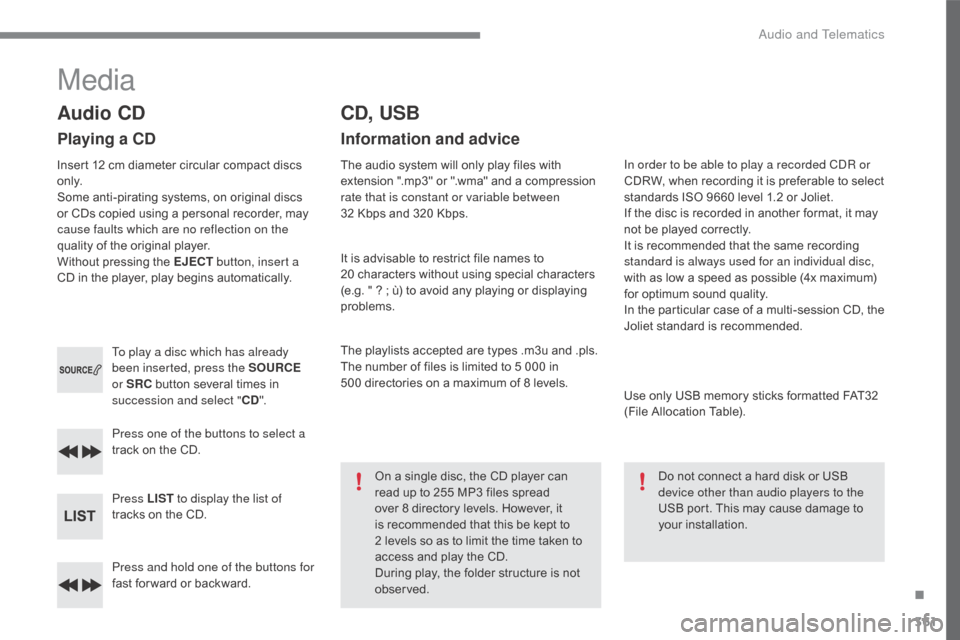
Press and hold one of the buttons for
fast for ward or backward.
Press one of the buttons to select a
track
on the CD.
Press LIST to display the list of
tracks on the CD.
To play a disc which has already
been inserted, press the SOURCE
or SRC
button several times in
s
uccession and select "
CD".
Audio CD
Playing a CD
Insert 12 cm diameter circular compact discs o
n l y.
Some
anti-pirating systems, on original discs
o
r CDs copied using a personal recorder, may
c
ause faults which are no reflection on the
quality
of the original player.
Without
pressing the EJECT button, insert a
CD
in the player, play begins automatically.
CD, USB
Information and advice
The audio system will only play files with extension ".mp3" or ".wma" and a compression
r
ate that is constant or variable between
32
Kbps and 320 Kbps.
It
is advisable to restrict file names to
2
0 characters without using special characters
(
e.g. " ? ; ù) to avoid any playing or displaying
pro
blems.
The
playlists accepted are types .m3u and .pls.
The
number of files is limited to 5 000 in
5
00 directories on a maximum of 8 levels.
On
a single disc, the CD player can
r
ead up to 255 MP3 files spread
ov
er 8 directory levels. However, it
i
s recommended that this be kept to
2 l
evels so as to limit the time taken to
a
ccess and play the CD.
During
play, the folder structure is not
o
bserved. In order to be able to play a recorded CDR or
CDRW,
when recording it is preferable to select
s
tandards ISO 9660 level 1.2 or Joliet.
If
the disc is recorded in another format, it may
n
ot be played correctly.
It
is recommended that the same recording
s
tandard is always used for an individual disc,
with
as low a speed as possible (4x maximum)
f
or optimum sound quality.
In
the particular case of a multi-session CD, the
J
oliet standard is recommended.
Use
only USB memory sticks formatted FAT32
(
File Allocation Table).
Do
not connect a hard disk or USB
d
evice other than audio players to the
USB
port. This may cause damage to
y
our
i
nstallation.
Media
.
Audio and Telematics
Page 365 of 396
363
C4-2_en_Chap10c_RD5_ed02-2015
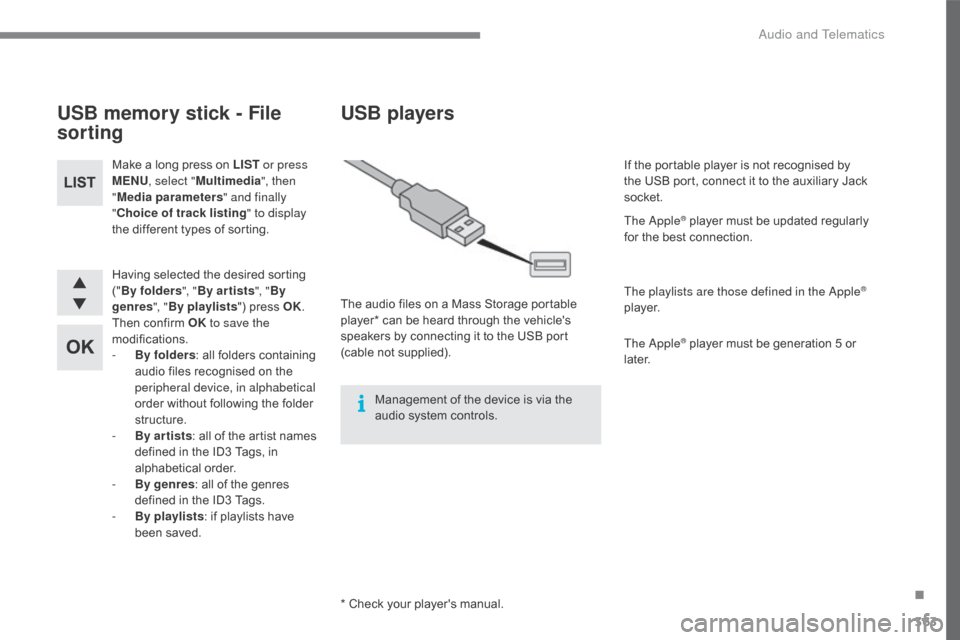
Having selected the desired sorting ("B
y folders ", "By ar tists ", "By
genres ", "By playlists ")
press OK.
Then
confirm OK to save the
modifications.
-
B
y folders :
all folders containing
a
udio files recognised on the
p
eripheral device, in alphabetical
order
without following the folder
s
tructure.
-
B
y ar tists :
all of the artist names
d
efined in the ID3 Tags, in
al
phabetical
o
rder.
-
B
y genres :
all of the genres
d
efined in the ID3 Tags.
-
By
playlists :
if playlists have
b
een saved.
Make
a long press on LIST
or press
MENU , select " Multimedia ", then
" Media parameters " and finally
" Choice of track listing " to display
the different types of sorting.
USB memory stick - File
sorting
* Check your player's manual.
USB players
The audio files on a Mass Storage portable p
layer* can be heard through the vehicle's
s
peakers by connecting it to the USB port
(
cable
no
t
s
upplied).
Management
of the device is via the
a
udio system controls. If
the portable player is not recognised by
t
he USB port, connect it to the auxiliary Jack
s
ocket.
The Apple
® player must be updated regularly f
or
the
best
connection.
The playlists are those defined in the Apple
®
p l aye r.
The Apple
® player must be generation 5 or l
ater.
.
Audio and Telematics
Page 366 of 396
364
C4-2_en_Chap10c_RD5_ed02-2015
Activate the streaming source by pressing S OURCE or SRC.
Control
o
f playback is via the audio system.
T
he contextual information can be
d
isplayed in the screen.
Then
adjust
the
volume
of
the
audio
s
ystem.
Pair/connect the telephone: see the
"
USING THE TELEPHONE" section.
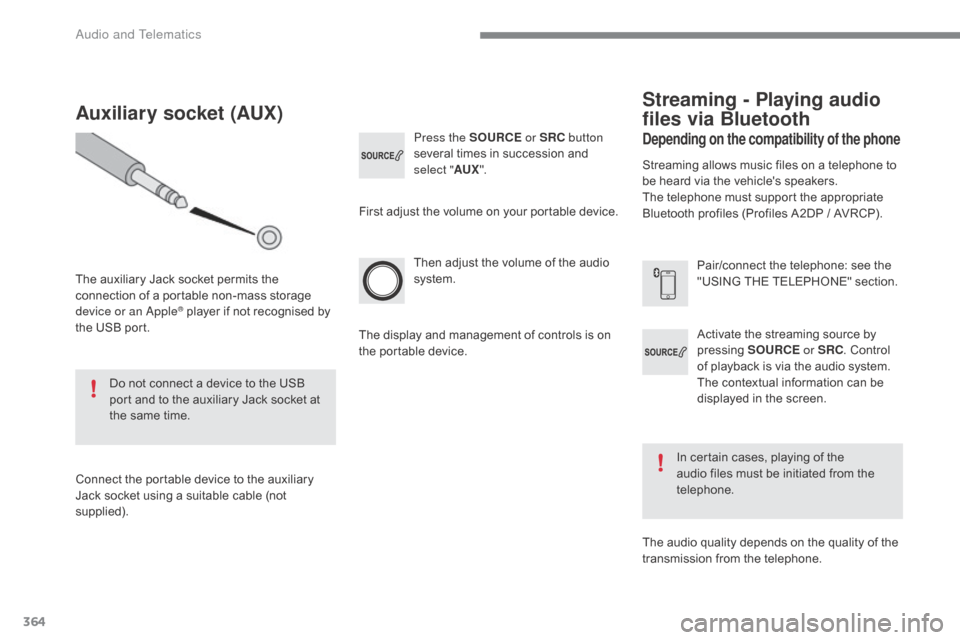
Press the SOURCE
or SRC button
several
times
in
succession
and
s
elect "
AUX".
Auxiliary socket (AUX)
The auxiliary Jack socket permits the c
onnection of a portable non-mass storage
d
evice or an Apple
® player if not recognised by t
he
USB
port.
Do
not
connect a device to the USB
p
ort
and
to
the auxiliary Jack socket at
t
he
same
time.
Connect
the
portable device to the auxiliary
J
ack
socket
using
a
suitable cable (not
sup
plied). First
adjust the volume on your portable device.
The display and management of controls is on
t
he portable device.
Depending on the compatibility of the phone
Streaming - Playing audio
files via Bluetooth
Streaming allows music files on a telephone to be heard via the vehicle's speakers.
The
telephone must support the appropriate
B
luetooth profiles (Profiles A2DP / AVRCP).
In
certain cases, playing of the
a
udio files must be initiated from the
t
elephone.
The
audio quality depends on the quality of the
t
ransmission from the telephone.
Audio and Telematics
Page 370 of 396
368
C4-2_en_Chap10c_RD5_ed02-2015
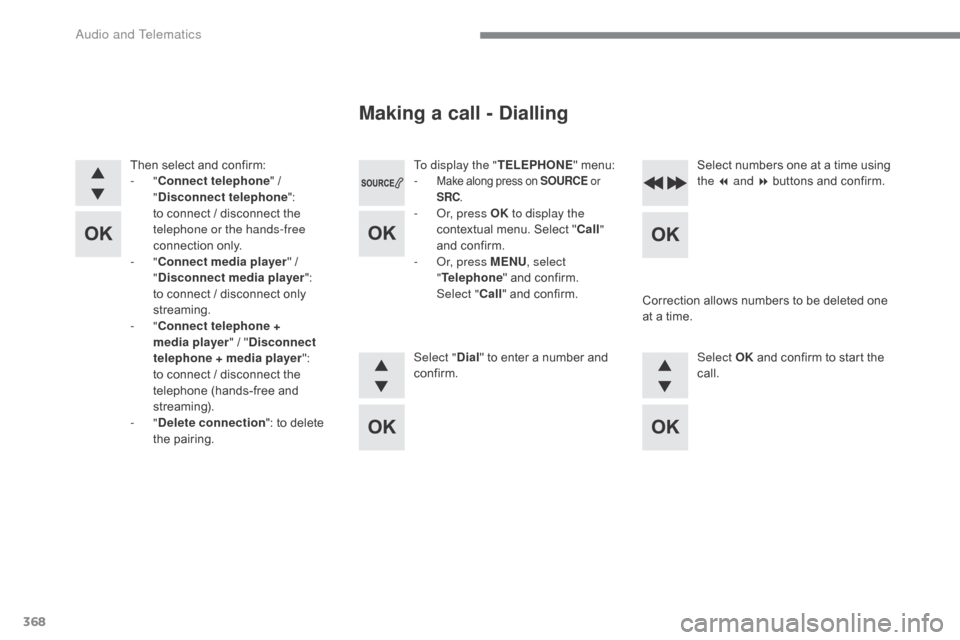
To display the "TELEPHONE" menu:
- Make along press on SOURCE or
SRC .
- Or, press OK to display the
contextual menu. Select "Call "
and
confirm.
-
O
r, press MENU , select
" Telephone "
and confirm.
Sel
ect
"Call "
and confirm.
Select " Dial"
to enter a number and
c
onfirm. Select OK
and confirm to start the
c
all.
Select
numbers one at a time using
t
he 7 and 8 buttons and confirm.
Making a call - Dialling
Correction allows numbers to be deleted one a
t a time.
Then
select
and
confirm:
-
"
Connect telephone "
/
"
D
isconnect telephone
":
t
o
connect
/
disconnect
the
t
elephone or the hands-free
connection
on
ly.
-
"
Connect media player "
/
"
D
isconnect media player
":
t
o
connect
/
disconnect
only
s
treaming.
-
" Connect telephone +
media player "
/
" Disconnect
telephone + media player ":
t
o
connect /
disconnect
the
t
elephone
(hands-free
and
s
treaming).
-
" Delete connection ":
to
delete
t
he
pa
iring.
Audio and Telematics
Page 381 of 396
379
C4-2_en_Chap10c_RD5_ed02-2015
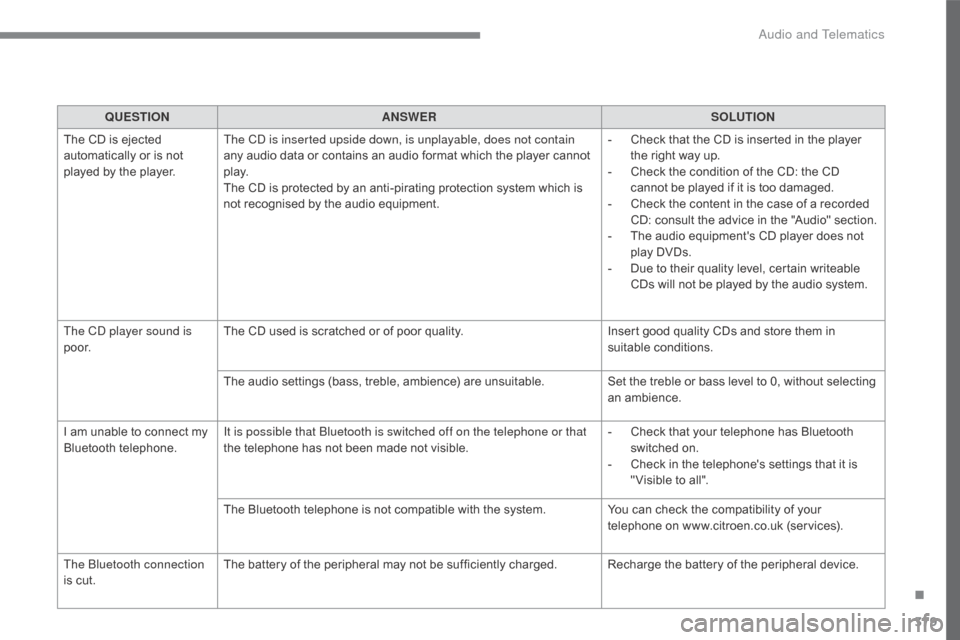
QUESTIONANSWER SOLUTION
The
CD is ejected
a
utomatically or is not
p
layed
by the player. The CD is inserted upside down, is unplayable, does not contain
any
audio data or contains an audio format which the player cannot
p
l ay.
The
CD is protected by an anti-pirating protection system which is
n
ot recognised by the audio equipment.-
C
heck that the CD is inserted in the player
t
he right way up.
-
C
heck the condition of the CD: the CD
c
annot be played if it is too damaged.
-
C
heck the content in the case of a recorded
C
D: consult the advice in the "Audio" section.
-
T
he audio equipment's CD player does not
p
lay DVDs.
-
D
ue to their quality level, certain writeable
C
Ds will not be played by the audio system.
The CD player sound is
p o o r. The
CD used is scratched or of poor quality.Insert
good quality CDs and store them in
sui
table
c
onditions.
The
audio settings (bass, treble, ambience) are unsuitable.Set
the treble or bass level to 0, without selecting
an am
bience.
I
am
unable to connect my
B
luetooth
t
elephone. It is possible that Bluetooth is switched off on the telephone or that
the
telephone has not been made not visible.-
C
heck that your telephone has Bluetooth
s
witched on.
-
C
heck in the telephone's settings that it is
"
Visible to all".
The
Bluetooth telephone is not compatible with the system.You
can check the compatibility of your
t
elephone on www.citroen.co.uk (services).
The Bluetooth connection
is
cut. The
battery of the peripheral may not be sufficiently charged. Recharge the battery of the peripheral device.
.
Audio and Telematics
Page 382 of 396
380
C4-2_en_Chap10c_RD5_ed02-2015
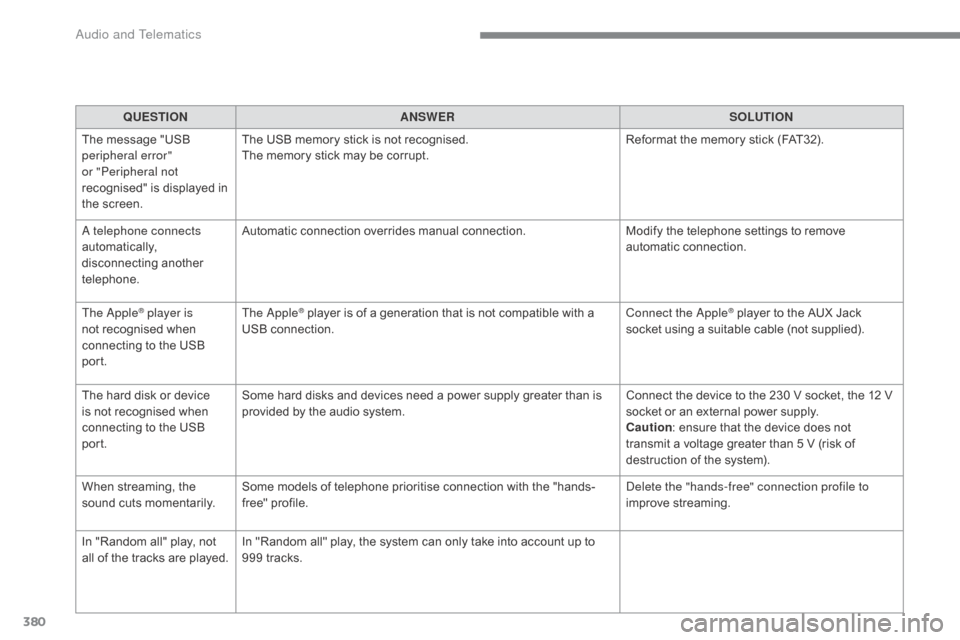
QUESTIONANSWER SOLUTION
The
message "USB
p
eripheral error"
or "Peripheral not
recognised"
is displayed in
t
he
screen. The
USB memory stick is not recognised.
The
memory stick may be corrupt.Reformat
the memory stick (FAT32).
A telephone connects
automatically,
d
isconnecting
a
nother
t
elephone. Automatic
connection overrides manual connection.Modify
the telephone settings to remove
a
utomatic
c
onnection.
The Apple
® player is
not
recognised when
c
onnecting
to the USB
po
rt. The Apple® player is of a generation that is not compatible with a U
SB c
onnection. Connect the Apple® player to the AUX Jack s
ocket
using
a
suitable cable (not supplied).
The
hard
disk
or
device
i
s
not
recognised
when
c
onnecting
to
the
USB
po
rt. Some
hard
disks
and
devices
need
a
power
supply
greater
than
is
p
rovided
by
the
audio
system. Connect
the
device
to the 230 V socket, the 12 V
s
ocket
or
an
external power supply.
Caution :
ensure
that the device does not
t
ransmit
a
voltage
greater than 5 V (risk of
d
estruction
of
the
system).
When
streaming,
the
s
ound
cuts
momentarily. Some
models
of
telephone
prioritise
connection
with
the
"hands-
free"
pro
file. Delete the "hands-free" connection profile to
improve
streaming.
In
"Random
all"
play,
not
a
ll
of
the
tracks
are
played. In
"Random
all"
play,
the
system
can
only
take
into
account
up
to
9
99
tracks.
Audio and Telematics
Page 387 of 396
385
C4-2_en_Chap11_index-alpha_ed02-2015
Locking ......................................... 58, 63, 65, 68
Locking from
the inside
..............................
.......................69
Long
objects, transporting
............................11
7
Low fuel level
..............................
...........20, 209
Luggage
retaining
strap
............................................................ 11
8 Player,
MP3 CD ............................ 3 12, 361, 362
Player,
USB .......................................... 3 12, 363
Port,
USB
..................................... 1
04, 312, 363
Pressures, tyres
........................................... 2
79
Pre-tensioning
sea
t belts
..............................
.....................146
Priming
the fuel system
...............................23
8
Protecting
children
................. 1
46, 148, 151-165
Puncture
................
.......................................239
Radio
...............
..................................... 308, 357
Radio,
digital (Digital Audio
Broadcasting
- DAB)
.......................... 3
10, 359
RDS
................
...................................... 309, 357
Rear
s
creen,
d
emisting
................................10
1
Recharging
the battery
........................ 2
67, 268
Reduction of electrical load
.......................... 2
19
Regeneration
of the particle filter
................23
0
Reinitialising
the electric
windows
....................................................... 76
R
einitialising the remote
control
.....................................................6
1, 67
Reminder,
key in ignition
...............................17
0
Remote
control
..........................................56
-68
Removing
a wheel
..............................
.........247
Removing
the mat
...............................
..........113
Replacing
bu
lbs
..............................
......251-259
Replacing
f
uses
..............................
......260-264
Replacing
the air filter
..................................23
0
RMaintenance, routine ...................... 10, 224-231
Map reading lamps ...................................... 10
5
Markings,
id
entification
.............................................. 2
79
Massage
function
...............................
...........84
Mat
.......
......................................................... 113
Memorising
a speed
.................................... 20
4
Menu
(touch screen tablet)
.... 2
83, 287 288, 290,
2
94, 302, 304, 306,
316,
318, 320, 336, 338
Menu,
main
..............................
....................356
Menus
(audio)
..............................3
02, 304, 306
Mirror, rear view
............................................. 89
M
irrors, door ......................................87,
88, 195
Mirror, vanity
..............................
..................103
Misfuel prevention
...............................
..........2 11
Mountings,
I
sofix
...............................
...........160
MP3
CD
................
........................ 312, 361, 362Oil
change
...............................
.....................
226
Oil consumption
...........................................
2
26
OIl,
eng
ine
...............................
.....................
226
Opening the bonnet
.....................................
2
23
Opening the boot
..............................
..57, 62, 79
Opening the doors ............................. 5 6, 62, 78
Opening the panoramic
roof blind
.................................................... 10
7
M
O
Navigation ....................................................288
Net, storage................................................... 118
Number
plate lamps
..................................... 25
9
N
Pads, brake ..................................................2 31
Paint colour code ......................................... 2
79
Panoramic
glass sunroof
.............................10
7
Parcel shelf, rear
................................... 1
19, 123
Parking
brake
........................................ 1
74, 231
Parking
brake, electric
....................1
8, 175, 231
Parking
sensors, front
..................................2
07
Parking
sensors, rear................................... 206
Personalisation
...............................
...............39
Petrol
...............................
.............................210
Player, Apple
® .............................. .................314
P
.
Alphabetical index