Lighting Citroen C4 2016 2.G User Guide
[x] Cancel search | Manufacturer: CITROEN, Model Year: 2016, Model line: C4, Model: Citroen C4 2016 2.GPages: 396, PDF Size: 10.22 MB
Page 43 of 396
41
C4-2_en_Chap01_instruments-de-bord_ed02-2015
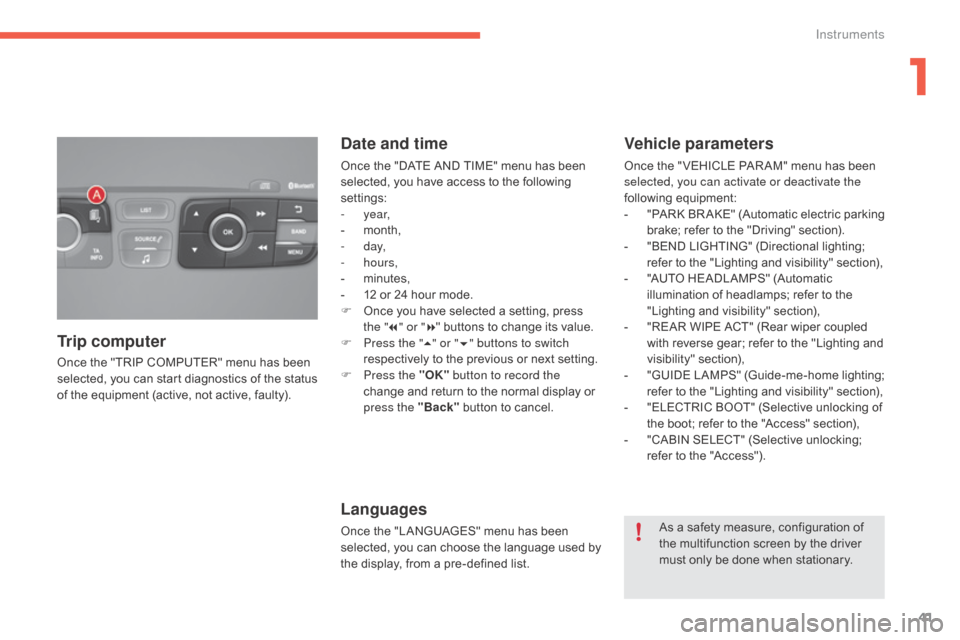
Once the "TRIP COMPUTER" menu has been selected, you can start diagnostics of the status
o
f the equipment (active, not active, faulty).
Trip computer Date and time
Once the "DATE AND TIME" menu has been s
elected, you have access to the following
se
ttings:
-
year,
-
m
onth,
-
d ay,
-
hours,
-
m
inutes,
-
1
2 or 24 hour mode.
F
O
nce you have selected a setting, press
t
he "7" or " 8"
buttons to change its value.
F
P
ress the " 5" or " 6" buttons to switch
respectively
to the previous or next setting.
F
P
ress the "OK" button to record the
change
and return to the normal display or
p
ress the "Back"
button to cancel.
Languages
Once the "LANGUAGES" menu has been selected, you can choose the language used by
t
he display, from a pre-defined list.
Vehicle parameters
Once the " VEHICLE PAR AM" menu has been selected, you can activate or deactivate the
following
e
quipment:
-
"
PARK
B
R AKE"
(
Automatic
e
lectric
p
arking
b
rake; refer to the "Driving" section).
-
"
BEND LIGHTING" (Directional lighting;
r
efer to the "Lighting and visibility" section),
-
"
AUTO HEADLAMPS" (Automatic
i
llumination of headlamps; refer to the
"
Lighting and visibility" section),
-
"
REAR WIPE ACT" (Rear wiper coupled
w
ith reverse gear; refer to the "Lighting and
v
isibility"
s
ection),
-
"
GUIDE
L
AMPS"
(
Guide-me-home
l
ighting;
r
efer to the "Lighting and visibility" section),
-
"
ELECTRIC BOOT" (Selective unlocking of
t
he boot; refer to the "Access" section),
-
"
CABIN SELECT" (Selective unlocking;
r
efer to the "Access").
As
a safety measure, configuration of
t
he multifunction screen by the driver
m
ust only be done when stationary.
1
Instruments
Page 46 of 396
44
C4-2_en_Chap01_instruments-de-bord_ed02-2015
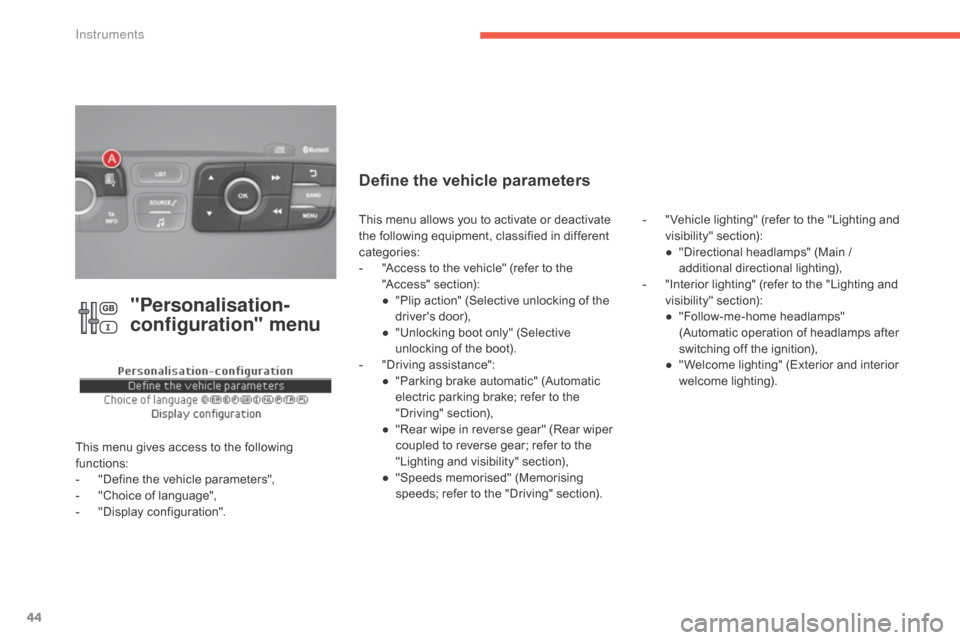
"Personalisation-
configuration" menu
This menu gives access to the following functions:
-
"
Define the vehicle parameters",
-
"
Choice of language",
-
"
Display configuration".
Define the vehicle parameters
- "Vehicle lighting" (refer to the "Lighting and v
isibility" s ection):
●
"
Directional headlamps" (Main /
a
dditional
d
irectional
l
ighting),
-
"
Interior lighting" (refer to the "Lighting and
v
isibility"
s
ection):
●
"
Follow-me-home headlamps"
(
Automatic operation of headlamps after
s
witching off the ignition),
●
"
Welcome lighting" (Exterior and interior
w
elcome lighting).
This
menu
allows
you
to
activate
or
deactivate
t
he
following
equipment,
classified
in
different
c
ategories:
-
"
Access
to
the
vehicle"
(refer
to
the
"
Access"
s
ection):
●
"
Plip
action"
(Selective
unlocking
of
the
d
river's
do
or),
●
"
Unlocking
boot
only"
(Selective
u
nlocking
of
the
boot).
-
"
Driving
assistance":
●
"
Parking
brake
automatic"
(Automatic
e
lectric
parking
brake;
refer
to
the
"
Driving"
se
ction),
●
"
Rear
wipe
in
reverse
gear"
(Rear
wiper
c
oupled
to
reverse
gear;
refer
to
the
"
Lighting
and
visibility"
section),
●
"
Speeds
memorised"
(Memorising
s
peeds;
refer
to
the
"Driving"
section).
Instruments
Page 47 of 396
45
C4-2_en_Chap01_instruments-de-bord_ed02-2015
Choice of language
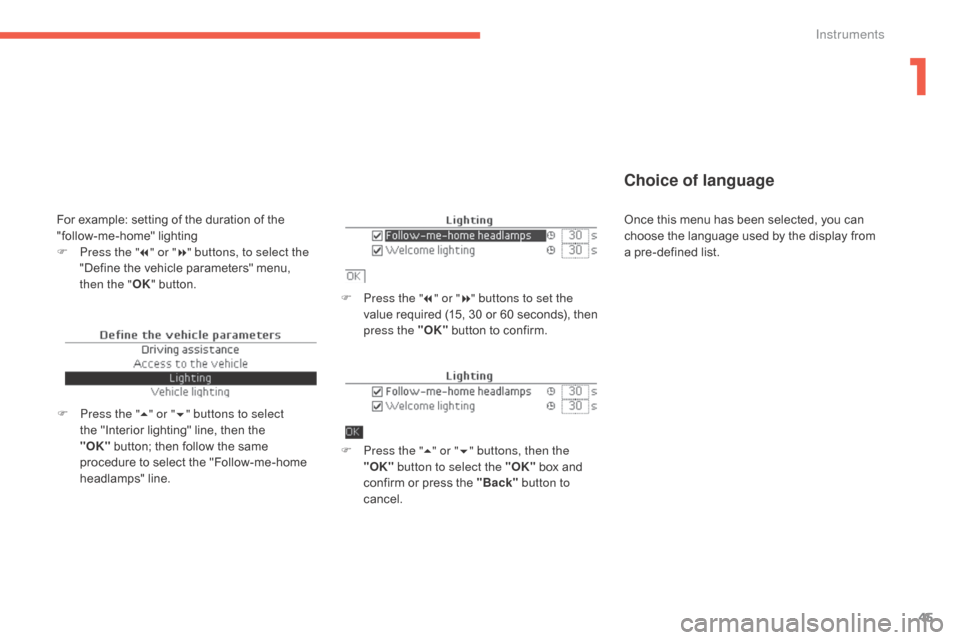
F Press the "7" or " 8" buttons to set the
value required (15, 30 or 60 seconds), then
p
ress the "OK"
button to confirm.
F
P
ress the " 5" or " 6" buttons, then the
"OK" button to select the "OK"
box and
c
onfirm or press the "Back" button to
cancel.
F
P
ress the " 5" or " 6" buttons to select
the
"Interior
lighting"
line,
then
the
"O
K" button;
then
follow
the
same
p
rocedure
to
select
the
"Follow-me-home
h
eadlamps"
l
ine.
For example: setting of the duration of the " follow-me-home" l ighting
F
P
ress the " 7" or " 8" buttons, to select the
"Define
the vehicle parameters" menu,
t
hen the " OK"
button. Once
this menu has been selected, you can c
hoose the language used by the display from
a
pre-defined list.
1
Instruments
Page 51 of 396
49
C4-2_en_Chap01_instruments-de-bord_ed02-2015
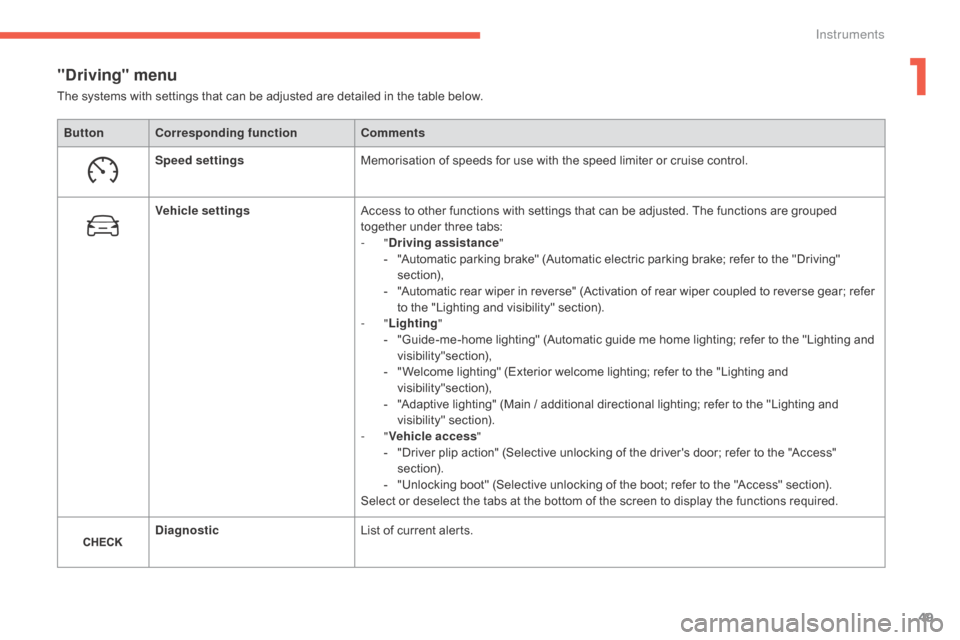
"Driving" menu
ButtonCorresponding function Comments
Speed settings Memorisation
of speeds for use with the speed limiter or cruise control.
Vehicle settings Access
to other functions with settings that can be adjusted. The functions are grouped
t
ogether under three tabs:
-
"Driving assistance "
-
"
Automatic parking brake" (Automatic electric parking brake; refer to the "Driving"
s
ection),
-
"
Automatic rear wiper in reverse" (Activation of rear wiper coupled to reverse gear; refer
t
o the "Lighting and visibility" section).
-
"Lighting "
-
"
Guide-me-home lighting" (Automatic guide me home lighting; refer to the "Lighting and
v
isibility"section),
-
"
Welcome lighting" (Exterior welcome lighting; refer to the "Lighting and
v
isibility"section),
-
"
Adaptive lighting" (Main / additional directional lighting; refer to the "Lighting and
v
isibility"
s
ection).
-
"Vehicle access "
-
"
Driver plip action" (Selective unlocking of the driver's door; refer to the "Access"
s
ection).
-
"
Unlocking boot" (Selective unlocking of the boot; refer to the "Access" section).
Select
or deselect the tabs at the bottom of the screen to display the functions required.
Diagnostic List
of current alerts.
The
systems with settings that can be adjusted are detailed in the table below.
1
Instruments
Page 58 of 396
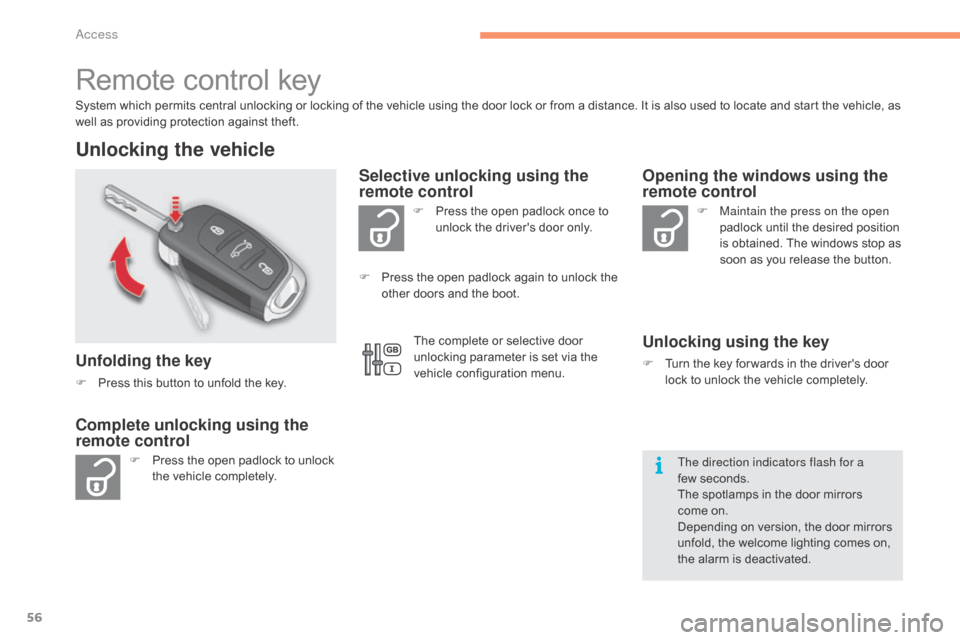
56
C4-2_en_Chap02_ouvertures_ed02-2015
Remote control key
System which permits central unlocking or locking of the vehicle using the door lock or from a distance. It is also used to locate and start the vehicle, as well as providing protection against theft.
Unlocking the vehicle
Unfolding the key
F Press this button to unfold the key.
F
P
ress the open padlock to unlock
t
he vehicle completely. F
P
ress the open padlock once to
u
nlock the driver's door only.
Selective unlocking using the
remote control
F Maintain the press on the open
padlock until the desired position
i
s obtained. The windows stop as
s
oon as you release the button.
Opening the windows using the
remote control
Unlocking using the key
F Turn the key for wards in the driver's door l
ock to unlock the vehicle completely.
Complete unlocking using the
remote control
F Press the open padlock again to unlock the o
ther doors and the boot.
The direction indicators flash for a
few seconds.
The
spotlamps in the door mirrors
come
on.
Depending
on version, the door mirrors
u
nfold, the welcome lighting comes on,
t
he alarm is deactivated.
The
complete or selective door
u
nlocking parameter is set via the
v
ehicle configuration menu.
Access
Page 64 of 396
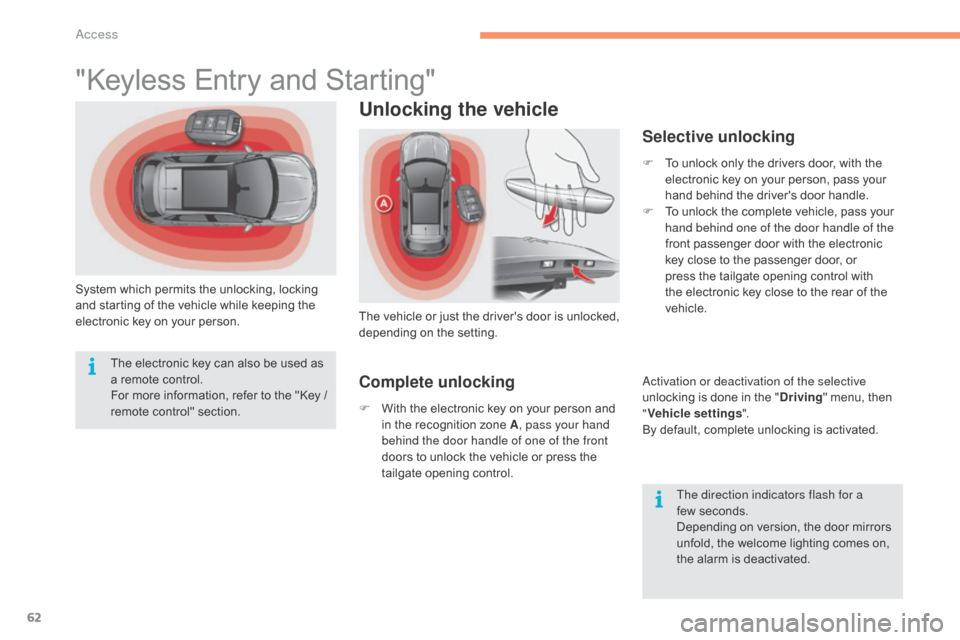
62
C4-2_en_Chap02_ouvertures_ed02-2015
"Keyless Entry and Starting"
System which permits the unlocking, locking and starting of the vehicle while keeping the
e
lectronic key on your person.
Unlocking the vehicle
The vehicle o r j ust t he d river's d oor i s u nlocked, d
epending o n t he se tting.
Selective unlocking
F To unlock only the drivers door, with the e
lectronic key on your person, pass your
h
and behind the driver's door handle.
F
T
o unlock the complete vehicle, pass your
h
and behind one of the door handle of the
front
passenger door with the electronic
k
ey close to the passenger door, or
p
ress the tailgate opening control with
t
he electronic key close to the rear of the
v
ehicle.
Activation or deactivation of the selective
unlocking
is done in the "Driving "
menu, then
"V
ehicle settings ".
By
default, complete unlocking is activated.
The direction indicators flash for a
few seconds.
Depending
on version, the door mirrors
u
nfold, the welcome lighting comes on,
t
he alarm is deactivated.
The
electronic
key
can
also
be
used
as
a
remote
control.
For
more
information,
refer
to
the
"Key
/
r
emote
c
ontrol"
s
ection.
Complete unlocking
F With the electronic key on your person and i
n the recognition zone A, pass your hand
behind the door handle of one of the front
doors
to unlock the vehicle or press the
t
ailgate opening control.
Access
Page 107 of 396
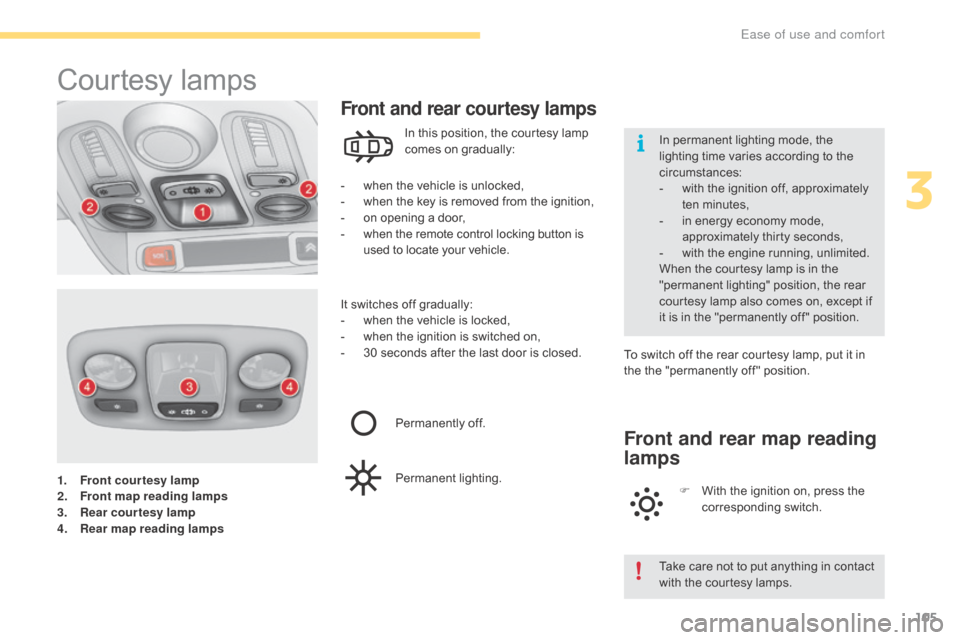
105
C4-2_en_Chap03_ergonomie-et-confort_ed02-2015
1. Front courtesy lamp
2. Front map reading lamps
3.
R
ear courtesy lamp
4.
R
ear map reading lamps
Courtesy lam ps
- when the vehicle is unlocked,
- w hen the key is removed from the ignition,
-
o
n opening a door,
-
w
hen the remote control locking button is
u
sed to locate your vehicle.
Front and rear courtesy lamps
In this position, the courtesy lamp comes on gradually:
It
switches
off gradually:
-
w
hen
the vehicle is locked,
-
w
hen
the ignition is switched on,
-
3
0
seconds after the last door is closed.To
switch off the rear courtesy lamp, put it in
t
he the "permanently off " position.
Permanently
off.
Permanent
l
ighting.
Front and rear map reading
lamps
F With the ignition on, press the c
orresponding s witch.
Take
care not to put anything in contact
w
ith the courtesy lamps.
In
permanent lighting mode, the
l
ighting time varies according to the
c
ircumstances:
-
w
ith the ignition off, approximately
t
en
m
inutes,
-
i
n energy economy mode,
a
pproximately thirty seconds,
-
w
ith the engine running, unlimited.
When the courtesy lamp is in the
"
permanent lighting" position, the rear
c
ourtesy lamp also comes on, except if
i
t
is
in the "permanently off " position.
3
Ease of use and comfort
Page 108 of 396

106
C4-2_en_Chap03_ergonomie-et-confort_ed02-2015
Interior mood lighting
Switching on
At night, two interior mood lamps in the front c
ourtesy lamp come on automatically when the
s
idelamps are switched on.
Switching off
The interior mood lighting switches off automatically when the sidelamps are
switched
off.
It
can be switched off manually by adjusting the
i
nstrument panel lighting rheostat button to one
o
f the lowest settings.
The
dimmed
passenger
compartment
lighting
improves visibility in the vehicle when the light is
p
o o r.
Ease of use and comfort
Page 124 of 396
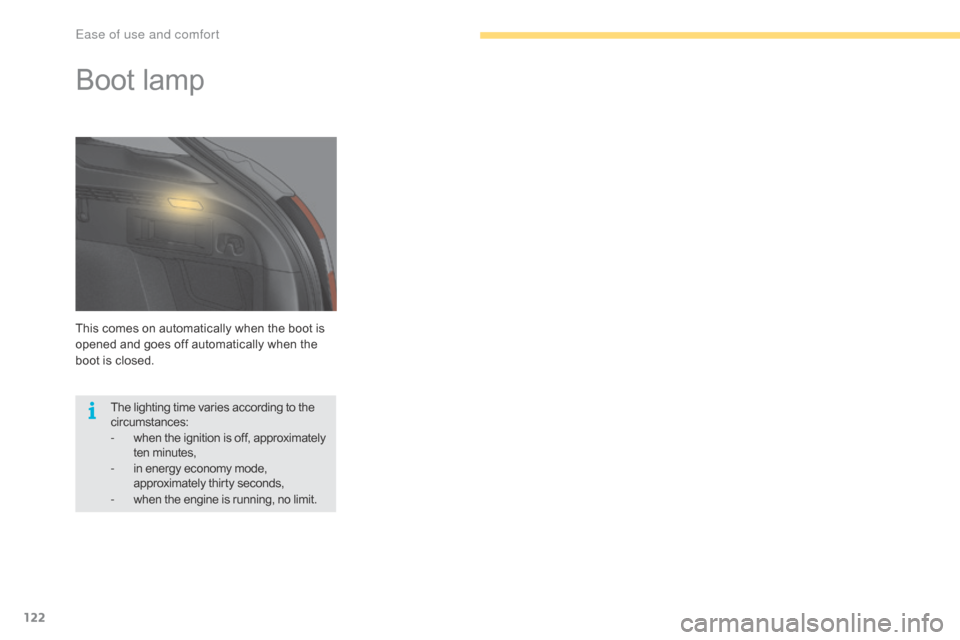
122
C4-2_en_Chap03_ergonomie-et-confort_ed02-2015
This comes on automatically when the boot is opened and goes off automatically when the
b
oot is closed.
Boot lamp
The lighting time varies according to the circumstances:
-
w
hen the ignition is off, approximately
t
en
m
inutes,
-
i
n energy economy mode,
a
pproximately thirty seconds,
-
w
hen the engine is running, no limit.
Ease of use and comfort
Page 126 of 396
124
C4-2_en_Chap04_eclairage-et-visibilite_ed02-2015
Lighting controls
Main lighting
The various front and rear lamps of the vehicle are designed to adapt the driver's visibility
p
rogressively according to the climatic
c
onditions:
-
s
idelamps, to be seen,
-
d
ipped beam headlamps to see without
d
azzling
o
ther
d
rivers,
-
m
ain beam headlamps to see clearly when
t
he road is clear.
Additional lighting
Other lamps are provided to meet the requirements of particular driving conditions:
-
r
ear
fo
glamps,
-
f
ront foglamps with cornering lighting,
-
d
irectional headlamps for improved
v
isibility
w
hen
c
ornering,
-
d
aytime running lamps to be more visible
d
uring the day,
-
g
uide-me-home and welcome lighting to
f
acilitate access to the vehicle,
-
p
arking lamps as vehicle position markers.
Settings
The setting of some functions can be adjusted:
- a utomatic illumination of headlamps,
-
g
uide-me-home lighting,
-
w
elcome lighting,
-
d
irectional
l
ighting.
In
some
weather
conditions
(e.g.
low
t
emperature
or
humidity),
the
presence
o
f
misting
on
the
internal
sur face
of
the
g
lass
of
the
headlamps
and
rear
lamps
i
s
normal;
it
disappears
after
the
lamps
h
ave
been
on
for
a
few
minutes.
System
for
selection
and
control
of
the
various
front
and
rear
lamps
providing
the
vehicle's
lighting.
Travelling abroad
Halogen and xenon headlamps
If
planning to use your vehicle in a
c
ountry that drives on the other side of
the
road, the headlamp dipped beams
m
ust be adjusted to avoid dazzling on-
coming
d
rivers.
Contact a CITROËN dealer or
a qualified
workshop.
Lighting and visibility