Lighting Citroen C4 2016 2.G Owner's Guide
[x] Cancel search | Manufacturer: CITROEN, Model Year: 2016, Model line: C4, Model: Citroen C4 2016 2.GPages: 396, PDF Size: 10.22 MB
Page 137 of 396
135
C4-2_en_Chap04_eclairage-et-visibilite_ed02-2015
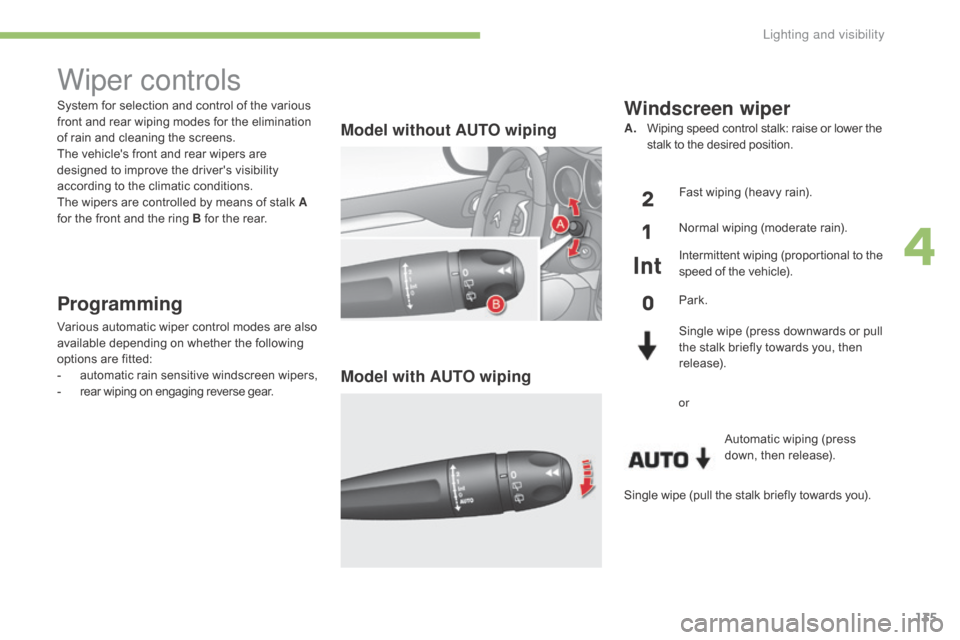
System for selection and control of the various front and rear wiping modes for the elimination
o
f rain and cleaning the screens.
The
vehicle's front and rear wipers are
d
esigned to improve the driver's visibility
a
ccording to the climatic conditions.
The
wipers are controlled by means of stalk A
for
the front and the ring B for the rear.
Programming
Various automatic wiper control modes are also available depending on whether the following
o
ptions are fitted:
-
a
utomatic
r
ain
sen
sitive
w
indscreen
w
ipers,
-
r
ear wiping on engaging reverse gear.
Model without AUTO wiping
Model with AUTO wiping
Windscreen wiper
A. Wiping speed control stalk: raise or lower the s
talk to the desired position.
Fast
wiping (heavy rain).
Normal
wiping (moderate rain).
Intermittent
wiping (proportional to the
s
peed of the vehicle).
Park.
Single
wipe (press downwards or pull
t
he stalk briefly towards you, then
r
elease).Automatic
wiping (press
do
wn,
t
hen
r
elease).
or
Wiper controls
Single wipe (pull the stalk briefly towards you).
4
Lighting and visibility
Page 138 of 396
136
C4-2_en_Chap04_eclairage-et-visibilite_ed02-2015
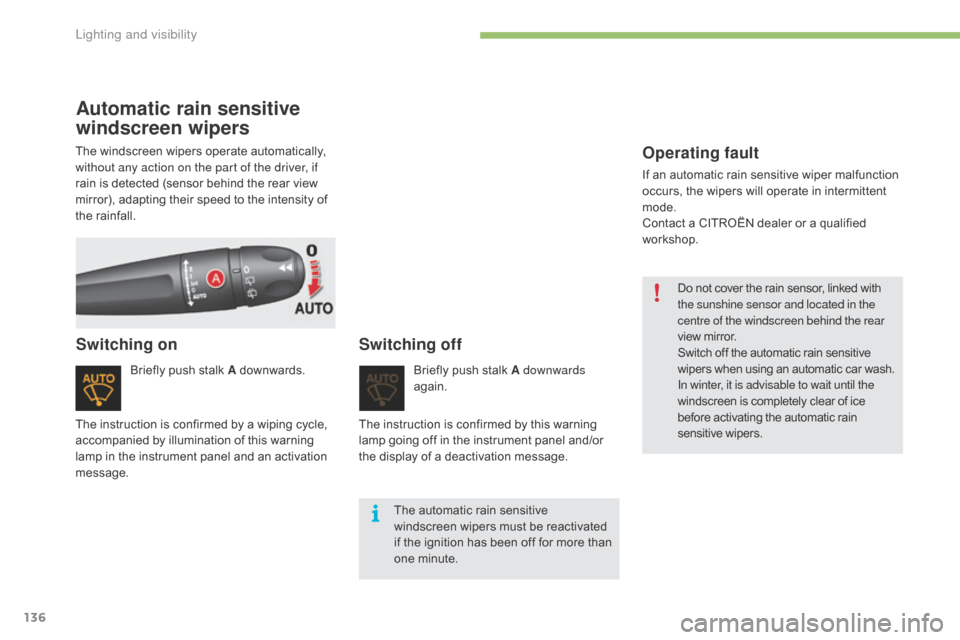
Automatic rain sensitive
windscreen wipers
Briefly push stalk A downwards.
Switching onSwitching off
Briefly push stalk A downwards
ag ain.
The
automatic rain sensitive
w
indscreen wipers must be reactivated
i
f
the ignition has been off for more than
o
ne minute.
The
instruction
is
confirmed
by
a
wiping
cycle,
a
ccompanied
by
illumination
of
this
warning
l
amp
in
the
instrument
panel
and
an
activation
m
essage. The
instruction is confirmed by this warning
l
amp
going off in the instrument panel and/or
t
he
display of a deactivation message.
The
windscreen
wipers
operate
automatically,
w
ithout any action on the part of the driver, if
rain
is
detected
(sensor
behind
the
rear
view
m
irror),
adapting
their
speed
to
the
intensity
of
t
he
rainfall.
Operating fault
If an automatic rain sensitive wiper malfunction o
ccurs, the wipers will operate in intermittent
m
ode.
Contact
a CITROËN dealer or a qualified
w
orkshop. Do
not cover the rain sensor, linked with
t
he sunshine sensor and located in the
centre of the windscreen behind the rear
view
mirror.
Switch
off the automatic rain sensitive
w
ipers when using an automatic car wash.
In winter, it is advisable to wait until the
windscreen
is completely clear of ice
b
efore activating the automatic rain
sen
sitive
w
ipers.
Lighting and visibility
Page 139 of 396
137
C4-2_en_Chap04_eclairage-et-visibilite_ed02-2015
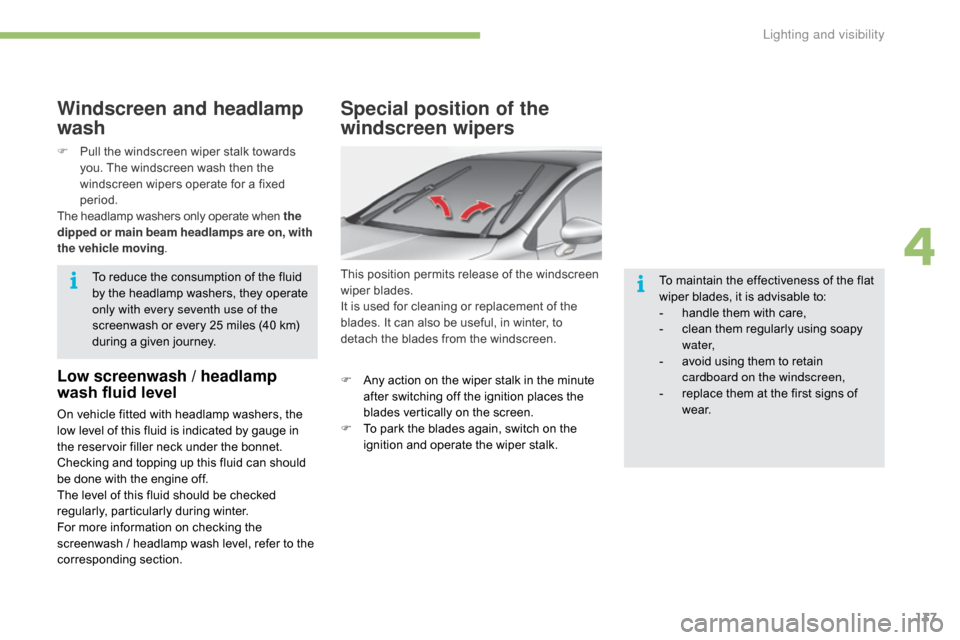
Special position of the
windscreen wipers
This position permits release of the windscreen wiper blades.
It
is used for cleaning or replacement of the
b
lades. It can also be useful, in winter, to
d
etach the blades from the windscreen.
F
A
ny action on the wiper stalk in the minute
a
fter switching off the ignition places the
b
lades vertically on the screen.
F
T
o park the blades again, switch on the
i
gnition and operate the wiper stalk.To
maintain the effectiveness of the flat
w
iper blades, it is advisable to:
-
h
andle them with care,
-
c
lean them regularly using soapy
w
ater,
-
a
void using them to retain
c
ardboard on the windscreen,
-
r
eplace them at the first signs of
w
e a r.
Windscreen and headlamp
wash
Low screenwash / headlamp
wash fluid level
On vehicle fitted with headlamp washers, the low level of this fluid is indicated by gauge in
t
he reservoir filler neck under the bonnet.
Checking
and topping up this fluid can should
b
e done with the engine off.
The
level of this fluid should be checked
r
egularly,
par
ticularly
d
uring
w
inter.
For
more information on checking the
s
creenwash / headlamp wash level, refer to the
c
orresponding
s
ection.
F
P
ull the windscreen wiper stalk towards
y
ou. The windscreen wash then the
w
indscreen wipers operate for a fixed
p
eriod.
The headlamp washers only operate when the
dipped or main beam headlamps are on , with
the vehicle moving .
To reduce the consumption of the fluid
b
y the headlamp washers, they operate
o
nly with every seventh use of the
screenwash or every 25 miles (40 km)
d
uring a given journey.
4
Lighting and visibility
Page 140 of 396
138
C4-2_en_Chap04_eclairage-et-visibilite_ed02-2015
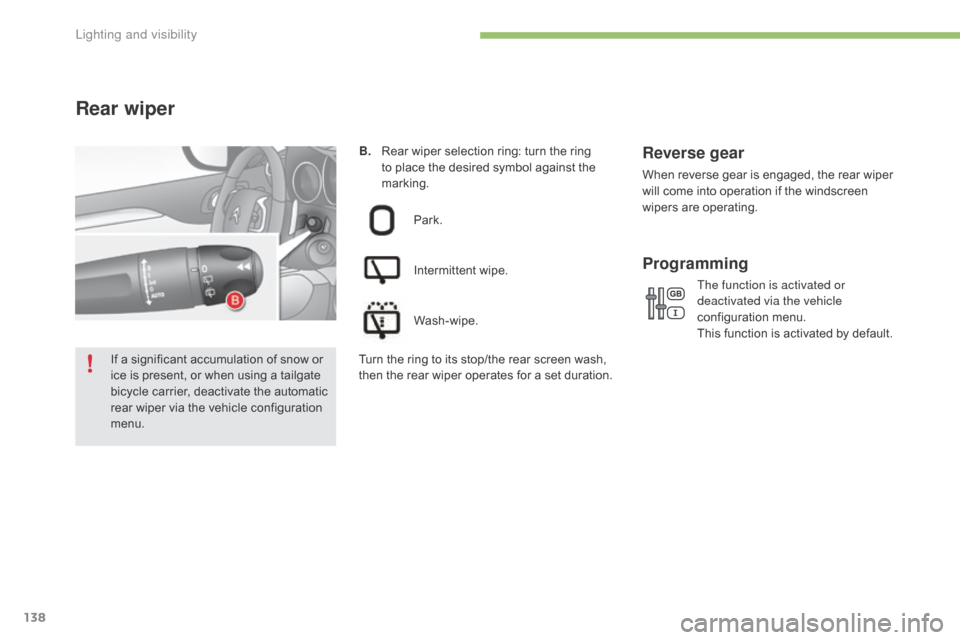
B. Rear wiper selection ring: turn the ring t
o place the desired symbol against the
m
arking.
Rear wiper
Park.
Intermittent
wipe.
Wash-wipe.
Reverse gear
When reverse gear is engaged, the rear wiper w ill come into operation if the windscreen
w
ipers are operating.
The function is activated or
deactivated via the vehicle
configuration
m
enu.
This
function is activated by default.
Programming
If a significant accumulation of snow or ice is present, or when using a tailgate
b
icycle carrier, deactivate the automatic
r
ear wiper via the vehicle configuration
m
enu. T urn the ring to its stop/the rear screen wash, t
hen the rear wiper operates for a set duration.
Lighting and visibility
Page 169 of 396
167
C4-2_en_Chap06_conduite_ed02-2015
When towing
Distribution of loads
F Distribute the load in the trailer so that the heaviest items are as close as possible to t
he axle and the nose weight approaches the
m
aximum permitted without exceeding it.
Air density decreases with altitude,
thus
r
educing
e
ngine
p
erformance.
A
bove 1 000 metres, the maximum towed
l
oad must be reduced by 10 % for every
1 0
00 metres of altitude.
Side wind
F Take into account the increased sensitivity t
o side wind.
For
more information on weights (and the
t
owed loads which apply to your vehicle) refer
t
o the corresponding section.
F
I
f the warning lamp and the
S
TOP
warning lamp come on,
s
top the vehicle and switch off
the engine as soon as possible.
Braking
Towing a trailer increases the braking distance.
T o avoid overheating of the brakes, the use of
e
ngine braking is recommended.
Ty r e s
F Check the tyre pressures of the towing v
ehicle and of the trailer, observing the
re
commended
p
ressures.
Lighting
F Check the electrical lighting and signalling o
n the trailer and the hadlamp beam height
o
f your vehicle.
For
more information on adjusting the
h
eadlamp beam height, refer to the
c
orresponding
s
ection.
The
rear parking sensors will be
d
eactivated automatically if a genuine
C
ITROËN towbar is used.
Cooling
Towing a trailer on a slope increases the temperature of the coolant.
As
the fan is electrically controlled, its cooling
c
apacity is not dependent on the engine speed.
F
T
o lower the engine speed, reduce your
s
peed.
The
maximum towed load on a long incline
d
epends on the gradient and the ambient
t
emperature.
In
all cases, keep a check on the coolant
t
emperature.
6
Driving
Page 217 of 396
215
C4-2_en_Chap07_infos-pratiques_ed02-2015
Before each use
Check that the towball is correctly fitted by verifying the following points:
- t he towball is correctly locked in place (position A),
-
t
he security key lock is on and the key removed; the locking wheel can no longer be
ope
rated,
-
t
he towball must no longer move at all in its carrier; try to shake it by hand.
During use
Never unlock the device when a trailer or load carrier is fitted to the towball.
N ever exceed the maximum authorised weight for the vehicle plus trailer (Gross Train
W
eight - GTW).
Before
driving, check the adjustment of the headlamp beam height.
For
more information on adjusting the headlamps, refer to the corresponding section.
After use
For journeys made without a trailer or load carrier, the trailer harness socket must be folded away, the towball removed and the blanking plug inserted in the carrier. This measure
a
pplies particularly if the towball could hinder visibility of the number plate or lighting.
7
Practical information
Page 331 of 396
329
C4-2_en_Chap10b_SMEGplus_ed02-2015
As a safety measure and because it requires sustained attention by the
d
river, using a smartphone when
d
riving is prohibited.
All
operations must be done with the
v
ehicle stationary .
The synchronisation of a
smartphone
allows applications on a
s
martphone that are adapted to the
M
irrorLink
TM technology to be displayed i
n
the
vehicle's screen.
As the principles and standards are
constantly
evolving, it is recommended
t
hat
you
update the operating system of
y
our
smartphone.
For
the
list
of eligible smartphones,
c
onnect
to
the brand's internet website
i
n
your
country. Please
note:
-
i
f your smartphone is supported, to
m
ake it "MirrorLink
TM" compatible, s
ome
phone
manufacturers
n
evertheless invite you to first
download
a
dedicated application.
When connecting a smartphone to the system, it is recommended that Bluetooth®
be
started
on
the
smartphone
Start the application on the
smartphone (optional, depending
o
n the smartphone and operating
s
yste m). During
the procedure, several screen
p
ages relating to certain functions
a
re displayed.
Accept to start and end the
connection.
Connect a USB cable. The
s
martphone charges when
c
onnected by a USB cable.
Press " MirrorLink
TM" to start
the
application
in
the system. Once connection is established, an
"
Applications " page is displayed with the
l
ist of applications already downloaded to
your smartphone and adapted to MirrorLink
TM
technology.
If only one application has been downloaded to
the
smartphone,
it
starts
automatically.
MirrorLinkTM smartphone
connection
Access to the different audio sources remains a
ccessible in the margin of the MirrorLinkTM
display,
using
touch
buttons
in
the
upper
bar.
Access
to
the
menus
for
the
system
is
possible
a
t
any
time
using
the
dedicated
buttons.
If
the
smartphone
is
locked,
c
ommunication
with
the
system
is
only
b
y
USB
cable.
From
the
system,
press
"
Connected
services "
to
display
the
primary
pag
e.
As
a
safety
measure,
applications
c
an only be viewed with the vehicle
stationary;
display
is
interrupted
once
t
he
vehicle
is
moving.
Voice recognition
Press the end of the lighting control stalk to s tart voice recognition of your smartphone via
t
he system.
Voice
recognition requires a compatible
s
martphone connected to the vehicle by
Bl
uetooth.
.
Audio and Telematics
Page 335 of 396
333
C4-2_en_Chap10b_SMEGplus_ed02-2015
As a safety measure and because it requires sustained attention by the
d
river, using a smartphone when
d
riving is prohibited.
All
operations must be done with the
v
ehicle stationary .
As
a safety measure, applications
c
an only be viewed with the vehicle
stationary;
display is interrupted once
t
he vehicle is moving.
The synchronisation of a
smartphone
allows applications on a
s
martphone that are adapted to the
C
arPlay
® technology to be displayed in t
he
vehicle's screen.
As the principles and standards are
constantly
evolving, it is recommended
t
hat
you
update the operating system of
y
our
smartphone.
For
the
list of eligible smartphones,
c
onnect
to the brand's internet website
i
n
your
country. Press "
Telephone " to display the
CarPlay
® inter face.
Press on " CarPlay" to display the
CarPlay
® inter face.
C
onnect
a USB cable. The
s
martphone charges when
c
onnected by a USB cable.
Press the end of the lighting control stalk to
s
tart voice recognition of your smartphone via
t
he system.
CarPlay® smartphone
connection
During the procedure, one or more s
creen pages relating to certain
f
unctions are displayed on connection.
From
the system, press "
Connected
services " to display the primary
pag
e.
Connect the USB cable. The
s
martphone is charged while
c
onnected by the USB cable.
Or
Voice recognition
.
Audio and Telematics
Page 385 of 396
383
C4-2_en_Chap11_index-alpha_ed02-2015
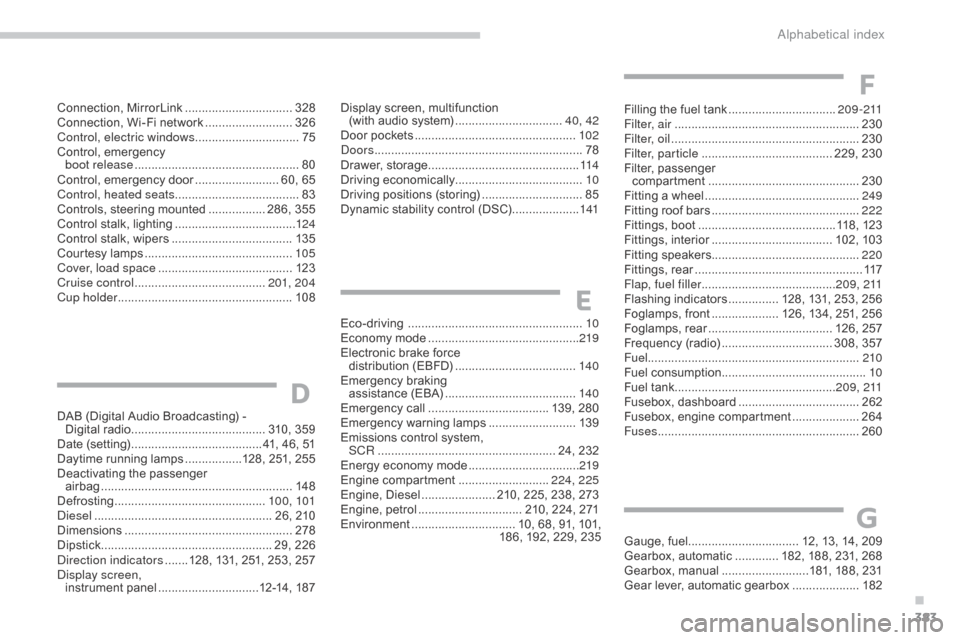
Gauge, fuel................................. 12, 13, 14, 209
Gearbox, automatic ............. 1 82, 188, 231, 268
Gearbox,
m
anual
..........................1
81, 188, 231
Gear
lever, automatic gearbox
....................18
2
G
Eco-driving ............................... .....................10
Economy mode ............................... ..............219
Electronic
brake force
distribution
(
EBFD)
.................................... 14
0
Emergency
b
raking
a
ssistance (EBA)
....................................... 14
0
Emergency
c
all
.................................... 1
39, 280
Emergency
w
arning
lam
ps
..........................13
9
Emissions
control system,
SCR
..............................
....................... 24, 232
Energy
economy mode
.................................2
19
Engine
c
ompartment
........................... 2
24, 225
Engine,
Diesel
...................... 2
10, 225, 238, 273
Engine,
petrol
............................... 2
10, 224, 271
Environment
............................... 1
0, 68, 91, 101,
1
86, 192, 229, 235
E
Connection, MirrorLink ................................ 32 8
Connection, Wi-Fi network ..........................32
6
Control, electric windows
............................... 75
C
ontrol,
em
ergency
b
oot release
...............................
..................80
Control,
em
ergency
do
or
......................... 6
0, 65
Control, heated seats
..................................... 83
C
ontrols, steering mounted
................. 2
86, 355
Control
stalk, lighting
.................................... 12
4
Control
stalk, wipers
.................................... 13
5
Courtesy
lamps
............................................ 10
5
Cover, load space
........................................ 12
3
Cruise control
....................................... 20
1, 204
Cup holder
...............................
.....................108Display
screen, multifunction
(with
audio system) ................................4
0, 42
Door
pockets
................................................10
2
Doors
.............................................................. 78
D
rawer,
s
torage
...............................
..............114
Driving
e
conomically...................................... 10
Driving
positions (storing)
..............................85
D
ynamic stability control (DSC)
....................1
41Filling
the fuel tank ................................2
0 9 - 2 11
Filter, air
...............
........................................230
Filter, oil
........................................................ 23
0
Filter, particle
....................................... 2
29, 230
Filter,
p
assenger
c
ompartment
.............................................23
0
Fitting
a wheel
...............................
...............249
Fitting
roof bars
............................................2
22
Fittings,
boot
.........................................1
18, 123
Fittings,
in
terior
....................................10
2,
10
3
Fitting
sp
eakers............................................ 220
Fittings,
r
ear
...............................
...................117
Flap, fuel filler
...............................
.........2 0 9 , 2 11
Flashing
in
dicators
............... 1
28, 131, 253, 256
Foglamps,
f
ront
.................... 1
26, 134, 251, 256
Foglamps,
re
ar
..................................... 1
26, 257
Frequency
(radio)
................................. 3
08, 357
Fuel ............................................................... 210
Fuel
c
onsumption
...........................................10
F
uel tank................................................2 0 9 , 2 11
Fusebox,
das
hboard
....................................2
62
Fusebox,
e
ngine
c
ompartment
....................26
4
Fuses
................
............................................260
DAB
(Digital Audio Broadcasting) -
Digital
r
adio
........................................ 3
10, 359
Date
(setting)
...............................
........41, 46, 51
Daytime
running lamps
.................1
28, 251, 255
Deactivating
t
he
p
assenger
ai
rbag
......................................................... 14
8
Defrosting
...............................
..............10 0, 101
Diesel
...............................
...................... 26, 210
Dimensions
..............................
....................278
Dipstick
................
................................... 29, 226
Direction indicators
.......1
28, 131, 251, 253, 257
Display screen, instrument
pan
el
..............................1
2-14, 187
D
F
.
Alphabetical index
Page 386 of 396
384
C4-2_en_Chap11_index-alpha_ed02-2015
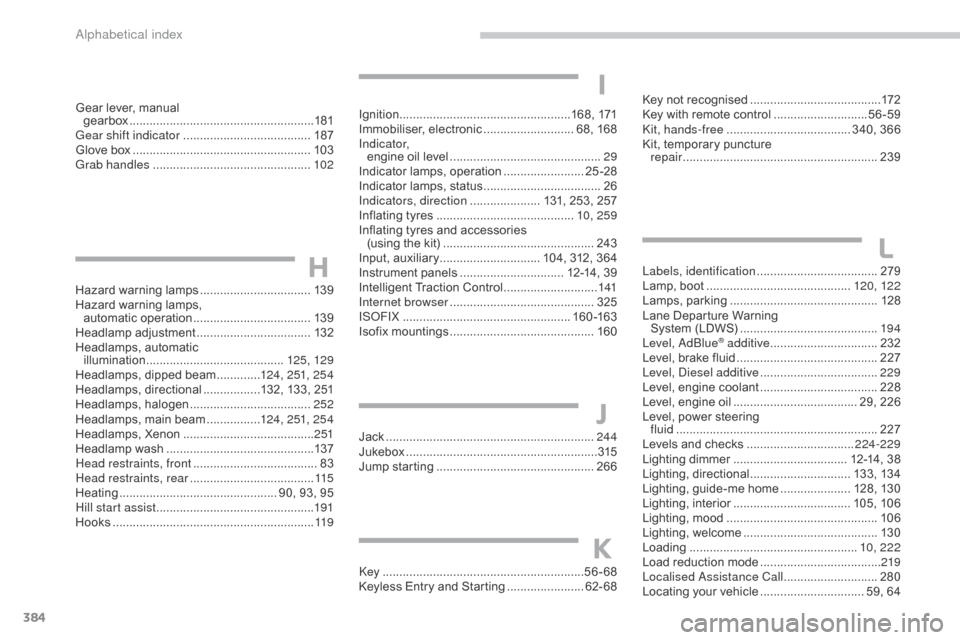
Hazard warning lamps ................................. 13 9
Hazard warning lamps,
automatic
ope
ration
................................... 13
9
Headlamp
adj
ustment
.................................. 13
2
Headlamps,
automatic
illumination
...............................
..........125, 129
Headlamps,
dipped beam
.............12
4, 251, 25 4
Headlamps,
d
irectional
.................1
32, 133, 251
Headlamps,
hal
ogen
.................................... 2
52
Headlamps,
main beam
................12
4, 251, 25 4
Headlamps,
Xenon
....................................... 2
51
Headlamp
w
ash
............................................ 13
7
Head restraints, front
..................................... 83
H
ead restraints, rear
..................................... 11
5
Heating
................
............................... 90, 93, 95
Hill start assist
............................................... 19
1
Hooks
...............................
.............................11 9Jack
........
......................................................244
Jukebox
...............
..........................................315
Jump
starting
..............................
.................266
Key
.......
.....................................................56-68
Keyless
Entry and Starting
.......................6
2- 68Key
not recognised
.......................................
17
2
Key with remote control
............................
5
6-59
Kit, hands-free
..................................... 3
40, 366
Kit, temporary puncture
repair
...............................
...........................
239
Labels, identification
.................................... 2
79
Lamp, boot ............................... ............
120, 12 2
Lamps, par king ............................................12
8
Lane
Departure Warning
System
(LDWS)
...............................
..........19 4
Level, AdBlue
® additive ................................ 2 32
Level,
brake
fluid .......................................... 2
27
Level, Diesel additive
................................... 2
29
Level,
engine
coolant
................................... 2
28
Level,
engine
oil
...............................
...... 29, 226
Level,
power
steering
fluid
...............
............................................. 227
Levels
and
checks
..............................
..224-229
Lighting
dimmer
..............................
.... 12-14, 38
Lighting,
d
irectional
.............................. 13
3,
13
4
Lighting,
guide-me home
..................... 1
28, 130
Lighting,
i
nterior
................................... 10
5,
10
6
Lighting,
m
ood
..............................
...............10 6
Lighting,
welcome
........................................ 13
0
Loading
..............................
.................... 10, 222
Load
reduction mode
.................................... 2
19
Localised Assistance Call
............................ 28
0
Locating
your
vehicle
............................... 5
9, 64
H
J
K
L
Gear lever, manual
g earbox ................ ....................................... 181
Gear shift indicator
...................................... 18
7
Glove
box
..................................................... 10
3
Grab handles
............................................... 10
2Ignition ................
...................................168, 171
Immobiliser,
e
lectronic
........................... 6
8, 168
I n d i c a t o r, engine
oil level
.............................................29
I
ndicator lamps, operation
........................2
5 -28
Indicator
lamps, status
...................................26
I
ndicators, direction
..................... 1
31, 253, 257
Inflating
tyres
..............................
...........10, 259
Inflating
tyres and accessories
(using
the kit)
..............................
...............243
Input,
a
uxiliary
.............................. 1
04, 312, 364
Instrument
p
anels
............................... 1
2-14, 39
Intelligent
T
raction
C
ontrol
............................1
41
Internet browser
........................................... 325
I
SOFIX
...............
...................................160 -163
Isofix
m
ountings
...............................
............160
I
Alphabetical index