steering Citroen C4 2016 2.G User Guide
[x] Cancel search | Manufacturer: CITROEN, Model Year: 2016, Model line: C4, Model: Citroen C4 2016 2.GPages: 396, PDF Size: 10.22 MB
Page 152 of 396
150
C4-2_en_Chap05_securite_ed02-2015
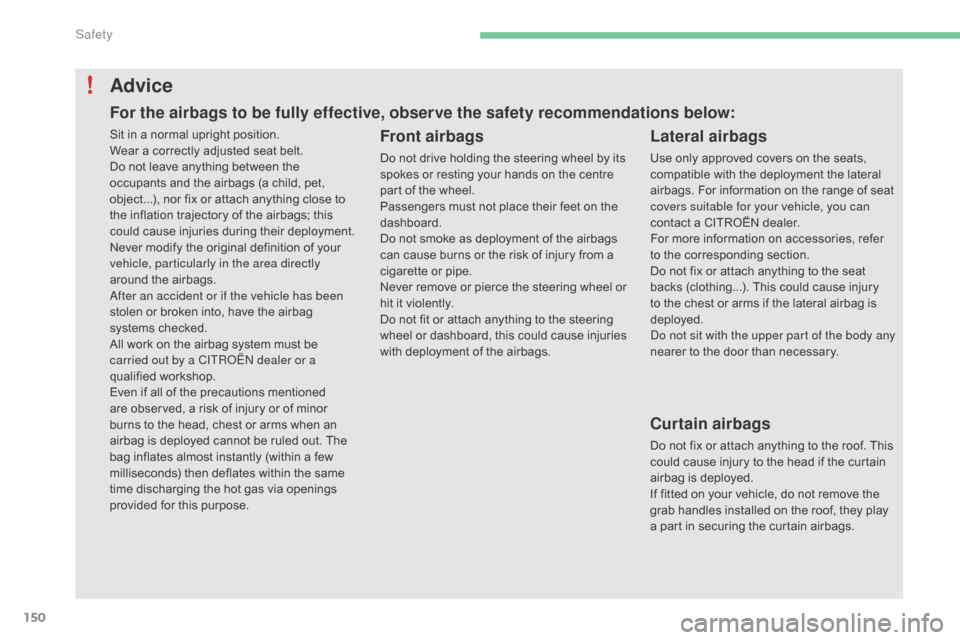
Advice
Front airbags
Do not drive holding the steering wheel by its spokes or resting your hands on the centre
p
art of the wheel.
Passengers
must not place their feet on the
das
hboard.
Do
not smoke as deployment of the airbags
c
an cause burns or the risk of injury from a
c
igarette or pipe.
Never
remove or pierce the steering wheel or
h
it it violently.
Do
not fit or attach anything to the steering
w
heel
o
r
d
ashboard,
t
his
c
ould
c
ause
i
njuries
w
ith deployment of the airbags.
Lateral airbags
Use only approved covers on the seats, compatible with the deployment the lateral
a
irbags. For information on the range of seat
c
overs suitable for your vehicle, you can
contact
a CITROËN dealer.
For
more information on accessories, refer
t
o the corresponding section.
Do
not fix or attach anything to the seat
b
acks (clothing...). This could cause injury
t
o the chest or arms if the lateral airbag is
d
eployed.
Do not sit with the upper part of the body any
nearer
to the door than necessary.
Curtain airbags
Do not fix or attach anything to the roof. This could cause injury to the head if the curtain
a
irbag is deployed.
If
fitted on your vehicle, do not remove the
g
rab handles installed on the roof, they play
a
part in securing the curtain airbags.
Sit
in
a
normal
upright
position.
Wear
a
correctly
adjusted
seat
belt.
Do
not
leave
anything
between
the
o
ccupants
and
the
airbags
(a
child,
pet,
o
bject...),
nor
fix
or
attach
anything
close
to
t
he
inflation
trajectory
of
the
airbags;
this
c
ould
cause
injuries
during
their
deployment.
Never
modify
the
original
definition
of
your
v
ehicle, particularly in the area directly
around
the
airbags.
After an accident or if the vehicle has been
stolen
or
broken
into,
have
the
airbag
s
ystems
checked.
All
work
on
the
airbag
system
must
be
c
arried out by a CITROËN dealer or a
qualified
w
orkshop.
Even
if
all
of
the
precautions
mentioned
a
re
observed,
a
risk
of
injury
or
of
minor
b
urns
to
the
head,
chest
or
arms
when
an
a
irbag
is
deployed
cannot
be
ruled
out.
The
b
ag
inflates
almost
instantly
(within
a
few
m
illiseconds)
then
deflates
within
the
same
t
ime
discharging
the
hot
gas
via
openings
p
rovided
for
this
purpose.
For the airbags to be fully effective, observe the safety recommendations below:
Safety
Page 170 of 396
168
C4-2_en_Chap06_conduite_ed02-2015
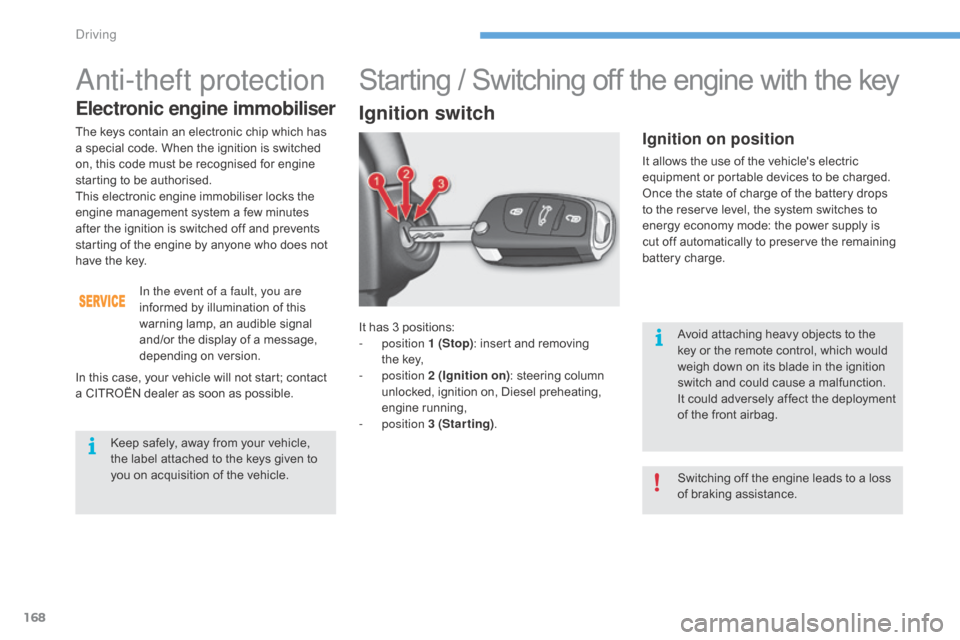
It has 3 positions:
- position 1 (Stop):
insert and removing
t
he key,
-
position 2 (Ignition on) :
steering column
u
nlocked, ignition on, Diesel preheating,
e
ngine
r
unning,
-
position 3 (Starting) .
Ignition on position
It allows the use of the vehicle's electric e
quipment or portable devices to be charged.
Once
the state of charge of the battery drops
t
o the reserve level, the system switches to
e
nergy economy mode: the power supply is
c
ut off automatically to preserve the remaining
b
attery charge.
Starting / Switching off the engine with the key
Ignition switch
Avoid attaching heavy objects to the key or the remote control, which would
w
eigh down on its blade in the ignition
s
witch and could cause a malfunction.
It
could adversely affect the deployment
o
f the front airbag.
Switching
off the engine leads to a loss
o
f braking assistance.
Anti-theft protection
Electronic engine immobiliser
Keep safely, away from your vehicle, the label attached to the keys given to
y
ou on acquisition of the vehicle.
The
keys contain an electronic chip which has
a
special code. When the ignition is switched
o
n,
this code must be recognised for engine
s
tarting to be authorised.
This
electronic engine immobiliser locks the
e
ngine management system a few minutes
a
fter
the ignition is switched off and prevents
s
tarting of the engine by anyone who does not
h
ave
the key.
In the event of a fault, you are
informed by illumination of this
w
arning lamp, an audible signal
a
nd/or the display of a message,
d
epending
o
n
v
ersion.
In
this
case, your vehicle will not start; contact
a
CITROËN dealer as soon as possible.
Driving
Page 171 of 396
169
C4-2_en_Chap06_conduite_ed02-2015
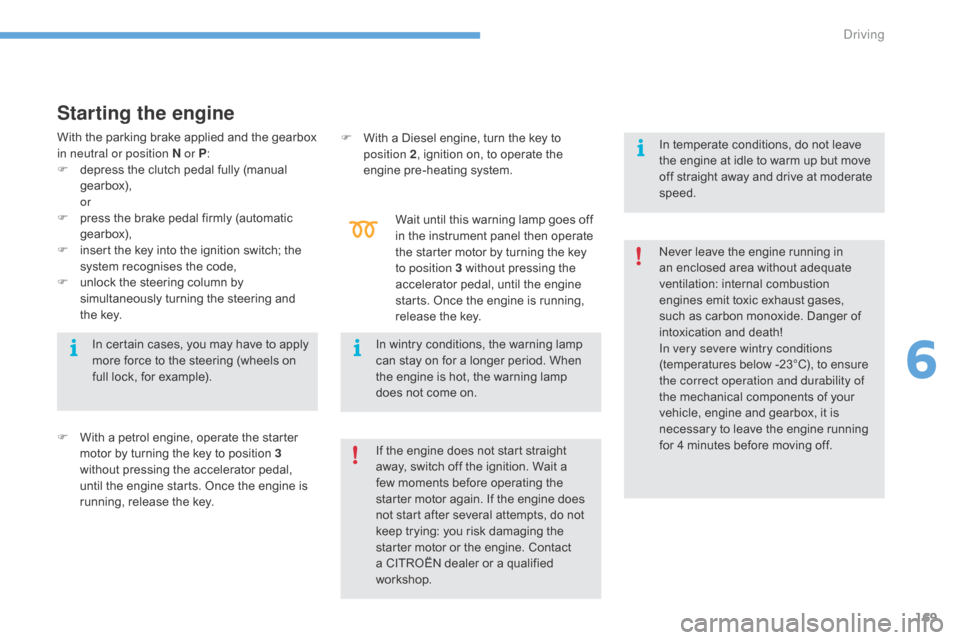
Starting the engine
F With a petrol engine, operate the starter m
otor by turning the key to position 3
without
pressing the accelerator pedal,
u
ntil the engine starts. Once the engine is
r
unning, release the key. F
W
ith a Diesel engine, turn the key to
p
osition 2
, ignition on, to operate the
eng
ine
p
re-heating
s
ystem.
Wait until this warning lamp goes off
i
n the instrument panel then operate
t
he starter motor by turning the key
t
o position 3 without pressing the
a
ccelerator pedal, until the engine
s
tarts. Once the engine is running,
r
elease the key.
If the engine does not start straight
a
way, switch off the ignition. Wait a
f
ew moments before operating the
s
tarter motor again. If the engine does
n
ot start after several attempts, do not
k
eep trying: you risk damaging the
s
tarter motor or the engine. Contact
a
CITROËN dealer or a qualified
w
orkshop.Never
leave the engine running in
a
n enclosed area without adequate
v
entilation:
in
ternal
c
ombustion
e
ngines emit toxic exhaust gases,
s
uch as carbon monoxide. Danger of
i
ntoxication and death!
In very severe wintry conditions
(temperatures below -23°C), to ensure
t
he correct operation and durability of
the mechanical components of your
v
ehicle, engine and gearbox, it is n
ecessary to leave the engine running f
or 4 minutes before moving off.
In
certain cases, you may have to apply
m
ore force to the steering (wheels on
f
ull lock, for example).
In wintry conditions, the warning lamp
c
an stay on for a longer period. When
t
he engine is hot, the warning lamp
d
oes not come on.In temperate conditions, do not leave
t
he engine at idle to warm up but move
o
ff straight away and drive at moderate
s
peed.
With the parking brake applied and the gearbox
i
n neutral or position N or P
:
F
d
epress the clutch pedal fully (manual
g
earbox),
or
F
p
ress the brake pedal firmly (automatic
g
earbox),
F
i
nsert the key into the ignition switch; the
s
ystem recognises the code,
F
u
nlock the steering column by
s
imultaneously turning the steering and
t
he key.
6
Driving
Page 172 of 396
170
C4-2_en_Chap06_conduite_ed02-2015
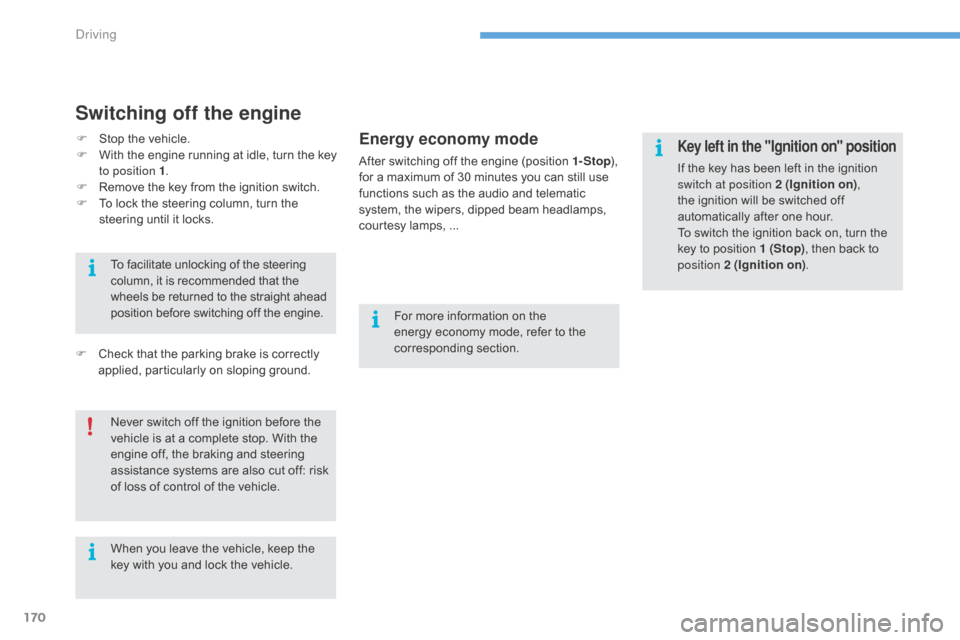
Switching off the engine
Energy economy mode
After switching off the engine (position 1- Stop), f
or a maximum of 30 minutes you can still use
f
unctions such as the audio and telematic
s
ystem, the wipers, dipped beam headlamps,
c
ourtesy lamps, ...
F
C
heck
that
the
parking
brake
is
correctly
a
pplied,
particularly
on
sloping
ground.
Never
switch
off
the
ignition
before
the
v
ehicle
is
at
a
complete
stop.
With
the
e
ngine
off,
the
braking
and
steering
a
ssistance
systems
are
also
cut
off:
risk
o
f
loss
of
control
of
the
vehicle.
To
facilitate
unlocking
of
the
steering
c
olumn,
it
is
recommended
that
the
w
heels
be
returned
to
the
straight
ahead
p
osition
before
switching
off
the
engine.
When
you
leave
the
vehicle,
keep
the
k
ey
with
you
and
lock
the
vehicle. For
more information on the
e
nergy economy mode, refer to the
c
orresponding
s
ection.Key left in the "Ignition on" position
If the key has been left in the ignition switch at position 2 (Ignition on) ,
the
ignition will be switched off
a
utomatically after one hour.
To
switch the ignition back on, turn the
k
ey to position 1 (Stop),
then back to
p
osition 2 (Ignition on) .
F
S
top
the
vehicle.
F
W
ith
the
engine
running
at
idle,
turn
the
key
t
o position 1 .
F
R
emove
the
key
from
the
ignition
switch.
F
T
o
lock
the
steering
column,
turn
the
s
teering
until
it
locks.
Driving
Page 173 of 396
171
C4-2_en_Chap06_conduite_ed02-2015
Starting / Switching off the engine with Keyless Entry and
S
tarting
Starting the engine
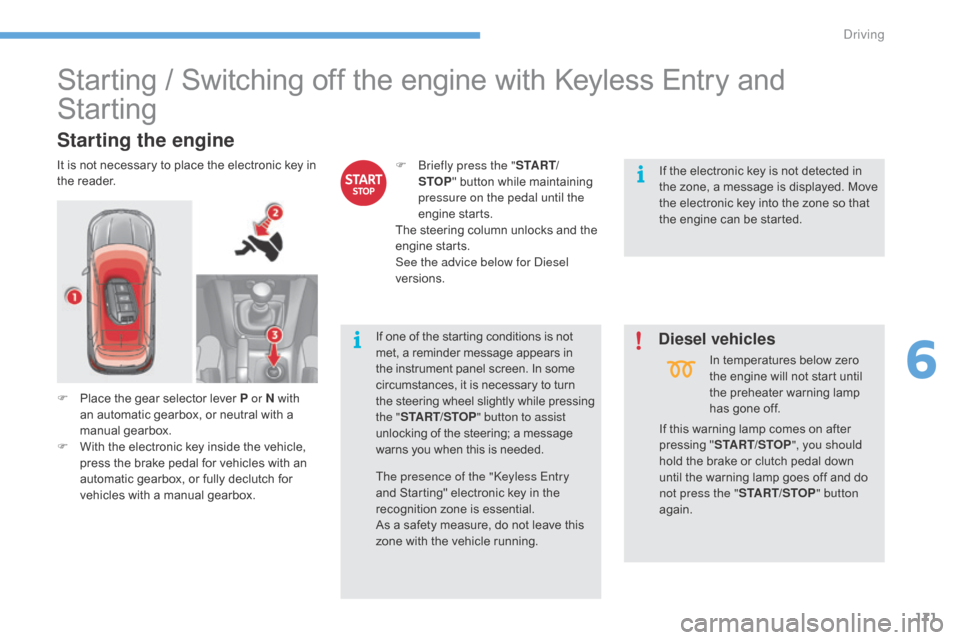
It is not necessary to place the electronic key in t
he r eader. F
B riefly press the "S TA R T/
STOP "
button while maintaining
p
ressure on the pedal until the
engine
s
tarts.
The
steering column unlocks and the
e
ngine
s
tarts.
See the advice below for Diesel
versions.
If
this warning lamp comes on after
p
ressing "START/STOP ", you should
hold
the brake or clutch pedal down
u
ntil the warning lamp goes off and do
n
ot press the "START/STOP " button
again.
If
one of the starting conditions is not
m
et, a reminder message appears in
t
he instrument panel screen. In some
c
ircumstances, it is necessary to turn
t
he steering wheel slightly while pressing
t
he "START/STOP " button to assist
unlocking
of the steering; a message
w
arns you when this is needed.If
the electronic key is not detected in
t
he zone, a message is displayed. Move
t
he electronic key into the zone so that
t
he engine can be started.
The presence of the "Keyless Entry
and
Starting" electronic key in the
r
ecognition zone is essential.
As
a safety measure, do not leave this
z
one with the vehicle running.In
temperatures below zero
t
he engine will not start until
t
he preheater warning lamp
h
as gone off.
F
P
lace the gear selector lever P or N with
an
automatic gearbox, or neutral with a
m
anual
g
earbox.
F
W
ith the electronic key inside the vehicle,
p
ress the brake pedal for vehicles with an
a
utomatic gearbox, or fully declutch for
v
ehicles with a manual gearbox.
Diesel vehicles
6
Driving
Page 174 of 396
172
C4-2_en_Chap06_conduite_ed02-2015
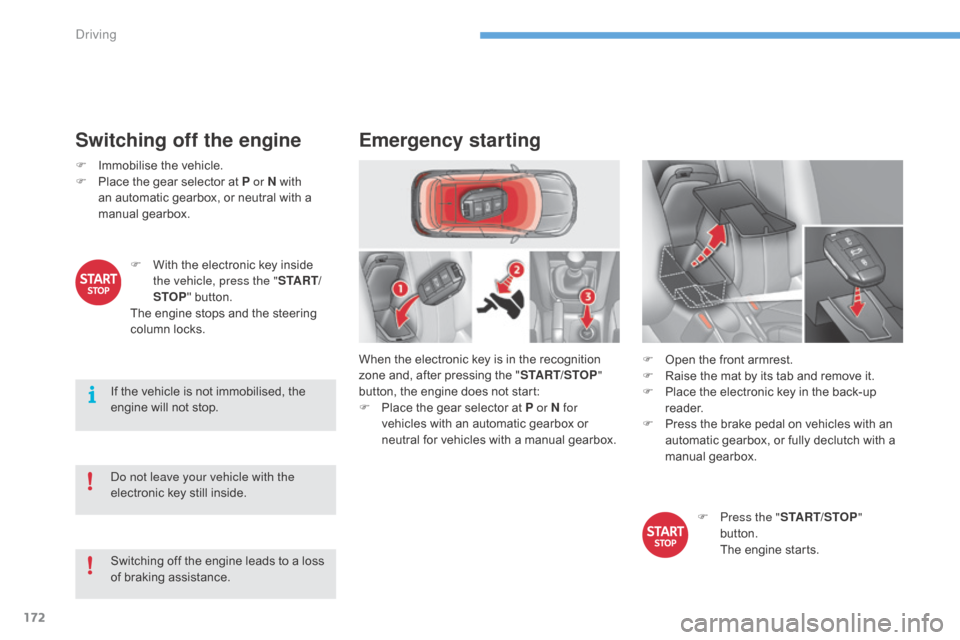
Switching off the engine
F Immobilise the vehicle.
F P lace the gear selector at P or N with
an
automatic gearbox, or neutral with a
m
anual
g
earbox.
Do not leave your vehicle with the
electronic
key still inside.
Switching
off the engine leads to a loss
o
f braking assistance.
If
the vehicle is not immobilised, the
e
ngine will not stop.
F
W
ith the electronic key inside
t
he vehicle, press the " S TA R T/
STOP "
button.
The
engine stops and the steering
c
olumn locks.
Emergency starting
When the electronic key is in the recognition zone and, after pressing the "START/STOP "
button,
the engine does not start:
F
P
lace the gear selector at P or N for
vehicles
with an automatic gearbox or
n
eutral for vehicles with a manual gearbox.F
O pen the front armrest.
F
R
aise the mat by its tab and remove it.
F
P
lace the electronic key in the back-up
re
ader.
F
P
ress the brake pedal on vehicles with an
a
utomatic gearbox, or fully declutch with a
m
anual
g
earbox.
F
P
ress the "START/STOP "
button.
T
he engine starts.
Driving
Page 175 of 396
173
C4-2_en_Chap06_conduite_ed02-2015
Emergency switch-off
In the event of an emergency only, the e ngine c an b e s witched o f w ithout
c
onditions. To do this, press and hold
t
he " START/STOP " button for about
3
seconds.
In
this
case the steering column locks as soon
a
s
the
vehicle stops.
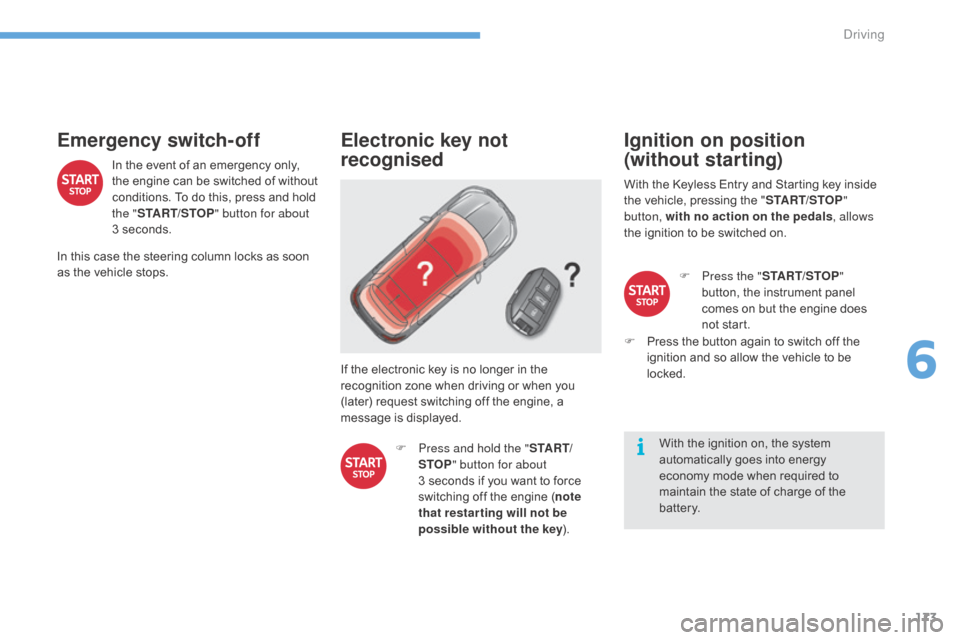
Electronic key not
recognised
If the electronic key is no longer in the recognition zone when driving or when you
(
later) request switching off the engine, a
m
essage is displayed.
F
P
ress and hold the " S TA R T/
STOP " button for about
3 seconds
if you want to force
s
witching off the engine (note
that restar ting will not be
possible without the key ).
Ignition on position
(without starting)
With the Keyless Entry and Starting key inside t
he vehicle, pressing the "START/STOP "
button, with no action on the pedals , allows
the
ignition to be switched on.
With
the ignition on, the system
a
utomatically goes into energy
e
conomy mode when required to
m
aintain the state of charge of the
b
attery.F
P
ress the "START/STOP "
button,
the instrument panel
c
omes on but the engine does
n
ot start.
F
P
ress the button again to switch off the
i
gnition and so allow the vehicle to be
lo
cked.
6
Driving
Page 190 of 396
188
C4-2_en_Chap06_conduite_ed02-2015
Stop & Start
Operation
Going into engine STOP mode
The "ECO" warning lamp comes on i
n the instrument panel and the engine g
oes into standby automatically:
-
w
ith a manual gearbox , at speeds below
12
m
ph
(
20
k
m/h),
o
r
v
ehicle
s
tationary
w
ith
P
ureTech 130 petrol and BlueHDi 115 and
1
20
Diesel versions, when you put the gear
l
ever into neutral and release the clutch
pedal,
If your vehicle is fitted with the
system,
a time counter calculates
t
he sum of the periods in STOP
m
ode during a journey. It resets
i
tself to zero every time the
i
gnition is switched on with the
k
ey or the "START/STOP" button.
-
w
ith an automatic gearbox, vehicle
stationary,
when you press the brake pedal
o
r
place the gear selector in position N.
Special cases: STOP mode
unavailable
STOP mode is not invoked when:
- t he vehicle is on a steep slope (up or
d
ow n),
-
t
he driver's door is open,
-
t
he driver's seat belt is not fastened,
-
t
he vehicle has not exceeded 6 mph
(
10 km/h) since the last engine start (using
t
he key or the "START/STOP" button),
-
t
he electric parking brake is applied or
be
ing
a
pplied,
-
t
he engine is needed to maintain a
c
omfortable temperature in the passenger
c
ompartment,
-
d
emisting is active,
-
s
ome special conditions (battery charge,
e
ngine temperature, braking assistance,
a
mbient temperature...) where the engine is
n
eeded to assure control of a system.
In this case, the "ECO"
warning lamp
f
lashes for a few seconds, then goes
o
f f.
This operation is perfectly normal.
The
Stop
&
Start system
puts
the
engine
temporarily
into
standby
-
STOP
mode
-
during
stops
in
the
traffic (red lights, traffic jams, or other...). The
e
ngine
restarts
automatically
-
START
mode
-
as
soon
as
you
want
to
move
off.
The
restart
takes
place
instantly, quickly and silently.
Per fect
for
urban
use,
the
Stop
&
Start
system
reduces
fuel
consumption
and
exhaust
emissions
as
well
as the noise level when stationary.
Never
refuel
with
the
engine
in
STOP
m
ode;
you
must
switch
off
the
ignition
w
ith
the
key
or
the
"START/STOP"
b
utton.
STOP
mode
does
not
affect
the
f
unctionality of the vehicle, such as
braking,
power
steering,
for
example.
Driving
Page 195 of 396
193
C4-2_en_Chap06_conduite_ed02-2015
The flashing and then fixed illumination of the under-inflation w
arning lamp accompanied by the
i
llumination of the service warning
l
amp indicates a fault with the system.
Operating fault
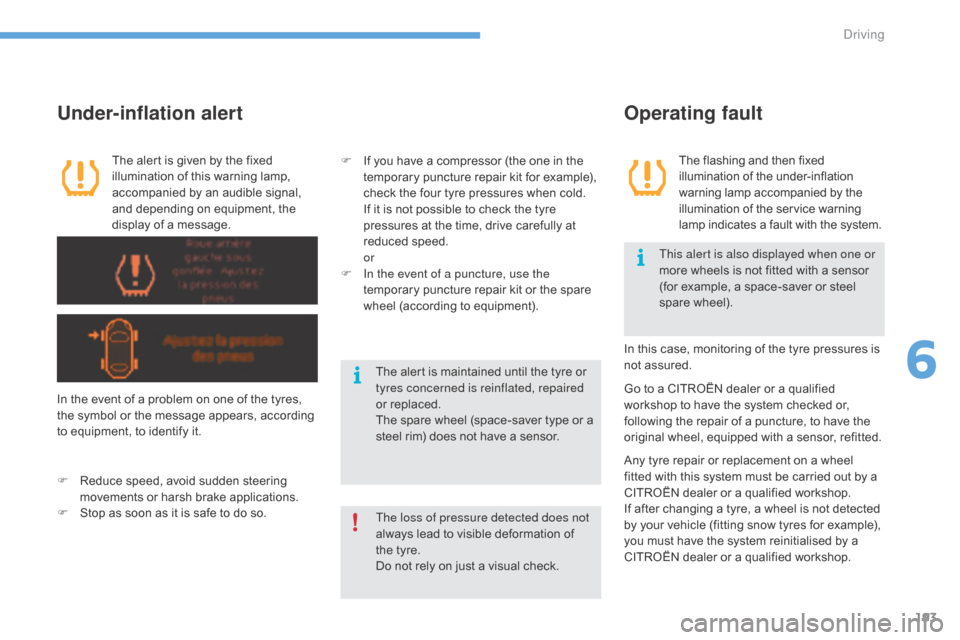
The alert is given by the fixed illumination of this warning lamp,
a
ccompanied by an audible signal,
a
nd depending on equipment, the
d
isplay of a message.
Under-inflation alert
In the event of a problem on one of the tyres, the symbol or the message appears, according
t
o equipment, to identify it.
F
R
educe speed, avoid sudden steering
m
ovements or harsh brake applications.
F
S
top as soon as it is safe to do so. In
this case, monitoring of the tyre pressures is
n
ot assured.
F
I
f you have a compressor (the one in the
t
emporary puncture repair kit for example),
c
heck the four tyre pressures when cold.
I
f it is not possible to check the tyre
p
ressures at the time, drive carefully at
r
educed
s
peed.
or
F
I
n the event of a puncture, use the
temporary puncture repair kit or the spare
w
heel (according to equipment).
Go to a CITROËN dealer or a qualified w
orkshop to have the system checked or,
f
ollowing the repair of a puncture, to have the
o
riginal wheel, equipped with a sensor, refitted.
Any
tyre repair or replacement on a wheel
f
itted with this system must be carried out by a
C
ITROËN dealer or a qualified workshop.
If
after changing a tyre, a wheel is not detected
b
y your vehicle (fitting snow tyres for example),
y
ou must have the system reinitialised by a
C
ITROËN dealer or a qualified workshop.
The loss of pressure detected does not
always
lead to visible deformation of
t
he tyre.
Do
not rely on just a visual check.This alert is also displayed when one or
more
wheels is not fitted with a sensor
(
for example, a space-saver or steel
spar
e
w
heel).
The alert is maintained until the tyre or t
yres concerned is reinflated, repaired
or replaced.
The
spare wheel (space-saver type or a
s
teel rim) does not have a sensor.
6
Driving
Page 200 of 396
198
C4-2_en_Chap06_conduite_ed02-2015
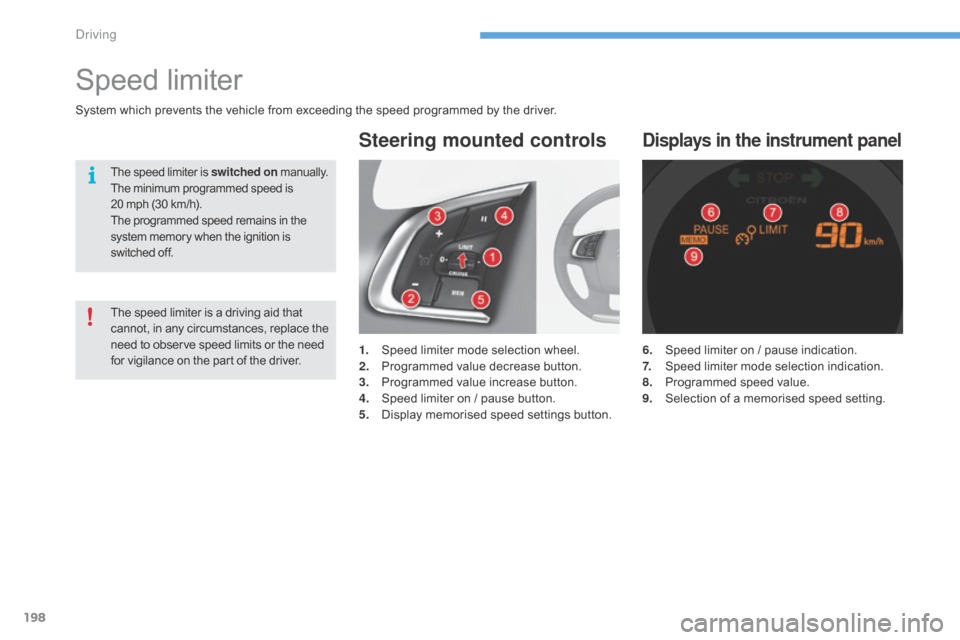
6. Speed limiter on / pause indication.
7. S peed limiter mode selection indication.
8.
P
rogrammed speed value.
9.
S
election of a memorised speed setting.
Displays in the instrument panel
Speed limiter
1. Speed limiter mode selection wheel.
2. P rogrammed value decrease button.
3.
P
rogrammed value increase button.
4.
S
peed limiter on / pause button.
5.
D
isplay memorised speed settings button.
Steering mounted controls
System which prevents the vehicle from exceeding the speed programmed by the driver.
The speed limiter is switched on manually.
The minimum programmed speed is 2
0 mph (30 km/h).
The
programmed speed remains in the
s
ystem memory when the ignition is
s
witched off.
The speed limiter is a driving aid that cannot, in any circumstances, replace the n
eed to observe speed limits or the need
f
or vigilance on the part of the driver.
Driving