buttons Citroen C4 2016 2.G Owner's Guide
[x] Cancel search | Manufacturer: CITROEN, Model Year: 2016, Model line: C4, Model: Citroen C4 2016 2.GPages: 396, PDF Size: 10.22 MB
Page 316 of 396
314
C4-2_en_Chap10b_SMEGplus_ed02-2015
Bluetooth® audio streaming
Streaming allows audio files on your telephone to be played through the vehicle's speakers.
Connect
the telephone: see the "Telephone "
section, then " Bluetooth".
Choose the " Audio" or "All"
pro
file.
If
play does not start automatically, it may be
n
ecessary to start the audio playback from the
t
elephone.
Control
is from the peripheral device or by
u
sing the audio system buttons.
Once
connected in streaming mode,
t
he telephone is considered to be a
media
source.
It
is recommended that you activate
"R
epeat"
on the Bluetooth peripheral.
Connecting Apple® players
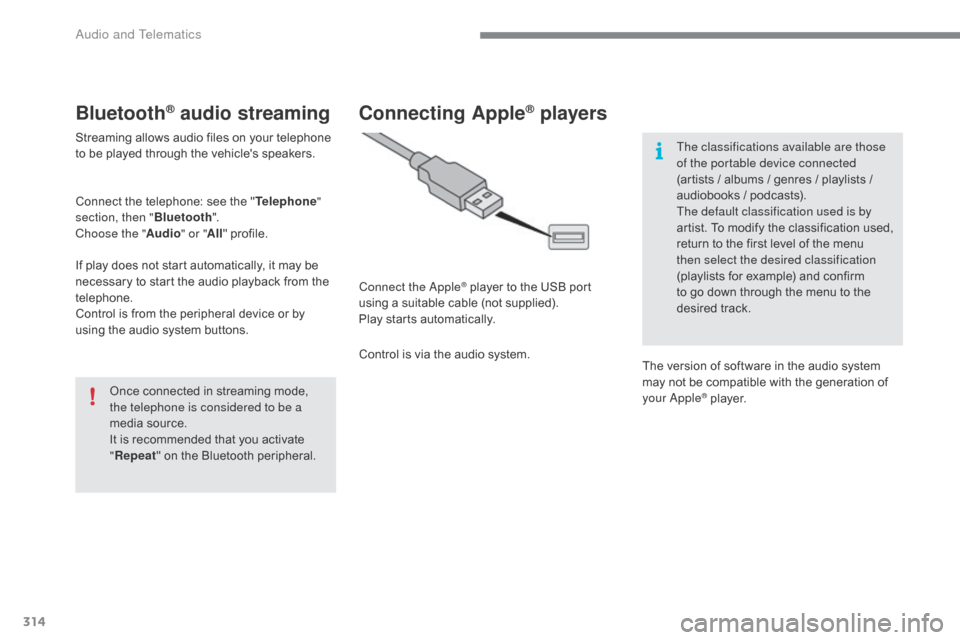
Connect the Apple® player to the USB port u
sing
a
suitable
cable (not supplied).
Play
starts
automatically.
Control
is
via
the
audio system. The classifications available are those
of the portable device connected
(artists
/ albums / genres / playlists /
a
udiobooks / podcasts).
The default classification used is by
artist. To modify the classification used,
r
eturn to the first level of the menu
t
hen select the desired classification
(playlists for example) and confirm t
o go down through the menu to the
de
sired
t
rack.
The
version of software in the audio system
m
ay not be compatible with the generation of
y
our Apple
® player.
Audio and Telematics
Page 331 of 396
329
C4-2_en_Chap10b_SMEGplus_ed02-2015
As a safety measure and because it requires sustained attention by the
d
river, using a smartphone when
d
riving is prohibited.
All
operations must be done with the
v
ehicle stationary .
The synchronisation of a
smartphone
allows applications on a
s
martphone that are adapted to the
M
irrorLink
TM technology to be displayed i
n
the
vehicle's screen.
As the principles and standards are
constantly
evolving, it is recommended
t
hat
you
update the operating system of
y
our
smartphone.
For
the
list
of eligible smartphones,
c
onnect
to
the brand's internet website
i
n
your
country. Please
note:
-
i
f your smartphone is supported, to
m
ake it "MirrorLink
TM" compatible, s
ome
phone
manufacturers
n
evertheless invite you to first
download
a
dedicated application.
When connecting a smartphone to the system, it is recommended that Bluetooth®
be
started
on
the
smartphone
Start the application on the
smartphone (optional, depending
o
n the smartphone and operating
s
yste m). During
the procedure, several screen
p
ages relating to certain functions
a
re displayed.
Accept to start and end the
connection.
Connect a USB cable. The
s
martphone charges when
c
onnected by a USB cable.
Press " MirrorLink
TM" to start
the
application
in
the system. Once connection is established, an
"
Applications " page is displayed with the
l
ist of applications already downloaded to
your smartphone and adapted to MirrorLink
TM
technology.
If only one application has been downloaded to
the
smartphone,
it
starts
automatically.
MirrorLinkTM smartphone
connection
Access to the different audio sources remains a
ccessible in the margin of the MirrorLinkTM
display,
using
touch
buttons
in
the
upper
bar.
Access
to
the
menus
for
the
system
is
possible
a
t
any
time
using
the
dedicated
buttons.
If
the
smartphone
is
locked,
c
ommunication
with
the
system
is
only
b
y
USB
cable.
From
the
system,
press
"
Connected
services "
to
display
the
primary
pag
e.
As
a
safety
measure,
applications
c
an only be viewed with the vehicle
stationary;
display
is
interrupted
once
t
he
vehicle
is
moving.
Voice recognition
Press the end of the lighting control stalk to s tart voice recognition of your smartphone via
t
he system.
Voice
recognition requires a compatible
s
martphone connected to the vehicle by
Bl
uetooth.
.
Audio and Telematics
Page 361 of 396
359
C4-2_en_Chap10c_RD5_ed02-2015
DAB (Digital Audio Broadcasting) radio
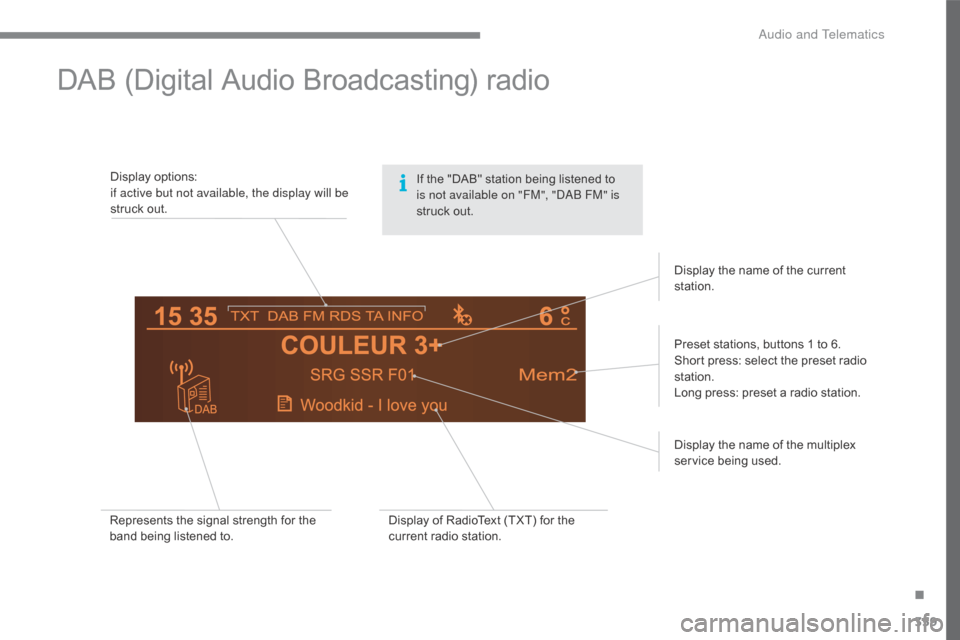
Display options:if active but not available, the display will be
struck
out.
Preset
stations, buttons 1 to 6.
Short
press: select the preset radio
s
tation.
Long
press: preset a radio station.
Display
the name of the multiplex
ser
vice
b
eing
u
sed.
Represents
the signal strength for the
b
and being listened to. Display
of RadioText (TXT) for the
c
urrent radio station.Display
the name of the current
s
tation.
If
the "DAB" station being listened to
i
s not available on "FM", "DAB FM" is
struck
out.
.
Audio and Telematics
Page 363 of 396
361
C4-2_en_Chap10c_RD5_ed02-2015
Press and hold one of the buttons for
fast for ward or backward.
Press one of the buttons to select a
track
on the CD.
Press LIST to display the list of
tracks on the CD.
To play a disc which has already
been inserted, press the SOURCE
or SRC
button several times in
s
uccession and select "
CD".
Audio CD
Playing a CD
Insert 12 cm diameter circular compact discs o
n l y.
Some
anti-pirating systems, on original discs
o
r CDs copied using a personal recorder, may
c
ause faults which are no reflection on the
quality
of the original player.
Without
pressing the EJECT button, insert a
CD
in the player, play begins automatically.
CD, USB
Information and advice
The audio system will only play files with extension ".mp3" or ".wma" and a compression
r
ate that is constant or variable between
32
Kbps and 320 Kbps.
It
is advisable to restrict file names to
2
0 characters without using special characters
(
e.g. " ? ; ù) to avoid any playing or displaying
pro
blems.
The
playlists accepted are types .m3u and .pls.
The
number of files is limited to 5 000 in
5
00 directories on a maximum of 8 levels.
On
a single disc, the CD player can
r
ead up to 255 MP3 files spread
ov
er 8 directory levels. However, it
i
s recommended that this be kept to
2 l
evels so as to limit the time taken to
a
ccess and play the CD.
During
play, the folder structure is not
o
bserved. In order to be able to play a recorded CDR or
CDRW,
when recording it is preferable to select
s
tandards ISO 9660 level 1.2 or Joliet.
If
the disc is recorded in another format, it may
n
ot be played correctly.
It
is recommended that the same recording
s
tandard is always used for an individual disc,
with
as low a speed as possible (4x maximum)
f
or optimum sound quality.
In
the particular case of a multi-session CD, the
J
oliet standard is recommended.
Use
only USB memory sticks formatted FAT32
(
File Allocation Table).
Do
not connect a hard disk or USB
d
evice other than audio players to the
USB
port. This may cause damage to
y
our
i
nstallation.
Media
.
Audio and Telematics
Page 364 of 396
362
C4-2_en_Chap10c_RD5_ed02-2015
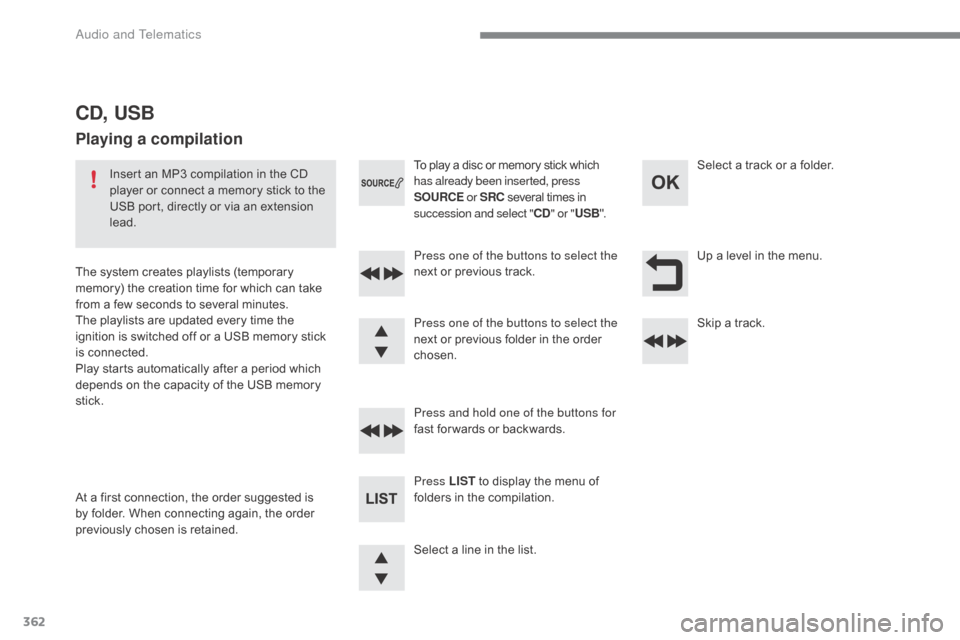
Up a level in the menu.
S
elect
a
line
in
the
list.
Press one of the buttons to select the
next
or
previous
track.
Press and hold one of the buttons for
fast
for wards
or
backwards. Skip
a track.
Select
a track or a folder.
Press LIST
to
display
the
menu
of
f
olders
in
the
compilation.
To
play
a
disc
or
memory
stick
which
h
as already been inserted, press
SOURCE or SRC
several
times
in
s
uccession and select "
CD" or " USB ".
Press one of the buttons to select the
next
or
previous
folder
in
the
order
c
hosen.
CD, USB
Playing a compilation
Insert an MP3 compilation in the CD p layer or connect a memory stick to the
U
SB port, directly or via an extension
l
ead.
The
system creates playlists (temporary
m
emory) the creation time for which can take
f
rom
a few seconds to several minutes.
The
playlists are updated every time the
i
gnition is switched off or a USB memory stick
i
s
c
onnected.
Play
starts automatically after a period which
d
epends on the capacity of the USB memory
st
ick.
At
a
first connection, the order suggested is
b
y
folder. When connecting again, the order
p
reviously chosen is retained.
Audio and Telematics
Page 370 of 396
368
C4-2_en_Chap10c_RD5_ed02-2015
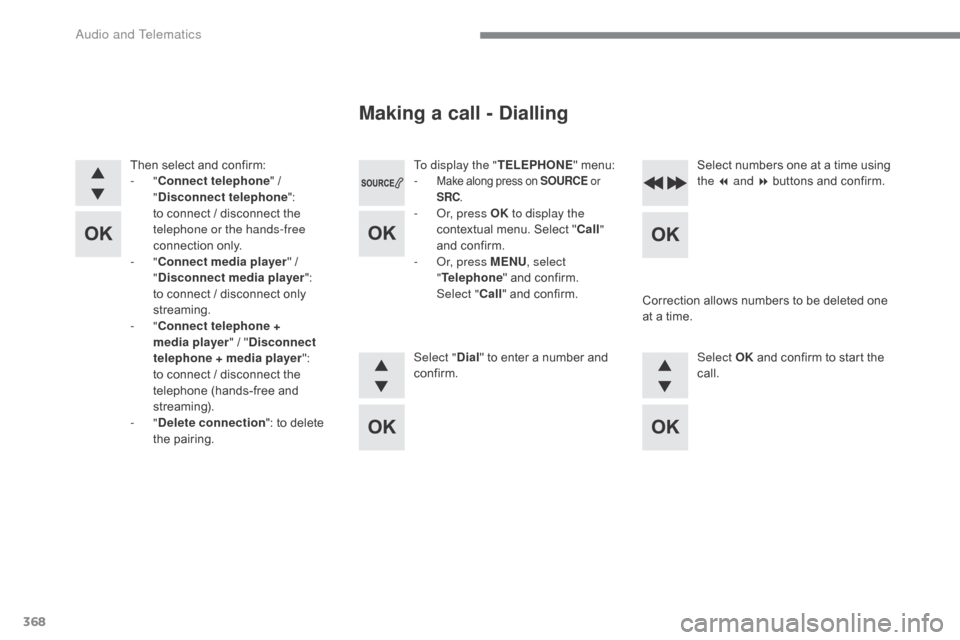
To display the "TELEPHONE" menu:
- Make along press on SOURCE or
SRC .
- Or, press OK to display the
contextual menu. Select "Call "
and
confirm.
-
O
r, press MENU , select
" Telephone "
and confirm.
Sel
ect
"Call "
and confirm.
Select " Dial"
to enter a number and
c
onfirm. Select OK
and confirm to start the
c
all.
Select
numbers one at a time using
t
he 7 and 8 buttons and confirm.
Making a call - Dialling
Correction allows numbers to be deleted one a
t a time.
Then
select
and
confirm:
-
"
Connect telephone "
/
"
D
isconnect telephone
":
t
o
connect
/
disconnect
the
t
elephone or the hands-free
connection
on
ly.
-
"
Connect media player "
/
"
D
isconnect media player
":
t
o
connect
/
disconnect
only
s
treaming.
-
" Connect telephone +
media player "
/
" Disconnect
telephone + media player ":
t
o
connect /
disconnect
the
t
elephone
(hands-free
and
s
treaming).
-
" Delete connection ":
to
delete
t
he
pa
iring.
Audio and Telematics
Page 372 of 396
370
C4-2_en_Chap10c_RD5_ed02-2015
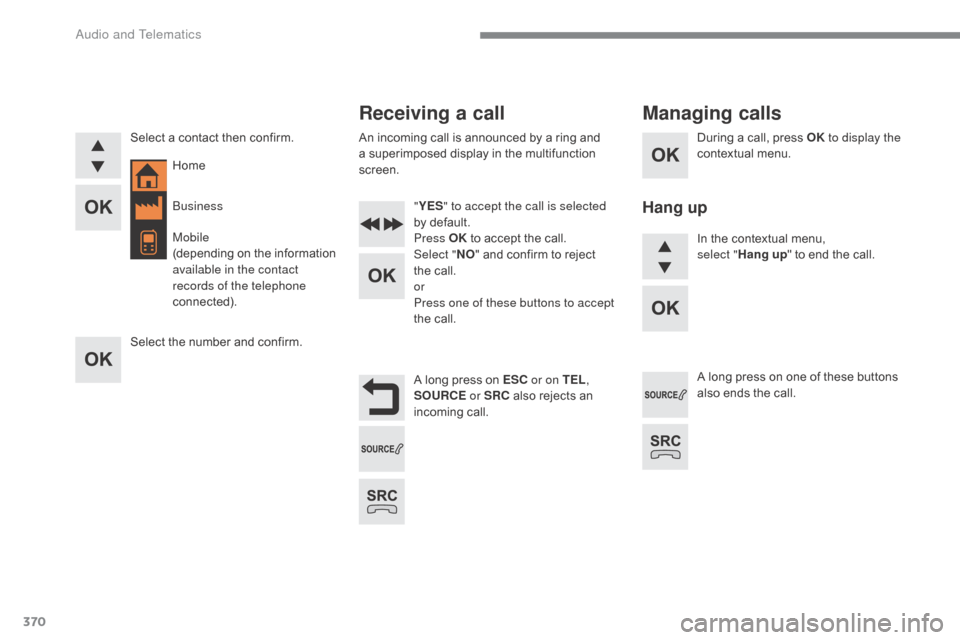
During a call, press OK t o display the
contextual menu.
A
long
press
on
ESC or on TEL ,
SOURCE
or SRC
also
rejects
an
inc
oming
c
all.
Select
a
contact
then
confirm.
Select
the
number
and
confirm. "
YES " to accept the call is selected
by
default.
Press OK
to
accept
the
call.
Select " NO"
and
confirm
to
reject
t
he
call.
or
Press one of these buttons to accept
the
call. In
the contextual menu,
select
"Hang up "
to end the call.
A
long press on one of these buttons
a
lso ends the call.
Home
Receiving a call
An incoming call is announced by a ring and a
superimposed display in the multifunction
sc
reen.
Business
Mobile
(depending
o
n
t
he
i
nformation
a
vailable in the contact
records of the telephone
connected).
Managing calls
Hang up
Audio and Telematics