ECU Citroen C4 2016 2.G Owner's Manual
[x] Cancel search | Manufacturer: CITROEN, Model Year: 2016, Model line: C4, Model: Citroen C4 2016 2.GPages: 396, PDF Size: 10.22 MB
Page 72 of 396

70
C4-2_en_Chap02_ouvertures_ed02-2015
Activation / Deactivation
You can activate or deactivate this function
permanently.
F
W
ith the ignition on, press this button
u
ntil an audible signal starts and a
c
orresponding message is displayed.
The
state of the system stays in memory when
s
witching off the ignition.
Anti-intrusion security
Operation
If one of the doors or the boot is open, the
automatic central locking does not take place.
This
system allows automatic simultaneous locking of the doors and boot as soon as the speed of
t
he vehicle exceeds 6 mph (10 km/h).
Pressing the central locking button unlocks the
v
ehicle.
Above
6 mph (10 km/h), this unlocking is
t
e m p o r a r y. This
is signalled by the sound of
t
he locks rebounding, accompanied
b
y illumination of this symbol in the
i
nstrument panel, an audible signal
a
nd the display of an alert message.
Carrying long and voluminous
objects
If you want to drive with the boot open,
you
should press the central locking
b
utton to lock the the doors. Other wise,
e
very time the speed of the vehicle
e
xceeds 6 mph (10 km/h), the locks
w
ill rebound and the alerts mentioned
a
bove will appear.
Access
Page 77 of 396

75
C4-2_en_Chap02_ouvertures_ed02-2015
Electric windows
1. Driver's electric window.
2. Passenger's electric window.
3.
R
ear right electric window.
4.
R
ear left electric window.
5.
D
eactivation of the rear electric window
controls. There
are two options:
-
m
anual mode
F
P
ress or pull the control gently. The
w
indow stops when the control is
released.
-
a
utomatic mode
F P ress or pull the control firmly. The w
indow opens or closes fully when the
control
is released.
F
P
ressing the control again stops the
m
ovement of the window.
One-touch electric windows
The electric window controls remain operational for approximately
4
5 seconds after the ignition is switched
o
ff or until the vehicle is locked after a
d
oor is opened.
If
one of the passenger windows cannot
b
e operated from the driver's door
c
ontrol panel, carry out the operation
from
the control panel of the passenger
d
oor in question.
After
approximately ten consecutive
c
omplete opening/closing movements
o
f the window, a protection function is
activated
which only authorises closing
o
f the window to prevent damage to the
e
lectric window motor.
Once the window is closed, the controls
will
become operational again after
a
pproximately 40 minutes.
Fitted
with
a
safety
anti-pinch
system
and
a
deactivation
system
for
the
rear
controls.
2
Access
Page 115 of 396
113
C4-2_en_Chap03_ergonomie-et-confort_ed02-2015
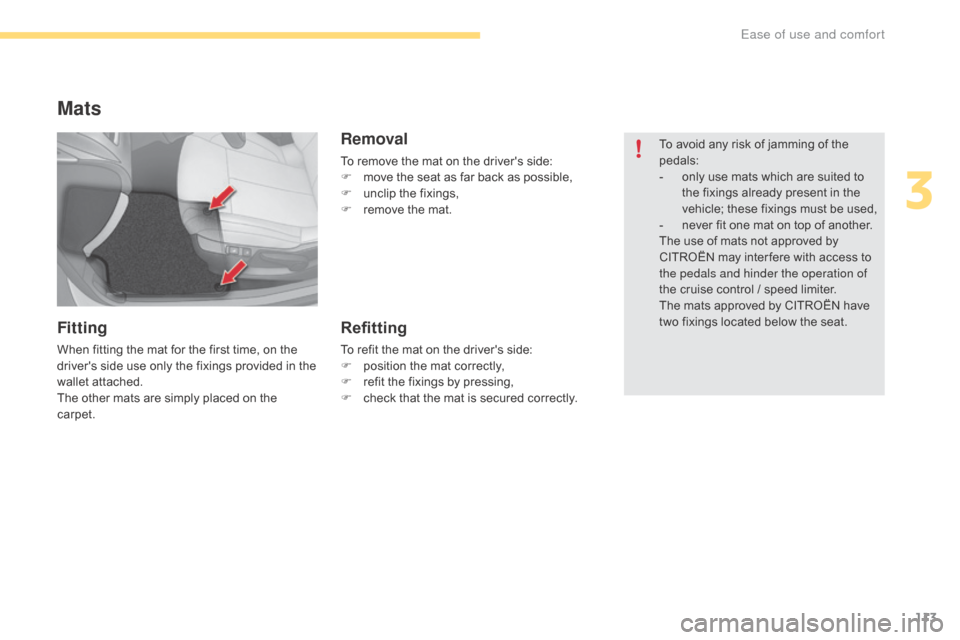
Mats
Fitting
When fitting the mat for the first time, on the driver's side use only the fixings provided in the
w
allet attached.
The
other mats are simply placed on the
c
arpet.
Removal
To remove the mat on the driver's side:
F m ove the seat as far back as possible,
F
u
nclip the fixings,
F
r
emove the mat.
Refitting
To refit the mat on the driver's side:
F p osition the mat correctly,
F
r
efit the fixings by pressing,
F
c
heck that the mat is secured correctly.To
avoid any risk of jamming of the
ped
als:
-
o
nly use mats which are suited to
t
he fixings already present in the
v
ehicle; these fixings must be used,
-
n
ever fit one mat on top of another.
The use of mats not approved by
C
ITROËN may inter fere with access to
t
he pedals and hinder the operation of
the cruise control / speed limiter.
The mats approved by CITROËN have
t
wo fixings located below the seat.
3
Ease of use and comfort
Page 118 of 396
116
C4-2_en_Chap03_ergonomie-et-confort_ed02-2015
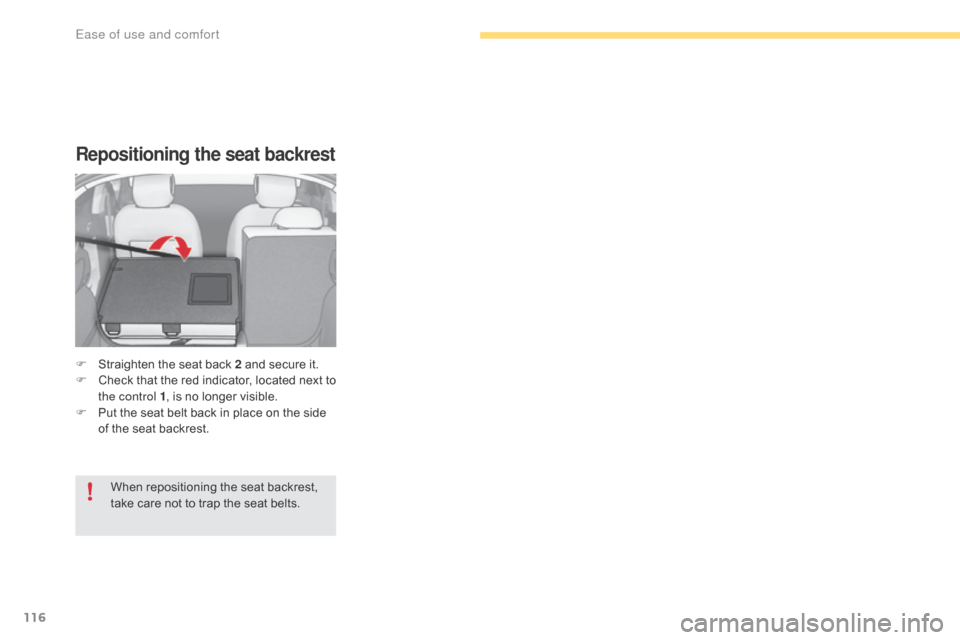
Repositioning the seat backrest
F Straighten the seat back 2 and secure it.
F C heck t hat t he r ed i ndicator, l ocated n ext t o
t
he control 1 ,
is no longer visible.
F
P
ut the seat belt back in place on the side
o
f the seat backrest.
When
repositioning the seat backrest,
t
ake care not to trap the seat belts.
Ease of use and comfort
Page 121 of 396
119
C4-2_en_Chap03_ergonomie-et-confort_ed02-2015
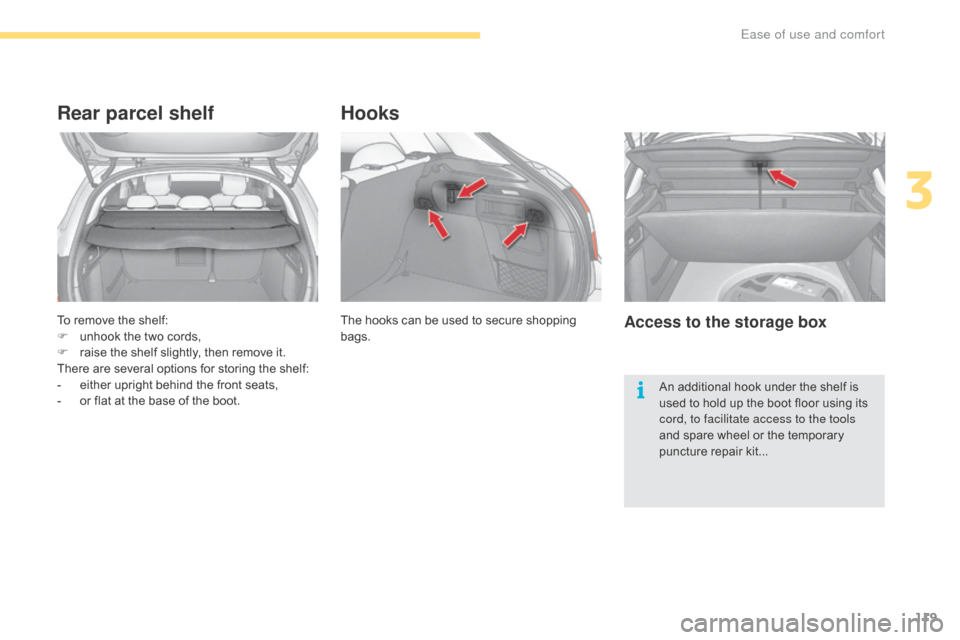
To remove the shelf:
F u nhook the two cords,
F
r
aise the shelf slightly, then remove it.
There
are several options for storing the shelf:
-
e
ither upright behind the front seats,
-
o
r flat at the base of the boot.
Rear parcel shelf
The hooks can be used to secure shopping bags.
Hooks
Access to the storage box
An additional hook under the shelf is u sed to hold up the boot floor using its
c
ord, to facilitate access to the tools
and
spare wheel or the temporary
p
uncture repair kit...
3
Ease of use and comfort
Page 141 of 396
139
C4-2_en_Chap05_securite_ed02-2015
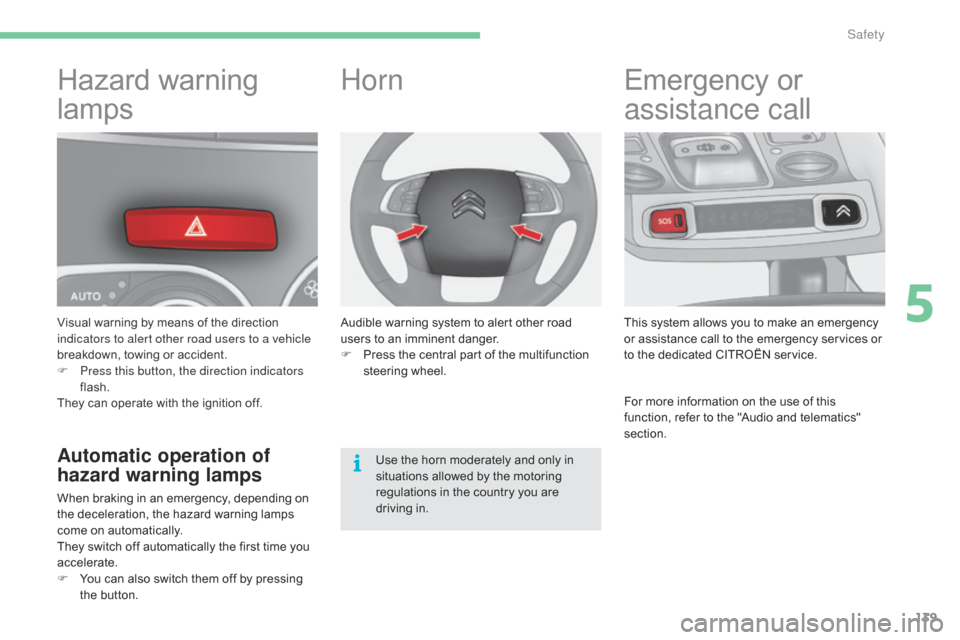
Hazard warning
lam
ps
Visual warning by means of the direction i
ndicators to alert other road users to a vehicle
breakdown,
towing or accident.
F
P
ress this button, the direction indicators
flash.
They
can operate with the ignition off.
Automatic operation of
hazard warning lamps
When braking in an emergency, depending on the deceleration, the hazard warning lamps
c
ome on automatically.
They
switch off automatically the first time you
a
ccelerate.
F
Y
ou can also switch them off by pressing
t
he button.
Horn
Audible warning system to alert other road users to an imminent danger.
F
P
ress the central part of the multifunction
s
teering
w
heel.
Use
the horn moderately and only in
s
ituations allowed by the motoring
r
egulations in the country you are
d
riving in.
Emergency or
a
ssistance call
This system allows you to make an emergency o
r assistance call to the emergency services or
t
o the dedicated CITROËN service.
For
more information on the use of this
f
unction, refer to the "Audio and telematics"
s
ection.
5
Safety
Page 142 of 396
140
C4-2_en_Chap05_securite_ed02-2015
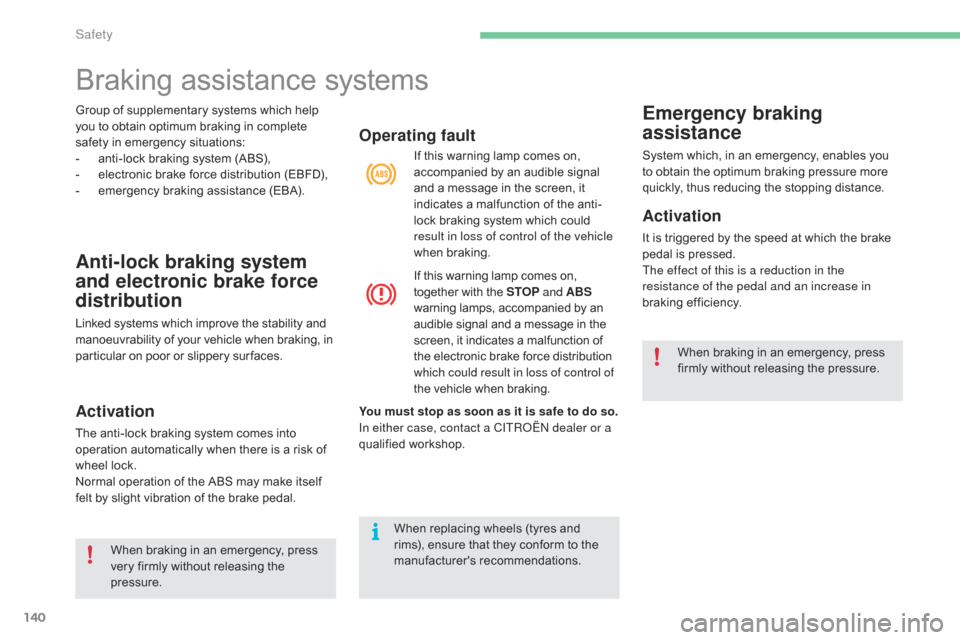
Group of supplementary systems which help you to obtain optimum braking in complete
s
afety in emergency situations:
-
a
nti-lock braking system (ABS),
-
e
lectronic brake force distribution (EBFD),
-
e
mergency braking assistance (EBA).
Anti-lock braking system
and electronic brake force
distribution
Linked systems which improve the stability and manoeuvrability of your vehicle when braking, in p
articular on poor or slippery sur faces.
Activation
The anti-lock braking system comes into operation automatically when there is a risk of
w
heel lock.
Normal
operation of the ABS may make itself
f
elt by slight vibration of the brake pedal.
Operating fault
If this warning lamp comes on, accompanied by an audible signal
a
nd a message in the screen, it
i
ndicates a malfunction of the anti-
lock
braking system which could
r
esult in loss of control of the vehicle
when
b
raking.
If
this warning lamp comes on,
t
ogether with the STOP and ABS
warning
lamps, accompanied by an
a
udible signal and a message in the
s
creen, it indicates a malfunction of
t
he electronic brake force distribution
w
hich could result in loss of control of
the
vehicle when braking.
Emergency braking
assistance
System which, in an emergency, enables you to obtain the optimum braking pressure more
q
uickly, thus reducing the stopping distance.
Activation
It is triggered by the speed at which the brake pedal is pressed.
The effect of this is a reduction in the
resistance of the pedal and an increase in
braking
e
fficiency.
You must stop as soon as it is safe to do so.
In either case, contact a CITROËN dealer or a
qualified
w
orkshop.
When
braking
in
an
emergency,
press
v
ery
firmly
without
releasing
the
p
ressure. When
braking in an emergency, press
f
irmly without releasing the pressure.
When
replacing
wheels
(tyres
and
r
ims),
ensure
that
they
conform
to
the
ma
nufacturer's
r
ecommendations.
Braking assistance systems
Safety
Page 143 of 396
141
C4-2_en_Chap05_securite_ed02-2015
Trajectory control systems
Anti-slip regulation (ASR)
and dynamic stability
control (DSC)
The anti-slip regulation (also known as traction control) optimises traction to prevent skidding
o
f the wheels, by acting on the brakes of the
d
riving wheels and on the engine.
The electronic stability control acts on the
brake
of one or more wheels and on the engine
t
o keep the vehicle on the trajectory required
b
y the driver, within the limits of the laws of
p
hysics.
Activation
These systems are activated automatically each time the vehicle is started.
They
come into operation in the event of a grip
o
r
t
rajectory
pro
blem.
This
is indicated by flashing of this
w
arning lamp in the instrument panel.
Intelligent traction control
system ("Snow motion")
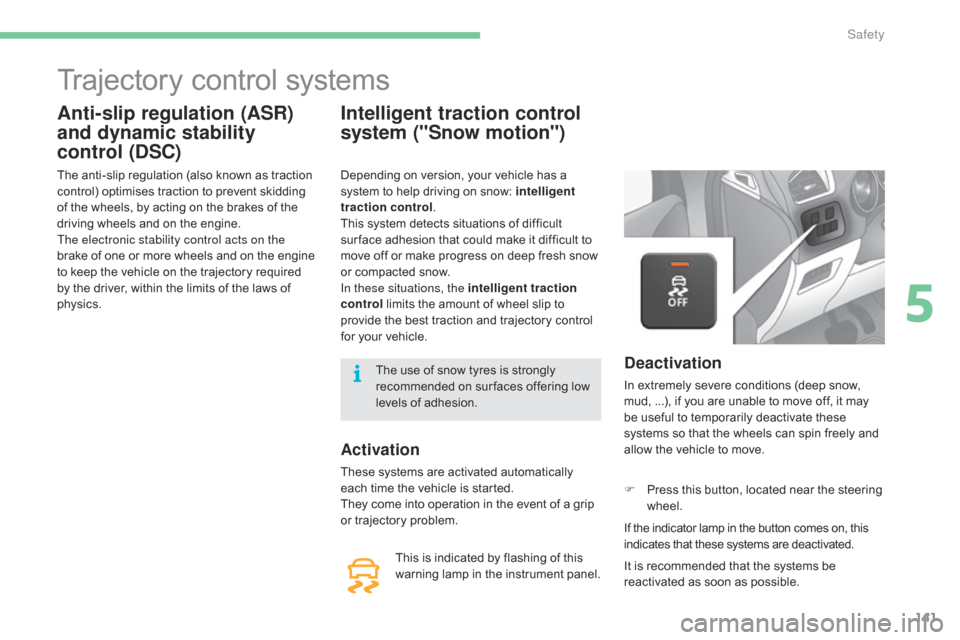
Deactivation
In extremely severe conditions (deep snow, mud, ...), if you are unable to move off, it may
b
e useful to temporarily deactivate these
s
ystems so that the wheels can spin freely and
a
llow the vehicle to move.
F
P
ress this button, located near the steering
w
heel.
If
the indicator lamp in the button comes on, this
i
ndicates that these systems are deactivated.
Depending
on
version,
your
vehicle
has
a
s
ystem
to
help
driving
on
snow:
intelligent
traction control .
This
system
detects
situations
of
difficult
s
ur face
adhesion
that
could
make
it
difficult
to
m
ove
off
or
make
progress
on
deep
fresh
snow
o
r
compacted
snow.
In these situations, the intelligent traction
control
limits
the
amount
of
wheel
slip
to
p
rovide
the
best
traction
and
trajectory
control
f
or
your
vehicle.
It is recommended that the systems be
r
eactivated as soon as possible.
The
use
of
snow
tyres
is
strongly
r
ecommended
on
sur faces
offering
low
l
evels
of
adhesion.
5
Safety
Page 144 of 396
142
C4-2_en_Chap05_securite_ed02-2015
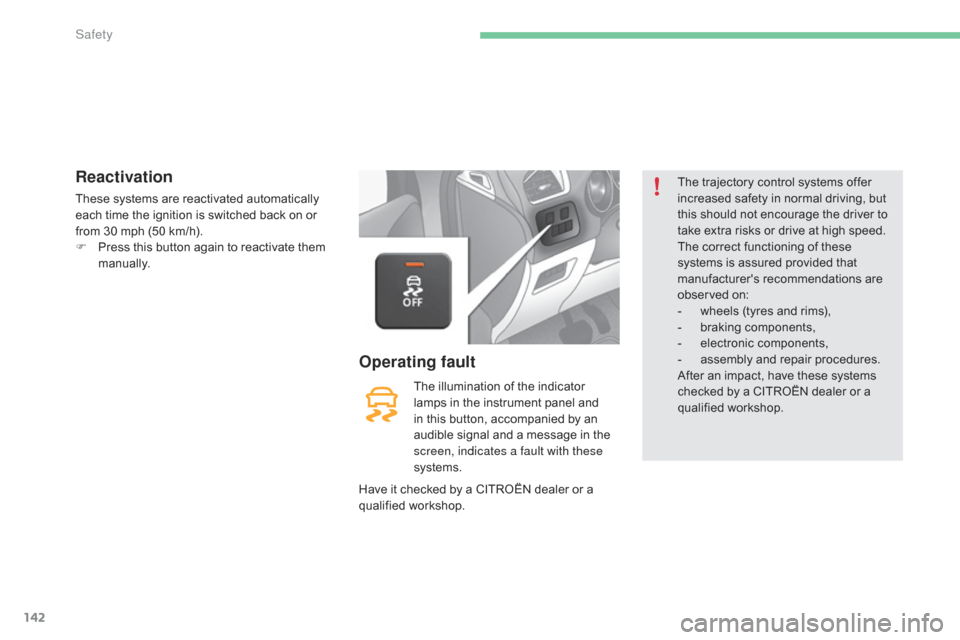
Reactivation
These systems are reactivated automatically each time the ignition is switched back on or
f
rom 30 mph (50 km/h).
F
P
ress this button again to reactivate them
m
anually.
The
illumination of the indicator
l
amps in the instrument panel and
i
n this button, accompanied by an
a
udible signal and a message in the
s
creen, indicates a fault with these
systems.
Operating fault
The trajectory control systems offer i ncreased safety in normal driving, but
t
his should not encourage the driver to
t
ake extra risks or drive at high speed.
The
correct functioning of these
s
ystems is assured provided that
m
anufacturer's recommendations are
ob
served
on
:
-
w
heels (tyres and rims),
-
b
raking components,
-
el
ectronic
c
omponents,
-
a
ssembly and repair procedures.
After
an impact, have these systems
c
hecked by a CITROËN dealer or a
q
ualified
w
orkshop.
Have
it
checked
by
a
CITROËN
dealer
or
a
q
ualified
w
orkshop.
Safety
Page 145 of 396
143
C4-2_en_Chap05_securite_ed02-2015
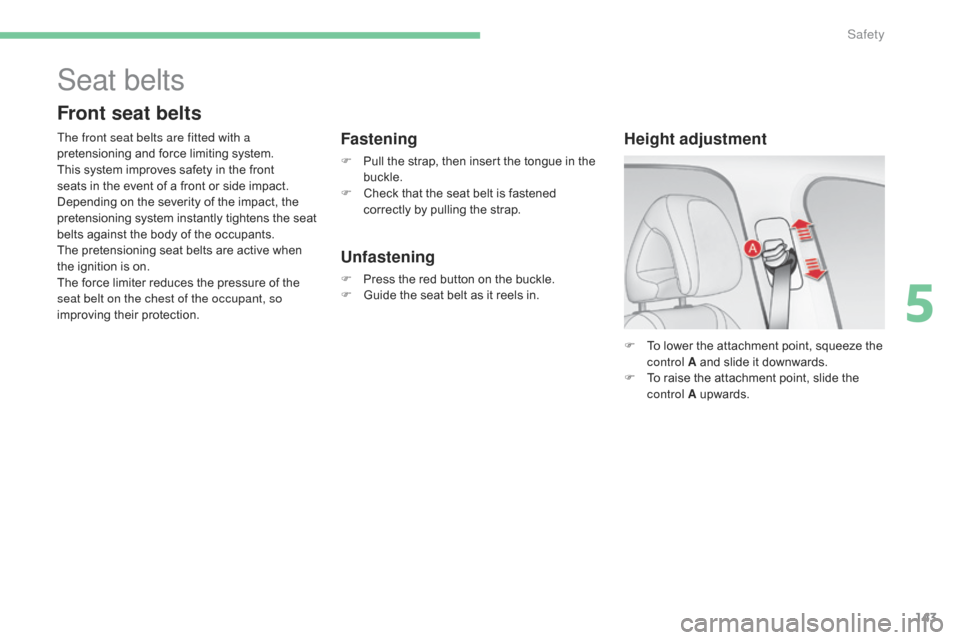
F To lower the attachment point, squeeze the c
ontrol A and slide it downwards.
F
T
o raise the attachment point, slide the
c
ontrol A
up
wards.
Height adjustment
Seat belts
Front seat belts
The front seat belts are fitted with a
pretensioning and force limiting system.
This
system improves safety in the front
s
eats in the event of a front or side impact.
D
epending on the severity of the impact, the
p
retensioning system instantly tightens the seat
b
elts against the body of the occupants.
The
pretensioning seat belts are active when
t
he ignition is on.
The
force limiter reduces the pressure of the
s
eat belt on the chest of the occupant, so
improving
their protection.Fastening
F Pull the strap, then insert the tongue in the buc
kle.
F
C
heck that the seat belt is fastened
c
orrectly by pulling the strap.
Unfastening
F Press the red button on the buckle.
F G uide the seat belt as it reels in.
5
Safety