carplay Citroen C4 2016 2.G Owner's Manual
[x] Cancel search | Manufacturer: CITROEN, Model Year: 2016, Model line: C4, Model: Citroen C4 2016 2.GPages: 396, PDF Size: 10.22 MB
Page 50 of 396
48
C4-2_en_Chap01_instruments-de-bord_ed02-2015
Menus
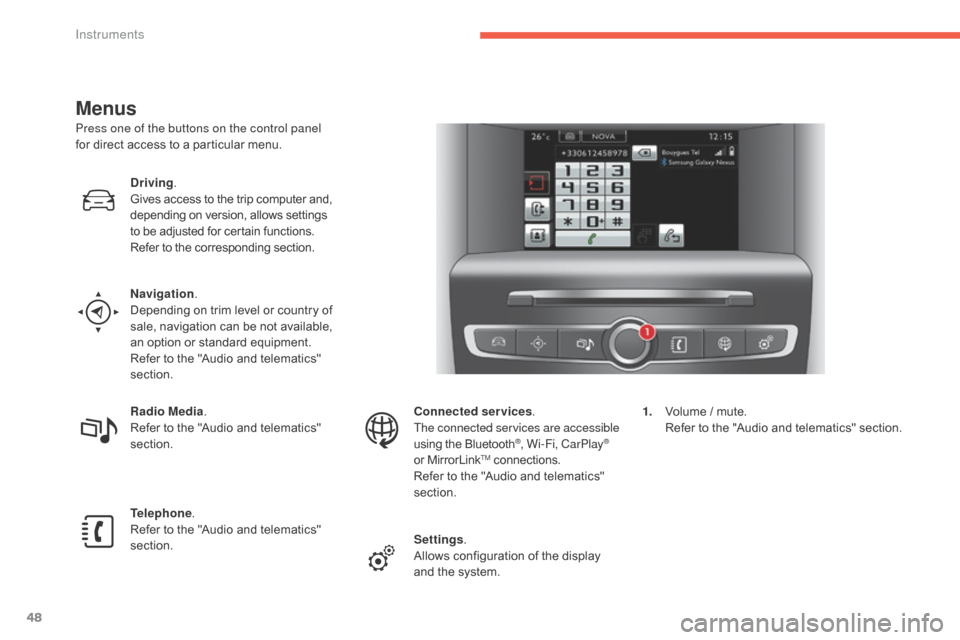
Press one of the buttons on the control panel
for direct access to a particular menu.
Driving .
Gives
access to the trip computer and,
d
epending on version, allows settings
t
o be adjusted for certain functions.
Refer
to the corresponding section.
Navigation .
Depending
on trim level or country of
s
ale, navigation can be not available,
a
n option or standard equipment.
Refer
to the "Audio and telematics"
s
ection.
Radio Media .
Refer
to the "Audio and telematics"
s
ection.
Telephone .
Refer
to the "Audio and telematics"
s
ection. Connected services
.
The connected services are accessible
using
the Bluetooth
®, Wi-Fi, CarPlay®
or
MirrorLinkTM connections.
Refer
to
the
"Audio and telematics"
s
ection.
Settings .
Allows
configuration of the display
a
nd
the
system. 1.
V
olume / mute.
R
efer to the "Audio and telematics" section.
Instruments
Page 285 of 396
283
C4-2_en_Chap10b_SMEGplus_ed02-2015
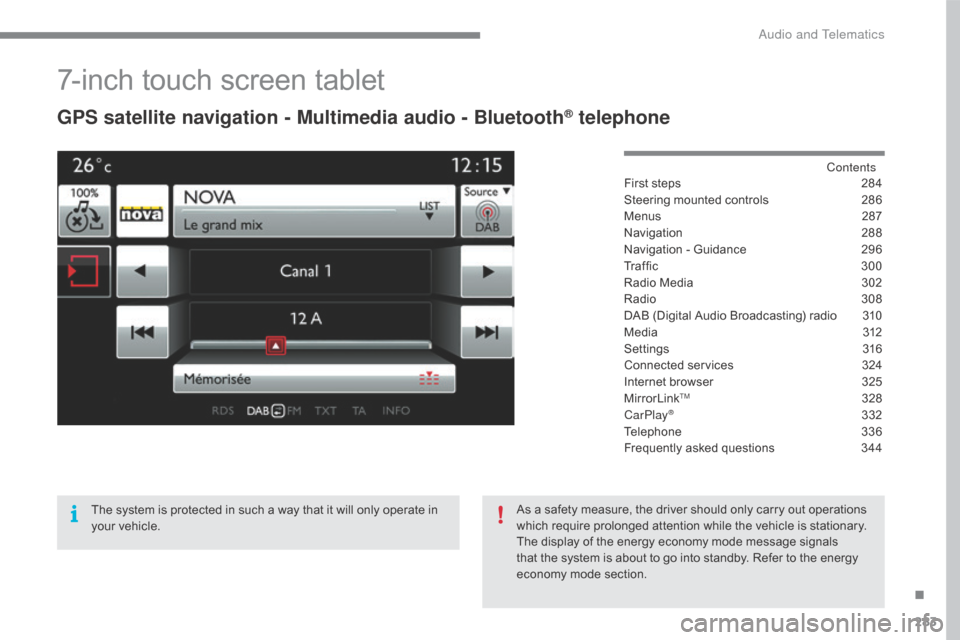
7-inch touch screen tablet
GPS satellite navigation - Multimedia audio - Bluetooth® telephone
Contents
First
steps
2 84
Steering
mounted
controls
2
86
Menus
2
87
Navigation
2
88
Navigation
-
Guidance
2
96
Tr a f fi c
3
0 0
Radio
Media
3
02
Radio
308
D
AB
(Digital
Audio
Broadcasting)
radio
3
10
M edia
3
12
Settings
3
16
Connected
services
3
24
Internet
browser
3
25
MirrorLink
TM 32 8
CarPlay® 3 32
Telephone
3
36
Frequently
asked questions
3
44
The
system
is
protected
in
such
a
way
that
it
will
only
operate
in
y
our
vehicle. As
a
safety
measure,
the
driver should only carry out operations
w
hich
require
prolonged
attention while the vehicle is stationary.
The
display
of
the
energy
economy mode message signals
t
hat
the
system
is
about
to
go into standby. Refer to the energy
ec
onomy
mo
de
s
ection.
.
Audio and Telematics
Page 287 of 396
285
C4-2_en_Chap10b_SMEGplus_ed02-2015
With the engine running, press to mute the sound.
With
the ignition off, press to switch
t
he system on.
Volume
adjustment (each source
i
s
i
ndependent,
i
ncluding
t
raffic
a
nnouncements (TA) and navigation
i
nstructions).
Select
the
audio
source
(depending
on
ve
rsion):
-
F
M
/
DAB
/
AM*
stations.
-
U
SB
memory
stick.
-
C
D
player
(located
in
front
panel).
-
S
martphone
via
MirrorLink
TM or CarPlay®.
-
T
elephone connected by Bluetooth* and
using
Bluetooth*
audio
streaming.
-
M
edia
player
connected
to
the
auxiliary
s
ocket
( jack,
cable
not
supplied).
-
J
ukebox*,
after
first
copying
audio
files
to
t
he
internal
memory
of
the
system. *
Depending on equipment.
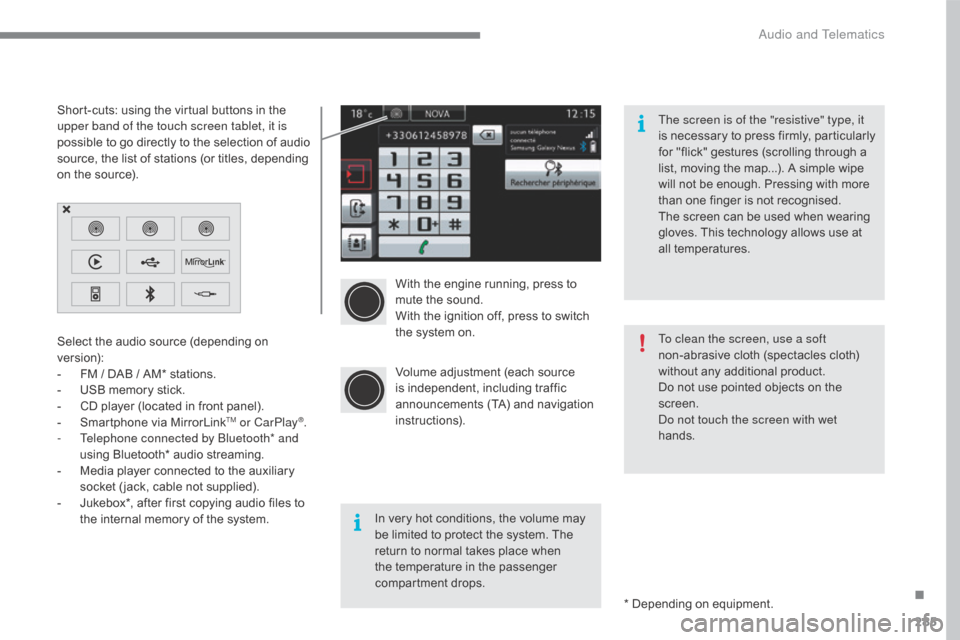
Short-cuts:
using
the
virtual
buttons
in
the
u
pper band of the touch screen tablet, it is
possible
to
go
directly
to
the
selection
of
audio
s
ource,
the
list
of
stations
(or
titles,
depending
o
n
the
source).
The screen is of the "resistive" type, it
is
n
ecessary
t
o
p
ress
f
irmly,
p
articularly
f
or "flick" gestures (scrolling through a
l
ist, moving the map...). A simple wipe
w
ill not be enough. Pressing with more
t
han one finger is not recognised.
The screen can be used when wearing
g
loves. This technology allows use at
a
ll
t
emperatures.
In very hot conditions, the volume may
b
e limited to protect the system. The
r
eturn to normal takes place when
t
he temperature in the passenger
c
ompartment drops. To clean the screen, use a soft
non-abrasive
cloth (spectacles cloth)
w
ithout any additional product.
Do not use pointed objects on the
sc
reen.
Do not touch the screen with wet
hands.
.
Audio and Telematics
Page 289 of 396
287
C4-2_en_Chap10b_SMEGplus_ed02-2015
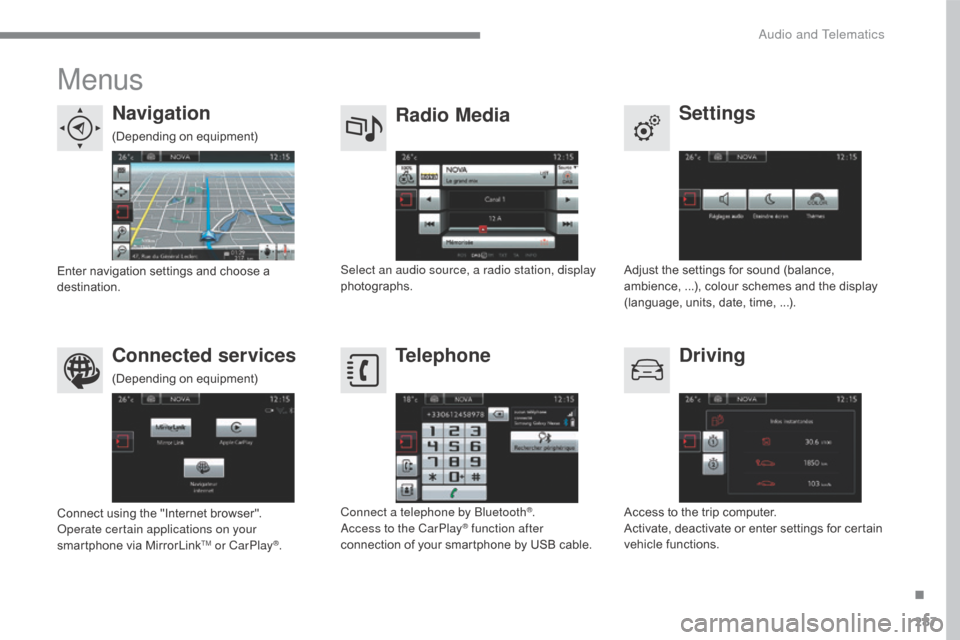
Menus
Settings
Radio Media
Navigation
Driving
Connected services Telephone
Adjust the settings for sound (balance, a
mbience, ...), colour schemes and the display
(
language, units, date, time, ...).
Select an audio source, a radio station, display
photographs.
Enter
navigation
settings
and
choose
a
d
estination.
Access
to the trip computer.
Activate,
deactivate or enter settings for certain
v
ehicle functions.
Connect
using
the
"Internet
browser".
Operate certain applications on your
smartphone
via
MirrorLink
TM or CarPlay®. Connect a telephone by Bluetooth
®.
Access to the CarPlay® function after
connection
of
your
smartphone by USB cable.
(Depending
o
n
e
quipment)
(Depending
o
n
e
quipment)
.
Audio and Telematics
Page 305 of 396
303
C4-2_en_Chap10b_SMEGplus_ed02-2015
Level 1Level 2 Comments
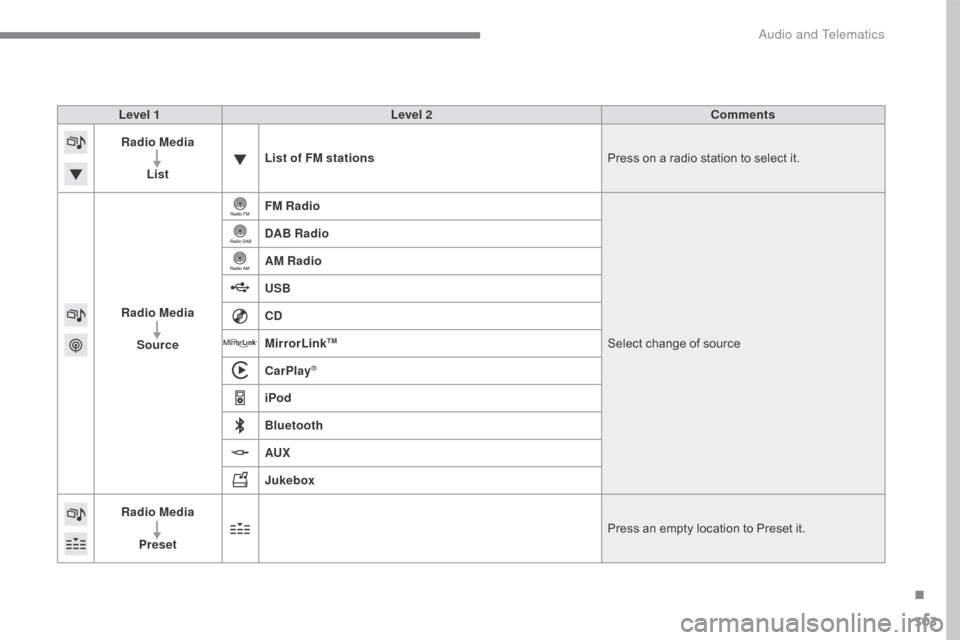
Radio Media
List List of FM stations
Press
on a radio station to select it.
Radio Media Source FM Radio
Select
change of source
DAB Radio
AM Radio
USB
CD
MirrorLink
TM
CarPlay®
iPod
Bluetooth
AUX
Jukebox
Radio Media
Preset Press
an empty location to Preset it.
.
Audio and Telematics
Page 334 of 396
332
C4-2_en_Chap10b_SMEGplus_ed02-2015
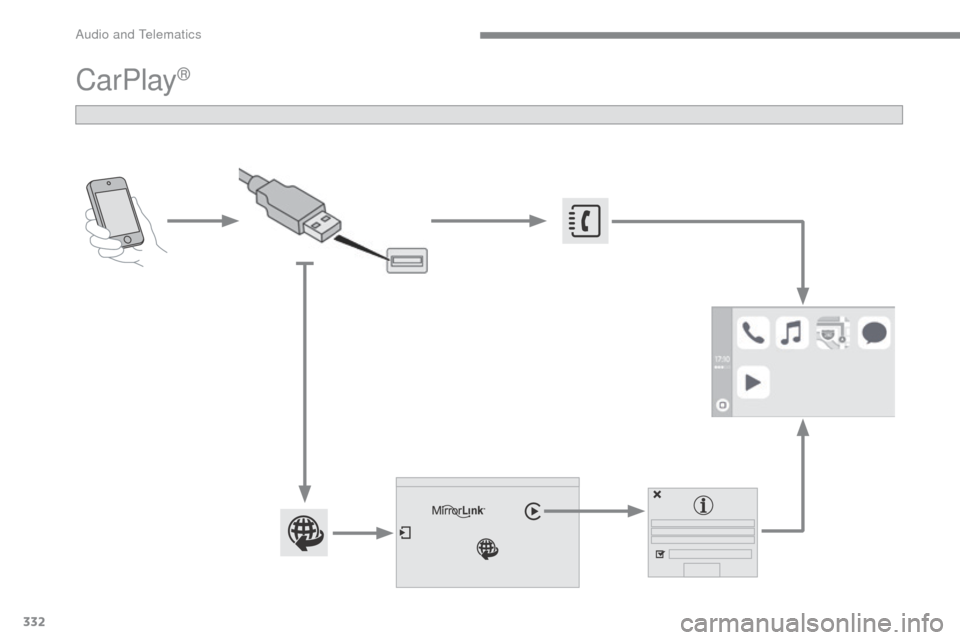
CarPlay®
Audio and Telematics
Page 335 of 396
333
C4-2_en_Chap10b_SMEGplus_ed02-2015
As a safety measure and because it requires sustained attention by the
d
river, using a smartphone when
d
riving is prohibited.
All
operations must be done with the
v
ehicle stationary .
As
a safety measure, applications
c
an only be viewed with the vehicle
stationary;
display is interrupted once
t
he vehicle is moving.
The synchronisation of a
smartphone
allows applications on a
s
martphone that are adapted to the
C
arPlay
® technology to be displayed in t
he
vehicle's screen.
As the principles and standards are
constantly
evolving, it is recommended
t
hat
you
update the operating system of
y
our
smartphone.
For
the
list of eligible smartphones,
c
onnect
to the brand's internet website
i
n
your
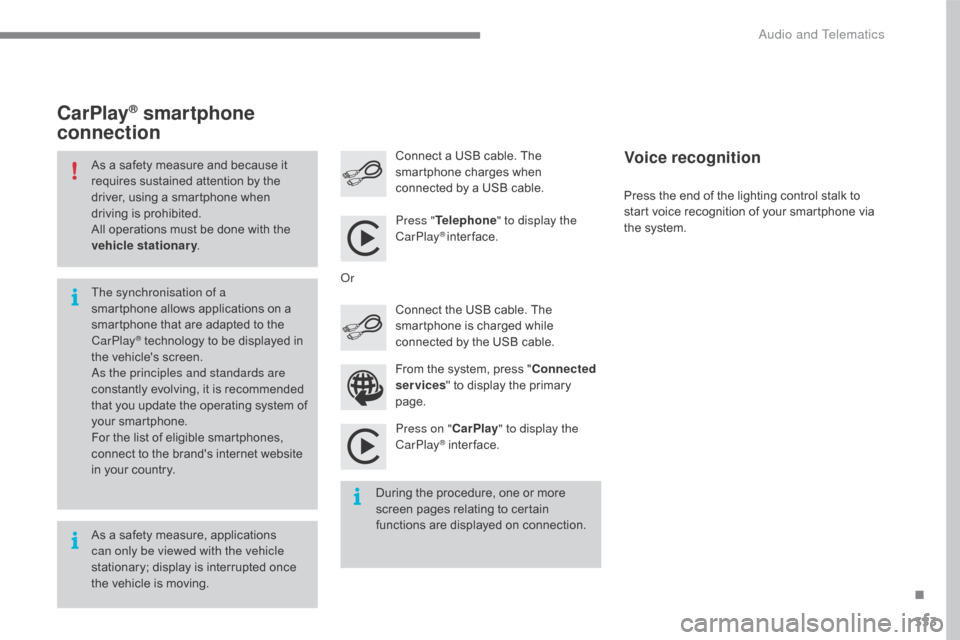
country. Press "
Telephone " to display the
CarPlay
® inter face.
Press on " CarPlay" to display the
CarPlay
® inter face.
C
onnect
a USB cable. The
s
martphone charges when
c
onnected by a USB cable.
Press the end of the lighting control stalk to
s
tart voice recognition of your smartphone via
t
he system.
CarPlay® smartphone
connection
During the procedure, one or more s
creen pages relating to certain
f
unctions are displayed on connection.
From
the system, press "
Connected
services " to display the primary
pag
e.
Connect the USB cable. The
s
martphone is charged while
c
onnected by the USB cable.
Or
Voice recognition
.
Audio and Telematics
Page 337 of 396
335
C4-2_en_Chap10b_SMEGplus_ed02-2015
Level 1Level 2 Level 3 Comments
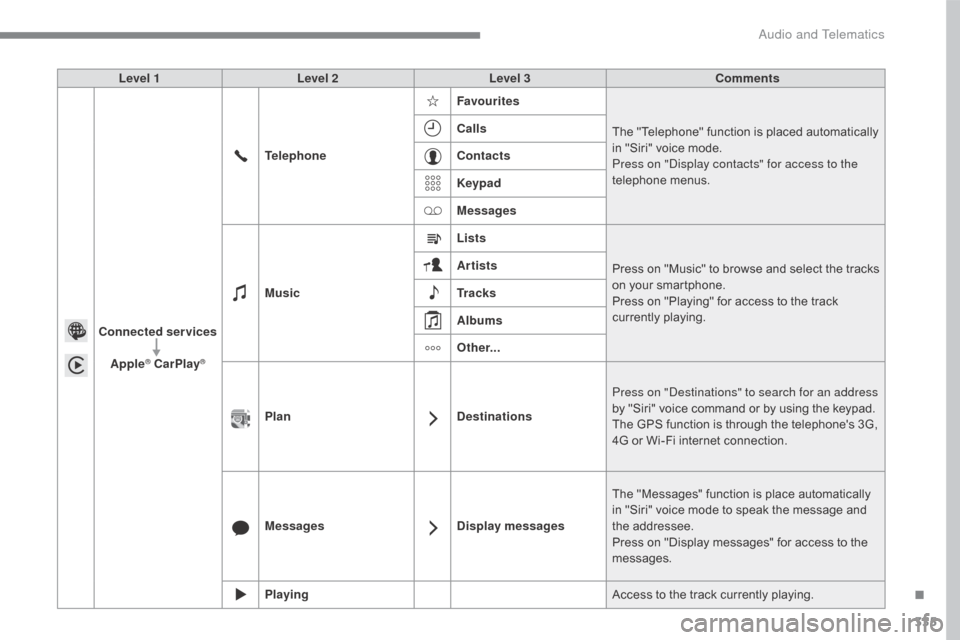
Connected services Apple
® CarPlay®
Telephone Favourites
The "Telephone" function is placed automatically i
n "Siri" voice mode.
Press on "Display contacts" for access to the
telephone
me
nus.
Calls
Contacts
Keypad
Messages
Music Lists
Press
on "Music" to browse and select the tracks
o
n your smartphone.
Press
on "Playing" for access to the track
c
urrently playing.
Artists
Tr a c k s
Albums
Other...
Plan DestinationsPress on "Destinations" to search for an address
by
"Siri" voice command or by using the keypad.
The
GPS function is through the telephone's 3G,
4
G or Wi-Fi internet connection.
Messages Display messagesThe
"Messages" function is place automatically
i
n "Siri" voice mode to speak the message and
t
he
a
ddressee.
Press
on "Display messages" for access to the
m
essages.
Playing Access
to the track currently playing.
.
Audio and Telematics
Page 384 of 396
382
C4-2_en_Chap11_index-alpha_ed02-2015
ABS and EBFD systems ..............................14 0
Accessories .............................. ...................236
Accessory position
....................................... 17
3
Accessory
socket, 12V
.................................11
7
Additive, AdBlue
..................................... 2
3, 232
Adjusting
h
eadlamps
................................... 13
2
Adjusting
h
ead restraints
...............................
..............83
Adjusting
s
eats
..........................................8
1, 82
Adjusting
the date
.............................. 4
0, 42, 51
Adjusting
the height and reach
of
the steering wheel
...................................86
A
djusting the seat belt
height
...............
.................................. 143,
14
5
Adjusting
the time
......................... 3
7, 41, 46, 51
Advice
on driving
..............................
...166,
16
7
Airbags
...............
.................................... 22, 147
Airbags,
c
urtain
.................................... 14
9, 15 0
Airbags,
front........................................ 148, 150
Airbags,
la
teral
..................................... 14
9, 15 0
Air
c
onditioning
...............................
.........10, 91
Air
conditioning, automatic
............................95
A
ir
c
onditioning,
m
anual
................................ 93
A
ir vents
..............................
...........................90
Alarm
............................................................... 71
A
nti-lock braking system (ABS)
...................14
0
Anti-pinch
............................................... 7
6, 107
Anti-theft
..............................
.................. 66, 168
Armrest,
front
........................................ 11
0 , 111
Armrest,
rear
................................................. 11
7
Assistance call
...............................
...... 139, 280
Audible
w
arning
........................................... 13
9
Audio
streaming
(Bluetooth)
..............................
... 314, 364, 367Battery
...............................
...........230,
26
5-268
Battery,
c
harging
...............................
... 267, 268
Battery,
remote control
.......................6
1, 66 - 68
Black
pan
el..................................................... 39
Blanking
screen (snow shield)
......................2
13
Blind,
panoramic roof
...................................10
7
Blind spot sensors
....................................... 19
5
BlueHDi
...............................
.........................232
Bluetooth
(hands-free)
......................... 3
40, 366
Bluetooth
(
telephone)
........................... 3
40, 341
Bonnet
...............
...........................................223
Boot
........
........................................................79
Brake
discs
...................................................2
31
Brake
lamps
...............................
..................257
Brake
p
ads
...............................
....................231
Braking
assistance
system
................
........................................140
Braking,
d
ynamic
em
ergency
.......................17
8
Bulbs
(
changing)
...............................
....251-259
A
B
Audio system ............................... ..... 40, 42, 353
Audio system pre-equipment .......................2
20
Auxiliary
....................................... 1
04, 312, 364Cable, audio ......................................... 3
12, 364
Capacity, fuel tank .............................. .........209
CarPlay connection ..............................333,
33
4
CD
..............................
...........................312, 361
CD,
MP3
....................................... 3
12, 361, 362
Central
locking
................................... 5
6, 62, 69
Centre console
............................................. 10
8
Changing
a bu
lb
....................................25
1-259
Changing
a f
use
....................................26
0-264
Changing
a wheel
...............................
..244-250
Changing
a wiper blade
........................ 1
37, 221
Changing
the remote
control battery .................................. 61,
66, 67
Checking
the engine oil level
................. 2
9, 266
Checking
the levels
...............................2
26-229
Checking
tyre pressures
(using
the kit)
..............................
...............243
Checks
...............
...................................224 -231
Checks,
routine
.................................... 2
30, 231
Child
lock
...............................
.......................165
Children
(
safety)
.................... 1
46, 148, 151-165
Child seats
........... 1
46, 151, 152, 156 -158, 164
Child seats, conventional
............................. 15
7
Child seats, ISOFIX
......................................16
1
C
ITROËN
Connect
Box
.............................................28
0
C
ITROËN
L
ocalised
Emergency
C
all
.........................................28
0
Clock
...............
...............................................37
Closing
the boot
...............................
........ 58, 79
Closing
the doors
............................... 5
8, 63, 78
Configuration,
v
ehicle
........................4
1, 44, 49
Connected services
..................................... 3
24
Connection, Bluetooth
................................. 3
40
C
Alphabetical index