audio CITROEN C4 2019 User Guide
[x] Cancel search | Manufacturer: CITROEN, Model Year: 2019, Model line: C4, Model: CITROEN C4 2019Pages: 317, PDF Size: 9.31 MB
Page 217 of 317
215
C4-cactus_en_Chap08_En-cas-de-panne_ed01-2016
Do not force the lever as locking will not be possible if the clamp is not
p
ositioned correctly; start the procedure
ag
ain.
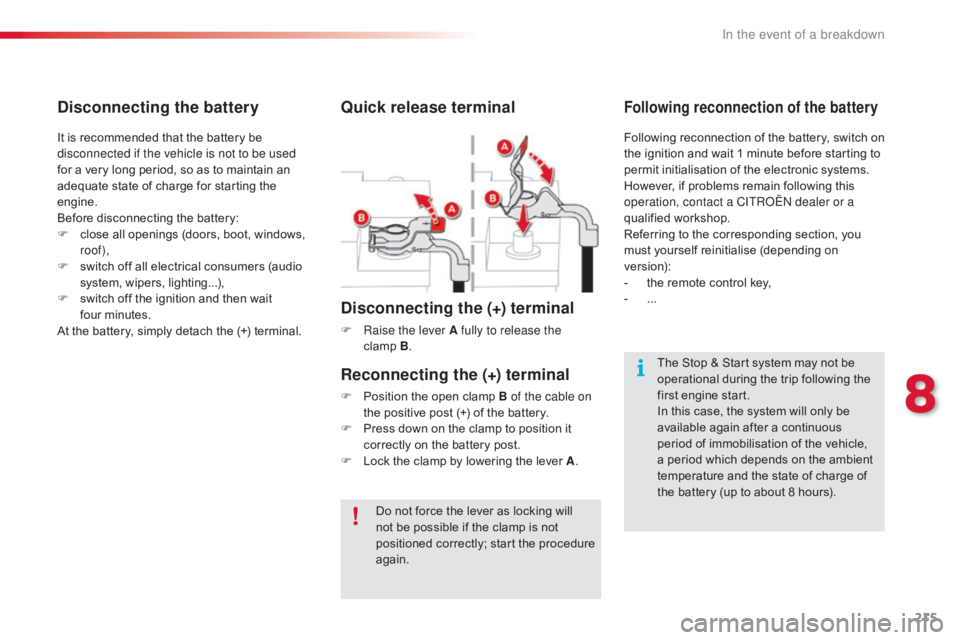
Quick release terminal
Disconnecting the (+) terminal
F Raise the lever A fully to release the clamp B.
The
Stop & Start system may not be
o
perational during the trip following the
f
irst engine start.
In
this case, the system will only be
a
vailable again after a continuous
p
eriod of immobilisation of the vehicle,
a
period which depends on the ambient
t
emperature and the state of charge of
t
he battery (up to about 8 hours).
It
is
recommended
that
the
battery
be
d
isconnected if the vehicle is not to be used
for
a
very
long
period,
so
as
to
maintain
an
a
dequate
state
of
charge
for
starting
the
e
ngine.
Before
disconnecting
the
battery:
F
c
lose
all
openings
(doors,
boot,
windows,
r
oof),
F
s
witch
off
all
electrical
consumers
(audio
s
ystem,
wipers,
lighting...),
F
s
witch
off
the
ignition
and
then
wait
f
our minutes.
At
the
battery,
simply
detach
the
(+)
terminal.
Disconnecting the battery
Following reconnection of the battery, switch on t
he ignition and wait 1 minute before starting to
p
ermit initialisation of the electronic systems.
H
owever, if problems remain following this
o
peration, contact a CITROËN dealer or a
qualified
w
orkshop.
Referring
to the corresponding section, you
m
ust
y
ourself
r
einitialise
(
depending
o
n
ve
rsion):
-
t
he remote control key,
-
...
Following reconnection of the battery
Reconnecting the (+) terminal
F Position the open clamp B of the cable on
the positive post (+) of the battery.
F
P
ress down on the clamp to position it
c
orrectly on the battery post.
F
L
ock the clamp by lowering the lever A.
8
In the event of a breakdown
Page 228 of 317

226
C4-cactus_en_Chap10a_BTA_ed01-2016
Emergency or assistance call
If an impact is detected by the airbag control unit, and independently of
the
deployment of any airbags, an
e
mergency call is made automatically.
Localised Emergency Call
In an emergency, press this button for more than 2 seconds.
Flashing
of the green indicator
l
amp and a voice message
c
onfirm that the call has
b
een made to the "Localised
E
mergency Call"* centre.
Pressing
this
button again immediately cancels
t
he
call.
The
green
indicator lamp goes off.
At
any
time,
pressing this button for more than
8
seconds
cancels the call.
The
green
indicator lamp remains on (without
f
lashing)
when communication is established.
It
goes
off
at
the end of the call.
This call is dealt with by the "Localised
Emergency
Call" centre, which receives
l
ocating
information from the vehicle and
c
an send a detailed alert to the appropriate
emergency
ser
vices.
In countries in which a centre is not
operational,
or when the locating service
h
as
been
expressly declined, the call is dealt
w
ith
directly
by the emergency services (112)
w
ithout
the
vehicle location. *
T
hese services are subject to conditions and
a
vailability.
C
onsult a CITROËN dealer.
If
you benefit from the CITROËN
C
onnect Box offer with the SOS and
a
ssistance pack included, there are
a
dditional services available to you in
your MyCITROËN personal space, via
the CITROËN Internet website in your
country,
accessible on www.citroen.com.
Audio and Telematics
Page 229 of 317
227
C4-cactus_en_Chap10a_BTA_ed01-2016
Localised Assistance Call
If you purchased your vehicle outside
the CITROËN dealer network, we
i
nvite you to have a dealer check the
c
onfiguration of these services and, if
d
esired, modified to suit your wishes.
In
a multi-lingual country, configuration
i
s possible in the official national
language
of your choice.
For technical reasons, particularly
to
improve the quality of Telematic
s
ervices to customers, the
m
anufacturer reserves the right to
c
arry out updates to the vehicle's on-
board
telematic system.
The
fault
with
the
system
does
not
p
revent
the
vehicle
being
driven. Press
this
button
for
more
than
2
seconds
to
request
assistance
i
f
the
vehicle
breaks
down.
A
voice
message
confirms
that
t
he
call
has
been
started*.
Pressing
this
button
again
immediately
cancels
t
he
request.
The
cancellation
is
confirmed
by
a
voice
m
essage.
The
orange
indicator
lamp
is
on
fixed:
the
back-
up
battery
should
be
replaced.
In
both
cases,
the
emergency
and
assistance
c
alls
service
may
not
work.
Contact
a
qualified
repairer
as
soon
as
p
ossible.
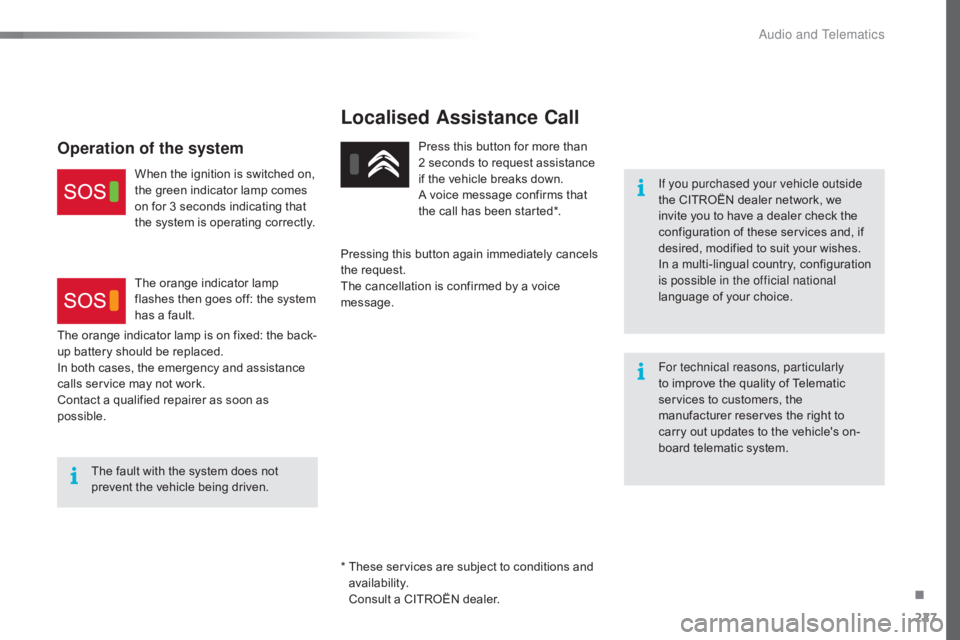
Operation of the system
When the ignition is switched on, t he green indicator lamp comes
o
n for 3 seconds indicating that
t
he system is operating correctly.
The
orange indicator lamp
f
lashes then goes off: the system
h
as a fault.
*
T
hese services are subject to conditions and
a
vailability.
C
onsult a CITROËN dealer.
.
Audio and Telematics
Page 231 of 317
229
C4-cactus_en_Chap10b_SMEGplus_ed01-2016
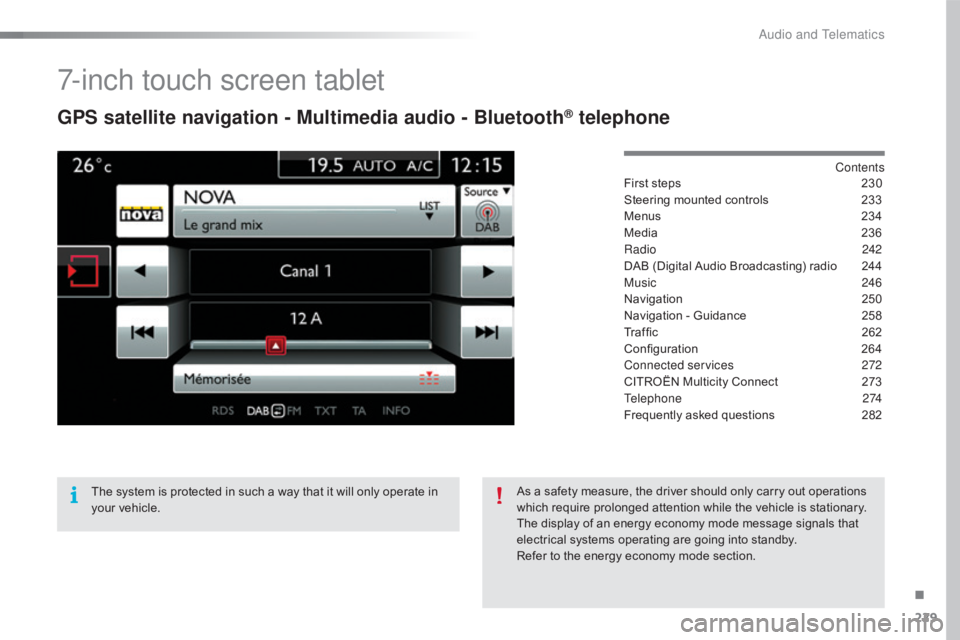
7-inch touch screen tablet
GPS satellite navigation - Multimedia audio - Bluetooth® telephone
Contents
First
steps
2 30
Steering
mounted
controls
2
33
Menus
2
34
Media
23
6
Radio
2
42
DAB
(Digital
Audio
Broadcasting)
radio
2
44
Music
2
46
Navigation
2
50
Navigation
-
Guidance
2
58
Traffic
26
2
Configuration
26
4
Connected services
2
72
CITROËN
Multicity
Connect
2
73
Telephone
274
Frequently
asked
questions
2
82
The
system
is
protected
in
such
a
way
that
it
will
only
operate
in
y
our
vehicle. As
a
safety
measure,
the
driver
should
only
carry
out
operations
w
hich
require
prolonged
attention
while
the
vehicle
is
stationary.
The
display
of
an
energy
economy
mode
message
signals
that
e
lectrical
systems
operating
are
going
into
standby.
Refer
to
the
energy
economy
mode
section.
.
Audio and Telematics
Page 232 of 317
230
C4-cactus_en_Chap10b_SMEGplus_ed01-2016
First steps
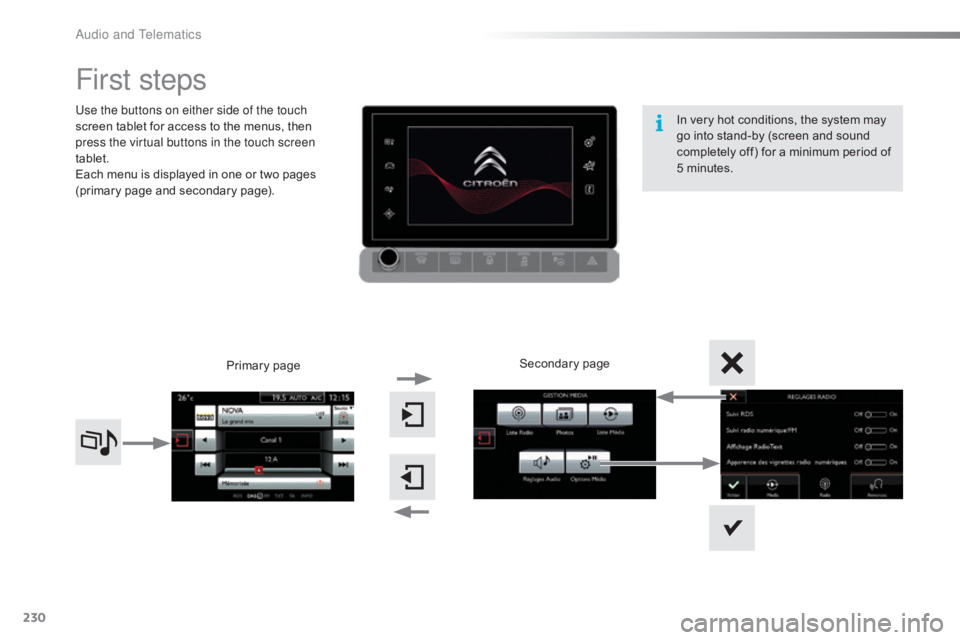
Use the buttons on either side of the touch
screen tablet for access to the menus, then
p
ress the virtual buttons in the touch screen
tablet.
Each
menu is displayed in one or two pages
(
primary page and secondary page).
Secondary
p
age
Primary
pag
e In
very hot conditions, the system may
g
o into stand-by (screen and sound
c
ompletely off) for a minimum period of
5 m
inutes.
Audio and Telematics
Page 233 of 317
231
C4-cactus_en_Chap10b_SMEGplus_ed01-2016
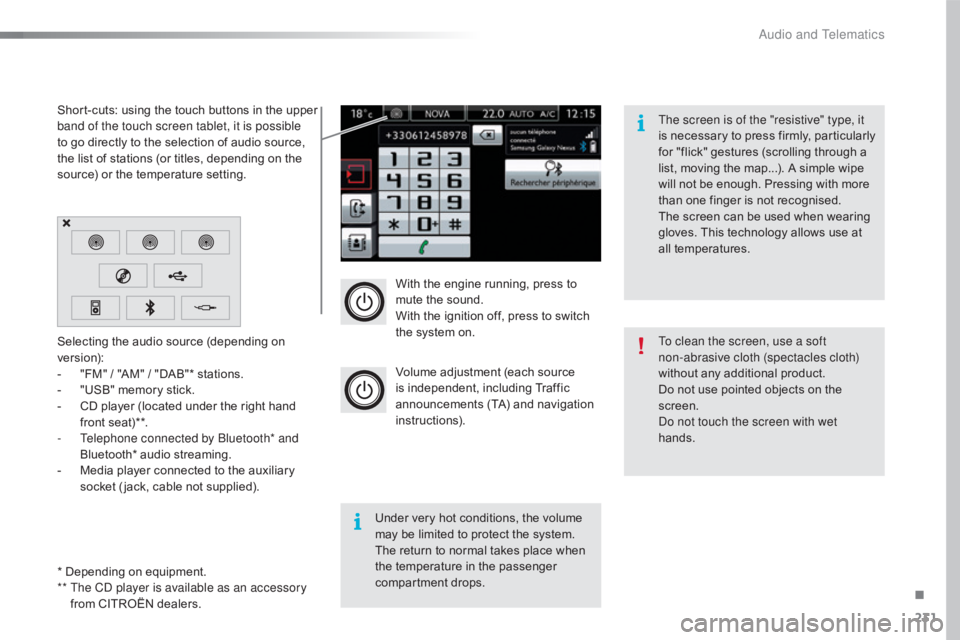
With the engine running, press to mute the sound.
With
the ignition off, press to switch
t
he system on.
Volume
adjustment (each source
i
s
i
ndependent,
i
ncluding
T
raffic
a
nnouncements (TA) and navigation
i
nstructions).
Selecting
the
audio
source
(depending
on
ve
rsion):
-
"
FM"
/
"AM"
/
"DAB"*
stations.
-
"
USB"
memory
stick.
-
C
D
player
(located
under
the
right
hand
f
ront
seat)**.
-
T
elephone connected by Bluetooth* and
Bluetooth*
audio
streaming.
-
M
edia
player
connected
to
the
auxiliary
s
ocket
( jack,
cable
not
supplied).
* Depending
on
equipment.
**
T
he CD player is available as an accessory
from
CITROËN
dealers.
Short-cuts:
using
the
touch
buttons
in
the
upper
b
and of the touch screen tablet, it is possible
to
go
directly
to
the
selection
of
audio
source,
t
he
list
of
stations
(or
titles,
depending
on
the
s
ource)
or
the
temperature
setting.
The screen is of the "resistive" type, it
is
n
ecessary
t
o
p
ress
f
irmly,
p
articularly
f
or "flick" gestures (scrolling through a
l
ist, moving the map...). A simple wipe
w
ill not be enough. Pressing with more
t
han one finger is not recognised.
The screen can be used when wearing
g
loves. This technology allows use at
a
ll
t
emperatures.
Under very hot conditions, the volume
m
ay be limited to protect the system.
T
he return to normal takes place when
t
he
temperature in the passenger
c
ompartment drops. To clean the screen, use a soft
non-abrasive cloth (spectacles cloth)
without
any additional product.
Do
not use pointed objects on the
sc
reen.
Do not touch the screen with wet
hands.
.
Audio and Telematics
Page 235 of 317
233
C4-cactus_en_Chap10b_SMEGplus_ed01-2016
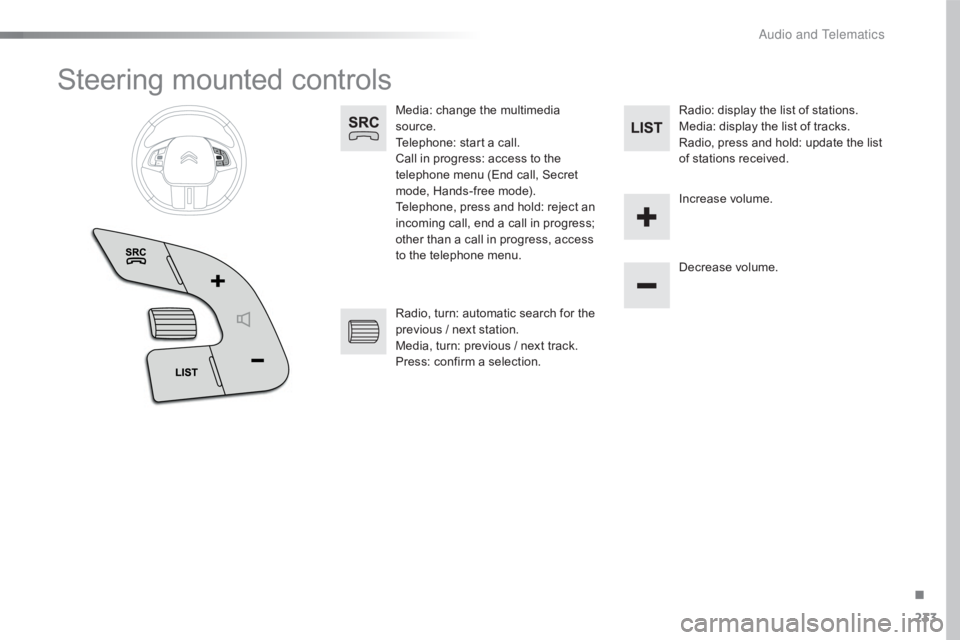
Steering mounted controls
Media: change the multimedia source.
Telephone:
start a call.
Call
in progress: access to the
t
elephone menu (End call, Secret
m
ode, Hands-free mode).
Telephone,
press and hold: reject an
i
ncoming call, end a call in progress;
o
ther than a call in progress, access
t
o the telephone menu. Decrease
volume.
Radio,
turn: automatic search for the
p
revious / next station.
Media,
turn: previous / next track.
Press:
confirm a selection. Radio:
display the list of stations.
Media: display the list of tracks.
Radio,
press and hold: update the list
o
f stations received.
Increase
volume.
.
Audio and Telematics
Page 236 of 317
234
C4-cactus_en_Chap10b_SMEGplus_ed01-2016
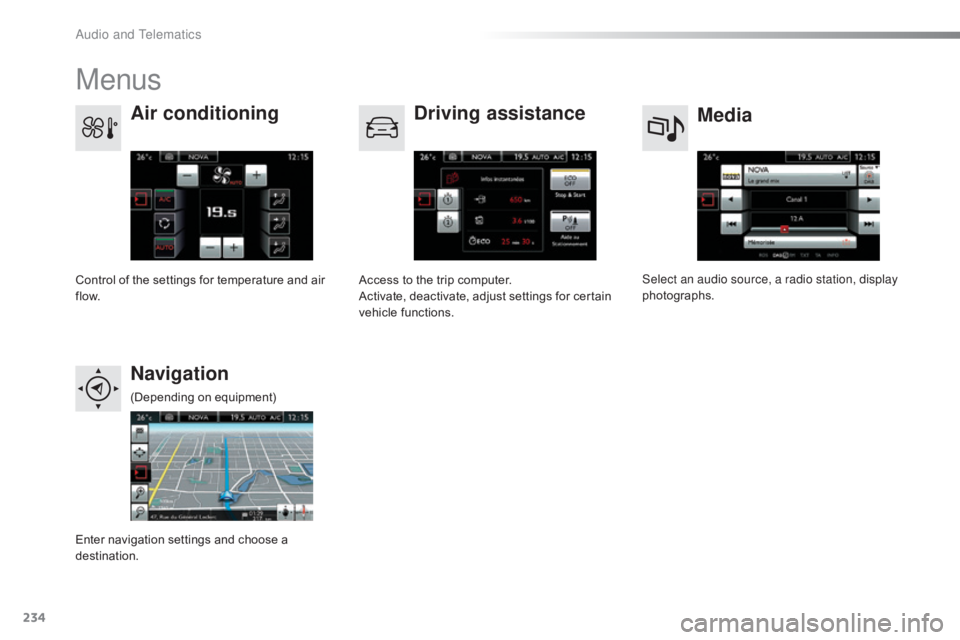
Menus
Media
Air conditioning
Driving assistance
Navigation
Select an audio source, a radio station, display
photographs.
Control
of
the
settings
for
temperature
and
air
f
low. Access
to
the
trip
computer.
Activate,
deactivate,
adjust
settings
for
certain
v
ehicle
functions.
Enter
navigation
settings
and
choose
a
d
estination. (Depending
o
n
e
quipment)
Audio and Telematics
Page 237 of 317
235
C4-cactus_en_Chap10b_SMEGplus_ed01-2016
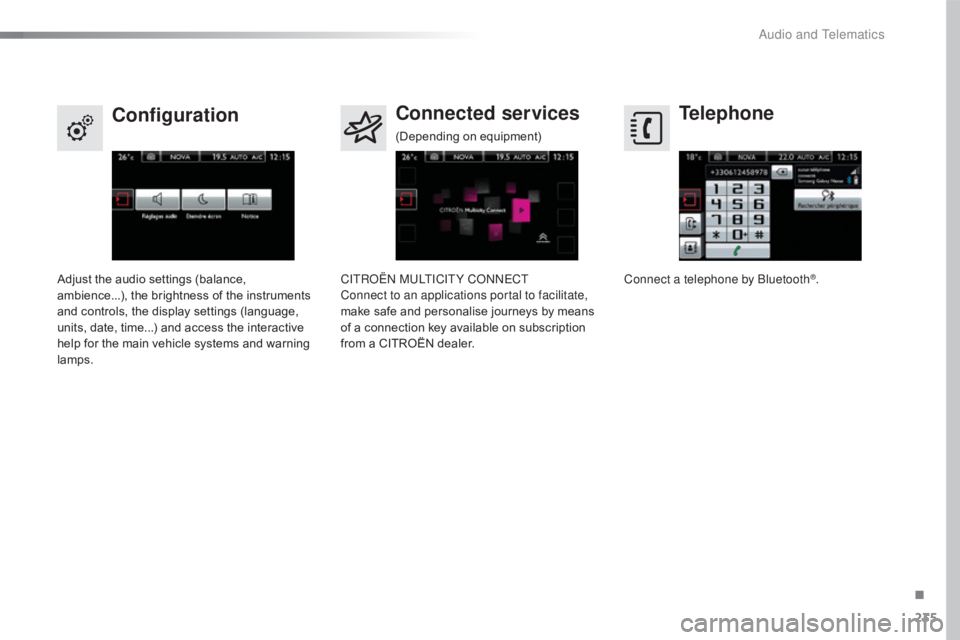
Telephone
Configuration Connected services
Connect a telephone by Bluetooth®.
Adjust
the
audio
settings
(balance,
a
mbience...),
the
brightness
of
the
instruments
a
nd
controls,
the
display
settings
(language,
u
nits,
date,
time...)
and
access
the
interactive
h
elp
for
the
main
vehicle
systems
and
warning
lam
ps. CITROËN MULTICITY CONNECT
Connect to an applications portal to facilitate,
make
safe
and
personalise
journeys
by
means
o
f
a
connection
key
available
on
subscription
f
rom
a
CITROËN
dealer.
(Depending
o
n
e
quipment)
.
Audio and Telematics
Page 238 of 317
236
C4-cactus_en_Chap10b_SMEGplus_ed01-2016
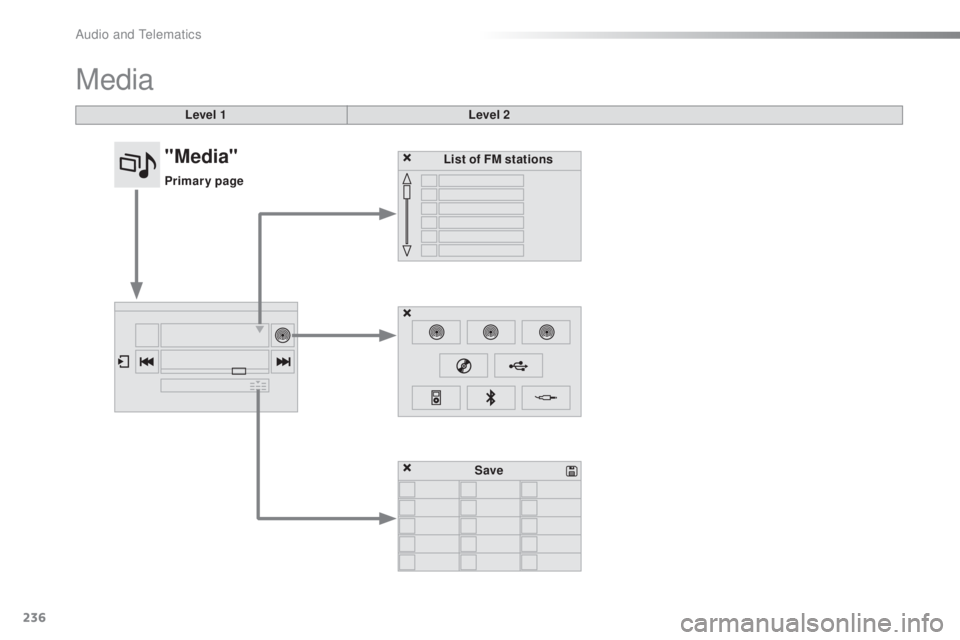
Media
Level 1Level 2
List of FM stations
Save
"Media"
Primary page
Audio and Telematics