ad blue Citroen C4 DAG 2011 2.G Owner's Guide
[x] Cancel search | Manufacturer: CITROEN, Model Year: 2011, Model line: C4 DAG, Model: Citroen C4 DAG 2011 2.GPages: 324, PDF Size: 10.08 MB
Page 279 of 324
277
The system is coded in such a way that it will only
operate in your vehicle. If it is to be installed in another vehicle, contact your CITROËN dealer for confi guration py
of the system.
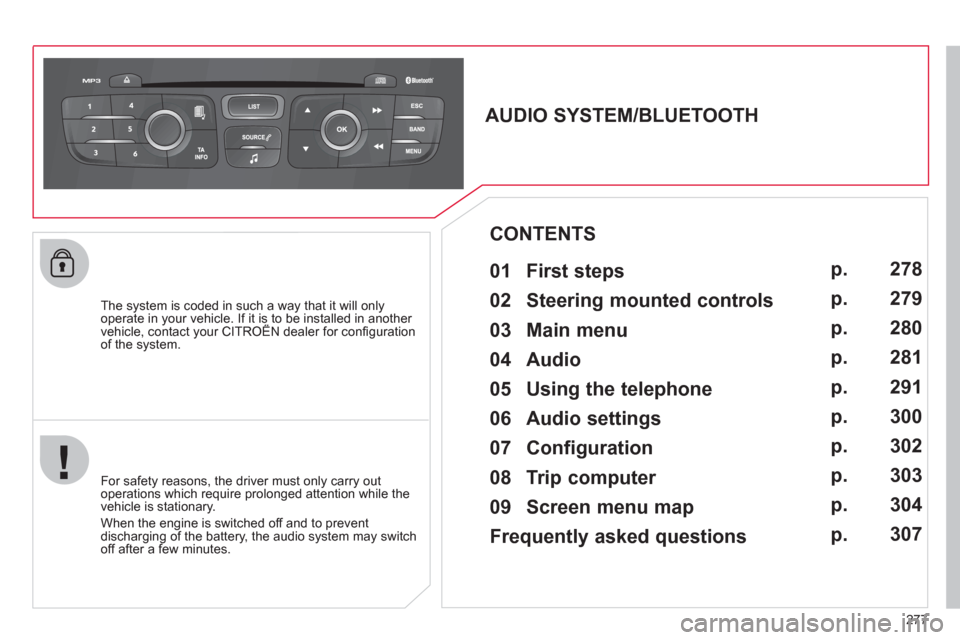
AUDIO SYSTEM/BLUETOOTH
01 First steps
For safety reasons, the driver must only carry out
operations which require prolonged attention while the
vehicle is stationary.
When the engine is switched o
ff and to prevent
discharging of the battery, the audio system may switch off after a few minutes.
CONTENTS
02 Steering mounted controls
03 Main menu
04 Audio
05 Using the telephone
06 Audio settings
07 Configuration
08 Trip computer
09 Screen menu map
Frequently asked questions p.
p.
p.
p.
p.
p.
p.
p.
p.
p. 27
8
279
280
281
291
300
302
3
03
304
307
Page 282 of 324
280
03
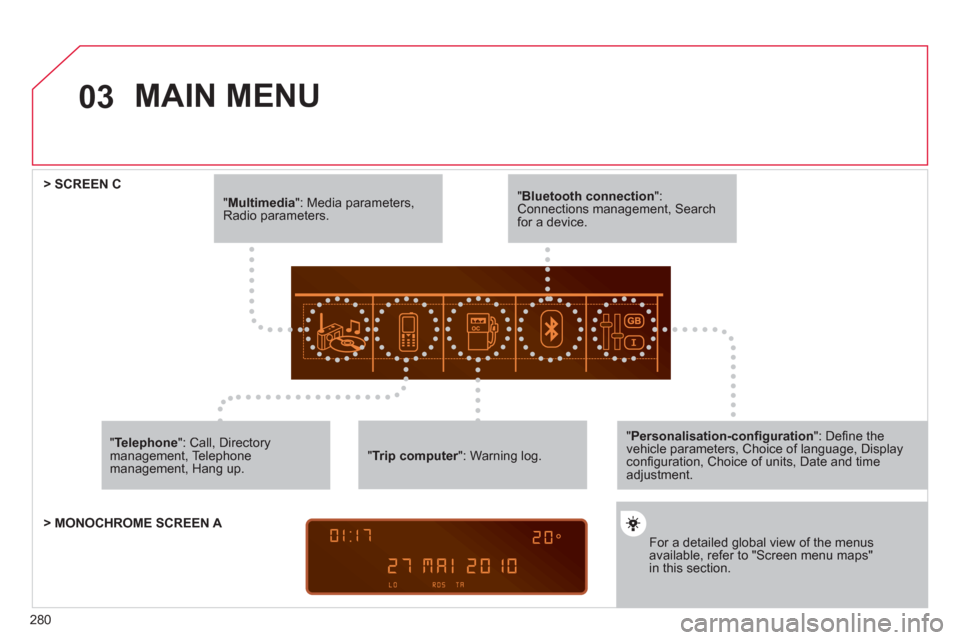
"Multimedia": Media parameters, Radio parameters.
"Trip computer ": Warning log. r
For a detailed global view of the menusavailable, refer to "Screen menu maps"in this section.
> SCREEN C
"Bluetooth connection ": Connections management, Search for a device.
" Telephone
": Call, Directorymanagement, Telephone management, Hang up.
MAIN MENU
> MONOCHROME SCREEN A
"Personalisation-confi guration": Defi ne thevehicle parameters, Choice of language, Display confi guration, Choice of units, Date and time adjustment.
Page 292 of 324
290
04
1
2
1
2
3
4
5
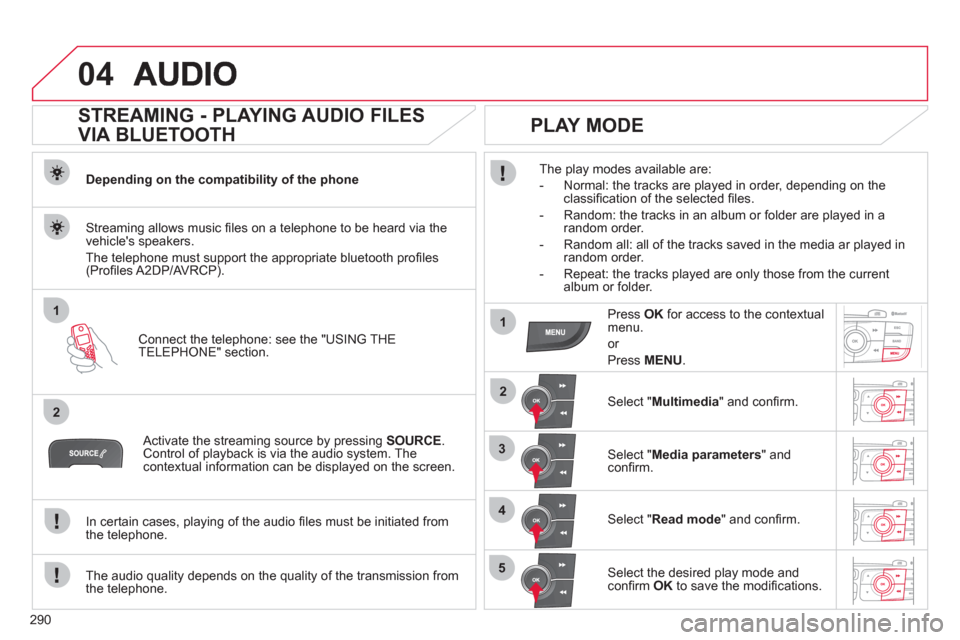
STREAMING - PLAYING AUDIO FILES
VIA BLUETOOTH
Depending on the compatibility of the phone
Connect the telephone: see the "USING THE
TELEPHONE" section.
Streaming allows music fi les on a telephone to be heard via the
vehicle's speakers.
The telephone must support the appropriate bluetooth pro
fi les (Profi les A2DP/AV RCP).
Activate the streaming source by pressing SOURCE.Control of playback is via the audio system. Thecontextual information can be displayed on the screen.
In certain cases, pla
ying of the audio fi les must be initiated from
the telephone.
The audio quality depends on the quality o
f the transmission from
the telephone.
PLAY MODE
The play modes available are:
- Normal: the tracks are pla
yed in order, depending on theclassifi cation of the selected fi les.
- Random: the tracks in an album or
folder are played in arandom order.
- Random all: all o
f the tracks saved in the media ar played in random order.
- Repeat: the tracks pla
yed are only those from the currentalbum or folder.
Press OKfor access to the contextualmenu.
or
Pr
ess MENU.
Select "Multimedia" and confi rm.
Select "Media parameters
" and confi rm.
Select "Read mode
" and confi rm.
Select the desired play mode and confi rm OKto save the modifi cations.
Page 293 of 324
291
05
1
2
5
3
4
6
USING THE TELEPHONE
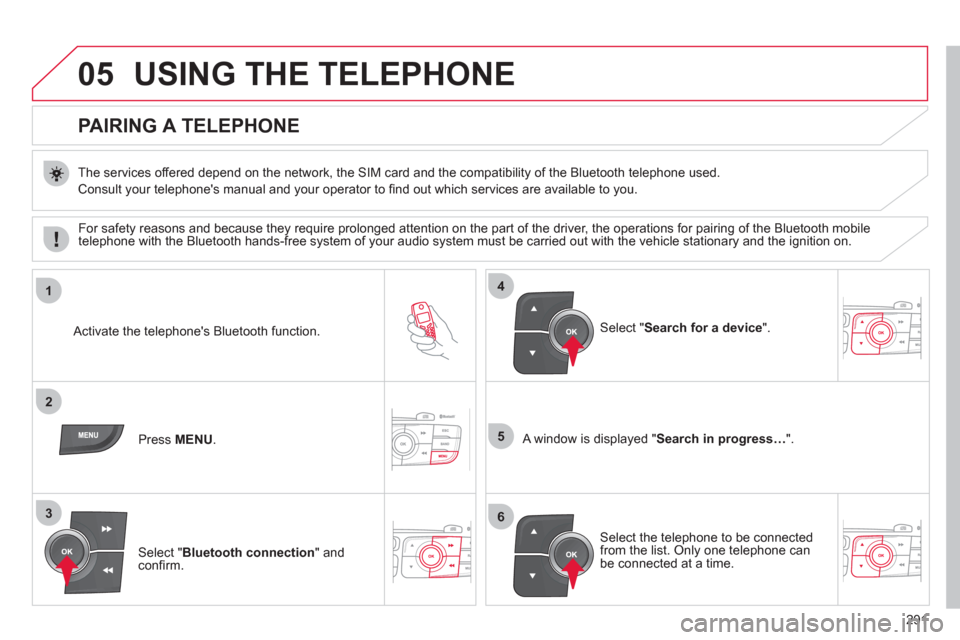
PAIRING A TELEPHONE
The services offered depend on the network, the SIM card and the compatibility of the Bluetooth telephone used.
Consult your telephone's manual and your operator to fi nd out which services are available to you.
Activate the telephone's Bluetooth function.
Pr
ess MENU . A window is displayed "Search in progress…".
Select the tele
phone to be connected from the list. Only one telephone can be connected at a time.
Select " Search for a device".
For safet
y reasons and because they require prolonged attention on the part of the driver, the operations for pairing of the Bluetooth mobile
telephone with the Bluetooth hands-free system of your audio system must be carried out with the vehicle stationary and the ignition on.
Select " Bluetooth connection" andconfi rm.
Page 294 of 324
292
05
7
8
Saisir code authentification
01
OK Del23456789 _
9
10
TELEPHONE
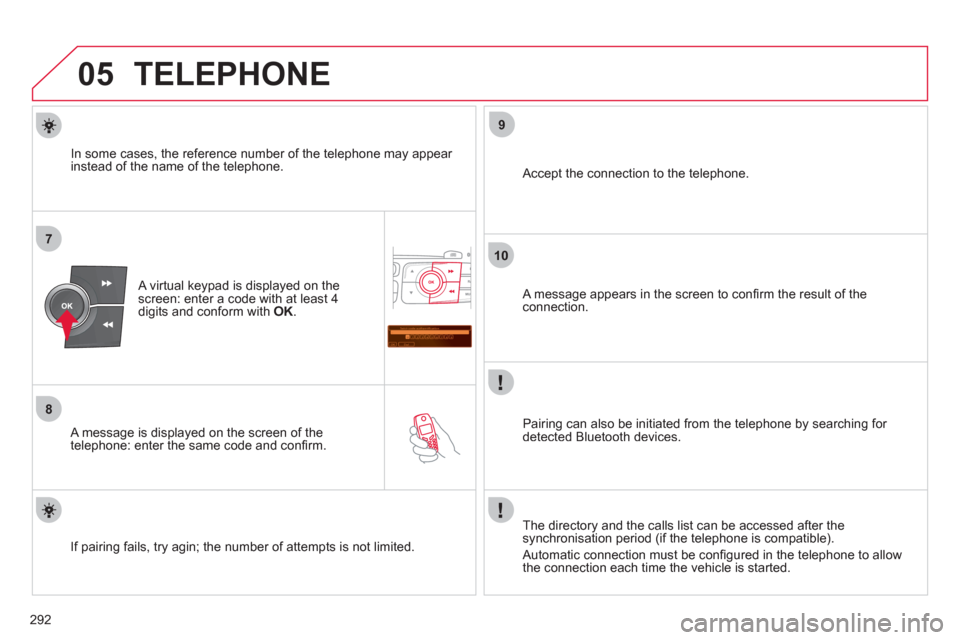
A virtual keypad is displayed on the screen: enter a code with at least 4
digits and conform with OK.
A message is displayed on the screen of the
telephone: enter the same code and confi rm.
A message appears in the screen to confi rm the result of the connection.
Pairin
g can also be initiated from the telephone by searching for detected Bluetooth devices.
Accept the connection to the telephone.
I
f pairing fails, try agin; the number of attempts is not limited. The director
y and the calls list can be accessed after thesynchronisation period (if the telephone is compatible).
Automatic connection must be confi gured in the telephone to allow
the connection each time the vehicle is started.
In some cases, the reference number of the telephone ma
y appear
instead of the name of the telephone.
Page 295 of 324
293
05
1
2
4
3
TELEPHONE
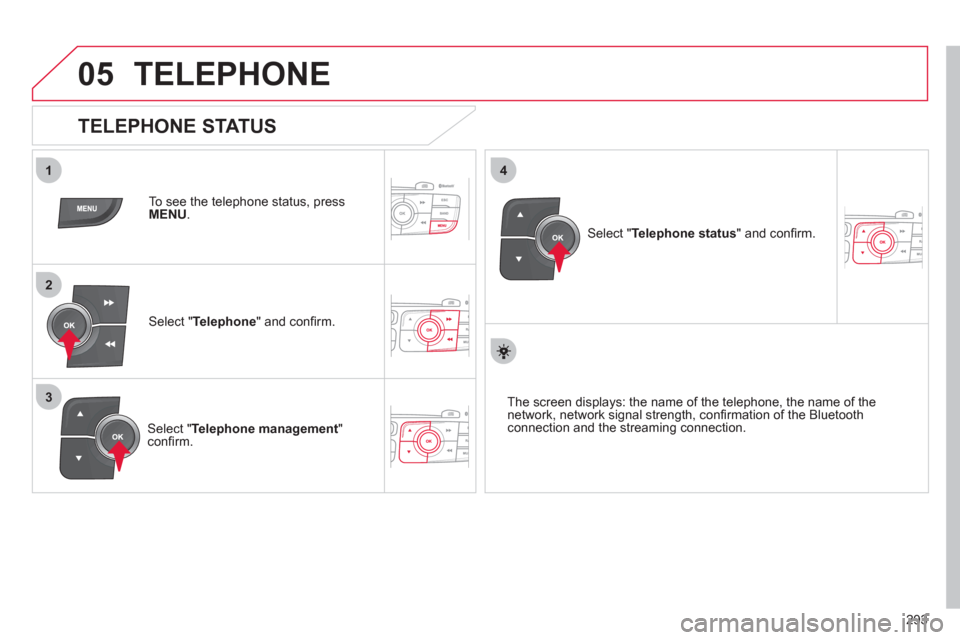
To see the telephone status, press
MENU.
Select "Telephone
" and confi rm.
Select "Telephone management
" confi rm.
Select " Telephone status" and confi rm.
TELEPHONE STATUS
The screen displays: the name of the telephone, the name of thenetwork, network signal strength, confi rmation of the Bluetooth connection and the streaming connection.
Page 296 of 324
294
1
2
3
4
05
5
TELEPHONE
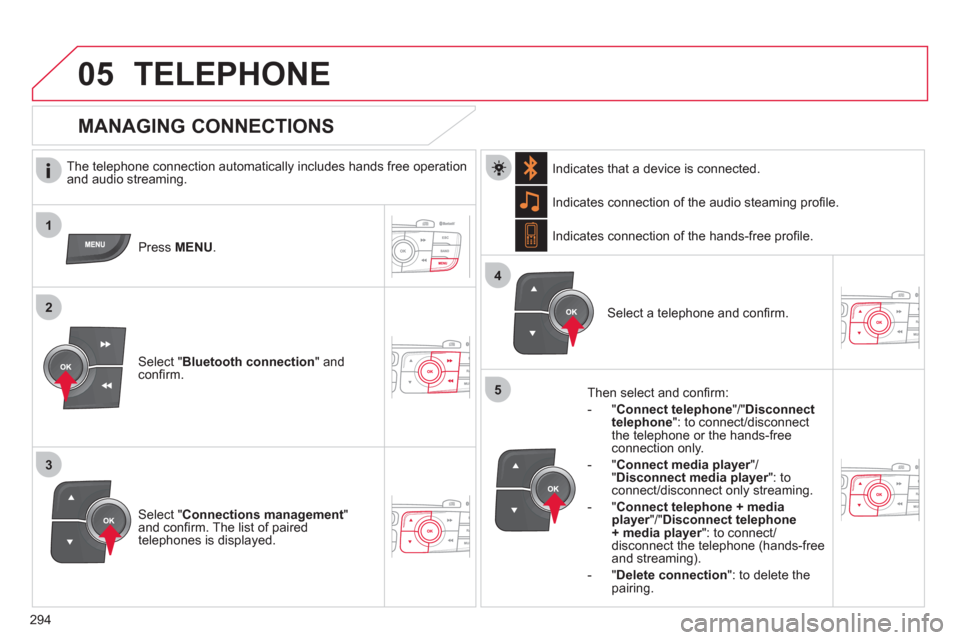
The telephone connection automatically includes hands free operation
and audio streaming.
Pr
ess MENU.
Select " Bluetooth connection" andconfi rm. Indicates connection of the audio steamin
g profi le.
MANAGING CONNECTIONS
Select " Connections management"and confi rm. The list of paired
telephones is displayed.
Select a telephone and confi rm. Indicates connection o
f the hands-free profi le.
Th
en select and confi rm:
- " Connect telephon
e
"/"Disconnect
telephone ": to connect/disconnect
the telephone or the hands-free
connection only.
-
" Connect media player"/r" Disconnect media player": to rconnect/disconnect only streaming.
- " Connect tele
phone + mediaplayer
"/"rDisconnect telephone+ media player
": to connect/rdisconnect the telephone (hands-free
and streaming).
-
"Delete connection ": to delete the pairing. In
dicates that a device is connected.
Page 299 of 324
297
1
2a2c
2b
05TELEPHONE
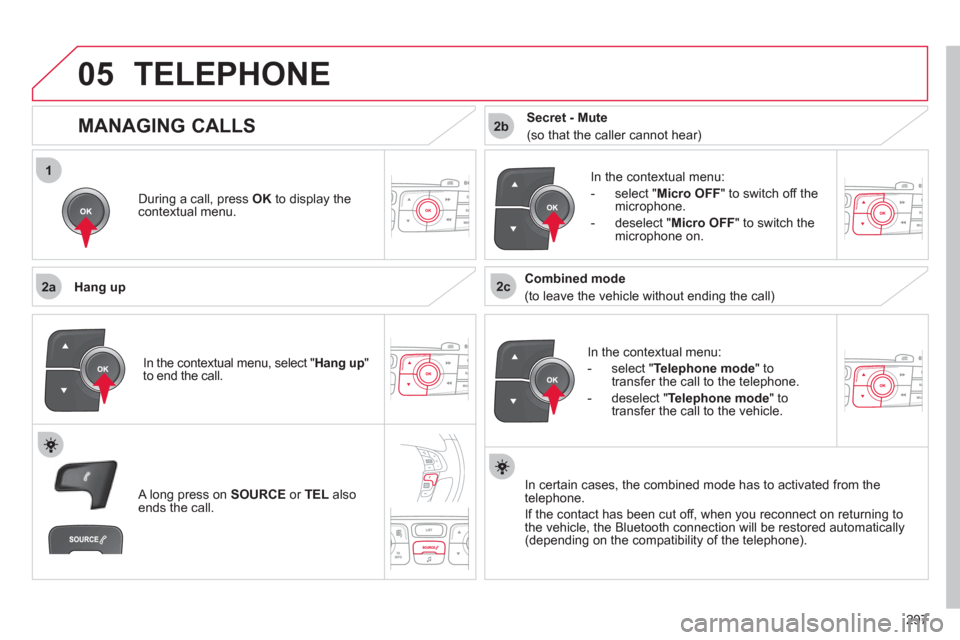
During a call, press OK
to display the contextual menu.
Han
g up
In the contextual menu:
-
select "Telephone mode" to
transfer the call to the telephone.
-
deselect " Telephone mode
" totransfer the call to the vehicle. In th
e contextual menu:
-
select " Micro OFF
" to switch off themicrophone.
-
deselect " Micro OFF" to switch the
microphone on.
In certain cases, the combined mode has to activated
from the
telephone.
If the contact has been cut off, when
you reconnect on returning to
the vehicle, the Bluetooth connection will be restored automatically (depending on the compatibility of the telephone).
MANAGING CALLS
A long press on SOURCE
or TEL
also ends the call.
In the contextual menu, select "Hang up"to end the call.
Secret - Mute
(so that the caller cannot hear)
Combined mode
(to leave the vehicle without ending the call)
Page 301 of 324
299
2
3
1
05TELEPHONE
DIRECTORY
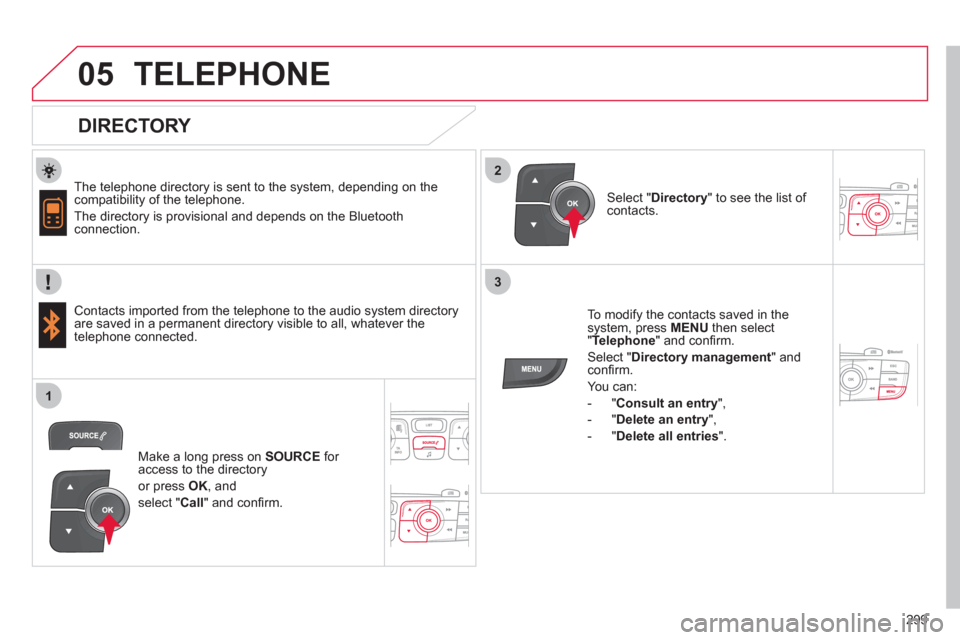
The telephone directory is sent to the system, depending on the compatibility of the telephone.
The directory is provisional and depends on the Bluetoothconnection.
Contacts imported from the telephone to the audio s
ystem directory
are saved in a permanent directory visible to all, whatever the
telephone connected.
To modify the contacts saved in thesystem, press MENUthen select "Telephone
" and confi rm.
Select " Directory management" andconfi rm.
Y
ou can:
-
"Consult an entry ",
-
"Delete an entry ",
-
"Delete all entries ".
Select " Directory" to see the list of contacts.
Make a lon
g press on SOURCE
for access to the directory
or press OK, and
select "Call
" and confi rm.
Page 307 of 324
305
09SCREEN MENU MAP
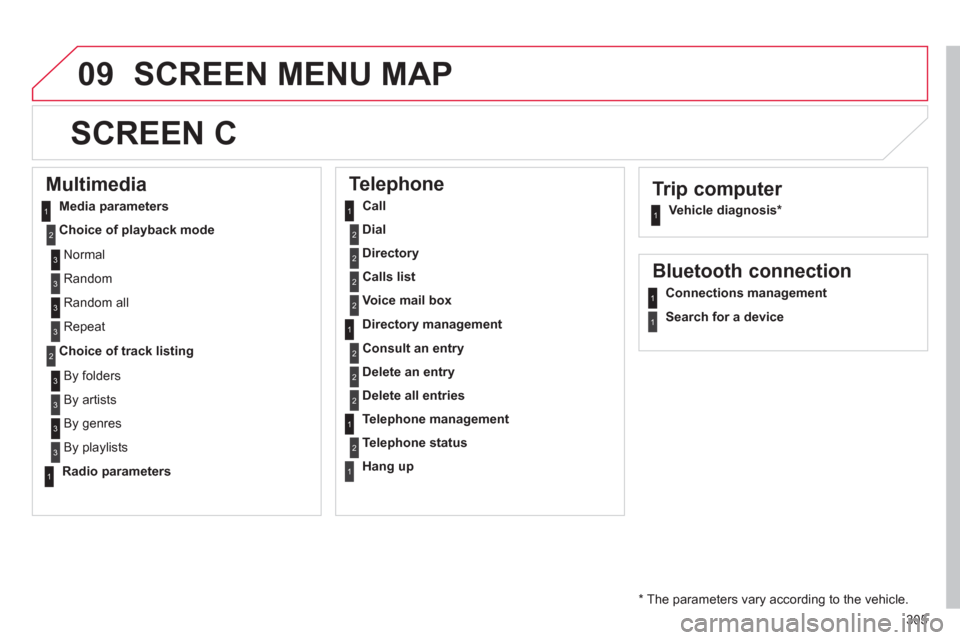
Trip computer
Vehicle diagnosis *
SCREEN C
Multimedia
Media parameters
Choice of pla
yback mode
Choice of track listing
Telephone
Call
Dial
Directory
Calls list
Voice mail box
Directory management
Consult an entry
Delete an entry
Delete all entries
Telephone management
Telephone status
Han
g up
Bluetooth connection
Connections management
Search for a device
N
ormal
R
andom
R
andom all
Repeat
B
y folders
B
y artists
By genres
By playlists
Radio parameters
*
The parameters vary according to the vehicle.
11
2
2
1
2
2
2
2
1
2
2
2
1
2
1
1
1
3
3
3
3
3
3
3
3
1