wheel CITROEN C4 DAG 2013 Owner's Manual
[x] Cancel search | Manufacturer: CITROEN, Model Year: 2013, Model line: C4 DAG, Model: CITROEN C4 DAG 2013Pages: 340, PDF Size: 28.95 MB
Page 153 of 340
9
DRIVING
151
Manual release
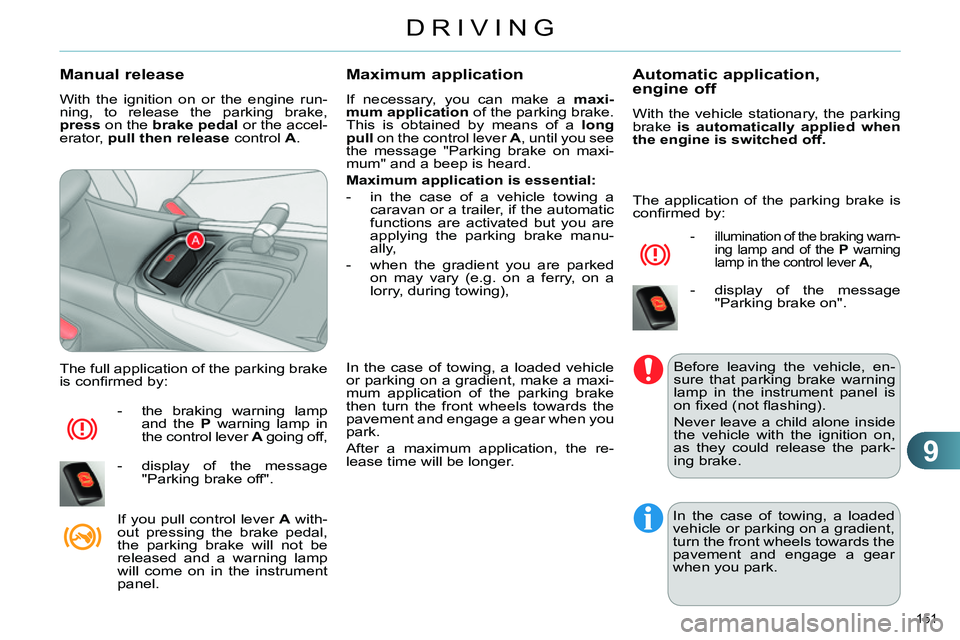
With the ignition on or the engine run-
ning, to release the parking brake,
press
on the brake
pedal
or the accel-
erator, pull then release
control A
.
The full application of the parking brake
is confi rmed by:
- the braking warning lamp
and the P
warning lamp in
the control lever A
going off,
- display of the message
"Parking brake off".
If you pull control lever A
with-
out pressing the brake pedal,
the parking brake will not be
released and a warning lamp
will come on in the instrument
panel.
Maximum application
If necessary, you can make a maxi-
mum application
of the parking brake.
This is obtained by means of a long
pull
on the control lever A
, until you see
the message "Parking brake on maxi-
mum" and a beep is heard.
Maximum application is essential:
- in the case of a vehicle towing a
caravan or a trailer, if the automatic
functions are activated but you are
applying the parking brake manu-
ally,
- when the gradient you are parked
on may vary (e.g. on a ferry, on a
lorry, during towing),
In the case of towing, a loaded vehicle
or parking on a gradient, make a maxi-
mum application of the parking brake
then turn the front wheels towards the
pavement and engage a gear when you
park.
After a maximum application, the re-
lease time will be longer.
Automatic application,
engine off
With the vehicle stationary, the parking
brake is automatically applied when
the engine is switched off.
- illumination of the braking warn-
ing lamp and of the P
warning
lamp in the control lever A
,
- display of the message
"Parking brake on".
Before leaving the vehicle, en-
sure that parking brake warning
lamp in the instrument panel is
on fi xed (not fl ashing).
Never leave a child alone inside
the vehicle with the ignition on,
as they could release the park-
ing brake.
In the case of towing, a loaded
vehicle or parking on a gradient,
turn the front wheels towards the
pavement and engage a gear
when you park.
The application of the parking brake is
confi rmed by:
Page 156 of 340
9
DRIVING
154
Immobilise the vehicle (or keep
it stationary, if the brake pedal is
pressed), with the engine running,
by engaging fi rst gear (manual
gearbox) or position M
or R
(elec-
tronic gearbox).
Switch off the engine but leave the
ignition on. If it is not possible to im-
mobilise the vehicle, do not operate
the control and contact a CITROËN
dealer or a qualifi ed workshop with-
out delay.
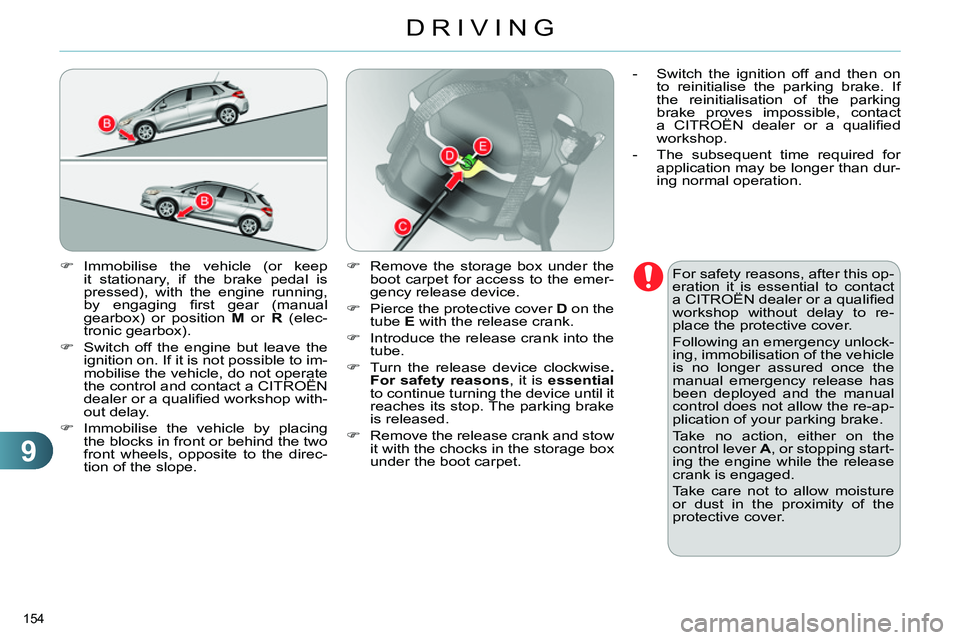
Immobilise the vehicle by placing
the blocks in front or behind the two
front wheels, opposite to the direc-
tion of the slope.
For safety reasons, after this op-
eration it is essential to contact
a CITROËN dealer or a qualifi ed
workshop without delay to re-
place the protective cover.
Following an emergency unlock-
ing, immobilisation of the vehicle
is no longer assured once the
manual emergency release has
been deployed and the manual
control does not allow the re-ap-
plication of your parking brake.
Take no action, either on the
control lever A
, or stopping start-
ing the engine while the release
crank is engaged.
Take care not to allow moisture
or dust in the proximity of the
protective cover.
Remove the storage box under the
boot carpet for access to the emer-
gency release device.
Pierce the protective cover D
on the
tube E
with the release crank.
Introduce the release crank into the
tube.
Turn the release device clockwise .
For safety reasons
, it is essential
to continue turning the device until it
reaches its stop. The parking brake
is released.
Remove the release crank and stow
it with the chocks in the storage box
under the boot carpet.
- Switch the ignition off and then on
to reinitialise the parking brake. If
the reinitialisation of the parking
brake proves impossible, contact
a CITROËN dealer or a qualifi ed
workshop.
- The subsequent time required for
application may be longer than dur-
ing normal operation.
Page 158 of 340
9
DRIVING
156
Situations
Consequences
To apply the electric parking brake:
immobilise the vehicle and switch off the ignition.
pull the control for at least 5 seconds or until application
is complete.
switch on the ignition and check the switching on of the
electric parking brake warning lamps.
The application is slower than during normal operation.
To release the electric parking brake:
switch on the ignition.
pull the control and hold it for approximately 3 seconds
then release it.
If the braking warning lamp is fl ashing or if the warning
lamps do not come on with the ignition on, these procedures
will not work. Place the vehicle on level ground and have it
checked by a CITROËN dealer or a qualifi ed workshop. and possibly
fl ashing
Display of the message " Parking brake fault
" and of the
following warning lamps:
- Only the automatic application on switching off the en-
gine and automatic release on acceleration functions are
available.
- The manual application/release of the electric parking
brake and the emergency braking are not available.
and possibly
fl ashing
Battery fault:
- If the battery warning lamp comes on you must stop imme-
diately as soon as the traffi c allows. Stop and immobilise
your vehicle (if necessary, place the two chocks under the
wheels).
- Apply the electric parking brake before switching off the
engine.
Page 159 of 340
9
DRIVING
157
MANUAL PARKING BRAKE
Applying
Pull the parking brake lever fully up
to immobilise your vehicle.
Releasing
Pull the parking brake lever up gently,
press the release button then lower
the lever fully.
When the vehicle is being driven, if this
warning lamp and the STOP
warning
lamp come on, accompanied by an au-
dible signal and a message in the mul-
tifunction screen, this indicates that the parking
brake is still on or has not been properly released.
When parking on a slope, direct
your wheels against the kerb,
apply the parking brake, engage
a gear and switch off the ignition.
6-SPEED MANUAL GEARBOX
Engaging 5
th
or 6 th
gear
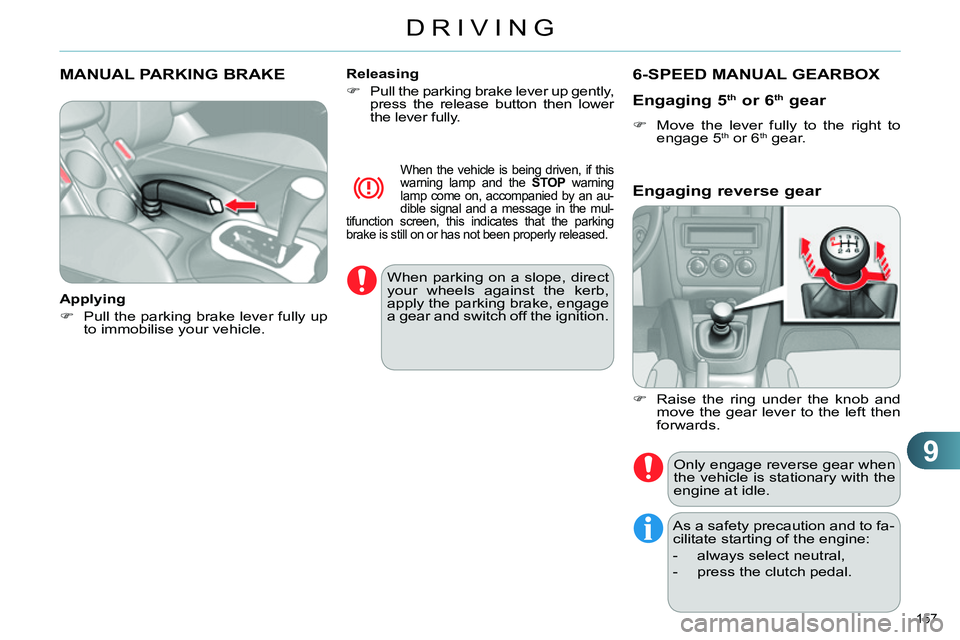
Move the lever fully to the right to
engage 5 th or 6 th
gear.
Only engage reverse gear when
the vehicle is stationary with the
engine at idle.
As a safety precaution and to fa-
cilitate starting of the engine:
- always select neutral,
- press the clutch pedal.
Engaging reverse gear
Raise the ring under the knob and
move the gear lever to the left then
forwards.
Page 160 of 340
9
DRIVING
158
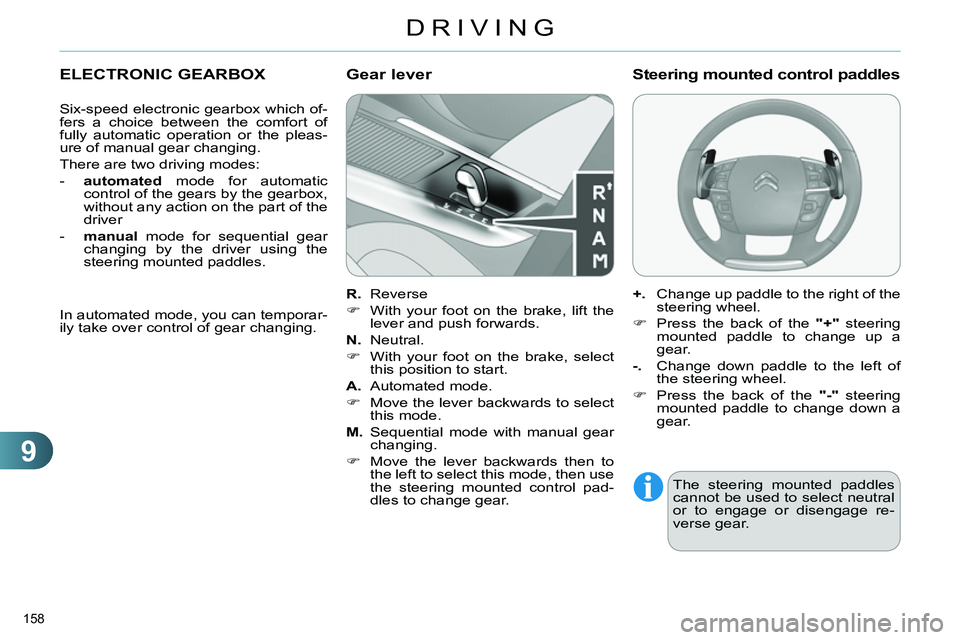
ELECTRONIC GEARBOX
Six-speed electronic gearbox which of-
fers a choice between the comfort of
fully automatic operation or the pleas-
ure of manual gear changing.
There are two driving modes:
- automated
mode for automatic
control of the gears by the gearbox,
without any action on the part of the
driver
- manual
mode for sequential gear
changing by the driver using the
steering mounted paddles.
R.
Reverse
With your foot on the brake, lift the
lever and push forwards.
N.
Neutral.
With your foot on the brake, select
this position to start.
A.
Automated mode.
Move the lever backwards to select
this mode.
M.
Sequential mode with manual gear
changing.
Move the lever backwards then to
the left to select this mode, then use
the steering mounted control pad-
dles to change gear.
Gear lever
+.
Change up paddle to the right of the
steering wheel.
Press the back of the "+"
steering
mounted paddle to change up a
gear.
-.
Change down paddle to the left of
the steering wheel.
Press the back of the "-"
steering
mounted paddle to change down a
gear.
Steering mounted control paddles
The steering mounted paddles
cannot be used to select neutral
or to engage or disengage re-
verse gear.
In automated mode, you can temporar-
ily take over control of gear changing.
Page 168 of 340
9
DRIVING
166
TYRE UNDER-INFLATION
DETECTION
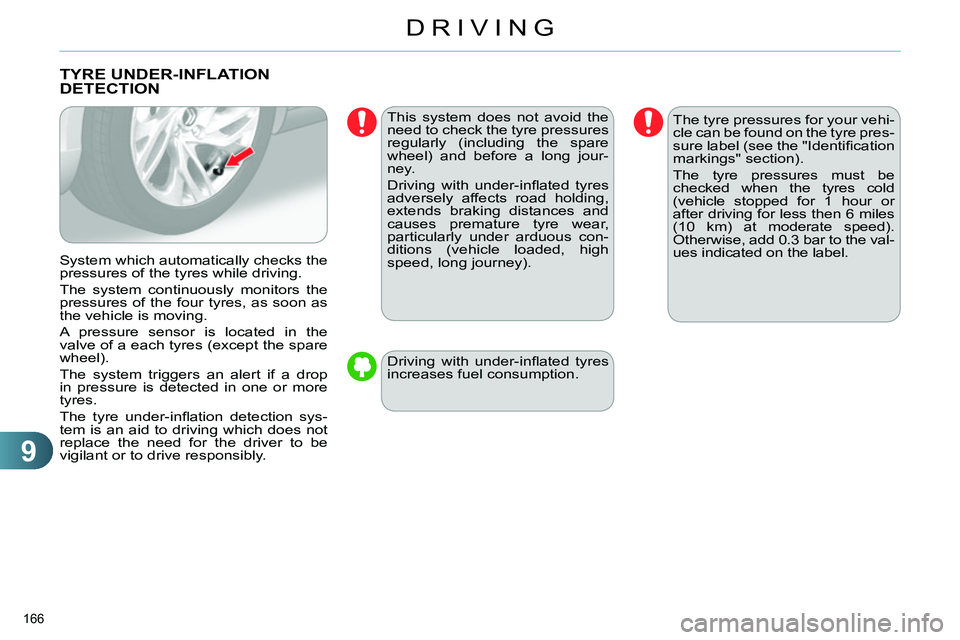
System which automatically checks the
pressures of the tyres while driving.
The system continuously monitors the
pressures of the four tyres, as soon as
the vehicle is moving.
A pressure sensor is located in the
valve of a each tyres (except the spare
wheel).
The system triggers an alert if a drop
in pressure is detected in one or more
tyres.
The tyre under-infl ation detection sys-
tem is an aid to driving which does not
replace the need for the driver to be
vigilant or to drive responsibly.
This system does not avoid the
need to check the tyre pressures
regularly (including the spare
wheel) and before a long jour-
ney.
Driving with under-infl ated tyres
adversely affects road holding,
extends braking distances and
causes premature tyre wear,
particularly under arduous con-
ditions (vehicle loaded, high
speed, long journey).
Driving with under-infl ated tyres
increases fuel consumption.
The tyre pressures for your vehi-
cle can be found on the tyre pres-
sure label (see the "Identifi cation
markings" section).
The tyre pressures must be
checked when the tyres cold
(vehicle stopped for 1 hour or
after driving for less then 6 miles
(10 km) at moderate speed).
Otherwise, add 0.3 bar to the val-
ues indicated on the label.
Page 169 of 340
9
DRIVING
167
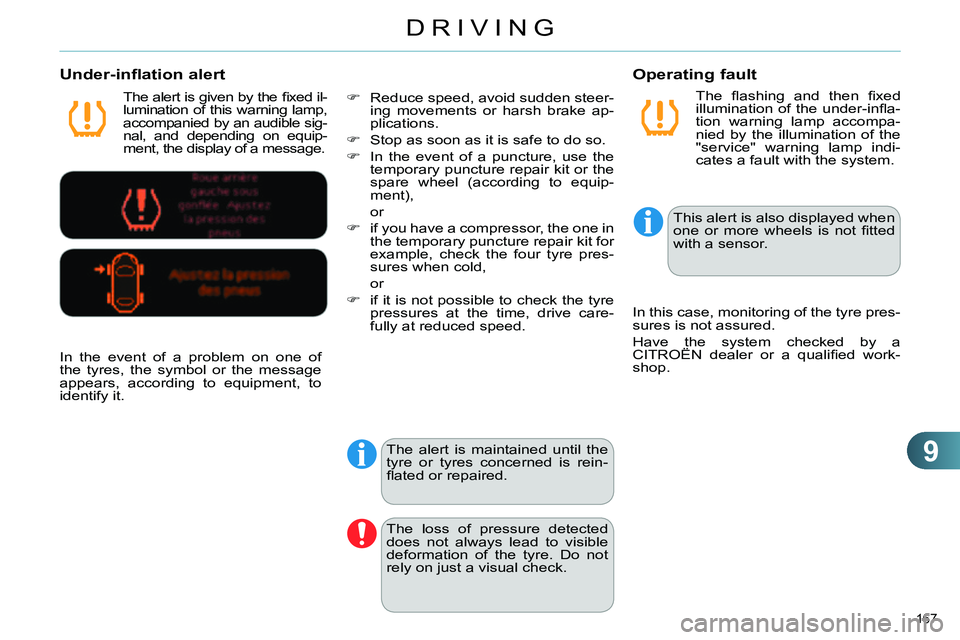
The fl ashing and then fi xed
illumination of the under-infl a-
tion warning lamp accompa-
nied by the illumination of the
"service" warning lamp indi-
cates a fault with the system.
Operating fault
The alert is given by the fi xed il-
lumination of this warning lamp,
accompanied by an audible sig-
nal, and depending on equip-
ment, the display of a message.
Under-inflation alert
The alert is maintained until the
tyre or tyres concerned is rein-
fl ated or repaired.
The loss of pressure detected
does not always lead to visible
deformation of the tyre. Do not
rely on just a visual check.
This alert is also displayed when
one or more wheels is not fi tted
with a sensor.
In the event of a problem on one of
the tyres, the symbol or the message
appears, according to equipment, to
identify it.
Reduce speed, avoid sudden steer-
ing movements or harsh brake ap-
plications.
Stop as soon as it is safe to do so.
In the event of a puncture, use the
temporary puncture repair kit or the
spare wheel (according to equip-
ment),
or
if you have a compressor, the one in
the temporary puncture repair kit for
example, check the four tyre pres-
sures when cold,
or
if it is not possible to check the tyre
pressures at the time, drive care-
fully at reduced speed. In this case, monitoring of the tyre pres-
sures is not assured.
Have the system checked by a
CITROËN dealer or a qualifi ed work-
shop.
Page 177 of 340
9
DRIVING
175
MEMORISING SPEEDS
This memorisation of speeds applies
to both the speed limiter and the cruise
control.
You can memorise up to 5 speeds in
the system. By default, a few speeds
are already memorised.
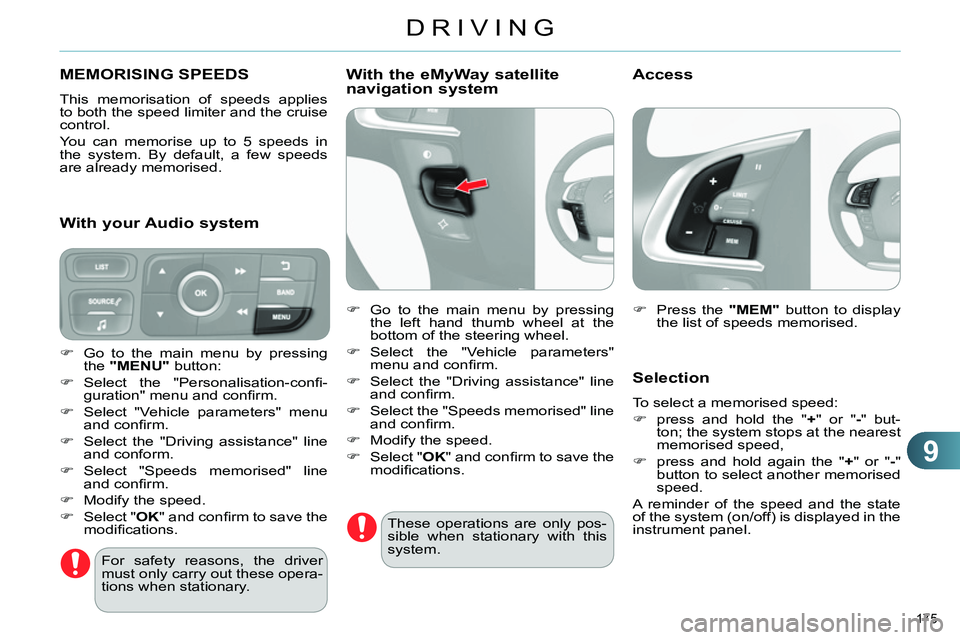
Press the "MEM"
button to display
the list of speeds memorised.
Selection
To select a memorised speed:
press and hold the " +
" or " -
" but-
ton; the system stops at the nearest
memorised speed,
press and hold again the " +
" or " -
"
button to select another memorised
speed.
A reminder of the speed and the state
of the system (on/off) is displayed in the
instrument panel.
For safety reasons, the driver
must only carry out these opera-
tions when stationary.
Go to the main menu by pressing
the "MENU"
button:
Select the "Personalisation-confi -
guration" menu and confi rm.
Select "Vehicle parameters" menu
and confi rm.
Select the "Driving assistance" line
and conform.
Select "Speeds memorised" line
and confi rm.
Modify the speed.
Select " OK
" and confi rm to save the
modifi cations.
With your Audio system
With the eMyWay satellite
navigation system
Go to the main menu by pressing
the left hand thumb wheel at the
bottom of the steering wheel.
Select the "Vehicle parameters"
menu and confi rm.
Select the "Driving assistance" line
and confi rm.
Select the "Speeds memorised" line
and confi rm.
Modify the speed.
Select " OK
" and confi rm to save the
modifi cations.
These operations are only pos-
sible when stationary with this
system.
Access
Page 178 of 340
9
DRIVING
176
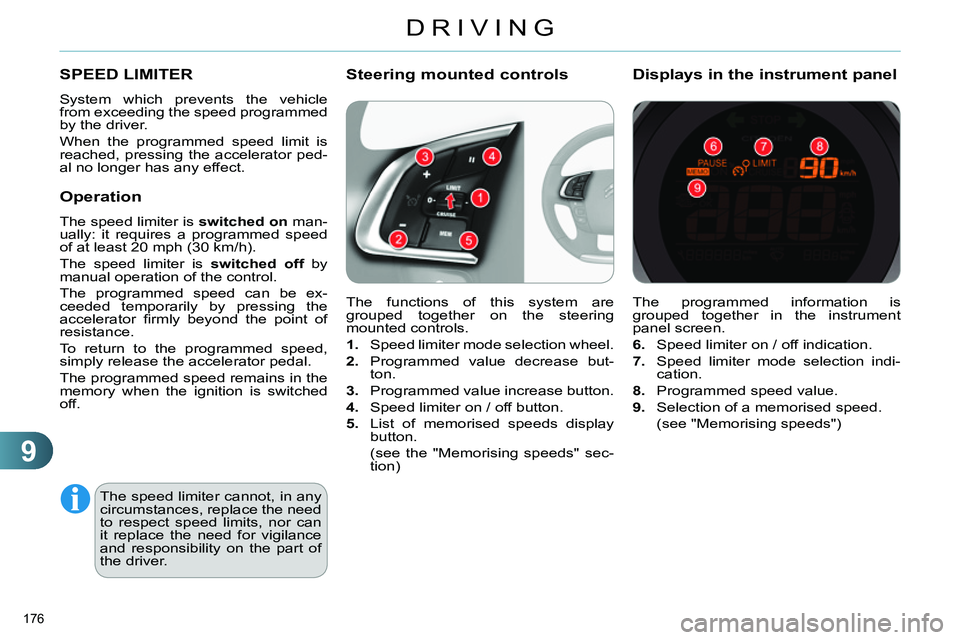
The programmed information is
grouped together in the instrument
panel screen.
6.
Speed limiter on / off indication.
7.
Speed limiter mode selection indi-
cation.
8.
Programmed speed value.
9.
Selection of a memorised speed.
(see "Memorising speeds")
Displays in the instrument panel
SPEED LIMITER
System which prevents the vehicle
from exceeding the speed programmed
by the driver.
When the programmed speed limit is
reached, pressing the accelerator ped-
al no longer has any effect.
The speed limiter cannot, in any
circumstances, replace the need
to respect speed limits, nor can
it replace the need for vigilance
and responsibility on the part of
the driver. The functions of this system are
grouped together on the steering
mounted controls.
1.
Speed limiter mode selection wheel.
2.
Programmed value decrease but-
ton.
3.
Programmed value increase button.
4.
Speed limiter on / off button.
5.
List of memorised speeds display
button.
(see the "Memorising speeds" sec-
tion)
Steering mounted controls
Operation
The speed limiter is switched on
man-
ually: it requires a programmed speed
of at least 20 mph (30 km/h).
The speed limiter is switched off
by
manual operation of the control.
The programmed speed can be ex-
ceeded temporarily by pressing the
accelerator fi rmly beyond the point of
resistance.
To return to the programmed speed,
simply release the accelerator pedal.
The programmed speed remains in the
memory when the ignition is switched
off.
Page 195 of 340
11
PRACTICAL INFORMATION
193
TEMPORARY PUNCTURE
REPAIR KIT
Access to the kit
The speed limit sticker I
must be
affi xed to the vehicle's steering
wheel to remind you that a wheel
is in temporary use.
Do not exceed a speed of
50 mph (80 km/h) when driving
with a tyre repaired using this
type of kit.
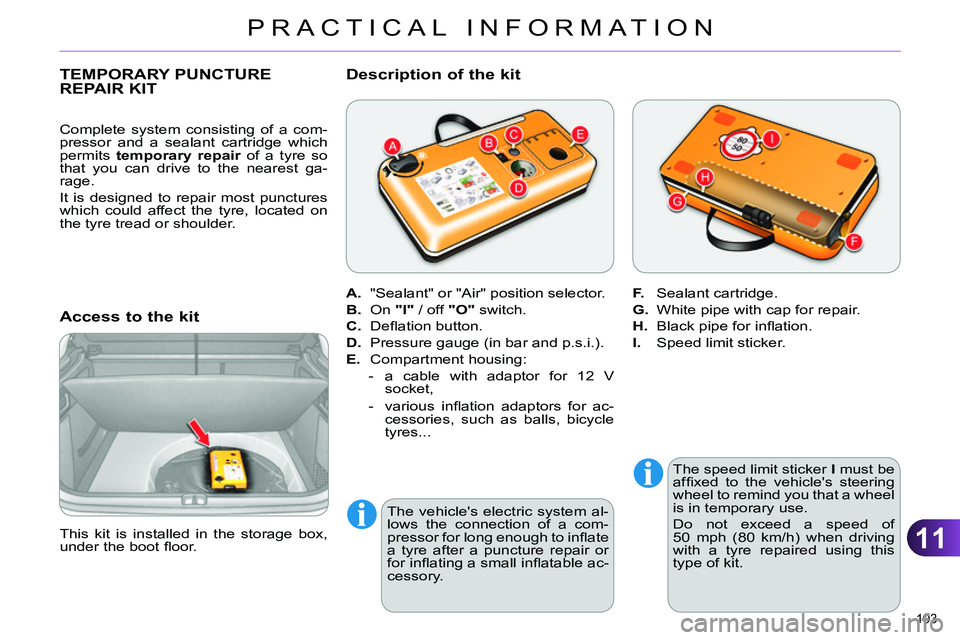
This kit is installed in the storage box,
under the boot fl oor.
A.
"Sealant" or "Air" position selector.
B.
On "I"
/ off "O"
switch.
C.
Defl ation button.
D.
Pressure gauge (in bar and p.s.i.).
E.
Compartment housing:
- a cable with adaptor for 12 V
socket,
- various infl ation adaptors for ac-
cessories, such as balls, bicycle
tyres...
Description of the kit
F.
Sealant cartridge.
G.
White pipe with cap for repair.
H.
Black pipe for infl ation.
I.
Speed limit sticker.
Complete system consisting of a com-
pressor and a sealant cartridge which
permits temporary repair
of a tyre so
that you can drive to the nearest ga-
rage.
It is designed to repair most punctures
which could affect the tyre, located on
the tyre tread or shoulder.
The vehicle's electric system al-
lows the connection of a com-
pressor for long enough to infl ate
a tyre after a puncture repair or
for infl ating a small infl atable ac-
cessory.