keyless Citroen C4 PICASSO 2015 2.G Owner's Manual
[x] Cancel search | Manufacturer: CITROEN, Model Year: 2015, Model line: C4 PICASSO, Model: Citroen C4 PICASSO 2015 2.GPages: 420, PDF Size: 10.72 MB
Page 4 of 420
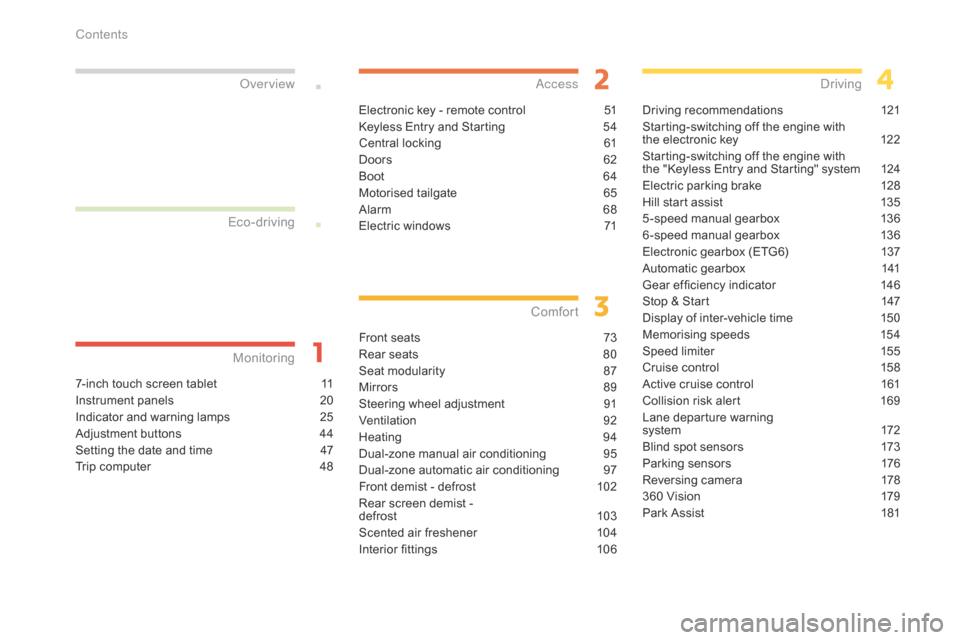
7-inch touch screen tablet 11
Instrument panels
2
0
Indicator
and warning lamps
2
5
Adjustment
buttons
4
4
Setting
the date and time
4
7
Trip
computer
4
8
Monitoring
ove
r view
Electronic key - remote control 5
1
Keyless Entry and Starting
5
4
Central
locking
6
1
Doors
6
2
Boot
6
4
Motorised
tailgate
6
5
Alarm
6
8
Electric
windows
7
1
access
Front seats 73
Rear seats
8
0
Seat
modularity
87
M
irrors
8
9
Steering
wheel adjustment
9
1
Ventilation
9
2
Heating
9
4
Dual-zone
m
anual
a
ir
c
onditioning
9
5
Dual-zone
automatic air conditioning
9
7
Front
demist - defrost
1
02
Rear
screen demist -
d
efrost
10
3
Scented
air freshener
1
04
Interior
fittings
1
06
Comfort
Driving recommendations 1 21
Starting-switching off the engine with
t
he electronic key
1
22
Starting-switching
off the engine with
t
he "Keyless Entry and Starting" system
1
24
Electric
parking brake
1
28
Hill
start assist
1
35
5 -speed
manual gearbox
1
36
6 -speed
manual gearbox
1
36
Electronic
gearbox (ETG6)
1
37
Automatic
gearbox
1
41
Gear
ef ficiency indicator
1
46
Stop
& Start
1
47
Display
of inter-vehicle time
1
50
Memorising
speeds
1
54
Speed
limiter
1
55
Cruise
control
1
58
Active
cruise control
1
61
Collision
risk alert
1
69
Lane
departure warning
system
1
72
Blind
spot sensors
1
73
Parking
sensors
1
76
Reversing
camera
1
78
360
Vision
1
79
Park
Assist
1
81
Driving
Eco-driving
Contents
Page 6 of 420
4
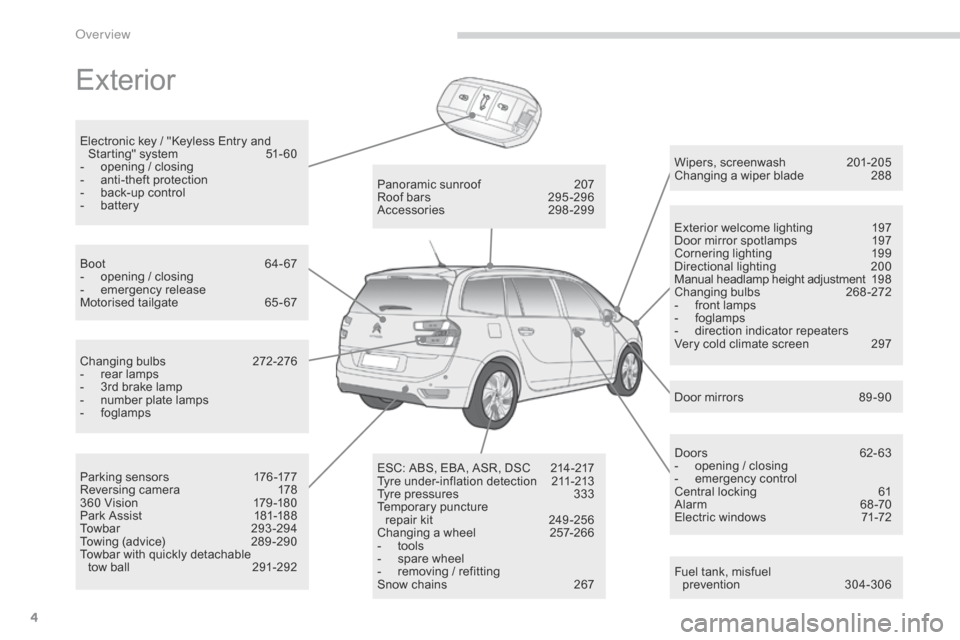
Exterior
Fuel tank, misfuel
p revention 3 04-306
Wipers,
screenwash
2
01-205
Changing a wiper blade
2
88
Exterior welcome lighting
1
97
Door mirror spotlamps
1
97
Cornering lighting
1
99
Directional
l
ighting
2
00
Manual headlamp height adjustment
19
8
Changing
bu
lbs
2
68-272
-
f
ront lamps
-
fo
glamps
-
d
irection indicator repeaters
Very cold climate screen
2
97
Door mirrors
8
9 -90
Panoramic
sunroof
2
07
Roof
bars
2
95 -296
Accessories
2
98-299
ESC:
ABS,
EBA,
ASR,
DSC
2
14-217
Tyre
under-inflation
detection
2
11-213
Tyre
pressures
3
33
Temporary
pu
ncture
r
epair
kit
2
49 -256
Changing
a
wheel
2
57-266
-
t
ools
-
s
pare
wheel
-
r
emoving
/
refitting
Snow
chains
2
67
Changing
bu
lbs
2
72-276
-
r
ear
lamps
-
3
rd
brake
lamp
-
n
umber
plate
lamps
-
fo
glamps
Parking
sensors
1
76 -177
Reversing
camera
1
78
360
Vision
1
79 -180
Park
Assist
1
81-188
Towbar
29
3-294
Towing
(advice)
2
89 -290
Towbar
with
quickly
detachable
tow
ball
2
91-292
Boot
6
4-67
-
o
pening
/
closing
-
em
ergency
r
elease
Motorised
tailgate
6
5 - 67
Electronic
key
/
"Keyless
Entry
and
S
tarting"
system
5
1- 60
-
o
pening
/
closing
-
a
nti-theft
protection
-
b
ack-up
control
-
b
attery
Doors
6
2- 63
-
o
pening / closing
-
em
ergency
c
ontrol
Central locking
6
1
Alarm
6
8-70
Electric windows
7
1-72
over view
Page 56 of 420
54
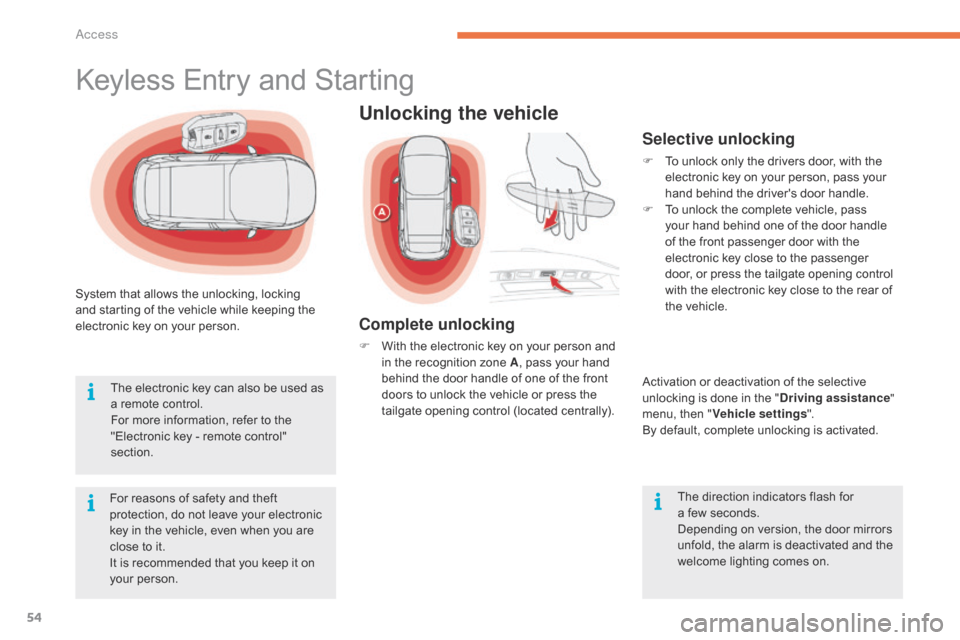
System that allows the unlocking, locking and starting of the vehicle while keeping the
e
lectronic key on your person.
For
reasons of safety and theft
p
rotection, do not leave your electronic
k
ey in the vehicle, even when you are
c
lose to it.
It
is recommended that you keep it on
y
our person.
The
electronic key can also be used as
a
remote control.
For
more information, refer to the
"
Electronic key - remote control"
s
ection.
Keyless Entry and Starting
Unlocking the vehicle
Complete unlocking
F With the electronic key on your person and i
n the recognition zone A,
pass your hand
b
ehind the door handle of one of the front
d
oors to unlock the vehicle or press the
t
ailgate opening control (located centrally).
Selective unlocking
F To unlock only the drivers door, with the e
lectronic key on your person, pass your
h
and behind the driver's door handle.
F
T
o unlock the complete vehicle, pass
y
our hand behind one of the door handle
o
f the front passenger door with the
e
lectronic key close to the passenger
d
oor, or press the tailgate opening control
w
ith the electronic key close to the rear of
t
he vehicle.
Activation
or deactivation of the selective
u
nlocking is done in the "Driving assistance "
menu,
then "Vehicle settings ".
By
default, complete unlocking is activated.
The
direction indicators flash for
a f
ew seconds.
Depending
on version, the door mirrors
u
nfold, the alarm is deactivated and the
w
elcome lighting comes on.
Access
Page 59 of 420
57
As a safety measure (children on board), never leave the vehicle without
t
aking the key for the Keyless Entry and
S
tarting
system,
even
for
a
short
period.
Be
aware of the risk of theft when the
k
ey for the Keyless Entry and Starting
s
ystem is in one of the defined zones
w
ith the vehicle unlocked.
If
one
of
the
doors
or
the
boot
is
still
o
pen
or
if
the
electronic
key
for
the
K
eyless
Entry
and
Starting
system
has
b
een
left
inside
the
vehicle,
the
central
l
ocking
does
not
take
place.
However,
the
alarm
(if
present)
will
be
f
ully
activated
after
about
45
seconds. In
order to preserve the battery in the
e
lectronic key and the vehicle's battery,
t
he "Hands-free" functions are put into
l
ong-term standby after 21 days without
u
se. To restore these functions, press
o
ne of the remote control buttons or
s
tart the engine with the electronic key
i
n the reader (see the "Starting with
t
he Keyless Entry and Starting system"
s
ection).
If
the
vehicle
is
unlocked
by
mistake
a
nd
with
no
action
on
the
doors
or
boot,
t
he
vehicle
will
lock
again
automatically
a
fter
about
thirty
seconds.
If
the
alarm
had
been
activated
p
reviously,
it
will
not
be
reactivated
au
tomatically.
The
automatic
folding
and
unfolding
o
f
the
door
mirrors
can
be
deactivated
b
y
a
CITROËN
dealer
or
a
qualified
w
orkshop. Accumulations
(water, dust, grime,
s
alt...) on the inner sur face if the door
h
andle may affect detection.
If
cleaning the inner sur face of the door
h
andle using a cloth does not restore
d
etection, contact a CITROËN dealer or
a
qualified workshop.
A
sudden splash of water (stream of
w
ater, high pressure jet washer, …)
m
ay be identified by the system as the
d
esire to open the vehicle.
2
Ac
Page 60 of 420
58
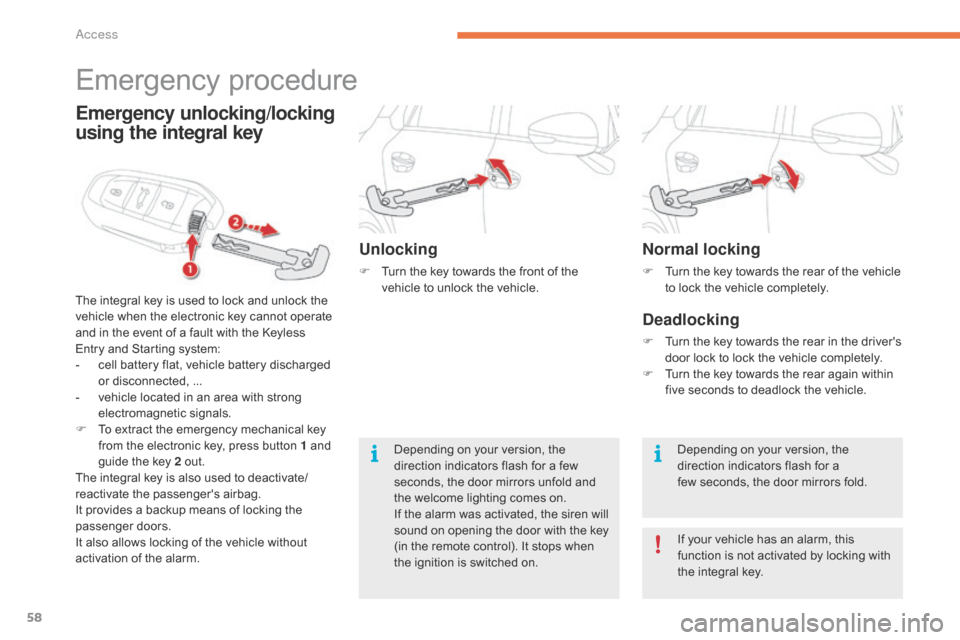
Normal locking
F Turn the key towards the rear of the vehicle t
o lock the vehicle completely.
Deadlocking
F Turn the key towards the rear in the driver's d
oor lock to lock the vehicle completely.
F
T
urn the key towards the rear again within
f
ive seconds to deadlock the vehicle.
Depending
on your version, the
d
irection indicators flash for a
few
seconds, the door mirrors fold.
If
your vehicle has an alarm, this
f
unction is not activated by locking with
t
he integral key.
Emergency procedure
The integral key is used to lock and unlock the v
ehicle when the electronic key cannot operate
a
nd in the event of a fault with the Keyless
E
ntry and Starting system:
-
c
ell battery flat, vehicle battery discharged
o
r disconnected, ...
-
v
ehicle located in an area with strong
e
lectromagnetic
si
gnals.
F
T
o extract the emergency mechanical key
f
rom the electronic key, press button 1 and
g
uide the key 2 out.
The
integral key is also used to deactivate/
reactivate
t
he
p
assenger's
a
irbag.
It
provides a backup means of locking the
p
assenger
do
ors.
It
also allows locking of the vehicle without
a
ctivation of the alarm.
Emergency unlocking/locking
using the integral key
Unlocking
F Turn the key towards the front of the v
ehicle to unlock the vehicle.
Depending
on your version, the
d
irection indicators flash for a few
s
econds, the door mirrors unfold and
t
he welcome lighting comes on.
If
the alarm was activated, the siren will
s
ound on opening the door with the key
(
in the remote control). It stops when
t
he ignition is switched on.
Access
Page 63 of 420
61
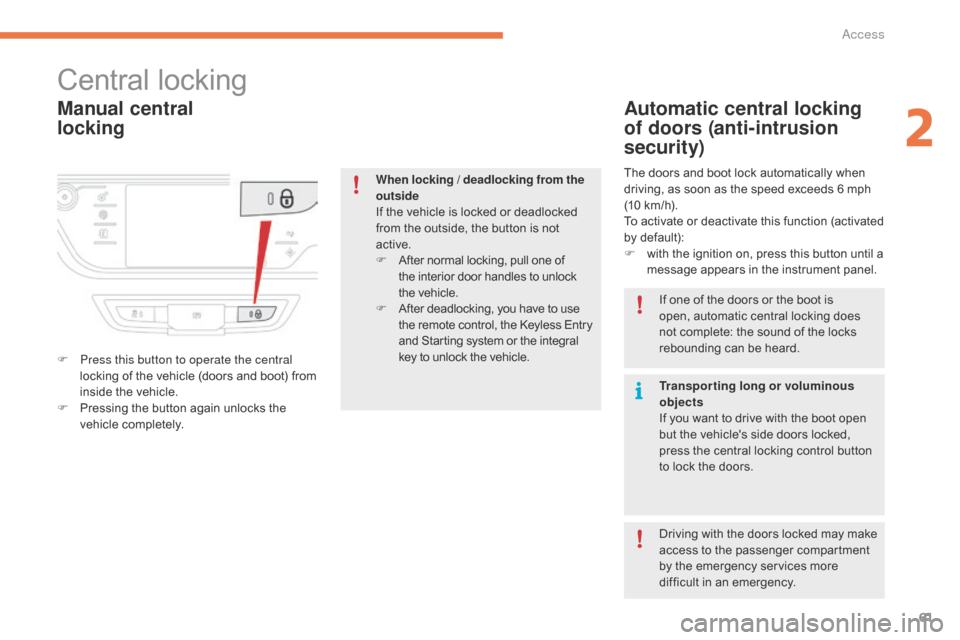
Manual central
locking
Central locking
F Press this button to operate the central locking of the vehicle (doors and boot) from
i
nside the vehicle.
F
P
ressing the button again unlocks the
v
ehicle
c
ompletely.
Automatic central locking
of doors (anti-intrusion
security)
The doors and boot lock automatically when driving, as soon as the speed exceeds 6 mph
(
10 km/h).
To
activate or deactivate this function (activated
b
y default):
F
w
ith the ignition on, press this button until a
m
essage appears in the instrument panel.
When locking / deadlocking from the
outside
If
the
vehicle
is
locked
or
deadlocked
f
rom
the
outside,
the
button
is
not
a
ctive.
F
A
fter
normal
locking,
pull
one
of
t
he
interior
door
handles
to
unlock
t
he vehicle.
F
A
fter
deadlocking,
you
have
to
use
t
he
remote
control,
the
Keyless
Entry
a
nd
Starting
system
or
the
integral
k
ey
to
unlock
the
vehicle. If
one of the doors or the boot is
o
pen, automatic central locking does
n
ot complete: the sound of the locks
r
ebounding can be heard.
Transporting long or voluminous
objects
If
you want to drive with the boot open
b
ut the vehicle's side doors locked,
p
ress the central locking control button
t
o lock the doors.
Driving
with the doors locked may make
a
ccess to the passenger compartment
b
y the emergency services more
d
ifficult in an emergency.
2
Access
Page 64 of 420

62
doors
Opening
From outside
F After unlocking the vehicle using the r
emote control or the Keyless Entry and
S
tarting system, pull the door handle.
From inside
F Pull the front or rear door lever to open t
he door. If
a door is not properly closed:
-
w
ith the engine running
, this
warning lamp and a message
a
ppear in the instrument panel
(
type 1) for a few seconds,
-
wh
en driving
(speed above
6
mph (10 km/h)), this
w
arning lamp and a message,
a
ccompanied by an audible
s
ignal, appear in the instrument
p
anel (type 1 and type 2) for a
f
ew seconds.
Closing
access
Page 66 of 420
64
boot
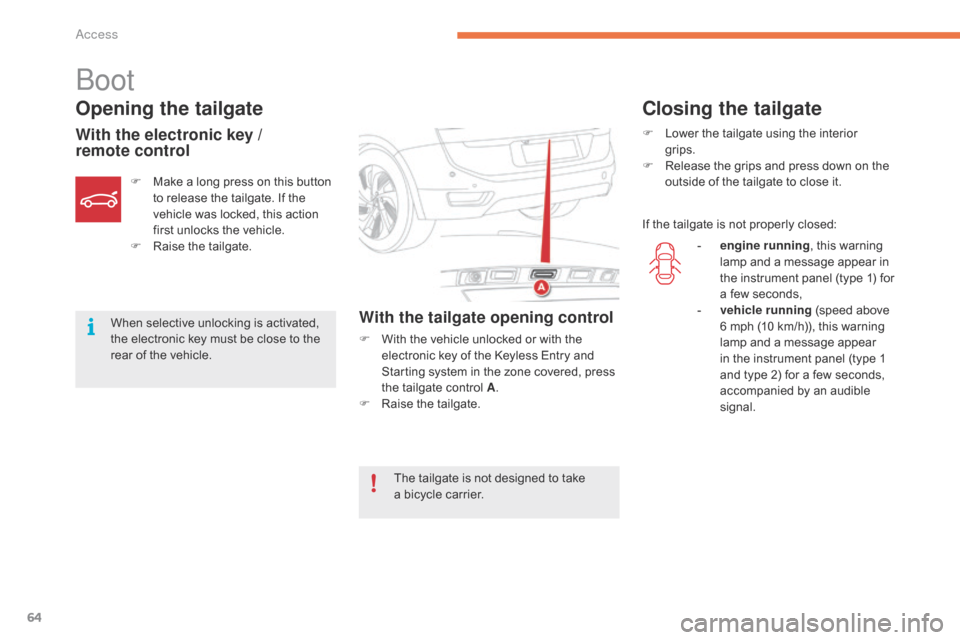
Opening the tailgate
With the electronic key /
remote controlWith the tailgate opening control
F With the vehicle unlocked or with the e
lectronic key of the Keyless Entry and
S
tarting system in the zone covered, press
t
he tailgate control A.
F
Ra
ise
t
he
t
ailgate.
F
M
ake
a
long
press
on
this
button
t
o
release
the
tailgate.
If
the
v
ehicle
was
locked,
this
action
f
irst
unlocks
the
vehicle.
F
Ra
ise
t
he
t
ailgate.
When
selective
unlocking
is
activated,
t
he
electronic
key
must
be
close
to
the
r
ear
of
the
vehicle.
Closing the tailgate
F Lower the tailgate using the interior
grips.
F
R
elease the grips and press down on the
o
utside of the tailgate to close it.
If
the tailgate is not properly closed:
The
tailgate
is
not
designed
to
take
a b
icycle
carrier. -
e
ngine running,
this warning
l
amp and a message appear in
t
he instrument panel (type 1) for
a
few seconds,
-
v
ehicle running
(speed above
6
mph (10 km/h)), this warning
l
amp and a message appear
i
n the instrument panel (type 1
a
nd type 2) for a few seconds,
a
ccompanied by an audible
s
ignal.
access
Page 68 of 420
66
Motorised opening
Unlocking and opening the
tailgate with the electronic key /
remote control
Unlocking and opening the
tailgate with the Keyless Entry
and Starting system
Opening the tailgate
F Make a long press on the remote c
ontrol button.
F
P
ress button A on the tailgate, with the
e
lectronic key in the zone covered.
When
selective locking is activated, the
e
lectronic key must be near the rear of
t
he
vehicle.
By
default, the tailgate opens
c
ompletely or alternatively to the
m
emorised
p
osition.
F
A
fter
complete unlocking of the vehicle,
p
ress control A on the tailgate.
The
instruction is confirmed by an audible
s
ignal.
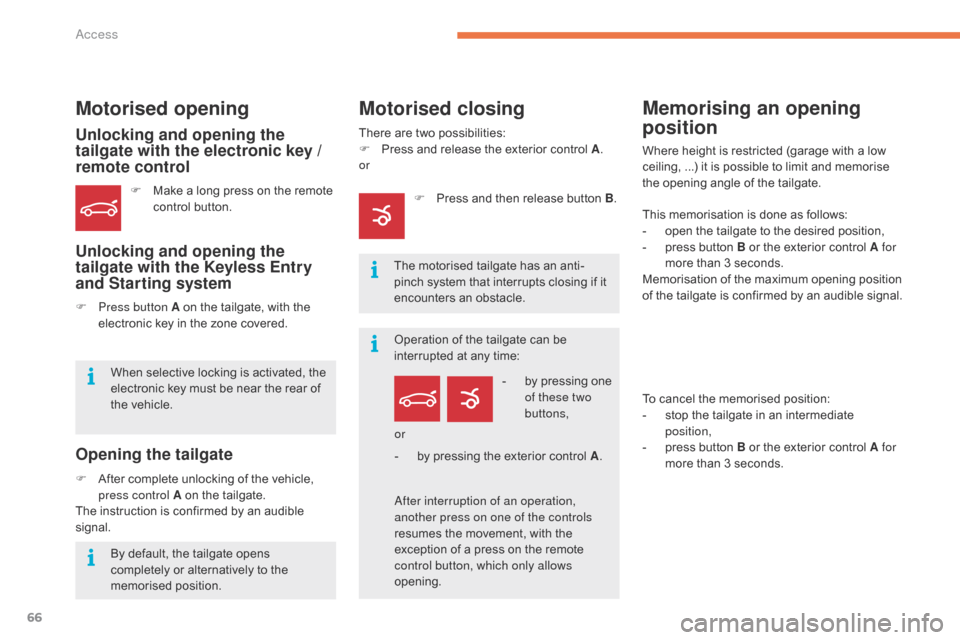
Motorised closing
There are two possibilities:
F P ress and release the exterior control A.
or
-
b
y pressing one
o
f these two
buttons,
The
motorised tailgate has an anti-
pinch
system that interrupts closing if it
e
ncounters an obstacle.
Operation
of the tailgate can be
i
nterrupted at any time:
af
ter interruption of an operation,
another press on one of the controls
resumes
the movement, with the
e
xception of a press on the remote
c
ontrol button, which only allows
opening. or
-
b
y pressing the exterior control A.
Memorising an opening
position
Where height is restricted (garage with a low c
eiling, ...) it is possible to limit and memorise
t
he opening angle of the tailgate.
This
memorisation is done as follows:
-
o
pen the tailgate to the desired position,
-
p
ress button B or the exterior control A for
more
than 3 seconds.
Memorisation
of the maximum opening position
o
f the tailgate is confirmed by an audible signal.
To
cancel the memorised position:
-
s
top the tailgate in an intermediate
p
osition,
-
p
ress button B or the exterior control A for
more
than 3 seconds.
F
P
ress
and
then
release
button
B .
Access
Page 70 of 420
68
For all work on the alarm system, contact a CITROËN dealer or a
q
ualified
w
orkshop.
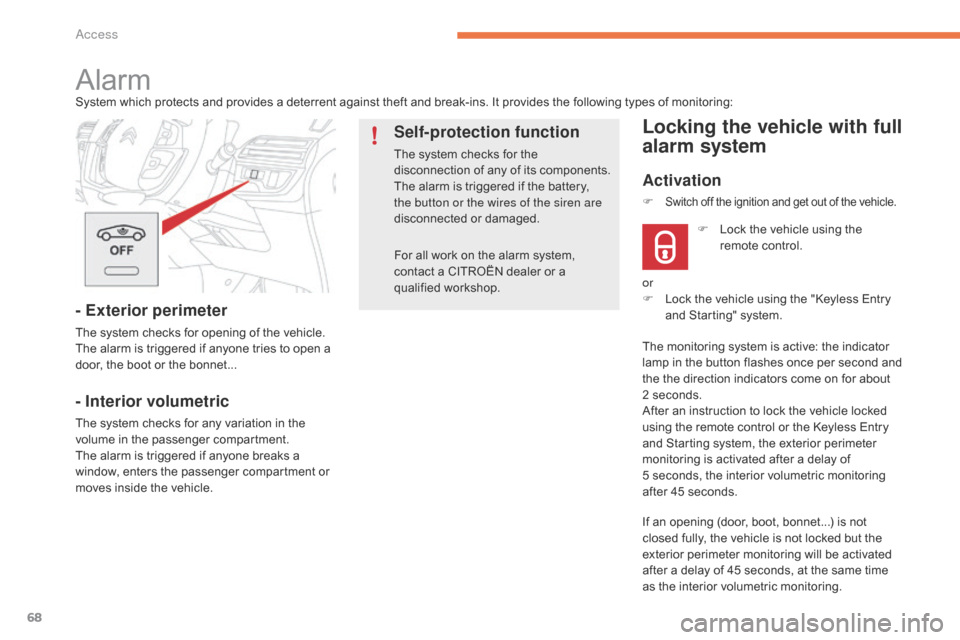
AlarmSystem which protects and provides a deterrent against theft and break-ins. It provides the following types of monitoring:
- Exterior perimeter
The system checks for opening of the vehicle.
T he alarm is triggered if anyone tries to open a
d
oor, the boot or the bonnet...
- Interior volumetric
The system checks for any variation in the volume in the passenger compartment.
The
alarm is triggered if anyone breaks a
w
indow, enters the passenger compartment or
m
oves inside the vehicle.
Self-protection function
The system checks for the disconnection of any of its components.
The
alarm is triggered if the battery,
t
he button or the wires of the siren are
disconnected
o
r
d
amaged.
Locking the vehicle with full
alarm system
Activation
If an opening (door, boot, bonnet...) is not closed fully, the vehicle is not locked but the
e
xterior perimeter monitoring will be activated
a
fter a delay of 45 seconds, at the same time
a
s the interior volumetric monitoring.
F
L
ock the vehicle using the
r
emote control.
F
Switch off the ignition and get out of the vehicle.
or
F
L ock the vehicle using the "Keyless Entry
a
nd Starting" system.
The
monitoring system is active: the indicator
l
amp in the button flashes once per second and
t
he the direction indicators come on for about
2
seconds.
After
an instruction to lock the vehicle locked
u
sing the remote control or the Keyless Entry
a
nd Starting system, the exterior perimeter
m
onitoring is activated after a delay of
5 s
econds, the interior volumetric monitoring
a
fter 45 seconds.
Access