Multimedia Citroen C4 PICASSO 2016 2.G User Guide
[x] Cancel search | Manufacturer: CITROEN, Model Year: 2016, Model line: C4 PICASSO, Model: Citroen C4 PICASSO 2016 2.GPages: 527, PDF Size: 13.72 MB
Page 339 of 527
337
C4-Picasso-II_en_Chap11_index-alpha_ed01-2016
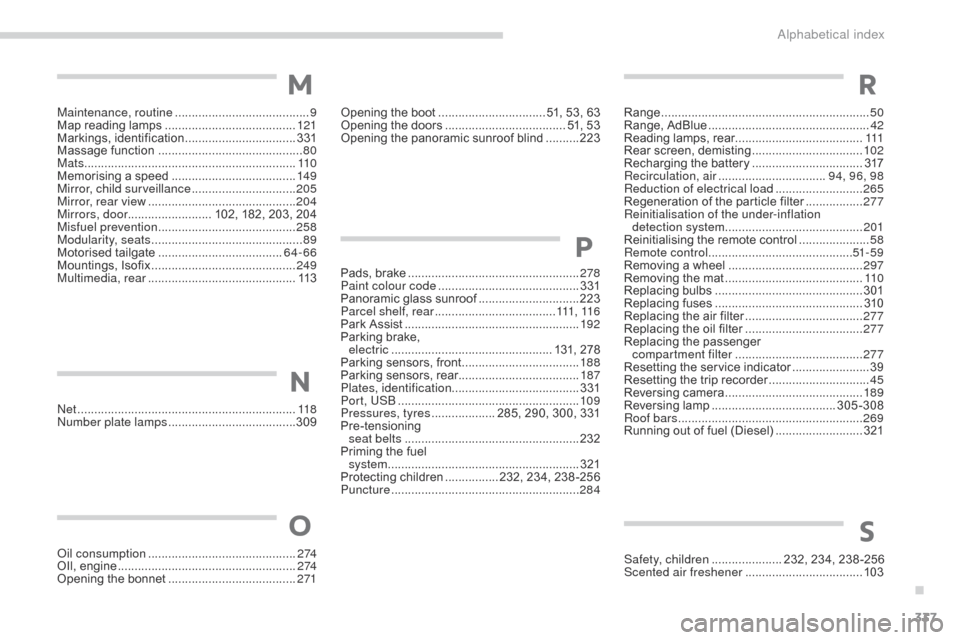
Net .................................................................118
Number plate lamps ...................................... 3
09
Oil consumption
............................................ 2
74
OIl,
eng
ine
...............................
......................2 74
Opening
the bonnet
...................................... 2
71 Safety, children
..................... 2
32, 234, 238 -256
Scented air freshener
................................... 10
3
Opening
the boot
..............................
.. 51, 53, 63
Opening the doors
...............................
..... 51, 53
Opening the panoramic sunroof blind
..........
2
23
Pads,
b
rake
...................................................
2
78
Paint colour code
..........................................
3
31
Panoramic glass sunroof
..............................
2
23
Parcel shelf, rear
.................................... 111
, 11 6
Park Assist
...............................
.....................
192
Parking brake,
electric
..............................
.................. 131, 278
Parking sensors, front
...................................
18
8
Parking sensors, rear....................................
187
Plates, identification ...................................... 331
Port, USB ......................................................
10 9
Pressures, tyres ................... 2 85, 290, 300, 331
Pre-tensioning
sea
t belts
..............................
......................232
Priming
the fuel
system
................
.........................................321
Protecting
children
................ 2
32, 234, 238 -256
Puncture
................
........................................284
P
N
OS
Maintenance, routine ........................................ 9
M ap reading lamps ....................................... 12
1
Markings,
id
entification
................................. 3
31
Massage
function
...............................
............80
Mats
...............................
................................11 0
Memorising
a speed
..................................... 14
9
Mirror, child surveillance
............................... 20
5
Mirror, rear view
............................................ 20
4
Mirrors, door ......................... 102,
182, 203, 204
Misfuel prevention
...............................
..........258
Modularity, seats
...............................
..............89
Motorised
t
ailgate
..................................... 6
4-66
Mountings,
I
sofix
...............................
............249
Multimedia, rear
...............................
.............113
M
Range ................ .............................................. 50
Range, AdBlue ............................... .................42
Reading
lamps, rear
...................................... 111
R
ear
s
creen,
d
emisting
................................. 10
2
Recharging
the battery
.................................3
17
Recirculation, air
...............................
.94, 96, 98
Reduction of electrical load
.......................... 26
5
Regeneration
of the particle filter
.................2
77
Reinitialisation of the under-inflation detection system
......................................... 2
01
Reinitialising
the remote control
.....................58
R
emote control
........................................... 51
- 5 9
Removing
a wheel
..............................
..........297
Removing
the mat
...............................
..........11 0
Replacing
bu
lbs
..............................
..............301
Replacing
f
uses
..............................
..............310
Replacing
the air filter
...................................27
7
Replacing
the oil filter
...................................27
7
Replacing
t
he
p
assenger
c
ompartment filter
...................................... 27
7
Resetting
the service indicator
.......................39
R
esetting the trip recorder
..............................45
R
eversing
c
amera
...............................
..........189
Reversing
lam
p
..................................... 3
05-308
Roof bars
....................................................... 26
9
Running
out of fuel (Diesel)
..........................3
21
R
.
Alphabetical index
Page 352 of 527
1
.
Audio and Telematics
CITROËN Connect Nav
GPS satellite navigation - Applications - Multimedia audio - Bluetooth ® GPS satellite navigation - Applications - Multimedia audio - Bluetooth ® GPS satellite navigation - Applications - Multimedia audio - Bluetooth telephone ® telephone ®
Contents First steps 2
Steering mounted controls 5
Menus 6
Voice commands 8
Navigation 14
Connected navigation 30
Applications 40
Radio Media 54
Telephone 66
Settings 78
Frequently asked questions 88
The system is protected in such a way that it will only operate in your vehicle. Displaying of the Energy Economy Mode message signals that a change to standby is imminent.
The different functions and settings described vary according to the version and configuration of your vehicle.
The link below gives access to OSS (Open Source Software) codes for the system. http://www.psa-peugeot-citroen.com/oss
As a safety measure and because it requires sustained attention by the driver, the pairing of a Bluetooth mobile telephone with the Bluetooth hands-free system of your audio system must be done with the vehicle stationaryand the ignition on.
Page 356 of 527
5
.
Audio and Telematics
Steering mounted controls
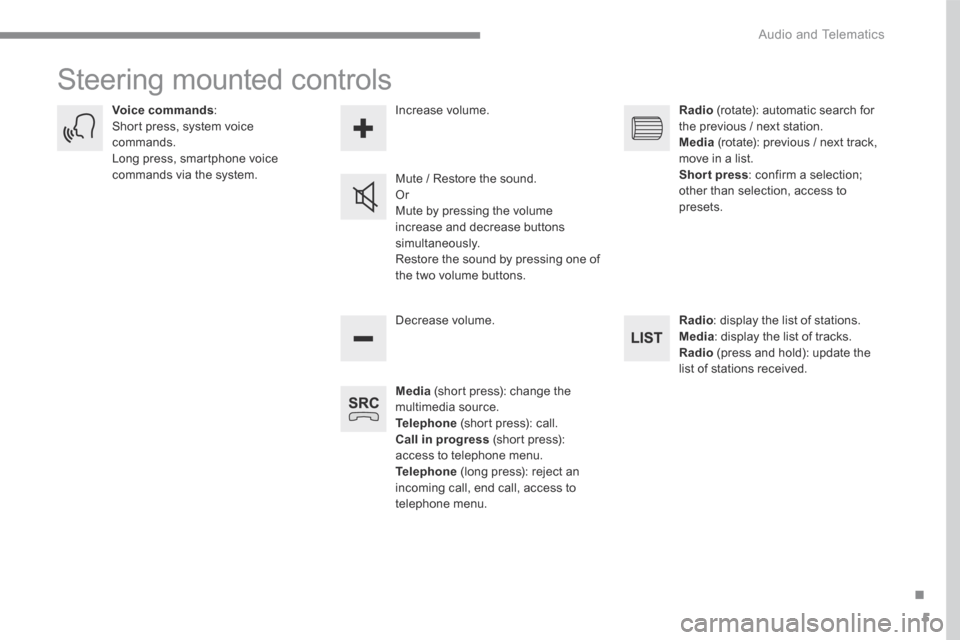
Media (short press): change the multimedia source. Telephone (short press): call. Call in progress (short press): access to telephone menu. Telephone (long press): reject an incoming call, end call, access to telephone menu.
Decrease volume.
Voice commands : Short press, system voice commands. Long press, smartphone voice commands via the system. Mute / Restore the sound. Or Mute by pressing the volume
increase and decrease buttons simultaneously. Restore the sound by pressing one of the two volume buttons.
Radio (rotate): automatic search for the previous / next station. Media (rotate): previous / next track, move in a list. Short press : confirm a selection; other than selection, access to presets.
Radio : display the list of stations. Media : display the list of tracks. Radio (press and hold): update the list of stations received.
Increase volume.
Page 446 of 527
95
.
Audio and Telematics
Transversal-Citroen_en_Chap02_RCC-2-2-0_ed01-2016
CITROËN Connect Radio
Multimedia audio system - Applications - Bluetooth ® Multimedia audio system - Applications - Bluetooth ® Multimedia audio system - Applications - Bluetooth telephone ® telephone ®
Contents First steps 96
Steering mounted controls - Type 1 98
Steering mounted controls - Type 2 99
Menus 10 0
Applications 102
Radio Media 106
Telephone 118
Settings 132
Frequently asked questions 143
The system is protected in such a way that it will only operate in your vehicle. The display of the Energy Economy Mode message signals that a change to standby is imminent.
The different functions and settings described vary according to the version and configuration of your vehicle.
The link below gives access to OSS (Open Source Software) codes for the system. http://www.psa-peugeot-citroen.com/oss
As a safety measure and because it requires sustained attention by the driver, the pairing of a Bluetooth mobile telephone with the Bluetooth hands-free system of your audio system must be done with the vehicle stationaryand the ignition on.
Page 450 of 527
99
.
Audio and Telematics
Transversal-Citroen_en_Chap02_RCC-2-2-0_ed01-2016
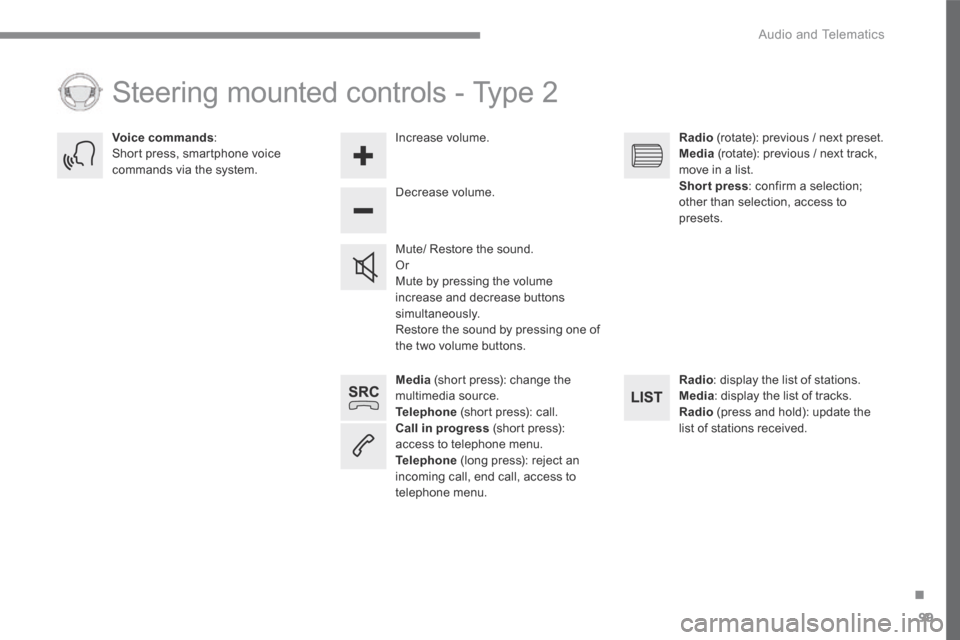
Media (short press): change the multimedia source. Telephone (short press): call. Call in progress (short press): access to telephone menu. Telephone (long press): reject an incoming call, end call, access to telephone menu.
Decrease volume.
Voice commands : Short press, smartphone voice commands via the system.
Mute/ Restore the sound. Or Mute by pressing the volume increase and decrease buttons simultaneously. Restore the sound by pressing one of the two volume buttons.
Radio (rotate): previous / next preset. Media (rotate): previous / next track, move in a list. Short press : confirm a selection; other than selection, access to presets.
Radio : display the list of stations. Media : display the list of tracks. Radio (press and hold): update the list of stations received.
Increase volume.
Steering mounted controls - Type 2
Page 502 of 527
151
.
Audio and Telematics
Transversal-Citroen_en_Chap03_RD6_ed01-2016
Menus
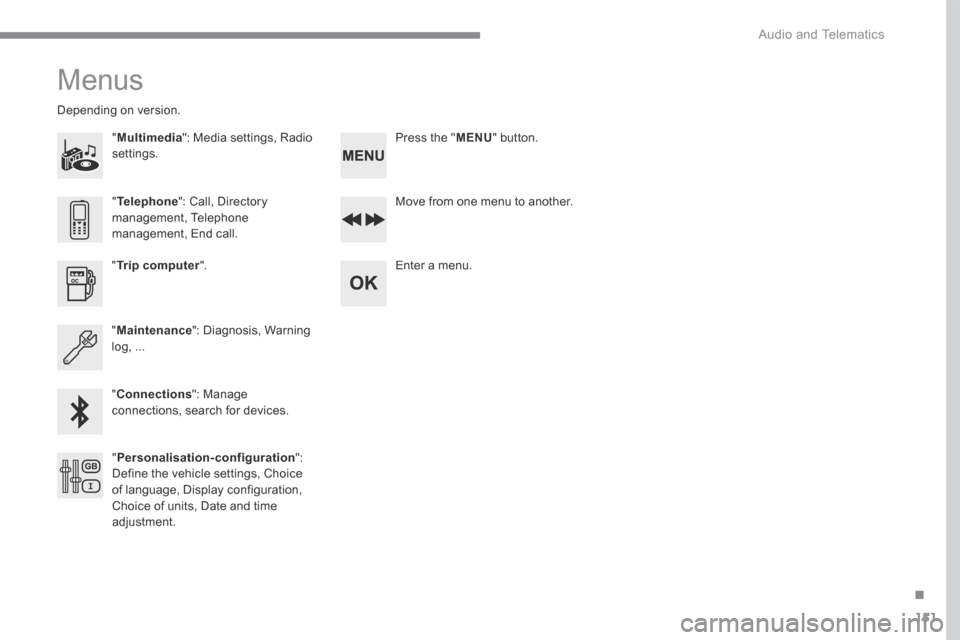
"Multimedia ": Media settings, Radio settings.
D e p e n d i n g o n v e r s i o n .
Move from one menu to another.
Enter a menu. " Trip computer ".
" Maintenance ": Diagnosis, Warning log, ...
"Connections ": Manage connections, search for devices.
" Telephone ": Call, Directory management, Telephone management, End call.
" Personalisation-configuration ": Define the vehicle settings, Choice of language, Display configuration, Choice of units, Date and time adjustment.
Press the " MENU " button.
Page 506 of 527
155
.
Audio and Telematics
Transversal-Citroen_en_Chap03_RD6_ed01-2016
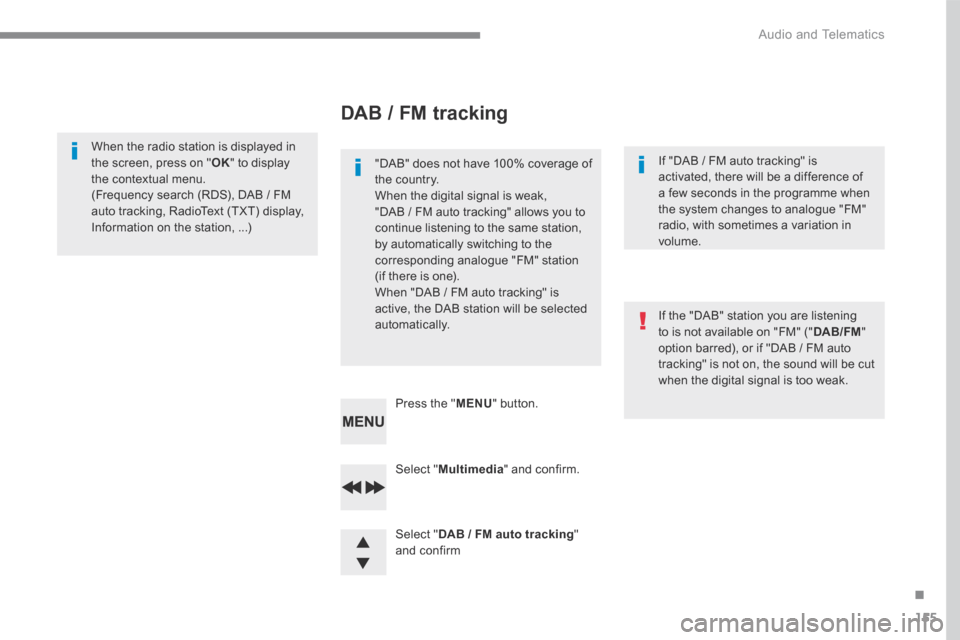
Select " Multimedia " and confirm.
Select " DAB / FM auto tracking " and confirm
Press the " MENU " button.
When the radio station is displayed in the screen, press on " OK " to display the contextual menu. (Frequency search (RDS), DAB / FM auto tracking, RadioText (TXT) display,
Information on the station, ...)
DAB / FM tracking
"DAB" does not have 100% coverage of the country. When the digital signal is weak, "DAB / FM auto tracking" allows you to continue listening to the same station, by automatically switching to the corresponding analogue "FM" station (if there is one). When "DAB / FM auto tracking" is active, the DAB station will be selected automatically.
If "DAB / FM auto tracking" is activated, there will be a difference of a few seconds in the programme when the system changes to analogue "FM"
radio, with sometimes a variation in volume.
If the "DAB" station you are listening to is not available on "FM" (" DAB/FM " option barred), or if "DAB / FM auto tracking" is not on, the sound will be cut when the digital signal is too weak.