automatic Citroen C4 PICASSO 2016 2.G Workshop Manual
[x] Cancel search | Manufacturer: CITROEN, Model Year: 2016, Model line: C4 PICASSO, Model: Citroen C4 PICASSO 2016 2.GPages: 527, PDF Size: 13.72 MB
Page 147 of 527

145
C4-Picasso-II_en_Chap04_conduite_ed01-2016
Depending on the driving situation and your vehicle's equipment, the system may advise
y
ou to skip one or more gears.
You
can follow this instruction without going
t
hrough the intermediate gears..
Gear shift indicator
System which reduces fuel consumption by recommending the most suitable gear. T he system adapts its gear change
r
ecommendation according to the
d
riving conditions (gradient, load, ...)
a
nd the demands of the driver (power,
acceleration,
braking, ...).
The
system never suggests:
-
e
ngaging first gear,
-
enga
ging
r
everse
g
ear.
The information appears in the instrument
panel
in the form of an arrow.
On
vehicles with manual gearbox, the arrow
m
ay be accompanied by the recommended
g e a r.
The gear engagement recommendations
must not be considered compulsory.
This is because the configuration of the
road, traffic density and safety remain
impor tant factors in the choice of the best
g e a r.
The
gear shift indicator system does not
r
eplace the need for vigilance on the part of the
d
river.
With
an automatic gearbox, the system is only active in manual mode.
On
BlueHDi Diesel 135 and 150 versions with
m
anual gearbox, in certain driving conditions
t
he system may suggest changing into neutral
s
o that the engine can go into standby (STOP
m
ode with Stop & Start). In this case, N is
displayed
in the instrument panel.Example:
This
function cannot be deactivated.
-
Y
ou are in third gear.
-
Y
ou press the accelerator pedal.
-
T
he system may suggest that you engage
a
higher gear.
4
Driving
Page 148 of 527
146
C4-Picasso-II_en_Chap04_conduite_ed01-2016
Stop & Start
The Stop & Start system puts the engine temporarily into standby - STOP mode - during stops in the traffic (red lights, traffic jams, or other...). The engine restarts automatically - START mode - as soon as you want to move off. The restart takes place instantly, quickly and silently.
Operation
Going into engine STOP
mode
This indicator lamp comes on in the instrument
panel and the engine goes into standby
au
tomatically:
-
w
ith a manual gearbox , at speeds below
12
mph (20 km/h), or vehicle stationary
(
with PureTech 130, THP 165 and
B
lueHDi 100, 115 and 120 versions), when
you
place the gear lever in neutral, and you
r
elease the clutch pedal,
-
w
ith an automatic gearbox , with the
vehicle stationary, when you press the
brake
pedal or place the gear selector lever
i
n position N . Never
refuel with the engine in STOP
m
ode; you must switch off the ignition
w
ith the START/STOP button.
For
your comfort, during parking
m
anoeuvres, STOP mode is not
available for a few seconds after
coming
out of reverse gear.
The Stop & Start system does not affect
the functionality of the vehicle, such as
for
example, braking, power steering...
Special cases: STOP mode not
available
STOP mode is not invoked when:
- t he driver's door is open,
-
t
he driver's seat belt is not fastened,
-
t
he vehicle has not exceeded 6 mph
(10
km/h) since the last engine start using
t
he START/STOP button,
-
t
he electric parking brake is applied or
be
ing
a
pplied,
-
t
he engine is needed to maintain a
c
omfortable temperature in the passenger
c
ompartment,
-
d
emisting is selected,
-
s
ome special conditions (battery charge,
e
ngine temperature, braking assistance,
a
mbient temperature...) where the engine is
n
eeded to assure control of a system.
In this case, this indicator lamp flashes
for a few seconds then goes off.
This operation is perfectly normal.
Per fect
for
urban
use,
the
Stop
&
Start
system
reduces
fuel
consumption
and
exhaust
emissions
as
well
as the noise level when stationary.
If your vehicle is fitted with the system, a time
counter calculates the sum of the periods in
STOP
mode
during
a
journey.
It
resets
itself
to
z
ero
every
time
the
ignition
is
switched
on
with
t
he
START/STOP
button.
Driving
Page 149 of 527
147
C4-Picasso-II_en_Chap04_conduite_ed01-2016
Going into engine START mode
This indicator lamp goes off and the engine s tarts a utomatically:
-
w
ith a manual gearbox , when you fully
depress the clutch pedal,
-
w
ith an automatic gearbox :
●
g
ear selector in position D or M, when
you
release the brake pedal,
●
o
r
gear selector in position N and brake
p
edal released, when you place the gear
s
elector in position D or M ,
●
o
r
when you engage reverse. START
mode is invoked automatically when:
- y ou open the driver's door,
-
y
ou unfasten the driver's seat belt,
-
t
he speed of the vehicle exceeds 15 mph
(
25 km/h) with a manual gearbox (2 mph
(
3 km/h) with PureTech 130, THP 165 and
B
lueHDi 100, 115 and 120 versions) and
2 mph
(3 km/h) with an automatic gearbox,
-
t
he electric parking brake is being applied,
-
s
ome special conditions (battery charge,
e
ngine temperature, braking assistance,
a
mbient temperature...) where the engine is
n
eeded for control of a system.
Special cases: START invoked
automaticallyIn some circumstances, such as the need to
maintain a comfortable temperature in the
passenger compartment, it may be necessary
t
o deactivate the Stop & Start system.
The system can be deactivated at any time,
once
the ignition is on.
If
the engine is in STOP mode, it then restarts.
The Stop & Start system is automatically
reactivated
every time the ignition is
s
witched on.
Manual deactivation/
reactivation
In this case this indicator lamp flashes
for a few seconds, then goes off.
This operation is perfectly normal. Select
"Stop & Start" to deactivate the system.
This is confirmed by the illumination
of this indicator lamp.
Using the dynamic cruise control
d
eactivates the Stop & Start system.
Deactivation of Stop & Start is done in the
Driving
menu of the touch screen tablet.
Select "Stop & Start" again to reactivate the
s
ystem.
This is confirmed by the illumination
of this indicator lamp.
4
Driving
Page 150 of 527
148
C4-Picasso-II_en_Chap04_conduite_ed01-2016
Operating fault
Have it checked by a CITROËN dealer or a qualified w orkshop.
In the event of a fault in STOP mode, the vehicle
may
stall.
All
of the instrument panel warning lamps come on.
Depending on version, an alert message may also be displayed, asking you to place the gear
s
elector lever at position N and put your foot on
the
brake pedal.
It is then necessary to switch off the ignition and start the engine again using the "START/STOP" b
utton.
In the event of a fault with the system,
this indicator lamp flashes for a few
moments then comes on continuously,
accompanied
by a message.
Opening the bonnet
Before
doing
anything
under
the
b
onnet, deactivate the Stop & Start
system
to
avoid
the
risk
of
injury
related
t
o
an
automatic
change
to
START
m
ode.
Driving on flooded roads
Before
driving
through
a
flooded
road,
i
t
is
strongly
recommended
that
you
d
eactivate
the
Stop
&
Start
system.
For more information on Driving
advice , particularly on flooded roads,
refer
to
the
corresponding
section. The Stop & Start system requires a
battery
of advanced technology and
sp
ecial
c
haracteristics.
All
work on this type of battery must
o
nly be done by a CITROËN dealer
or
a
qualified workshop.
For more information on the
12 V
batter y ,
refer to the corresponding
s
ection.
Driving
Page 152 of 527
150
C4-Picasso-II_en_Chap04_conduite_ed01-2016
Speed limit recognition
This system allows the speed limit detected by
the camera to be displayed in the instrument
panel.
Specific speed limits, such as those for heavy
goods
vehicles, are not displayed.
The display of the speed limit in the instrument
panel
is updated as you pass a speed limit sign
i
ntended for cars (light vehicles).
The units for the speed limits (mph or
km/h)
depend on the country you are
d
riving in.
It
should be taken into account so that
y
ou observe the speed limit.
For the system to operate correctly
when
you change country, the units for
s
peed in the instrument panel must be
those
for the country you are driving in. The
automatic reading of road signs is a
d
riving assistance system and does not
a
lways display speed limits correctly.
The
speed limit signs present on the
r
oad always take priority over the
d
isplay by the system.
The system cannot in any
circumstances replace the need for
vigilance
on the part of the driver.
The
driver must observe the driving
r
egulations and must adapt the speed
o
f the vehicle to suit the weather and
traffic.
It is possible for the system to not
display the speed limit if it does not
detect
a speed limit sign within a preset
p
eriod.
The
system is designed to detect signs
t
hat conform to the Vienna Convention
on
road signs.
To maintain correct operation of the
system:
regularly clean the area in front
o
f the camera.Principles
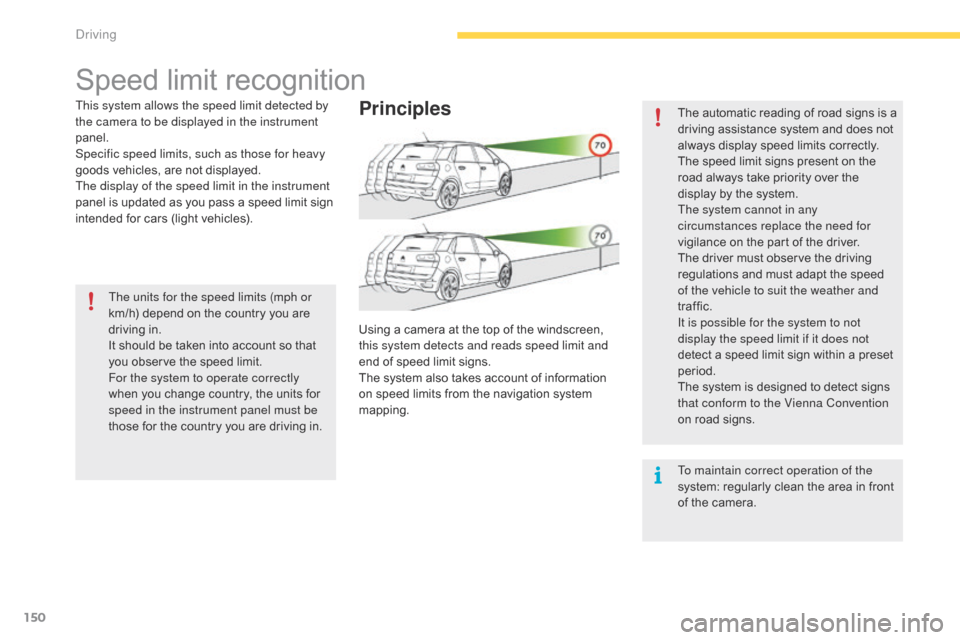
Using a camera at the top of the windscreen, this system detects and reads speed limit and
end
of speed limit signs.
The
system also takes account of information
o
n speed limits from the navigation system
ma
pping.
Driving
Page 159 of 527

157
C4-Picasso-II_en_Chap04_conduite_ed01-2016
Steering mounted controls
6. Cruise control pause / resume indication.
7. C ruise control mode selection indication.
8.
Spe
ed
s
etting.
Cruise control - "CRUISE"
System which automatically maintains the speed of the vehicle at the value programmed by the driver, without any action on the accelerator pedal.
The cruise control system cannot, in any circumstances, replace the need to observe speed limits, nor can it replace the need for vigilance on the part of the driver.
Y ou are advised to keep your feet near the pedals at all times.
Switching on the cruise control requires a
minimum vehicle speed of 25 mph (40 km/h).
As
well as engagement of:
-
f
ourth gear or higher on a manual gearbox,
-
s
econd gear or higher in manual mode on
a
n automatic gearbox,
-
position D
on an automatic gearbox.
The
system remains active after changing gear
o
n vehicles with a manual gearbox and
Stop
& Start.
The cruise control is paused
by pressing
b
utton 4 or the brake pedal or on triggering of
t
he ESC system for safety reasons.
It
is possible to exceed the programmed speed
t
emporarily by pressing the accelerator pedal.
To
return to the programmed speed, simply
r
elease the accelerator pedal until the
programmed
cruise speed is reached again.1.
S
elect cruise control mode.
2.
S
et the current speed of the vehicle
as
the programmed speed / Lower the
pro
grammed
s
peed.
3.
S
et the current speed of the vehicle
as
the programmed speed / Raise the
pro
grammed
s
peed.
4.
P
ause / resume cruise control.
5.
D
isplay the list of memorised speeds or,
A
ccept the speed suggested by the speed
l
imit recognition system.Displays in the instrument panel
Switching off the ignition cancels any programmed speed value. For more information on Memorising speeds
,
refer to the corresponding section.
For more information on Speed limit
recognition and memorisation, refer to the
corresponding
s
ection.
4
Driving
Page 162 of 527
160
C4-Picasso-II_en_Chap04_conduite_ed01-2016
Dynamic cruise control
System that allows, in addition to maintaining your vehicle's speed at a value that you have defined, the inter-vehicle time you have selected between your vehicle and the one in front to be maintained.
Principles of operation
Using a radar with a range of about 100 metres, located at the front of the vehicle, this system
detects
a vehicle running in front of your
v
ehicle.
It automatically adapts the speed of the vehicle
to
that of the vehicle in front.
If
the vehicle in front is running more slowly,
t
he system progressively reduces the speed of
y
our vehicle using just engine braking (as if the
d
river had pressed the " -"
button).
If
your vehicle is too close to or approaching
t
oo quickly the vehicle in front, the dynamic
c
ruise control is automatically deactivated.
T
he driver is then alerted by an audible signal,
a
ccompanied by a message.
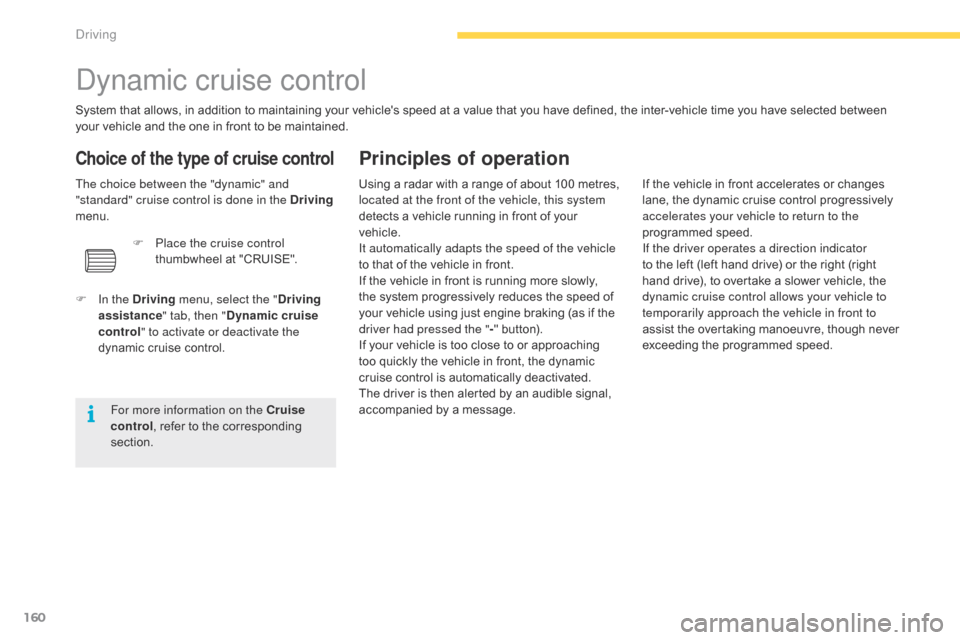
Choice of the type of cruise control
The choice between the "dynamic" and
"standard" cruise control is done in the Driving
menu.
F
I
n the Driving menu, select the " Driving
assistance " tab, then "Dynamic cruise
control" to activate or deactivate the
dynamic
cruise control.
For more information on the Cruise
control ,
refer to the corresponding
s
ection.F
P
lace the cruise control
thumbwheel
at "CRUISE". If
the vehicle in front accelerates or changes l
ane, the dynamic cruise control progressively
a
ccelerates your vehicle to return to the
programmed
s
peed.
If the driver operates a direction indicator
to
the left (left hand drive) or the right (right
h
and drive), to overtake a slower vehicle, the
d
ynamic cruise control allows your vehicle to
temporarily approach the vehicle in front to
assist
the overtaking manoeuvre, though never
e
xceeding the programmed speed.
Driving
Page 163 of 527

161
C4-Picasso-II_en_Chap04_conduite_ed01-2016
The dynamic cruise control is switched on
manually: it requires that the speed of the
v
ehicle be between 25 and 90 mph (40 and
150 km/h),
as well as the engagement of:
-
f
ourth gear or higher with a manual
g
earbox,
-
s
econd gear or higher with an automatic
g
earbox in manual mode,
-
position D
with an automatic gearbox.
The
system remains active after changing gear
o
n vehicles with a manual gearbox and
Stop
& Start.
General points
The dynamic cruise control can be paused
manually o r a utomatically:
-
b
y pressing button 4,
-
b
y pressing the brake pedal,
-
i
n the event of operation of the ESC, for
safety reasons,
-
i
n the event of operation of the electric
parking
brake control lever,
-
w
hen an inter-vehicle time threshold is
reached
(calculated according to the
r
elative speeds of your vehicle and the
vehicle in front and the inter-vehicle time
setting
c
hosen),
-
w
hen the distance between your vehicle
and the one in front becomes too small,
-
w
hen the speed of the vehicle in front is too
low,
-
w
hen the speed of your vehicle becomes
too
low.
The dynamic cruise control cannot in any
circumstances replace the observation
of
sp
eed
l
imits,
n
or
t
he
n
eed
fo
r
v
igilance
o
n
the
part
of
the
driver.
It
is
recommended
that
you
always
keep
y
our
feet
close
to
the
pedals.
If
the
speed
setting
selected
is
above
9
0
mph
(150
km/h),
the
system
switches
t
o standard cruise control operation,
with
no
adjustment
of
the
inter-vehicle
s
afe
distance
(a
message
appears
in
t
he
instrument
panel). The
inter-vehicle time setting is kept in
m
emory on switching off the ignition.
The dynamic cruise control operates by
day
and
at
night,
in
fog
or
in
moderate
r
ainfall.
The system does not act on the braking s ystem, but works only with engine braking.
The
regulation range is limited: there will
n
o longer be any adjustment of speed if the
d
ifference between the programmed speed
s
etting and the speed of the vehicle in front
b
ecomes too high (18 mph (30 km/h)).
If the difference between the
programmed speed setting and the
s
peed of the vehicle in front is too
great,
the speed cannot be adjusted:
t
he cruise control is automatically
deactivated.
4
Driving
Page 166 of 527
164
C4-Picasso-II_en_Chap04_conduite_ed01-2016
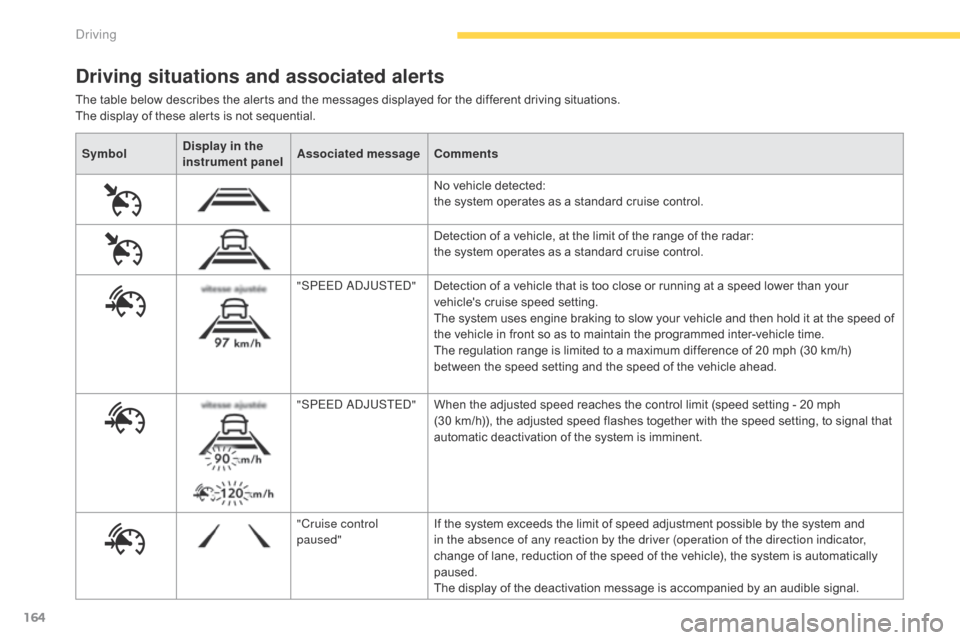
SymbolDisplay in the
instrument panel Associated message
Comments
No
vehicle detected:
t
he system operates as a standard cruise control.
Detection
of a vehicle, at the limit of the range of the radar:
t
he system operates as a standard cruise control.
"SPEED ADJUSTED" Detection
of a vehicle that is too close or running at a speed lower than your
v
ehicle's cruise speed setting.
The
system uses engine braking to slow your vehicle and then hold it at the speed of
t
he vehicle in front so as to maintain the programmed inter-vehicle time.
The
regulation range is limited to a maximum difference of 20 mph (30 km/h)
b
etween the speed setting and the speed of the vehicle ahead.
"SPEED ADJUSTED" When
the adjusted speed reaches the control limit (speed setting - 20 mph
(
30 km/h)), the adjusted speed flashes together with the speed setting, to signal that
a
utomatic deactivation of the system is imminent.
"Cruise control
paused" If
the system exceeds the limit of speed adjustment possible by the system and
i
n the absence of any reaction by the driver (operation of the direction indicator,
change
of lane, reduction of the speed of the vehicle), the system is automatically
pa
used.
The
display of the deactivation message is accompanied by an audible signal.
Driving situations and associated alerts
The table below describes the alerts and the messages displayed for the different driving situations.
T he display of these alerts is not sequential.
Driving
Page 167 of 527

165
C4-Picasso-II_en_Chap04_conduite_ed01-2016
When the dynamic cruise control is
automatically paused, it can only be
reactivated when safe conditions are
restored. The message "Activation
no
t possible, conditions unsuitable"
is displayed while reactivation is not
possible.
When the conditions allow, it is
recommended that the system be
reactivated
by pressing button 2 or 3,
which
will make the current speed of
y
our vehicle the new cruise speed
setting,
rather than by pressing button 4
(on/pause)
which reactivates the system
u
sing the old cruise speed setting,
w
hich may be very different from the
current
speed of your vehicle. The
dynamic cruise control uses only engine b
raking to slow the vehicle. Consequently the
v
ehicle loses speed slowly, as when releasing
t
he accelerator pedal.
The
system is paused automatically:
-
i
f the vehicle in front slows down too much
or too suddenly, and the driver does not
brake,
-
i
f a vehicle comes between your vehicle
and the vehicle in front,
-
i
f the system does not slow the vehicle
enough
to continue to maintain a safe
d
istance, for example when descending a
s
teep hill.
Limits of operation
As the radar's field of view is quite narrow, it is possible that the system may not detect:
The
cruise control does not take account of:
-
s
tationary vehicles,
-
v
ehicles driving in the opposite direction.
-
v
ehicles of reduced width, such as
motorcycles,
for example,
-
v
ehicles not running in the middle of the
lan
e,
-
v
ehicles entering a corner,
-
v
ehicles changing lane at the last moment.
The
regulation
range
is
limited
to
a
maximum
d
ifference
of
20
mph
(30
km/h)
between
the
s
peed
setting
and
the
speed
of
the
vehicle
in
f
ront.
Above
this,
the
system
goes
into
pause
if
a
safe
distance
is
not
maintained.
Severe weather conditions (very heavy
rain, accumulations of snow in front
of the radar) can inter fere with the
operation
of
the
system,
resulting
in
t
he
display
of
the
message
"SYSTEM
I
NACTIVE:
Visibility
reduced".
The
f
unction remains unavailable until the
message
d
isappears.
4
Driving