air conditioning Citroen C4 PICASSO RHD 2014.5 1.G Owner's Manual
[x] Cancel search | Manufacturer: CITROEN, Model Year: 2014.5, Model line: C4 PICASSO RHD, Model: Citroen C4 PICASSO RHD 2014.5 1.GPages: 428, PDF Size: 10.03 MB
Page 4 of 428
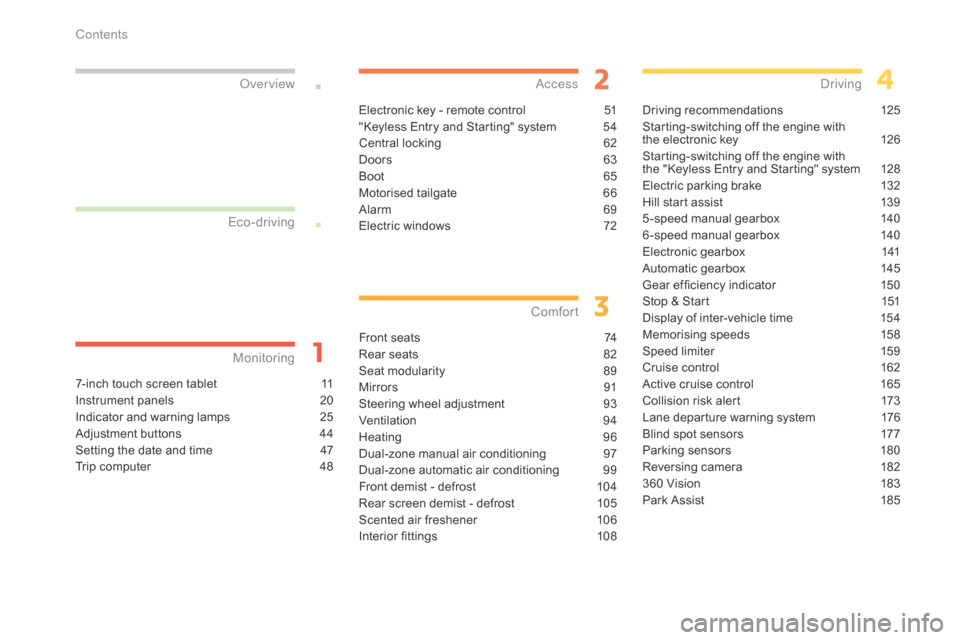
7-inch touch screen tablet 11
Instrument panels
2
0
Indicator
and warning lamps
2
5
Adjustment
buttons
4
4
Setting
the date and time
4
7
Trip
computer
4
8
Monitoring
ove
r view
Electronic key - remote control 5
1
"Keyless Entry and Starting" system
5
4
Central
locking
6
2
Doors
6
3
Boot
6
5
Motorised
tailgate
6
6
Alarm
6
9
Electric
windows
7
2
access
Front seats 74
Rear seats
8
2
Seat
modularity
8
9
Mirrors
91
S
teering wheel adjustment
9
3
Ventilation
9
4
Heating
9
6
Dual-zone
m
anual
a
ir
c
onditioning
9
7
Dual-zone
automatic air conditioning
9
9
Front
demist - defrost
1
04
Rear
screen demist - defrost
1
05
Scented
air freshener
1
06
Interior
fittings
1
08
Comfort
Driving recommendations 1 25
Starting-switching off the engine with
t
he electronic key
1
26
Starting-switching
off the engine with
t
he "Keyless Entry and Starting" system
1
28
Electric
parking brake
1
32
Hill
start assist
1
39
5 -speed
manual gearbox
1
40
6 -speed
manual gearbox
1
40
Electronic
gearbox
1
41
Automatic
gearbox
1
45
Gear
ef ficiency indicator
1
50
Stop
& Start
1
51
Display
of inter-vehicle time
1
54
Memorising
speeds
1
58
Speed
limiter
1
59
Cruise
control
1
62
Active
cruise control
1
65
Collision
risk alert
1
73
Lane
departure warning system
1
76
Blind
spot sensors
1
77
Parking
sensors
1
80
Reversing
camera
1
82
360
Vision
1
83
Park
Assist
1
85
Driving
Eco-driving
Contents
Page 11 of 428

9
Optimise the use of your gearbox
With a manual gearbox, move off gently and change up without waiting. During acceleration change up early.
With
an automatic or electronic gearbox, give preference to automatic
m
ode and avoid pressing the accelerator pedal heavily or suddenly.
Control the use of your electrical
equipment
Before moving off, if the passenger compartment is too warm, ventilate it by opening the windows and air vents before using the air conditioning.
Above
30 mph (50 km/h), close the windows and leave the air vents
ope
n.
Remember
to make use of equipment that can help keep the
t
emperature in the passenger compartment down (sunroof and window
b
linds...).
Switch
off the air conditioning, unless it has automatic regulation, as
s
oon as the desired temperature is attained.
Switch
off the demisting and defrosting controls, if not automatic.
Switch
off the heated seat as soon as possible.
Switch
off the headlamps and front foglamps when the level of light
d
oes not require their use.
Avoid
running the engine before moving off, particularly in winter; your
v
ehicle will warm up much faster while driving.
As
a passenger, if you avoid connecting your multimedia devices
(
film, music, video game...), you will contribute towards limiting the
c
onsumption of electrical energy, and so of fuel.
Disconnect
your portable devices before leaving the vehicle.
Eco-driving
Eco-driving is a range of everyday practices that allow the motorist to optimise their fuel consumption and CO2 emissions.
Drive smoothly
Maintain a safe distance between vehicles, use engine braking rather than the brake pedal, and press the accelerator progressively. These
p
ractices contribute towards a reduction in fuel consumption and
C
o
2 emissions and also helps reduce the background traffic noise.
I
f
your vehicle has cruise control, make use of the system at speeds
a
bove 25 mph (40 km/h) when the traffic is flowing well.
The
gear shift indicator invites you engage the most suitable gear: as
s
oon as the indication is displayed in the instrument panel, follow it
s
traight away.
For
vehicles fitted with an electronic or automatic gearbox, this
i
ndicator appears only in manual mode.
.
Eco-driving
Page 13 of 428
11
7-inch touch screen tablet
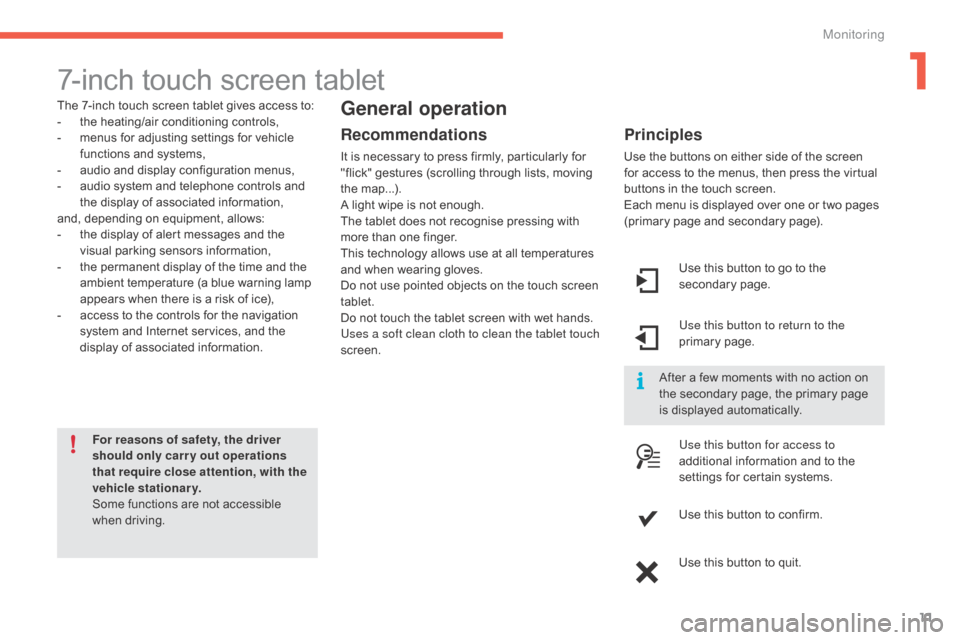
The 7-inch touch screen tablet gives access to:
- t he heating/air conditioning controls,
-
m
enus for adjusting settings for vehicle
f
unctions and systems,
-
a
udio and display configuration menus,
-
a
udio system and telephone controls and
t
he display of associated information,
and,
depending on equipment, allows:
-
t
he display of alert messages and the
v
isual
par
king
s
ensors
in
formation,
-
t
he permanent display of the time and the
a
mbient temperature (a blue warning lamp
a
ppears when there is a risk of ice),
-
a
ccess to the controls for the navigation
s
ystem and Internet services, and the
d
isplay of associated information.
For reasons of safety, the driver
should only carr y out operations
that require close attention, with the
vehicle stationary.
Some
functions are not accessible
w
hen
d
riving.General operation
Recommendations
It is necessary to press firmly, particularly for "flick" gestures (scrolling through lists, moving
t
he
m
ap...).
A
light wipe is not enough.
The
tablet does not recognise pressing with
m
ore than one finger.
This
technology allows use at all temperatures
a
nd when wearing gloves.
Do
not use pointed objects on the touch screen
t
ablet.
Do
not touch the tablet screen with wet hands.
Uses a soft clean cloth to clean the tablet touch
screen. Use
this button to go to the
s
econdary
pag
e.
Use this button to return to the
primary
pag
e.
Use this button for access to
additional
information and to the
s
ettings for certain systems.
Use
this button to confirm.
Use
this button to quit.
Principles
Use the buttons on either side of the screen for access to the menus, then press the virtual
b
uttons in the touch screen.
Each
menu is displayed over one or two pages
(
primary page and secondary page).
After
a few moments with no action on
t
he secondary page, the primary page
i
s displayed automatically.
1
Monitoring
Page 14 of 428

12
1. access the the "Air conditioning" menu. A
llows adjustment of the various settings
f
or temperature, air flow... See the sections
o
n "Heating", "Manual air conditioning" and
"
Automatic air conditioning".
2.
a
c
cess to the " Driving assistance "
menu.
A
llows certain functions to be switched on
a
nd off and their settings adjusted.
3.
a
c
cess to the " Media"
menu.
S
ee the Audio and telematics section.
4.
a
c
cess to the " Navigation"*
menu.
S
ee the Audio and telematics section.
Touch screen tablet menus
5. access to the "Configuration" menu. A
llows configuration of the display and the
s
ystem.
6.
a
c
cess to the " Connected services "*
menu.
S
ee the Audio and telematics section.
7.
a
c
cess to the " Telephone"
menu.
S
ee the Audio and telematics section.
*
Depending on equipment.
8.
V
olume / mute.
S
ee the "Audio and telematics" section.
Monitoring
Page 22 of 428

20
Type 1 instrument panel
1. Rev counter (x 1 000 rpm or tr/min), g
raduation according to engine (petrol or
D
iesel).
2.
G
ear efficiency indicator, selector position
a
nd gear for an electronic or automatic
g
earbox.
3.
D
igital speedometer (mph or km/h).
4.
C
ruise control or speed limiter settings.
Dials and screens
5. Fuel gauge.
6. S ervice indicator, then total mileage
r
ecorder (miles or km).
T
hese functions are displayed in turn when
t
he ignition is switched on.
7.
T
rip mileage recorder (miles or km).
8.
R
epeat of air conditioning settings.A. M
ain lighting dimmer buttons.
B. R ecall servicing information.
R
eset the function selected to zero
(service
indicator or trip recorder).
Control buttons
Monitoring
Page 23 of 428
21
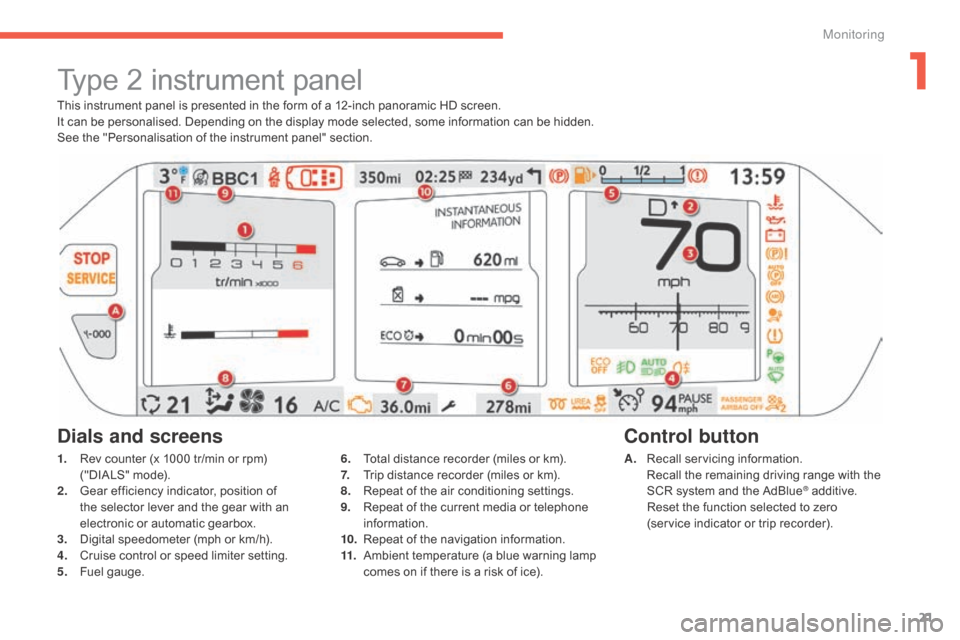
This instrument panel is presented in the form of a 12-inch panoramic HD screen.
I t can be personalised. Depending on the display mode selected, some information can be hidden.
See
the "Personalisation of the instrument panel" section.
Type 2 instrument panel
1. Rev counter (x 1000 tr/min or rpm) (
"DIALS" mode).
2.
G
ear efficiency indicator, position of
t
he selector lever and the gear with an
e
lectronic or automatic gearbox.
3.
D
igital speedometer (mph or km/h).
4.
C
ruise control or speed limiter setting.
5.
F
uel gauge. A. R
ecall servicing information. R
ecall the remaining driving range with the
S
CR system and the AdBlue
® additive. R
eset
the
function
selected
to zero
(service
indicator
or
trip
recorder).
Control button
Dials and screens
6. Total distance recorder (miles or km).
7. T rip distance recorder (miles or km).
8.
R
epeat of the air conditioning settings.
9.
R
epeat of the current media or telephone
i
nformation.
10.
R
epeat of the navigation information.
11.
A
mbient temperature (a blue warning lamp
c
omes on if there is a risk of ice).
1
Monitoring
Page 96 of 428

94
Ventilation
Air intake
The air circulating in the passenger compartment is filtered and originates either from the outside via t
he grille located at the base of the windscreen or
f
rom the inside in air recirculation mode.
Air treatment
The incoming air follows various routes depending on the controls selected by the
d
river:
-
d
irect arrival in the passenger
c
ompartment (air intake),
-
p
assage through a heating circuit (heating),
-
p
assage through a cooling circuit (air
c
onditioning).
Control panel
The controls of this system are accessible in the " Air conditioning "
menu of the touch
s
creen tablet A .
The
demisting/defrosting controls for the
w
indscreen and rear screen are located on the
l
eft of the touch screen tablet. 1. W
indscreen d emisting-defrosting v ents.
2. F ront quarter light demisting-defrosting
ve
nts.
3.
F
ront side window demisting/defrosting
ve
nts.
A
djustable side air vents.4. C
entral adjustable air vents.
5. A ir outlets for the front footwells.
6.
S
ide vents for the 2
nd row.
7. A
ir
outlets
for
2nd row footwells.
8. S
unshine s
ensor.
Air distribution
Comfort
Page 97 of 428

95
In order for these systems to be fully effective, follow the operation and maintenance guidelines belo w:
F
T
o obtain an even air distribution, take care not to obstruct the exterior air intake grilles
l
ocated at the base of the windscreen, the nozzles, the vents and the air outlets, as well
a
s the air extractor located in the boot.
F
D
o not cover the sunshine sensor, located on the dashboard; this is used for regulation
o
f the air conditioning system.
F
O
perate the air conditioning system for at least 5 to 10 minutes, once or twice a month
t
o keep it in per fect working order.
F
E
nsure that the passenger compartment filter is in good condition and have the filter
e
lements replaced regularly.
W
e recommend the use of a combined passenger compartment filter. Thanks to its
s
pecial active additive, it contributes to the purification of the air breathed by the
o
ccupants and the cleanliness of the passenger compartment (reduction of allergic
s
ymptoms, bad odours and greasy deposits).
F
T
o ensure correct operation of the air conditioning system, you are also advised to have
i
t checked regularly as recommended in the maintenance and warranty guide.
F
I
f the system does not produce cold air, switch it off and contact a CITROËN dealer or a
q
ualified
w
orkshop.
Recommendations for ventilation and air conditioning
If after an extended stop in sunshine, the i nterior t emperature i s v ery h igh, f irst
v
entilate the passenger compartment for
a
few moments.
Put
the air flow control at a setting high
e
nough to quickly change the air in the
p
assenger
c
ompartment.
The
air conditioning system does not
c
ontain chlorine and does not present
a
ny danger to the ozone layer.
The
condensation created by the air
c
onditioning results in a discharge
o
f water under the vehicle which is
p
er fectly normal.
When
towing
the
maximum
load
on
a
steep
gradient
in
high
temperatures,
switching
off
the
a
ir
conditioning
increases
the
available
engine
power
and
so
improves
the
towing
ability.
Stop & Start
The heating and air conditioning s ystems only work when the engine
i
s running. To maintain a comfortable
t
emperature in the passenger
c
ompartment, you can temporarily
d
eactivate the Stop & Start system
(see
the corresponding section).
3
Comfort
Page 98 of 428

96
Heating
Temperature adjustment
F Press one of these buttons, or move the cursor from blue
(
cold) to red (hot) to adjust the
t
emperature to your wishes.
Air flow adjustment
F Press one of these buttons to increase or decrease the speed
o
f the booster fan.
Air distribution adjustmentThe intake of exterior air prevents and eliminates misting of the windscreen and side
w
indows.
The
recirculation of interior air prevents exterior
o
dours and smoke entering the passenger
c
ompartment.
Windscreen.
Centre
and
side
vents.
Footwells. The
air distribution can be varied by using more
t
han one button.
Each press of a button activates or deactivates
t
he function.
The indicator lamp is on when the button is
a
ctivated. For an even distribution of air in the
p
assenger compartment, the three buttons can
b
e activated simultaneously.
Air intake / Air recirculation
F Press this button to recirculate
the interior air. The indicator
l
amp in the button comes on.
F
P
ress the button again to allow
t
he intake of exterior air. This is
c
onfirmed by the indicator lamp
g
oing off.
Avoid
driving
for
too
long
without
v
entilation
(risk
of
misting
and
d
eterioration
of
air
quality).
The
heating
system
works
only
when
the
e
ngine
is
running.
Press the button for the " Air conditioning"
menu
to
display
the
page
for
the
system
c
ontrols.
The
symbol
for
air flow
(a
fan)
fills
progressively
a
ccording
to
the
air
flow
setting
made.
By
reducing
the
air
flow
to
the
minimum,
you
a
re
stopping
ventilation
of
the
passenger
c
ompartment.
Comfort
Page 99 of 428

97
Dual-zone manual air conditioning with temperature regulation
The air conditioning system operates with the engine r unning.
The
temperature at the nozzles and vents
i
s regulated by the system according to the
t
emperature in the passenger compartment
a
nd the temperature setting.
Press the button for the " Air conditioning"
menu
to display the system controls page.Temperature adjustment
F Press one of these buttons to reduce (blue) or increase (red)
t
he value.
Air flow adjustment
Press one of these buttons to
increase or decrease the speed of
t
he air booster fan.
The
driver
and
front
passenger
can
each
adjust
t
he t
emperature.
The value indicated corresponds to a level of c
omfort and not to a temperature in degrees Celsius o
r Fahrenheit (depending on the unit selected).
A setting of around 21 provides optimum comfort. Depending on your requirements,
a
setting between 18 and 24 is normal.
In
addition, it is recommended that a difference
b
etween left and right of more than 3 should be
av
oided. The
air flow symbol (a fan) fills progressively
a
ccording to the quantity of air wanted.
By reducing the air flow to minimum, you are
s
topping
v
entilation.
Avoid
d
riving
t
oo
l
ong
w
ithout
v
entilation
(
risk of misting and deterioration of air
q
uality).
3
Comfort