steering Citroen C4 PICASSO RHD 2015 1.G Owner's Manual
[x] Cancel search | Manufacturer: CITROEN, Model Year: 2015, Model line: C4 PICASSO RHD, Model: Citroen C4 PICASSO RHD 2015 1.GPages: 428, PDF Size: 10.09 MB
Page 9 of 428
7
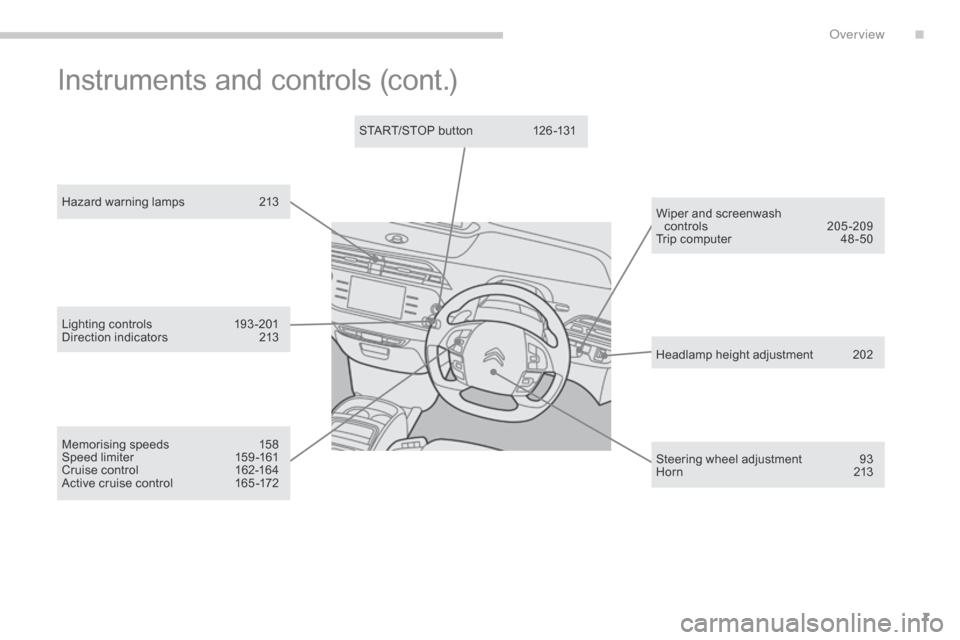
Hazard warning lamps 213
Memorising speeds
1
58
Speed
limiter
1
59 -161
Cruise
control
1
62-164
Active
cruise control
1
65 -172 Headlamp
height adjustment
2
02
Steering
wheel adjustment
9
3
H or n
2
13
START/STOP
button
1
26 -131
Wiper and screenwash
controls
20
5-209
Trip
computer
4
8 -50
Lighting
c
ontrols
1
93-201
Direction
indicators
2
13
Instruments and controls (cont.)
.
over view
Page 26 of 428
24
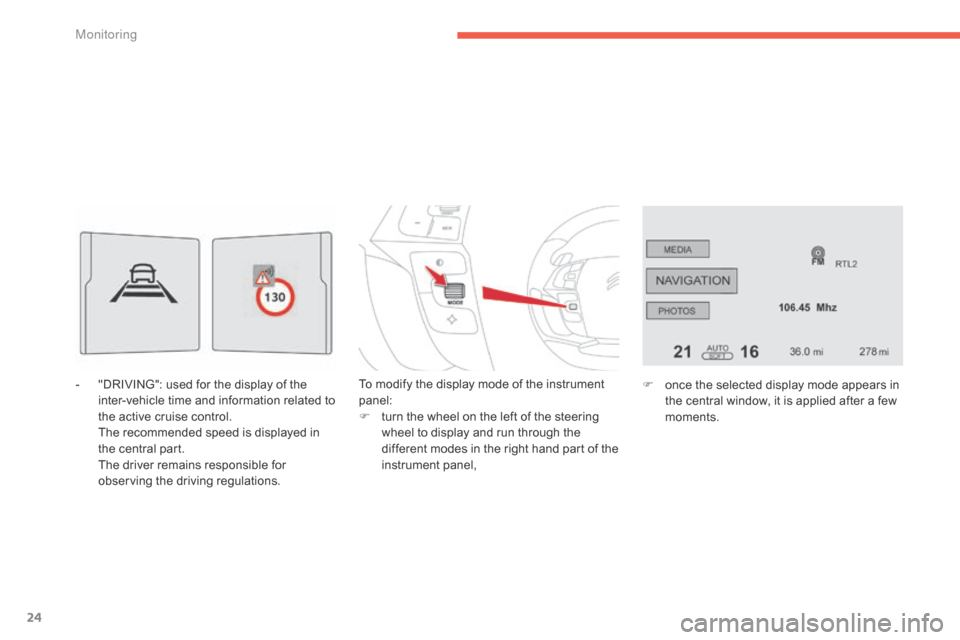
- "DRIVING": used for the display of the i
nter-vehicle time and information related to
t
he active cruise control.
T
he recommended speed is displayed in
t
he central part.
T
he driver remains responsible for
o
bserving the driving regulations. To
modify the display mode of the instrument pan
el:
F
t
urn the wheel on the left of the steering
w
heel to display and run through the
d
ifferent modes in the right hand part of the
in
strument
pan
el,F
o nce the selected display mode appears in
t
he central window, it is applied after a few
m
oments.
M
Page 33 of 428
31
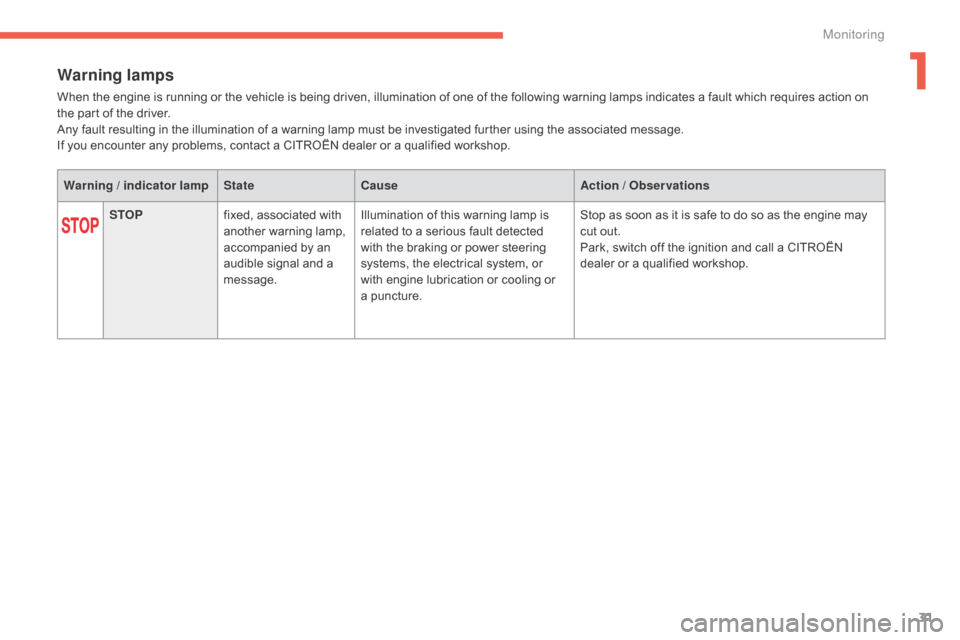
Warning lamps
When the engine is running or the vehicle is being driven, illumination of one of the following warning lamps indicates a fault which requires action on the part of the driver.
Any
fault resulting in the illumination of a warning lamp must be investigated further using the associated message.
If
you encounter any problems, contact a CITROËN dealer or a qualified workshop.
Warning / indicator lamp StateCause Action / Observations
STOP fixed,
associated with
a
nother warning lamp,
a
ccompanied by an
a
udible signal and a
m
essage.Illumination
of this warning lamp is
r
elated to a serious fault detected
w
ith the braking or power steering
s
ystems, the electrical system, or
w
ith engine lubrication or cooling or
a pu
ncture.Stop
as soon as it is safe to do so as the engine may
c
ut out.
Park,
switch off the ignition and call a CITROËN
d
ealer or a qualified workshop.
1
Monitoring
Page 48 of 428
46
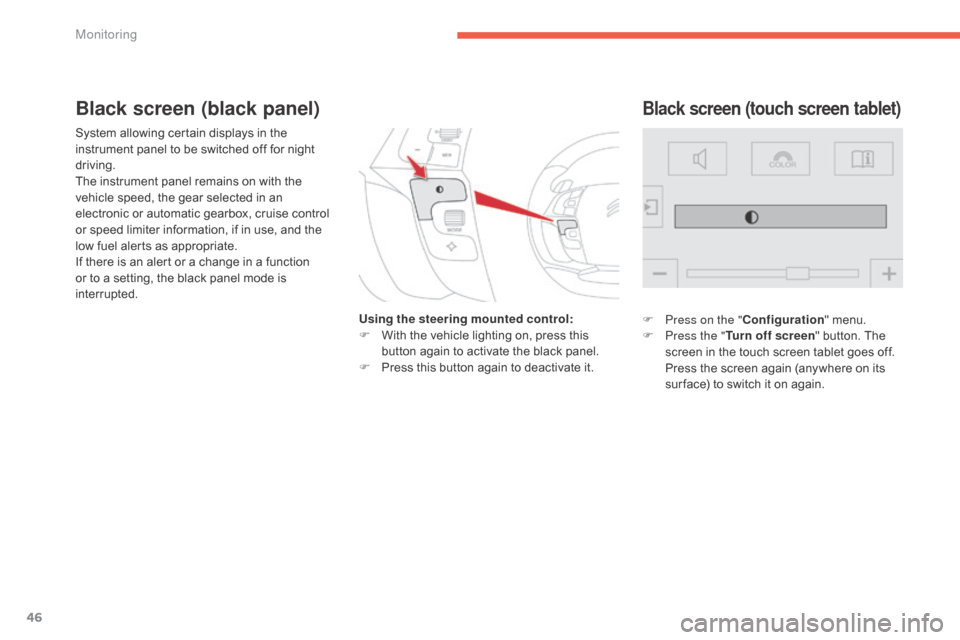
System allowing certain displays in the instrument panel to be switched off for night
d
riving.
The
instrument panel remains on with the
v
ehicle speed, the gear selected in an
e
lectronic or automatic gearbox, cruise control
o
r speed limiter information, if in use, and the
l
ow fuel alerts as appropriate.
If
there is an alert or a change in a function
o
r to a setting, the black panel mode is
i
nterrupted. Using the steering mounted control:
F
W
ith the vehicle lighting on, press this
b
utton again to activate the black panel.
F
P
ress this button again to deactivate it.
Black screen (touch screen tablet)Black screen (black panel)
F Press on the "Configuration" menu.
F P ress the " Turn off screen "
button. The
s
creen in the touch screen tablet goes off.
P
ress the screen again (anywhere on its
s
ur face) to switch it on again.
Monitoring
Page 95 of 428
93
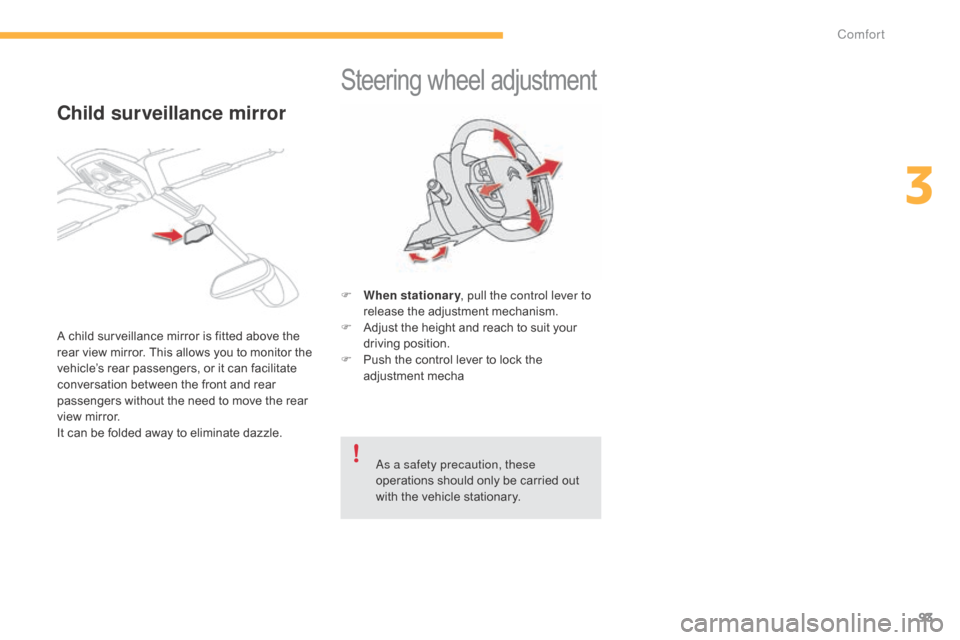
Steering wheel adjustment
F When stationary , pull the control lever to
release the adjustment mechanism.
F
A
djust the height and reach to suit your
d
riving position.
F
P
ush the control lever to lock the
a
djustment
m
echa
as a s
afety precaution, these
operations
should only be carried out
w
ith the vehicle stationary.
Child surveillance mirror
A child surveillance mirror is fitted above the rear view mirror. This allows you to monitor the
v
ehicle’s rear passengers, or it can facilitate
c
onversation between the front and rear
p
assengers without the need to move the rear
v
iew mirror.
I
t can be folded away to eliminate dazzle.
3
Comfort
Page 110 of 428
108
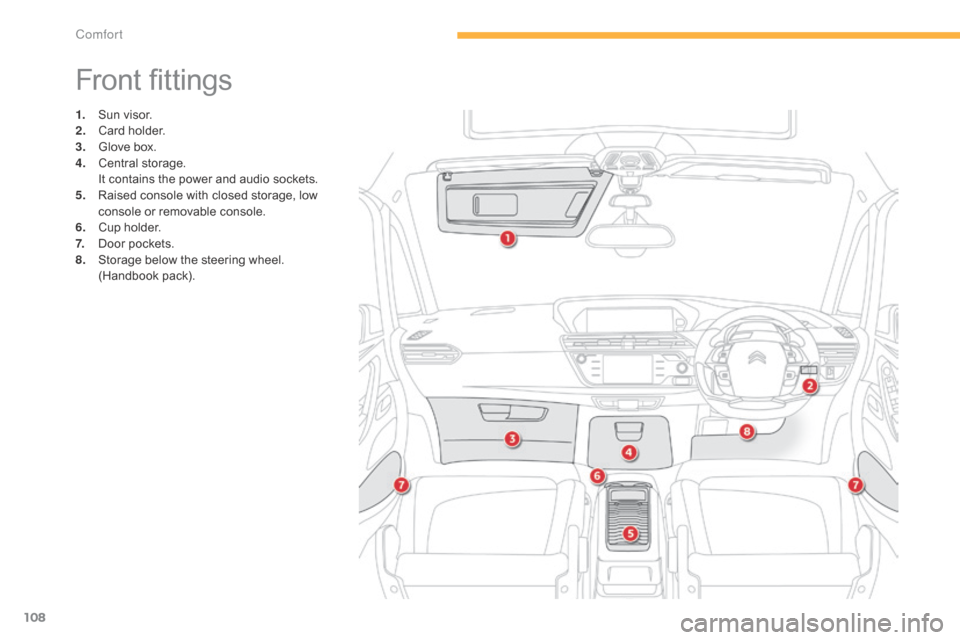
Front fittings
1. Sun visor.
2. C ard holder.
3.
G
love box.
4.
C
entral
s
torage.
I
t contains the power and audio sockets.
5.
R
aised console with closed storage, low
c
onsole or removable console.
6.
C
up holder.
7.
D
oor pockets.
8.
S
torage below the steering wheel.
(
Handbook pack).
Comfort
Page 114 of 428
112
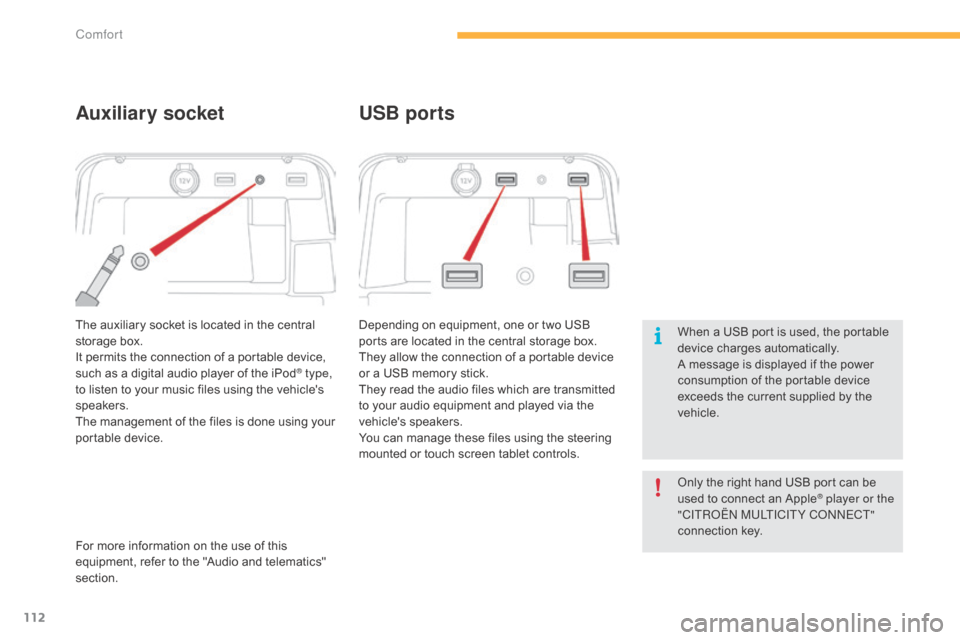
The auxiliary socket is located in the central storage box.
It
permits the connection of a portable device,
s
uch as a digital audio player of the iPod
® type,
to
listen
to
your
music
files
using
the
vehicle's
s
peakers.
The
management
of
the
files
is
done
using your
p
ortable
d
evice. Depending
on equipment, one or two USB
p
orts are located in the central storage box.
They allow the connection of a portable device o
r a USB memory stick.
They read the audio files which are transmitted
t
o your audio equipment and played via the
v
ehicle's
s
peakers.
You
can manage these files using the steering
m
ounted or touch screen tablet controls.
Auxiliary socketUSB ports
For more information on the use of this e
quipment, refer to the "Audio and telematics"
s
ection. When
a USB port is used, the portable
d
evice charges automatically.
A message is displayed if the power
c
onsumption of the portable device
e
xceeds the current supplied by the
v
ehicle.
Only the right hand USB port can be
u
sed to connect an Apple
® player or the
"CITRoËn M
ULTICITY Co nnE CT"
connection
k
ey.
Comfort
Page 116 of 428
114
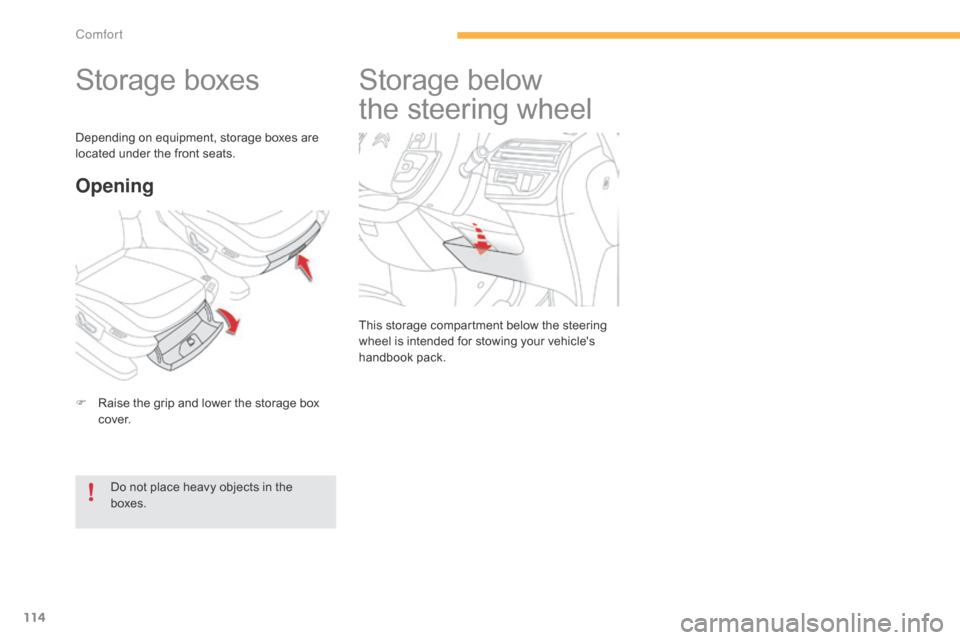
Storage boxes
F Raise the grip and lower the storage box c
ove r.
Opening
Do not place heavy objects in the boxes.
Depending
on equipment, storage boxes are
l
ocated under the front seats.
Storage belo
w
t
he steering wheel
This storage compartment below the steering w
heel is intended for stowing your vehicle's
han
dbook
pa
ck.
Comfort
Page 128 of 428
126
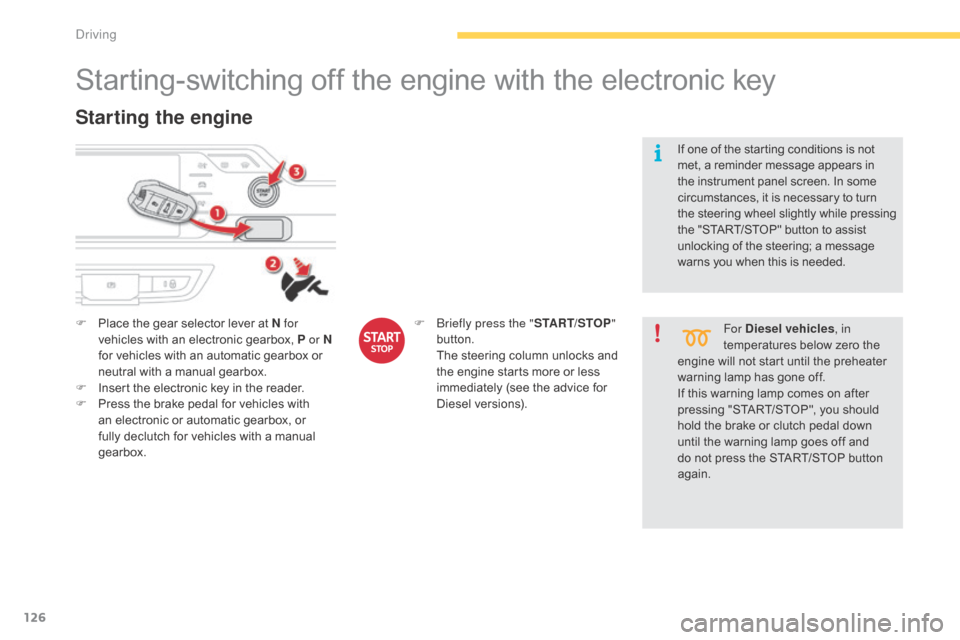
Starting-switching off the engine with the electronic key
F Place the gear selector lever at N for
vehicles with an electronic gearbox, P or N
for
vehicles with an automatic gearbox or
n
eutral with a manual gearbox.
F
I
nsert the electronic key in the reader.
F
P
ress the brake pedal for vehicles with
a
n electronic or automatic gearbox, or
f
ully declutch for vehicles with a manual
g
earbox.
Starting the engine
For Diesel vehicles , in
temperatures below zero the
e
ngine
will not start until the preheater
w
arning
lamp has gone off.
If
this
warning lamp comes on after
p
ressing "START/STOP", you should
h
old
the
brake or clutch pedal down
u
ntil
the
warning lamp goes off and
d
o
not
press the START/STOP button
ag
ain.
If
one
of
the starting conditions is not
m
et,
a
reminder message appears in
t
he
instrument panel screen. In some
c
ircumstances, it is necessary to turn
t
he
steering wheel slightly while pressing
t
he
"START/STOP" button to assist
u
nlocking of the steering; a message
w
arns
you when this is needed.
F
br
iefly press the "
START/STOP"
button.
T
he
steering
column
unlocks
and
t
he
engine
starts
more
or
less
i
mmediately
(see
the
advice
for
D
iesel
v
ersions).
Driving
Page 129 of 428

127
Electronic key left in the
reader
If the electronic key is left in the reader, on opening the driver's door a message
a
ppears to warn you.
In
the event of an emergency only,
t
he engine can be switched off
w
ithout any conditions. To do this,
p
ress the "START/STOP" button for
a
bout three seconds.
In this case the steering column locks
a
s soon as the vehicle stops.
Emergency stop
F Immobilise
the vehicle.
F P lace the gear selector lever at N for
vehicles
with an electronic gearbox, P or N
for
an automatic gearbox, or neutral with a
m
anual
g
earbox.
Switching off the engine
If the vehicle is not immobilised, the engine will not stop.
F
b
r
iefly press the "
START/STOP"
button.
T
he engine stops and the
s
teering column locks.
F
R
emove the electronic key from the reader.
Switching off the engine leads to a loss
o
f braking assistance.
4
Driving