Citroen C4 RHD 2015 2.G Service Manual
Manufacturer: CITROEN, Model Year: 2015, Model line: C4 RHD, Model: Citroen C4 RHD 2015 2.GPages: 396, PDF Size: 11.61 MB
Page 41 of 396
39
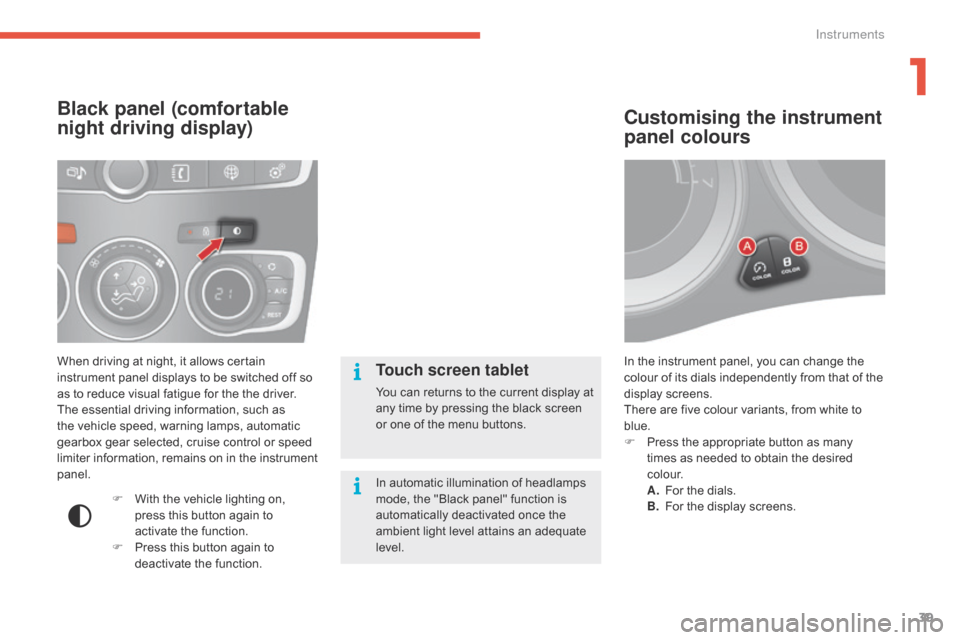
In the instrument panel, you can change the colour o f i ts d ials i ndependently f rom t hat o f t he di
splay
s
creens.
There
a
re
f
ive
c
olour
v
ariants,
f
rom
w
hite
t
o
bl
ue.
F
Pr
ess
t
he
a
ppropriate
b
utton
a
s
m
any
ti
mes
a
s
n
eeded
t
o
o
btain
t
he
d
esired
c o
l o u r.
A.
Fo
r
t
he
d
ials.
B.
Fo
r
t
he
d
isplay
s
creens.
Customising the instrument
panel colours
When driving at night, it allows certain instrument p anel d isplays t o b e s witched o ff s o as t
o
r
educe
v
isual
f
atigue
f
or
t
he
t
he
d
river.
The
e
ssential
d
riving
i
nformation,
s
uch
a
s
th
e
v
ehicle
s
peed,
w
arning
l
amps,
a
utomatic
ge
arbox
g
ear
s
elected,
c
ruise
c
ontrol
o
r
s
peed
li
miter
i
nformation,
r
emains
o
n
i
n
t
he
i
nstrument
pane
l.
Black panel (comfortable
night driving display)
F With the v ehicle l ighting o n, pr
ess t his b utton a gain t o ac
tivate
t
he
f
unction.
F
Pr
ess
t
his
b
utton
a
gain
t
o
de
activate
t
he
f
unction.
Touch screen tablet
You can returns to the current display at any t ime b y p ressing t he b lack s creen or o
ne
o
f
t
he
m
enu
b
uttons.
In
a
utomatic
i
llumination
o
f
h
eadlamps
mo
de,
t
he
"
Black
p
anel"
f
unction
i
s
au
tomatically
d
eactivated
o
nce
t
he
am
bient
l
ight
l
evel
a
ttains
a
n
a
dequate
lev
el.
1
Instruments
Page 42 of 396
40
Monochrome screen A
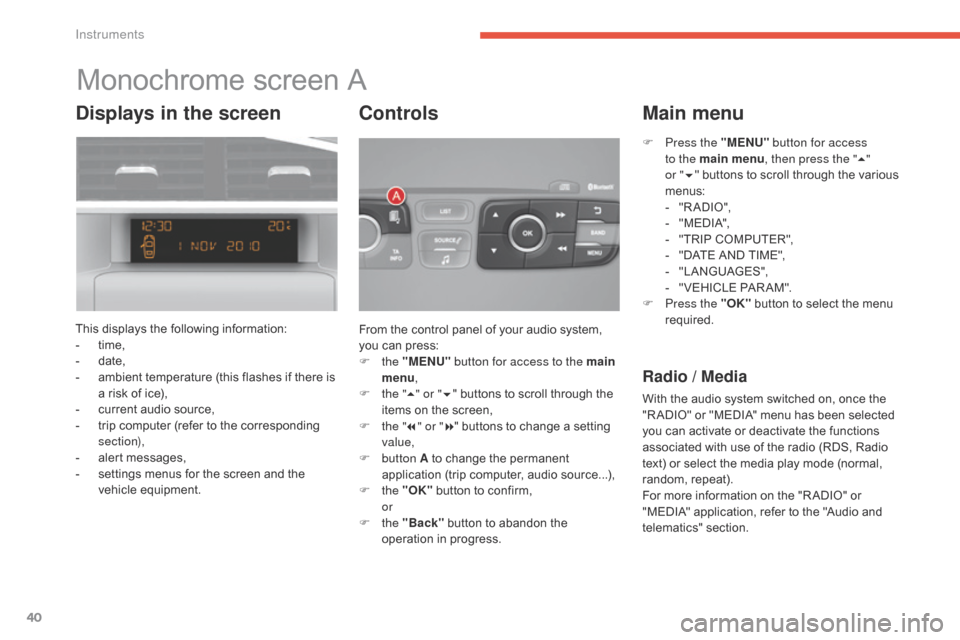
This displays the following information:
- ti me,
-
dat
e,
-
am
bient
t
emperature
(
this
f
lashes
i
f
t
here
i
s
a r
isk
o
f
i
ce),
-
cu
rrent
a
udio
s
ource,
-
tr
ip
c
omputer
(
refer
t
o
t
he
c
orresponding
sec
tion),
-
al
ert
m
essages,
-
se
ttings
m
enus
f
or
t
he
s
creen
a
nd
t
he
ve
hicle
eq
uipment. From t
he c ontrol p anel o f y our a udio s ystem, yo
u
c
an
p
ress:
F
t
he "MENU" button for access to the main
menu ,
F
th
e "5" or " 6"
b
uttons
t
o
s
croll
t
hrough
t
he
it
ems
o
n
t
he
s
creen,
F
th
e "7" or " 8"
b
uttons
t
o
c
hange
a s
etting
val
ue,
F
b
utton A
t
o
c
hange
t
he
p
ermanent
ap
plication
(
trip
c
omputer,
a
udio
s
ource...),
F
t
he "OK"
b
utton
t
o
c
onfirm,
or
F t
he "Back"
b
utton
t
o
a
bandon
t
he
op
eration
i
n
p
rogress.
Controls
F Press the "MENU" b utton for access
to the main menu , then press the "5"
or
" 6 " b
uttons
t
o
s
croll
t
hrough
t
he
v
arious
me
nus:
-
" R
A DIO ",
-
" M
EDI A",
-
"T
RIP
C
OMPUTER",
-
"D
ATE
A
ND
T
IME",
-
"L
ANGUAGES",
-
" V
EHICLE
P
AR AM".
F
Pr
ess the "OK"
b
utton
t
o
s
elect
t
he
m
enu
re
quired.
Main menu
Radio / Media
With the audio system switched on, once the "RADIO" o r " MEDIA" m enu h as b een s elected yo
u
c
an
a
ctivate
o
r
d
eactivate
t
he
f
unctions
as
sociated
w
ith
u
se
o
f
t
he
r
adio
(
RDS,
R
adio
te
xt)
o
r
s
elect
t
he
m
edia
p
lay
m
ode
(
normal,
ra
ndom,
rep
eat).
For
m
ore
i
nformation
o
n
t
he
"
R ADIO"
o
r
"M
EDIA"
a
pplication,
r
efer
t
o
t
he
"
Audio
a
nd
te
lematics"
sec
tion.
Displays in the screen
Instruments
Page 43 of 396
41
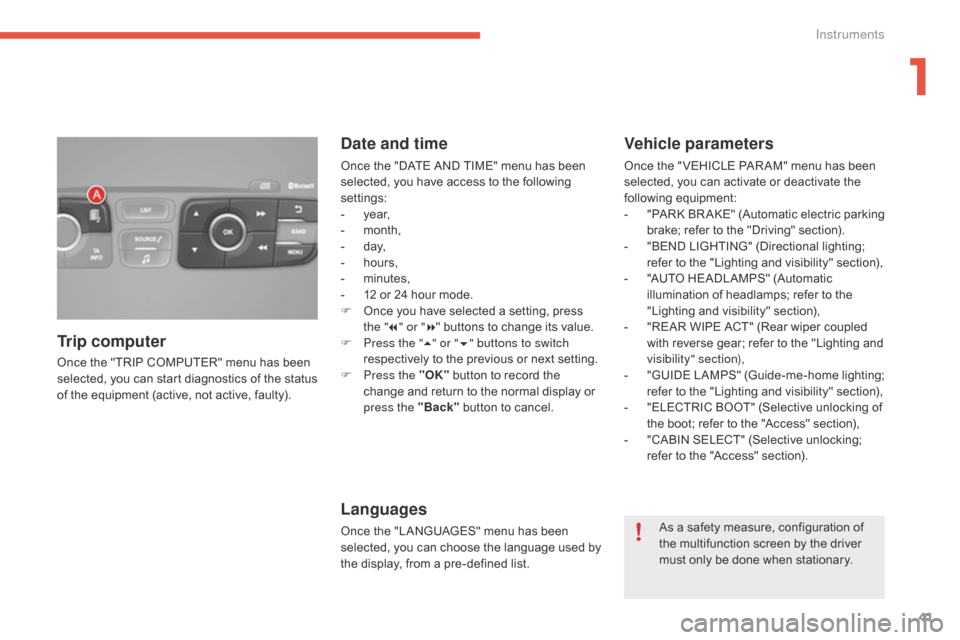
Once the "TRIP COMPUTER" menu has been selected, y ou c an s tart d iagnostics o f t he s tatus of t
he
e
quipment
(
active,
n
ot
a
ctive,
f
aulty).
Trip computer Date and time
Once the "DATE AND TIME" menu has been se
lected, y ou h ave a ccess t o t he f ollowing set
tings:
-
yea
r,
-
mo
nth,
-
d a
y,
-
ho
urs,
-
mi
nutes,
-
12 o
r
2
4
h
our
m
ode.
F
On
ce
y
ou
h
ave
s
elected
a s
etting,
p
ress
th
e "7" or " 8"
b
uttons
t
o
c
hange
i
ts
v
alue.
F
Pr
ess the " 5" or " 6" buttons to switch
respectively
t
o
t
he
p
revious
o
r
n
ext
s
etting.
F
Pr
ess the "OK"
b
utton
t
o
r
ecord
t
he
ch
ange
a
nd
r
eturn
t
o
t
he
n
ormal
d
isplay
o
r
pr
ess the "Back"
b
utton
t
o
c
ancel.
Languages
Once the "LANGUAGES" menu has been selected, y ou c an c hoose t he l anguage u sed b y th
e
d
isplay,
f
rom
a p
re-defined
l
ist.
Vehicle parameters
Once the " VEHICLE PAR AM" menu has been selected, y ou c an a ctivate o r d eactivate t he foll
owing
eq
uipment:
-
"P
ARK
BR
AKE"
(A
utomatic
el
ectric
pa
rking
br
ake;
r
efer
t
o
t
he
"
Driving"
s
ection).
-
"B
END
L
IGHTING"
(
Directional
l
ighting;
re
fer
t
o
t
he
"
Lighting
a
nd
v
isibility"
s
ection),
-
"A
UTO
H
EADLAMPS"
(
Automatic
il
lumination
o
f
h
eadlamps;
r
efer
t
o
t
he
"L
ighting
a
nd
v
isibility"
s
ection),
-
"R
EAR
W
IPE
A
CT"
(
Rear
w
iper
c
oupled
wi
th
r
everse
g
ear;
r
efer
t
o
t
he
"
Lighting
a
nd
vi
sibility" section),
-
"G
UIDE
LA
MPS"
(G
uide-me-home
li
ghting;
re
fer
t
o
t
he
"
Lighting
a
nd
v
isibility"
s
ection),
-
"E
LECTRIC
B
OOT"
(
Selective
u
nlocking
o
f
th
e
b
oot;
r
efer
t
o
t
he
"
Access"
s
ection),
-
"C
ABIN
S
ELECT"
(
Selective
u
nlocking;
re
fer
t
o
t
he
"
Access"
s
ection).
As
a s
afety
m
easure,
c
onfiguration
o
f
th
e
m
ultifunction
s
creen
b
y
t
he
d
river
mu
st
o
nly
b
e
d
one
w
hen
s
tationary.
1
Instruments
Page 44 of 396
42
Monochrome screen C
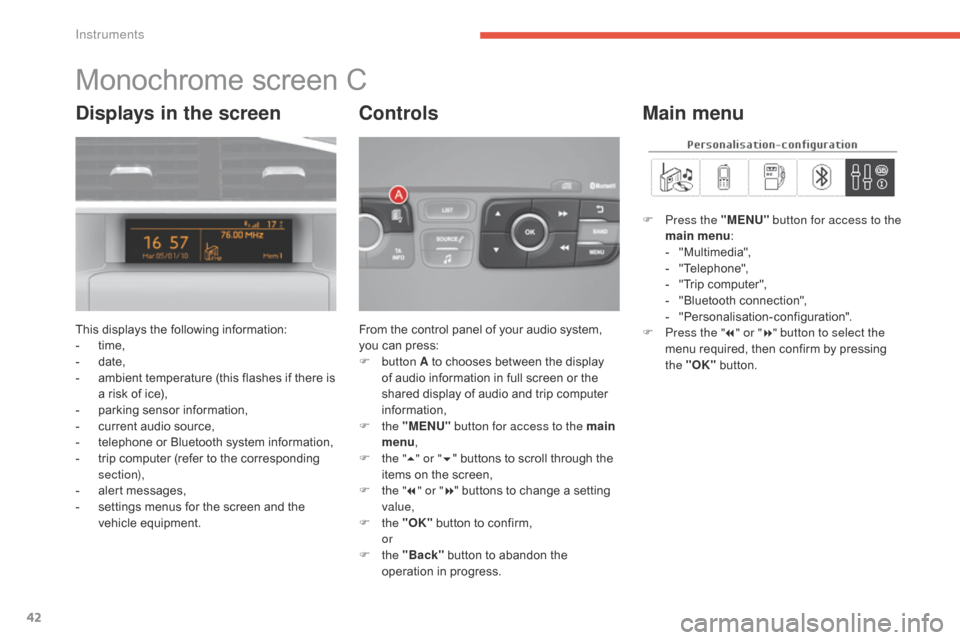
This displays the following information:
- ti me,
-
dat
e,
-
am
bient
t
emperature
(
this
f
lashes
i
f
t
here
i
s
a r
isk
o
f
i
ce),
-
pa
rking
s
ensor
i
nformation,
-
cu
rrent
a
udio
s
ource,
-
te
lephone
o
r
B
luetooth
s
ystem
i
nformation,
-
tr
ip
c
omputer
(
refer
t
o
t
he
c
orresponding
sec
tion),
-
al
ert
m
essages,
-
se
ttings
m
enus
f
or
t
he
s
creen
a
nd
t
he
ve
hicle
eq
uipment. From t
he c ontrol p anel o f y our a udio s ystem, yo
u c an p ress:
F
b
utton A
t
o
c
hooses
b
etween
t
he
d
isplay
of a
udio
i
nformation
i
n
f
ull
s
creen
o
r
t
he
sh
ared
d
isplay
o
f
a
udio
a
nd
t
rip
c
omputer
in
formation,
F
t
he "MENU" button for access to the main
menu ,
F
th
e "5" or " 6"
b
uttons
t
o
s
croll
t
hrough
t
he
it
ems
o
n
t
he
s
creen,
F
th
e "7" or " 8"
b
uttons
t
o
c
hange
a s
etting
val
ue,
F
t
he "OK"
b
utton
t
o
c
onfirm,
or
F t
he "Back"
b
utton
t
o
a
bandon
t
he
op
eration
i
n
p
rogress.
Controls
F Press the "MENU" b utton for access to the
main menu :
-
"M
ultimedia",
-
"T
elephone",
-
"T
rip
c
omputer",
-
"B
luetooth
c
onnection",
-
"P
ersonalisation-configuration".
F
Pr
ess the " 7" or " 8" button to select the
menu
r
equired,
t
hen
c
onfirm
b
y
p
ressing
th
e "OK"
b
utton.
Main menuDisplays in the screen
Instruments
Page 45 of 396
43
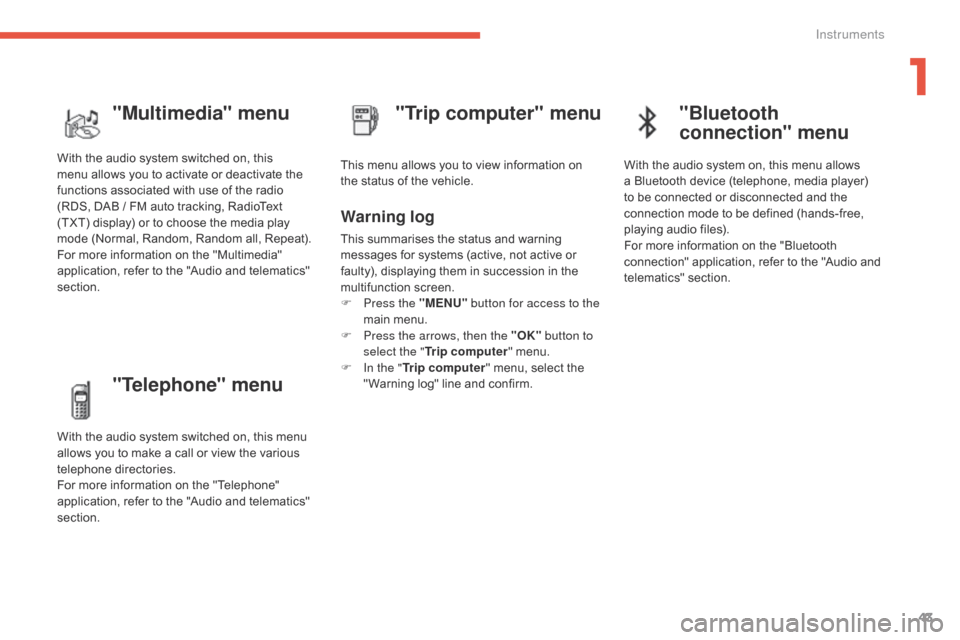
"Telephone" menu
With the audio system switched on, this menu allows y ou t o m ake a c all o r v iew t he v arious tel
ephone
di
rectories.
For
m
ore
i
nformation
o
n
t
he
"
Telephone"
ap
plication,
r
efer
t
o
t
he
"
Audio
a
nd
t
elematics"
sec
tion. This
m
enu
a
llows
y
ou
t
o
v
iew
i
nformation
o
n
th
e
s
tatus
o
f
t
he
v
ehicle.
Warning log
This summarises the status and warning me
ssages f or s ystems ( active, n ot a ctive o r fa
ulty),
d
isplaying
t
hem
i
n
s
uccession
i
n
t
he
mu
ltifunction
sc
reen.
F
Pr
ess the "MENU" button for access to the
main
m
enu.
F
Pr
ess the arrows, then the "OK" button to
select the " Trip computer "
m
enu.
F
In t
he "Trip computer "
m
enu,
s
elect
t
he
" W
arning
l
og"
l
ine
a
nd
c
onfirm.
"Trip computer" menu
"Multimedia" menu
With the audio system switched on, this me
nu a llows y ou t o a ctivate o r d eactivate t he fu
nctions
a
ssociated
w
ith
u
se
o
f
t
he
r
adio
(R
DS,
D
AB / FM
a
uto
t
racking,
R
adioText
(T
XT)
d
isplay)
o
r
t
o
c
hoose
t
he
m
edia
p
lay
mo
de
(
Normal,
R
andom,
R
andom
a
ll,
R
epeat).
For
m
ore
i
nformation
o
n
t
he
"
Multimedia"
ap
plication,
r
efer
t
o
t
he
"
Audio
a
nd
t
elematics"
sec
tion.
"Bluetooth
connection" menu
With the audio system on, this menu allows a Bluetooth d evice ( telephone, m edia p layer) to b
e
c
onnected
o
r
d
isconnected
a
nd
t
he
co
nnection
m
ode
t
o
b
e
d
efined
(
hands-free,
pl
aying
a
udio
f
iles).
For
m
ore
i
nformation
o
n
t
he
"
Bluetooth
co
nnection"
a
pplication,
r
efer
t
o
t
he
"
Audio
a
nd
te
lematics"
sec
tion.
1
Instruments
Page 46 of 396
44
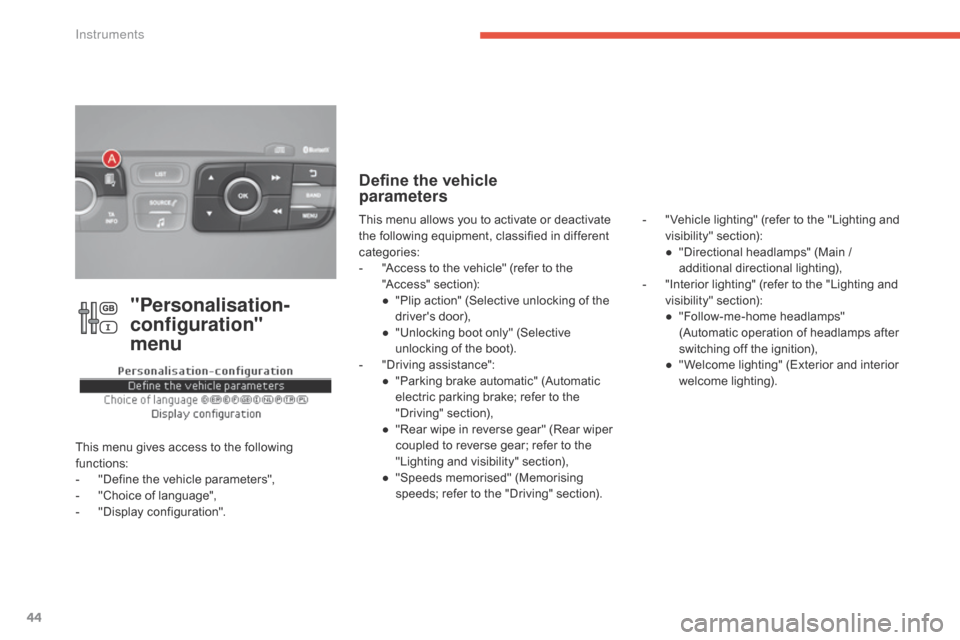
"Personalisation-
configuration"
menu
This menu gives access to the following fu
nctions:
-
"D
efine
t
he
v
ehicle
p
arameters",
-
"C
hoice
o
f
l
anguage",
-
"D
isplay
c
onfiguration".
Define the vehicle
parameters
- " Vehicle lighting" ( refer t o t he " Lighting a nd vi
sibility" se ction):
●
"D
irectional
h
eadlamps"
(
Main
/ ad
ditional
dir
ectional
li
ghting),
-
"I
nterior
l
ighting"
(
refer
t
o
t
he
"
Lighting
a
nd
vi
sibility"
se
ction):
●
"F
ollow-me-home
h
eadlamps"
(A
utomatic
o
peration
o
f
h
eadlamps
a
fter
sw
itching
o
ff
t
he
i
gnition),
●
" W
elcome
l
ighting"
(
Exterior
a
nd
i
nterior
we
lcome
l
ighting).
This m
enu a
llows y
ou t
o a
ctivate o
r d
eactivate th
e f
ollowing e
quipment, c
lassified i
n d
ifferent ca
tegories:
-
"A
ccess
t
o
t
he
v
ehicle"
(
refer
t
o
t
he
"A
ccess"
se
ction):
●
"P
lip
a
ction"
(
Selective
u
nlocking
o
f
t
he
dr
iver's
doo
r),
●
"U
nlocking
b
oot
o
nly"
(
Selective
un
locking
o
f
t
he
b
oot).
-
"D
riving
a
ssistance":
●
"P
arking
b
rake
a
utomatic"
(
Automatic
el
ectric
p
arking
b
rake;
r
efer
t
o
t
he
"D
riving"
sec
tion),
●
"R
ear
w
ipe
i
n
r
everse
g
ear"
(
Rear
w
iper
co
upled
t
o
r
everse
g
ear;
r
efer
t
o
t
he
"L
ighting
a
nd
v
isibility"
s
ection),
●
"S
peeds
m
emorised"
(
Memorising
sp
eeds;
r
efer
t
o
t
he
"
Driving"
s
ection).
Instruments
Page 47 of 396
45
Choice of language
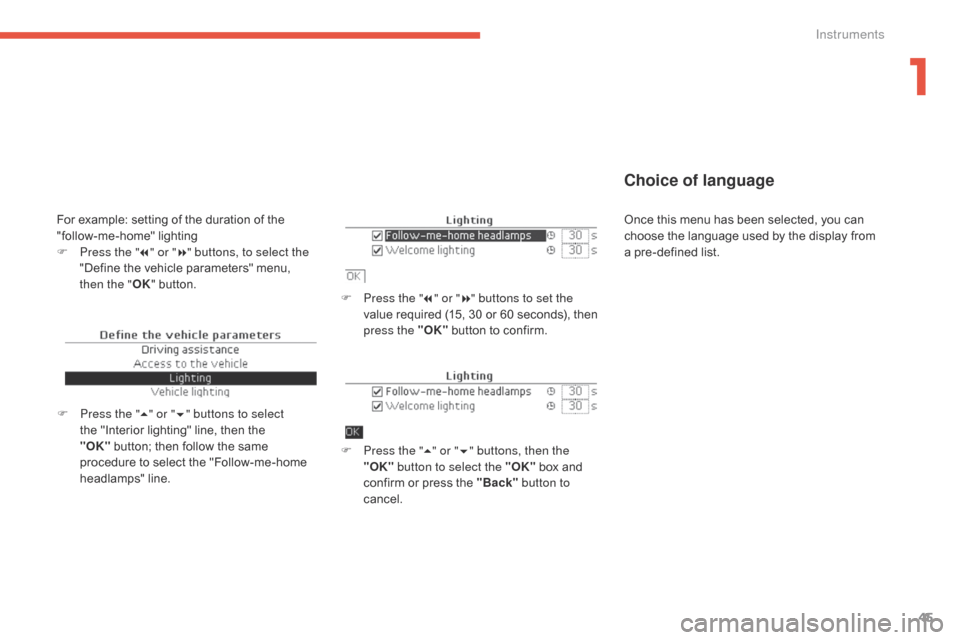
F Press the "7" o r "8" buttons to set the
value r equired ( 15, 3 0 o r 6 0 s econds), t hen pr
ess the "OK"
b
utton
t
o
c
onfirm.
F
Pr
ess the " 5" or " 6" buttons, then the
"OK" button to select the "OK"
b
ox
a
nd
co
nfirm
o
r
p
ress
t
he
"
Back" button to
cancel.
F
Pr
ess the " 5" or " 6" buttons to select
the
"
Interior
l
ighting"
l
ine,
t
hen
t
he
"OK
" button;
t
hen
f
ollow
t
he
s
ame
pr
ocedure
t
o
s
elect
t
he
"
Follow-me-home
he
adlamps"
lin
e.
For example: setting of the duration of the "f ollow-me-home" li ghting
F
Pr
ess the " 7" or " 8" buttons, to select the
"Define
t
he
v
ehicle
p
arameters"
m
enu,
then
the "OK"
b
utton. Once t
his m enu h as b een s elected, y ou c an ch
oose t he l anguage u sed b y t he d isplay f rom a p
re-defined
l
ist.
1
Instruments
Page 48 of 396
46
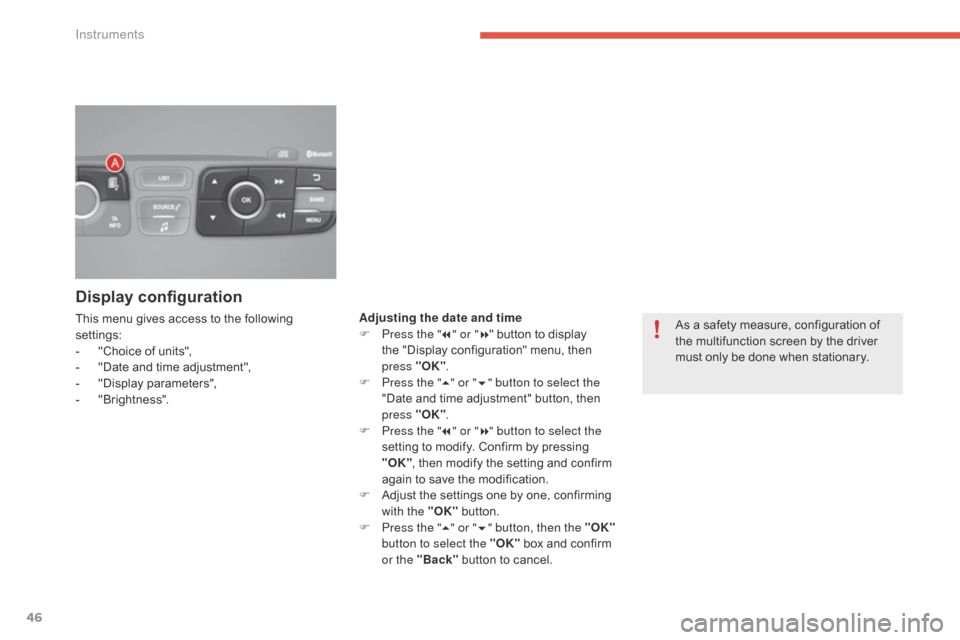
Display configuration
This menu gives access to the following settings:
-
"C
hoice
o
f
u
nits",
-
"D
ate
a
nd
t
ime
a
djustment",
-
"D
isplay
param
eters",
-
"B
rightness". As a s
afety m easure, c onfiguration o f th
e
m
ultifunction
s
creen
b
y
t
he
d
river
mu
st
o
nly
b
e
d
one
w
hen
s
tationary.
Adjusting the date and time
F Pr
ess the "7" or " 8" b
utton t o d isplay th
e
"
Display
c
onfiguration"
m
enu,
t
hen
pr
ess
"O
K".
F
Pr
ess the "5" or " 6" button to select the
"Date
a
nd
t
ime
a
djustment"
b
utton,
t
hen
pr
ess "OK".
F
Pr
ess the "7" or " 8" button to select the
setting
t
o
m
odify.
C
onfirm
b
y
p
ressing
"OK
",
t
hen
m
odify
t
he
s
etting
a
nd
c
onfirm
ag
ain
t
o
s
ave
t
he
m
odification.
F
Ad
just
t
he
s
ettings
o
ne
b
y
o
ne,
c
onfirming
wi
th the "OK"
b
utton.
F
Pr
ess the "5" or " 6" button, then the "OK"
button to select the "OK"
b
ox
a
nd
c
onfirm
or t
he "Back"
b
utton
t
o
c
ancel.
Instruments
Page 49 of 396
47
Touch screen tablet
General operation
Principles
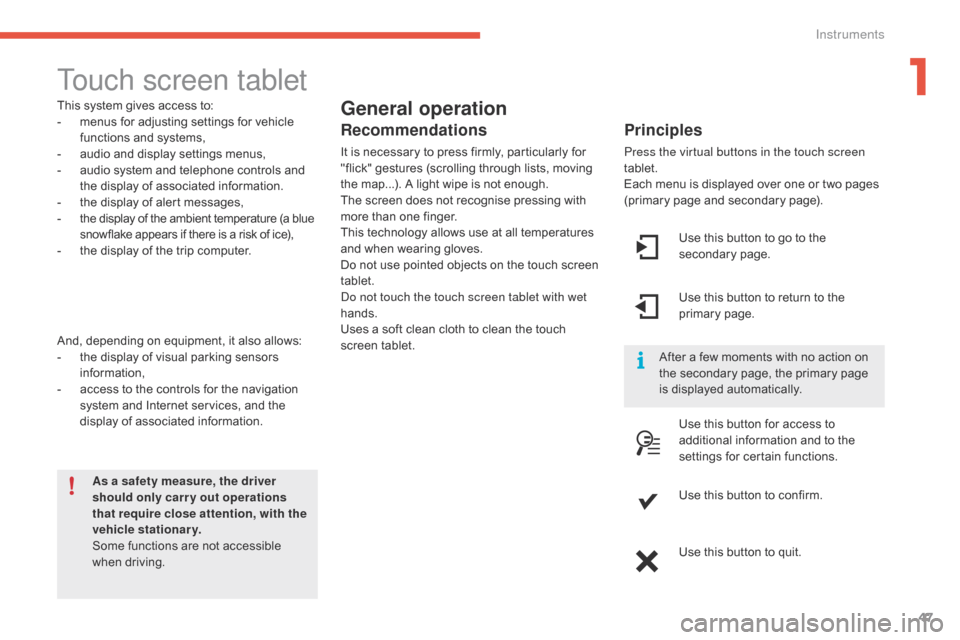
Press the virtual buttons in the touch screen
tablet.
Each
m
enu
i
s
d
isplayed
ov
er
o
ne
o
r
t
wo
p
ages
(p
rimary
p
age
a
nd
s
econdary
p
age).
As a safety measure, the driver
should only carr y out operations
that require close attention, with the
vehicle stationary.
Some
f
unctions
a
re
n
ot
a
ccessible
when dr
iving.
This
s
ystem
g
ives
a
ccess
t
o:
-
me
nus
f
or
a
djusting
s
ettings
f
or
v
ehicle
fu
nctions a
nd s
ystems,
- au
dio a
nd d
isplay s
ettings m
enus,
-
au
dio
s
ystem
a
nd
t
elephone
c
ontrols
a
nd
th
e
d
isplay
o
f
a
ssociated
i
nformation.
-
th
e
d
isplay
o
f
a
lert
m
essages,
-
th
e
d
isplay
o
f
t
he
a
mbient
t
emperature
(
a
b
lue
sn
owflake
a
ppears
i
f
t
here
i
s
a r
isk
o
f
i
ce),
-
th
e
d
isplay
o
f
t
he
t
rip
c
omputer.
And,
d
epending
o
n
e
quipment,
i
t
a
lso
a
llows:
-
th
e
d
isplay
o
f
v
isual
p
arking
s
ensors
in
formation,
-
ac
cess
t
o
t
he
c
ontrols
f
or
t
he
n
avigation
sy
stem
a
nd
I
nternet
s
ervices,
a
nd
t
he
di
splay
o
f
a
ssociated
i
nformation.
Recommendations
It is necessary to press firmly, particularly for "f lick" g estures ( scrolling t hrough l ists, m oving th
e
m
ap...).
A l
ight
w
ipe
i
s
n
ot
e
nough.
The
s
creen
d
oes
n
ot
r
ecognise
p
ressing
w
ith
mo
re
t
han
o
ne
f
inger.
This
t
echnology
a
llows
u
se
a
t
a
ll
t
emperatures
an
d
w
hen
w
earing
g
loves.
Do
n
ot
u
se
p
ointed
o
bjects
o
n
t
he
t
ouch
s
creen
ta
blet.
Do not touch the touch screen tablet with wet
hands.
Uses
a s
oft
c
lean
c
loth
t
o
c
lean
t
he
t
ouch
sc
reen
ta
blet. Use
t
his
b
utton
t
o
g
o
t
o
t
he
se
condary
page
.
After
a f
ew
m
oments
w
ith
n
o
a
ction
o
n
th
e
s
econdary
p
age,
t
he
p
rimary
p
age
is d
isplayed
a
utomatically.
Use
t
his
b
utton
t
o
r
eturn
t
o
t
he
pr
imary
page
.
Use
t
his
b
utton
f
or
a
ccess
t
o
ad
ditional
i
nformation
a
nd
t
o
t
he
se
ttings
f
or
c
ertain
f
unctions.
Use
t
his
b
utton
t
o
c
onfirm.
Use
t
his
b
utton
t
o
q
uit.
1
Instruments
Page 50 of 396
48
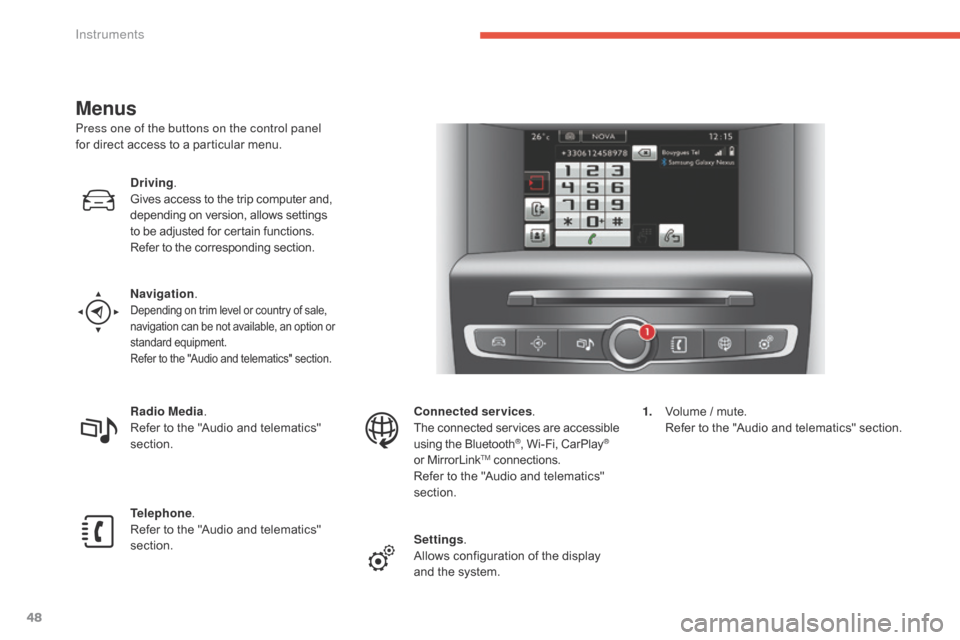
Menus
Press one of the buttons on the control panel
for direct a ccess t o a p articular m enu.
Driving .
Gives
a
ccess
t
o
t
he
t
rip
c
omputer
a
nd,
de
pending
o
n
v
ersion,
a
llows
s
ettings
to b
e
a
djusted
f
or
c
ertain
f
unctions.
Refer
t
o
t
he
c
orresponding
s
ection.
Navigation .
Depending on trim level or country of sale, na
vigation c an b e n ot a vailable, a n o ption o r st
andard
eq
uipment.
Refer
t
o
t
he
"
Audio
a
nd
t
elematics"
s
ection.
Radio Media.
Refer t o t he " Audio a nd t elematics" sec
tion.
Telephone .
Refer
t
o
t
he
"
Audio
a
nd
t
elematics"
sec
tion. Connected services
.
The c onnected s ervices a re a ccessible us
ing
t
he
B
luetooth
®, Wi-Fi, CarPlay®
or M
irrorLinkTM connections.
R
efer t
o t
he "
Audio a nd t elematics" sec
tion.
Settings .
Allows
c
onfiguration
o
f
t
he
d
isplay
an
d
t
he
s
ystem. 1.
Vo
lume
/ m
ute.
Re
fer
t
o
t
he
"
Audio
a
nd
t
elematics"
s
ection.
Instruments