key Citroen C4 RHD 2015 2.G Owner's Manual
[x] Cancel search | Manufacturer: CITROEN, Model Year: 2015, Model line: C4 RHD, Model: Citroen C4 RHD 2015 2.GPages: 396, PDF Size: 11.61 MB
Page 3 of 396
This handbook has been designed to help to make the most o f y our C 4 i n a ll c ircumstances a nd i n c omplete safe
ty.
Take
t
he
t
ime
t
o
r
ead
t
hrough
i
t
s
o
a
s
t
o
f
amiliarise
yo
urself
w
ith
y
our
v
ehicle.
This
h
andbook
c
overs
a
ll
o
f
t
he
v
ariations
i
n
e
quipment
av
ailable
a
cross
t
he
w
hole
C
4
r
ange.
Your
v
ehicle
w
ill
b
e
f
itted
w
ith
o
nly
s
ome
o
f
t
he
eq
uipment
d
escribed
i
n
t
his
d
ocument,
d
epending
o
n
i
ts
tr
im
l
evel,
v
ersion
a
nd
t
he
s
pecification
f
or
t
he
c
ountry
i
n
wh
ich
i
t
w
as
s
old.
The
d
escriptions
a
nd
i
llustrations
a
re
g
iven
a
s
i
ndications
o n
l y.
Automobiles
C
ITROËN
r
eserves
t
he
r
ight
t
o
m
odify
t
he
te
chnical
c
haracteristics,
e
quipment
a
nd
a
ccessories
wi
thout
h
aving
t
o
u
pdate
t
his
e
dition
o
f
t
he
h
andbook.
CITROËN has a presence on every continent,
a
c
omplete
p
roduct
r
ange,
bringing
t
ogether
t
echnology
a
nd
a p
ermanent
s
pirit
o
f
i
nnovation,
for
a m
odern
a
nd
c
reative
a
pproach
t
o
m
obility.
We
t
hank
y
ou
a
nd
c
ongratulate
y
ou
o
n
y
our
c
hoice.
Happy motoring!
Keysafety
w
arning
contributes
t
o
t
he
p
rotection
o
f
t
he
e
nvironment
At the wheel of your new vehicle,
getting
t
o
k
now
e
ach
s
ystem,
each
c
ontrol,
e
ach
s
etting,
makes
y
our
t
rips,
y
our
j
ourneys
more
c
omfortable
a
nd
m
ore
e
njoyable.
additional information
This
d
ocument
f
orms
a
n
i
ntegral
p
art
o
f
y
our
v
ehicle.
Re
member
t
o
p
ass
i
t
o
n
t
o
t
he
n
ew
o
wner
i
n
t
he
e
vent
o
f
th
e
s
ale
o
f
t
he
v
ehicle.
Page 4 of 396
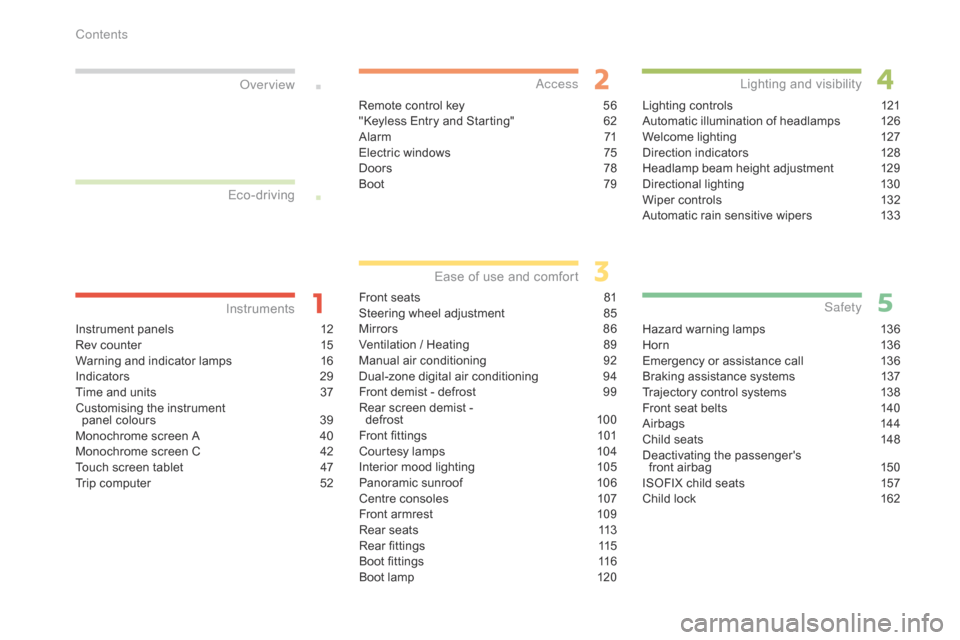
Instrument panels 12
R ev c ounter 15
W
arning
a
nd
i
ndicator
l
amps
16
I
ndicators
29
T
ime
a
nd
u
nits
37
C
ustomising
t
he
i
nstrument
p
anel
c
olours
39
M
onochrome
s
creen
A 40
M
onochrome
s
creen
C 42
T
ouch
s
creen
t
ablet
47
T
rip
c
omputer
52
InstrumentsOver view
Remote control key 56
" Keyless E ntry a nd S tarting" 62
A
larm
71
E
lectric
w
indows
75
D
oors
78
Boo
t
79
Access
Front seats 81
S teering w heel a djustment 85
M
irrors
86
V
entilation
/ H
eating
89
M
anual
air co
nditioning
92
D
ual-zone
di
gital
air co
nditioning
94
F
ront
d
emist
- d
efrost
99
R
ear
s
creen
d
emist
-
de
frost
10 0
F
ront
fi
ttings
10
1
Courtesy
l
amps
10
4
Interior
m
ood
l
ighting
10
5
Panoramic
s
unroof
10
6
Centre
c
onsoles
10
7
Front
a
rmrest
10
9
Rear
s
eats
11
3
Rear
fi
ttings
11
5
Boot
fi
ttings
11
6
Boot
l
amp
12
0
Ease of use and co mfort
Lighting controls 12 1
Automatic i llumination o f h eadlamps 12 6
Welcome
l
ighting
12
7
Direction
i
ndicators
12
8
Headlamp
b
eam
h
eight
a
djustment
12
9
Directional
li
ghting
13
0
Wiper
c
ontrols
13
2
Automatic
r
ain
s
ensitive
w
ipers
13
3
Lighting and visibility
Hazard warning lamps 13 6
H or n 13 6
E
mergency
o
r
a
ssistance
c
all
13
6
Braking
a
ssistance
s
ystems
13
7
Trajectory
c
ontrol
s
ystems
13
8
Front
s
eat
b
elts
14
0
Airbags
14
4
Child
s
eats
14
8
Deactivating
the pa
ssenger's
fr
ont
a
irbag
15
0
ISOFIX
c
hild
s
eats
15
7
Child
l
ock
16
2
Safety
Eco-driving
Contents
Page 6 of 396
4
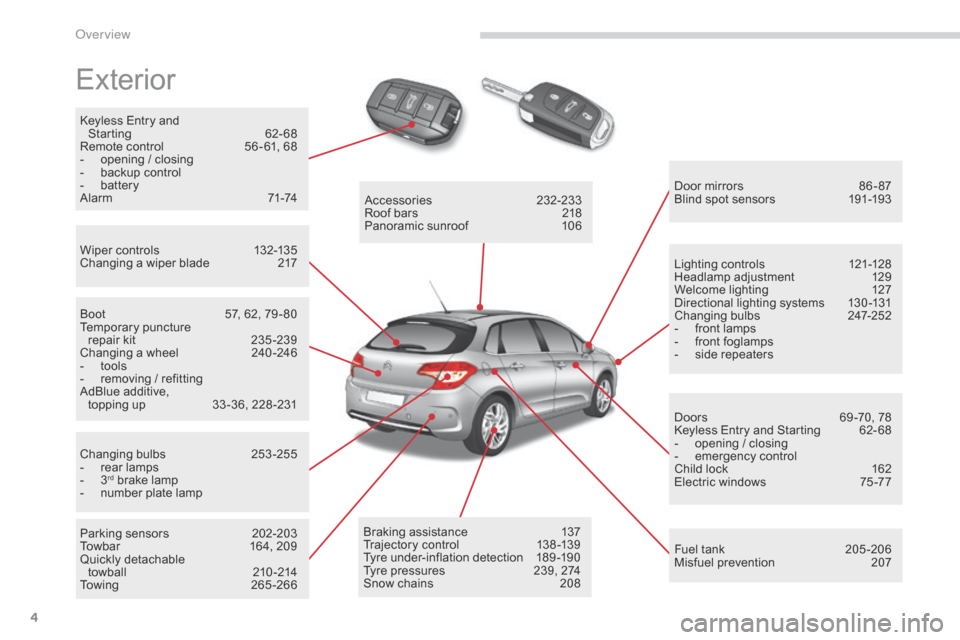
Exterior
Keyless Entry and
St arting 62 -68
Remote
c
ontrol
56
- 61,
6
8
-
op
ening
/ c
losing
-
ba
ckup
c
ontrol
-
bat
tery
Alarm
71
-74
Wiper
c
ontrols
13
2-135
Changing
a w
iper
b
lade
21
7 Door
m
irrors
86
- 87
Blind
s
pot
s
ensors
19
1-193
Boot
57
,
6
2,
7
9 - 80
Temporary
pun
cture
re
pair
k
it
23
5 -239
Changing
a w
heel
24
0 -246
-
to
ols
-
re
moving
/ r
efitting
AdBlue
a
dditive,
t
opping up
33
-36,
2
28 -231
Changing
bul
bs
25
3-255
-
re
ar
l
amps
-
3rd brake lamp
- nu mber p late l amp
Parking
s
ensors
20
2-203
Towbar
16
4,
2
09
Quickly
d
etachable
t
owball
210
-214
Towing
265
-266Accessories
232
-233
Roof
b
ars
21
8
Panoramic
s
unroof
10
6
Braking
a
ssistance
13
7
Trajectory
c
ontrol
13
8 -139
Tyre
u
nder-inflation
d
etection
18
9 -190
Tyre
p
ressures
23
9,
2
74
Snow
c
hains
20
8Lighting
c
ontrols
12
1-128
Headlamp
adju
stment
12
9
Welcome
l
ighting
12
7
Directional
l
ighting
s
ystems
13
0 -131
Changing
bul
bs
24
7-252
-
fr
ont
l
amps
-
fr
ont
f
oglamps
-
si
de
r
epeaters
Doors
69
-70,
7
8
Keyless
E
ntry
a
nd
S
tarting
62
- 68
-
op
ening
/ c
losing
-
emer
gency
co
ntrol
Child l ock 16 2
Electric w indows 75 -77
Fuel
t
ank
20
5 -206
Misfuel
p
revention
20
7
Over view
Page 58 of 396
56
Remote control key
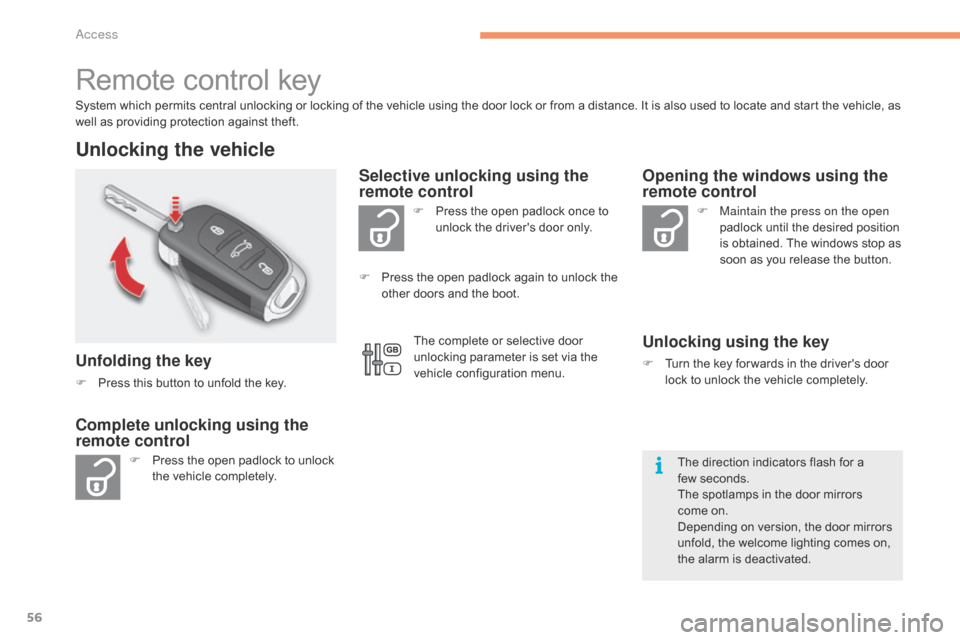
System which permits central unlocking or locking of the vehicle using the door lock or from a distance. It is also used to locate and start the vehicle, as well a s p roviding p rotection a gainst t heft.
Unlocking the vehicle
Unfolding the key
F Press this b utton t o u nfold t he k ey.
F
Pr
ess
t
he
o
pen
p
adlock
t
o
u
nlock
th
e
v
ehicle
c
ompletely. F
Pr
ess
t
he
o
pen
p
adlock
o
nce
t
o
un
lock
t
he
d
river's
d
oor
o
nly.
Selective unlocking using the
remote control
F Maintain the press on the open
p
adlock u ntil t he d esired p osition is o
btained.
T
he
w
indows
s
top
a
s
so
on
a
s
y
ou
r
elease
t
he
b
utton.
Opening the windows using the
remote control
Unlocking using the key
F Turn the key f or wards i n t he d river's d oor lo
ck t o u nlock t he v ehicle c ompletely.
Complete unlocking using the
remote control
F Press the o pen p adlock a gain t o u nlock t he ot
her d oors a nd t he b oot.
The
d
irection
i
ndicators
f
lash
f
or
a fe
w seconds.
The
s
potlamps
i
n
t
he
d
oor
m
irrors
c
ome
o
n.
Depending
o
n
v
ersion,
t
he
d
oor
m
irrors
un
fold,
t
he
w
elcome
l
ighting
c
omes
o
n,
th
e
a
larm
i
s
d
eactivated.
The
c
omplete
o
r
s
elective
d
oor
un
locking
p
arameter
i
s
s
et
v
ia
t
he
ve
hicle
c
onfiguration
m
enu.
Access
Page 59 of 396
57
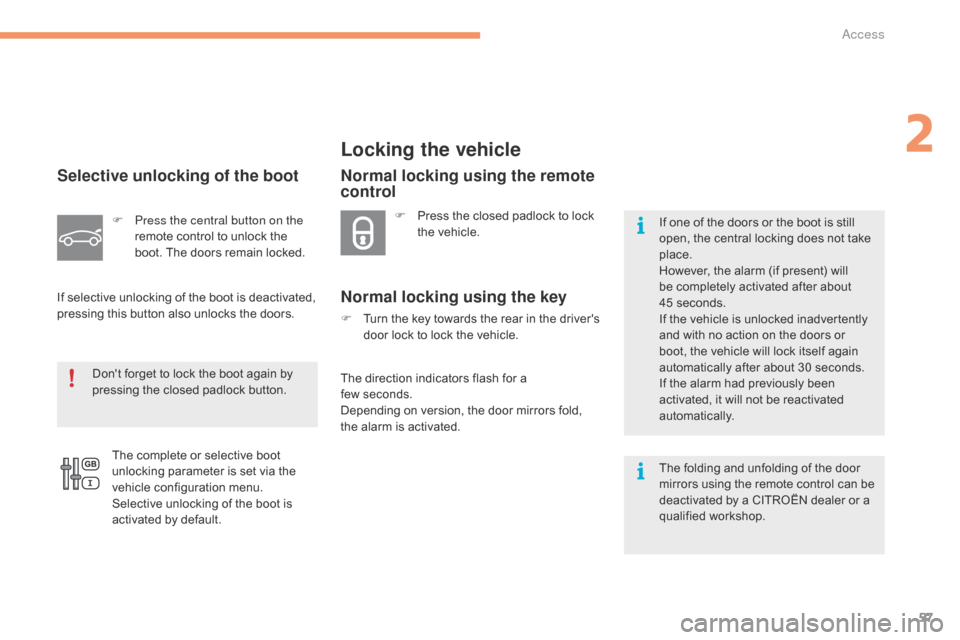
Selective unlocking of the boot
F Press the central button on the
remote c ontrol t o u nlock t he bo
ot.
T
he
d
oors
r
emain
l
ocked.
If
s
elective
u
nlocking
o
f
t
he
b
oot
i
s
d
eactivated,
pr
essing
t
his
b
utton
a
lso
u
nlocks
t
he
d
oors.
Don't
f
orget
t
o
l
ock
t
he
b
oot
a
gain
b
y
pr
essing
t
he
c
losed
p
adlock
b
utton.
The
c
omplete
o
r
s
elective
b
oot
un
locking
p
arameter
i
s
s
et
v
ia
t
he
ve
hicle
c
onfiguration
m
enu.
Selective
u
nlocking
o
f
t
he
b
oot
i
s
ac
tivated
b
y
d
efault.
Locking the vehicle
F Press the c losed p adlock t o l ock th
e v ehicle.
Normal locking using the remote
control
Normal locking using the key
F Turn the k ey t owards t he r ear i n t he d river's do
or l ock t o l ock t he v ehicle.
The
d
irection
i
ndicators
f
lash
f
or
a fe
w seconds.
Depending
o
n
v
ersion,
t
he
d
oor
m
irrors
f
old,
th
e
a
larm
i
s
a
ctivated. If
o
ne
o
f
t
he
d
oors
o
r
t
he
b
oot
i
s
s
till
op
en,
t
he
c
entral
l
ocking
d
oes
n
ot
t
ake
pl
ace.
However,
t
he
a
larm
(
if
p
resent)
w
ill
be c
ompletely
a
ctivated
a
fter
a
bout
45 s
econds.
If t he v ehicle i s u nlocked i nadvertently an
d
w
ith
n
o
a
ction
o
n
t
he
d
oors
o
r
bo
ot,
t
he
v
ehicle
w
ill
l
ock
i
tself
a
gain
au
tomatically
a
fter
a
bout
3
0
s
econds.
If
t
he
a
larm
h
ad
p
reviously
b
een
ac
tivated,
i
t
w
ill
n
ot
b
e
r
eactivated
auto
matically.
The
f
olding
a
nd
u
nfolding
o
f
t
he
d
oor
mi
rrors
u
sing
t
he
r
emote
c
ontrol
c
an
b
e
de
activated
b
y
a C
ITROËN
d
ealer
o
r
a qu
alified
wo
rkshop.
2
Access
Page 60 of 396
58
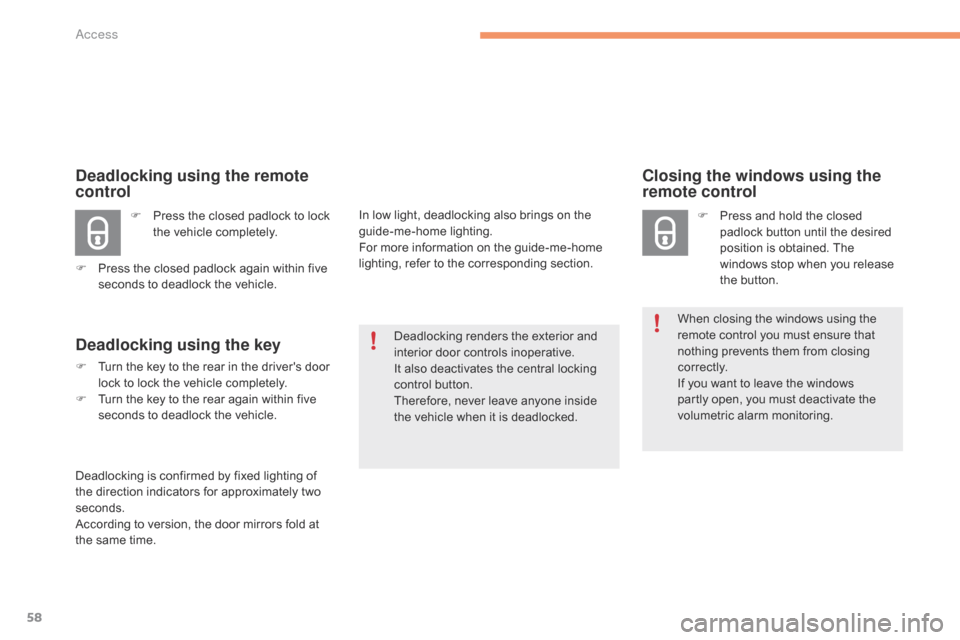
Closing the windows using the
remote control
F Press and h old t he c losed pa
dlock b utton u ntil t he d esired po
sition
i
s
o
btained.
T
he
wi
ndows
s
top
w
hen
y
ou
r
elease
th
e
b
utton.
When
c
losing
t
he
w
indows
u
sing
t
he
re
mote
c
ontrol
y
ou
m
ust
e
nsure
t
hat
no
thing
p
revents
t
hem
f
rom
c
losing
c o
r r e c t l y.
If
y
ou
w
ant
t
o
l
eave
t
he
w
indows
pa
rtly
o
pen,
y
ou
m
ust
d
eactivate
t
he
vo
lumetric
alarm mo
nitoring.
Deadlocking
r
enders
t
he
e
xterior
a
nd
in
terior
d
oor
c
ontrols
i
noperative.
It
a
lso
d
eactivates
t
he
c
entral
l
ocking
co
ntrol
b
utton.
Therefore,
n
ever
l
eave
a
nyone
i
nside
th
e
v
ehicle
w
hen
i
t
i
s
d
eadlocked.
Deadlocking using the remote
control
F Press t he c losed p adlock t o l ock th
e v ehicle c ompletely.
F
Pr
ess
t
he
c
losed
p
adlock
a
gain
w
ithin
f
ive
se
conds
t
o
d
eadlock
t
he
v
ehicle.
Deadlocking using the key
F Turn the key t o t he r ear i n t he d river's d oor lo
ck t o l ock t he v ehicle c ompletely.
F
Tu
rn
t
he
k
ey
t
o
t
he
r
ear
a
gain
w
ithin
f
ive
se
conds
t
o
d
eadlock
t
he
v
ehicle.
Deadlocking
i
s
c
onfirmed
b
y
f
ixed
l
ighting
o
f
th
e
d
irection
i
ndicators
f
or
a
pproximately
t
wo
sec
onds.
According
t
o
v
ersion,
t
he
d
oor
m
irrors
f
old
a
t
th
e
s
ame
t
ime. In
l
ow
l
ight,
d
eadlocking
a
lso
b
rings
o
n
t
he
gui
de-me-home
li
ghting.
For
m
ore
i
nformation
o
n
t
he
g
uide-me-home
li
ghting,
r
efer
t
o
t
he
c
orresponding
s
ection.
Access
Page 61 of 396
59
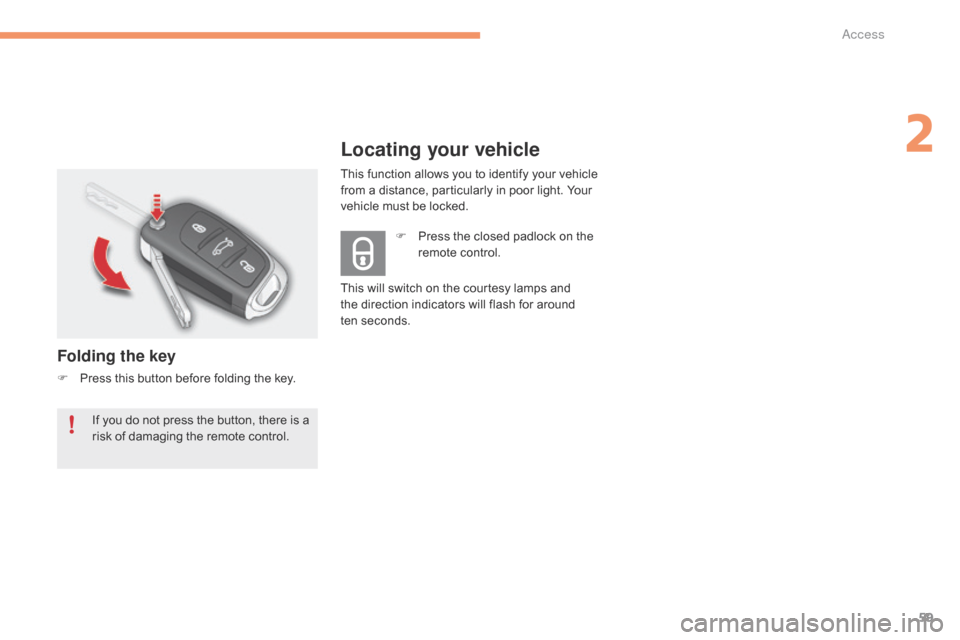
Locating your vehicle
Folding the key
F Press this b utton b efore f olding t he k ey.F
Pr
ess
t
he
c
losed
p
adlock
o
n
t
he
re
mote
c
ontrol.
This
w
ill
s
witch
o
n
t
he
c
ourtesy
l
amps
a
nd
th
e
d
irection
i
ndicators
w
ill
f
lash
f
or
a
round
ten
seconds.
If
y
ou
d
o
n
ot
p
ress
t
he
b
utton,
t
here
i
s
a ri
sk
o
f
d
amaging
t
he
r
emote
c
ontrol.This
f
unction
a
llows
y
ou
t
o
i
dentify
y
our
v
ehicle
fr
om
a d
istance,
p
articularly
i
n
p
oor
l
ight.
Y
our
ve
hicle
m
ust
b
e
l
ocked.
2
Access
Page 64 of 396
62
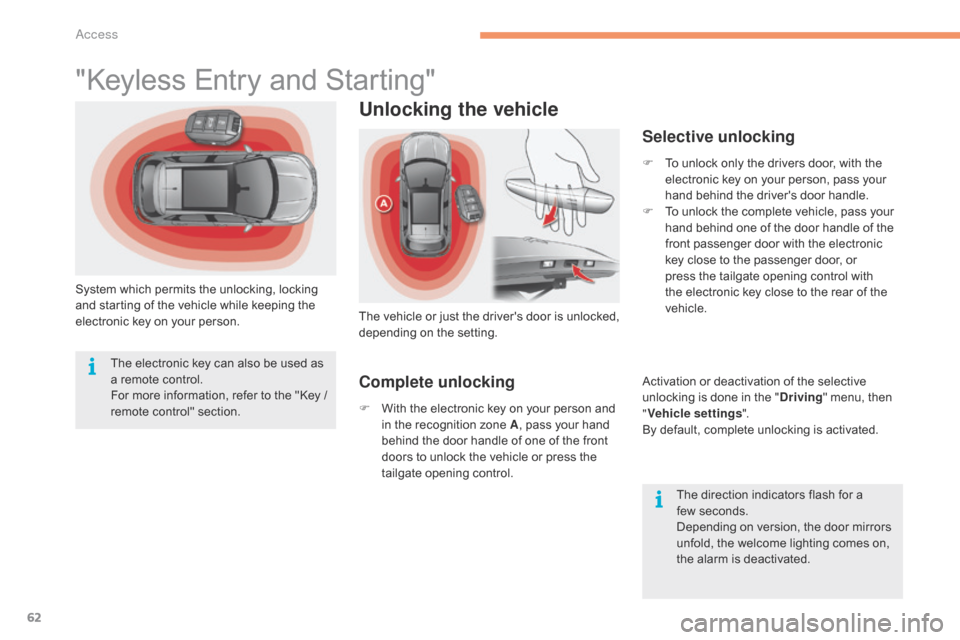
"Keyless Entry and Starting"
System which permits the unlocking, locking and s tarting o f t he v ehicle w hile k eeping t he el
ectronic
k
ey
o
n
y
our
p
erson.
Unlocking the vehicle
The vehicle or just th e dr iver's do or is un locked, dep
ending on the set ting.
Selective unlocking
F To unlock only t he d rivers d oor, w ith t he el
ectronic k ey o n y our p erson, p ass y our ha
nd
b
ehind
t
he
d
river's
d
oor
h
andle.
F
To u
nlock
t
he
c
omplete
v
ehicle,
p
ass
y
our
ha
nd
b
ehind
o
ne
o
f
t
he
d
oor
h
andle
o
f
t
he
fr
ont
p
assenger
d
oor
w
ith
t
he
e
lectronic
ke
y
c
lose
t
o
t
he
p
assenger
d
oor,
o
r
pr
ess
t
he
t
ailgate
o
pening
c
ontrol
w
ith
th
e
e
lectronic
k
ey
c
lose
t
o
t
he
r
ear
o
f
t
he
ve
hicle.
Activation
o
r
d
eactivation
o
f
t
he
s
elective
un
locking
i
s
d
one
i
n
t
he
"D
riving"
m
enu,
t
hen
"Ve
hicle settings ".
By
d
efault,
c
omplete
u
nlocking
i
s
a
ctivated.
The
d
irection
i
ndicators
f
lash
f
or
a fe
w seconds.
Depending
o
n
v
ersion,
t
he
d
oor
m
irrors
un
fold,
t
he
w
elcome
l
ighting
c
omes
o
n,
th
e
a
larm
i
s
d
eactivated.
The
e
lectronic
k
ey
c
an
a
lso
b
e
u
sed
a
s
a r
emote
c
ontrol.
For
m
ore
i
nformation,
r
efer
t
o
t
he
"
Key
/ re
mote
co
ntrol"
se
ction.
Complete unlocking
F With the e lectronic k ey o n y our p erson a nd in t
he r ecognition z one A, p
ass y our h and be
hind
t
he
d
oor
h
andle
o
f
o
ne
o
f
t
he
f
ront
do
ors
t
o
u
nlock
t
he
v
ehicle
o
r
p
ress
t
he
ta
ilgate
o
pening
c
ontrol.
Access
Page 67 of 396
65
Back-up key
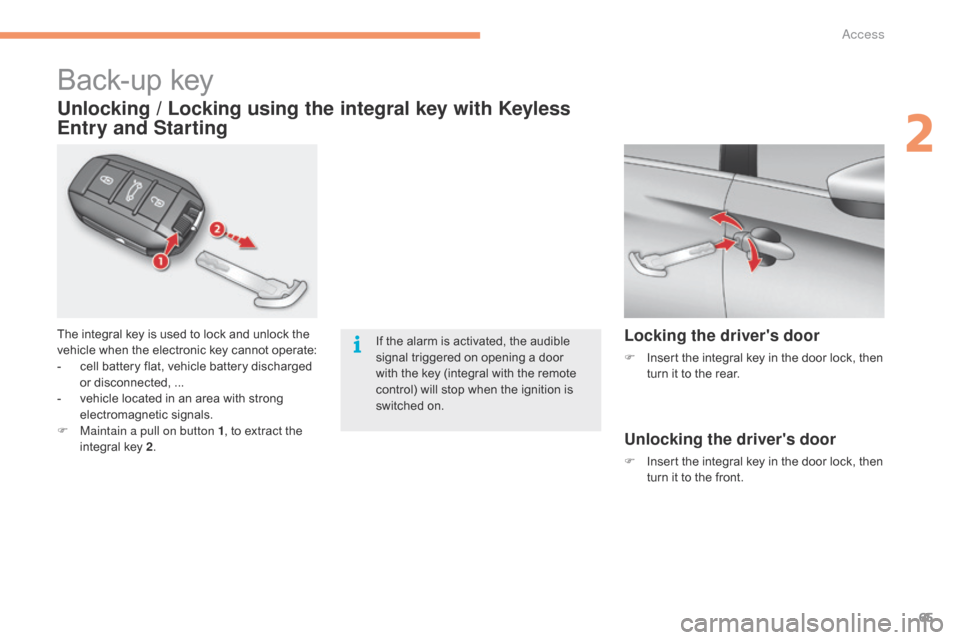
The integral key is used to lock and unlock the vehicle w hen t he e lectronic k ey c annot o perate:
-
ce
ll
b
attery
f
lat,
v
ehicle
b
attery
d
ischarged
or d
isconnected,
.
..
-
ve
hicle
l
ocated
i
n
a
n
a
rea
w
ith
s
trong
el
ectromagnetic
sign
als.
F
Ma
intain a pull on button 1 ,
t
o
e
xtract
t
he
in
tegral
k
ey
2.
Unlocking / Locking using the integral key with Keyless
Entry and Starting
If the alarm is activated, the audible si
gnal t riggered o n o pening a d oor wi
th
t
he
k
ey
(
integral
w
ith
t
he
r
emote
co
ntrol)
w
ill
s
top
w
hen
t
he
i
gnition
i
s
sw
itched
o
n.Locking the driver's door
F Insert t he i ntegral k ey i n t he d oor l ock, t hen tu
rn i t t o t he r ear.
Unlocking the driver's door
F Insert the i ntegral k ey i n t he d oor l ock, t hen tu
rn i t t o t he f ront.
2
Access
Page 70 of 396
68
Remote control
The high frequency remote control is a sensitive system; do not operate it while it is in your pocket as there is a possibility that it may unlock the vehicle, w ithout y ou b eing a ware o f i t.
Do
n
ot
r
epeatedly
p
ress
t
he
b
uttons
o
f
y
our
r
emote
c
ontrol
o
ut
o
f
r
ange
a
nd
o
ut
o
f
s
ight
o
f
y
our
v
ehicle.
Y
ou
r
un
t
he
r
isk
o
f
s
topping
i
t
f
rom
wo
rking
a
nd
t
he
r
emote
c
ontrol
w
ould
h
ave
t
o
b
e
r
einitialised.
The
r
emote
c
ontrol
d
oes
n
ot
o
perate
w
hen
t
he
k
ey
i
s
i
n
t
he
i
gnition,
e
ven
w
hen
t
he
i
gnition
i
s
s
witched
o
ff.
Locking the vehicle
Driving with the doors locked may make access to the passenger compartment by the emergency services more difficult in an emergency.
As a s afety p recaution ( with c hildren o n b oard), r emove t he k ey f rom t he i gnition o r t ake t he e lectronic k ey w hen y ou l eave t he v ehicle, e ven f or a s
hort
t
ime.
Electrical interference
The Keyless Entry and Starting electronic key may not operate if close to certain electronic devices: telephone, laptop computer, strong magnetic f ields, . ..
Anti-theft protection
Do not make any modifications to the electronic engine immobiliser system; this could cause malfunctions.
Do n't f orget t o t urn t he s teering t o e ngage t he s teering l ock.
Lost keys, remote control, electronic key
Visit a CITROËN dealer with the vehicle's registration certificate, your personal identification documents and if possible, the label bearing the key c ode.
The
C
ITROËN
d
ealer
w
ill
b
e
a
ble
t
o
r
etrieve
t
he
k
ey
c
ode
a
nd
t
he
t
ransponder
c
ode
r
equired
t
o
o
rder
a n
ew
k
ey
Do
n
ot
t
hrow
t
he
r
emote
c
ontrol
b
atteries
a
way,
t
hey
c
ontain
m
etals
w
hich
a
re
h
armful
t
o
t
he
e
nvironment.
Take
t
hem
t
o
a
n
a
pproved
c
ollection
p
oint.
When purchasing a second-hand vehicle
Have the key codes memorised by a CITROËN dealer, to ensure that the keys in your possession are the only ones which can start the vehicle.
Access