deactivate Citroen C5 2012 (RD/TD) / 2.G Owner's Guide
[x] Cancel search | Manufacturer: CITROEN, Model Year: 2012, Model line: C5, Model: Citroen C5 2012 (RD/TD) / 2.GPages: 316, PDF Size: 9.75 MB
Page 120 of 316
VIII
118
SAFETY
TRAJECTORY CONTROL
SYSTEMS
Anti-slip regulation (ASR)
and electronic stability
programme (ESP)
Activation
These systems are activated auto-
matically each time the vehicle is
started.
They come into operation in the event
of a grip or trajectory problem.
This is indicated by fl ashing
of this warning lamp in the
instrument panel.
Deactivation
In exceptional conditions (starting a
vehicle which is bogged down, stuck
in snow, on soft ground...), it may be
advisable to deactivate the ASR and
ESP systems, so that the wheels
can move freely and regain grip.
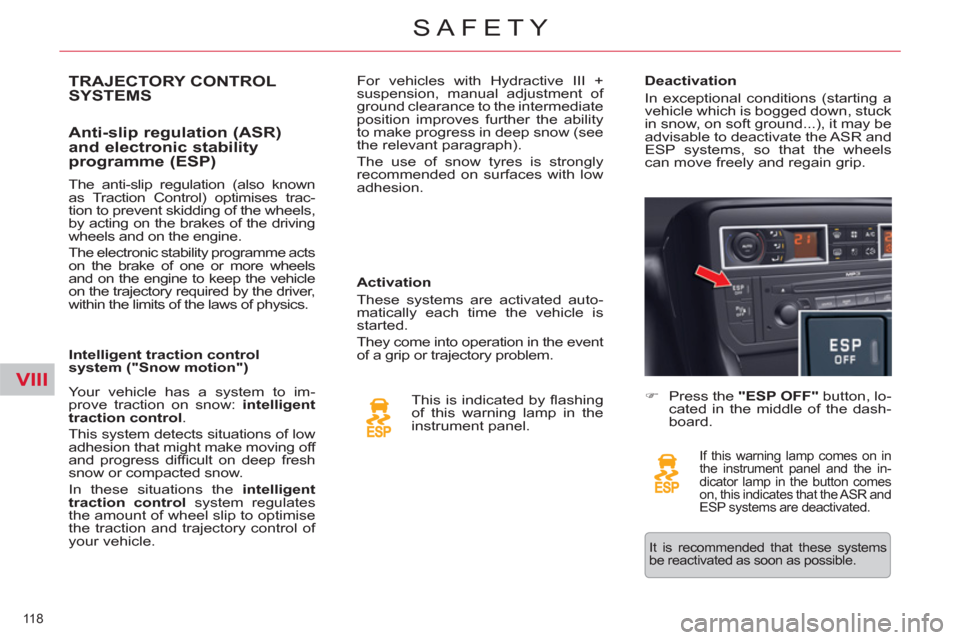
)
Press the "ESP OFF"
button, lo-
cated in the middle of the dash-
board.
If this warning lamp comes on in
the instrument panel and the in-
dicator lamp in the button comes
on, this indicates that the ASR and
ESP systems are deactivated.
Your vehicle has a system to im-
prove traction on snow: intelligent
traction control
.
This system detects situations of low
adhesion that might make moving off
and progress diffi cult on deep fresh
snow or compacted snow .
In these situations the intelligent
traction control
system regulates
the amount of wheel slip to optimise
the traction and trajectory control of
your vehicle.
The anti-slip regulation (also known
as Traction Control) optimises trac-
tion to prevent skidding of the wheels,
by acting on the brakes of the driving
wheels and on the engine.
The electronic stability programme acts
on the brake of one or more wheels
and on the engine to keep the vehicle
on the trajectory required by the driver,
within the limits of the laws of physics.
Intelligent traction control
system ("Snow motion") For vehicles with Hydractive III +
suspension, manual adjustment of
ground clearance to the intermediate
position improves further the ability
to make progress in deep snow (see
the relevant paragraph).
The use of snow tyres is strongly
recommended on surfaces with low
adhesion.
It is recommended that these systems
be reactivated as soon as possible.
Page 125 of 316
VIII
123
SAFETY
Front airbags
System which protects the head and
chest of the driver and front passen-
ger in the event of a front impact.
The driver's airbag is fi tted in the
centre of the steering wheel; the
front passenger's airbag is fi tted in
the dashboard above the glove box.
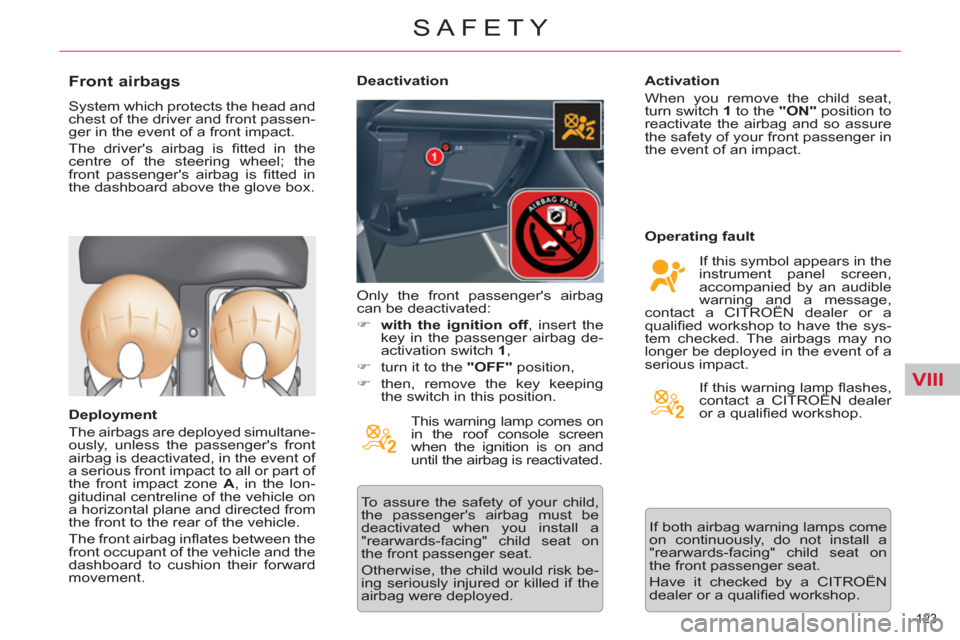
Deployment
The airbags are deployed simultane-
ously, unless the passenger's front
airbag is deactivated, in the event of
a serious front impact to all or part of
the front impact zone A
, in the lon-
gitudinal centreline of the vehicle on
a horizontal plane and directed from
the front to the rear of the vehicle.
The front airbag infl ates between the
front occupant of the vehicle and the
dashboard to cushion their forward
movement.
Deactivation
This warning lamp comes on
in the roof console screen
when the ignition is on and
until the airbag is reactivated.
To assure the safety of your child,
the passenger's airbag must be
deactivated when you install a
"rearwards-facing" child seat on
the front passenger seat.
Otherwise, the child would risk be-
ing seriously injured or killed if the
airbag were deployed.
Activation
When you remove the child seat,
turn switch 1
to the "ON"
position to
reactivate the airbag and so assure
the safety of your front passenger in
the event of an impact.
Operating fault
If this symbol appears in the
instrument panel screen,
accompanied by an audible
warning and a message,
contact a CITROËN dealer or a
qualifi ed workshop to have the sys-
tem checked. The airbags may no
longer be deployed in the event of a
serious impact. Only the front passenger's airbag
can be deactivated:
)
with the ignition off
, insert the
key in the passenger airbag de-
activation switch 1
,
)
turn it to the "OFF"
position,
)
then, remove the key keeping
the switch in this position. If this warning lamp fl ashes,
contact a CITROËN dealer
or a qualifi ed workshop.
If both airbag warning lamps come
on continuously, do not install a
"rearwards-facing" child seat on
the front passenger seat.
Have it checked by a CITROËN
dealer or a qualifi ed workshop.
Page 134 of 316

IX
!
132
DRIVING
If any of these instances arises, contact a CITROËN dealer or a qualifi ed workshop as soon as possible.
SITUATION
CONSEQUENCES
1
Electric parking brake problem and display
of message " Parking brake faulty
" and the
following warning lamps: If the electric parking brake problem warning lamp and the service
warning lamp come on, position the vehicle in a safe location
(on fl at ground, with a gear engaged).
2
Display of the messages " Parking brake
faulty
" and " Anti roll-back
fault
" and of the
following warning lamps:
- The automatic functions are deactivated.
- The hill start assist is not available.
- The electric parking brake is only available manually.
3
Display of messages " Parking brake faulty
"
and " Anti roll-back
fault
" and of the
following warning lamp:
- Manual release of the electric parking brake is not available.
- The hill start assist is not available.
- The automatic functions and manual application are still available.
Operating faults
Page 135 of 316

IX
133
DRIVING
SITUATION
CONSEQUENCES
4
Display of messages " Parking brake faulty
"
and " Anti roll-back
fault
" and of the
following warning lamps:
and/or
fl ashing
- The automatic functions are deactivated.
- The hill start assist is not available.
To apply the electric parking brake:
)
Immobilise the vehicle and switch off the ignition
)
Pull the control lever for at least 5 seconds or until maximum
application.
)
Switch on the ignition and check that the electric parking brake
warning lamps are on.
- Application may take longer than in normal operation.
- If warning lamp (!)
fl ashes or if the warning lamps do not come
on when the ignition is switched on, this method does not work.
Have it checked by a CITROËN dealer or a qualifi ed workshop.
To release the electric parking brake:
)
Switch on the ignition.
)
Push the control lever and hold it for approximately 3 seconds.
5
Display of message " Parking brake control
faulty – automatic mode activated
" and
the following warning lamps:
and/or
fl ashing
- Only the functions for automatic application on switching off
the engine and automatic release on acceleration are
available.
- Manual application/release of the electric parking brake and
dynamic emergency braking are unavailable.
6
Display of message " Parking brake faulty
"
and of the following warning lamp:
fl ashing
- Application of the parking brake is not guaranteed.
- The parking brake is temporarily unavailable.
It this situation arises:
)
Wait approximately 3 minutes.
)
After 3 minutes, if the warning lamp is still fl ashing, try to
reinitialise the parking brake, either by pushing and releasing
the control A
while pressing the brake pedal or by means of a
long pull on control lever A
.
7
Battery problem
-
Illumination of the battery warning lamp makes it essential to stop the
vehicle as soon as traffi c allows. Stop and immobilise your vehicle.
- Apply the electric parking brake before switching off the engine.
Page 136 of 316
IX!
134
DRIVING
HILL START ASSIST
System which keeps your vehicle
immobilised temporarily (approxi-
mately 2 seconds) when starting on
a gradient, the time to move your
foot from the brake pedal to the ac-
celerator pedal.
This function is only active when:
- the vehicle is completely station-
ary, with your foot on the brake
pedal,
- in certain conditions on a gradient,
- with the driver’s door closed.
The hill start assist function cannot
be deactivated.
Operation
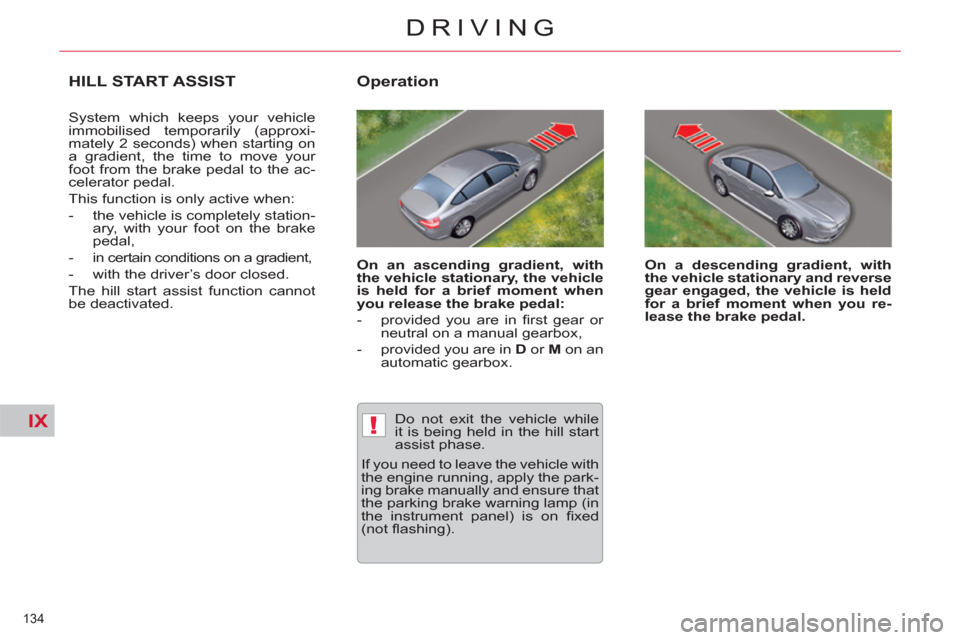
On an ascending gradient, with
the vehicle stationary, the vehicle
is held for a brief moment when
you release the brake pedal:
- provided you are in fi rst gear or
neutral on a manual gearbox,
- provided you are in D
or M
on an
automatic gearbox.
On a descending gradient, with
the vehicle stationary and reverse
gear engaged, the vehicle is held
for a brief moment when you re-
lease the brake pedal.
Do not exit the vehicle while
it is being held in the hill start
assist phase.
If you need to leave the vehicle with
the engine running, apply the park-
ing brake manually and ensure that
the parking brake warning lamp (in
the instrument panel) is on fi xed
(not fl ashing).
Page 138 of 316
IX
!
136
DRIVING
GEAR EFFICIENCY
INDICATOR *
System which reduces fuel con-
sumption by advising the driver to
change up on vehicles fi tted with a
manual gearbox.
Operation
The system intervenes only when
driving economically.
Depending on the driving situation
and your vehicle's equipment, the
system may advise you to skip one
or more gears. You can follow this
instruction without engaging the in-
termediate gears.
The gear engagement recommen-
dations must not be considered
compulsory. In fact, the confi gu-
ration of the road, the amount of
traffi c and safety remain determin-
ing factors when choosing the best
gear. Therefore, the driver remains
responsible for deciding whether or
not to follow the advice given by the
system.
This function cannot be deactivated.
*
According to engine.
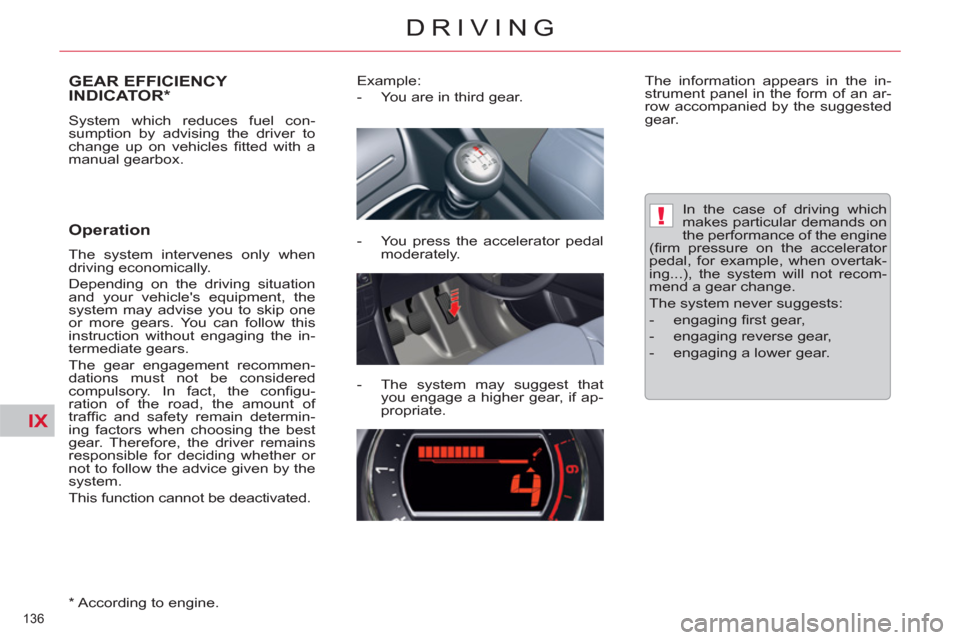
Example:
- You are in third gear.
- You press the accelerator pedal
moderately.
- The system may suggest that
you engage a higher gear, if ap-
propriate.
The information appears in the in-
strument panel in the form of an ar-
row accompanied by the suggested
gear.
In the case of driving which
makes particular demands on
the performance of the engine
(fi rm pressure on the accelerator
pedal, for example, when overtak-
ing...), the system will not recom-
mend a gear change.
The system never suggests:
- engaging fi rst gear,
- engaging reverse gear,
- engaging a lower gear.
Page 144 of 316
IX
142
DRIVING
- gear lever in position A
or M
, re-
lease the brake pedal,
- or gear lever in position N
and the
brake pedal released, move the
gear lever to position A
or M
,
- or engage reverse gear.
Going into engine START mode
The "ECO"
warning lamp goes
off and the engine starts with
the electronic gearbox
sys-
tem
:
Special cases: START invoked
automatically
In this case the "ECO"
warning lamp fl ashes for a
few seconds, then goes off.
This operation is perfectly normal.
START mode is invoked automati-
cally when:
- the driver's door is open,
- the driver's seat belt is not fas-
tened,
- the speed of the vehicle exceeds
7 mph (11 km/h) with the elec-
tronic gearbox system,
- the electric parking brake is being
applied,
- some special conditions (battery
charge, engine temperature,
braking assistance, ambient tem-
perature...) where the engine is
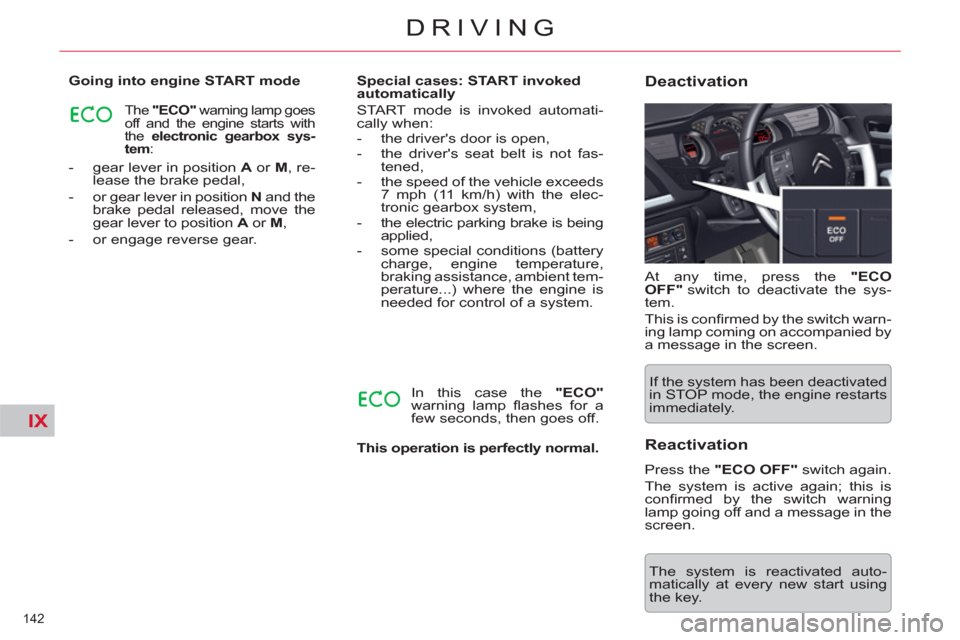
needed for control of a system. At any time, press the "ECO
OFF"
switch to deactivate the sys-
tem.
This is confi rmed by the switch warn-
ing lamp coming on accompanied by
a message in the screen.
Deactivation
If the system has been deactivated
in STOP mode, the engine restarts
immediately.
The system is reactivated auto-
matically at every new start using
the key.
Reactivation
Press the "ECO OFF"
switch again.
The system is active again; this is
confi rmed by the switch warning
lamp going off and a message in the
screen.
Page 145 of 316
IX
!
!
143
DRIVING
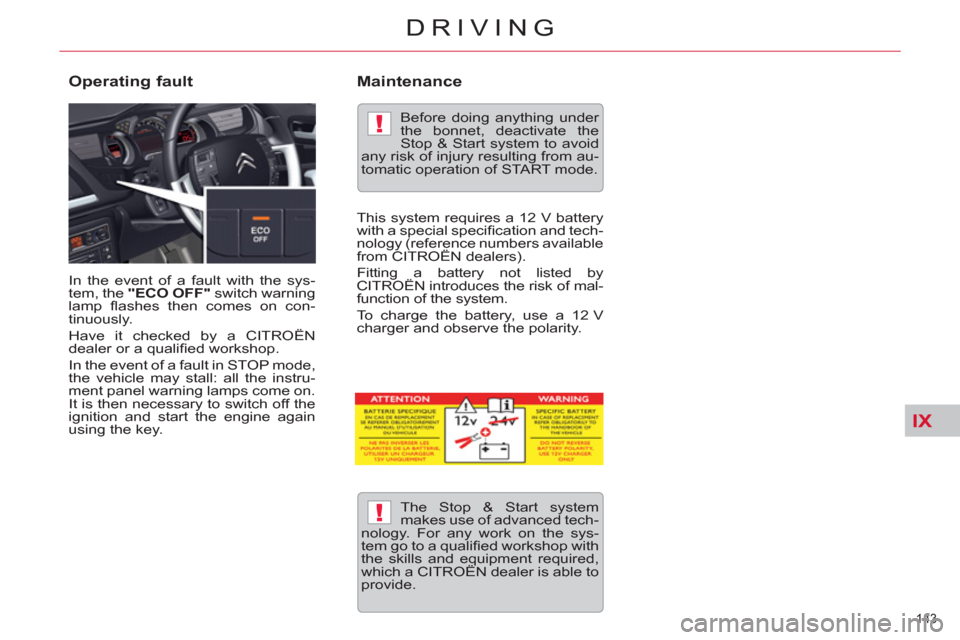
In the event of a fault with the sys-
tem, the "ECO OFF"
switch warning
lamp fl ashes then comes on con-
tinuously.
Have it checked by a CITROËN
dealer or a qualifi ed workshop.
In the event of a fault in STOP mode,
the vehicle may stall: all the instru-
ment panel warning lamps come on.
It is then necessary to switch off the
ignition and start the engine again
using the key.
Operating fault
The Stop & Start system
makes use of advanced tech-
nology. For any work on the sys-
tem go to a qualifi ed workshop with
the skills and equipment required,
which a CITROËN dealer is able to
provide.
Before doing anything under
the bonnet, deactivate the
Stop & Start system to avoid
any risk of injury resulting from au-
tomatic operation of START mode.
Maintenance
This system requires a 12 V battery
with a special specifi cation and tech-
nology (reference numbers available
from CITROËN dealers).
Fitting a battery not listed by
CITROËN introduces the risk of mal-
function of the system.
To charge the battery, use a 12 V
charger and observe the polarity.
Page 150 of 316
IX
148
DRIVING
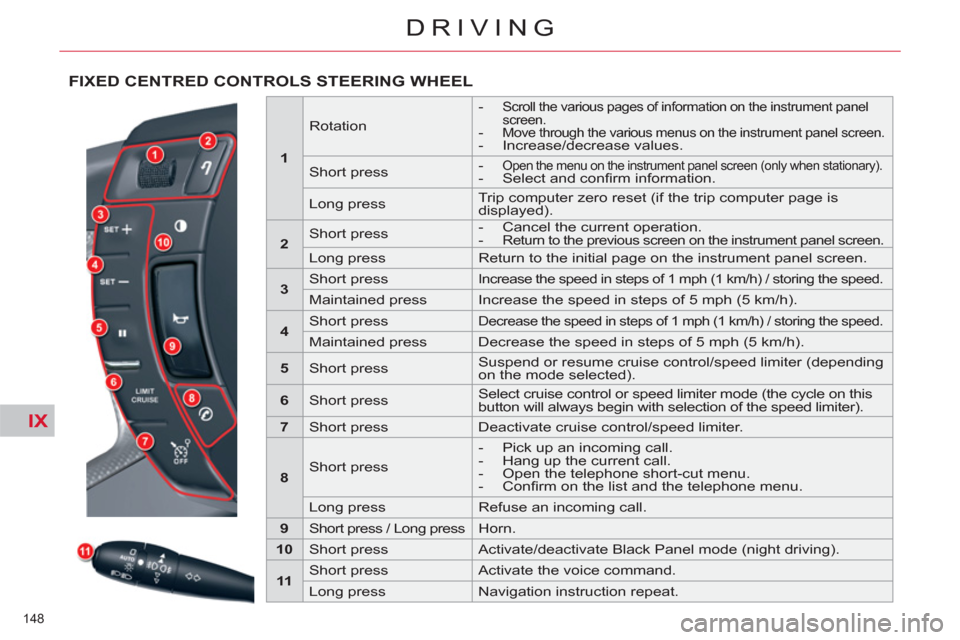
FIXED CENTRED CONTROLS STEERING WHEEL
1
Rotation
-
Scroll the various pages of information on the instrument panel
screen.
- Move through the various menus on the instrument panel screen.
- Increase/decrease values.
Short press
- Open the menu on the instrument panel screen (only when stationary).
- Select and confi rm information.
Long press Trip computer zero reset (if the trip computer page is
displayed).
2
Short press
- Cancel the current operation.
-
Return to the previous screen on the instrument panel screen.
Long press Return to the initial page on the instrument panel screen.
3
Short press
Increase the speed in steps of 1 mph (1 km/h) / storing the speed.
Maintained press Increase the speed in steps of 5 mph (5 km/h).
4
Short press
Decrease the speed in steps of 1 mph (1 km/h) / storing the speed.
Maintained press Decrease the speed in steps of 5 mph (5 km/h).
5
Short press Suspend or resume cruise control/speed limiter (depending
on the mode selected).
6
Short press Select cruise control or speed limiter mode (the cycle on this
button will always begin with selection of the speed limiter).
7
Short press Deactivate cruise control/speed limiter.
8
Short press
- Pick up an incoming call.
- Hang up the current call.
- Open the telephone short-cut menu.
- Confi rm on the list and the telephone menu.
Long press Refuse an incoming call.
9
Short press / Long press Horn.
10
Short press Activate/deactivate Black Panel mode (night driving).
11
Short press Activate the voice command.
Long press Navigation instruction repeat.
Page 155 of 316
IX
!
153
DRIVING
Cruise control must only be
used wh e re the traffi c condi-
tions permit driving at a con-
stant speed .
Do not use it on congested roads
or when the weather or the road
conditions are poor .
The driver must remain attentive and
in complete control of the vehicle .
You are recommended to keep your
feet within range of the pedals .
Overriding the programmed
speed
While cruise control is in operation,
it is always possible to go above the
programmed speed simply by press-
ing the accelerator pedal (for exam-
ple to overtake another vehicle).
The speed displayed in zone A
fl ashes.
You only have to release the ac-
celerator pedal to return to the pro-
grammed speed.
Suspension / Resumption
)
Either by pressing the brake
pedal or the clutch pedal.
)
Or by pressing button 3
.
)
Or by the ESP or ASR systems
being active.
For vehicles with a manual gearbox,
cruise control is deactivated if the
gear lever is in neutral.
Reactivation
- By recalling the memorised
speed
After deactivation, press button 3
.
Your vehicle automatically returns
to the memorised cruising speed.
The memorised speed and "ON"
are displayed in zone A
.
If the memorised cruising speed
is higher than the current speed,
the vehicle will accelerate strong-
ly to reach the current speed.
- By selecting the current speed
Press button 1
or 2
once the de-
sired speed has been reached.
The new speed and "ON"
will
appear in zone A
.
Return to normal driving
)
Either press on button 5
.
)
Or select the cruise control func-
tion.
)
Or stop the engine.
The speed that was chosen is no
longer memorised.
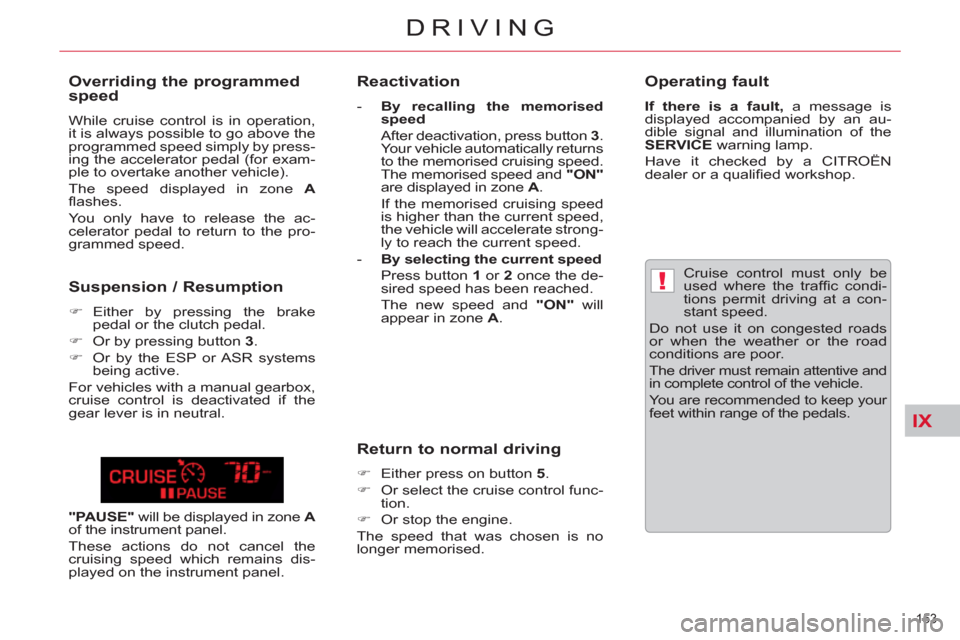
"PAUSE"
will be displayed in zone A
of the instrument panel.
These actions do not cancel the
cruising speed which remains dis-
played on the instrument panel.
Operating fault
If there is a fault,
a message is
displayed accompanied by an au-
dible signal and illumination of the
SERVICE
warning lamp.
Have it checked by a CITROËN
dealer or a qualifi ed workshop.