CD changer Citroen C6 DAG 2007 1.G User Guide
[x] Cancel search | Manufacturer: CITROEN, Model Year: 2007, Model line: C6 DAG, Model: Citroen C6 DAG 2007 1.GPages: 216, PDF Size: 7.61 MB
Page 186 of 216
262626
IV
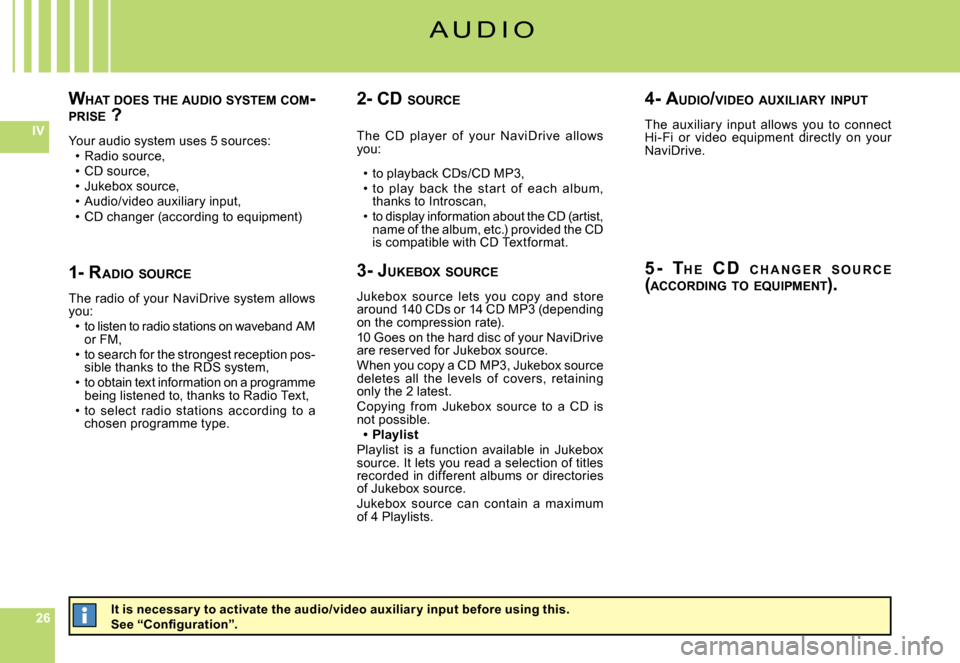
WHAT DOES THE AUDIO SYSTEM COM -PRISE ?
Your audio system uses 5 sources:Radio source,CD source,Jukebox source,Audio/video auxiliary input,CD changer (according to equipment)
Page 202 of 216

424242
IV
BA
C D C H A N G E R S O U R C E
( A C C O R D I N G T O E Q U I P M E N T )
Hold down one of the buttons 1 to 6 on the alphanumeric keypad to choose the CD that you wish to play back.Depending on the equipment on your vehicle, you may have a CD changer.T h i s c h a n g e r i s un d e r o n e of t h e f r o nt seats.It contains a magazine that c an accom -modate 6 CDs.
1. Remove t h e mag a z in e from the CD changerO p e n t h e s l i d i n g d o o r o f t h e C D changer.Press on button “EJECT” to partially eject the magazine.Remove the magazine carefully.Close the sliding door.
2. Removing a compar tmentTake out just one drawer at a time.
3. To inser t/remove a CDInsert a single CD, printed side upwards. Other wise the CD changer will not oper-ate.Pull out the CD by pulling on the part that is showing.
4. Repositioning the compar tmentRefi t the drawer by pushing it into the magazine. Do not push directly on the CD.
5. Repositioning the magazineOpen the sliding door.Hold the magazine, narrow side towards the opening of the CD changer.Push the magazine gently into the aperture of the changer until there is a click.Reclose the sliding door to prevent entry of dust or of foreign bodies.
Page 215 of 216
555555
IX
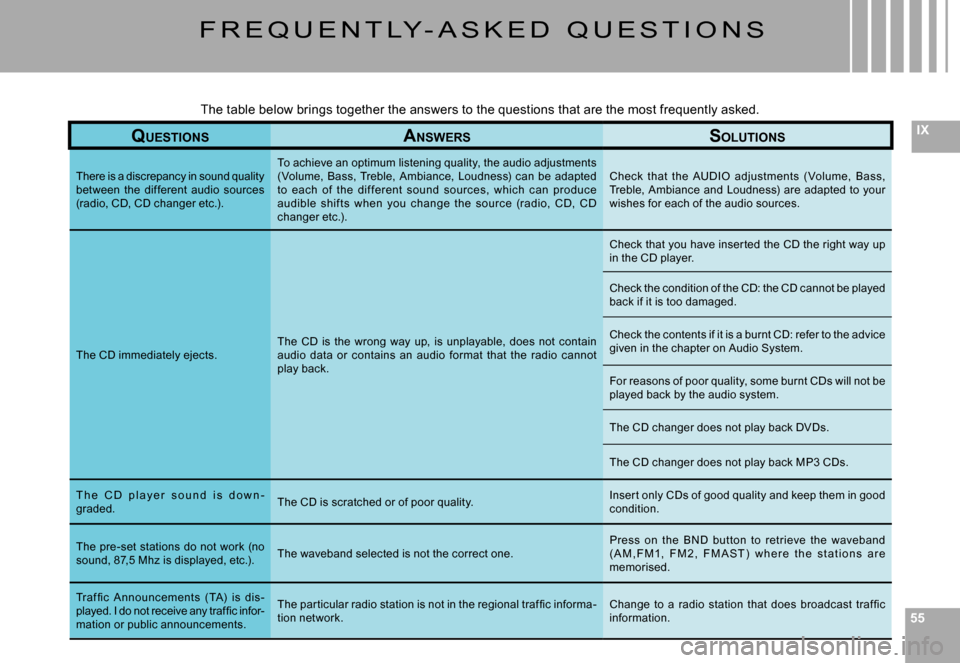
F R E Q U E N T LY - A S K E D Q U E S T I O N S
QUESTIONSANSWERSSOLUTIONS
There is a discrepancy in sound quality between the different audio sources (radio, CD, CD changer etc.).
To achieve an optimum listening quality, the audio a djustments (Volume, Bass, Treble, Ambiance, Loudness) can be ad apted to each of the dif ferent sound sources, which c an produce audible shif ts when you change the sourc e (radio, C D, CD changer etc.).
Check that the AUDIO adjustments ( Volume, Bass, Treble, Ambiance and Loudness) are adapted to your wishes for each of the audio sources.
The CD immediately ejects.The CD is the wrong way up, is unplayable, does not con tain audio data or contains an audio format that the radio cannot play back.
Check that you have inser ted the CD the right way up in the CD player.
Check the condition of the CD: the CD cannot be played back if it is too damaged.
Check the contents if it is a burnt CD: refer to the advice given in the chapter on Audio System.
For reasons of poor quality, some burnt CDs will not be played back by the audio system.
The CD changer does not play back DVDs.
The CD changer does not play back MP3 CDs.
T h e C D p l a y e r s o u n d i s d o w n -graded.The CD is scratched or of poor quality.Inser t only CDs of good quality and keep them in good condition.
The pre-set stations do not work (no sound, 87,5 Mhz is displayed, etc.).The waveband selected is not the correct one.Press on the BND but ton to retrieve the waveband ( A M , F M1, F M 2 , F M A S T ) w h e r e t h e s t a t i o n s a r e memorised.
Traf fi c A nnouncements ( TA) is dis-played. I do not receive any traffi c infor-mation or public announcements.
The par ticular radio station is not in the regional traf fi c informa-tion network.Change to a radio station that does broadcast traf fi c information.
The table below brings together the answers to the que stions that are the most frequently asked.