emergency CITROEN DISPATCH SPACETOURER 2017 Handbook (in English)
[x] Cancel search | Manufacturer: CITROEN, Model Year: 2017, Model line: DISPATCH SPACETOURER, Model: CITROEN DISPATCH SPACETOURER 2017Pages: 774, PDF Size: 48.25 MB
Page 316 of 774
314
FuseN° Rating
(A) Functions
F1 3"Keyless Entry and Starting" system or ignition switch.
F5 5Touch screen, reversing camera and parking sensors.
F7 10Rear air conditioning controls, Hi-Fi amplifier.
F8 20Single or double rear wiper.
F10/F11 30Front /rear exterior and interior locks.
F12 3Alarm.
F17 10Rear 12 V accessory socket.
F18 5Emergency and assistance calls.
F21 3Torch charger, rear courtesy lamp.
F22 3Glove box lamp, rear courtesy lamps.
F23 5Blind spot monitoring system, door mirror electric controls.
F24 5Steering mounted controls.
F25 5Headlamp beam height control.
F26 3Seat belt unfastened or not fastened display screen.
F27 3Rain and sunshine sensor, multifunction detection camera.
F28 10Front air conditioning controls, radio controls, gear lever, head-
up display.
F30A or B 15Audio system (battery +).
F31 5Airbags.
F33 15Front 12 V accessory socket.
F35 5Instrument panel.
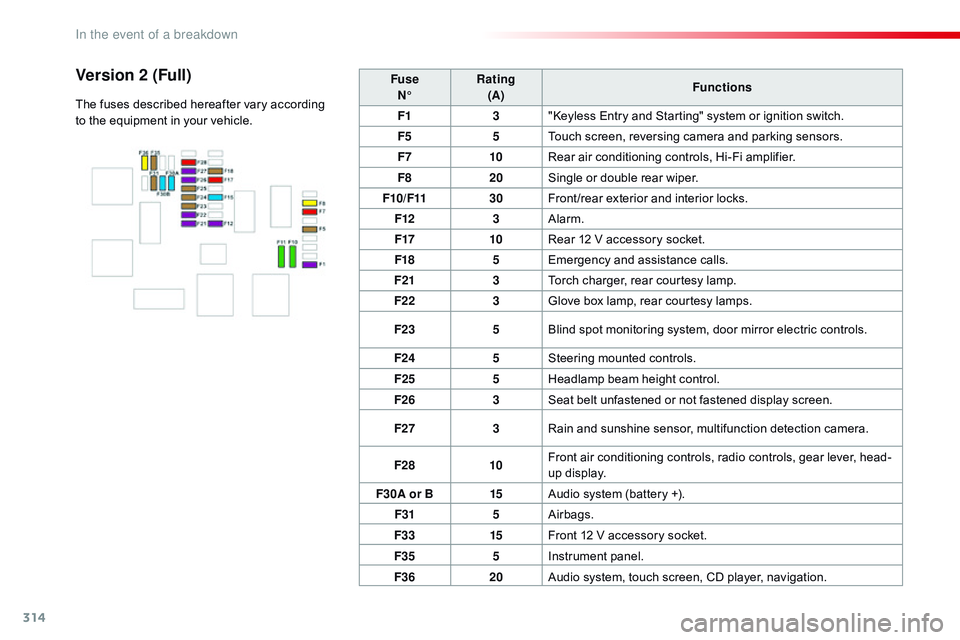
F36 20Audio system, touch screen, CD player, navigation.Version 2 (Full)
The fuses described hereafter vary according
to the equipment in your vehicle.
In the event of a breakdown
Page 317 of 774

315
Engine compartment fuses
F Release the two latches A.
F R emove the cover.
F
C
hange the fuse.
F
W
hen you have finished, close the cover
carefully then engage the two latches A ,
to
ensure correct sealing of the fusebox. Fuse
N° Rating
(A) Functions
F12 5Heated washer jets.
F14 25Front and rear screenwash pump.
F15 5Front radar and emergency braking, electric power steering.
F17 10Built-in systems inter face.
F19 30Front wiper motor.
F20 15Front and rear screenwash pump.
F21 20Headlamp wash pump.
F22 15Horn.
F23 15Right-hand main beam headlamp.
F24 15Left-hand main beam headlamp.
The fusebox is located in the engine
compartment near the battery.
The fuses described hereafter vary according to the equipment in your vehicle.
Access to the fuses
8
In the event of a breakdown
Page 330 of 774

328
Emergency or assistance call
If an impact is detected by the airbag
control unit, and independently of
the deployment of any airbags, an
emergency call is made automatically.
Localised Emergency Call
In an emergency, press this
button for more than 2 seconds.
Flashing of the green indicator
lamp and a voice message
confirm that the call has
been made to the "Localised
Emergency Call"* centre.
Pressing this button again immediately cancels
the call.
The green indicator lamp goes off.
At any time, pressing this button for more than
8 seconds cancels the call.
The green indicator lamp remains on (without
flashing) when communication is established.
It goes off at the end of the call.
This call is dealt with by the "Localised
Emergency Call" centre, which receives
locating information from the vehicle and
can send a detailed alert to the appropriate
emergency services.
In countries in which a centre is not
operational, or when the locating service
has been expressly declined, the call is dealt
with directly by the emergency services (112)
without the vehicle location. *
T
hese services are subject to conditions and
availability.
C
onsult a CITROËN dealer.If you benefit from the CITROËN
Connect Box offer with the SOS and
assistance pack included, there are
additional services available to you in
your MyCITROËN personal space, via
the Internet website for your country.
Audio and Telematics
Page 331 of 774

329
Localised Assistance Call
If you purchased your vehicle outside
the CITROËN dealer network, we
invite you to have a dealer check the
configuration of these services and, if
desired, modified to suit your wishes.
In a multi-lingual country, configuration
is possible in the official national
language of your choice.
For technical reasons, particularly
to improve the quality of Telematic
services to customers, the
manufacturer reserves the right to
carry out updates to the vehicle's on-
board telematic system.
The fault with the system does not
prevent the vehicle being driven. Press this button for more than
2
seconds to request assistance
if the vehicle breaks down.
A voice message confirms that
the call has been started*.
Pressing this button again immediately cancels
the request.
The cancellation is confirmed by a voice
message.
Geo-location
You can deactivate geo-location by
simultaneously pressing the "Localised
Emergency Call" and "Localised Assistance
Call" buttons, followed by a press on "Localised
Assistance Call" to confirm.
To reactivate geo-location, simultaneously
press the "Localised Emergency Call" and
"Localised Assistance Call" buttons again,
followed by a press on "Localised Assistance
Call" to confirm.
The orange indicator lamp is on fixed: the back-
up battery should be replaced.
In both cases, the emergency and assistance
calls service may not work.
Contact a qualified repairer as soon as
possible.
Operation of the system
When the ignition is switched on,
the green indicator lamp comes
on for 3 seconds indicating that
the system is operating correctly.
The orange indicator lamp
flashes then goes off: the system
has a fault.
*
T
hese services are subject to conditions and
availability.
C
onsult a CITROËN dealer.
.
Audio and Telematics
Page 361 of 774
359
As a safety measure and because it
requires sustained attention by the
driver, using a smartphone when
driving is prohibited.
All operations must be done with the
vehicle stationary.
Connected navigation connection
The principles and standards
are constantly changing. For
communication between your
smartphone and the system to operate
correctly, we recommend that you
keep your smar tphone's operating
system up to date, and the time and
date on your smar tphone and the
system correct. The services offered with connected
navigation are as follows.
A connected services pack:
-
W
eather,
-
F
illing stations,
-
C
ar park,
-
Tr
a f f i c ,
-
P
OI, local search.
A Danger area pack.
Activate the Bluetooth function on the
telephone and ensure that it is visible
to all (see the "Connectivity" section). Connect the USB cable.
The smartphone is in charge mode
when connected by USB cable.
The system is automatically
connected to the modem included
for the "Emergency or assistance
calls" services and does not require
a connection provided by the user via
their smartphone. On the arrival of "TOMTOM
TR AFFIC", the services are
available.
For access to connected navigation,
you can use the connection provided
by the vehicle via the "Emergency or
assistance
call" services or use your
smartphone as a modem.
Activate and enter settings for
sharing the smartphone connection.
Restrictions of use:
-
W
ith CarPlay
®, connection sharing
is
only with a Wi-Fi connection.
-
W
ith MirrorLink
TM, connection
sharing is only with a USB
connection.
The quality of services depends on the
quality of the network connection. Select a Wi-Fi connection found by
the system and connect to it (see the
"Connectivity" section).
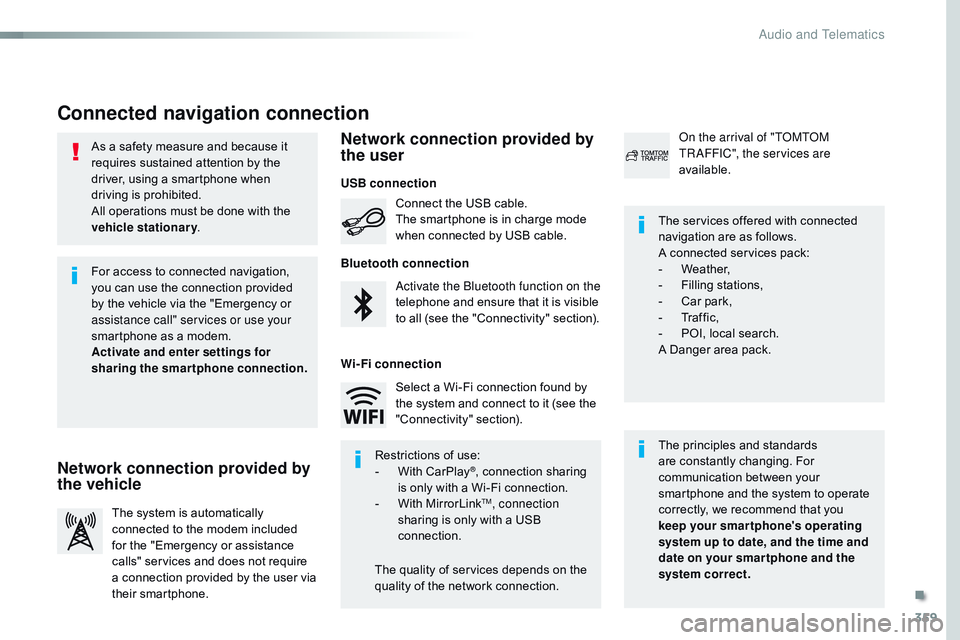
USB connection
Network connection provided by
the vehicle Network connection provided by
the user
Bluetooth connection
Wi-Fi connection
.
Audio and Telematics
Page 372 of 774
370
1
Bluetooth® connection
Procedure from the systemConnection sharing
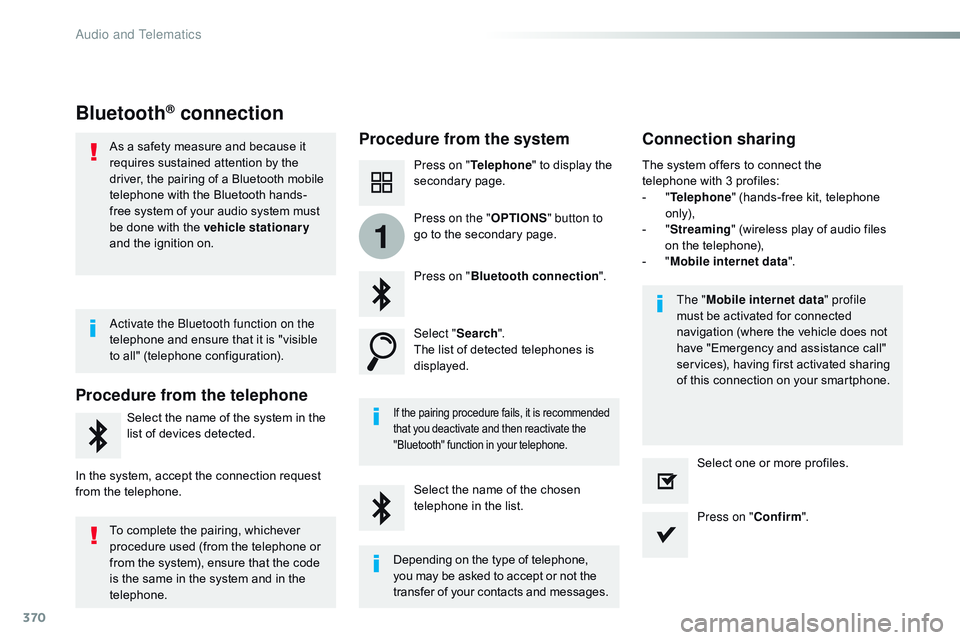
Press on "Telephone " to display the
secondary page.
Press on " Bluetooth connection ".
Select " Search".
The list of detected telephones is
displayed.
If the pairing procedure fails, it is recommended
that you deactivate and then reactivate the
"Bluetooth" function in your telephone.
The " Mobile internet data " profile
must be activated for connected
navigation (where the vehicle does not
have "Emergency and assistance call"
services), having first activated sharing
of this connection on your smartphone.
The system offers to connect the
telephone
with 3 profiles:
-
"
T
elephone
" (hands-free kit, telephone
only),
-
"
S
treaming
" (wireless play of audio files
on the telephone),
-
"
M
obile internet data
".
Select the name of the chosen
telephone in the list. Press on "Confirm".
Select one or more profiles.
Press on the "
OPTIONS" button to
go to the secondary page.
As a safety measure and because it
requires sustained attention by the
driver, the pairing of a Bluetooth mobile
telephone with the Bluetooth hands-
free system of your audio system must
be done with the vehicle stationary
and the ignition on.
Procedure from the telephone
Select the name of the system in the
list of devices detected.
In the system, accept the connection request
from the telephone. Activate the Bluetooth function on the
telephone and ensure that it is "visible
to all" (telephone configuration).
To complete the pairing, whichever
procedure used (from the telephone or
from the system), ensure that the code
is the same in the system and in the
telephone.
Depending on the type of telephone,
you may be asked to accept or not the
transfer of your contacts and messages.
Audio and Telematics
Page 498 of 774

496
ABS ...............................................................159
Access, AdBlue tank ..................................... 28
0
Accessories
..............................
....................267
Access to the spare wheel
............................2
92
Active Safety Brake......................... 21, 239, 242
AdBlue
® ............................... ...... 24, 33, 278 -281
Additive, Diesel ............................... ...... 275, 276
Adjusting headlamp
beam height
................................................ 15
3
Adjusting head restraints
.......................... 9
1, 93
Adjusting front seats
................................. 87
, 90
Adjusting the air distribution
.................12
5, 129
Adjusting the air flow
............................. 12
7, 129
Adjusting the date
...........................4
4, 410, 466
Adjusting the height and reach of the steering wheel
.................................... 87
A
djusting the lumbar
support
....................................................8
8, 92
Adjusting the seat belt height
...............
........................................... 16 4
Adjusting the temperature
....................12
5, 127
Adjusting the time
........................... 4
4, 411, 467
Advice on driving
..............................
.....192-19 4
Airbags
...............
.............................22, 168, 176
Airbags, curtain
..................................... 17
1, 172
Airbags, front......................................... 169, 172 Battery
...............................
............ 276, 316 -320
Battery capacity
...............................
.............320
Battery, charging
...............................
............318
Battery, remote control
............... 5
1, 62, 63, 138
Bench seat, one-piece, fixed
..........................95
B
lind, panoramic roof
....................................12
0
Blind spot monitoring system
........... 2
7, 249 -251
Blinds, side
....................................................11
8Cable, audio
......................................... 3
88, 444
Capacity, fuel tank
..............................
..........261
Cap, fuel filler
................................................2
61
CarPlay connection ...............................376, 432
CD, MP3
........................................................48
4
Central locking
..........................................4
5, 52
Changing a bulb
............................................ 29
8
Changing a bulb (tailgate)
.............................3
08
Changing a bulb (side-hinged doors)
...........3
05
Changing a fuse
............................................ 3
11
Changing a wheel
...............................
..........291
Changing a wiper blade
........................ 1
57, 269
Changing the remote control battery
........ 5
1, 62
Checking the engine oil level
..................3
2, 273
Checking the levels
...............................2
73-275
Checking tyre pressures (using the kit)
..............................
................290
Airbags, lateral
......................................
17
0, 172
Air conditioning, dual-zone automatic
............................................ 1
27, 134
Air conditioning, manual
....... 1
25, 131, 134, 135
Air intake
...............
................................ 125, 134
Alarm
............................................................... 83
A
nti-lock braking system (ABS)
....................
15
9
Anti-pinch
........................................................ 86
A
nti-theft
..............................
.............49, 59, 201
Armrest, front
..................................................
91
AS
R
...............................................................
15
9
Assistance call
...............................
.......158, 328
Assistance, emergency braking
...........1
59, 243
Audible warning
............................................ 15
9
Audio streaming (Bluetooth)
..............................
... 388, 444, 485
Audio system
... 7
7, 148 -150, 152, 153, 156, 216,
222, 241, 243, 245, 247, 250, 253, 260, 473
Auxiliary ............................................... 3 88, 444
A
B
C
BlueHDi .................................... 29, 33, 204, 278
Bluetooth (telephone) ................... 3 96, 452, 487
Bonnet
...............
............................................ 271
Boot
........
.................................56, 58, 61, 79, 81
Brake discs
.................................................... 2
77
Brake lamps
......................... 3
05, 306, 308, 309
Brakes
.......................................................1
6, 20
Braking, automatic emergency
....... 2
1, 239, 242
Bulbs (changing)
...............................
............298
180° rear vision
...............................
.............. 255
Alphabetical index
Page 499 of 774

497
D
E
Checks ..........................................272, 276, 277
Child lock, electric, manual
...............
......................................... 19 0
Child lock on rear windows
...................................................... 19
1
Children
...............................
... 167, 170, 173 -191
Children (safety)
...............................
.............19 0
Child seats
..............................
......................180
Child seats, conventional
........................................ 17
9 -18 2
Child seats, ISOFIX
..............................18
4 -18 6
C
ITROËN
C
onnect Box
...............................32
8
CITROËN Connect Nav
................................ 3
31
CITROËN Connect Radio
.............................41
9
C
ITROËN
L
ocalised
Emergency Call
..................................1
58, 328
Closing the boot
...............................
... 76, 79, 81
Closing the doors
...............................
.......65 -78
Coat hook
...................................................... 11
5
Collision risk alert
....................2
1, 239 -241, 243
Compressor, tyre inflation
............................28
5
Connection, Bluetooth
..... 3
70, 396 -398, 426, 452- 454, 488
Connection, MirrorLink
............................3
72, 374, 428, 430
Connection, Wi-Fi network
..............................
....... 371, 427
Connectivity
...............................
...........368, 424
Control, emergency
boot release
...............................
...................81
Control, back-up door
...............................5
0, 60
Control, heated seats
................................ 9
1, 94
Control stalk, lighting
.................................... 14
4
Control stalk, wipers
..................................... 15
4
Courtesy lamp, front
..................... 1
40, 307, 310
Courtesy lamp, rear
...................... 1
40, 307, 310
Courtesy lamps
............................. 1
40, 307, 310
Cover, load space
................................. 11
5 , 118
Cruise control
................................................ 2
28 Doors ..............................................................
.65
Doors, rear
............................... .......................79
Doors, side-hinged
.......... 5
7, 58, 61, 79, 80, 305, 306
Driver’s attention warning
...............................
........................247
Driver's door open warning
...............................
.................... 18, 72
Driving abroad ............................................... 146
Driving economically ....................................... 11
Driving time warning
............................. 2
47, 248
Dynamic stability control (DSC)
............................................ 2
3, 159, 161
DAB (Digital Audio Broadcasting) - Digital radio
................................ 3
86, 442, 480
Date (setting)
...............................
....44, 410, 466
Daytime running lamps
......... 1
44, 147, 299 -301
Deactivating the passenger
airbag
.................................................. 17
0, 176
Deactivation of DSC (ESC)
...............
...........................................161
Deadlocking
...............................
........ 48, 53, 58
Demisting, defrosting, front
..........................13
1
Demisting, defrosting, rear
........................... 13
2
Diagnostic system, engine
...............
............................................19
Dials
...............
........................................... 13, 14
Diesel
...............................
.............................263
Dimensions
..............................
.....................323
Dipstick
................
....................................32, 273
Direction indicators
...........1
46, 299, 302, 303, 305, 308
Display, head-up
........................................... 2
18
Display screen, instrument panel
............................. 1
3, 14, 204
Door pockets
.................................................11
2EBA
.............................................................
..159
Eco-driving (advice)
........................................ 11
E
lectronic brake force
distribution (EBFD)
..................................... 15
9
Emergency call
.....................................1
58, 328
Emergency warning lamps
...................1
58, 282
Emissions control system, SCR
..............................
........................25, 278
Energy economy mode
.................................26
6
Engine compartment
.................................... 2
72
Engine, Diesel
........ 1
9, 263, 272, 322, 325, 326
Environment
................1
1, 51, 62, 132, 133, 134,
138, 209, 258, 275, 280, 316
ESC (electronic stability control)
............2
3, 159
Cruise control, dynamic
................................2
32
Cruise control by speed limit recognition
.................................................. 2
23
Cup holder
...............................
......................115
.
Alphabetical index
Page 525 of 774
17
6
Driving
Comp _Spacetourer_01_16_EN
This level of alert is based on the time before collision. It takes account of the vehicle dynamics, the speed of your vehicle and the
one in front, the environmental conditions, the operation of the vehicle (cornering, pedals pressed, etc.) to trigger the alert at the best moment.
Level 2 : visual and audible alert, warning you that a collision is imminent. A message indicating that you should brake is displayed.
Where the speed of your vehicle is too high approaching another vehicle, the first level of alert may not be displayed: the level 2 alert may be displayed di r e c t l y. Furthermore, the level 1 alert is never displayed with the " Close " threshold. Poor weather conditions (very heavy rain, accumulation of snow in front of the radar and the camera) may hinder the operation of the system, with the display of an operating fault message. The system remains out of service until the message disappears.
Programming the alert thresholds
The thresholds for triggering an alert determine how you wish to be warned of the presence of a vehicle moving or stationary ahead of you, or a pedestrian in your traffic lane. You can select one of three thresholds : - " Distant ", to be warned early (cautious driving). - " Normal ". - " Close ", to be warned later.
In the vehicle settings menu, activate/deactivate " Collision risk alert and automatic braking ".
With the touch screen
With the audio system
In the " Personalisation-configuration " menu, activate/deactivate " Auto. emergency braking ". Then modify the alert threshold.
Then modify the alert threshold. Press on " Confirm " to save the change.
Page 526 of 774

18
Driving
Comp _Spacetourer_01_16_EN
This system, also called automatic emergency
braking, aims to reduce the speed of impact or avoid a frontal collision by your vehicle (between 3 and 87 mph (5 and 140 km/h) where the driver fails to react. Using a radar and a camera, this system acts on the vehicle's braking system.
Active Safety Brake
The driver can take back control of the vehicle at any time by sharply turning the steering wheel and/or pressing the accelerator pedal.
Operation of the system may be felt by slight vibration in the brake pedal. If the vehicle comes to a complete stop, the automatic braking is maintained for 1 to 2 seconds. If your vehicle has a manual gearbox, in the event of the automatic emergency braking bringing the vehicle to a complete stop, the engine may stall.
If your vehicle has an automatic gearbox, in the event of the automatic emergency braking bringing the vehicle to a complete stop, the vehicle will move off again; press the brake pedal.
If automatic emergency braking is not activated, you are alerted by the fixed display of this warning lamp accompanied by a message.
The point at which braking is triggered may be adjusted according to the reaction from the driver, such as movement of the steering wheel or pressing the accelerator pedal.
If the radar and the camera have confirmed the presence of a vehicle or a pedestrian, this warning lamp flashes when the system is operating.
Important : if operation of the automatic emergency braking is triggered, you should take back control of your vehicle and brakewith the pedal to add to or finish the automatic braking.
Intelligent emergency
braking assistance
If the driver does not brake sufficiently to avoid an accident, this system will complete the braking. This emergency braking system will not act if you press the brake pedal.