check CITROEN DISPATCH SPACETOURER DAG 2020 Handbook (in English)
[x] Cancel search | Manufacturer: CITROEN, Model Year: 2020, Model line: DISPATCH SPACETOURER DAG, Model: CITROEN DISPATCH SPACETOURER DAG 2020Pages: 324, PDF Size: 10.89 MB
Page 249 of 324
15
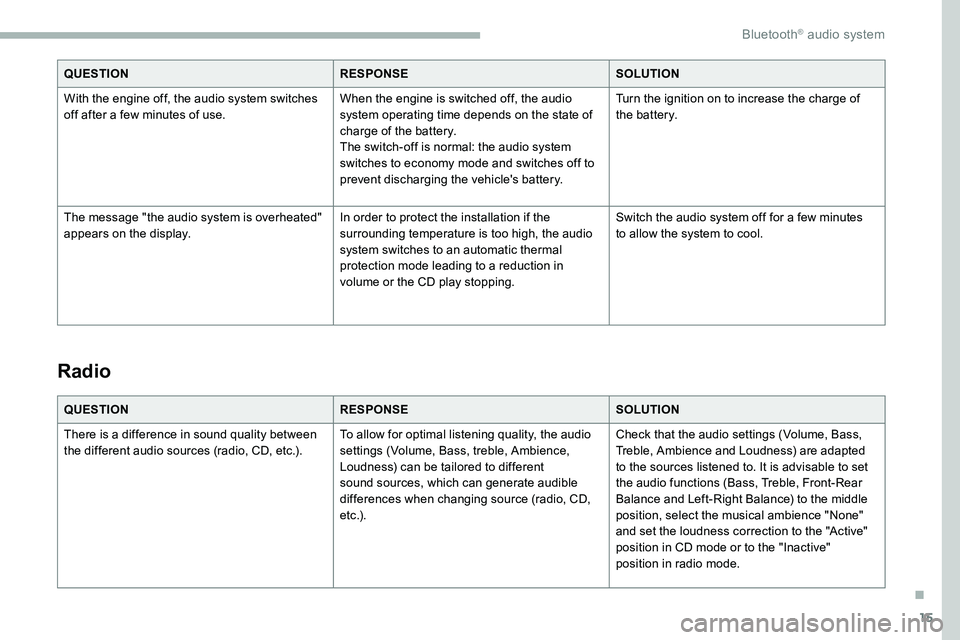
QUESTIONRESPONSESOLUTION
With the engine off, the audio system switches
off after a few
minutes of use. When the engine is switched off, the audio
system operating time depends on the state of
charge of the battery.
The switch-off is normal: the audio system
switches to economy mode and switches off to
prevent discharging the vehicle's battery. Turn the ignition on to increase the charge of
the battery.
The message "the audio system is overheated"
appears on the display. In order to protect the installation if the
surrounding temperature is too high, the audio
system switches to an automatic thermal
protection mode leading to a reduction in
volume or the CD play stopping.Switch the audio system off for a few
minutes
to allow the system to cool.
Radio
QUESTION RESPONSESOLUTION
There is a difference in sound quality between
the different audio sources (radio, CD, etc.). To allow for optimal listening quality, the audio
settings (Volume, Bass, treble, Ambience,
Loudness) can be tailored to different
sound sources, which can generate audible
differences when changing source (radio, CD,
e t c .) .Check that the audio settings (Volume, Bass,
Treble, Ambience and Loudness) are adapted
to the sources listened to. It is advisable to set
the audio functions (Bass, Treble, Front-Rear
Balance and Left-Right Balance) to the middle
position, select the musical ambience "None"
and set the loudness correction to the "Active"
position in CD mode or to the "Inactive"
position in radio mode.
.
Bluetooth® audio system
Page 250 of 324
16
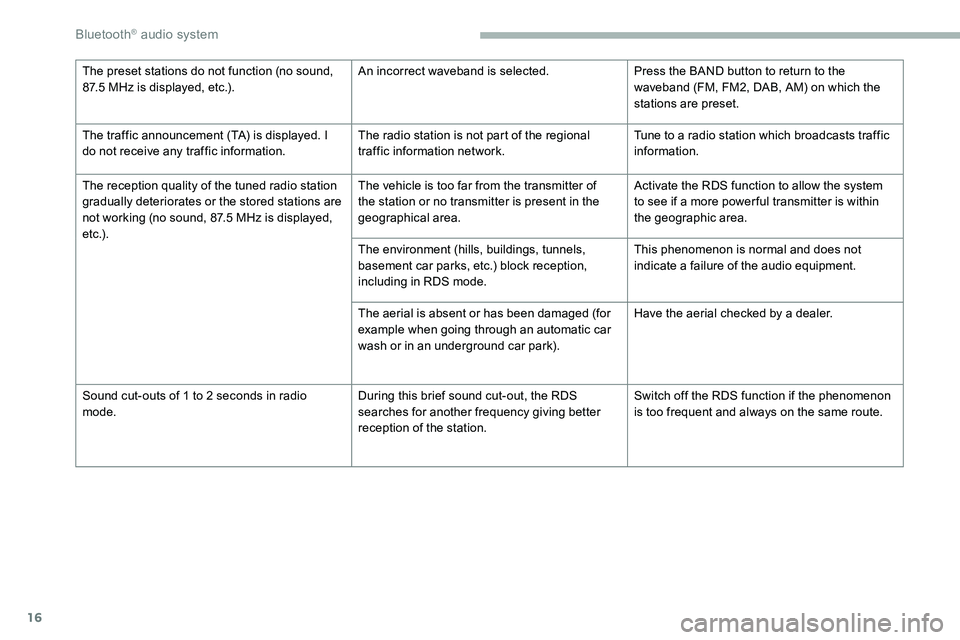
The preset stations do not function (no sound,
87.5 MHz is displayed, etc.).An incorrect waveband is selected.
Press the BAND button to return to the
waveband (FM, FM2, DAB, AM) on which the
stations are preset.
The traffic announcement (TA) is displayed. I
do not receive any traffic information. The radio station is not part of the regional
traffic information network.Tune to a radio station which broadcasts traffic
information.
The reception quality of the tuned radio station
gradually deteriorates or the stored stations are
not working (no sound, 87.5 MHz is displayed,
e t c .) . The vehicle is too far from the transmitter of
the station or no transmitter is present in the
geographical area.
Activate the RDS function to allow the system
to see if a more power ful transmitter is within
the geographic area.
The environment (hills, buildings, tunnels,
basement car parks, etc.) block reception,
including in RDS mode. This phenomenon is normal and does not
indicate a failure of the audio equipment.
The aerial is absent or has been damaged (for
example when going through an automatic car
wash or in an underground car park). Have the aerial checked by a dealer.
Sound cut-outs of 1 to 2
seconds in radio
mode. During this brief sound cut-out, the RDS
searches for another frequency giving better
reception of the station.Switch off the RDS function if the phenomenon
is too frequent and always on the same route.
Bluetooth® audio system
Page 252 of 324
18
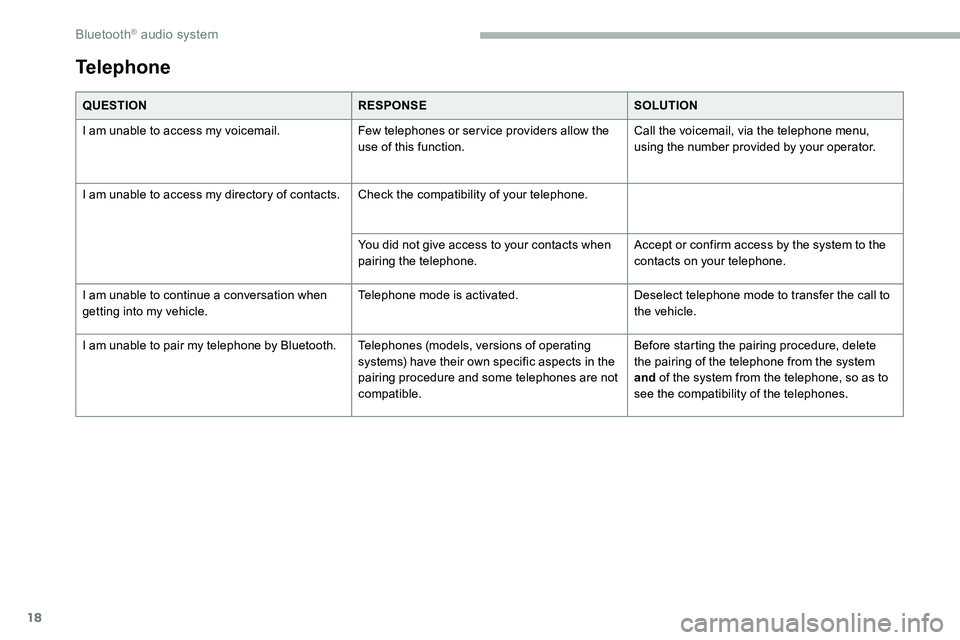
QUESTIONRESPONSESOLUTION
I am unable to access my voicemail. Few telephones or ser vice providers allow the
use of this function.Call the voicemail, via the telephone menu,
using the number provided by your operator.
I am unable to access my directory of contacts. Check the compatibility of your telephone.
You did not give access to your contacts when
pairing the telephone.Accept or confirm access by the system to the
contacts on your telephone.
I am unable to continue a conversation when
getting into my vehicle. Telephone mode is activated.
Deselect telephone mode to transfer the call to
the vehicle.
I am unable to pair my telephone by Bluetooth. Telephones (models, versions of operating
systems) have their own specific aspects in the
pairing procedure and some telephones are not
compatible.Before starting the pairing procedure, delete
the pairing of the telephone from the system
and
of the system from the telephone, so as to
see the compatibility of the telephones.
Telephone
Bluetooth® audio system
Page 260 of 324
8
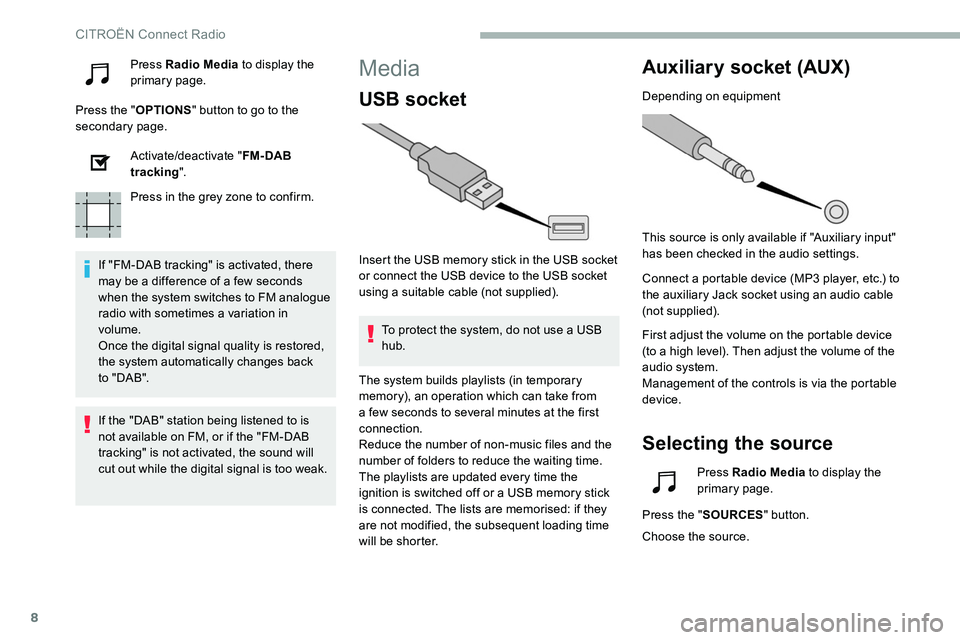
Press Radio Media to display the
primary page.
Press the " OPTIONS" button to go to the
secondary page.
Activate/deactivate " FM- DAB
tracking ".
Press in the grey zone to confirm.
If "FM-DAB tracking" is activated, there
may be a difference of a few seconds
when the system switches to FM analogue
radio with sometimes a variation in
volume.
Once the digital signal quality is restored,
the system automatically changes back
to " DA B ".Media
USB socket
Insert the USB memory stick in the USB socket
or connect the USB device to the USB socket
using a suitable cable (not supplied). To protect the system, do not use a USB
hub.
Auxiliary socket (AUX)
Depending on equipment
This source is only available if "Auxiliary input"
has been checked in the audio settings.
Connect a portable device (MP3 player, etc.) to
the auxiliary Jack socket using an audio cable
(not supplied).
First adjust the volume on the portable device
(to a high level). Then adjust the volume of the
audio system.
Management of the controls is via the portable
device.
Selecting the source
If the "DAB" station being listened to is
not available on FM, or if the "FM-DAB
tracking" is not activated, the sound will
cut out while the digital signal is too weak. The system builds playlists (in temporary
memory), an operation which can take from
a few seconds to several
minutes at the first
connection.
Reduce the number of non-music files and the
number of folders to reduce the waiting time.
The playlists are updated every time the
ignition is switched off or a USB memory stick
is connected. The lists are memorised: if they
are not modified, the subsequent loading time
will be shorter. Press Radio Media
to display the
primary page.
Press the " SOURCES " button.
Choose the source.
CITROËN Connect Radio
Page 265 of 324
13
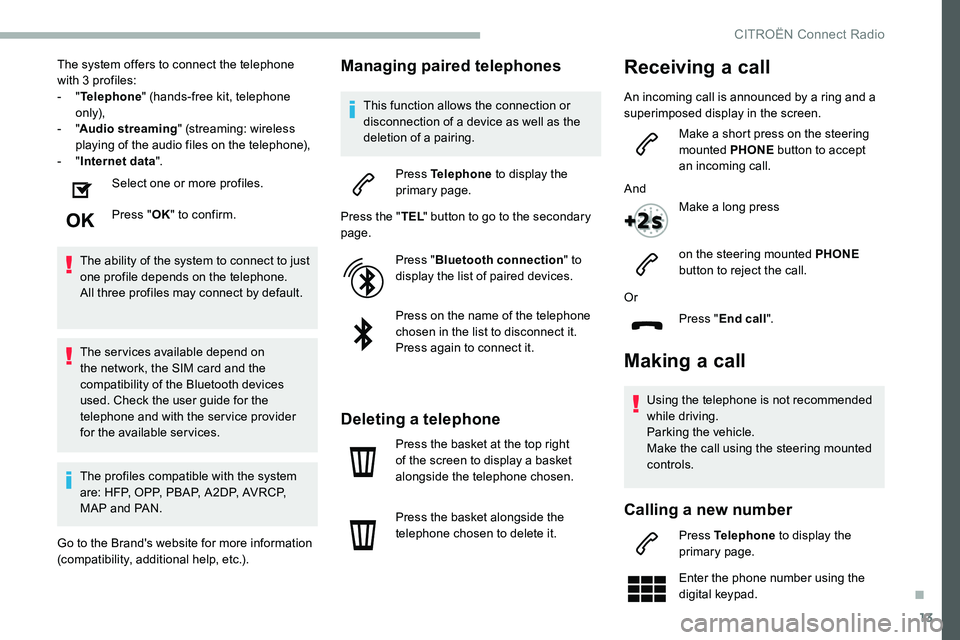
The system offers to connect the telephone
with 3 profiles:
- "Telephone " (hands-free kit, telephone
only),
-
"Audio streaming " (streaming: wireless
playing of the audio files on the telephone),
-
"Internet data ".
Select one or more profiles.
Press " OK" to confirm.
The ability of the system to connect to just
one profile depends on the telephone.
All three profiles may connect by default.
The services available depend on
the network, the SIM card and the
compatibility of the Bluetooth devices
used. Check the user guide for the
telephone and with the service provider
for the available services.
The profiles compatible with the system
are: HFP, OPP, PBAP, A 2DP, AVRCP,
MAP and PAN.
Go to the Brand's website for more information
(compatibility, additional help, etc.).Managing paired telephones
This function allows the connection or
disconnection of a device as well as the
deletion of a pairing.
Press Telephone to display the
primary page.
Press the " TEL" button to go to the secondary
page.
Press "Bluetooth connection " to
display the list of paired devices.
Press on the name of the telephone
chosen in the list to disconnect it.
Press again to connect it.
Deleting a telephone
Press the basket at the top right
of the screen to display a basket
alongside the telephone chosen.
Press the basket alongside the
telephone chosen to delete it.
Making a call
Using the telephone is not recommended
while driving.
Parking the vehicle.
Make the call using the steering mounted
controls.
Calling a new number
Press Telephone to display the
primary page.
Enter the phone number using the
digital keypad.
Or
Press "End call".
Receiving a call
An incoming call is announced by a ring and a
superimposed display in the screen.
Make a short press on the steering
mounted PHONE button to accept
an incoming call.
And Make a long press
on the steering mounted PHONE
button to reject the call.
.
CITROËN Connect Radio
Page 269 of 324
17
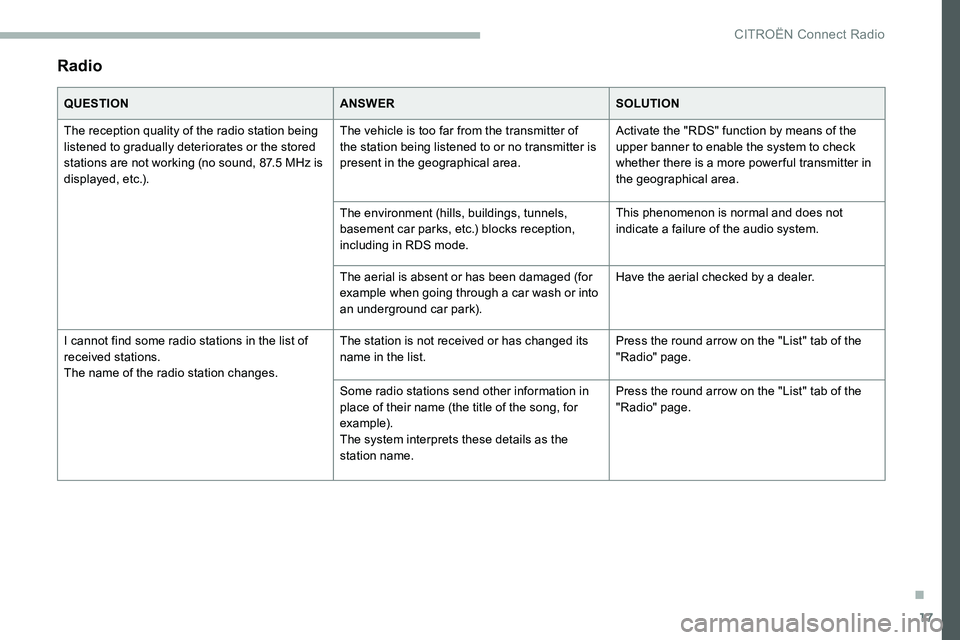
Radio
QUESTIONANSWERSOLUTION
The reception quality of the radio station being
listened to gradually deteriorates or the stored
stations are not working (no sound, 87.5 MHz is
displayed, etc.). The vehicle is too far from the transmitter of
the station being listened to or no transmitter is
present in the geographical area.
Activate the "RDS" function by means of the
upper banner to enable the system to check
whether there is a more power ful transmitter in
the geographical area.
The environment (hills, buildings, tunnels,
basement car parks, etc.) blocks reception,
including in RDS mode. This phenomenon is normal and does not
indicate a failure of the audio system.
The aerial is absent or has been damaged (for
example when going through a car wash or into
an underground car park). Have the aerial checked by a dealer.
I cannot find some radio stations in the list of
received stations.
The name of the radio station changes. The station is not received or has changed its
name in the list.
Press the round arrow on the "List" tab of the
"Radio" page.
Some radio stations send other information in
place of their name (the title of the song, for
example).
The system interprets these details as the
station name. Press the round arrow on the "List" tab of the
"Radio" page.
.
CITROËN Connect Radio
Page 271 of 324
19
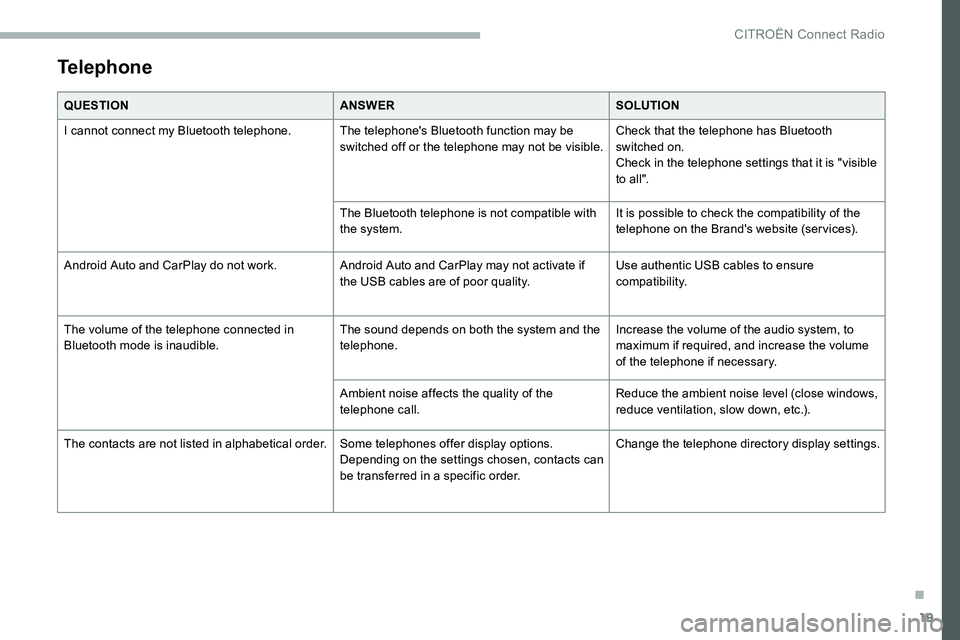
Telephone
QUESTIONANSWERSOLUTION
I cannot connect my Bluetooth telephone. The telephone's Bluetooth function may be switched off or the telephone may not be visible.Check that the telephone has Bluetooth
switched on.
Check in the telephone settings that it is "visible
to all".
The Bluetooth telephone is not compatible with
the system. It is possible to check the compatibility of the
telephone on the Brand's website (services).
Android Auto and CarPlay do not work. Android Auto and CarPlay may not activate if
the USB cables are of poor quality.Use authentic USB cables to ensure
compatibility.
The volume of the telephone connected in
Bluetooth mode is inaudible. The sound depends on both the system and the
telephone.Increase the volume of the audio system, to
maximum if required, and increase the volume
of the telephone if necessary.
Ambient noise affects the quality of the
telephone call. Reduce the ambient noise level (close windows,
reduce ventilation, slow down, etc.).
The contacts are not listed in alphabetical order. Some telephones offer display options.
Depending on the settings chosen, contacts can
be transferred in a specific order.Change the telephone directory display settings.
.
CITROËN Connect Radio
Page 272 of 324
20
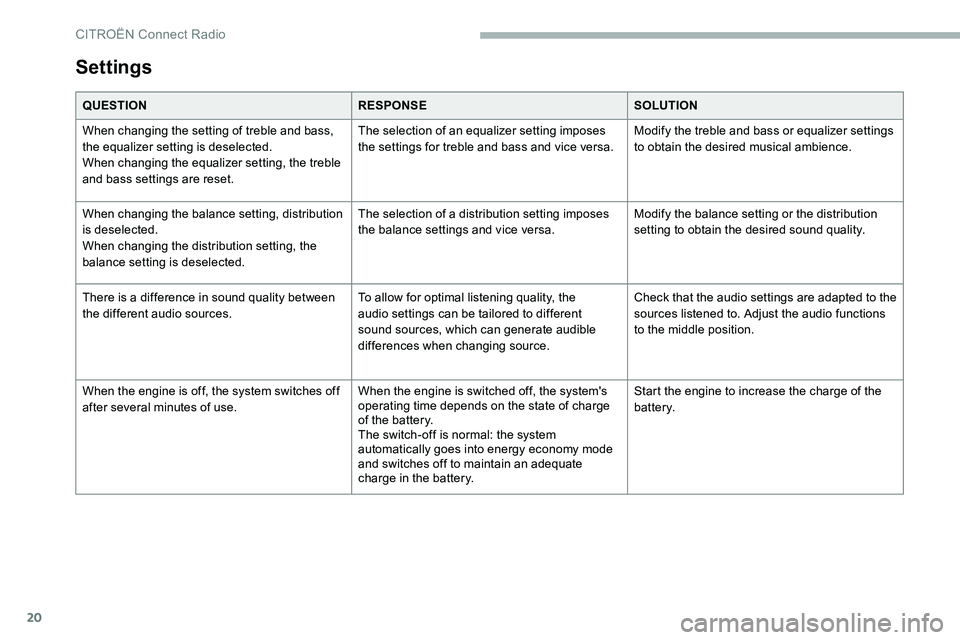
Settings
QUESTIONRESPONSESOLUTION
When changing the setting of treble and bass,
the equalizer setting is deselected.
When changing the equalizer setting, the treble
and bass settings are reset. The selection of an equalizer setting imposes
the settings for treble and bass and vice versa.
Modify the treble and bass or equalizer settings
to obtain the desired musical ambience.
When changing the balance setting, distribution
is deselected.
When changing the distribution setting, the
balance setting is deselected. The selection of a distribution setting imposes
the balance settings and vice versa.
Modify the balance setting or the distribution
setting to obtain the desired sound quality.
There is a difference in sound quality between
the different audio sources. To allow for optimal listening quality, the
audio settings can be tailored to different
sound sources, which can generate audible
differences when changing source.Check that the audio settings are adapted to the
sources listened to. Adjust the audio functions
to the middle position.
When the engine is off, the system switches off
after several
minutes of use. When the engine is switched off, the system's
operating time depends on the state of charge
of the battery.
The switch-off is normal: the system
automatically goes into energy economy mode
and switches off to maintain an adequate
charge in the battery. Start the engine to increase the charge of the
battery.
CITROËN Connect Radio
Page 275 of 324
3
FM 87.5 MHz
Decrease volume.
Mute by pressing the volume
increase and decrease buttons
simultaneously (depending on
equipment).
Restore the sound by pressing one
of the two volume buttons.
Media (short press): change the
multimedia source.
Telephone (short press): start
telephone call.
Call in progress (short press):
access telephone menu.
Telephone (long press): reject an
incoming call, end call
; when no
call is in progress, access telephone
menu.
Radio (rotate): automatic search for
the previous/next station.
Media (rotate): previous/next track,
move in a list.
Short press : confirm a selection
; if
nothing selected, access to presets.
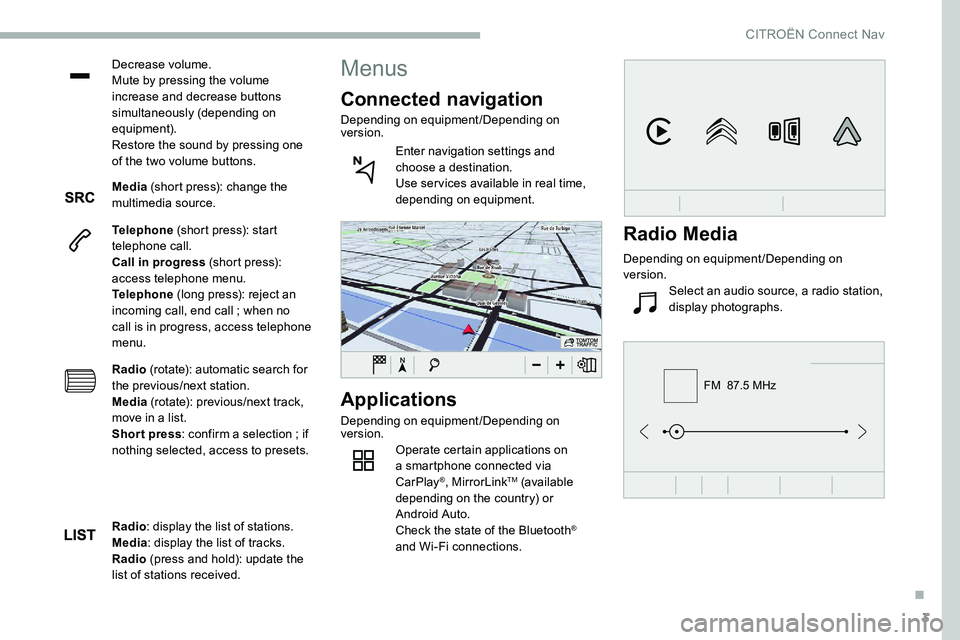
Applications
Depending on equipment/Depending on
version. Operate certain applications on
a smartphone connected via
CarPlay
®, MirrorLinkTM (available
depending on the country) or
Android Auto.
Check the state of the Bluetooth
®
and Wi-Fi connections.
Menus
Connected navigation
Depending on equipment/Depending on
version.
Enter navigation settings and
choose a destination.
Use ser vices available in real time,
depending on equipment.
Radio : display the list of stations.
Media : display the list of tracks.
Radio (press and hold): update the
list of stations received.
Radio Media
Depending on equipment/Depending on
version.
Select an audio source, a radio station,
display photographs.
.
CITROËN Connect Nav
Page 282 of 324
10
"Telephone" voice
commands
If there is no telephone connected via
Bluetooth, a voice message announces:
"Please first connect a telephone" and the
voice session will be closed.Voice commands
Help messages
Call David Miller'' * To make a phone call, say "call" followed by
the contact name, for example: "Call David
Miller". You can also include the phone type,
for example: "Call David Miller at home". To
make a call by number, say "dial" followed
by the phone number, for example, "Dial
107776
835 417". You can check your
voicemail by saying "call voicemail". To send
a text, say "send quick message to", followed
by the contact, and then the name of the quick
message you'd like to send. For example,
"send quick message to David Miller, I'll be
late". To display the list of calls, say "display
calls". For more information on SMS, you can
say "help with texting".
To choose a contact, say something like
"select line three". To move around the list
say "next page" or "previous page". You can
undo your last action and start over by saying
"undo", or say "cancel" to cancel the current
action.
Call voicemail
*
Display calls *
*
T
his function is available only if the telephone connected to the system supports downloading of
contacts and recent calls and if the download has been done.
CITROËN Connect Nav