cruise control Citroen DS3 2011 1.G Owner's Manual
[x] Cancel search | Manufacturer: CITROEN, Model Year: 2011, Model line: DS3, Model: Citroen DS3 2011 1.GPages: 324, PDF Size: 25.11 MB
Page 6 of 324
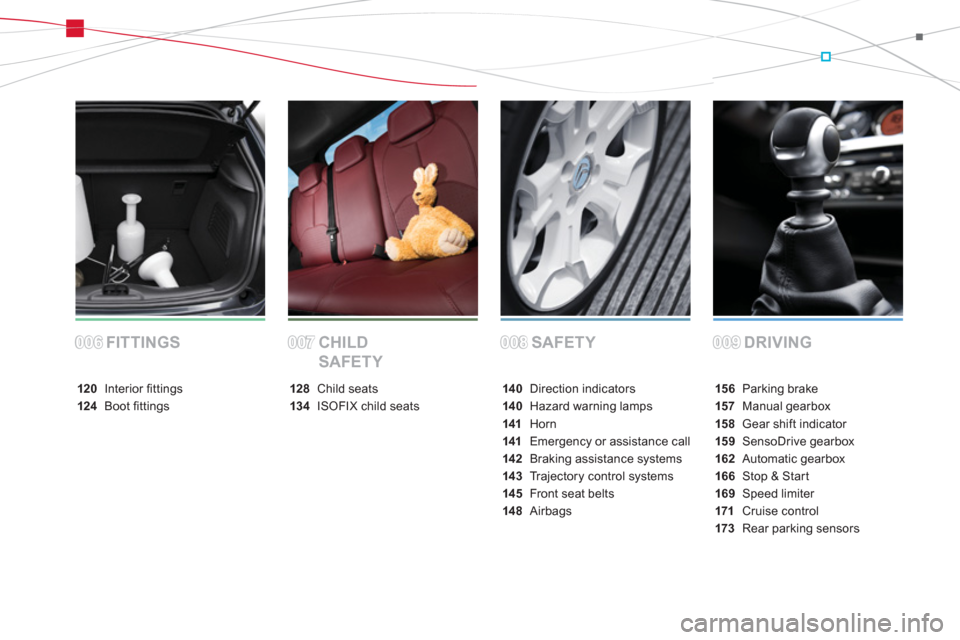
SAFETY DRIVING FITTINGS CHILD
SAFETY
15 6 Parking brake
157 Manual gearbox
15 8 Gear shift indicator
15 9 SensoDrive gearbox
162 Automatic gearbox
166 Stop & Start
169 Speed limiter
171 Cruise control
173 Rear parking sensors 14 0 Direction indicators
14 0 Hazard warning lamps
141 Horn
141 Emergency or assistance call
142 Braking assistance systems
14 3 Trajectory control systems
14 5 Front seat belts
14 8 Airbags 128 Child seats
13 4 ISOFIX child seats 120 Interior fi ttings
124 Boot fi ttings
008008009009006006007007
Page 13 of 324
11Familiarisation
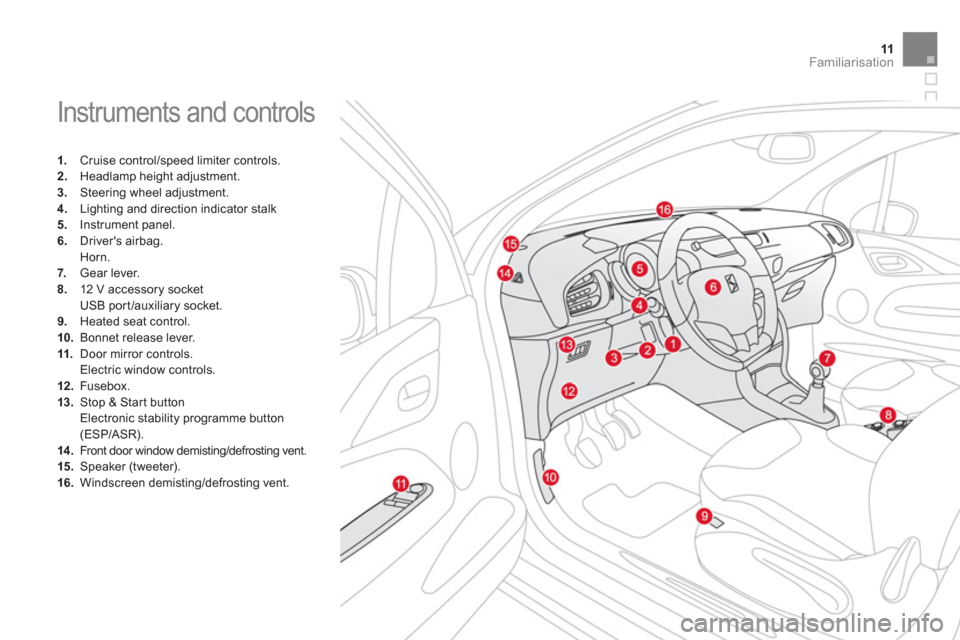
Instruments and controls
1.
Cruise control/speed limiter controls.
2.
Headlamp height adjustment.
3.
Steering wheel adjustment.
4.
Lighting and direction indicator stalk
5.
Instrument panel.
6.
Driver's airbag.
Horn.
7.
Gear lever.
8.
12 V accessory socket
USB port /auxiliary socket.
9.
Heated seat control.
10.
Bonnet release lever.
11.
Door mirror controls.
Electric window controls.
12 .
Fusebox.
13.
Stop & Star t button
Electronic stability programme button
(ESP/ASR).
14 .
Front door window demisting/defrosting vent.
15.
Speaker (tweeter).
16.
Windscreen demisting/defrosting vent.
Page 23 of 324
21Familiarisation
Driving safely
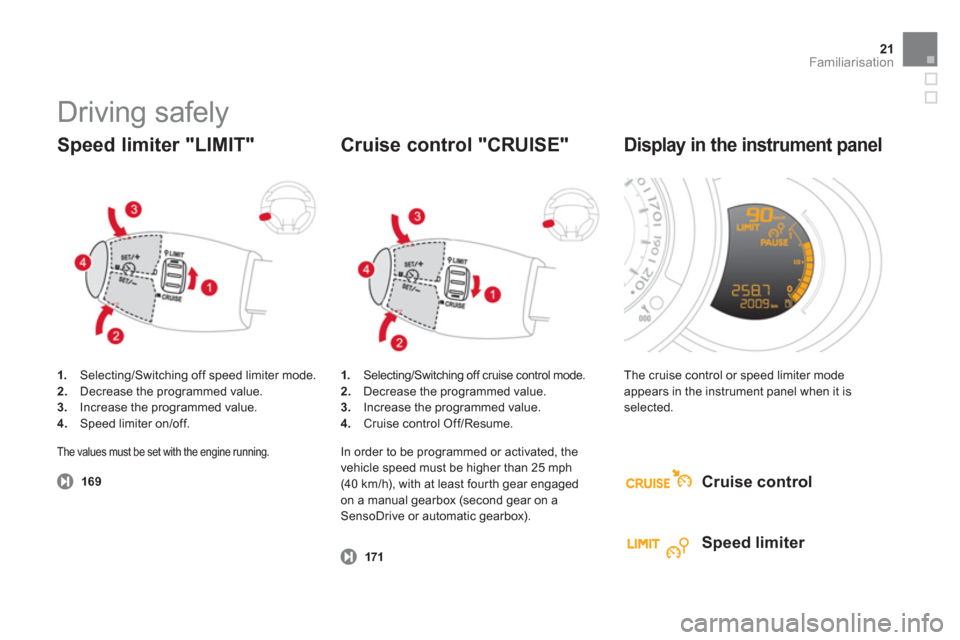
1.
Selecting/Switching off speed limiter mode.
2.
Decrease the programmed value.
3.
Increase the programmed value.
4.
Speed limiter on/off.
Speed limiter "LIMIT"
169
1.
Selecting/Switching off cruise control mode.
2.
Decrease the programmed value.
3.
Increase the programmed value.
4.
Cruise control Off/Resume.
Cruise control "CRUISE"
171
The cruise control or speed limiter mode
appears in the instrument panel when it is
selected.
Display in the instrument panel
Cruise control
Speed limiter
The values must be set with the engine running.
In order to be programmed or activated, the
vehicle speed must be higher than 25 mph
(40 km/h), with at least four th gear engaged
on a manual gearbox (second gear on a
SensoDrive or automatic gearbox).
Page 24 of 324
Eco-driving
Eco-driving is a range of everyday practices that allow the motorist to optimise their fuel consumption and CO2 emissions.
Optimise the use of your
gearbox
With a manual gearbox, move off gently,
change up without waiting and drive by
changing up quite soon. If your vehicle has
the system, the gear shift indicator invites you
to change up; it is displayed in the instrument
panel, follow its instructions.
With an automatic or electronic gearbox, stay
in Drive "D"
or Auto "A"
, according to the
type of gear selector, without pressing the
accelerator pedal heavily or suddenly.
Drive smoothly
Maintain a safe distance between vehicles, use
engine braking rather than the brake pedal,
and press the accelerator progressively. These
attitudes contribute towards a reduction in fuel
consumption and CO
2 emissions and also helps
reduce the background traffic noise.
When the traffic is flowing well, and if you
have cruise control, make use of the system at
speeds above 25 mph (40 km/h).
Control the use of your
electrical equipment
Before moving off, if the passenger
compartment is too warm, ventilate it by
opening the windows and air vents before
using the air conditioning.
Above 30 mph (50 km/h), close the windows
and leave the air vents open.
Remember to make use of equipment
that can help keep the temperature in the
passenger compar tment down (sun roof and
window blinds...).
Switch off the air conditioning, unless it has
automatic digital regulation, as soon as the
desired temperature is attained.
Switch off the demisting and defrosting
controls, if not automatic.
Switch off the heated seat as soon as
possible.
Page 29 of 324
27Monitoring
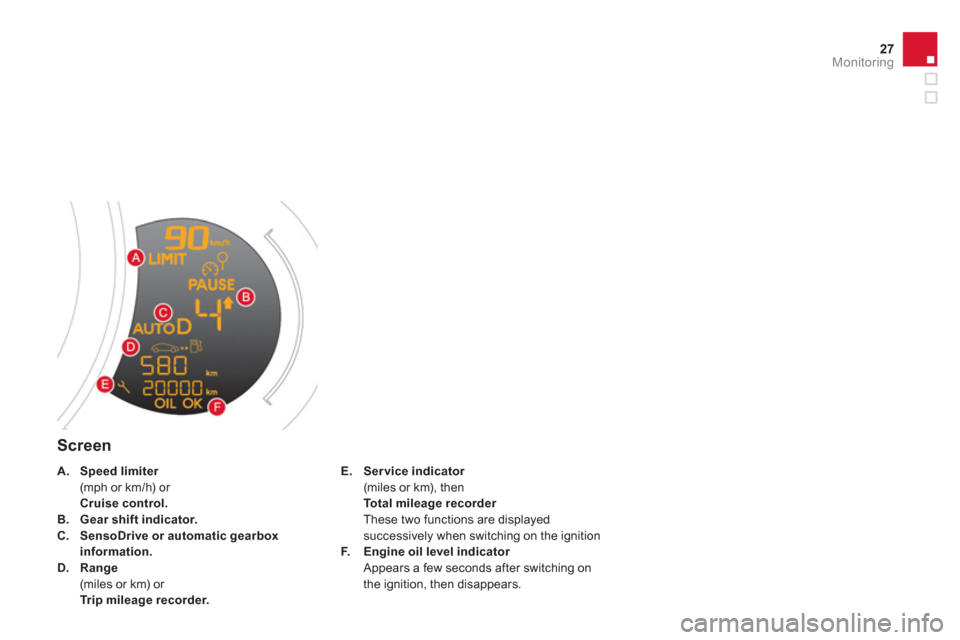
Screen
E.
Ser vice indicator
(miles or km), then
Total mileage recorder
These two functions are displayed
successively when switching on the ignition
F.
Engine oil level indicator
Appears a few seconds after switching on
the ignition, then disappears.
A.
Speed limiter
(mph or km/h) or
Cruise control.
B.
Gear shift indicator.
C.
SensoDrive
or automatic gearbox
information.
D.
Range
(miles or km) or
Trip mileage recorder.
Page 31 of 324
29Monitoring
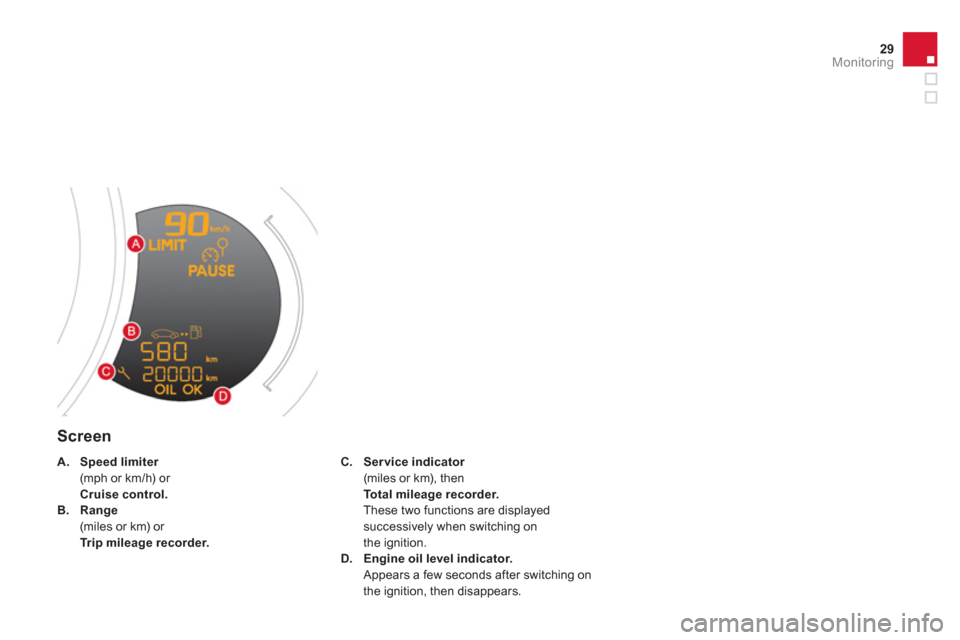
Screen
C.
Ser vice indicator
(miles or km), then
Total mileage recorder .
These two functions are displayed
successively when switching on
the ignition.
D.
Engine oil level indicator.
Appears a few seconds after switching on
the ignition, then disappears.
A.
Speed limiter
(mph or km/h) or
Cruise control.
B.
Range
(miles or km) or
Trip mileage recorder.
Page 47 of 324
45Monitoring
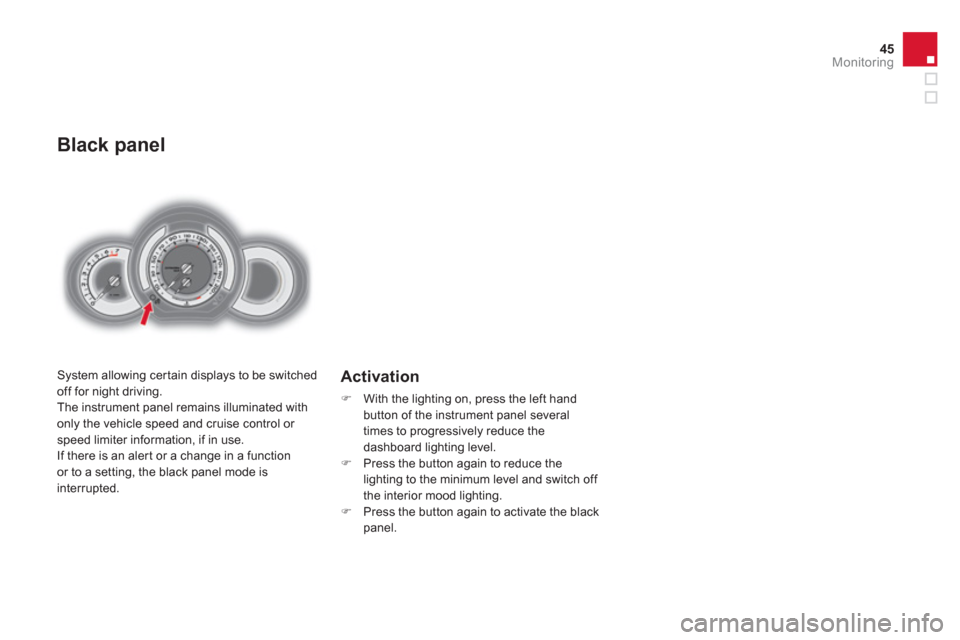
Black panel
System allowing cer tain displays to be switched
off for night driving.
The instrument panel remains illuminated with
only the vehicle speed and cruise control or
speed limiter information, if in use.
If there is an aler t or a change in a function
or to a setting, the black panel mode is
interrupted.
Activation
)
With the lighting on, press the left hand
button of the instrument panel several
times to progressively reduce the
dashboard lighting level.
)
Press the button again to reduce the
lighting to the minimum level and switch off
the interior mood lighting.
)
Press the button again to activate the black
panel.
Page 125 of 324
123Fittings
Mats
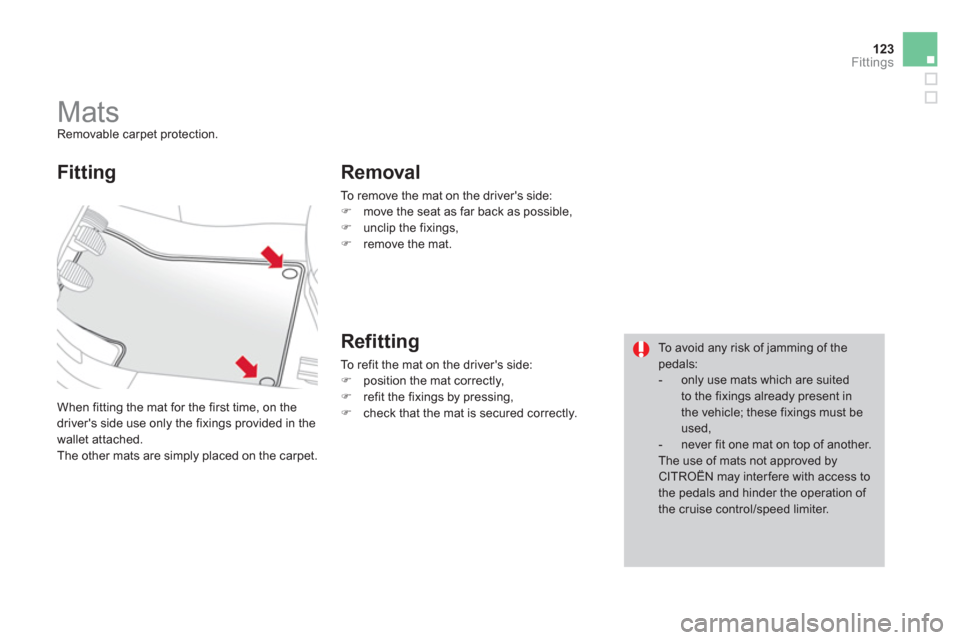
Removable carpet protection.
When fitting the mat for the first time, on the
driver's side use only the fixings provided in the
wallet attached.
The other mats are simply placed on the carpet.
Fitting
Removal
To remove the mat on the driver's side:
)
move the seat as far back as possible,
)
unclip the fixings,
)
remove the mat.
Refitting
To refit the mat on the driver's side:
)
position the mat correctly,
)
refit the fixings by pressing,
)
check that the mat is secured correctly.
To avoid any risk of jamming of the
pedals:
- only use mats which are suited
to the fixings already present in
the vehicle; these fixings must be
used,
- never fit one mat on top of another.
The use of mats not approved by
CITROËN may inter fere with access to
the pedals and hinder the operation of
the cruise control/speed limiter.
Page 156 of 324
009
Driving
This section describes the use of the parking brake, the manual,
SensoDrive or automatic gearbox, the gear shift indicator and
Stop & Start to help reduce fuel consumption, the speed limiter to
avoid exceeding a programmed speed, cruise control to maintain a
programmed speed, the rear parking sensors to detect obstacles.
Page 173 of 324
171Driving
Cruise control
System which automatically maintains the
speed of the vehicle at the value programmed
by the driver, without any action on the
accelerator pedal.
The cruise control is switched on
manually: it
requires a minimum vehicle speed of 25 mph
(40 km/h), as well as the engagement of:
- four th gear on a manual gearbox,
- second gear on a SensoDrive or automatic
gearbox, in sequential mode,
- position A
on a SensoDrive gearbox or
position D
on an automatic gearbox.
The cruise control is switched off
manually
or by pressing the brake or clutch pedal or
on triggering of the ESP system for safety
reasons.
It is possible to exceed the programmed speed
temporarily by pressing the accelerator pedal.
To return to the programmed speed, simply
release the accelerator pedal.
Switching off the ignition cancels any
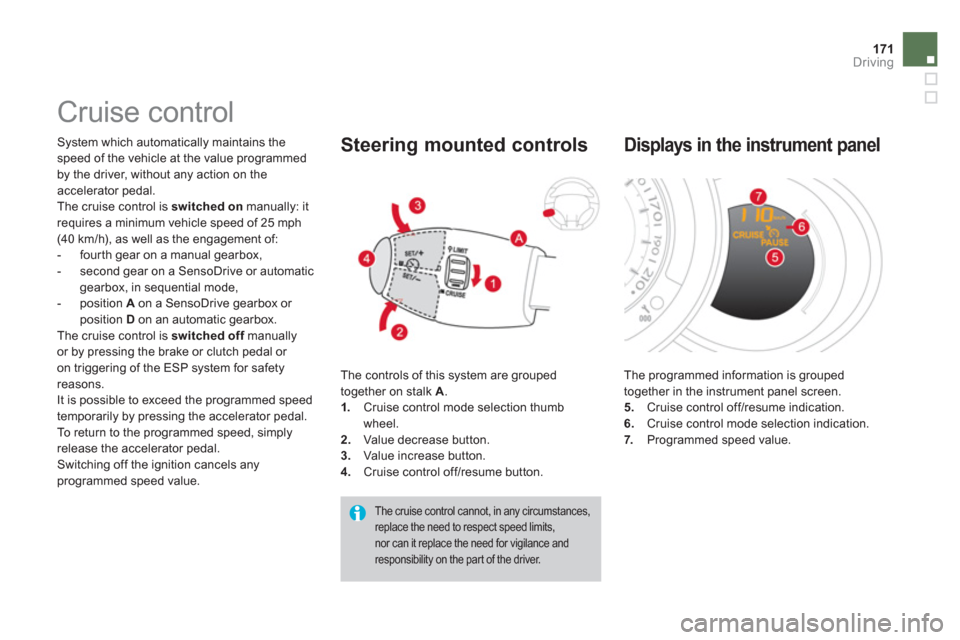
programmed speed value. The controls of this system are grouped
together on stalk A
.
1.
Cruise control mode selection thumb
wheel.
2.
Value decrease button.
3.
Value increase button.
4.
Cruise control off/resume button.
Steering mounted controls
The cruise control cannot, in any circumstances,
replace the need to respect speed limits,
nor can it replace the need for vigilance and
responsibility on the par t of the driver.
The programmed information is grouped
together in the instrument panel screen.
5.
Cruise control off/resume indication.
6.
Cruise control mode selection indication.
7.
Programmed speed value.
Displays in the instrument panel