warning CITROEN DS3 CABRIO 2015 Handbook (in English)
[x] Cancel search | Manufacturer: CITROEN, Model Year: 2015, Model line: DS3 CABRIO, Model: CITROEN DS3 CABRIO 2015Pages: 404, PDF Size: 13.2 MB
Page 39 of 404

37
Less than 600 miles (1 000 km)
remain before the next service is due
Example: 560 miles (900 km) remain before t
he next service is due.
For
5 seconds after the ignition is switched on,
t
he screen indicates:
5
seconds after the ignition is switched on,
t
he distance recorder resumes its normal
ope
ration.
T
he spanner remains on to
indicate
that a service must be carried out
s
oon. 5
seconds after the ignition is switched on,
t
he distance recorder resumes its normal
ope
ration.
T
he spanner remains on.
Service overdue
For 5 seconds after the ignition is switched on, t
he spanner flashes to indicate that the service m
ust be carried out as soon as possible.
Example:
the service is overdue by 180 miles
(
300 km).
For
5 seconds after the ignition is switched on,
t
he screen indicates: For
bl ueHdi di esel versions, this alert
may also be accompanied by the fixed
i
llumination of the service warning lamp
w
hen the ignition is on.
The
distance remaining may be
w
eighted by the time factor, depending
o
n the driving conditions.
Therefore,
the spanner may also come
o
n if you have exceeded the period
s
ince the last service, indicated in the
m
aintenance
an
d
w
arranty
g
uide.
For
b
l
ueH
di
d
i
esel versions, the
spanner
may also be brought on earlier
t
han expected, depending on the
d
egree of deterioration of the engine oil
(
depending on the country of sale).
The
rate of deterioration of the engine
o
il depends on the driving conditions in
w
hich the vehicle is used.
Monitoring
Page 54 of 404
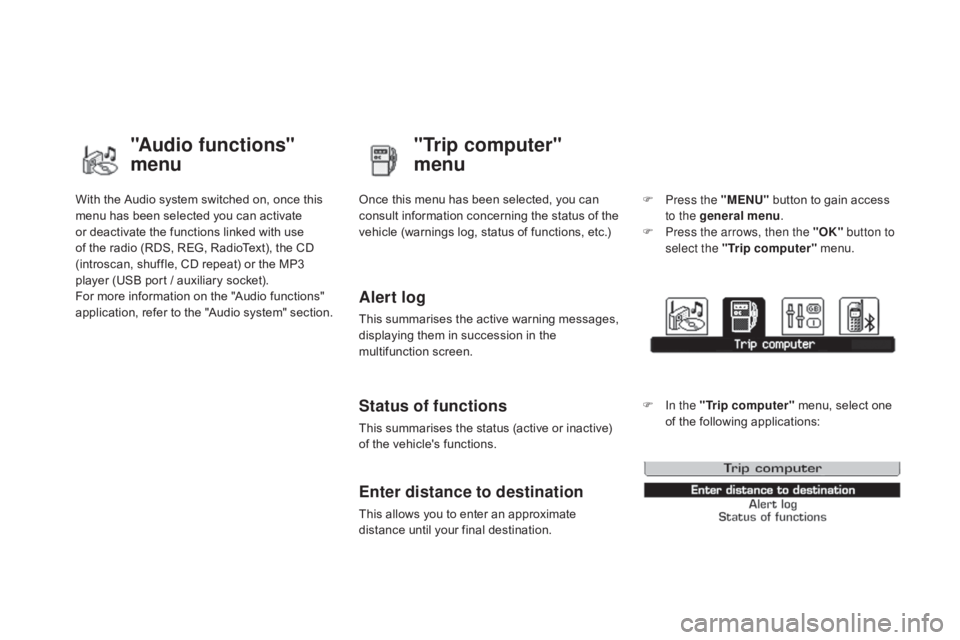
With the Audio system switched on, once this menu has been selected you can activate
o
r deactivate the functions linked with use
o
f the radio (RDS, REG, RadioText), the CD
(
introscan, shuffle, CD repeat) or the MP3
p
layer (USB port / auxiliary socket).
For
more information on the "Audio functions"
a
pplication, refer to the "Audio system" section.
"Audio functions"
menu"Trip computer"
menu
Once this menu has been selected, you can c
onsult information concerning the status of the
v
ehicle (warnings log, status of functions, etc.)
Alert log
This summarises the active warning messages, displaying them in succession in the
m
ultifunction
s
creen.
Status of functions
This summarises the status (active or inactive) of the vehicle's functions.
Enter distance to destination
This allows you to enter an approximate distance until your final destination. F
P
ress the "MENU"
button to gain access
t
o the general menu
.
F
P
ress the arrows, then the "OK"
button to
select the " Trip computer " menu.
F
I
n the "
Trip computer " menu, select one
o
f the following applications:
Page 66 of 404

Following disconnection of the vehicle battery, replacement of the remote control battery or
i
n the event of a remote control malfunction,
y
ou can no longer unlock, lock or locate
y
our vehicle.
F
F
irst of all, use the key in the lock to unlock
o
r lock your vehicle.
F
T
hen, reinitialise the remote control.
If
the problem persists, contact a CITROËN
d
ealer as soon as possible.
Remote control problem
Reinitialisation
F Switch off the ignition.
F T urn the key to position 2 (Ignition).
F
P
ress the closed padlock immediately for a
f
ew seconds.
F
S
witch off the ignition and remove the key
f
rom the ignition switch.
The
remote control is fully operational again.
Changing the battery
Battery ref.: CR1620 / 3 volts.F U nclip the casing by inserting a coin at the
n
otch and rotating.
F
S
lide the flat battery out of its location.
F
S
lide the new battery into its location
o
bserving the original direction.
F
C
lip the casing in place, then the chrome
f
inisher.
F
R
einitialise the remote control.
If the battery is flat, you are
informed
by lighting of this warning
l
amp in the instrument panel, an audible signal
a
nd a message in the multifunction screen.
F
U
nfold the key.
F
R
elease the chrome finisher by pressing
on
lug A.
F
M
aintain pressure on lug A and remove the
c
hrome finisher by sliding it off at 45°.
Page 74 of 404

doors
Opening
From outside
F After unlocking the vehicle using the r
emote control or the key, pull the door
han
dle.
From inside
F Pull the door lever to open the door; this u
nlocks this vehicle completely.
Closing
When a door is not closed correctly:
-
when the engine is running , this
warning lam p c omes o n, a ccompanied b
y a message in the multifunction
s
creen for a few seconds,
- when the vehicle is moving (speed h
igher than 6 mph (10 km/h)), this warning
l
amp comes on, accompanied by an
a
udible signal and a message in the
m
ultifunction screen for a few seconds.
Version with deadlocking
The interior door controls do not operate when the vehicle is
deadlocked.
Page 77 of 404

75
boot
Opening
F After unlocking the vehicle using the r
emote control or the key, press the
o
pening control and raise the tailgate.
Closing
F Lower the tailgate using the interior grab han
dle.
If
the tailgate is not closed correctly:
-
when the engine is running , this
warning lamp comes on, accompanied b
y a message on the multifunction
s
creen for a few seconds,
- when the vehicle is moving (speed above 6
mph (10 km/h)), this warning lamp comes
o
n, accompanied by an audible signal and
a
message on the multifunction screen for
a
few seconds. System
for mechanical unlocking of the boot
i
n the event of a battery or central locking
m
alfunction.
Tailgate release
Unlocking
F Fold back the rear benchseat to gain a
ccess to the lock from inside the boot.
F
I
nsert a small screwdriver into hole A of the
lock
to unlock the tailgate.
Access
Page 109 of 404

107
To remove the shelf:
F u nhook the two cords,
F
r
aise the shelf slightly, then unclip it on
e
ach side.
Rear parcel shelf
F Raise the boot carpet by pulling the strap u
pwards to gain access to the storage box.
This
has areas for storing a temporary puncture
r
epair kit, a box of spare bulbs, a first aid kit,
t
wo warning triangles, ...
Storage box
F refit the boot floor carpet by folding it s
lightly in the middle.
Fittings
Page 115 of 404
11 3
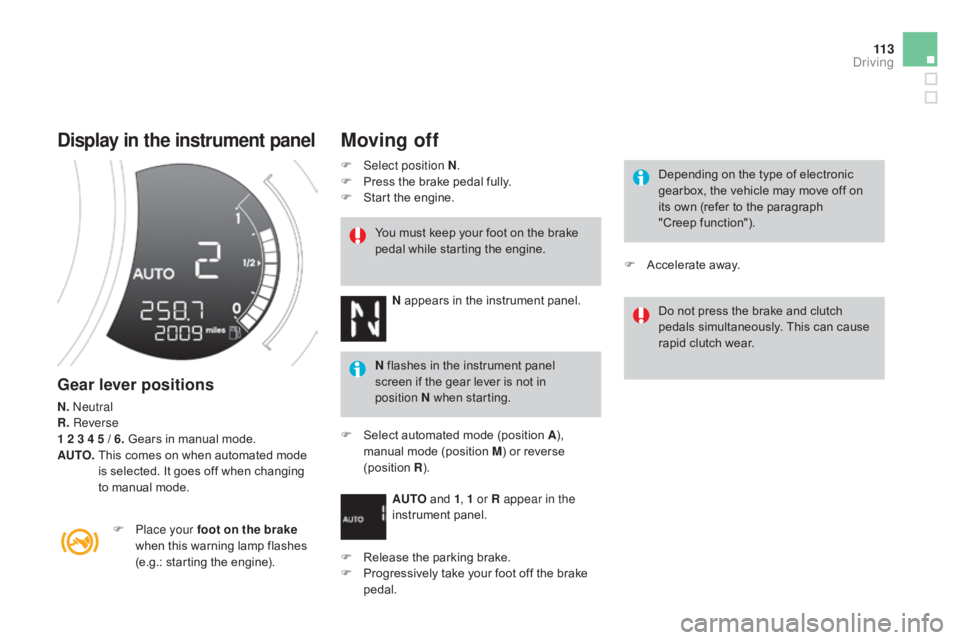
display in the instrument panel
Gear lever positions
N. neutral
R. Reverse
1 2 3 4 5 / 6.
Gears in manual mode.
AUTO.
T
his comes on when automated mode
i
s selected. It goes off when changing
t
o manual mode.
F
P
lace your foot on the brake
when
this warning lamp flashes
(
e.g.: starting the engine).You
must keep your foot on the brake
p
edal while starting the engine.
Moving off
F Select position N
.
F P ress the brake pedal fully.
F
S
tart the engine.
N
appears in the instrument panel.
N
flashes in the instrument panel
s
creen if the gear lever is not in
p
osition
N when starting.
F
S
elect automated mode (position A),
m
anual mode (position M) or reverse
(
position
R).
AU
TO
and 1, 1 or R appear in the
instrument
pan
el.
F
R
elease the parking brake.
F
P
rogressively take your foot off the brake
ped
al. Depending
on the type of electronic
g
earbox, the vehicle may move off on
i
ts own (refer to the paragraph
"Creep
function").
Do
not press the brake and clutch
p
edals simultaneously. This can cause
r
apid clutch wear.
F
A
ccelerate away.
driving
Page 117 of 404
11 5
The gear change requests are only carried out if the engine speed permits.
It is not necessary to release the accelerator
pedal
during gear changes.
When
braking or slowing down, the gearbox
c
hanges down automatically so that the vehicle
p
icks up in the right gear.
Under
full acceleration, the change up will
n
ot take place unless the driver operates the
g
ear lever or steering mounted control paddle
(
unless the engine is close to its maximum
s
peed).
Reverse
To engage reverse, the vehicle must be immobilised with your foot on the brake.
F
Sel
ect position R .
Stopping the vehicle
Before switching off the engine:
- c hange to position N to be in neutral,
or
-
l
eave the vehicle in gear; in this case the
v
ehicle cannot be moved.
Manual mode
F Select position M.
The gears engaged appear in
s
uccession in the instrument panel.
You
can change mode at any time by
m
oving the gear lever from A to M or
the
other way round.
Never
select neutral (position N)
when
m
oving. There
is an audible signal on
enga
gement
o
f
r
everse.For
all parking situations, you must
apply the parking brake
to immobilise
t
he vehicle.
When
immobilising the vehicle with the
e
ngine running, you must put the gear
l
ever into neutral (position N).
Before
doing anything under the
b
onnet, ensure that the gear lever is in
n
eutral (position N)
and that the parking
b
rake is applied.
At
low speed, if reverse gear is requested,
the N
warning lamp flashes and the gearbox
g
oes into neutral automatically.
To
engage reverse, put the gear lever into
p
osition N, then to position R .
driving
Page 118 of 404
Operating fault
With the ignition on, if this warning lamp comes on and AUTO flashes,
accompanied
by an audible signal and a
m
essage
in
the multifunction screen, this
i
ndicates
a
gearbox fault.
Have
it
checked by a CITROËN dealer or a
q
ualified
w
orkshop.
Reinitialisation
(5-speed electronic
gearbox)
In exceptional circumstances, the g earbox may need an automatic
r
einitialisation: starting and gear
c
hanging are no longer possible.
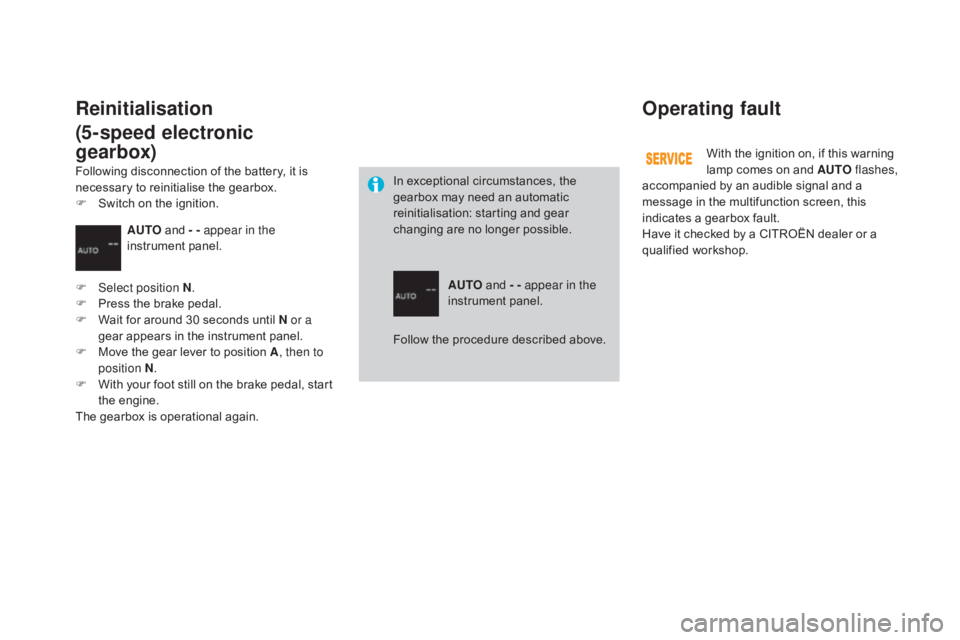
AUTO
and - - appear in the
instrument
pan
el.
AUTO
and
- - appear in the
instrument
pan
el.
F
Sel
ect position N .
F
P
ress
the
brake
pedal.
F
W
ait
for
around
30
seconds
until
N or a
gear
appears
in
the
instrument
panel.
F
M
ove
the
gear
lever
to
position
A , then to
position N .
F
W
ith
your
foot
still
on
the
brake
pedal,
start
t
he
eng
ine.
The
gearbox
is
operational
again.
Following
disconnection
of
the
battery,
it
is
n
ecessary
to
reinitialise
the
gearbox.
F
S
witch
on
the
ignition.
Follow
the procedure described above.
Page 120 of 404
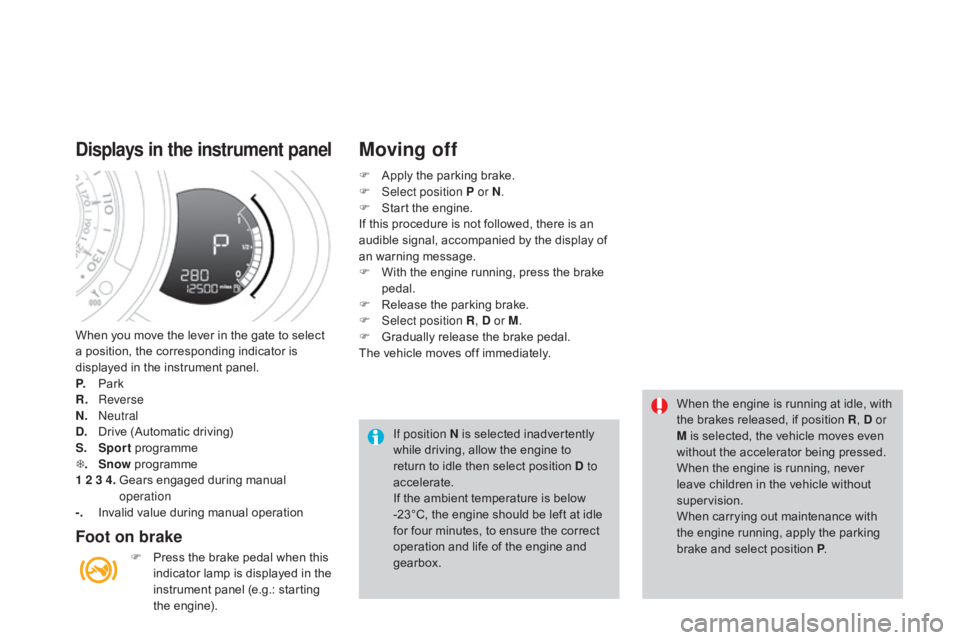
When you move the lever in the gate to select a position, the corresponding indicator is
d
isplayed in the instrument panel.
P.
Pa
rk
R.
R
everse
N.
n
e
utral
d
.
D
rive (Automatic driving)
S.
Sport
pro
gramme
T .
Snow
pro
gramme
1 2 3 4.
G
ears engaged during manual
ope
ration
-.
I
nvalid value during manual operation
displays in the instrument panel
Foot on brake
F Press the brake pedal when this i
ndicator lamp is displayed in the
i
nstrument panel (e.g.: starting
t
he
eng
ine).
Moving off
If position N is selected inadvertently while driving, allow the engine to
r
eturn to idle then select position d to
accelerate.
If
the ambient temperature is below
-
23°C, the engine should be left at idle
f
or four minutes, to ensure the correct
o
peration and life of the engine and
g
earbox. When
the engine is running at idle, with t
he brakes released, if position R
, d or
M is selected, the vehicle moves even
w
ithout the accelerator being pressed.
When
the engine is running, never
l
eave children in the vehicle without
sup
ervision.
When
carrying out maintenance with
t
he engine running, apply the parking
b
rake and select position P.
F
A
pply the parking brake.
F
Sel
ect position P or N
.
F
S
tart the engine.
If
this
procedure is not followed, there is an
a
udible signal, accompanied by the display of
a
n
warning message.
F
W
ith the engine running, press the brake
ped
al.
F
R
elease the parking brake.
F
Sel
ect position R
, d or M
.
F
G
radually release the brake pedal.
The
vehicle moves off immediately.