battery CITROEN DS3 CROSSBACK 2020 Owner's Manual
[x] Cancel search | Manufacturer: CITROEN, Model Year: 2020, Model line: DS3 CROSSBACK, Model: CITROEN DS3 CROSSBACK 2020Pages: 244, PDF Size: 7.7 MB
Page 57 of 244

55Lighting and visibility04
If the driver's door is opened, a temporary
audible signal warns the driver that the lamps
are on.
They will go off automatically after a period
of time that depends on the state of charge of
the battery (entering energy economy mode).
In some weather conditions (e.g. low
temperature or humidity), the presence of
misting on the internal surface of the glass of
the headlamps and rear lamps is normal; it
disappears after the lamps have been on for a
few minutes.
Never look too closely at the luminous
beam of “Full LED” headlamps: risk of
serious eye injury.
Travelling abroad
Vehicles equipped with halogen
headlamps:
If planning to use your vehicle in a country
that drives on the other side of the road, the
headlamp dipped beams must be adjusted to
avoid dazzling oncoming drivers. Contact a
dealer or a qualified workshop.
Daytime running lamps/
sidelamps
The front and rear lamps light up automatically
when the engine starts.
They provide the following functions:
– Da ytime running lamps (lighting control stalk at
position "AUTO" with adequate light level).
–
Sidelamp
s (lighting control stalk "AUTO"
position with low light levels or "Sidelamps only”
or "Dipped/main beam headlamps").
The LEDs are brighter when operating as
daytime running lamps.
Direction indicators
► Left or right: lower or raise the lighting control
stalk, beyond the point of resistance.
If you forget to cancel the direction
indicators for more than 20 seconds, the
volume of the audible signal will increase if the
speed is above 50 mph (80 km/h).
Three flashes
► Press briefly upwards or downwards, without
going beyond the point of resistance; the direction
indicators will flash 3 times.
Parking lamps
Vehicle side marking by lighting the sidelamps on
the traffic side only.
► Depending on version, within one minute
of switching off the ignition, move the lighting
control stalk up or down, depending which side
the traffic is on (for example, when parking on the
left, moving the lighting control stalk upwards
turns on the right-hand sidelamps).
This is confirmed by an audible signal and the
lighting of the corresponding direction indicator
lamp on the instrument panel.
► To switch off the parking lamps, return the
lighting control stalk to the central position.
Automatic illumination of
headlamps
When the ring is at the “AUTO" position and
a low level of ambient light is detected by the
rain/sunshine sensor, the number plate lamps,
sidelamps and dipped beam headlamps are
switched on automatically, without any action on
the part of the driver. They may also come on if
rain is detected, at the same time as automatic
operation of the windscreen wipers.
Page 66 of 244

64Safety05
Horn
► Press the central part of the steering wheel.
Pedestrian horn (Electric)
The pedestrian horn operates once the vehicle is
moving and at speeds of up to 19 mph (30 km/h),
in forward or reverse gear.
Malfunction
In the event of a malfunction, this warning
lamp comes on on the instrument panel.
Contact a dealer or a qualified workshop to have
the system checked.
* In accordance with the general conditions of use of the service, available from dealers and subject to technological and technical limitations.
** In areas c overed by ‘Localised Emergency Call’ and ‘Localised Assistance Call’.
The list of countries covered and telematic services provided is available from dealers or on the website for your country.
Emergency or assistance
call
Localised Emergency Call
(PE112)
► In an emergency, press button 1 for more than
2 seconds.
The lighting of the indicator lamp and a voice
message confirm that the call has been made to
the emergency services*.
‘Localised Emergency Call’ immediately locates
your vehicle and puts you in contact with the
appropriate emergency services**.
► Pressing again immediately cancels the
request.
The indicator lamp flashes when the vehicle data
is sent, and then remains lit when communication
is established.
If an impact is detected by the airbag
control unit, an emergency call is made
automatically, independently of the
deployment of any airbags.
‘Localised Emergency Call’ is a service
that can be accessed free of charge.
System operation
– Upon switching on the ignition, if the indicator
lamp lights up red, then green, and then goes out:
the system is operating correctly.
–
If the indic
ator lamp is fixed red: system
malfunction
–
If the indic
ator lamp flashes red: replace the
emergency battery.
In the latter two cases, emergency and assistance
call services may not work.
Contact a dealer or a qualified repairer as soon as
possible.
The system fault does not prevent the
vehicle from being driven.
Data processing
All processing of personal information
by the "Localised Emergency Call" system
(PE112) complies with the framework for
Page 82 of 244
80Driving06
Driving recommendations
► Observe the driving regulations and remain
vigilant whatever the traffic conditions.
► Monitor your environment and keep your
hands on the wheel to be able to react to anything
that may happen any time.
► Drive smoothly, anticipate the need for braking
and maintain a longer safety distance, especially
in bad weather.
► Stop the vehicle to carry out operations that
require close attention (such as adjustments).
► During long trips, take a break every two
hours.
Important!
Never leave the engine running in a closed
space without sufficient ventilation.
Internal combustion engines emit toxic
exhaust gases such as carbon monoxide.
Danger of poisoning and death!
In severe wintry conditions (temperature
below -23°C), let the engine run for 4
minutes before moving off, to ensure the
correct operation and durability of the
mechanical components of your vehicle
(engine and gearbox).
Never drive with the parking brake
applied. Risk of overheating and damage
to the braking system!
Do not park the vehicle or leave the engine
running on a flammable surface (dry
grass, dead leaves, etc.). The exhaust system
of your vehicle is very hot, even several
minutes after the engine stops. Risk of fire!
Never leave a vehicle unattended with the
engine running. If you have to leave your
vehicle with the engine running, apply the
parking brake and put the gearbox into neutral
or position N or P (depending on the type of
gearbox).
Never leave children inside the vehicle
unsupervised.
On flooded roads
We strongly advise against driving on flooded
roads, as this could cause serious damage to the
engine or gearbox, as well as to the electrical
systems of your vehicle.
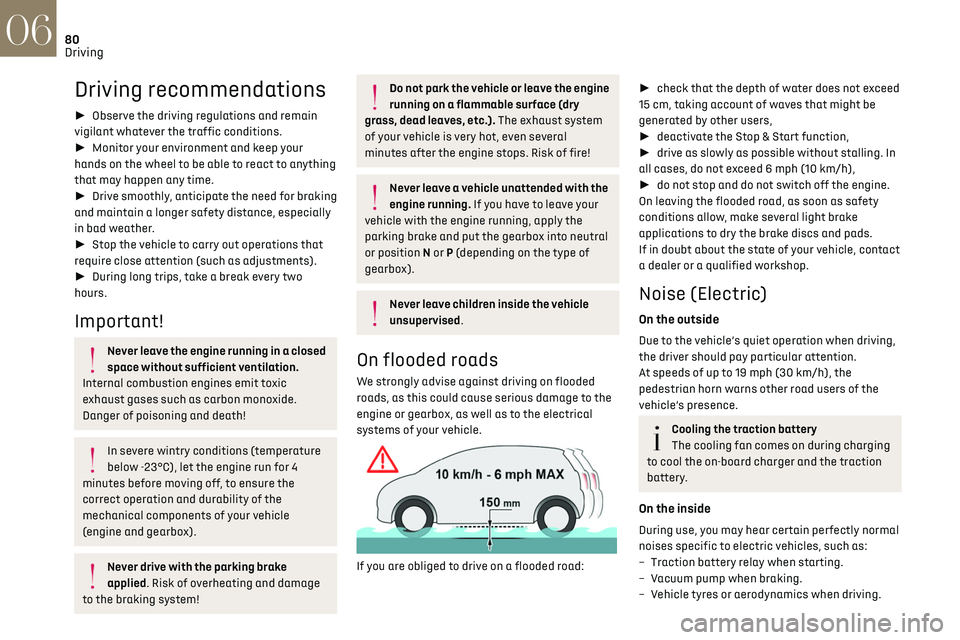
If you are obliged to drive on a flooded road:
► check that the depth of water does not exceed
15 cm, taking account of waves that might be
generated by other users,
► deactivate the Stop & Start function,
► drive as slowly as possible without stalling. In
all cases, do not exceed 6 mph (10 km/h),
► do not stop and do not switch off the engine.
On leaving the flooded road, as soon as safety
conditions allow, make several light brake
applications to dry the brake discs and pads.
If in doubt about the state of your vehicle, contact
a dealer or a qualified workshop.
Noise (Electric)
On the outside
Due to the vehicle’s quiet operation when driving,
the driver should pay particular attention.
At speeds of up to 19 mph (30 km/h), the
pedestrian horn warns other road users of the
vehicle’s presence.
Cooling the traction battery
The cooling fan comes on during charging
to cool the on-board charger and the traction
battery.
On the inside
During use, you may hear certain perfectly normal
noises specific to electric vehicles, such as:
–
Traction ba
ttery relay when starting.
–
V
acuum pump when braking.
–
V
ehicle tyres or aerodynamics when driving.
– Jolting and knocking noise during hill starts.
Towing
Driving with a trailer places greater
demands on the towing vehicle and
particular care must be taken.
Do not exceed the maximum towable
weights.
At altitude: reduce the maximum load by 10%
per 1,000 metres of altitude; the lower air
density at high altitudes decreases engine
performance.
New vehicle: do not tow a trailer until the
vehicle has driven at least 620 miles
(1,000 kilometres).
If the outside temperature is high, let the
engine idle for 1 to 2 minutes after the
vehicle comes to a stop, to help it to cool.
Before setting off
Nose weight
► Distribute the load in the trailer so that the
heaviest items are as close as possible to the axle
and the nose weight (at the point where it joins
your vehicle) approaches the maximum permitted
without exceeding it.
Page 84 of 244
82Driving06
The lighting state of the "START/STOP"
button indicates the presence or absence
of the electronic key in the passenger
compartment.
Starting
► With a manual gearbox, place the gear lever in
neutral and fully depress the clutch pedal.
► With an automatic gearbox, select mode P
or N and press the brake pedal.
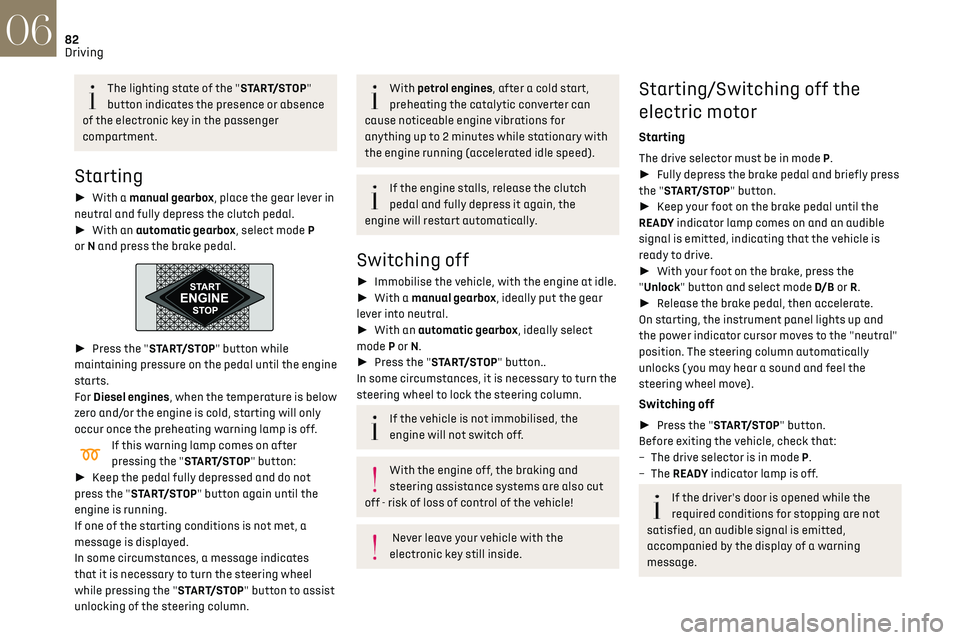
► Press the "START/STOP" button while
maintaining pressure on the pedal until the engine
starts.
For Diesel engines, when the temperature is below
zero and/or the engine is cold, starting will only
occur once the preheating warning lamp is off.
If this warning lamp comes on after
pressing the "START/STOP" button:
► Keep the pedal fully depressed and do not
press the "START/STOP" button again until the
engine is running.
If one of the starting conditions is not met, a
message is displayed.
In some circumstances, a message indicates
that it is necessary to turn the steering wheel
while pressing the "START/STOP" button to assist
unlocking of the steering column.
With petrol engines, after a cold start,
preheating the catalytic converter can
cause noticeable engine vibrations for
anything up to 2 minutes while stationary with
the engine running (accelerated idle speed).
If the engine stalls, release the clutch
pedal and fully depress it again, the
engine will restart automatically.
Switching off
► Immobilise the vehicle, with the engine at idle.
► With a manual gearbox, ideally put the gear
lever into neutral.
► With an automatic gearbox, ideally select
mode P or N.
► Press the "START/STOP" button..
In some circumstances, it is necessary to turn the
steering wheel to lock the steering column.
If the vehicle is not immobilised, the
engine will not switch off.
With the engine off, the braking and
steering assistance systems are also cut
off - risk of loss of control of the vehicle!
Never leave your vehicle with the
electronic key still inside.
Starting/Switching off the
electric motor
Starting
The drive selector must be in mode P.
► Fully depress the brake pedal and briefly press
the "START/STOP" button.
► Keep your foot on the brake pedal until the
READY indicator lamp comes on and an audible
signal is emitted, indicating that the vehicle is
ready to drive.
► With your foot on the brake, press the
"Unlock" button and select mode D/B or R.
► Release the brake pedal, then accelerate.
On starting, the instrument panel lights up and
the power indicator cursor moves to the "neutral"
position. The steering column automatically
unlocks ( you may hear a sound and feel the
steering wheel move).
Switching off
► Press the "START/STOP" button.
Before exiting the vehicle, check that:
–
The driv
e selector is in mode P.
–
The READY indicator lamp is off.
If the driver's door is opened while the
required conditions for stopping are not
satisfied, an audible signal is emitted,
accompanied by the display of a warning
message.
Switching on the ignition
without starting the engine
With the electronic key in the passenger
compartment, pressing the “START/STOP” button,
without pressing any of the pedals, allows the
ignition to be switched on without starting the
engine.
► Press this button again to switch off the
ignition and allow the vehicle to be locked.
Key not detected
Back-up starting
A back-up reader is fitted to the steering column,
to enable the engine to be started if the system
fails to detect the key in the recognition zone, or if
the battery in the electronic key is discharged.
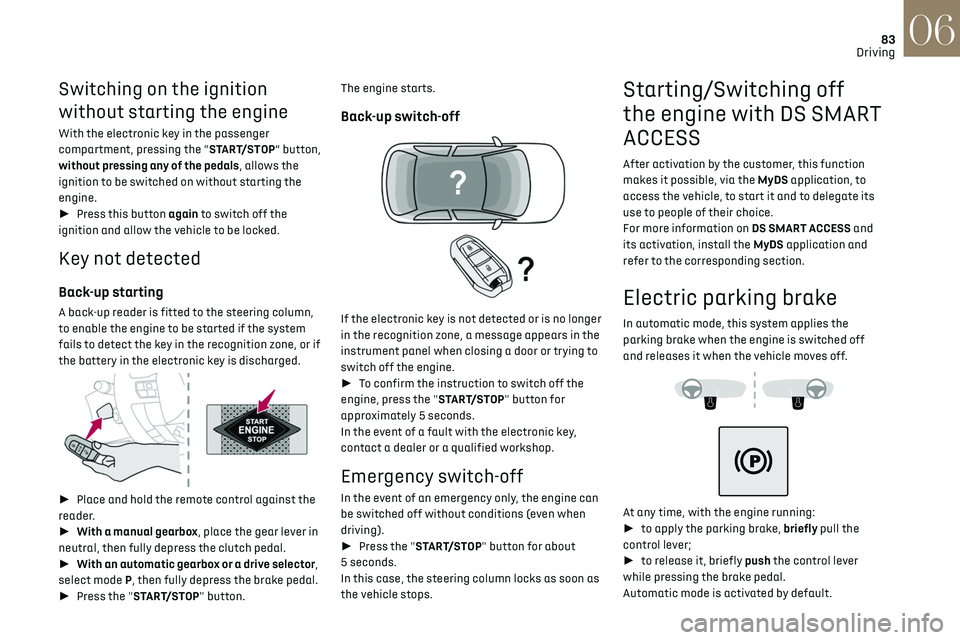
► Place and hold the remote control against the
reader.
► With a manual gearbox, place the gear lever in
neutral, then fully depress the clutch pedal.
► With an automatic gearbox or a drive selector,
select mode P, then fully depress the brake pedal.
► Press the "START/STOP" button.
Page 85 of 244
83Driving06
Switching on the ignition
without starting the engine
With the electronic key in the passenger
compartment, pressing the “START/STOP” button,
without pressing any of the pedals, allows the
ignition to be switched on without starting the
engine.
► Press this button again to switch off the
ignition and allow the vehicle to be locked.
Key not detected
Back-up starting
A back-up reader is fitted to the steering column,
to enable the engine to be started if the system
fails to detect the key in the recognition zone, or if
the battery in the electronic key is discharged.
► Place and hold the remote control against the
reader.
► With a manual gearbox, place the gear lever in
neutral, then fully depress the clutch pedal.
► With an automatic gearbox or a drive selector,
select mode P, then fully depress the brake pedal.
► Press the "START/STOP" button. The engine starts.
Back-up switch-off
If the electronic key is not detected or is no longer
in the recognition zone, a message appears in the
instrument panel when closing a door or trying to
switch off the engine.
►
To confirm the instruction to switch off the
engine, press the "START/STOP" button for
approximately 5 seconds.
In the event of a fault with the electronic key,
contact a dealer or a qualified workshop.
Emergency switch-off
In the event of an emergency only, the engine can
be switched off without conditions (even when
driving).
► Press the "START/STOP" button for about
5 seconds.
In this case, the steering column locks as soon as
the vehicle stops.
Starting/Switching off
the engine with DS SMART
ACCESS
After activation by the customer, this function
makes it possible, via the MyDS application, to
access the vehicle, to start it and to delegate its
use to people of their choice.
For more information on DS SMART ACCESS and
its activation, install the MyDS application and
refer to the corresponding section.
Electric parking brake
In automatic mode, this system applies the
parking brake when the engine is switched off
and releases it when the vehicle moves off.
At any time, with the engine running:
► to apply the parking brake, briefly pull the
control lever;
► to release it, briefly push the control lever
while pressing the brake pedal.
Automatic mode is activated by default.
Page 86 of 244
84Driving06
Indicator lamp
This indicator lamp comes on on the
instrument panel and on the control lever
to confirm the application of the parking brake,
accompanied by the display of the message
"Parking brake applied".
The indicator lamp goes out to confirm the release
of the parking brake, accompanied by the display
of the message "Parking brake released".
The indicator lamp flashes in response to a
manual request to apply or release the brake.
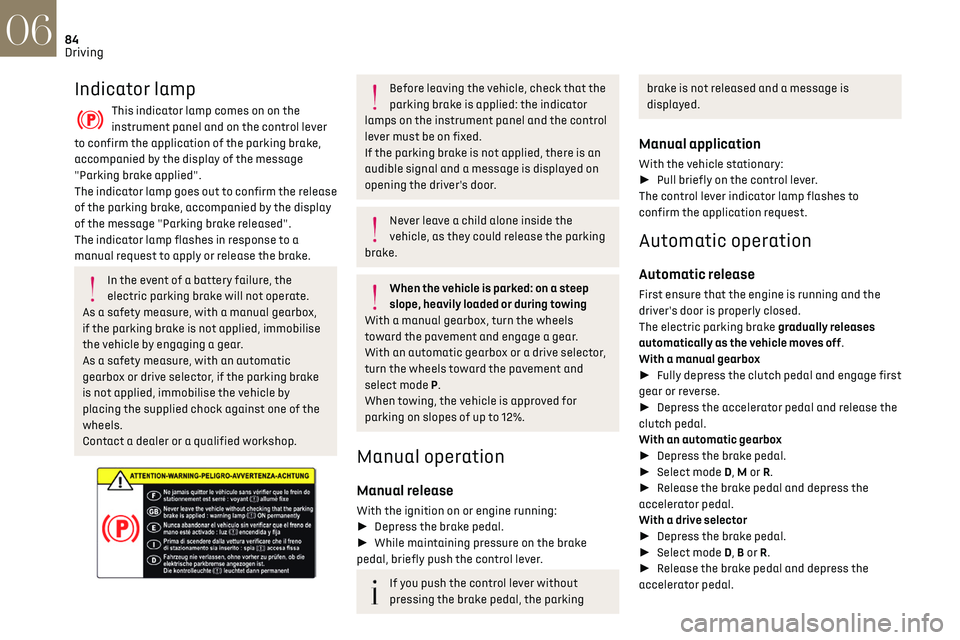
In the event of a battery failure, the
electric parking brake will not operate.
As a safety measure, with a manual gearbox,
if the parking brake is not applied, immobilise
the vehicle by engaging a gear.
As a safety measure, with an automatic
gearbox or drive selector, if the parking brake
is not applied, immobilise the vehicle by
placing the supplied chock against one of the
wheels.
Contact a dealer or a qualified workshop.
Before leaving the vehicle, check that the
parking brake is applied: the indicator
lamps on the instrument panel and the control
lever must be on fixed.
If the parking brake is not applied, there is an
audible signal and a message is displayed on
opening the driver's door.
Never leave a child alone inside the
vehicle, as they could release the parking
brake.
When the vehicle is parked: on a steep
slope, heavily loaded or during towing
With a manual gearbox, turn the wheels
toward the pavement and engage a gear.
With an automatic gearbox or a drive selector,
turn the wheels toward the pavement and
select mode P.
When towing, the vehicle is approved for
parking on slopes of up to 12%.
Manual operation
Manual release
With the ignition on or engine running:
► Depress the brake pedal.
► While maintaining pressure on the brake
pedal, briefly push the control lever.
If you push the control lever without
pressing the brake pedal, the parking
brake is not released and a message is
displayed.
Manual application
With the vehicle stationary:
► Pull briefly on the control lever.
The control lever indicator lamp flashes to
confirm the application request.
Automatic operation
Automatic release
First ensure that the engine is running and the
driver's door is properly closed.
The electric parking brake gradually releases
automatically as the vehicle moves off.
With a manual gearbox
► Fully depress the clutch pedal and engage first
gear or reverse.
► Depress the accelerator pedal and release the
clutch pedal.
With an automatic gearbox
► Depress the brake pedal.
► Select mode D, M or R.
► Release the brake pedal and depress the
accelerator pedal.
With a drive selector
► Depress the brake pedal.
► Select mode D, B or R.
► Release the brake pedal and depress the
accelerator pedal.
With an automatic gearbox or drive
selector, if the brake does not release
automatically, check that the front doors are
correctly closed.
When stationary with the engine running,
do not depress the accelerator pedal
unnecessarily. Risk of parking brake release.
Automatic application
With the vehicle stationary, the parking brake
is automatically applied when the engine is
switched off.
It is not applied automatically if the
engine stalls or enters STOP mode of Stop
& Start.
With automatic operation, it is also
possible to manually apply or release the
parking brake using the control lever.
Special cases
Immobilising the vehicle with the engine
running
To immobilise the vehicle with the engine running,
briefly pull the control lever.
Page 89 of 244
87
Driving06
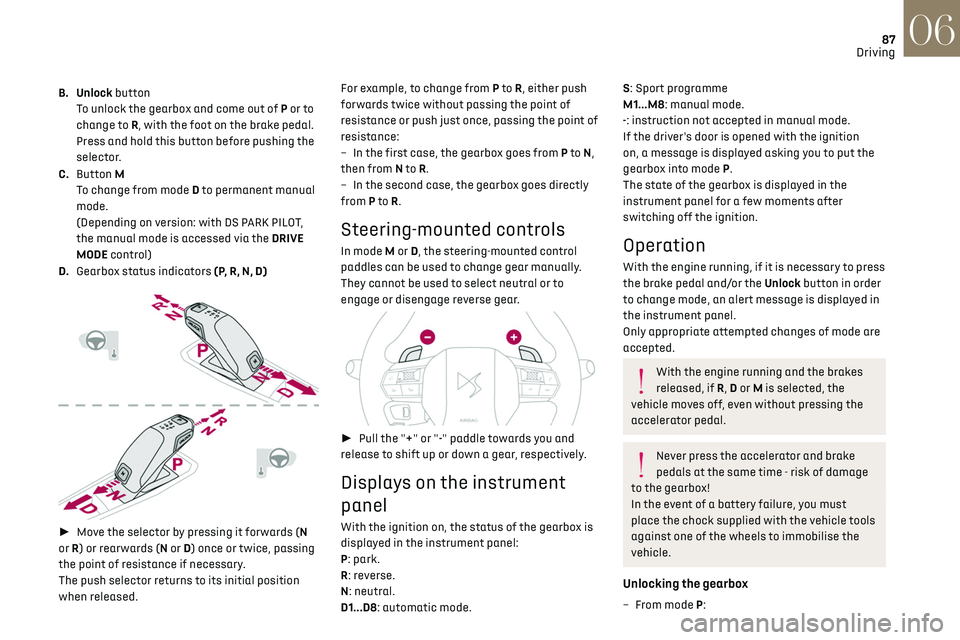
B. Unlock button
To unlock the gearbox and come out of P or to
change to R, with the foot on the brake pedal.
Press and hold this button before pushing the
selector.
C. Button M
To change from mode D to permanent manual
mode.
(Depending on version: with DS PARK PILOT,
the manual mode is accessed via the DRIVE
MODE control)
D. Gearbox status indicators (P, R, N, D)
► Move the selector by pressing it forwards (N
or R) or rearwards (N or D) once or twice, passing
the point of resistance if necessary.
The push selector returns to its initial position
when released. For example, to change from P to
R, either push
forwards twice without passing the point of
resistance or push just once, passing the point of
resistance:
–
In the first c
ase, the gearbox goes from P to
N,
then from N to R.
–
In the sec
ond case, the gearbox goes directly
from P to R.
Steering-mounted controls
In mode M or D, the steering-mounted control
paddles can be used to change gear manually.
They cannot be used to select neutral or to
engage or disengage reverse gear.
► Pull the "+" or "-" paddle towards you and
release to shift up or down a gear, respectively.
Displays on the instrument
panel
With the ignition on, the status of the gearbox is
displayed in the instrument panel:
P: park.
R: reverse.
N: neutral.
D1...D8: automatic mode.
S: Sport programme
M1...M8: manual mode.
-: instruction not accepted in manual mode.
If the driver's door is opened with the ignition
on, a message is displayed asking you to put the
gearbox into mode P.
The state of the gearbox is displayed in the
instrument panel for a few moments after
switching off the ignition.
Operation
With the engine running, if it is necessary to press
the brake pedal and/or the Unlock button in order
to change mode, an alert message is displayed in
the instrument panel.
Only appropriate attempted changes of mode are
accepted.
With the engine running and the brakes
released, if R, D or M is selected, the
vehicle moves off, even without pressing the
accelerator pedal.
Never press the accelerator and brake
pedals at the same time - risk of damage
to the gearbox!
In the event of a battery failure, you must
place the chock supplied with the vehicle tools
against one of the wheels to immobilise the
vehicle.
Unlocking the gearbox
– From mode P:
Page 92 of 244
90
Driving06
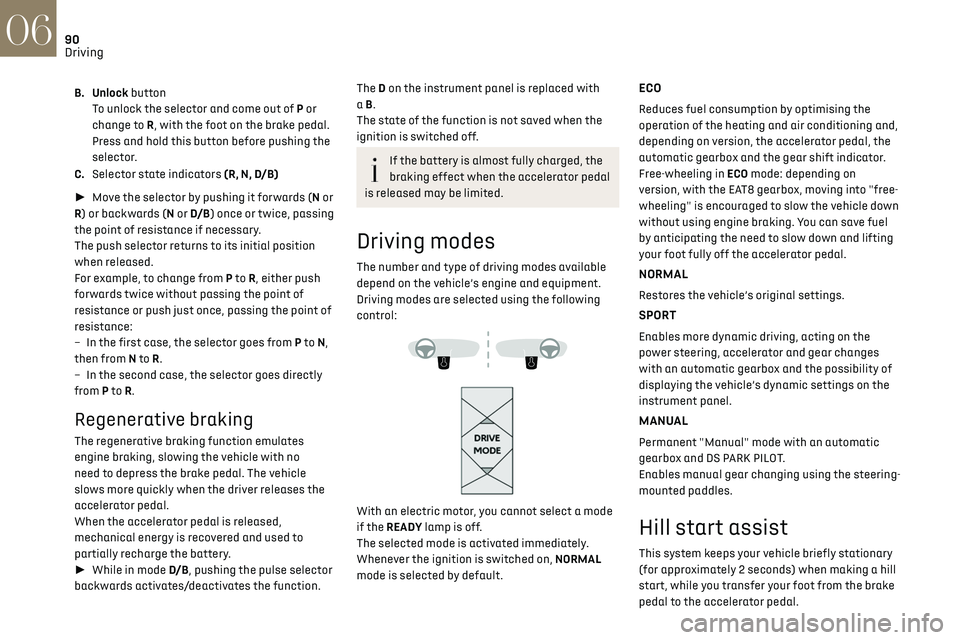
B. Unlock buttonTo unlock the selector and come out of P or
change to R, with the foot on the brake pedal.
Press and hold this button before pushing the
selector.
C. Selector state indicators (R, N, D/B)
► Move the selector by pushing it forwards (N or
R) or backwards (N or D/B ) once or twice, passing
the point of resistance if necessary.
The push selector returns to its initial position
when released.
For example, to change from P to R, either push
forwards twice without passing the point of
resistance or push just once, passing the point of
resistance:
–
In the first c
ase, the selector goes from P to N,
then from N to R.
–
In the sec
ond case, the selector goes directly
from P to R.
Regenerative braking
The regenerative braking function emulates
engine braking, slowing the vehicle with no
need to depress the brake pedal. The vehicle
slows more quickly when the driver releases the
accelerator pedal.
When the accelerator pedal is released,
mechanical energy is recovered and used to
partially recharge the battery.
► While in mode D/B , pushing the pulse selector
backwards activates/deactivates the function.
The D on the instrument panel is replaced with
a B.
The state of the function is not saved when the
ignition is switched off.
If the battery is almost fully charged, the
braking effect when the accelerator pedal
is released may be limited.
Driving modes
The number and type of driving modes available
depend on the vehicle’s engine and equipment.
Driving modes are selected using the following
control:
With an electric motor, you cannot select a mode
if the READY lamp is off.
The selected mode is activated immediately.
Whenever the ignition is switched on, NORMAL
mode is selected by default.
ECO
Reduces fuel consumption by optimising the
operation of the heating and air conditioning and,
depending on version, the accelerator pedal, the
automatic gearbox and the gear shift indicator.
Free-wheeling in ECO mode: depending on
version, with the EAT8 gearbox, moving into "free-
wheeling" is encouraged to slow the vehicle down
without using engine braking. You can save fuel
by anticipating the need to slow down and lifting
your foot fully off the accelerator pedal.
NORMAL
Restores the vehicle’s original settings.
SPORT
Enables more dynamic driving, acting on the
power steering, accelerator and gear changes
with an automatic gearbox and the possibility of
displaying the vehicle’s dynamic settings on the
instrument panel.
MANUAL
Permanent "Manual" mode with an automatic
gearbox and DS PARK PILOT.
Enables manual gear changing using the steering-
mounted paddles.
Hill start assist
This system keeps your vehicle briefly stationary
(for approximately 2 seconds) when making a hill
start, while you transfer your foot from the brake
pedal to the accelerator pedal.
This system is only active when:
– The vehicle is completely stationary, with your
foot on the brake pedal.
– Certain slope conditions are met.
– The driver’s door is closed.
Do not leave the vehicle while it is being
held temporarily by hill start assist.
If someone needs to get out of the vehicle with
the engine running, apply the parking brake
manually. After that, ensure that the parking
brake indicator lamp and the indicator lamp P
in the electric parking brake control lever are
on fixed.
The hill start assist function cannot be
deactivated. However, use of the parking
brake to immobilise the vehicle interrupts its
operation.
Operation
Page 94 of 244
92
Driving06
Stop & Start
The Stop & Start function puts the engine
temporarily into standby - STOP mode - during
phases when the vehicle is stopped (red lights,
queues, etc.). The engine restarts automatically
- START mode - as soon as the driver wishes to
move off again.
Primarily designed for urban use, the function
is intended to reduce fuel consumption and
exhaust emissions as well as the noise level when
stationary.
The function does not affect the functionalities of
the vehicle, in particular the braking.
Deactivation/Reactivation
The function is activated by default when the
ignition is switched on.
It is set via the Driving / Vehicle touch
screen menu.
A message in the instrument panel confirms the
change of status.
When the function is deactivated, if the engine
was in standby, it restarts immediately.
Associated indicator lamps
Function activated.
Function deactivated or malfunction.
Opening the bonnet
Before doing anything under the bonnet,
deactivate the Stop & Start system to avoid
any risk of injury caused by the engine
restarting automatically.
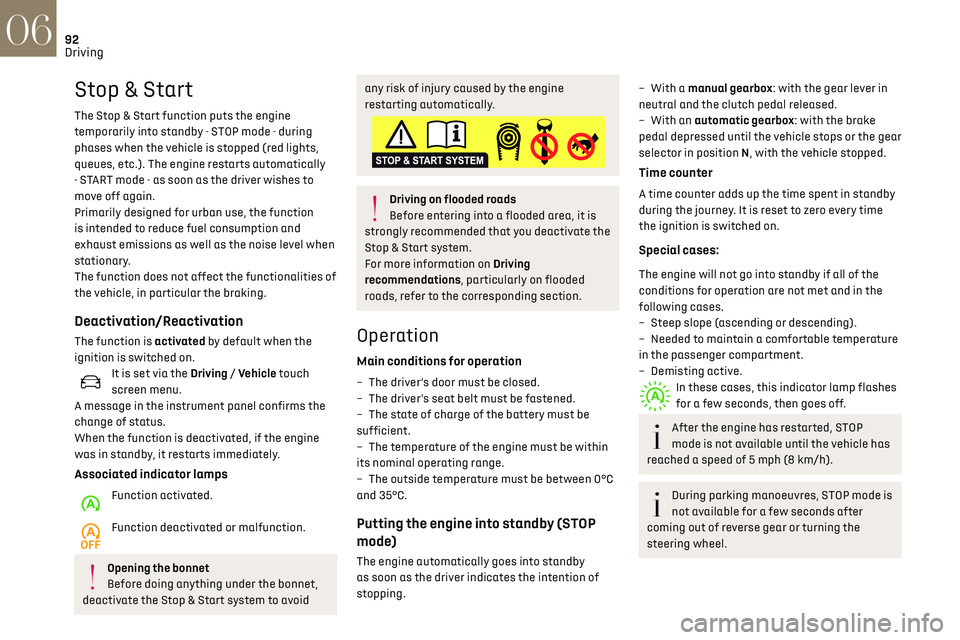
Driving on flooded roads
Before entering into a flooded area, it is
strongly recommended that you deactivate the
Stop & Start system.
For more information on Driving
recommendations, particularly on flooded
roads, refer to the corresponding section.
Operation
Main conditions for operation
– The driver’s door must be closed.
– The driv er's seat belt must be fastened.
–
The st
ate of charge of the battery must be
sufficient.
–
The t
emperature of the engine must be within
its nominal operating range.
–
The outside t
emperature must be between 0°C
and 35°C.
Putting the engine into standby (STOP
mode)
The engine automatically goes into standby
as soon as the driver indicates the intention of
stopping.
– With a manual gearbox: with the gear lever in
neutral and the clutch pedal released.
–
With an
automatic gearbox: with the brake
pedal depressed until the vehicle stops or the gear
selector in position N, with the vehicle stopped.
Time counter
A time counter adds up the time spent in standby
during the journey. It is reset to zero every time
the ignition is switched on.
Special cases:
The engine will not go into standby if all of the
conditions for operation are not met and in the
following cases.
–
St
eep slope (ascending or descending).
–
Needed t
o maintain a comfortable temperature
in the passenger compartment.
–
Demisting activ
e.
In these cases, this indicator lamp flashes
for a few seconds, then goes off.
After the engine has restarted, STOP
mode is not available until the vehicle has
reached a speed of 5 mph (8 km/h).
During parking manoeuvres, STOP mode is
not available for a few seconds after
coming out of reverse gear or turning the
steering wheel.
Restarting the engine (START mode)
The engine automatically restarts as soon as the
driver indicates the intention of moving off again.
► With a manual gearbox: with the clutch pedal
fully depressed.
► With an automatic gearbox:
• With the selector in position D or M: with the
brake pedal released.
• With the selector in position N and the brake
pedal released: with the selector at D or M.
• With the selector in position P and the brake
pedal depressed: with the selector at R, N, D
or M.
• Reverse gear engaged.
Special cases
The engine restarts automatically if all the
operating conditions are met again and in the
following cases.
– With a manual gearbox: vehicle speed exceeds
2.5 mph (4 km/h),
– With an automatic gearbox, in mode N, vehicle
speed exceeds 0.6 mph (1 km/h).
In these cases, this indicator lamp flashes
for a few seconds, then goes off.
Malfunctions
In the event of a malfunction, this warning
lamp flashes for a few moments, then
remains on, accompanied by an onscreen
message.
Have the vehicle checked by a dealer or a qualified
workshop.
Page 95 of 244

93
Driving06
Restarting the engine (START mode)
The engine automatically restarts as soon as the
driver indicates the intention of moving off again.
► With a manual gearbox: with the clutch pedal
fully depressed.
► With an automatic gearbox:
•
With the select
or in position D or M: with the
brake pedal released.
•
With the select
or in position N and the brake
pedal released: with the selector at D or M.
•
With the select
or in position P and the brake
pedal depressed: with the selector at R, N, D
or M.
•
R
everse gear engaged.
Special cases
The engine restarts automatically if all the
operating conditions are met again and in the
following cases.
–
With a manual gearbo
x: vehicle speed exceeds
2.5 mph (4 km/h),
–
With an aut
omatic gearbox, in mode N, vehicle
speed exceeds 0.6 mph (1 km/h).
In these cases, this indicator lamp flashes
for a few seconds, then goes off.
Malfunctions
In the event of a malfunction, this warning
lamp flashes for a few moments, then
remains on, accompanied by an onscreen
message.
Have the vehicle checked by a dealer or a qualified
workshop.
The vehicle stalls in STOP mode
All of the instrument panel warning lamps come
on if there is a fault.
► Switch off the ignition then start the engine
again with the "START/STOP" button.
The Stop & Start system requires a 12 V
battery of specific technology and
specification.
All work concerning the battery must be
carried out only by a dealer or a qualified
workshop.
Under-inflation detection
This system automatically checks the pressures
of the tyres while driving.
It compares the information given by the wheel
speed sensors with reference values, which must
be reinitialised every time the tyre pressures are
adjusted or a wheel changed.
The system triggers an alert as soon as it detects
a drop in the inflation pressure of one or more
tyres.
Under-inflation detection does not replace
the need for vigilance on the part of the
driver.
This system does not avoid the need to
regularly check the tyre pressures (including
the spare wheel) as well as before a long
journey.
Driving with under-inflated tyres, particularly
in adverse conditions (heavy load, high speed,
long journey):
–
w
orsens road-holding.
–
lengthens braking dist
ances.
–
c
auses premature wear of the tyres.
–
increase
s fuel consumption.
The inflation pressures defined for the
vehicle can be found on the tyre pressure
label.
For more information on the Identification
markings, refer to the corresponding section.
Checking tyre pressures
This check should be done when the
tyres are "cold" (vehicle stopped for 1 hour or
after a journey of less than 6 miles (10 km) at
moderate speeds).
Otherwise, add 0.3 bar to the pressures shown
on the label.
Under-inflation alert
This is signalled by the fixed illumination of
this warning lamp, accompanied by an
audible signal and, depending on equipment, the
display of a message.
► Reduce speed immediately, avoid excessive
steering movements and avoid sudden braking.
► Stop the vehicle as soon as it is safe to do so.