ad blue CITROEN DS4 2018 User Guide
[x] Cancel search | Manufacturer: CITROEN, Model Year: 2018, Model line: DS4, Model: CITROEN DS4 2018Pages: 296, PDF Size: 9.91 MB
Page 36 of 296
34
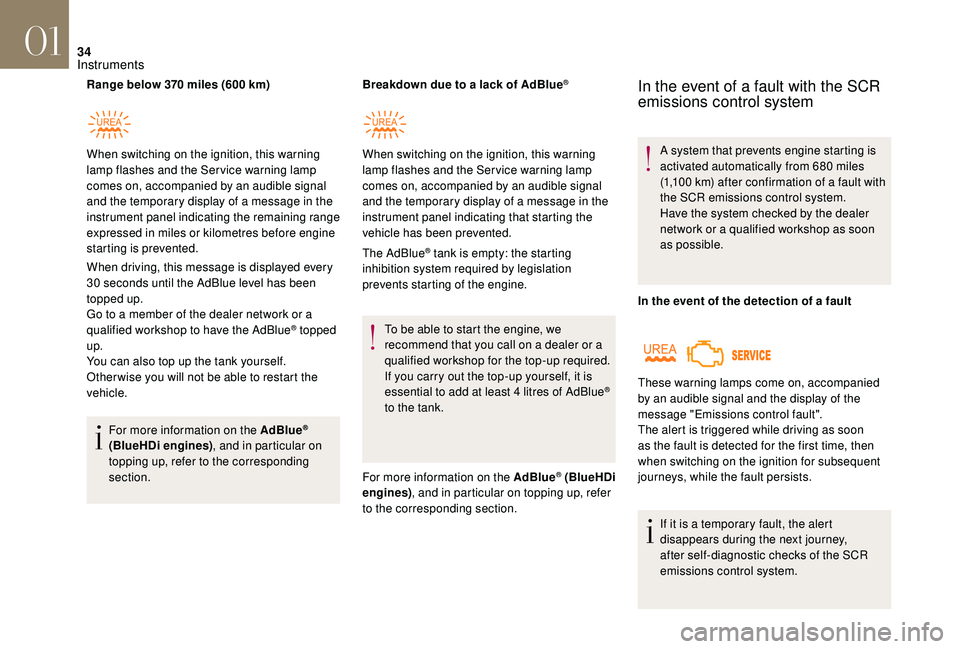
Range below 370 miles (600 km)
When driving, this message is displayed every
30 seconds until the AdBlue level has been
topped up.
Go to a member of the dealer network or a
qualified workshop to have the AdBlue
® topped
up.
You can also top up the tank yourself.
Other wise you will not be able to restart the
vehicle.
For more information on the AdBlue
®
(BlueHDi engines) , and in particular on
topping up, refer to the corresponding
section. Breakdown due to a lack of AdBlue
®
The AdBlue® tank is empty: the starting
inhibition system required by legislation
prevents starting of the engine.
To be able to start the engine, we
recommend that you call on a dealer or a
qualified workshop for the top-up required.
If you carry out the top-up yourself, it is
essential to add at least 4 litres of AdBlue
®
to the tank.
For more information on the AdBlue
® (BlueHDi
engines) , and in particular on topping up, refer
to the corresponding section.
When switching on the ignition, this warning
lamp flashes and the Service warning lamp
comes on, accompanied by an audible signal
and the temporary display of a message in the
instrument panel indicating the remaining range
expressed in miles or kilometres before engine
starting is prevented.
When switching on the ignition, this warning
lamp flashes and the Service warning lamp
comes on, accompanied by an audible signal
and the temporary display of a message in the
instrument panel indicating that starting the
vehicle has been prevented.
In the event of a fault with the SCR
emissions control system
A system that prevents engine starting is
activated automatically from 680 miles
(1,100 km) after confirmation of a fault with
the SCR emissions control system.
Have the system checked by the dealer
network or a qualified workshop as soon
as possible.
In the event of the detection of a fault
If it is a temporary fault, the alert
disappears during the next journey,
after self-diagnostic checks of the SCR
emissions control system.
These warning lamps come on, accompanied
by an audible signal and the display of the
message "Emissions control fault".
The alert is triggered while driving as soon
as the fault is detected for the first time, then
when switching on the ignition for subsequent
journeys, while the fault persists.
01
Instruments
Page 38 of 296
36
Manual test in the type 2
instrument panel central screen
This function allows you to check the status of
the vehicle systems (reminder of the "activated"/
"deactivated" status of the configurable
functions) and to display the alerts log.
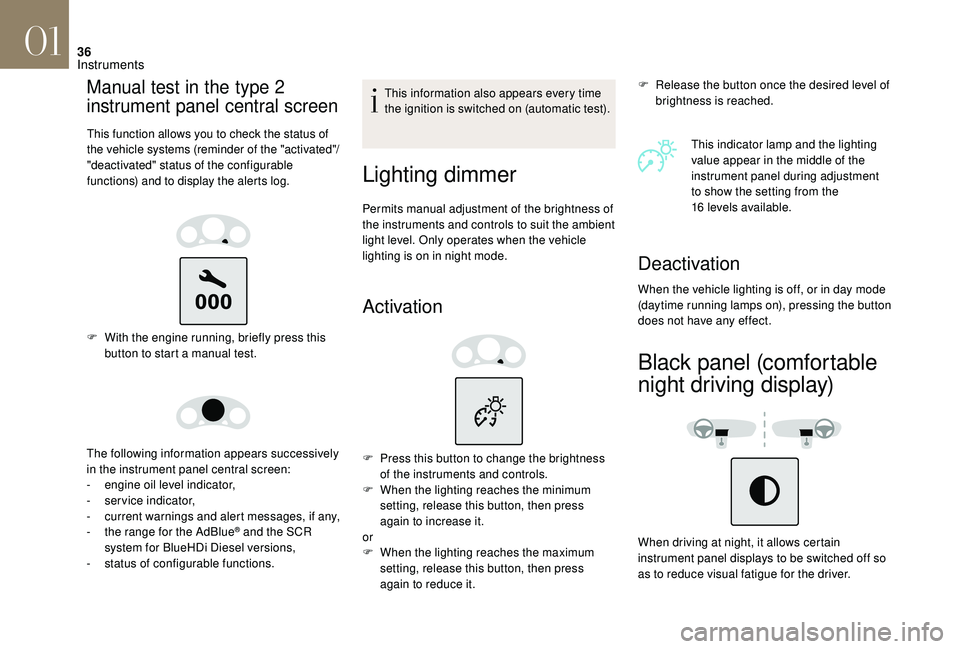
F With the engine running, briefly press this button to start a manual test.
The following information appears successively
in the instrument panel central screen:
-
e
ngine oil level indicator,
-
ser
vice indicator,
-
c
urrent warnings and alert messages, if any,
-
t
he range for the AdBlue
® and the SCR
system for BlueHDi Diesel versions,
-
s
tatus of configurable functions. This information also appears every time
the ignition is switched on (automatic test).
Lighting dimmer
Permits manual adjustment of the brightness of
the instruments and controls to suit the ambient
light level. Only operates when the vehicle
lighting is on in night mode.
Activation
F Release the button once the desired level of
brightness is reached.
This indicator lamp and the lighting
value appear in the middle of the
instrument panel during adjustment
to show the setting from the
16
levels available.
F
P
ress this button to change the brightness
of the instruments and controls.
F
W
hen the lighting reaches the minimum
setting, release this button, then press
again to increase it.
or
F
W
hen the lighting reaches the maximum
setting, release this button, then press
again to reduce it.
Deactivation
When the vehicle lighting is off, or in day mode
(daytime running lamps on), pressing the button
does not have any effect.
Black panel (comfortable
night driving display)
When driving at night, it allows certain
instrument panel displays to be switched off so
as to reduce visual fatigue for the driver.
01
Instruments
Page 40 of 296
38
Main menu
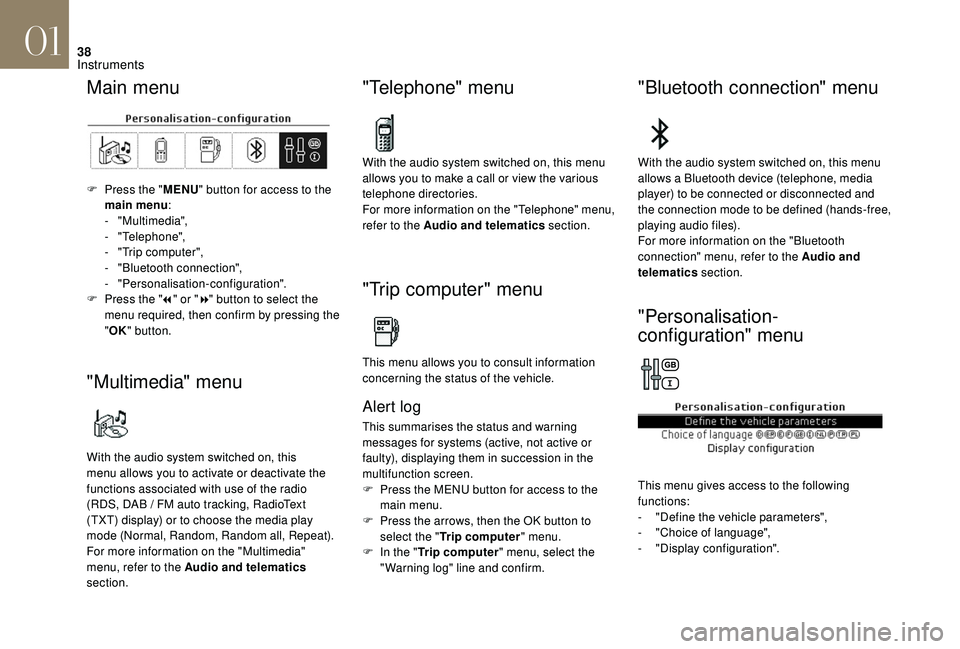
F Press the "MENU" button for access to the
main menu :
-
"Multimedia",
-
"Telephone",
-
"
Trip computer",
-
"
Bluetooth connection",
-
"Personalisation-configuration".
F
P
ress the " 7" or " 8" button to select the
menu required, then confirm by pressing the
" OK " button.
"Multimedia" menu
With the audio system switched on, this
menu allows you to activate or deactivate the
functions associated with use of the radio
(RDS, DAB
/ FM auto tracking, RadioText
(TXT) display) or to choose the media play
mode (Normal, Random, Random all, Repeat).
For more information on the "Multimedia"
menu, refer to the Audio and telematics
section.
"Telephone" menu
With the audio system switched on, this menu
allows you to make a call or view the various
telephone directories.
For more information on the "Telephone" menu,
refer to the Audio and telematics section.
"Trip computer" menu
This menu allows you to consult information
concerning the status of the vehicle.
Alert log
This summarises the status and warning
messages for systems (active, not active or
faulty), displaying them in succession in the
multifunction screen.
F
P
ress the MENU button for access to the
main menu.
F
P
ress the arrows, then the OK button to
select the " Trip computer " menu.
F
I
n the " Trip computer " menu, select the
"Warning log" line and confirm.
"Bluetooth connection" menu
With the audio system switched on, this menu
allows a Bluetooth device (telephone, media
player) to be connected or disconnected and
the connection mode to be defined (hands-free,
playing audio files).
For more information on the "Bluetooth
connection" menu, refer to the Audio and
telematics section.
"Personalisation-
configuration" menu
This menu gives access to the following
functions:
-
"
Define the vehicle parameters",
-
"
Choice of language",
-
"
Display configuration".
01
Instruments
Page 42 of 296
40
Touch screen
The touch screen gives access to:
- m enus for adjusting settings for vehicle
functions and systems,
-
a
udio system and telephone controls and
the display of associated information,
-
t
he display of the exterior temperature
(a
blue snowflake appears if there is a risk
of i c e),
-
t
he display of the trip computer.
and, depending on equipment, allows:
-
t
he display of visual parking sensors
information,
-
a
ccess to the internet ser vices and
navigation system controls and the display
of associated information.
As a safety measure, the driver must
only carry out operations that require
close attention with the vehicle
stationary.
Some functions are not accessible when
driving.
General operation
Recommendations
This screen is of the capacitive type.
Use is possible in all temperatures.
Do not use pointed objects on the touch
screen.
Do not touch the touch screen with wet hands.
Use a soft clean cloth to clean the touch
screen.
Principles
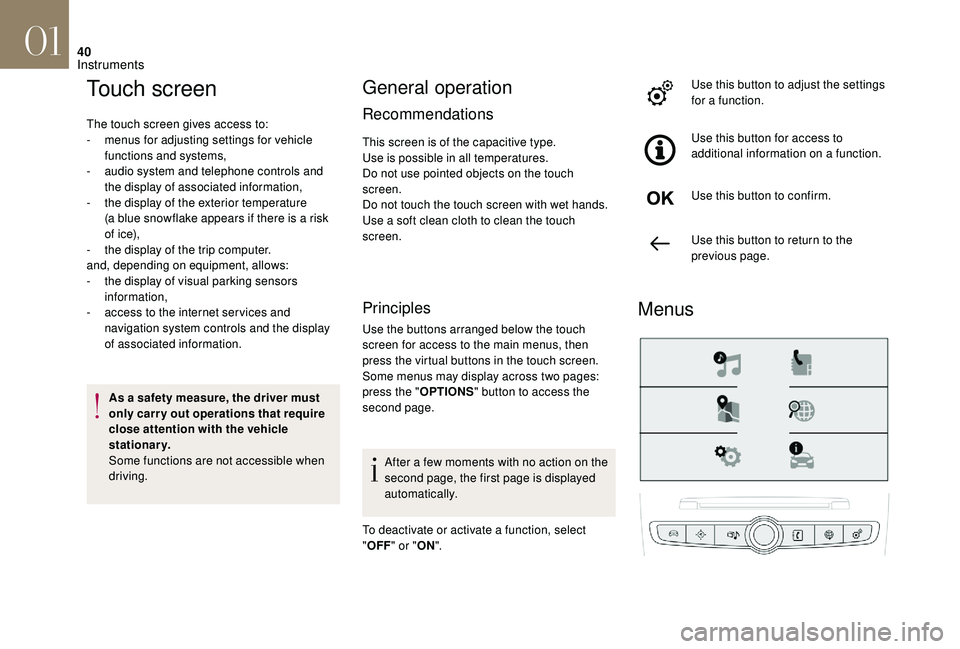
Use the buttons arranged below the touch
screen for access to the main menus, then
press the virtual buttons in the touch screen.
Some menus may display across two pages:
press the " OPTIONS" button to access the
second page.
After a few moments with no action on the
second page, the first page is displayed
automatically.
To deactivate or activate a function, select
" OFF " or " ON". Use this button to adjust the settings
for a function.
Use this button for access to
additional information on a function.
Use this button to confirm.
Use this button to return to the
previous page.
Menus
01
Instruments
Page 74 of 296
72
Manual air conditioning
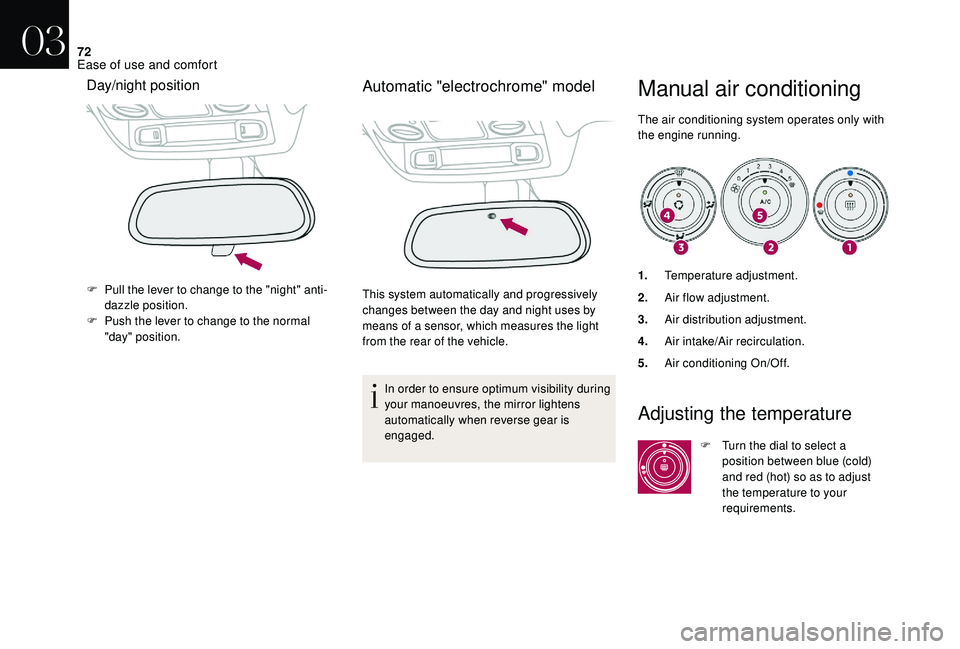
The air conditioning system operates only with
the engine running.
Day/night position
F Pull the lever to change to the "night" anti-dazzle position.
F
P
ush the lever to change to the normal
"day" position.
Automatic "electrochrome" model
This system automatically and progressively
changes between the day and night uses by
means of a sensor, which measures the light
from the rear of the vehicle.
In order to ensure optimum visibility during
your manoeuvres, the mirror lightens
automatically when reverse gear is
engaged. 1.
Temperature adjustment.
2. Air flow adjustment.
3. Air distribution adjustment.
4. Air intake/Air recirculation.
5. Air conditioning On/Off.
Adjusting the temperature
F Turn the dial to select a
position between blue (cold)
and red (hot) so as to adjust
the temperature to your
requirements.
03
Ease of use and comfort
Page 149 of 296
147
Stop & Start
The Stop & Start system puts the engine
t emporarily into standby – STOP mode – during
stops in the traffic (red lights, traffic jams,...).
The engine restarts automatically – START
mode – as soon as you want to move off.
The restart takes place instantly, quickly and
silently.
Per fect for urban use, the Stop & Start system
reduces fuel consumption and exhaust
emissions as well as the noise level when
stationary.
Operation
Going into engine STOP mode
The " ECO" warning lamp comes on in
the instrument panel and the engine
goes into standby automatically:
- with a manual gearbox , at speeds below
12 mph (20 km/h) or when the vehicle is
stationary with the PureTech 130 petrol and
BlueHDi 115 and 120 Diesel versions, when
you place the gear lever in neutral and you
release the clutch pedal,
-
W
ith an automatic gearbox , when the
vehicle is stationary and when you press
the brake pedal or put the gear selector in
position N . If your vehicle is fitted with this
system, a time counter calculates
the time spent in STOP mode
during a journey. It resets to
zero every time the ignition is
switched on with the key or the
"START/STOP" button.
STOP mode does not affect the operation
of vehicle systems such as braking, power
steering...
Never refuel with the engine in STOP
mode; you must switch off the ignition with
the key or the "START/STOP" button.
Special cases: STOP mode not
available
STOP mode is not activated when:
- t he vehicle is on a steep slope (uphill or
downhill),
-
t
he driver's door is open,
-
t
he driver's seat belt is not fastened,
-
t
he vehicle has not exceeded 6 mph (10
km/h) since the last engine start (with the
key or the "START/STOP" button),
-
t
he electric parking brake is applied or being
applied, -
t
he engine is needed to maintain a
comfortable temperature in the passenger
compartment,
-
d
emisting is active,
-
c
ertain special conditions (battery charge,
engine temperature, braking assistance,
exterior temperature, etc.) require the
engine to be running to assure control of a
system.
In this case, the " ECO" warning
lamp flashes for a few seconds then
goes off.
This operation is perfectly normal.
Going into engine START mode
The ECO warning lamp goes off and
the engine starts automatically:
-
w
ith a manual gearbox , when you fully
depress the clutch pedal,
-
w
ith an automatic gearbox:
•
g
ear selector in position D or M , when
you release the brake pedal,
•
o
r gear selector in position N and brake
pedal released, when you place the gear
selector in position D or M ,
•
o
r when you engage reverse gear.
06
Driving
Page 150 of 296
148
With a manual gearbox in STOP mode, if
a gear is engaged without fully depressing
the clutch pedal, a warning lamp comes
on or an alert message is displayed asking
you to depress the clutch pedal to restart
the engine.
Special cases: START mode
activated automatically
As a safety measure or to maintain comfort
levels in the vehicle, START mode is activated
automatically when:
-
y
ou open the driver's door,
-
y
ou unfasten the driver's seat belt,
-
t
he speed of the vehicle exceeds 16 mph
(25 km/h) with a manual gearbox (2 mph
(3
km/h) with PureTech 130 petrol and
BlueHDi 115 and 120 Diesel versions), or
2
mph (3 km/h) with an automatic gearbox.
-
t
he electric parking brake is being applied,
-
s
ome special conditions (battery charge,
engine temperature, braking assistance,
exterior temperature...) require the engine to
be running to assure control of a system. In this case, the "
ECO" warning
lamp flashes for a few seconds then
goes off.
This operation is perfectly normal.
Deactivation
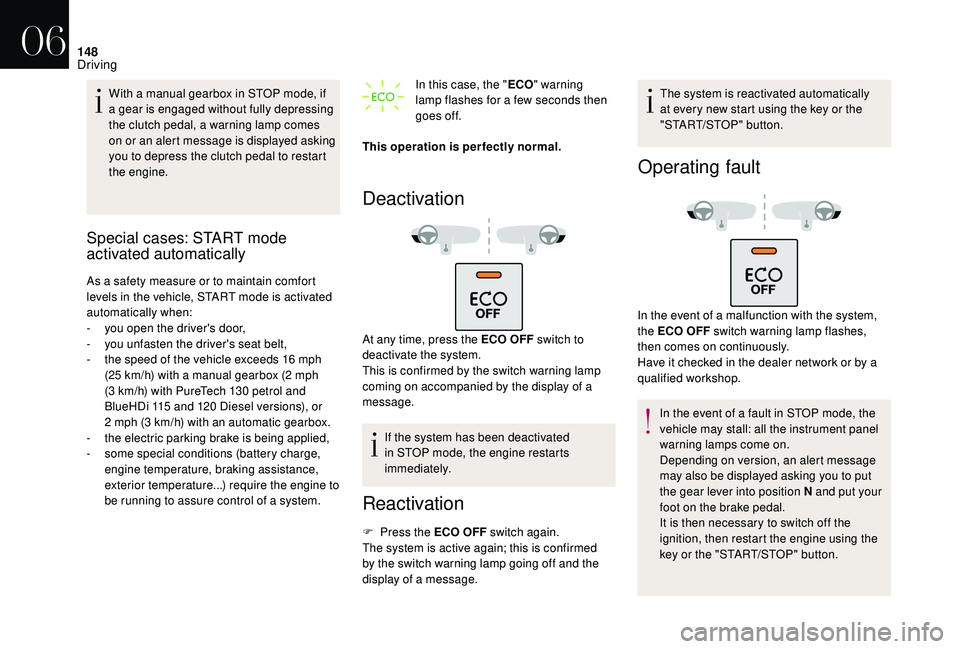
At any time, press the ECO OFF switch to
d eactivate the system.
This is confirmed by the switch warning lamp
coming on accompanied by the display of a
message.
If the system has been deactivated
in STOP mode, the engine restarts
immediately.
Reactivation
F Press the ECO OFF switch again.
The system is active again; this is confirmed
by the switch warning lamp going off and the
display of a message. The system is reactivated automatically
at every new start using the key or the
"START/STOP" button.
Operating fault
In the event of a malfunction with the system,
the ECO OFF switch warning lamp flashes,
then comes on continuously.
Have it checked in the dealer network or by a
qualified workshop.
In the event of a fault in STOP mode, the
vehicle may stall: all the instrument panel
warning lamps come on.
Depending on version, an alert message
may also be displayed asking you to put
the gear lever into position N and put your
foot on the brake pedal.
It is then necessary to switch off the
ignition, then restart the engine using the
key or the "START/STOP" button.
06
Driving
Page 163 of 296
161
Malfunction
In the event of a system fault when
engaging reverse gear, this warning
lamp is displayed in the instrument
panel and/or a message appears
in the screen, accompanied by an
audible signal (short beep).
Contact the dealer network or a
qualified workshop to have the
system checked.
In bad or wintry weather, ensure that the
sensors are not covered with mud, ice or
snow. When reverse gear is engaged, an
audible signal (long beep) indicates that
the sensors may be dirty.
Certain sound sources (motorcycle,
lorry, pneumatic drill, etc.) may trigger
the audible signals of the parking sensor
system.
Reversing camera
This system is a driving aid that does not
replace the need for vigilance on the part
of the driver, who must remain in control of
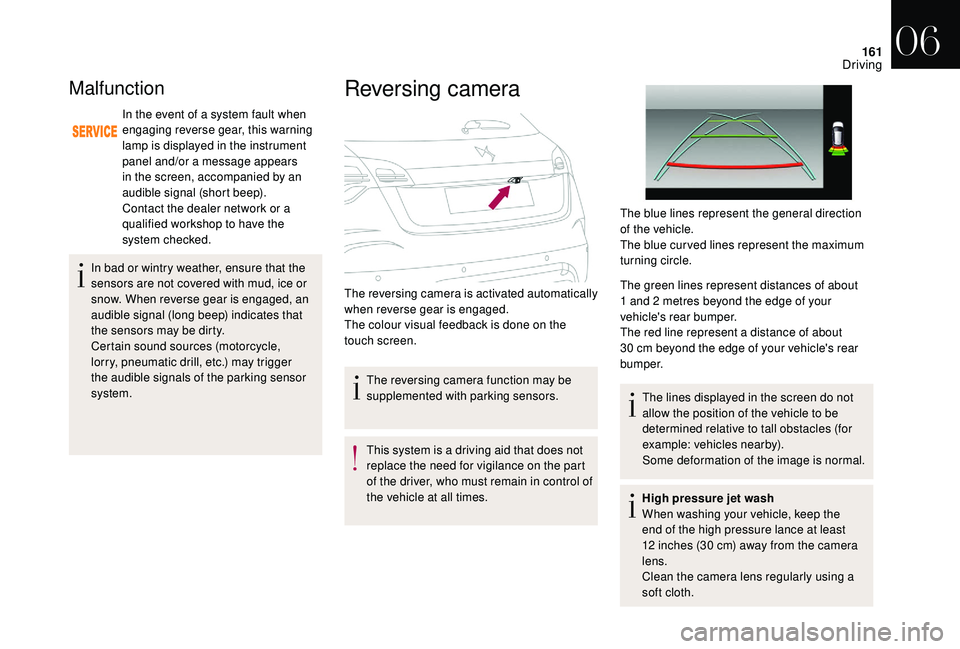
the vehicle at all times. The green lines represent distances of about
1
and 2 metres beyond the edge of your
vehicle's rear bumper.
The red line represent a distance of about
30 cm beyond the edge of your vehicle's rear
b u m p e r.
The lines displayed in the screen do not
allow the position of the vehicle to be
determined relative to tall obstacles (for
example: vehicles nearby).
Some deformation of the image is normal.
High pressure jet wash
When washing your vehicle, keep the
end of the high pressure lance at least
12 inches (30 cm) away from the camera
lens.
Clean the camera lens regularly using a
soft cloth.
The reversing camera function may be
supplemented with parking sensors.
The reversing camera is activated automatically
when reverse gear is engaged.
The colour visual feedback is done on the
touch screen. The blue lines represent the general direction
of the vehicle.
The blue cur ved lines represent the maximum
turning circle.
06
Driving
Page 185 of 296

183
Manual parking brake
If excessive travel or a loss of
effectiveness of this system is
noticed, the parking brake must
be checked, even between two
services.
This system must be checked in the dealer
network or by a qualified workshop.
Electric parking brake
This system does not require any
routine servicing. However, in the
event of a problem, have the system
checked in the dealer network or by
a qualified workshop.
For more information on the Electric
parking brake , refer to the corresponding
section.
Only use products recommended by DS
AUTOMOBILES or products of equivalent
quality and specification.
In order to optimise the operation of
components as important as those in
the braking system, DS AUTOMOBILES
selects and offers very specific products.
After washing the vehicle, dampness, or
in wintry conditions, ice can form on the
brake discs and pads: braking efficiency
may be reduced. Make light brake
applications to dry and defrost the brakes.
AdBlue® (BlueHDi
engines)
To respect the environment and ensure
compliance with the Euro 6 standard, without
adversely affecting the performance or
fuel consumption of Diesel engines, DS
AUTOMOBILES has taken the decision to
equip its vehicles with a system that associates
SCR (Selective Catalytic Reduction) with a
Diesel particle filter (DPF) for the treatment of
exhaust gases.
SCR system
Using a liquid called AdBlue® that contains
urea, a catalytic converter turns up to 85% of
the oxides of nitrogen (NOx) into nitrogen and
water, which are harmless to health and the
environment.
Brake pads
Brake wear depends on the style
of driving, particularly in the case
of vehicles used in town, over short
distances. It may be necessary to
have the condition of the brakes
checked, even between vehicle
services.
Unless there is a leak in the circuit, a drop in
the brake fluid level indicates that the brake
pads are worn.
Brake disc/drum wear
For information on checking brake
disc wear, contact the dealer
network or a qualified workshop.
07
Practical information
Page 186 of 296

184
During each scheduled ser vice of your vehicle
in the dealer network or a qualified workshop,
the AdBlue
® tank is refilled in order to allow
normal operation of the SCR system.
If the estimated distance travelled between two
ser vices is greater than around 12,500 miles
(20,000
km), it will be necessary to top up the
AdBlue
®. Once the AdBlue
® tank is empty, a system
r
equired by regulations prevents starting
of the engine.
If the SCR
system is defective, the level of
emissions from your vehicle will no longer
meet the Euro 6 standard: your vehicle
becomes polluting.
In the event of a confirmed fault with the
SCR system, you must go to the dealer
network or a qualified workshop as soon
as possible: after a running distance of
685 miles (1,100 km), a system will be
triggered automatically to prevent engine
starting.
In either case, a range indicator gives you
the distance you can travel before the
vehicle is immobilised.
For more information on the Warning
lamps and the associated alerts, refer to
the corresponding section.
The AdBlue® is contained in a special tank
with a capacity of around 17 litres: its capacity
offers a driving range of around 12,500 miles
(20,000 km) before triggering an alert system
that warns you when you can drive for a further
1,500 miles (2,400 km).
Freezing of the AdBlue
®
AdBlue® freezes at temperatures below
around -11°C.
The SCR system includes a heater for the
AdBlue
® tank, allowing you to continue
driving in very cold conditions.
Topping up with AdBlue®
Filling the AdBlue® tank is an operation
included in every routine ser vice on your
vehicle by the dealer network or a qualified
workshop.
Nevertheless, given the capacity of the tank,
it may be necessary to top up the AdBlue
®
between ser vices, more particularly if an alert
(warning lamps and a message) signals the
requirement.
You can go to a member of the dealer network
or a qualified workshop.
If you envisage topping up yourself, please
read the following recommendations and
warnings carefully.
Precautions for use
AdBlue® is a urea-based solution. This fluid
is non-flammable, colourless and odourless
(stored in a cool place).
In the event of contact with the skin, wash the
affected area with soap and running water. In
the event of contact with the eyes, immediately
rinse the eyes with large amounts of water
or with an eye wash solution for at least
15
minutes. If a burning sensation or irritation
persists, get medical attention.
If swallowed, immediately wash out the mouth
with clean water and then drink plenty of water.
07
Practical information