battery CITROEN DS4 2018 User Guide
[x] Cancel search | Manufacturer: CITROEN, Model Year: 2018, Model line: DS4, Model: CITROEN DS4 2018Pages: 296, PDF Size: 9.91 MB
Page 59 of 296
57
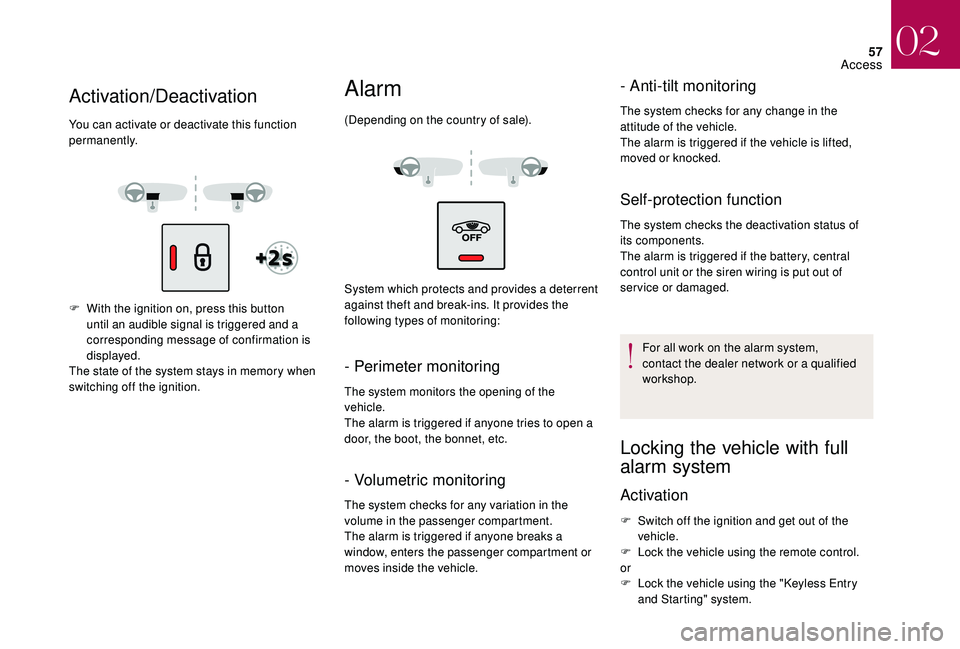
F With the ignition on, press this button until an audible signal is triggered and a
corresponding message of confirmation is
displayed.
The state of the system stays in memory when
switching off the ignition.
Alarm
(Depending on the country of sale).
System which protects and provides a deterrent
against theft and break-ins. It provides the
following types of monitoring:
- Perimeter monitoring
The system monitors the opening of the
vehicle.
The alarm is triggered if anyone tries to open a
door, the boot, the bonnet, etc.
- Volumetric monitoring
The system checks for any variation in the
volume in the passenger compartment.
The alarm is triggered if anyone breaks a
window, enters the passenger compartment or
moves inside the vehicle.
- Anti-tilt monitoring
The system checks for any change in the
attitude of the vehicle.
The alarm is triggered if the vehicle is lifted,
moved or knocked.
Self-protection function
The system checks the deactivation status of
its components.
The alarm is triggered if the battery, central
control unit or the siren wiring is put out of
service or damaged.
For all work on the alarm system,
contact the dealer network or a qualified
workshop.
Locking the vehicle with full
alarm system
Activation
F Switch off the ignition and get out of the vehicle.
F
L
ock the vehicle using the remote control.
or
F
L
ock the vehicle using the "Keyless Entry
and Starting" system.
Activation/Deactivation
You can activate or deactivate this function
permanently.
02
Access
Page 63 of 296
61
When unlocking of the boot only is activated:
F W ith the electronic key on your person and
in the recognition zone A , press the boot
unlocking control to unlock just the boot,
then raise the tailgate.
Unlocking is signalled by rapid flashing of the
direction indicators for a few seconds.
Closing
F Lower the tailgate using one of the interior grab handles.
If the tailgate is not fully closed:
-
w
ith the engine running or the
vehicle moving (speed below
6
mph (10 km/h)), this warning lamp
comes on, accompanied by an alert
message for a few seconds.
-
w
ith the vehicle moving (speed
above 6 mph (10 km/h), in addition
to the warning lamp and alert
message, there is an audible signal
for a few seconds.
Back-up control
System allowing the mechanical unlocking
of the boot in the event of a battery or central
locking system malfunction.
Unlocking
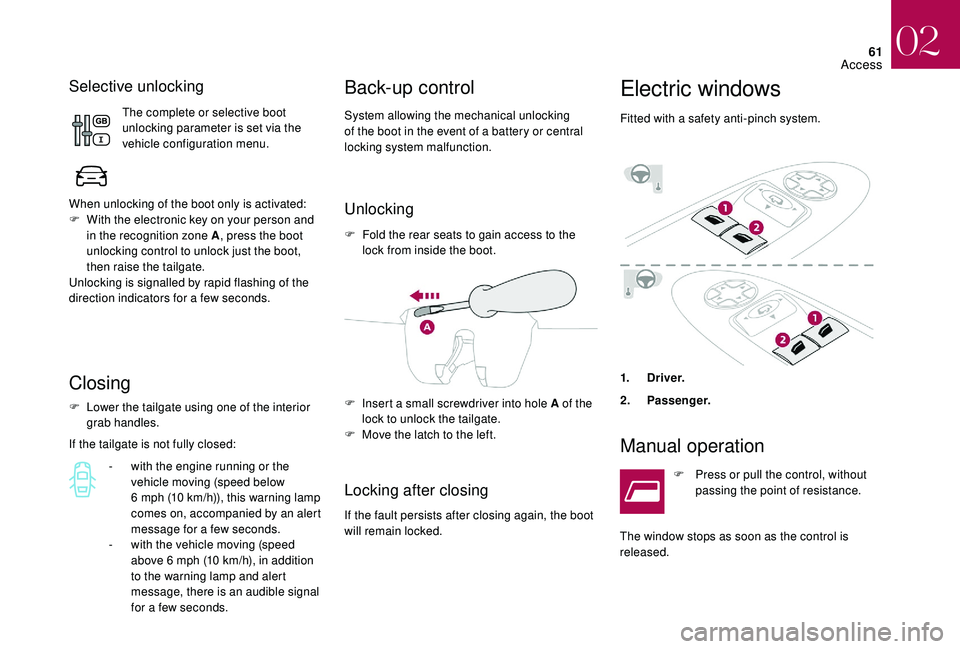
F Fold the rear seats to gain access to the lock from inside the boot.
Locking after closing
If the fault persists after closing again, the boot
will remain locked. F
I
nsert a small screwdriver into hole A of the
lock to unlock the tailgate.
F
M
ove the latch to the left.
Electric windows
Fitted with a safety anti-pinch system.
1.
Driver.
2. Pa s se n g e r.
Manual operation
F Press or pull the control, without
passing the point of resistance.
The window stops as soon as the control is
released.
Selective unlocking
The complete or selective boot
unlocking parameter is set via the
vehicle configuration menu.
02
Access
Page 78 of 296
76
Adjusting the air distribution
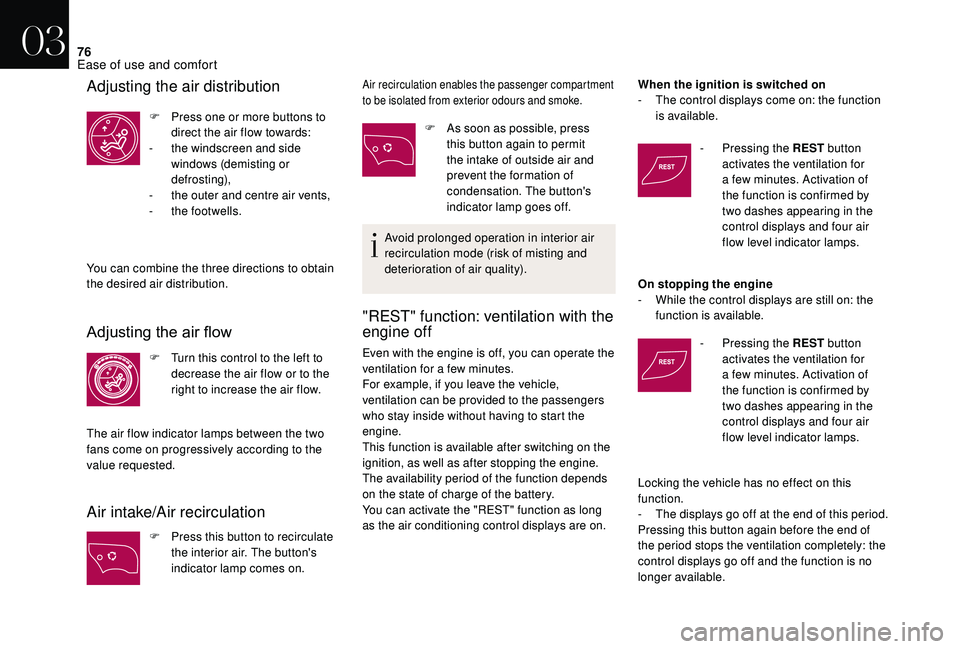
F Press one or more buttons to direct the air flow towards:
-
t
he windscreen and side
windows (demisting or
def r o st ing),
-
t
he outer and centre air vents,
-
t
he footwells.
You can combine the three directions to obtain
the desired air distribution.
Adjusting the air flow
F Turn this control to the left to decrease the air flow or to the
right to increase the air flow.
The air flow indicator lamps between the two
fans come on progressively according to the
value requested.
Air intake/Air recirculation
F Press this button to recirculate the interior air. The button's
indicator lamp comes on.
Air recirculation enables the passenger compartment
to be isolated from exterior odours and smoke.
F As soon as possible, press this button again to permit
the intake of outside air and
prevent the formation of
condensation. The button's
indicator lamp goes off.
Avoid prolonged operation in interior air
recirculation mode (risk of misting and
deterioration of air quality).
"REST" function: ventilation with the
engine off
Even with the engine is off, you can operate the
ventilation for a few minutes.
For example, if you leave the vehicle,
ventilation can be provided to the passengers
who stay inside without having to start the
engine.
This function is available after switching on the
ignition, as well as after stopping the engine.
The availability period of the function depends
on the state of charge of the battery.
You can activate the "REST" function as long
as the air conditioning control displays are on. When the ignition is switched on
-
T
he control displays come on: the function
is available.
-
P
ressing the REST
button
activates the ventilation for
a few minutes. Activation of
the function is confirmed by
two dashes appearing in the
control displays and four air
flow level indicator lamps.
On stopping the engine
-
W
hile the control displays are still on: the
function is available.
- P ressing the REST
button
activates the ventilation for
a few minutes. Activation of
the function is confirmed by
two dashes appearing in the
control displays and four air
flow level indicator lamps.
Locking the vehicle has no effect on this
function.
-
T
he displays go off at the end of this period.
Pressing this button again before the end of
the period stops the ventilation completely: the
control displays go off and the function is no
longer available.
03
Ease of use and comfort
Page 91 of 296
89
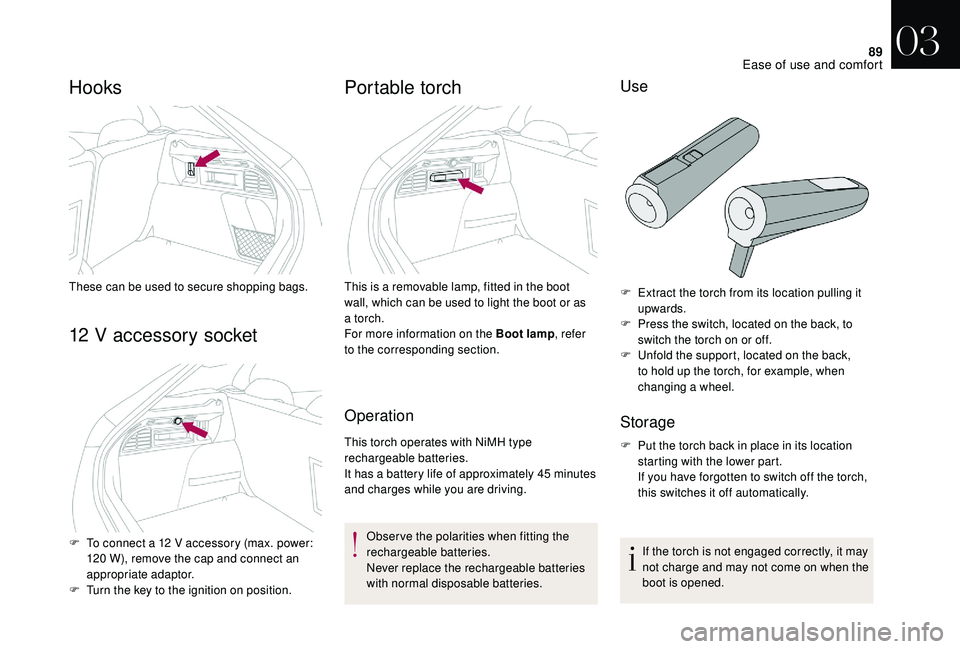
Hooks
These can be used to secure shopping bags.
12 V accessory socket
F To connect a 12 V accessory (max. power: 120 W), remove the cap and connect an
appropriate adaptor.
F
T
urn the key to the ignition on position.
Portable torch
Operation
This torch operates with NiMH type
rechargeable batteries.
It has a battery life of approximately 45 minutes
and charges while you are driving.
Observe the polarities when fitting the
rechargeable batteries.
Never replace the rechargeable batteries
with normal disposable batteries.
This is a removable lamp, fitted in the boot
wall, which can be used to light the boot or as
a torch.
For more information on the Boot lamp
, refer
to the corresponding section.
Use
F Extract the torch from its location pulling it upwards.
F
P
ress the switch, located on the back, to
switch the torch on or off.
F
U
nfold the support, located on the back,
to hold up the torch, for example, when
changing a wheel.
Storage
F Put the torch back in place in its location starting with the lower part.
If you have forgotten to switch off the torch,
this switches it off automatically.
If the torch is not engaged correctly, it may
not charge and may not come on when the
boot is opened.
03
Ease of use and comfort
Page 95 of 296
93
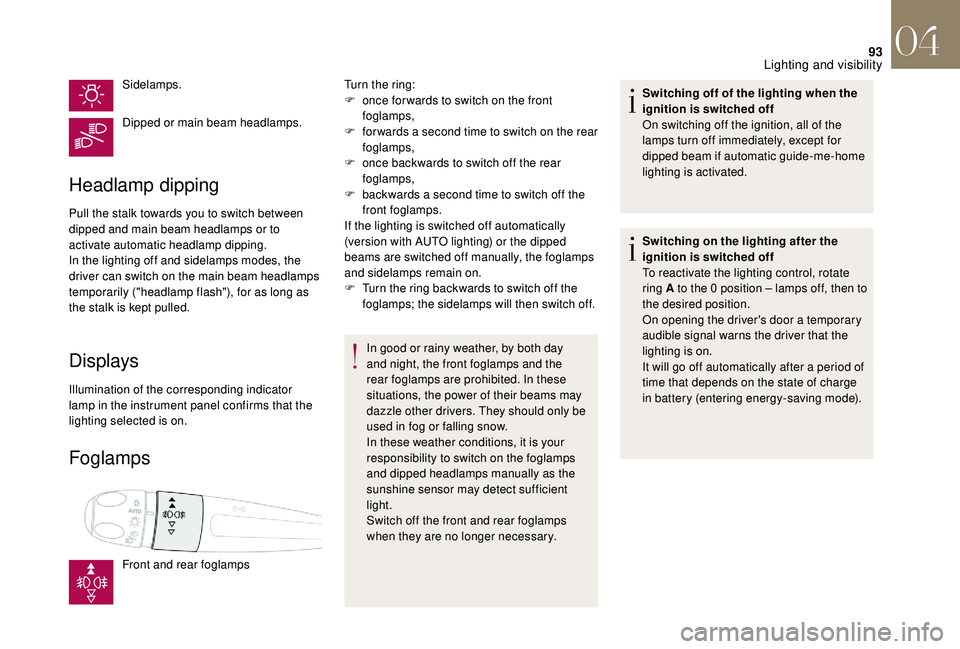
Sidelamps.
Dipped or main beam headlamps.
Headlamp dipping
Pull the stalk towards you to switch between
dipped and main beam headlamps or to
activate automatic headlamp dipping.
In the lighting off and sidelamps modes, the
driver can switch on the main beam headlamps
temporarily ("headlamp flash"), for as long as
the stalk is kept pulled.
Displays
Illumination of the corresponding indicator
lamp in the instrument panel confirms that the
lighting selected is on.
Foglamps
Front and rear foglampsTurn the ring:
F
o
nce for wards to switch on the front
foglamps,
F
f
or wards a second time to switch on the rear
foglamps,
F
o
nce backwards to switch off the rear
foglamps,
F
b
ackwards a second time to switch off the
front foglamps.
If the lighting is switched off automatically
(version with AUTO lighting) or the dipped
beams are switched off manually, the foglamps
and sidelamps remain on.
F
T
urn the ring backwards to switch off the
foglamps; the sidelamps will then switch off.
In good or rainy weather, by both day
and night, the front foglamps and the
rear foglamps are prohibited. In these
situations, the power of their beams may
dazzle other drivers. They should only be
used in fog or falling snow.
In these weather conditions, it is your
responsibility to switch on the foglamps
and dipped headlamps manually as the
sunshine sensor may detect sufficient
light.
Switch off the front and rear foglamps
when they are no longer necessary. Switching off of the lighting when the
ignition is switched off
On switching off the ignition, all of the
lamps turn off immediately, except for
dipped beam if automatic guide-me-home
lighting is activated.
Switching on the lighting after the
ignition is switched off
To reactivate the lighting control, rotate
ring A to the 0 position – lamps off, then to
the desired position.
On opening the driver's door a temporary
audible signal warns the driver that the
lighting is on.
It will go off automatically after a period of
time that depends on the state of charge
in battery (entering energy-saving mode).
04
Lighting and visibility
Page 107 of 296
105
** As per the geographic coverage of "Localised Emergency Call", "Localised
Assistance Call" and the official national
language chosen by the owner of the
vehicle.
The list of countries covered and Telematic
ser vices is available from dealers or on the
website for your country.
"Localised Emergency Call" immediately
locates your vehicle, contacts you in your own
language** and – if necessary – requests that
relevant emergency services be dispatched**.
In countries where the ser vice is not available,
or when the locating ser vice has been
expressly declined, the call is sent directly
to the emergency services (112) without the
vehicle location.
If an impact is detected by the airbag
control unit, and independently of the
deployment of any airbags, an emergency
call is made automatically.
If you benefit from the DS Connect BOX
offer with the SOS and assistance pack
included, you have available additional
ser vices in your personal space, via the
website in your country.
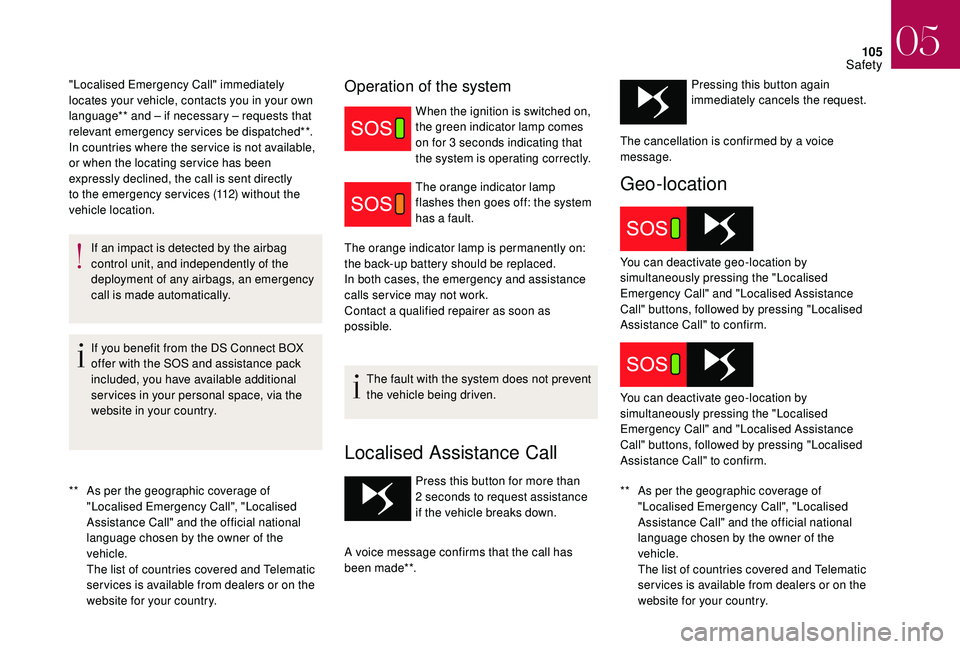
Operation of the system
When the ignition is switched on,
the green indicator lamp comes
on for 3 seconds indicating that
the system is operating correctly.
The orange indicator lamp
flashes then goes off: the system
has a fault.
The orange indicator lamp is permanently on:
the back-up battery should be replaced.
In both cases, the emergency and assistance
calls ser vice may not work.
Contact a qualified repairer as soon as
possible.
The fault with the system does not prevent
the vehicle being driven.
Localised Assistance Call
** As per the geographic coverage of "Localised Emergency Call", "Localised
Assistance Call" and the official national
language chosen by the owner of the
vehicle.
The list of countries covered and Telematic
ser vices is available from dealers or on the
website for your country.
Press this button for more than
2
seconds to request assistance
if the vehicle breaks down.
A voice message confirms that the call has
been made**. Pressing this button again
immediately cancels the request.
Geo-location
The cancellation is confirmed by a voice
message.
You can deactivate geo-location by
simultaneously pressing the "Localised
Emergency Call" and "Localised Assistance
Call" buttons, followed by pressing "Localised
Assistance Call" to confirm.
You can deactivate geo-location by
simultaneously pressing the "Localised
Emergency Call" and "Localised Assistance
Call" buttons, followed by pressing "Localised
Assistance Call" to confirm.
05
Safety
Page 109 of 296
107
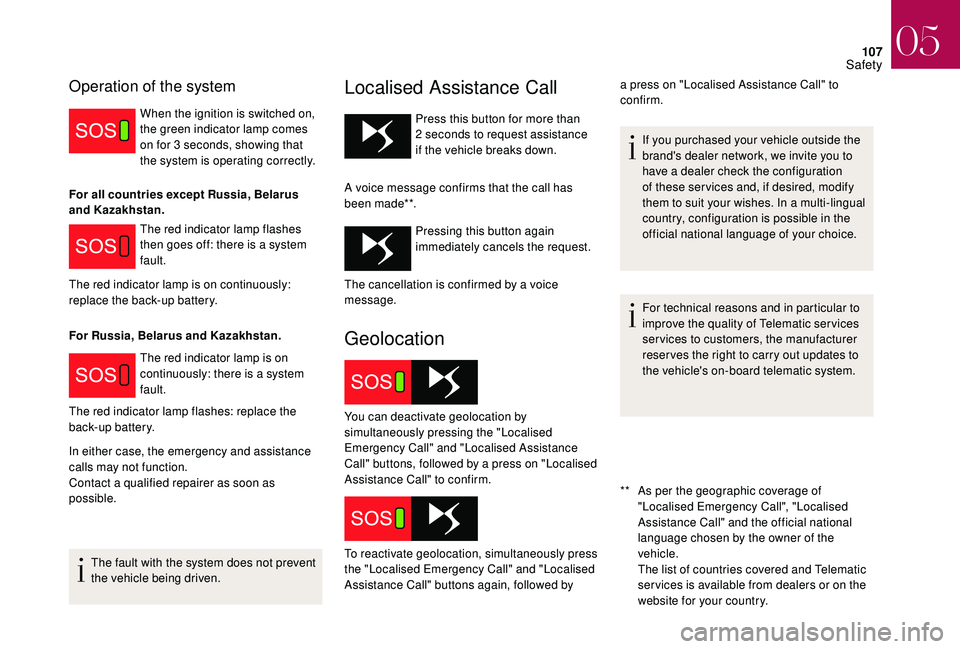
Operation of the system
When the ignition is switched on,
the green indicator lamp comes
on for 3 seconds, showing that
the system is operating correctly.
The red indicator lamp flashes
then goes off: there is a system
fault.
The red indicator lamp is on
continuously: there is a system
fault.
In either case, the emergency and assistance
calls may not function.
Contact a qualified repairer as soon as
possible.
The fault with the system does not prevent
the vehicle being driven.
Localised Assistance Call
** As per the geographic coverage of "Localised Emergency Call", "Localised
Assistance Call" and the official national
language chosen by the owner of the
vehicle.
The list of countries covered and Telematic
ser vices is available from dealers or on the
website for your country.
Press this button for more than
2
seconds to request assistance
if the vehicle breaks down.
A voice message confirms that the call has
been made**. Pressing this button again
immediately cancels the request.
Geolocation
For all countries except Russia, Belarus
and Kazakhstan.
The red indicator lamp is on continuously:
replace the back-up battery.
For Russia, Belarus and Kazakhstan.
The red indicator lamp flashes: replace the
back-up battery. If you purchased your vehicle outside the
brand's dealer network, we invite you to
have a dealer check the configuration
of these ser vices and, if desired, modify
them to suit your wishes. In a multi-lingual
country, configuration is possible in the
official national language of your choice.
For technical reasons and in particular to
improve the quality of Telematic ser vices
services to customers, the manufacturer
reser ves the right to carry out updates to
the vehicle's on-board telematic system.
The cancellation is confirmed by a voice
message.
You can deactivate geolocation by
simultaneously pressing the "Localised
Emergency Call" and "Localised Assistance
Call" buttons, followed by a press on "Localised
Assistance Call" to confirm.
To reactivate geolocation, simultaneously press
the "Localised Emergency Call" and "Localised
Assistance Call" buttons again, followed by a press on "Localised Assistance Call" to
confirm.
05
Safety
Page 136 of 296
134
Anti-theft protection
Electronic immobiliser
The keys contain an electronic chip which has
a specific code. When the ignition is switched
on, this code must be recognised to allow the
engine to be started.
This electronic engine immobiliser locks the
engine management system a few minutes
after the ignition is switched off and prevents
starting of the engine by anyone who does not
have the key.In the event of a fault, you are
informed by illumination of this
warning lamp, an audible signal
and/or the display of a message,
depending on version.
Starting/Switching off the
engine with the key
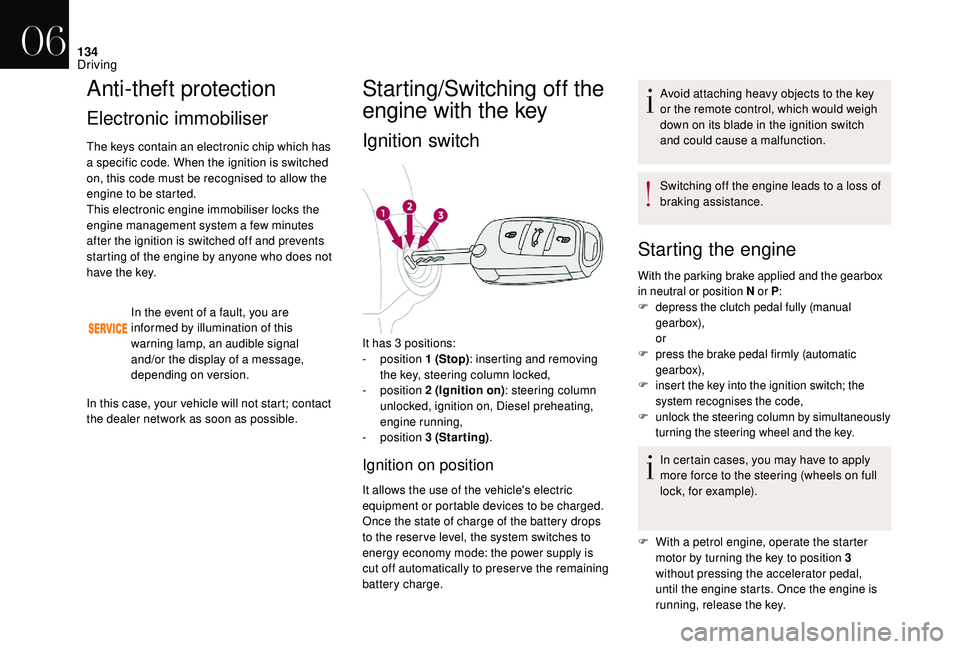
Ignition switch
It has 3 positions:
- position 1 (Stop): inserting and removing
the key, steering column locked,
-
position 2 (Ignition on) : steering column
unlocked, ignition on, Diesel preheating,
engine running,
-
position 3 (Starting) .
Ignition on position
It allows the use of the vehicle's electric
equipment or portable devices to be charged.
Once the state of charge of the battery drops
to the reser ve level, the system switches to
energy economy mode: the power supply is
cut off automatically to preser ve the remaining
battery charge. Avoid attaching heavy objects to the key
or the remote control, which would weigh
down on its blade in the ignition switch
and could cause a malfunction.
Switching off the engine leads to a loss of
braking assistance.
Starting the engine
With the parking brake applied and the gearbox
in neutral or position N
or P:
F
d
epress the clutch pedal fully (manual
gearbox),
or
F
p
ress the brake pedal firmly (automatic
gearbox),
F
i
nsert the key into the ignition switch; the
system recognises the code,
F
u
nlock the steering column by simultaneously
turning the steering wheel and the key.
In certain cases, you may have to apply
more force to the steering (wheels on full
lock, for example).
F
W
ith a petrol engine, operate the starter
motor by turning the key to position 3
without pressing the accelerator pedal,
until the engine starts. Once the engine is
running, release the key.
In this case, your vehicle will not start; contact
the dealer network as soon as possible.
06
Driving
Page 140 of 296
138
Electronic key not recognised
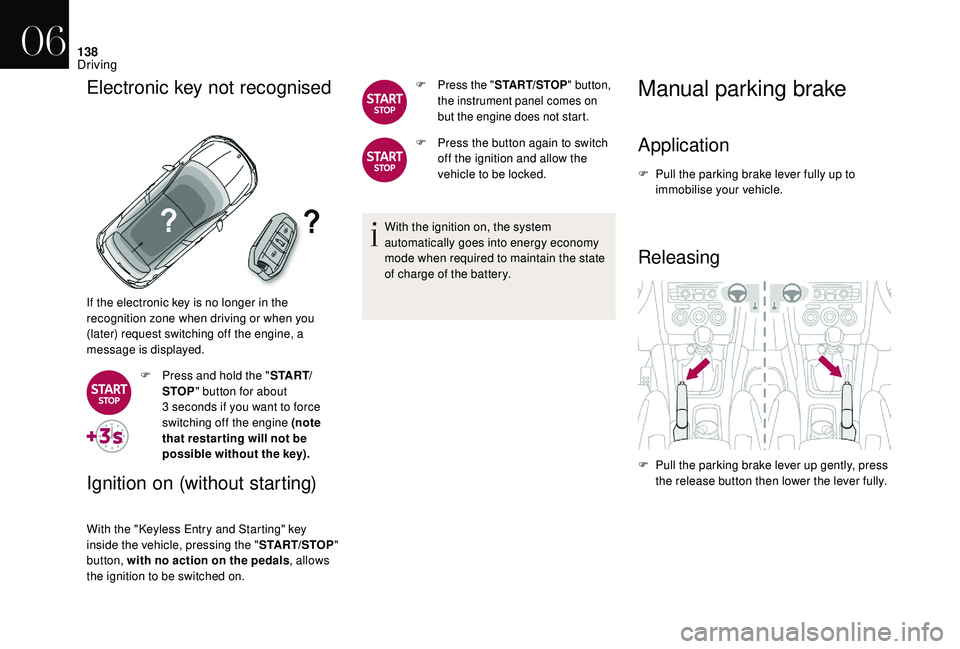
If the electronic key is no longer in the
recognition zone when driving or when you
(later) request switching off the engine, a
message is displayed.F
P
ress and hold the " S TA R T/
STOP " button for about
3
seconds if you want to force
switching off the engine (note
that restar ting will not be
possible without the key).
Ignition on (without starting)
With the "Keyless Entry and Starting" key
inside the vehicle, pressing the " START/STOP"
button, with no action on the pedals , allows
the ignition to be switched on.
F Press the " START/STOP" button,
the instrument panel comes on
but the engine does not start.
F Press the button again to switch off the ignition and allow the
vehicle to be locked.
With the ignition on, the system
automatically goes into energy economy
mode when required to maintain the state
of charge of the battery.
Manual parking brake
Application
F Pull the parking brake lever fully up to immobilise your vehicle.
Releasing
F Pull the parking brake lever up gently, press the release button then lower the lever fully.
06
Driving
Page 148 of 296
146
Malfunction
When the ignition is on, a message appears
in the instrument panel screen to indicate a
gearbox fault.
In this case, the gearbox switches to back-up
mode and is locked in 3rd gear. You may feel a
substantial jolt when changing from P to R and
from N to R. This will not cause any damage to
the gearbox.
Do not exceed around 60 mph (100 km/h), local
speed restrictions permitting.
Have it checked by a network dealer or a
qualified workshop.There is a risk of damage to the gearbox:
-
i
f you press the accelerator and brake
pedals at the same time,
-
i
f you force the selector from position P
to another position when the battery is
flat.
To reduce fuel consumption when
stationary for long periods with the
engine running (traffic jam...), position
the gear selector at N and apply the
parking brake, unless it is programmed
in automatic mode.
Gear efficiency indicator
(Depending on engine.) System which reduces fuel consumption by
recommending the most appropriate gear.
Operation
Depending on the driving situation and your
vehicle's equipment, the system may advise
you to skip one (or more) gear(s). You can
follow this instruction without engaging the
intermediate gears.
Gear shift recommendations should not be
considered obligatory. The configuration of the
road, the amount of traffic and safety remain
determining factors when choosing the best
gear. The driver thus remains responsible
for deciding whether to follow or ignore the
system's instructions.
This function cannot be deactivated.
With an automatic gearbox, the system is
only active in manual mode. The system adapts its gear change
recommendation according to the
driving conditions (slope, load,...) and
the demands of the driver (power,
acceleration, braking,...).
The system never suggests:
-
e
ngaging first gear,
-
enga
ging reverse gear,
-
enga
ging a lower gear.
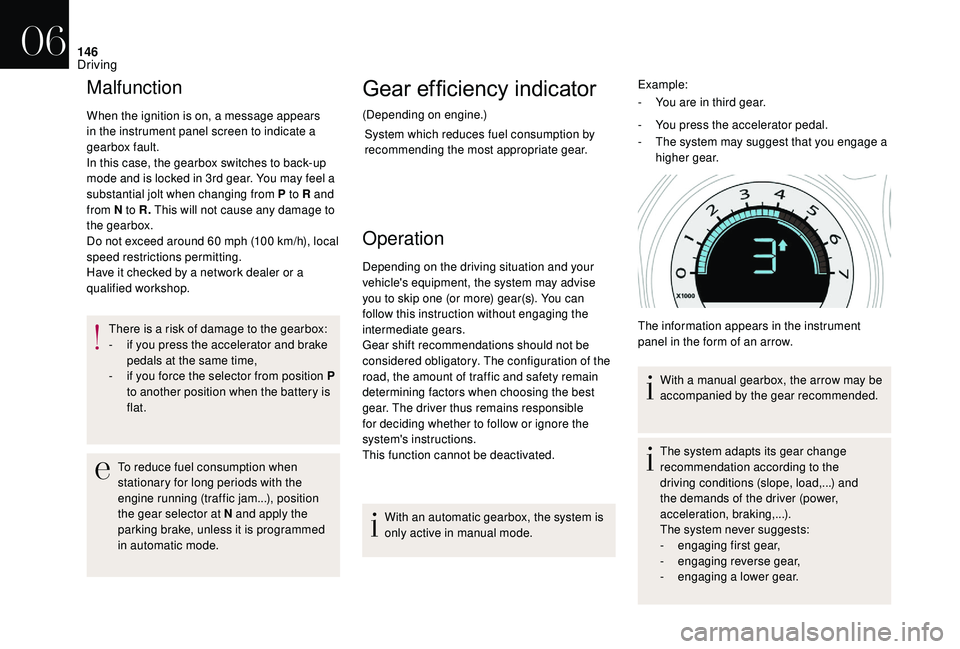
Example:
-
Y
ou are in third gear.
-
Y
ou press the accelerator pedal.
-
T
he system may suggest that you engage a
higher gear.
The information appears in the instrument
panel in the form of an arrow. With a manual gearbox, the arrow may be
accompanied by the gear recommended.
06
Driving