AUX CITROEN DS5 2017 User Guide
[x] Cancel search | Manufacturer: CITROEN, Model Year: 2017, Model line: DS5, Model: CITROEN DS5 2017Pages: 403, PDF Size: 15.62 MB
Page 360 of 403
DS5_en_Chap11d_RD5_ed01-2015
USB memory stick - File
sorting
Make a long press on LIST or press
MENU , select " Multimedia ", then
" Media parameters " and finally
"
ch
oice of track listing " to display
the different types of sorting.
Having selected the desired sorting
(" By
folders ", "By ar tists ", "By
genres ", "By
playlists") press OK.
Then confirm OK to save the
modifications.
-
B
y folders : all folders containing
audio files recognised on the
peripheral device, in alphabetical
order without following the folder
structure.
-
B
y ar tists : all of the artist names
defined in the ID3 Tags, in
alphabetical order.
-
B
y genres : all of the genres
defined in the ID3 Tags.
-
By
playlists : if playlists have
been saved.
USB players
Management of the device is via the
audio system controls.
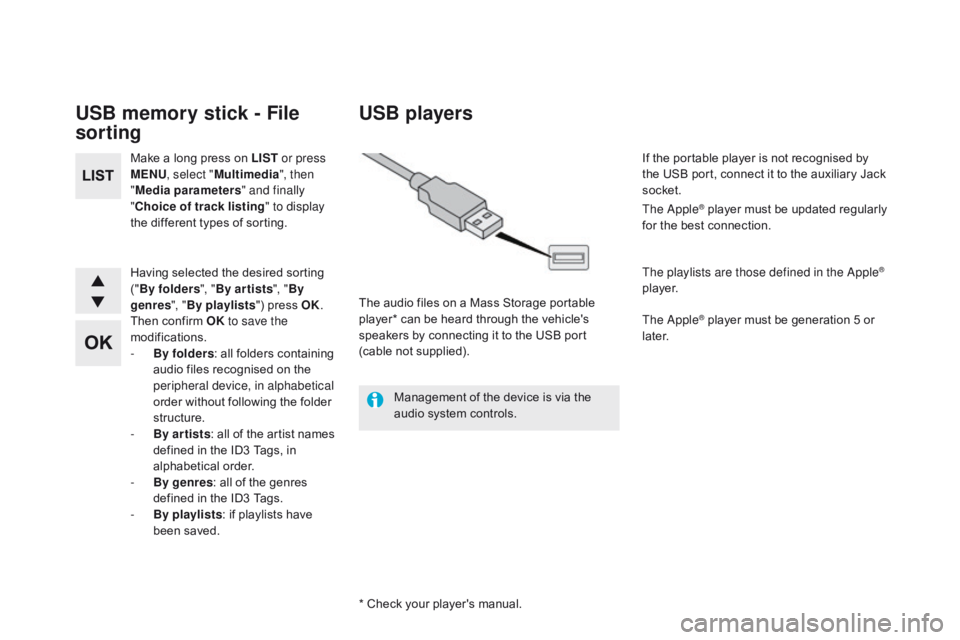
* Check your player's manual. The audio files on a Mass Storage portable
player* can be heard through the vehicle's
speakers by connecting it to the USB port
(cable not supplied). If the portable player is not recognised by
the USB port, connect it to the auxiliary Jack
socket.
The Apple
® player must be updated regularly
for the best connection.
The playlists are those defined in the Apple
®
p l aye r.
The Apple
® player must be generation 5 or
later.
Page 361 of 403
359
DS5_en_Chap11d_RD5_ed01-2015
Press the SOURcE o r SR c b utton
several times in succession and
select " AUX".
First adjust the volume on your portable device.
Then adjust the volume of the audio
system.
In certain cases, playing of the
audio files must be initiated from the
telephone.
Do not connect a device to the USB
port and to the auxiliary Jack socket at
the same time.
Auxiliary socket (AUX)
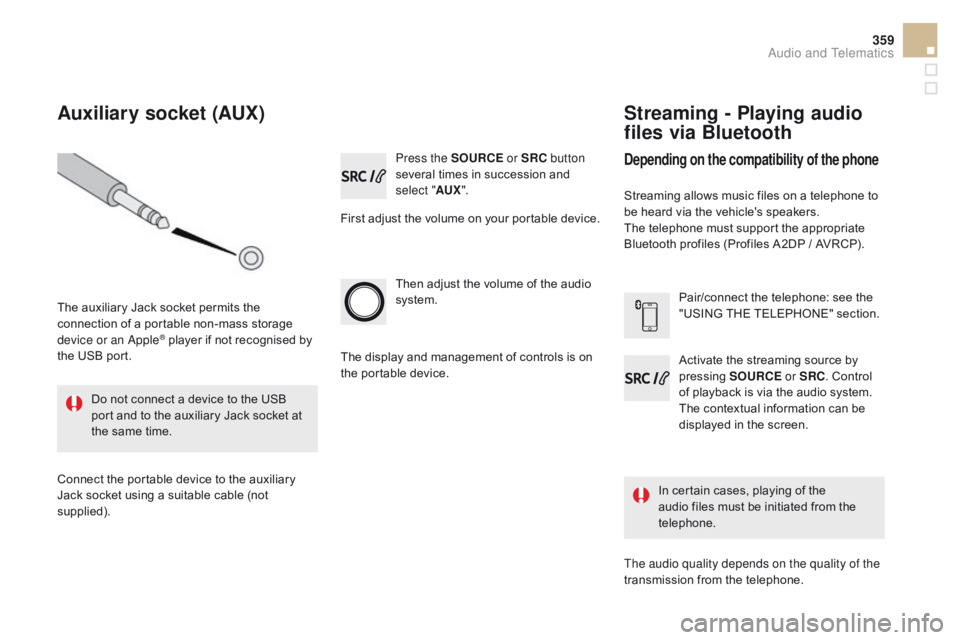
The auxiliary Jack socket permits the
connection of a portable non-mass storage
device or an Apple
® player if not recognised by
the USB port.
Connect the portable device to the auxiliary
Jack socket using a suitable cable (not
supplied). The display and management of controls is on
the portable device.
Activate the streaming source by
pressing
SOUR
c
E o
r SR c
. C
ontrol
of playback is via the audio system.
The contextual information can be
displayed in the screen. Pair/connect the telephone: see the
"USING THE TELEPHONE" section.
Streaming - Playing audio
files via Bluetooth
depending on the compatibility of the phone
Streaming allows music files on a telephone to
be heard via the vehicle's speakers.
The telephone must support the appropriate
Bluetooth profiles (Profiles A2DP / AVRCP).
The audio quality depends on the quality of the
transmission from the telephone.
Audio and Telematics
Page 376 of 403
DS5_en_Chap11d_RD5_ed01-2015
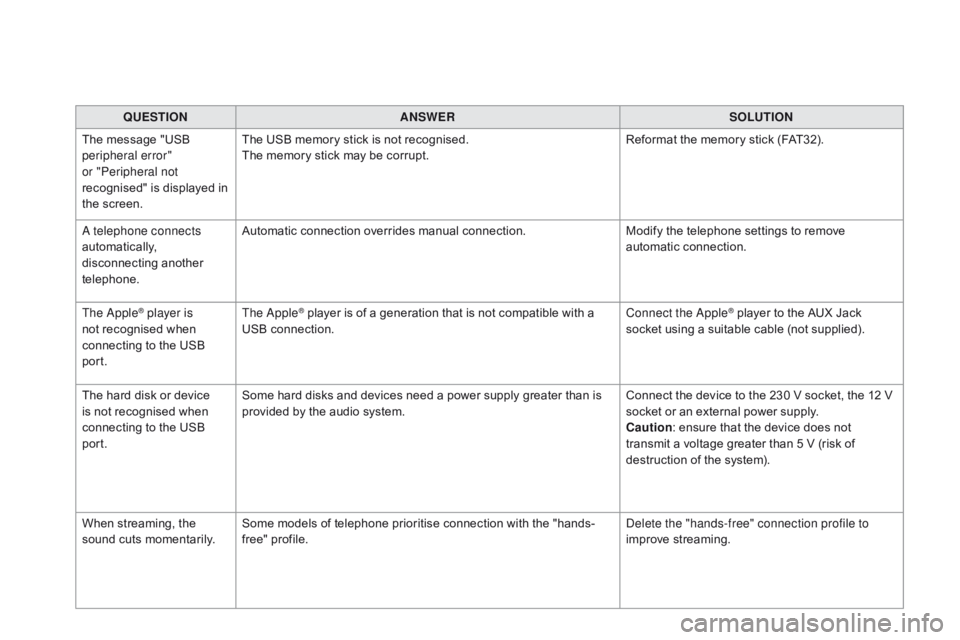
QUESTIONANSWER SOLUTION
The message "USB
peripheral error"
or "Peripheral not
recognised" is displayed in
the screen. The USB memory stick is not recognised.
The memory stick may be corrupt.
Reformat the memory stick (FAT32).
A telephone connects
automatically,
disconnecting another
telephone. Automatic connection overrides manual connection.
Modify the telephone settings to remove
automatic connection.
The Apple
® player is
not recognised when
connecting to the USB
port. The Apple® player is of a generation that is not compatible with a
USB connection. Connect the Apple® player to the AUX Jack
socket using a suitable cable (not supplied).
The hard disk or device
is not recognised when
connecting to the USB
port. Some hard disks and devices need a power supply greater than is
provided by the audio system.
Connect the device to the 230 V socket, the 12 V
socket or an external power supply.
ca
ution : ensure that the device does not
transmit a voltage greater than 5 V (risk of
destruction of the system).
When streaming, the
sound cuts momentarily. Some models of telephone prioritise connection with the "hands-
free" profile. Delete the "hands-free" connection profile to
improve streaming.
Page 380 of 403
DS5_en_Chap12_index-recherche_ed01-2015
Accessories ................................................. 235
Accessory position ....................................... 10
0
Accessory socket, 12V
............................. 8
2, 83
Additive, AdBlue
.............................. 2
9, 255 -263
Adjusting headlamps
.................................... 15
2
Adjusting head restraints
..........................7
2, 75
Adjusting seat belt height
.............................18
9
Adjusting the steering wheel
..........................81
A
dvice on care and maintenance
.................23
4
Advice on driving
..............................
..............98
Airbags
...............
..................................... 31, 191
Airbags, curtain
..................................... 19
3, 19 4
Airbags, front......................................... 191, 19 4
Airbags, lateral
...................................... 19
3, 19 4
Air conditioning, automatic
....................... 9
0, 91
Air filter
...............
........................................... 253
Air flow
..............................
..............................14
Air vents
..............................
............................89
Alarm
............................................................... 63
A
nti-lock braking system (ABS)
....................18
4
Anti-pinch
.................................................. 6
7, 68
Anti-theft immobiliser
.................................... 10
0
Apple
® player ................................................ 31 6
Armrest, front ............................................ 8
2, 85
Armrest, rear
............................................. 8
2, 86
Ashtray
...............
............................................. 82
Assistance call
...............................
....... 183, 282
Assistance, emergency braking
................... 18
4
Audible warning
............................................ 18
3
Audio cable
........................................... 3
14, 355
Audio streaming (Bluetooth)
..............................
............ 316, 359
Audio system
...............................
............ 39, 349
Automatic headlamps
............................. 2
0, 149
Automatic illumination of headlamps
....14
5, 148
Automatic operation of hazard warning
lam
ps
............................................ 18
2Automatic rain sensitive windscreen
wipers
...............
..................................
155, 157
Auxiliary sockets
............................. 8
5, 314, 359
Changing a fuse
.....................................
2
21-223
Changing a wheel
...............................
...
2 0 3 - 2 11
Changing a wiper blade
........................
15
8, 228
Changing the date
..................................... 4
2, 47
Changing the remote control battery ............................................... 59
Changing the time
......................... 3
8, 39, 42, 47
Checking levels
......................................
2
4 8 - 2 51
Checking the engine oil level
.................. 3
6, 248
Checking tyre pressures (using the kit)
..............................
................
203
Checks
...............
................... 245, 246, 252-254
Children
...............................
... 162-178, 190, 192
Child lock
...............................
........................
178
Child seats
..............................
...............
16 4 -17 7
Child seats, conventional
....................... 17
0, 171
Child seats, ISOFIX
...............................
17
3 -175
Cigarette lighter............................................... 83
CITROËN Localised Emergency Call
.......................................... 28
2
Cleaning (advice)
.......................................... 23
4
Clock ............... ................................................
38
Closing the boot ............................... ...............62
Closing the doors
............................... ....... 53, 55
Cockpit glass roof
...........................................68
C
onnectors, audio
...................8
5, 314, 358, 359
Coolant level
..............................
............. 32, 250
Coolant temperature indicator
........................32
C
ourtesy lamps
.............................................15
9
Cruise control
........................................ 13
1, 13 6
Cup holder
...............................
........................82
Customising stickers
..................................... 23
4
Battery
...............................
............ 224-226, 252
Battery, charging
...............................
.... 225, 226
Battery, remote control
............................. 5
9, 60
Black panel ...................................................... 38
Blind spot sensors
........................................ 12
6
BlueHDi
...............................
..................
118 , 2 5 5
Bluetooth connection
............3
28, 336, 337, 360
Bluetooth (hands-free)
.................. 3
36, 337, 360
Bluetooth (telephone)
............................3
36, 360
Boot
........
.........................................................
62
Boot (opening)
...............................
..................
53
Brake discs ....................................................
25 4
Brake lamps ............................... ...................
218
Brake pads ............................... .....................254
Braking assistance system
...........................18
4
Braking system warning lamp
.........................2
7
Capacity, fuel tank ........................................2 41
CD .............................. ........................... 314, 355
CD MP3
................
................................. 314, 357
Central locking
.......................................... 5
3, 55
Changing a bulb
..................................... 2
13 -2 20