instrument panel Citroen DS5 HYBRID4 RHD 2014 1.G Owner's Guide
[x] Cancel search | Manufacturer: CITROEN, Model Year: 2014, Model line: DS5 HYBRID4 RHD, Model: Citroen DS5 HYBRID4 RHD 2014 1.GPages: 382, PDF Size: 14.52 MB
Page 80 of 382
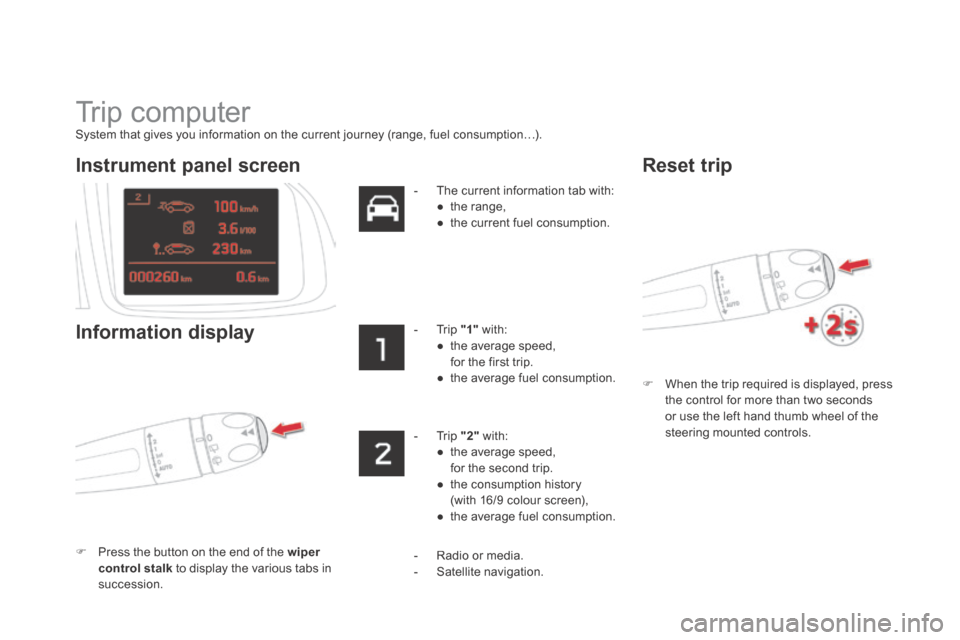
Trip computer
System that gives you information on the current journey (range, fuel consumption…).
When the trip required is displayed, press the control for more than two seconds or use the left hand thumb wheel of the steering mounted controls.
Instrument panel screen
Information display
Press the button on the end of the wiper control stalk to display the various tabs in succession.
- The current information tab with: ● t h e r a n g e , ● the current fuel consumption.
- Trip "1" with: ● the average speed, for the first trip. ● the average fuel consumption.
- Trip "2" with: ● the average speed, for the second trip. ● the consumption history (with 16/9 colour screen), ● the average fuel consumption.
Reset trip
- Radio or media. - Satellite navigation.
Page 91 of 382
89Access
Do not throw the remote control batteries away, they contain metals
which are harmful to the environment. Take them to an approved collection point.
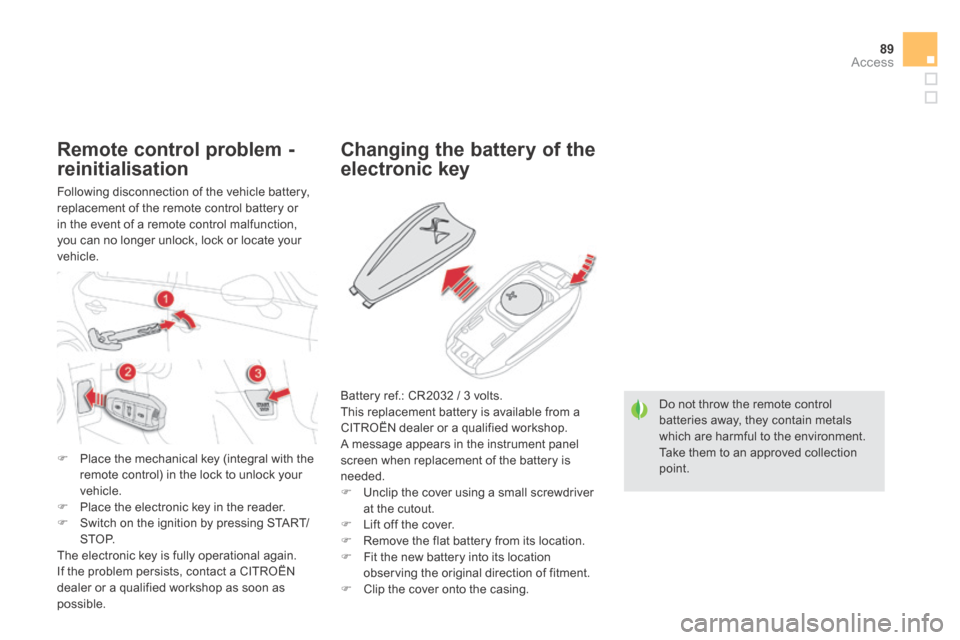
Changing the battery of the
electronic key
Battery ref.: CR2032 / 3 volts. This replacement battery is available from a CITROËN dealer or a qualified workshop. A message appears in the instrument panel screen when replacement of the battery is needed. Unclip the cover using a small screwdriver at the cutout. Lift off the cover.
Remove the flat battery from its location. Fit the new battery into its location observing the original direction of fitment. Clip the cover onto the casing.
Remote control problem -
reinitialisation
Following disconnection of the vehicle battery, replacement of the remote control battery or in the event of a remote control malfunction, you can no longer unlock, lock or locate your vehicle.
Place the mechanical key (integral with the remote control) in the lock to unlock your vehicle. Place the electronic key in the reader. Switch on the ignition by pressing START/S T O P. The electronic key is fully operational again. If the problem persists, contact a CITROËN dealer or a qualified workshop as soon as possible.
Page 93 of 382
91Access
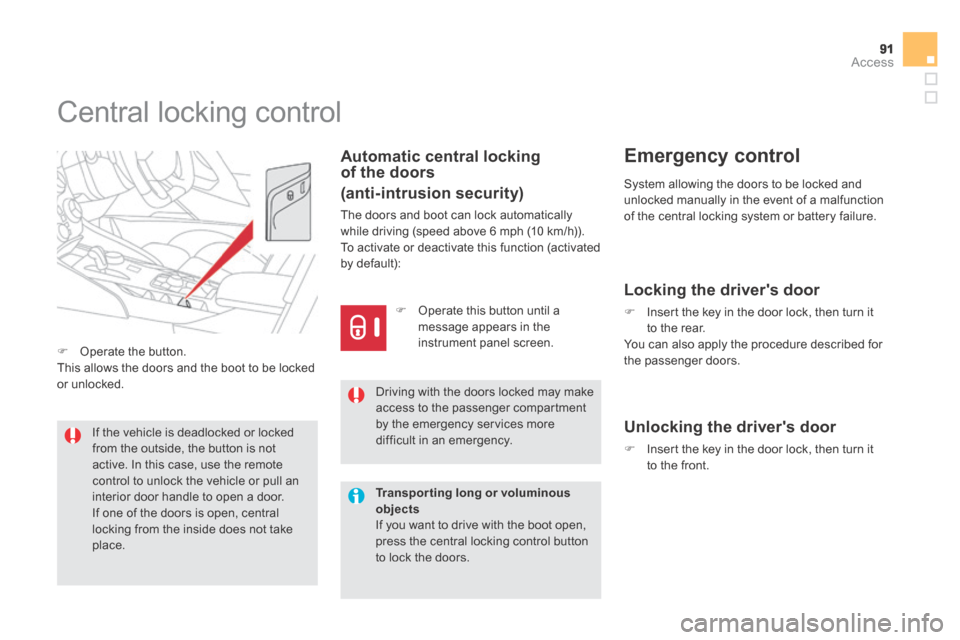
Central locking control
Automatic central locking of the doors
(anti-intrusion security)
The doors and boot can lock automatically while driving (speed above 6 mph (10 km/h)). To activate or deactivate this function (activated by default):
If the vehicle is deadlocked or locked from the outside, the button is not active. In this case, use the remote control to unlock the vehicle or pull an interior door handle to open a door. If one of the doors is open, central locking from the inside does not take
place.
Driving with the doors locked may make access to the passenger compartment by the emergency services more difficult in an emergency.
System allowing the doors to be locked and unlocked manually in the event of a malfunction of the central locking system or battery failure.
Emergency control
Operate the button. This allows the doors and the boot to be locked or unlocked.
Operate this button until a message appears in the instrument panel screen.
Transporting long or voluminous objects If you want to drive with the boot open, press the central locking control button to lock the doors.
Locking the driver's door
Insert the key in the door lock, then turn it to the rear. You can also apply the procedure described for the passenger doors.
Unlocking the driver's door
Insert the key in the door lock, then turn it to the front.
Page 95 of 382
93Access
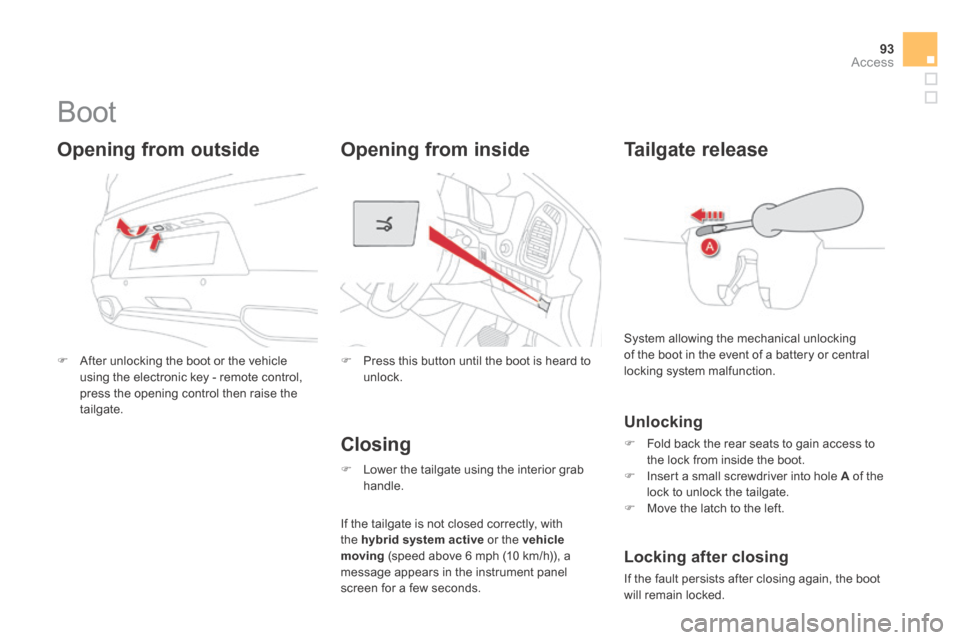
Boot
After unlocking the boot or the vehicle using the electronic key - remote control, press the opening control then raise the tailgate.
Opening from outside
Press this button until the boot is heard to unlock.
Tailgate release
System allowing the mechanical unlocking of the boot in the event of a battery or central locking system malfunction.
If the tailgate is not closed correctly, with the hybrid system active or the vehicle moving (speed above 6 mph (10 km/h)), a message appears in the instrument panel screen for a few seconds.
Locking after closing
If the fault persists after closing again, the boot will remain locked.
Unlocking
Fold back the rear seats to gain access to the lock from inside the boot. Insert a small screwdriver into hole A of the lock to unlock the tailgate. Move the latch to the left.
Closing
Lower the tailgate using the interior grab handle.
Opening from inside
Page 104 of 382
Low fuel level
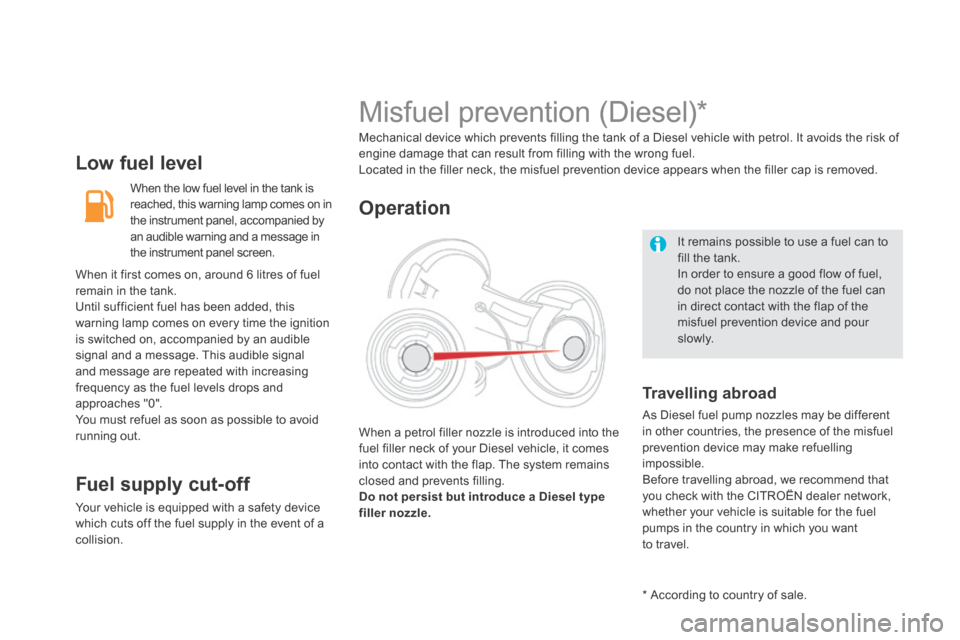
When the low fuel level in the tank is reached, this warning lamp comes on in the instrument panel, accompanied by an audible warning and a message in the instrument panel screen.
Fuel supply cut-off
Your vehicle is equipped with a safety device which cuts off the fuel supply in the event of a
collision.
It remains possible to use a fuel can to fill the tank. In order to ensure a good flow of fuel, do not place the nozzle of the fuel can in direct contact with the flap of the misfuel prevention device and pour
s l ow l y.
Misfuel prevention (Diesel) *
Mechanical device which prevents filling the tank of a Diesel vehicle with petrol. It avoids the risk of engine damage that can result from filling with the wrong fuel. Located in the filler neck, the misfuel prevention device appears when the filler cap is removed.
When a petrol filler nozzle is introduced into the fuel filler neck of your Diesel vehicle, it comes into contact with the flap. The system remains closed and prevents filling. Do not persist but introduce a Diesel type filler nozzle.
Operation
Travelling abroad
As Diesel fuel pump nozzles may be different in other countries, the presence of the misfuel prevention device may make refuelling impossible. Before travelling abroad, we recommend that you check with the CITROËN dealer network, whether your vehicle is suitable for the fuel pumps in the country in which you want to travel.
* According to country of sale.
When it first comes on, around 6 litres of fuel remain in the tank. Until sufficient fuel has been added, this warning lamp comes on every time the ignition is switched on, accompanied by an audible signal and a message. This audible signal and message are repeated with increasing frequency as the fuel levels drops and approaches "0". You must refuel as soon as possible to avoid running out.
Page 120 of 382
USB Player
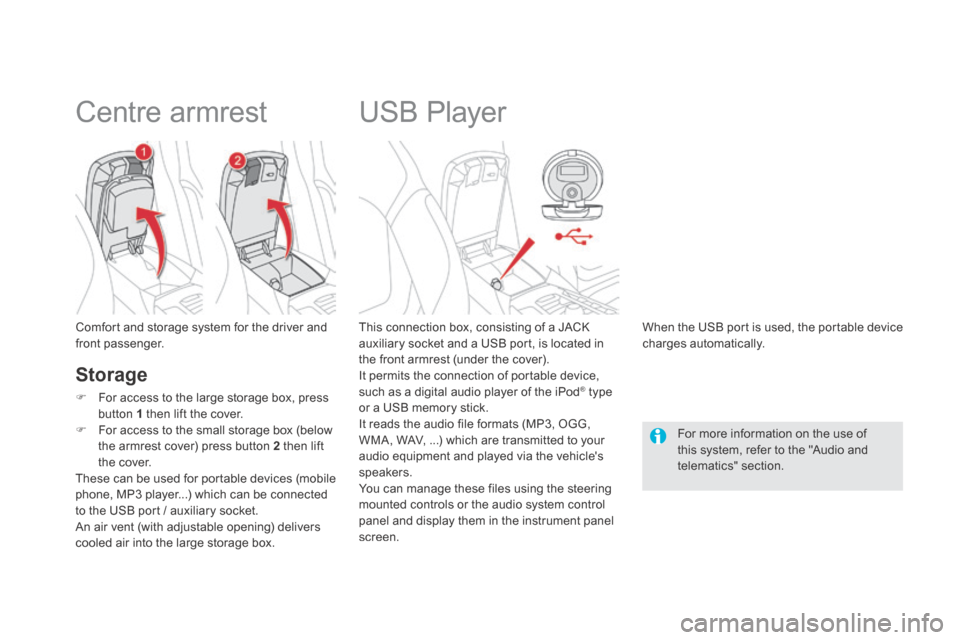
This connection box, consisting of a JACK auxiliary socket and a USB port, is located in the front armrest (under the cover). It permits the connection of portable device, such as a digital audio player of the iPod ® type ® type ®
or a USB memory stick. It reads the audio file formats (MP3, OGG, WMA, WAV, ...) which are transmitted to your audio equipment and played via the vehicle's speakers. You can manage these files using the steering mounted controls or the audio system control panel and display them in the instrument panel screen.
When the USB port is used, the portable device charges automatically.
For more information on the use of this system, refer to the "Audio and telematics" section.
Comfort and storage system for the driver and front passenger.
Centre armrest
Storage
For access to the large storage box, press button 1 then lift the cover.
For access to the small storage box (below the armrest cover) press button 2 then lift the cover. These can be used for portable devices (mobile phone, MP3 player...) which can be connected to the USB port / auxiliary socket. An air vent (with adjustable opening) delivers cooled air into the large storage box.
Page 134 of 382
It is recommended that you do not apply the parking brake in very cold conditions (ice) and during towing (recover y...). To do this, release the parking brake manually, select position A or R , then press the START/STOP switch to stop the engine.
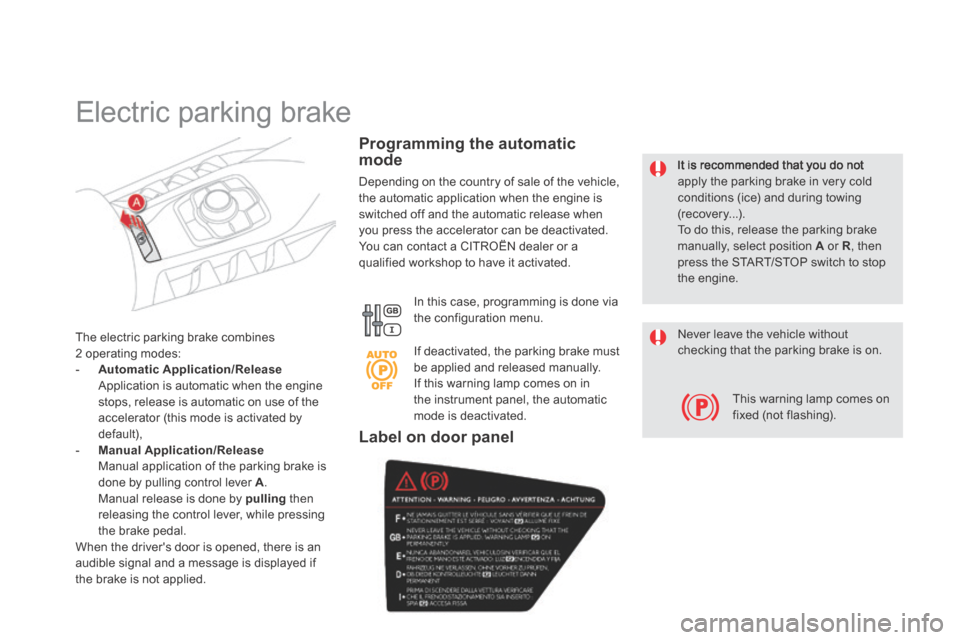
The electric parking brake combines 2 operating modes: - Automatic Application/Release Application is automatic when the engine stops, release is automatic on use of the accelerator (this mode is activated by default), - Manual Application/Release Manual application of the parking brake is done by pulling control lever A. Manual release is done by pulling then releasing the control lever, while pressing the brake pedal . When the driver's door is opened, there is an audible signal and a message is displayed if the brake is not applied.
Programming the automatic mode
Depending on the country of sale of the vehicle, the automatic application when the engine is switched off and the automatic release when you press the accelerator can be deactivated. You can contact a CITROËN dealer or a qualified workshop to have it activated.
In this case, programming is done via the configuration menu.
Electric parking brake
If deactivated, the parking brake must be applied and released manually. If this warning lamp comes on in the instrument panel, the automatic mode is deactivated.
Never leave the vehicle without checking that the parking brake is on.
This warning lamp comes on fixed (not flashing).
Label on door panel
Page 135 of 382
133Driving
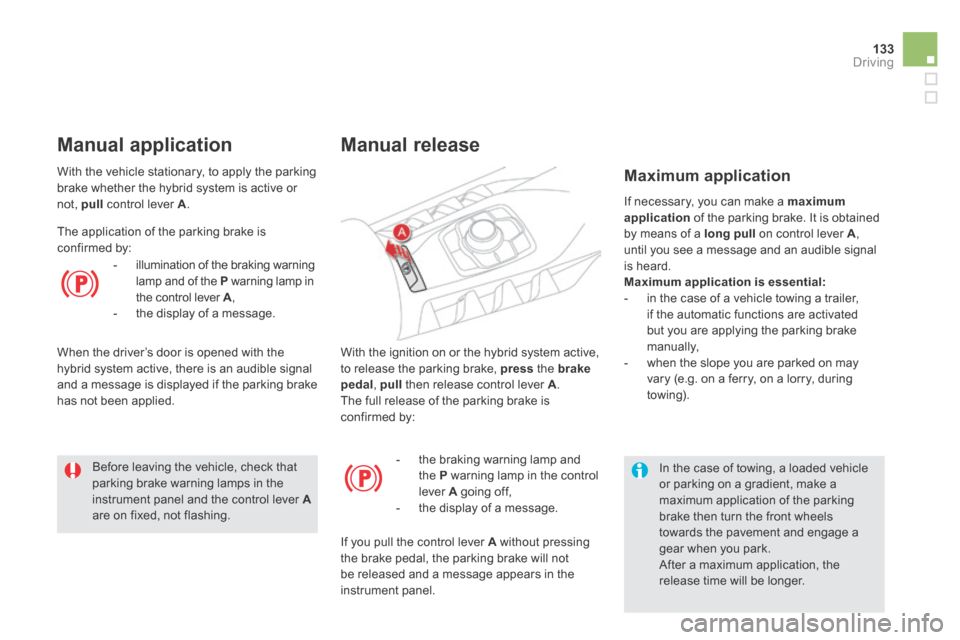
With the ignition on or the hybrid system active, to release the parking brake, press the brakepedal , pull then release control lever A . The full release of the parking brake is confirmed by:
Manual release
- the braking warning lamp and the P warning lamp in the control lever A going off, - the display of a message.
If you pull the control lever A without pressing the brake pedal, the parking brake will not be released and a message appears in the instrument panel.
If necessary, you can make a maximum application of the parking brake. It is obtained by means of a long pull on control lever A , until you see a message and an audible signal is heard. Maximum application is essential: - in the case of a vehicle towing a trailer, if the automatic functions are activated but you are applying the parking brake manually, - when the slope you are parked on may vary (e.g. on a ferry, on a lorry, during towing).
Maximum application
In the case of towing, a loaded vehicle or parking on a gradient, make a maximum application of the parking brake then turn the front wheels towards the pavement and engage a gear when you park. After a maximum application, the release time will be longer.
Before leaving the vehicle, check that parking brake warning lamps in the instrument panel and the control lever Aare on fixed, not flashing.
With the vehicle stationary, to apply the parking brake whether the hybrid system is active or not, pull control lever A .
Manual application
The application of the parking brake is confirmed by:
- illumination of the braking warning lamp and of the P warning lamp in the control lever A , - the display of a message.
When the driver’s door is opened with the hybrid system active, there is an audible signal and a message is displayed if the parking brake has not been applied.
Page 136 of 382
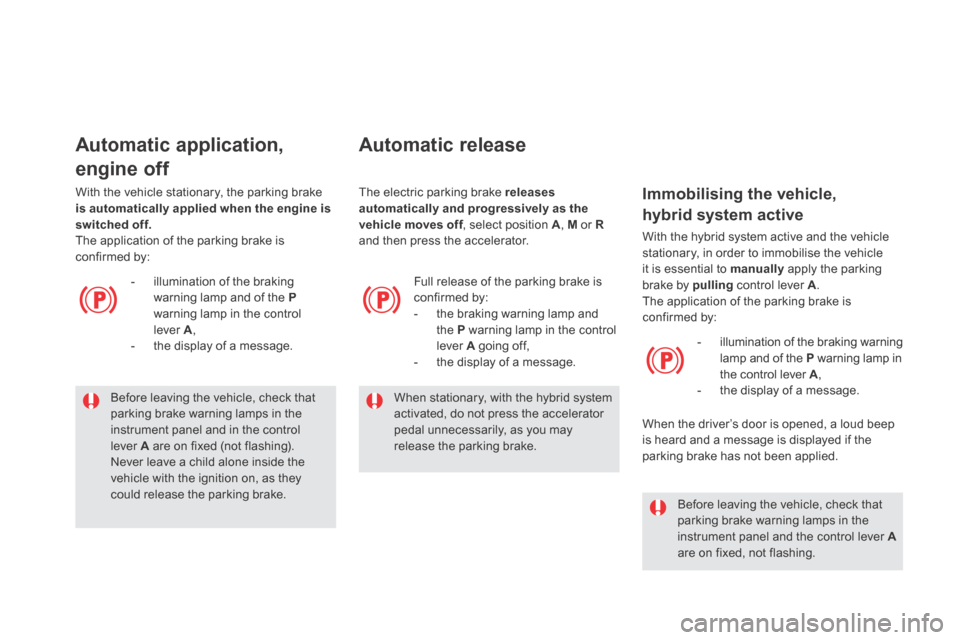
Before leaving the vehicle, check that parking brake warning lamps in the
instrument panel and in the control lever A are on fixed (not flashing). Never leave a child alone inside the vehicle with the ignition on, as they could release the parking brake.
Automatic application,
engine off
- illumination of the braking warning lamp and of the Pwarning lamp in the control lever A , - the display of a message.
With the vehicle stationary, the parking brake is automatically applied when the engine is switched off. The application of the parking brake is confirmed by:
Automatic release
Full release of the parking brake is confirmed by: - the braking warning lamp and the P warning lamp in the control lever A going off, - the display of a message.
When stationary, with the hybrid system activated, do not press the accelerator
pedal unnecessarily, as you may release the parking brake.
Before leaving the vehicle, check that parking brake warning lamps in the instrument panel and the control lever Aare on fixed, not flashing.
Immobilising the vehicle,
hybrid system active
With the hybrid system active and the vehicle stationary, in order to immobilise the vehicle it is essential to manually apply the parking brake by pulling control lever A . The application of the parking brake is confirmed by:
- illumination of the braking warning lamp and of the P warning lamp in the control lever A , - the display of a message.
When the driver’s door is opened, a loud beep is heard and a message is displayed if the parking brake has not been applied.
The electric parking brake releases automatically and progressively as the vehicle moves off , select position vehicle moves off , select position vehicle moves offA , M or Rand then press the accelerator.
Page 140 of 382
Special situations
In the event of a malfunction of the parking brake in the on position or a battery failure, manual release remains possible. To ensure correct operation, and so your safety, the number of successive applications and releases of the parking brake is limited to eight cycles. If used excessively, you are alerted by the message "parking brake faulty" and a flashing warning lamp.
In some circumstances (engine start...), the parking brake may adjust the level of application itself. This is normal operation. To move your vehicle a few centimetres without starting the engine, with the ignition on, press the brake pedal and release the parking brake by pulling then releasingthe control lever A . Complete release of the parking brake is indicated by the warning lamps in the control lever A and in the instrument panel going off and by the display of the message "Parking brake off ".