ignition Citroen NEMO RHD 2015 1.G User Guide
[x] Cancel search | Manufacturer: CITROEN, Model Year: 2015, Model line: NEMO RHD, Model: Citroen NEMO RHD 2015 1.GPages: 193, PDF Size: 8.3 MB
Page 38 of 193
36
Central lockingFolding/unfolding the key
Unlocking of the vehicle
Unlocking the hinged rear doors or
the tailgate
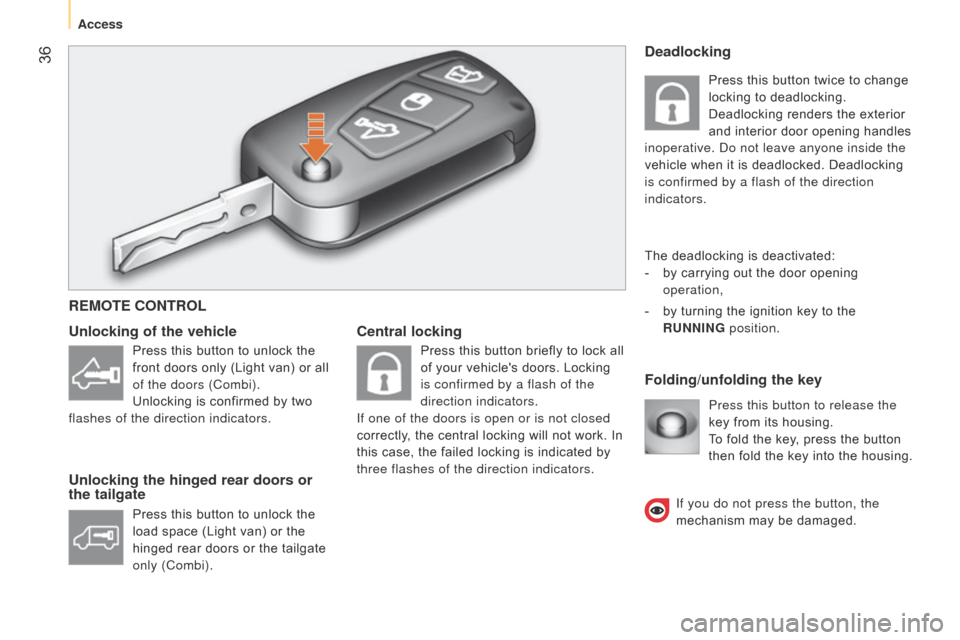
Press this button to release the
key from its housing.
To fold the key, press the button
then fold the key into the housing.
Deadlocking
The deadlocking is deactivated:
-
by carrying out the door opening
operation,
-
by turning the ignition key to the
RUNNING position.
REMOTE CONTROL
Press this button to unlock the
front doors only (Light van) or all
of the doors (Combi).
Unlocking is confirmed by two
flashes of the direction indicators.
Press this button to unlock the
load space (Light van) or the
hinged rear doors or the tailgate
only (Combi). Press this button briefly to lock all
of your vehicle's doors. Locking
is confirmed by a flash of the
direction indicators.
If one of the doors is open or is not closed
correctly, the central locking will not work. In
this case, the failed locking is indicated by
three flashes of the direction indicators. Press this button twice to change
locking to deadlocking.
Deadlocking renders the exterior
and interior door opening handles
inoperative. d o not leave anyone inside the
vehicle when it is deadlocked. Deadlocking
is confirmed by a flash of the direction
indicators.
If you do not press the button, the
mechanism may be damaged.
Access
Page 41 of 193

39ELECTRONIC IMMOBILISER
All of the keys contain an electronic
immobiliser device.
This device locks the engine supply system.
It is activated automatically when the key is
removed from the ignition.
After the ignition is switched on, a dialogue
is established between the key and the
electronic immobiliser system.This warning lamp is switched off
after the ignition is switched on
and the key has been recognised,
the engine can be started.
If the key is not recognised, the engine
cannot be started. Use another key and
have the faulty key checked by a CITROËN
dealer.
Good practice
Do not make any modifications to the
electronic immobiliser system.
Operating the remote control, even when it
is in your pocket, may result in involuntary
unlocking of the doors.
The simultaneous use of other high
frequency equipment (mobile telephones,
domestic alarms…), may interfere with the
operation of the remote control temporarily.
When purchasing a second-hand vehicle:
-
ensure that you are given the confidential
card,
-
have the keys memorised by a CITROËN
dealer to ensure that the keys in your
possession are the only ones which can
start the vehicle.
CONFIDENTIAL CARD
This is given to you on delivery of your
vehicle with the duplicate keys.
It contains the identification code necessary
for any work carried out by a CITROËN
dealer on the electronic immobiliser system.
This code is hidden by a film, which should
be removed only if necessary.
k
eep your card in a safe place, never inside
the vehicle.
When undertaking a long trip or journey,
however, it is advisable to take it with you
along with your personal papers. Driving with the doors locked may make
access to the passenger compartment
by the emergency services more difficult in an
emergency.
a
s a safety precaution (with children on
board), remove the key from the ignition when
leaving the vehicle, even for a short time.
3
READY TO GO
Access
Page 42 of 193

40ALARM
This provides:
-
exterior perimeter protection by means of
detectors on the doors and bonnet and
on the electrical supply,
-
interior protection,
-
anti-tilt protection,
-
protection against the unauthorised
insertion of a key in the starter.
The equipment includes a siren.
Activation of the alarm
First ensure that all of the accesses are
closed correctly.
The alarm is activated by pressing
this control, the protection is
active after a few seconds.
While the alarm is monitoring, any
intrusion triggers the siren for approximately
30 seconds, accompanied by illumination of
the direction indicators.
The alarm then returns to monitoring mode.
The alarm is also triggered following an
electrical supply cut-off, when the supply is
restored.
Deactivation using the remote control
Deactivation using the key
Unlock the doors using the key and enter
the vehicle. Switch on the ignition to the
RUNNING position, identification of the key
code will switch off the alarm.
Deactivation of the volumetric and
anti-tilt protection Good practice
To quickly deactivate the siren following
unwanted triggering, unlock the vehicle
using the remote control.
To avoid setting the alarm, before washing
the vehicle for example, lock the vehicle
using the key.
When this button is pressed, the
alarm is deactivated when the
vehicle is unlocked.
Signalling of attempted intrusion
When you return to your vehicle,
flashing of the electronic engine
immobiliser warning lamp or
the appearance of a warning
message in the instrument panel display
indicates an attempted intrusion during your
absence.
To deactivate the volumetric
and anti-tilt protection, press the
button located in the vehicle's
courtesy lamp. To be effective,
this operation must be repeated every time
the ignition is switched off.
Access
Page 46 of 193
44
CLOSING FROM INSIDE
Central locking
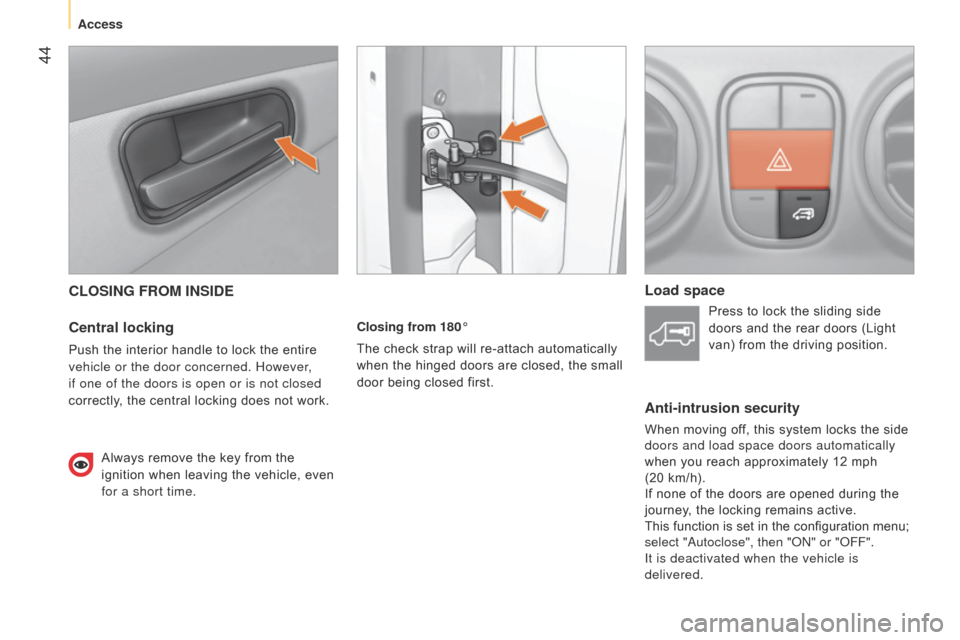
Push the interior handle to lock the entire
vehicle or the door concerned. However,
if one of the doors is open or is not closed
correctly, the central locking does not work.Always remove the key from the
ignition when leaving the vehicle, even
for a short time. Closing from 180°
The check strap will re-attach automatically
when the hinged doors are closed, the small
door being closed first.
Load space
Press to lock the sliding side
doors and the rear doors (Light
van) from the driving position.
Anti-intrusion security
When moving off, this system locks the side
doors and load space doors automatically
when you reach approximately 12 mph
(20 km/h).
If none of the doors are opened during the
journey, the locking remains active.
This function is set in the configuration menu;
select "
a utoclose", then " on " or " o FF".
It is deactivated when the vehicle is
delivered.
Access
Page 47 of 193

45
Sliding side door (Combi)
Use the grab handle to pass the point of
resistance and start the movement. Then
use the handle to guide the door closed.Child safety
This prevents either of the rear doors being
opened from inside.
F
T
urn the switch on each rear door a
quarter of a turn using the ignition key.
CLOSING FROM THE OUTSIDE
Sliding side door
Pull the handle towards you then towards
the front to pass the point of resistance
(Light van) or to release the door retaining
device (Combi).
Slide the door fully until it is closed.
Hinged rear doors
Start by closing the small hinged door, this is
secured automatically when closed.
Close the large door using its handle.
Tailgate (Combi)
Lower the tailgate using the interior grab
handle.
If your vehicle is on a slope, guide the
sliding door all the way until closed.
This is because the door could open or close
itself more quickly because of the incline
and result in injuries.
3
READY TO GO
Access
Page 48 of 193

46
LIGHTING STALK
Selection is by rotation of the white mark
on the ring, when the ignition key is in the
RUNNING position.
All lamps off
Sidelamps on
This is indicated on the
instrument panel by illumination
of the warning lamp.
Dipped / main beam headlamps on
Dipped / main beam headlamps
change
Pull the lighting stalk fully towards you.
Headlamp flash
Direction indicators"Motorway" function
System which indicates a change of lane on
high-speed roads.
Press the lighting stalk up or down once,
without passing the point of resistance; the
corresponding direction indicators will flash
three times.
Pull the lighting stalk towards you
gently, regardless of the position
of the ring. Left: push downwards. The green
direction arrow warning lamp
flashes in the instrument panel.
Right: push upwards. The green
direction arrow warning lamp flashes in the
instrument panel. Turn the ring into position.
Parking lamps
Side markers for the vehicle by illumination
of the sidelamps on the traffic side only.
Ignition key in the STOP position or removed
from the ignition switch:
F
turn the ring to the "Lighting of
f" position,
then to the "Sidelamps" position,
F
operate the lighting control stalk up
or down depending on the traffic side
(for example: when parking on the left;
lighting control stalk upwards; the right
hand sidelamps are on).
This is confirmed by illumination of the
sidelamps warning lamp in the instrument
panel.
To switch off the parking lamps, return the
lighting control stalk to the middle position
and the ring to the "Lighting off" position.
Steering mounted controls
Page 49 of 193
47Headlamp beam
You are advised to adjust the height of the
headlamp beams in accordance with the
load in your vehicle.
This function can only be accessed in
the main beam headlamps and dipped
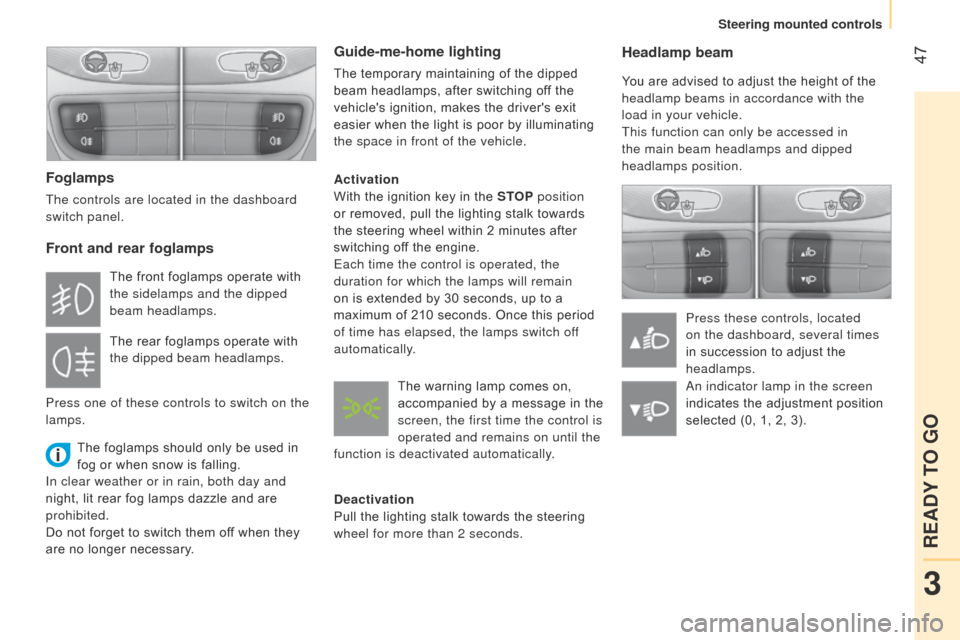
headlamps position.Press these controls, located
on the dashboard, several times
in succession to adjust the
headlamps.
Foglamps
The controls are located in the dashboard
switch panel.
Front and rear foglamps
The foglamps should only be used in
fog or when snow is falling.
In clear weather or in rain, both day and
night, lit rear fog lamps dazzle and are
prohibited.
Do not forget to switch them off when they
are no longer necessary.
Guide-me-home lighting
The temporary maintaining of the dipped
beam headlamps, after switching off the
vehicle's ignition, makes the driver's exit
easier when the light is poor by illuminating
the space in front of the vehicle.
Activation
With the ignition key in the STOP position
or removed, pull the lighting stalk towards
the steering wheel within 2 minutes after
switching off the engine.
Each time the control is operated, the
duration for which the lamps will remain
on is extended by 30 seconds, up to a
maximum of 210 seconds. Once this period
of time has elapsed, the lamps switch off
automatically.
Deactivation
Pull the lighting stalk towards the steering
wheel for more than 2 seconds.
The front foglamps operate with
the sidelamps and the dipped
beam headlamps.
The rear foglamps operate with
the dipped beam headlamps.
Press one of these controls to switch on the
lamps. The warning lamp comes on,
accompanied by a message in the
screen, the first time the control is
operated and remains on until the
function is deactivated automatically.
a
n indicator lamp in the screen
indicates the adjustment position
selected (0, 1, 2, 3).
3
READY TO GO
Steering mounted controls
Page 50 of 193

48
WIPER STALK
Windscreen wipers
Wiping is only active when the ignition key is
in the RUNNING position.
The stalk may have four different positions.
Three speeds can be selected by turning
the ring.
T
o change the blades, refer to the
"Quick help - Changing a wiper blade"
section.
Good practice
Check that the windscreen wiper blades can
operate freely when using the wipers in icy
weather.
Intermittent.
Slow continuous.
Fast continuous.
Single wipe: by pushing up.
Windscreen wash
Push the stalk down, the windscreen wash
alone is activated.
Hold the stalk down, the windscreen wash
is accompanied by a timed sweep of the
wipers. To top up the levels, refer to the
"Checks - Levels" section.
Rear wiper
This is positioned on the window
of the large rear door.
Turn the ring.
Rear screen wash
The rear screen wash is incorporated next to
the third brake lamp.
Push the stalk up, the rear screen wash
alone is activated.
Hold the stalk up, the rear screen wash is
accompanied by a timed sweep of the wiper.
Steering mounted controls
Page 52 of 193
50Changing the programmed speed
There are two methods of memorising a
speed higher than the previous one:
Switching the function off
- Place the ring in the
OFF position or switch
off the ignition to switch
everything off.
Cancelling the programmed speed
When the vehicle becomes stationary, after
switching off the ignition, the system no
longer memorises a speed.
Operating fault
In the event of an operating fault, turn the
ring to the OFF position and contact a
CITROËN dealer or a qualified workshop.
Good practice
When changing the programmed speed by
means of a maintained press, pay attention
as the speed can increase or decrease
rapidly.
d
o not use the cruise control on slippery
roads or in heavy traffic.
Never engage neutral while the system is
operating.
In the event of a steep slope, the cruise
control cannot prevent the vehicle from
exceeding the programmed speed.
In any event, the cruise control cannot
replace the need to observe the speed limits,
nor can it replace the need for vigilance and
responsibility on the part of the driver.
It is advisable to leave your feet near the
pedals.
To avoid any jamming under the pedals:
-
ensure that the mat and its fixings on the
floor are positioned correctly,
-
never place one mat on top of another
.
Without using the accelerator:
-
move the control up
(+).
Each brief press increases
the speed by 1 mph (km/h).
Using the accelerator:
-
exceed the memorised speed until the
speed required is reached,
-
move the control up
(+) for at least one
second, then release it.
To memorise a speed lower
than the previous one:
-
move the control
down
(-)
; the new speed
will be memorised
automatically.
a brief press decreases the speed by
1 mph (km/h).
a maintained press decreases the speed
gradually.
a maintained press increases the speed
gradually.FIXED SPEED LIMITER
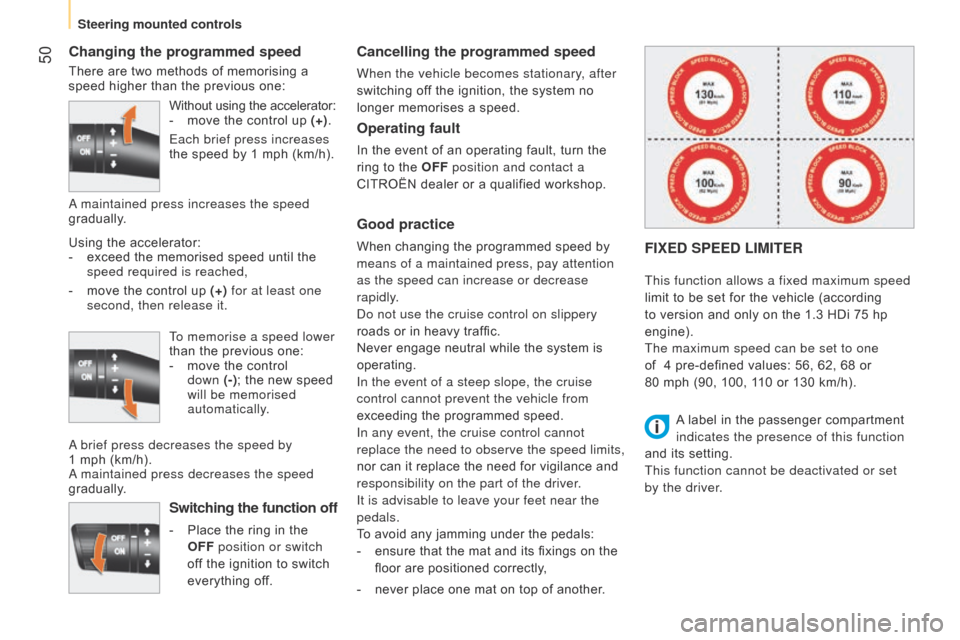
This function allows a fixed maximum speed
limit to be set for the vehicle (according
to version and only on the 1.3 HDi 75 hp
engine).
The maximum speed can be set to one
of
4 pre-defined values: 56, 62, 68 or
80 mph (90, 100, 110 or 130 km/h).
A label in the passenger compartment
indicates the presence of this function
and its setting.
This function cannot be deactivated or set
by the driver.
Steering mounted controls
Page 54 of 193
52
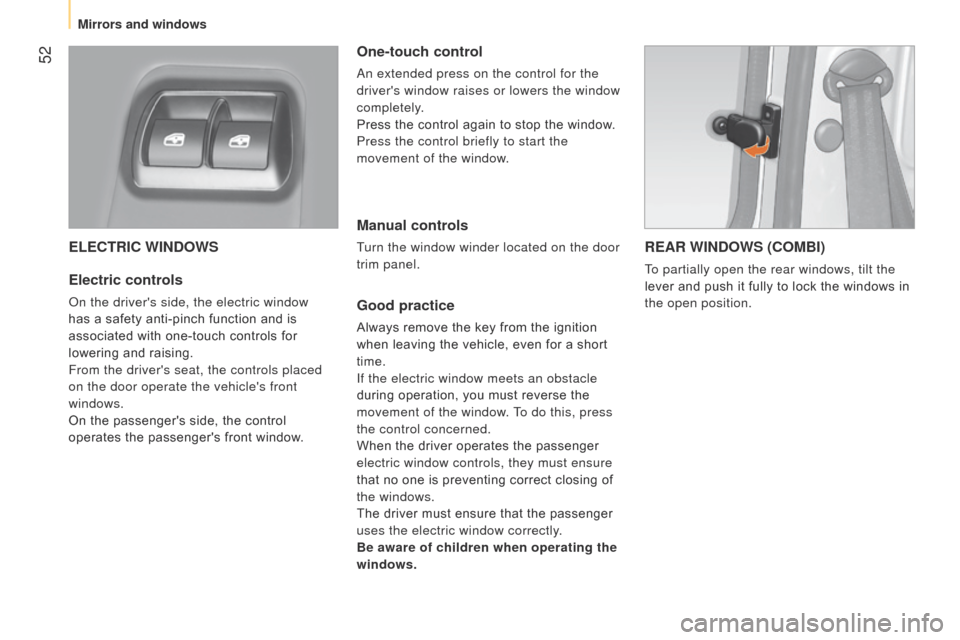
ELECTRIC WINDOWS
Electric controls
on the driver's side, the electric window
has a safety anti-pinch function and is
associated with one-touch controls for
lowering and raising.
From the driver's seat, the controls placed
on the door operate the vehicle's front
windows.
On the passenger's side, the control
operates the passenger's front window.
One-touch control
an extended press on the control for the
driver's window raises or lowers the window
completely.
Press the control again to stop the window.
Press the control briefly to start the
movement of the window.
Manual controls
Turn the window winder located on the door
trim panel.
Good practice
Always remove the key from the ignition
when leaving the vehicle, even for a short
time.
If the electric window meets an obstacle
during operation, you must reverse the
movement of the window. To do this, press
the control concerned.
When the driver operates the passenger
electric window controls, they must ensure
that no one is preventing correct closing of
the windows.
The driver must ensure that the passenger
uses the electric window correctly.
Be aware of children when operating the
windows.
REAR WINDOWS (COMBI)
To partially open the rear windows, tilt the
lever and push it fully to lock the windows in
the open position.
Mirrors and windows