Mph CITROEN RELAY 2015 Handbook (in English)
[x] Cancel search | Manufacturer: CITROEN, Model Year: 2015, Model line: RELAY, Model: CITROEN RELAY 2015Pages: 248, PDF Size: 8.86 MB
Page 14 of 248
12
ECO-DRIVING
Optimise the use of your gearbox
With a manual gearbox, move off gently and change up without
waiting. While accelerating changing up early. If your vehicle has
the system, the gear efficiency indicator invites you to engage the
most suitable gear; follow its instructions as soon as it is displayed
in the instrument panel.
Drive smoothly
Maintain a safe distance between vehicles, use engine
braking rather than the brake pedal, and press the accelerator
progressively. These practices contribute towards a reduction in
fuel consumption and CO
2 emissions and also helps reduce the
background traffic noise.
If your vehicle has cruise control, make use of the system at
speeds above 25 mph (40 km/h) when the traffic is flowing well.
Control the use of your electrical equipment
Before moving off, if the passenger compartment is too warm,
ventilate it by opening the windows and air vents before using the
air conditioning.
Above 30 mph (50 km/h), close the windows and leave the air
vents open.
Remember to make use of equipment that can help keep the
temperature in the passenger compartment down (window
blinds...).
Switch off the air conditioning, unless it has automatic digital
regulation, as soon as the desired temperature is attained.
Switch off the demisting and defrosting controls, if not automatic.
Switch off the heated seat as soon as possible.
Switch off the headlamps and front foglamps when the level of
light does not require their use.
Eco-driving is a range of everyday practices that allow the motorist to \
optimise their fuel consumption and CO
2 emissions.
Avoid running the engine before moving off, particularly in winter;
your vehicle will warm up much faster while driving.
As a passenger, if you avoid connecting your multimedia devices
(film, music, video game...), you will contribute towards limiting the\
consumption of electrical energy, and so of fuel.
Disconnect your portable devices before leaving the vehicle.
Page 24 of 248

22
Access
LOCKING / UNLOCKING FROM INSIDE
Door open warning lamp
If this warning lamp comes on,
check that all of the doors and
the bonnet are closed correctly.
Good practice
If you decide to drive with the doors locked,
be aware that this could make access to the
vehicle by the emergency services more
difficult in an emergency.
Cab and load space
Pressing permits electric central
locking and unlocking, when the
doors are closed.
The doors can still be opened from the
inside. If one of the doors is open or is not
closed correctly, the central locking
does not work. The indicator lamp on the control:
Load space
Press to lock or unlock the side
door and rear doors from the cab.
The warning lamp remains on on
locking.
Anti-intrusion security
When the vehicle is started, the system
locks the cab and load space doors
automatically when you reach approximately
12 mph (20 km/h).
If none of the doors is opened during the
journey, the locking remains active.
Activation/deactivation of the system
The system setting is made with the
MODE
button: in the "Autoclose" menu, select "ON"
or "OFF".
Refer to the "Technology on board -
Vehicle configuration" section.
- comes on when the doors
are locked and the ignition is
switched on,
- then flashes when the doors are locked when stationary
with the engine off.
The control is not active when the vehicle
has been locked using the remote control or
the key from the outside.
Page 42 of 248

40
Starting and stopping
The Stop & Start system puts the engine
temporarily into standby - STOP mode -
during stops in the traffic (red lights, traffic
jams, or other...). The engine restarts
automatically - START mode - as soon as
you want to move off. The restart takes
place instantly, quickly and silently.
Perfect for urban use, the Stop & Start
system reduces fuel consumption and
exhaust emissions and offers the comfort
of complete silence when stationary.
STOP & START
Operation
Going into engine STOP mode
With the vehicle stationary, put the gear
lever into neutral, then release the clutch
pedal. - The "S" warning lamp comes on in the instrument
panel and the engine goes
into standby. Automatic stopping of the engine is
only possible after the vehicle has
exceed a speed of about 6 mph (10 km/h),
to avoid repeated stopping of the engine
when driving slowly.
Never leave your vehicle with out first
turning off the ignition with the key.
Never refuel with the engine
in STOP mode; you must switch
off the ignition with the key. Special cases: STOP mode
unavailable
The STOP mode is not invoked when:
- the system is initialising,
- the driver's door is open,
- the driver's seat belt is not fastened,
- the air conditioning is running,
- the heated rear screen is on,
- the windscreen wiper is on fast wipe,
- reverse gear is engaged, for a parking
manoeuvre,
- some special conditions (battery charge, engine temperature, particle
filter regeneration, braking assistance,
ambient temperature...) where the
engine is needed to assure control of
a system.
The "S" warning lamp flashes for
a few seconds, then goes off.
This operation is perfectly normal.
Page 50 of 248
48
Steering mounted controls
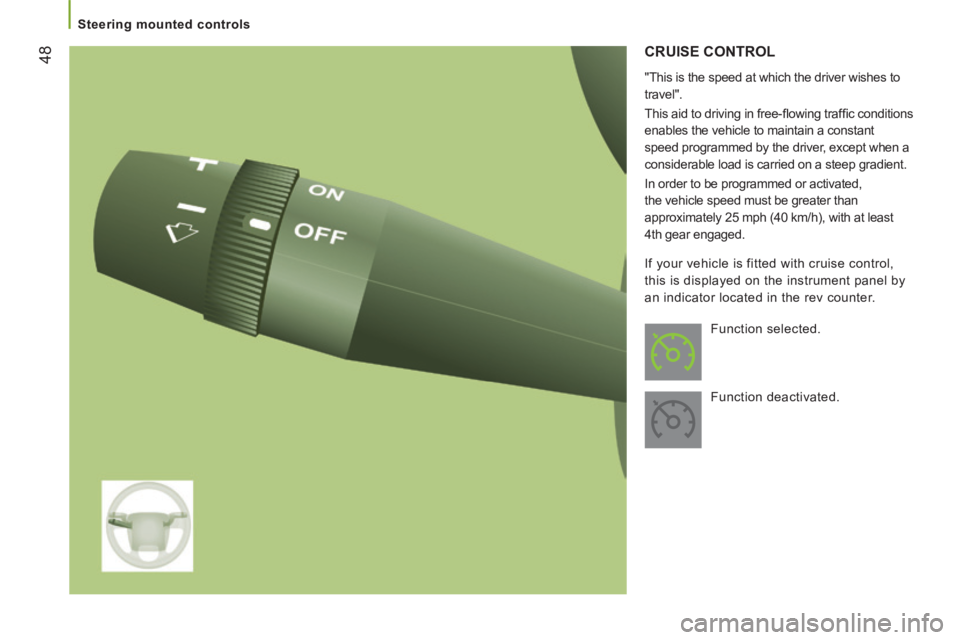
CRUISE CONTROL
"This is the speed at which the driver wishes to
travel".
This aid to driving in free-fl owing traffi c conditions
enables the vehicle to maintain a constant
speed programmed by the driver, except when a
considerable load is carried on a steep gradient.
In order to be programmed or activated,
the vehicle speed must be greater than
approximately 25 mph (40 km/h), with at least
4th gear engaged. Function selected.
Function deactivated.
If your vehicle is fitted with cruise control,
this is displayed on the instrument panel by
an indicator located in the rev counter.
Page 53 of 248
51
3
EASE OF USE
and
COMFORT
Steering mounted controls
CRUISE CONTROL
"This is the speed at which the driver wishes
to drive".
This aid to driving in free-flowing traffic
enables the vehicle to maintain the speed
programmed by the driver, unless a steep
gradient makes this impossible. In order for it to be programmed or
activated, the vehicle speed must be greater
than 25 mph (40 km/h) with at least 4th gear
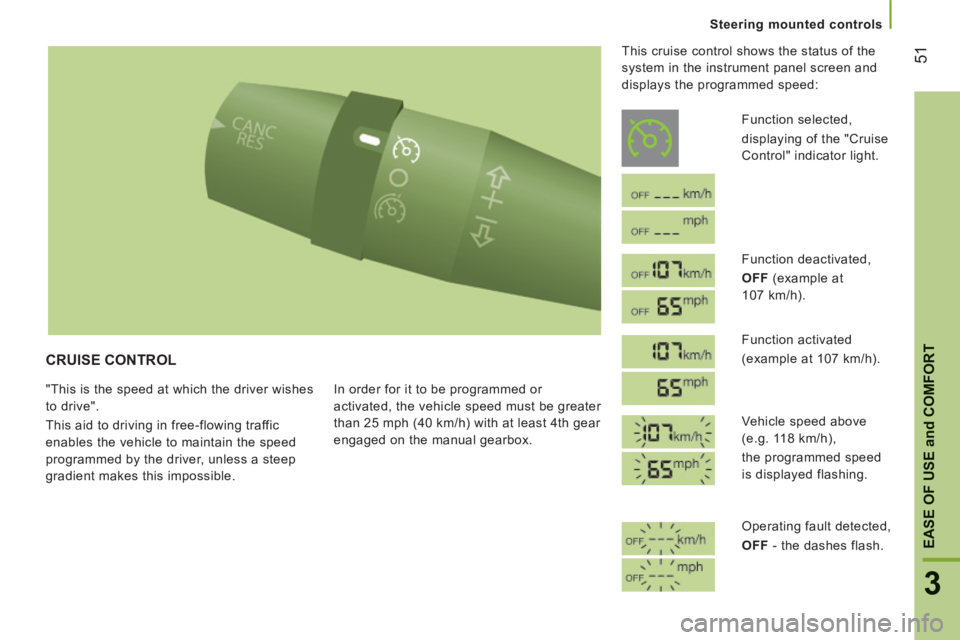
engaged on the manual gearbox. This cruise control shows the status of the
system in the instrument panel screen and
displays the programmed speed:
Function selected,
displaying of the "Cruise
Control" indicator light.
Function deactivated,
OFF (example at
107 km/h).
Function activated
(example at 107 km/h).
Vehicle speed above
(e.g. 118 km/h),
the programmed speed
is displayed flashing.
Operating fault detected,
OFF - the dashes flash.
Page 55 of 248

53
3
EASE OF USE
and
COMFORT
Steering mounted controls
There are two methods of memorising a speed
higher than the previous one:
Without using the accelerator:
- Move the switch up (+).
A brief press increases the speed by 1 mph (km/h).
A maintained press increases the speed in steps of
5 mph (km/h).
Using the accelerator:
- exceed the memorised speed until the speed required is reached,
- move the switch up (+) or down (-).
To memorise a speed lower than the previous one:
- move the switch down (-).
A brief press decreases the speed by 1 mph (km/h).
A maintained press decreases the speed in steps
of 5 mph (km/h).
Changing the
programmed speed
Switching the system off
- Place the ring in the central O position
or switch off the ignition to switch the
system off.
When the vehicle becomes stationary, after
switching off the ignition, the system no
longer memorises a speed.
Operating fault
The programmed speed is cleared then
replaced by dashes. Contact a CITROËN
dealer or a qualified workshop to have the
system checked.
Good practice
When changing the programmed reference
speed by means of a maintained press,
pay attention as the speed can increase or
decrease rapidly.
Do not use the cruise control on slippery
roads or in heavy traffic.
In the event of a steep slope, the cruise
control cannot prevent the vehicle from
exceeding the programmed speed.
In any event, the cruise control cannot
replace the need to observe the speed
limits, nor can it replace the need for
vigilance and responsibility on the part of the
driver.
It is advisable to leave your feet near the
pedals.
To avoid any jamming under the pedals:
- ensure that the mat and its fixings on the floor are positioned correctly,
- never place one mat on top of another.
Page 56 of 248

54
Steering mounted controls
SPEED LIMITER
"This is the selected speed which the driver
does not wish to exceed".
This selection is made with the engine
running while stationary or with the vehicle
moving. The minimum speed which can be
programmed is 20 mph (30 km/h).
The speed of the vehicle responds to the
pressure of the driver's foot as far as the
accelerator pedal point of resistance which
indicates that the programmed speed has
been reached. However, pressing the pedal beyond this
point of resistance to the floor permits
exceeding of the programmed speed. To
resume use of the limiter, simply reduce
the pressure on the accelerator pedal
gradually and return to a speed below that
programmed.
The operating actions may be carried out
when stationary, with the engine running,
or with the vehicle moving.
This speed limiter shows the status of the
system and the programmed speed in the
instrument panel screen:
System selected,
display of the "Speed
Limiter" indicator.
System deactivated,
last programmed speed - OFF
(example at 65 mph
(107 km/h)).
System activated
(example at 65 mph
(107 km/h)).
Vehicle speed above
(example 70 mph
(118 km/h))
the programmed speed
is displayed flashing.
Operating fault detected,
OFF - the dashes flash.
Page 57 of 248

55
3
EASE OF USE
and
COMFORT
Steering mounted controls
Selecting the function
- Turn the ring fully downwards. The speed limiter is selected but is not yet
active. The display indicates OFF and
the last programmed speed.
Programming a speed
A speed can be programmed without
activating the limiter but with the engine
running.
To memorise a speed higher than the
previous one:
- move the switch up (+).
A brief press increases the speed by
1 mph (km/h).
A maintained press increases the speed in
steps of 5 mph (km/h).
To memorise a speed lower than the
previous one:
- move the switch down (-).
A brief press decreases the speed
by 1 mph (km/h).
A maintained press decreases the speed in
steps of 5 mph (km/h).
Activation/Deactivation
Pressing this button once activates the
speed limiter, OFF disappears from the
screen and a message appears to confirm
the activation.
A second press deactivates it, OFF
reappears in the screen and a message
appears to confirm the deactivation.
Page 59 of 248
57
3
EASE OF USE
and
COMFORT
Steering mounted controls
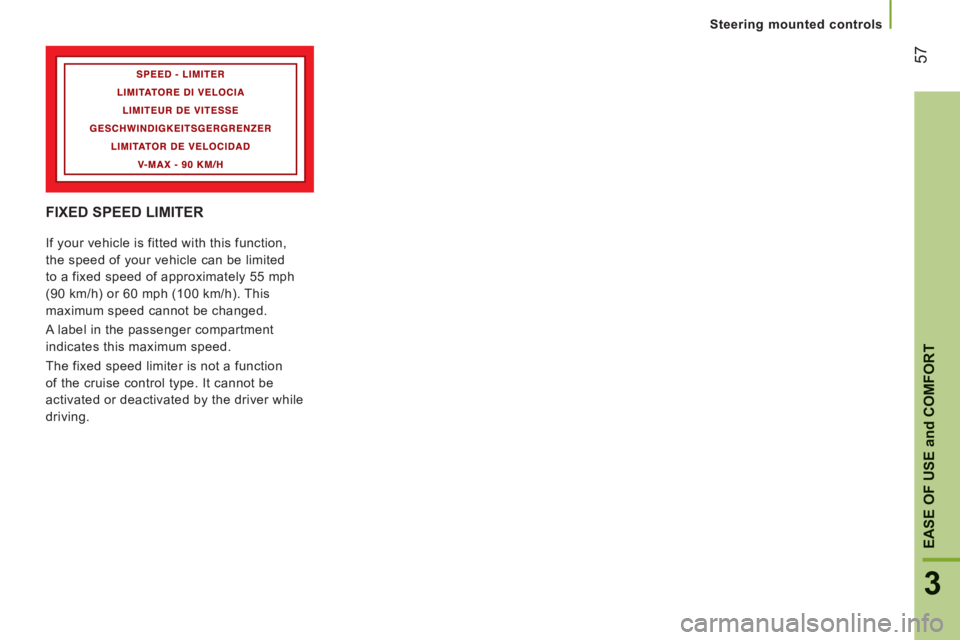
FIXED SPEED LIMITER
If your vehicle is fitted with this function,
the speed of your vehicle can be limited
to a fixed speed of approximately 55 mph
(90 km/h) or 60 mph (100 km/h). This
maximum speed cannot be changed.
A label in the passenger compartment
indicates this maximum speed.
The fixed speed limiter is not a function
of the cruise control type. It cannot be
activated or deactivated by the driver while
driving.
Page 87 of 248

85
4
TECHNOLOGY on BOARD
Vehicle configuration
Menu... Press... Sub-menu… Press... Select… Confirm
and exit
Enables you to...
1 Bleep
Speed
(Speed) ON
Increase
Activate/deactivate the audible
signal indicating exceeding of
the programmed speed and
select the speed.
Decrease
OFF
2 Headlamp
sensor
Increase
Set the sensitivity of the
sunshine sensor (1 to 3).
Decrease
3 Activation
Trip B
Activate
Display a second distance
"Trip B".
Deactivate
4 Setting the
time (Hour)
Hours/
Minutes Increase
Set the clock.
Decrease
Time format 24
Select the clock display mode.
12
5 Setting
the date Year/Month/
Day Activate
Set the date.
Deactivate
6 Autoclose While
moving ON
Activate/Deactivate automatic
door locking above approx
12 mph (20 km/h)
OFF