light DODGE CALIBER 2006 1.G Owner's Manual
[x] Cancel search | Manufacturer: DODGE, Model Year: 2006, Model line: CALIBER, Model: DODGE CALIBER 2006 1.GPages: 322, PDF Size: 5.99 MB
Page 63 of 322

UNDERSTANDING THE FEATURES OF YOUR VEHICLE
CONTENTS
mMirrors..............................66
NInside Day/Night Mirror Ð If Equipped......66
NOutside MirrorÐDriver's Side.............66
NOutside MirrorÐPassenger's Side...........67
NElectric Remote-Control Mirrors............67
NVanity Mirrors Ð If Equipped.............69
NSun Visor Sliding Feature................69
mSeats................................69
NFront Seat Adjustment...................69
NManual Seat Height Adjustment Ð
If Equipped..........................70
NManual LumbarÐ If Equipped.............71NDriver's Seat Back Recline................71
NAdjustable Head Restraints...............72
NHeated Seats Ð If Equipped..............72
NFolding Rear Seat......................74
NReclining And Folding Rear Seat Ð
If Equipped..........................75
mTo Open And Close The Hood.............76
mLights...............................77
NMap/Reading Lights....................77
NMulti-Function Control Lever..............77
NHeadlights, Parking Lights, Instrument Panel
Lights..............................78
3
Page 64 of 322

NDaytime Running Lights (DRL) Ð If Equipped..78
NLights-On Reminder....................79
NFog Lights Ð If Equipped................79
NTurn Signals..........................79
NHighbeam/Lowbeam Select Switch..........80
NPassing Light.........................80
mWindshield Wipers And Washers...........80
NWindshield Washers....................80
NMist Feature..........................81
NWindshield Wiper Operation..............82
NIntermittent Wiper System................82
NAdding Washer Fluid...................82
mTilt Steering Column.....................82
mElectronic Speed Control Ð If Equipped......83
NTo Activate...........................84
NTo Set At A Desired Speed................84NTo Deactivate.........................84
NTo Resume Speed......................84
NTo Vary The Speed Setting................84
NManual Transaxle......................85
NTo Accelerate For Passing................85
mAnti-Lock Brake System (ABS) ± If Equipped..86
mElectronic Brake Control System -
ABS/TCS/BAS/ESP Ð If Equipped
.........87
NTraction Control System (TCS) Ð If Equipped . .87
NBrake Assist System (BAS) Ð If Equipped.....87
NESP (Electronic Stability Program) Ð
If Equipped..........................88
mPower Sunroof Ð If Equipped.............91
NOpening Sunroof ± Manual...............92
NOpening Sunroof ± Express Mode...........92
NClosing Sunroof ± Manual................92
64 UNDERSTANDING THE FEATURES OF YOUR VEHICLE
Page 65 of 322

NClosing Sunroof ± Express Mode...........92
NPinch Protect Feature....................92
NPinch Protect Override..................92
NVenting Sunroof ± Express................93
NSunshade Operation....................93
NWind Buffeting........................93
NSunroof Maintenance....................93
NIgnition Off Operation...................93
mElectrical Power Outlets..................93
NElectrical Outlet Use With Engine Off........95
mConsole Features.......................96
mCargo Area Features.....................96NCargo Light/Removable Self- Recharging
Flashlight ± If Equipped.................96
NTonneau Cover Ð If Equipped.............98
NRemovable Load Floor...................99
NCargo Tie-Down Loops..................99
NFold Down Speakers ± If Equipped.........100
mRear Window Features..................101
NRear Window Wiper/Washer.............101
NRear Window Defroster.................102
mRoof Luggage Rack Ð If Equipped.........102
mCooled Beverage Storage Bin/Glove
Compartment Ð If Equipped
.............103
UNDERSTANDING THE FEATURES OF YOUR VEHICLE 65
3
Page 66 of 322

MIRRORS
Inside Day/Night Mirror Ð If Equipped
Adjust the mirror to center on the view through the rear
window. A two point pivot system allows for horizontal
and vertical mirror adjustment.
Annoying headlight glare can be reduced by moving the
small control under the mirror to the night position
(toward rear of vehicle). The mirror should be adjusted
while set in the day position (toward windshield).
Outside MirrorÐDriver's Side
Adjust the Flat (Drivers Side) Outside Mirror so you can
just see the side of your vehicle in the part of the mirror
closest to vehicle with your head close to the door glass.
Adjusting Rear View Mirror
Mirror Directions
66 UNDERSTANDING THE FEATURES OF YOUR VEHICLE
Page 77 of 322
WARNING!
If the hood is not fully latched it could fly up when
the vehicle is moving and block your forward vision.
You could have a collision. Be sure all hood latches
are fully latched before driving.
LIGHTS
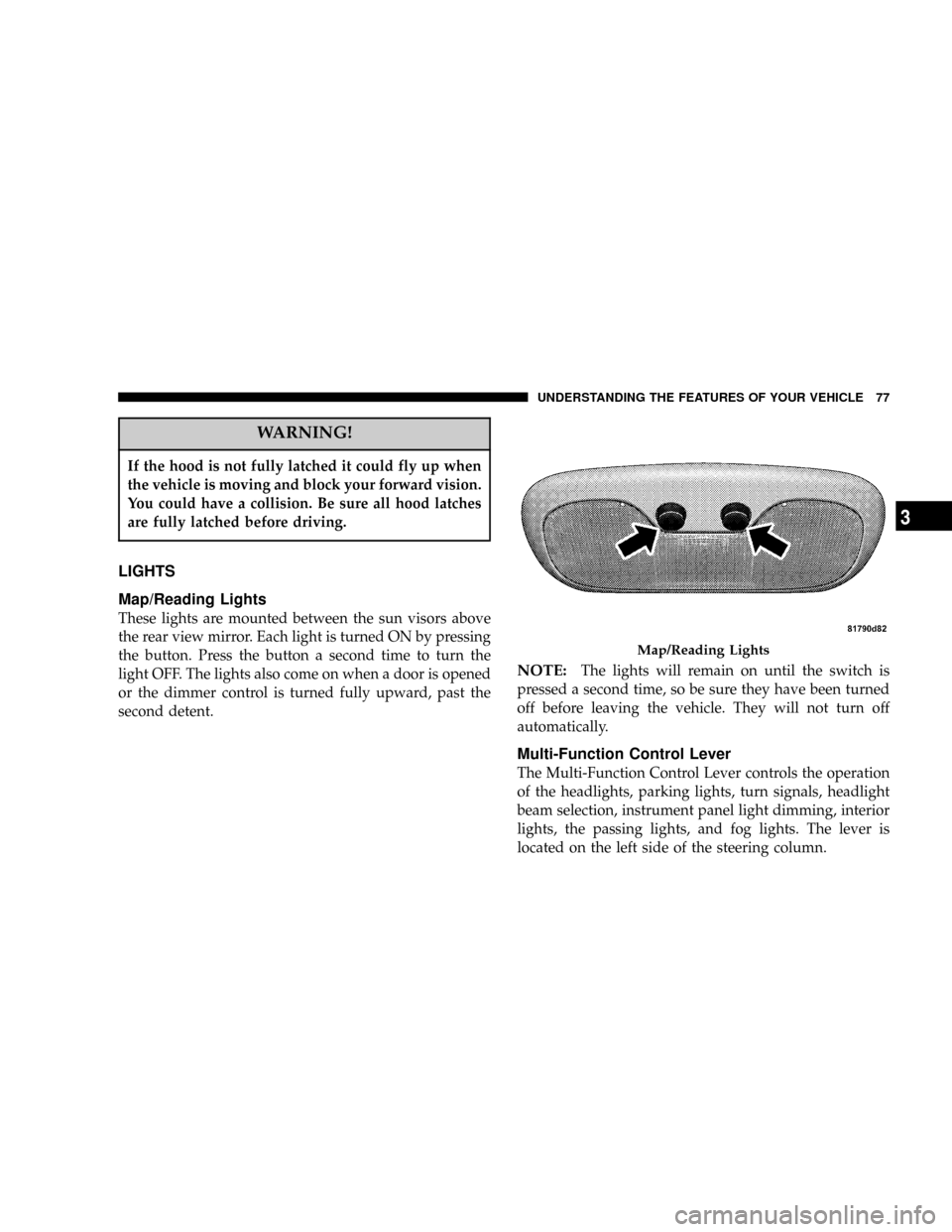
Map/Reading Lights
These lights are mounted between the sun visors above
the rear view mirror. Each light is turned ON by pressing
the button. Press the button a second time to turn the
light OFF. The lights also come on when a door is opened
or the dimmer control is turned fully upward, past the
second detent.
NOTE:The lights will remain on until the switch is
pressed a second time, so be sure they have been turned
off before leaving the vehicle. They will not turn off
automatically.
Multi-Function Control Lever
The Multi-Function Control Lever controls the operation
of the headlights, parking lights, turn signals, headlight
beam selection, instrument panel light dimming, interior
lights, the passing lights, and fog lights. The lever is
located on the left side of the steering column.
Map/Reading Lights
UNDERSTANDING THE FEATURES OF YOUR VEHICLE 77
3
Page 78 of 322

Headlights, Parking Lights, Instrument Panel
Lights
Turn the end of the Multi-Function Control Lever to the
first detent for parking light operation. Turn to the
second detent for headlight operation.
To change the brightness of the instrument panel lights,
rotate the center portion of the Multi-Function Control
Lever up or down.
Daytime Running Lights (DRL) Ð If Equipped
The high beam lights will come on as Daytime Running
Lights (DRL) at DRL intensity (lower), whenever the
ignition is on, the engine is running, the headlight switch
is off, the parking brake is off, the turn signal is off, and
the gear shift is in any position except park.
NOTE:On this vehicle, the daytime running light will
automatically turn off when the turn signal is in opera-
tion and automatically turn back on when the turn signal
is not operating.
Head Light Control
Dimmer Control
78 UNDERSTANDING THE FEATURES OF YOUR VEHICLE
Page 79 of 322

Lights-on Reminder
If the headlights or parking lights are on after the ignition
is turned OFF, a chime will sound to alert the driver
when the driver's door is opened.
Fog Lights Ð If Equipped
The front fog light switch is on the Multi-Function
Control Lever. To activate the front fog lights, turn
on the parking lights or the low beam headlights and pull
out the end of the control lever.
NOTE:The fog lights will only operate with the head-
lights on low beam. Selecting high beam headlights will
turn off the fog lights.
Turn Signals
Move the Multi-Function Control Lever up or down and
the arrows on each side of the instrument cluster flash to
show proper operation of the front and rear turn signal
lights. You can signal a lane change by moving the lever
partially up or down without moving beyond the detent.Fog Light Control
Turn Signal Control
UNDERSTANDING THE FEATURES OF YOUR VEHICLE 79
3
Page 80 of 322

If either light remains on and does not flash, or there is a
very fast flash rate, check for a defective outside light
bulb. If an indicator fails to light when the lever is
moved, it would suggest that the fuse or indicator bulb is
defective.
Highbeam/Lowbeam Select Switch
Push the Multi-Function Control Lever away from you to
switch the headlights to HIGH beam. Push the Lever
away from you again, to switch the headlights back to
Low beam.
Passing Light
You can signal another vehicle with your headlights by
lightly pulling the Multi-Function Control Lever toward
you. This will cause the headlights to turn on at high
beam and remain on until the lever is released.
NOTE:If the Multi-Function Control Lever is held in
the flash to pass position for more than 15 seconds, the
high beams will shut off. If this occurs, wait 30 seconds
for the next flash to pass operation.
WINDSHIELD WIPERS AND WASHERS
The wipers and washers are operated by a switch
on the control lever. The lever is located on the
right side of the steering column.
Windshield Washers
To use the washer, pull the control lever toward you and
hold while spray is desired. If the lever is pulled while in
the delay range, the wiper will operate in low speed for
two wipe cycles after the lever is released, and then
resume the intermittent interval previously selected.
High Beam Control
80 UNDERSTANDING THE FEATURES OF YOUR VEHICLE
Page 85 of 322
To decrease speed while speed control is ON, push down
and hold ªSET DECELº. Release the lever when the
desired speed is reached, and the new speed will be set.
Tapping the ªSET DECELº button once will result in a 1
mph (2 km/h) speed decrease. Each time the button is
tapped, speed decreases.
Manual Transaxle:
Depressing the clutch pedal will disengage the speed
control. A slight increase in engine RPM before the speed
control disengages is normal.
Vehicles equipped with manual transaxles may need to
be shifted into a lower gear to climb hills without speed
loss.
WARNING!
Speed Control can be dangerous where the system
can't maintain a constant speed. Your vehicle could
go too fast for the conditions, and you could lose
control. An accident could be the result. Don't use
Speed Control in heavy traffic or on roads that are
winding, icy, snow-covered, or slippery.
To Accelerate For Passing:
Depress the accelerator as you would normally. When the
pedal is released, the vehicle will return to the set speed.
Using Speed Control On Hills
NOTE:
The speed control system maintains speed up
and down hills. A slight speed change on moderate hills
is normal.
On steep hills a greater speed loss or gain may occur so
it may be preferable to drive without speed control.
UNDERSTANDING THE FEATURES OF YOUR VEHICLE 85
3
Page 88 of 322
WARNING!
²BAS cannot prevent the natural laws of physics
from acting on the vehicle, nor can it increase
braking efficiency beyond that afforded by the
condition of the vehicle brakes and tires or the
traction afforded.
²The BAS cannot prevent accidents, including
those resulting from excessive speed in turns,
following another vehicle too closely, or hydro-
planing. Only a safe, attentive, and skillful driver
can prevent accidents.
²The capabilities of a BAS-equipped vehicle must
never be exploited in a reckless or dangerous
manner which could jeopardize the user 's safety
or the safety of others.
ESP (Electronic Stability Program) Ð IF Equipped
This system enhances directional control and stability of
the vehicle under various driving conditions. ESP cor-
rects for over/under steering of the vehicle by applyingthe brake of the appropriate wheel to assist in counter-
acting the over/under steer condition. Engine power
may also be reduced to help the vehicle maintain the
desired path. ESP uses sensors in the vehicle to determine
the vehicle path intended by the driver and compares it
to the actual path of the vehicle. When the actual path
does not match the intended path, ESP applies the brake
of the appropriate wheel to assist in counteracting the
oversteer or understeer condition.
²Oversteer - when the vehicle is turning more than
appropriate for the steering wheel position.
²Understeer - when the vehicle is turning less than
appropriate for the steering wheel position.
ESP/TCS Indicator Light
The ªESP/TCS Indicator Lightº located in the instrument
cluster, starts to flash as soon as the tires lose traction and
the ESP system becomes active. The ªESP/TCS Indicator
Lightº also flashes when TCS is active. If the ªESP/TCS
Indicator Lightº begins to flash during acceleration, ease
up on the accelerator and apply as little throttle as
possible. Be sure to adapt your speed and driving to the
prevailing road conditions.
88 UNDERSTANDING THE FEATURES OF YOUR VEHICLE