warning DODGE CARAVAN 2008 5.G Workshop Manual
[x] Cancel search | Manufacturer: DODGE, Model Year: 2008, Model line: CARAVAN, Model: DODGE CARAVAN 2008 5.GPages: 531, PDF Size: 7.72 MB
Page 155 of 531
5. Twist the pole in a clockwise rotation until it stops.
Note: You will hear an audible ªclickº when the lock
button engages the base.
6. Place the table top over the installed pole aligning
with the mating feature of the underside of the table top.
Apply pressure on the table top and press downward.
Note: You will hear an audible ªclickº when the table
latch engages the pole.WARNING!
Failure to comply with the following conditions
could result in serious injury or even death.
²DO NOT install the table while vehicle is in
motion
²NEVER drive the vehicle with only the pole in-
stalled
²DO NOT place heavy or sharp objects on table.
²DO NOT place liquid drinks on the table, use
available cup holders.
²Second Row seats must be locked in the rearward
facing position before installing the table.
UNDERSTANDING THE FEATURES OF YOUR VEHICLE 153
3
Page 161 of 531
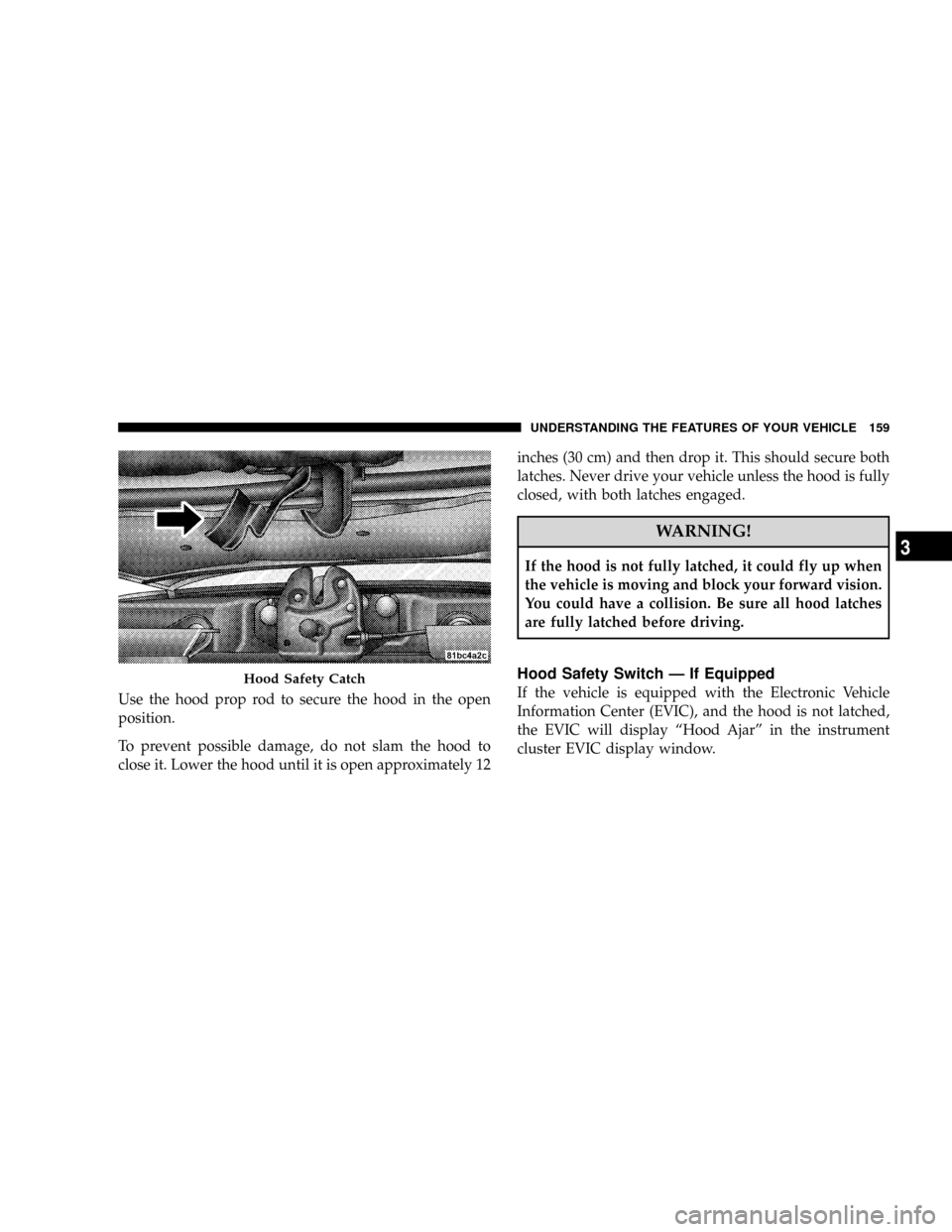
Use the hood prop rod to secure the hood in the open
position.
To prevent possible damage, do not slam the hood to
close it. Lower the hood until it is open approximately 12inches (30 cm) and then drop it. This should secure both
latches. Never drive your vehicle unless the hood is fully
closed, with both latches engaged.
WARNING!
If the hood is not fully latched, it could fly up when
the vehicle is moving and block your forward vision.
You could have a collision. Be sure all hood latches
are fully latched before driving.
Hood Safety Switch Ð If Equipped
If the vehicle is equipped with the Electronic Vehicle
Information Center (EVIC), and the hood is not latched,
the EVIC will display ªHood Ajarº in the instrument
cluster EVIC display window.Hood Safety Catch
UNDERSTANDING THE FEATURES OF YOUR VEHICLE 159
3
Page 162 of 531
If the vehicle is equipped with the Compass Mini-Trip
Computer (CMTC) and the hood is not latched, a ªhoodº
will be displayed in the PRNDL/Odometer window of
the instrument cluster.
LIGHTS
All of the lights, except the hazard warning lights,
headlamp high beams and flash to pass, are controlled by
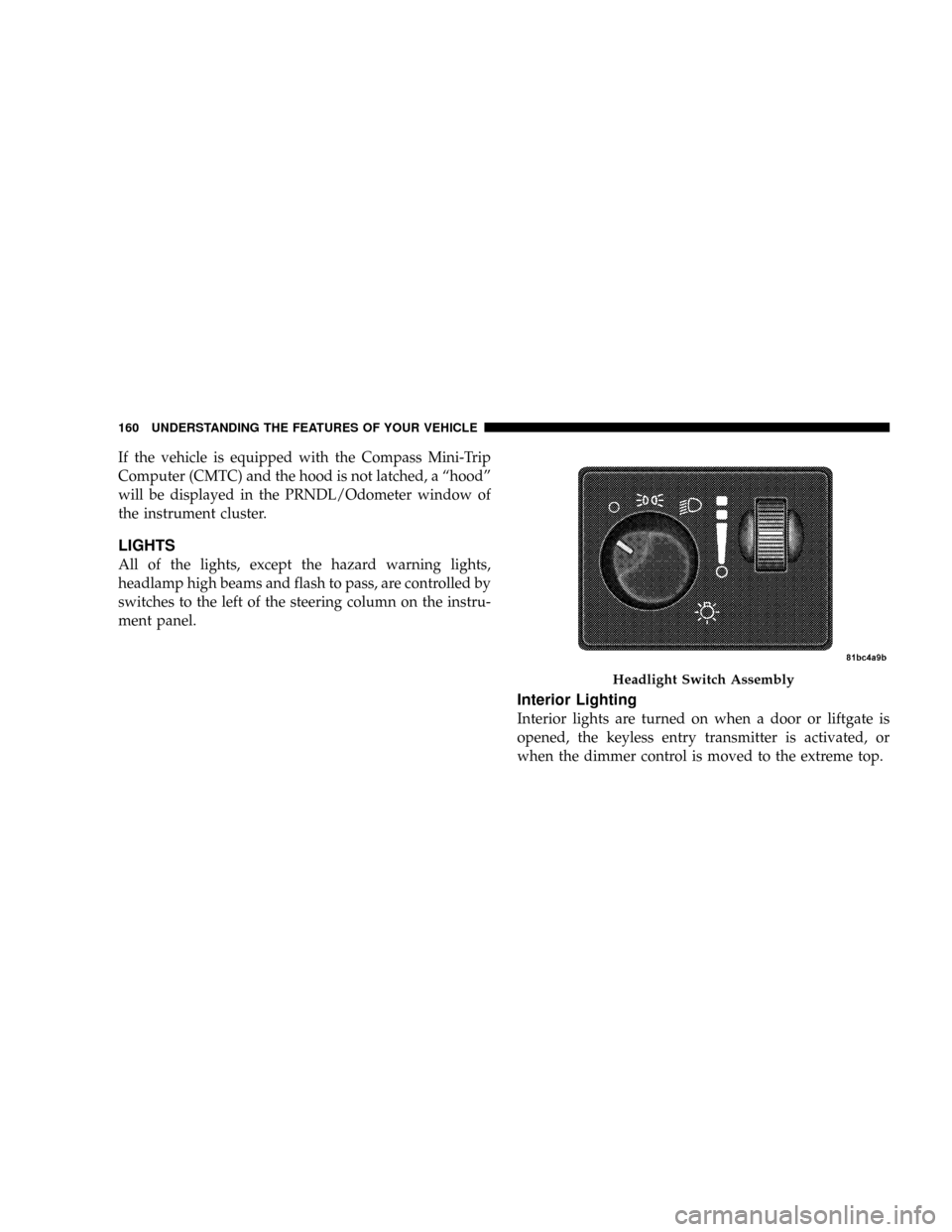
switches to the left of the steering column on the instru-
ment panel.
Interior Lighting
Interior lights are turned on when a door or liftgate is
opened, the keyless entry transmitter is activated, or
when the dimmer control is moved to the extreme top.
Headlight Switch Assembly
160 UNDERSTANDING THE FEATURES OF YOUR VEHICLE
Page 169 of 531
If either indicator flashes at a rapid rate, check for a
defective outside turn signal light bulb. If one of the
indicators fails to light when the lever is moved, it would
suggest that the indicator light is defective.
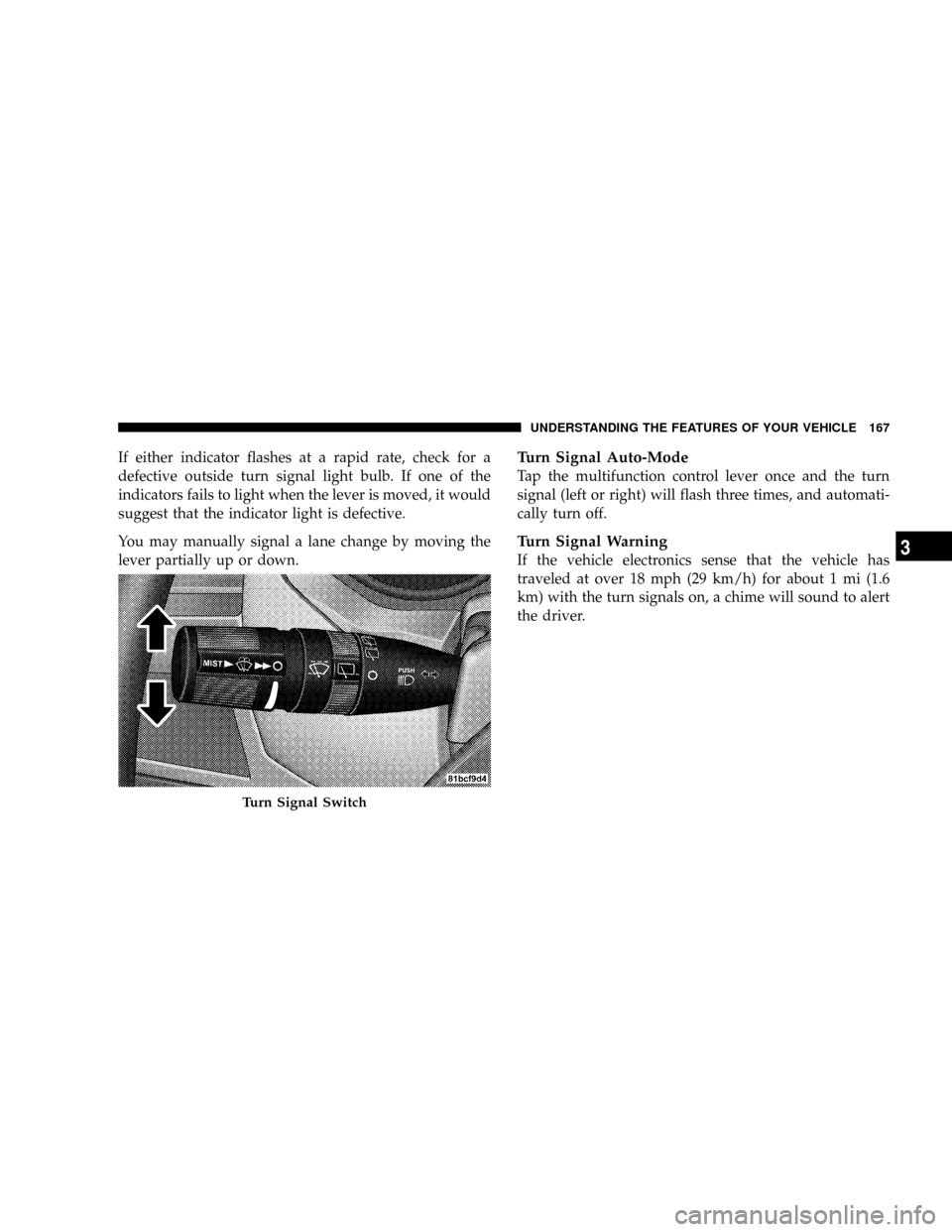
You may manually signal a lane change by moving the
lever partially up or down.Turn Signal Auto-Mode
Tap the multifunction control lever once and the turn
signal (left or right) will flash three times, and automati-
cally turn off.
Turn Signal Warning
If the vehicle electronics sense that the vehicle has
traveled at over 18 mph (29 km/h) for about 1 mi (1.6
km) with the turn signals on, a chime will sound to alert
the driver.
Turn Signal Switch
UNDERSTANDING THE FEATURES OF YOUR VEHICLE 167
3
Page 172 of 531
the rotary ring fully forward and the washers will spray
until the ring is released, and then resume the intermit-
tent interval.
NOTE:Rear window wipers function in the intermittent
wiper speed only.
4. Headlight Low/High Beam Select Switch and
Flash-to-Pass
Headlight Low/High Beam Select SwitchWhen the
headlights are turned on, pushing the lever assembly
toward the instrument panel will switch from low beams
to high beams. Pulling back to the neutral position
returns to low beam headlights.
Flash-to-Pass (Optical Horn)You can signal another
vehicle with your headlights by lightly pulling the mul-
tifunction lever toward you. This will cause the head-
lights to turn on at high beam and remain on until the
lever is released.WARNING!
Sudden loss of visibility through the windshield
could lead to an accident. You might not see other
vehicles or other obstacles. To avoid sudden icing of
the windshield during freezing weather, warm the
windshield with defroster before and during wind-
shield washer use.
Headlights On When Wipers Are On Ð If
Equipped
Headlights on when windshield wipers are on may be
found on vehicles equipped with automatic headlight
system. Refer to the Electronic Vehicle Information Cen-
ter (EVIC) in Section 4 under ªPERSONAL SETTINGS
(CUSTOMER PROGRAMMABLE FEATURES)º for more
information.
170 UNDERSTANDING THE FEATURES OF YOUR VEHICLE
Page 173 of 531
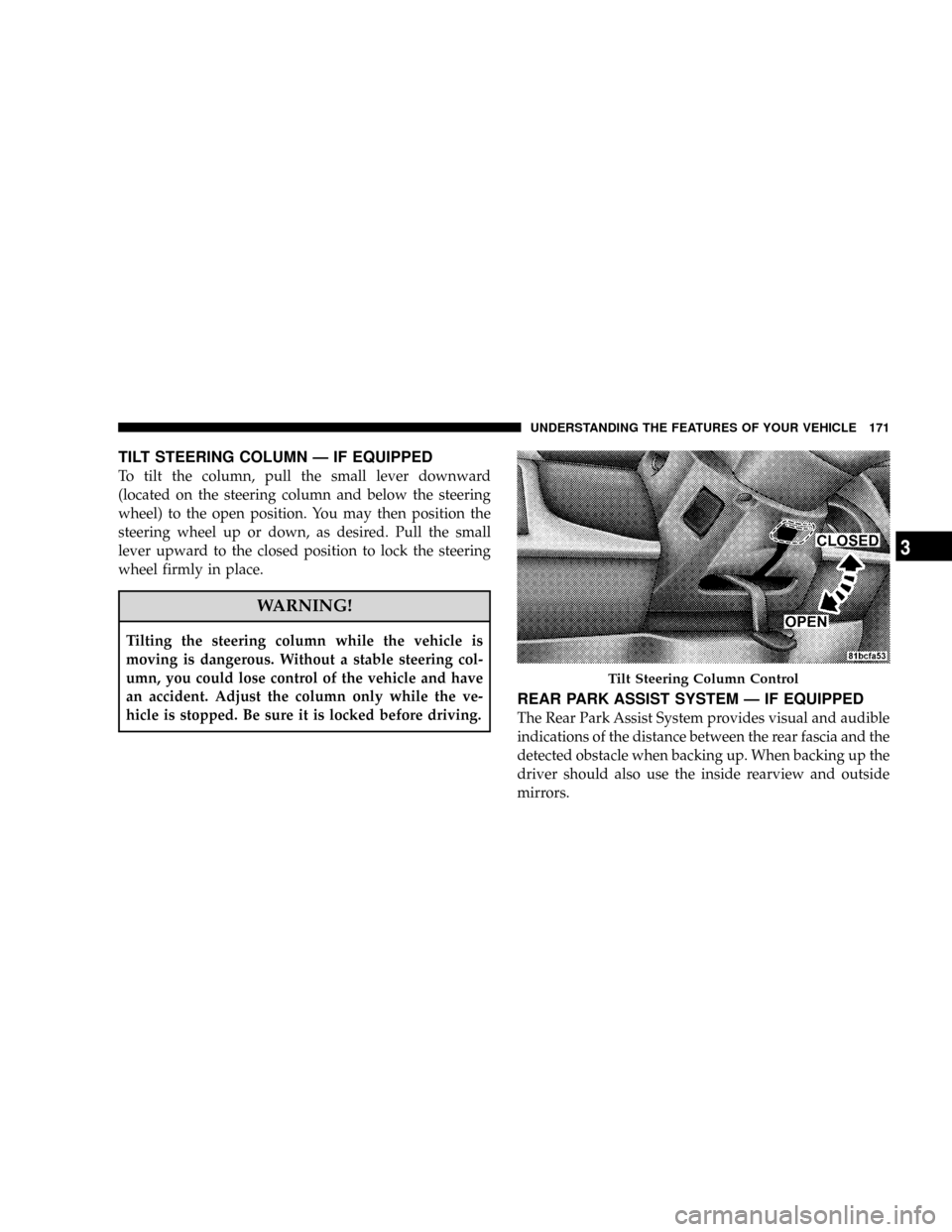
TILT STEERING COLUMN Ð IF EQUIPPED
To tilt the column, pull the small lever downward
(located on the steering column and below the steering
wheel) to the open position. You may then position the
steering wheel up or down, as desired. Pull the small
lever upward to the closed position to lock the steering
wheel firmly in place.
WARNING!
Tilting the steering column while the vehicle is
moving is dangerous. Without a stable steering col-
umn, you could lose control of the vehicle and have
an accident. Adjust the column only while the ve-
hicle is stopped. Be sure it is locked before driving.
REAR PARK ASSIST SYSTEM Ð IF EQUIPPED
The Rear Park Assist System provides visual and audible
indications of the distance between the rear fascia and the
detected obstacle when backing up. When backing up the
driver should also use the inside rearview and outside
mirrors.
Tilt Steering Column Control
UNDERSTANDING THE FEATURES OF YOUR VEHICLE 171
3
Page 174 of 531
The Rear Park Assist System will remember the last
system state (enabled or disabled) from the last ignition
cycle when the ignition is changed to the RUN/ON
position.
The Rear Park Assist System can be active only when the
transaxle gear selector lever is in REVERSE. When in
REVERSE, the system scans for objects behind the vehicle
using four sensors located in the rear bumper.
NOTE:The system will be active until the vehicle speed
is increased to approximately 11 mph (18 km/h) or
above. The system will be active again if the vehicle
speed is decreased to speeds less than approximately 10
mph (16 km/h).Rear Park Assist Sensors
The four Rear Park Assist Sensors, located in the rear
fascia, monitor the area behind the vehicle that is within
the sensors' field of view. The monitored area seems oval
in shape. The sensors can detect obstacles from approxi-
mately 11.8 in (30 cm) up to 78.7 in (200 cm) from the rear
fascia in the horizontal direction, depending on the
location and orientation of the obstacle and the type of
obstacle.
Rear Park Assist Warning Display
The Rear Park Assist Warning Display, located in the
headliner near the liftgate glass, provides both visual and
audible warnings to indicate the distance between the
rear fascia and the detected obstacle.
172 UNDERSTANDING THE FEATURES OF YOUR VEHICLE
Page 175 of 531
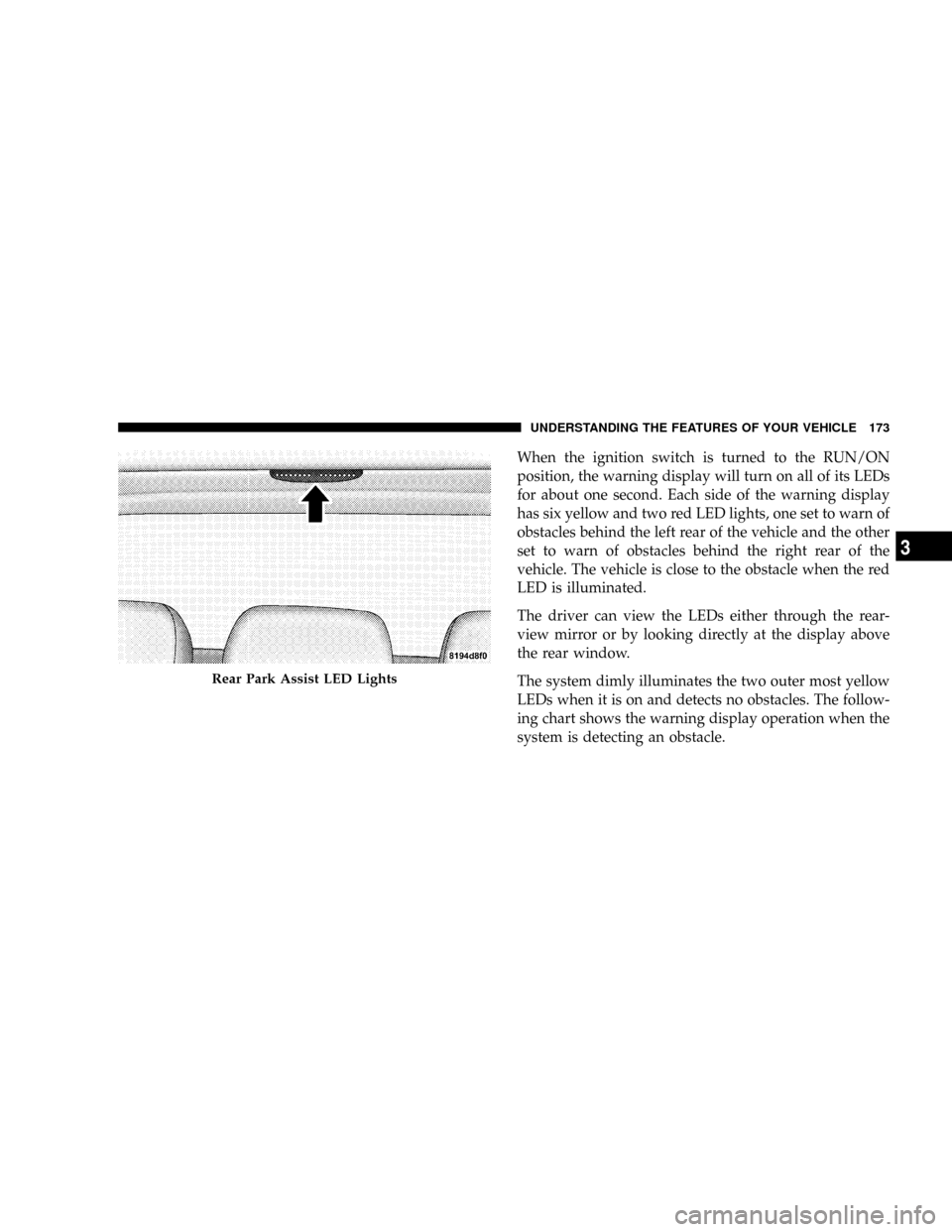
When the ignition switch is turned to the RUN/ON
position, the warning display will turn on all of its LEDs
for about one second. Each side of the warning display
has six yellow and two red LED lights, one set to warn of
obstacles behind the left rear of the vehicle and the other
set to warn of obstacles behind the right rear of the
vehicle. The vehicle is close to the obstacle when the red
LED is illuminated.
The driver can view the LEDs either through the rear-
view mirror or by looking directly at the display above
the rear window.
The system dimly illuminates the two outer most yellow
LEDs when it is on and detects no obstacles. The follow-
ing chart shows the warning display operation when the
system is detecting an obstacle.
Rear Park Assist LED Lights
UNDERSTANDING THE FEATURES OF YOUR VEHICLE 173
3
Page 176 of 531
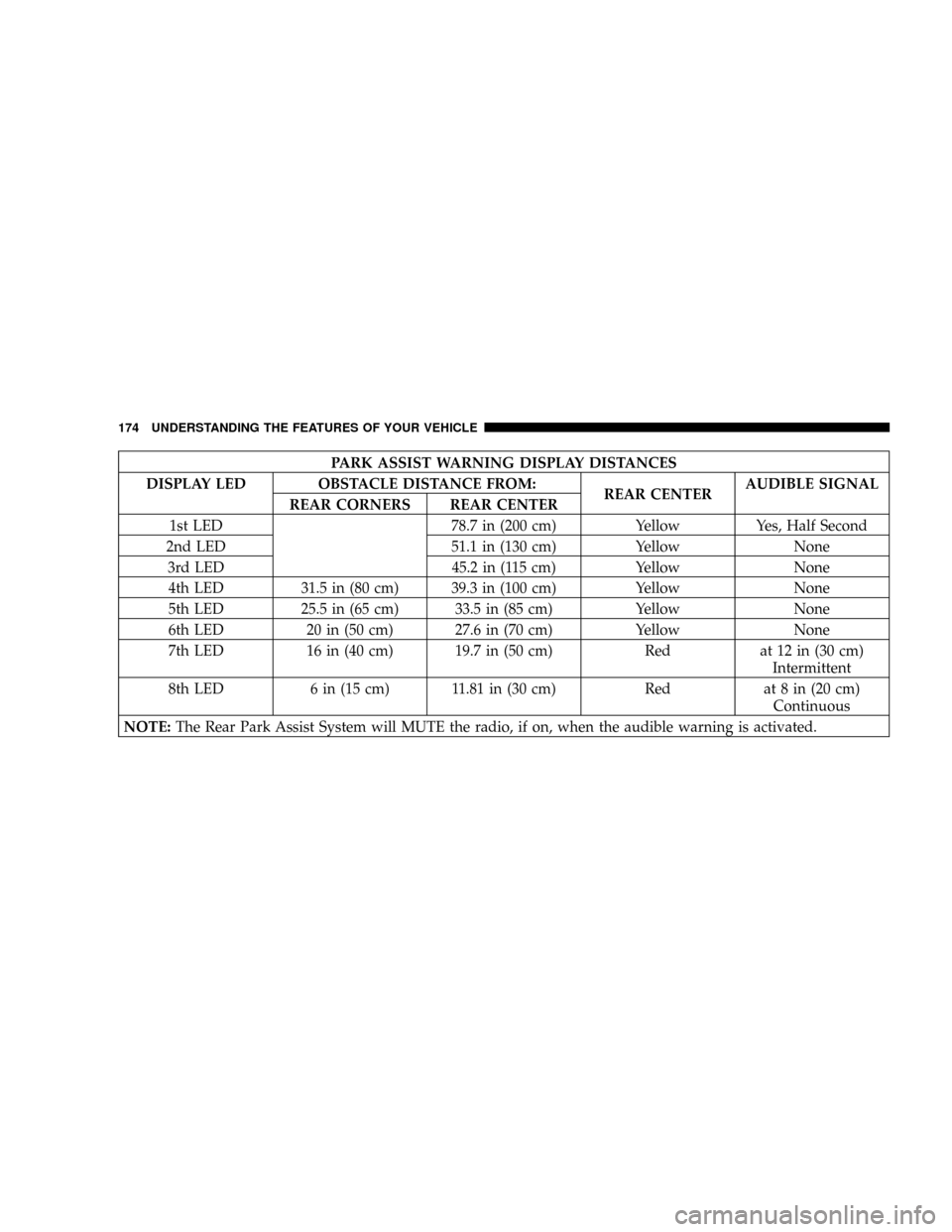
PARK ASSIST WARNING DISPLAY DISTANCES
DISPLAY LED OBSTACLE DISTANCE FROM:
REAR CENTERAUDIBLE SIGNAL
REAR CORNERS REAR CENTER
1st LED 78.7 in (200 cm) Yellow Yes, Half Second
2nd LED 51.1 in (130 cm) Yellow None
3rd LED 45.2 in (115 cm) Yellow None
4th LED 31.5 in (80 cm) 39.3 in (100 cm) Yellow None
5th LED 25.5 in (65 cm) 33.5 in (85 cm) Yellow None
6th LED 20 in (50 cm) 27.6 in (70 cm) Yellow None
7th LED 16 in (40 cm) 19.7 in (50 cm) Red at 12 in (30 cm)
Intermittent
8th LED 6 in (15 cm) 11.81 in (30 cm) Red at 8 in (20 cm)
Continuous
NOTE:The Rear Park Assist System will MUTE the radio, if on, when the audible warning is activated.
174 UNDERSTANDING THE FEATURES OF YOUR VEHICLE
Page 177 of 531
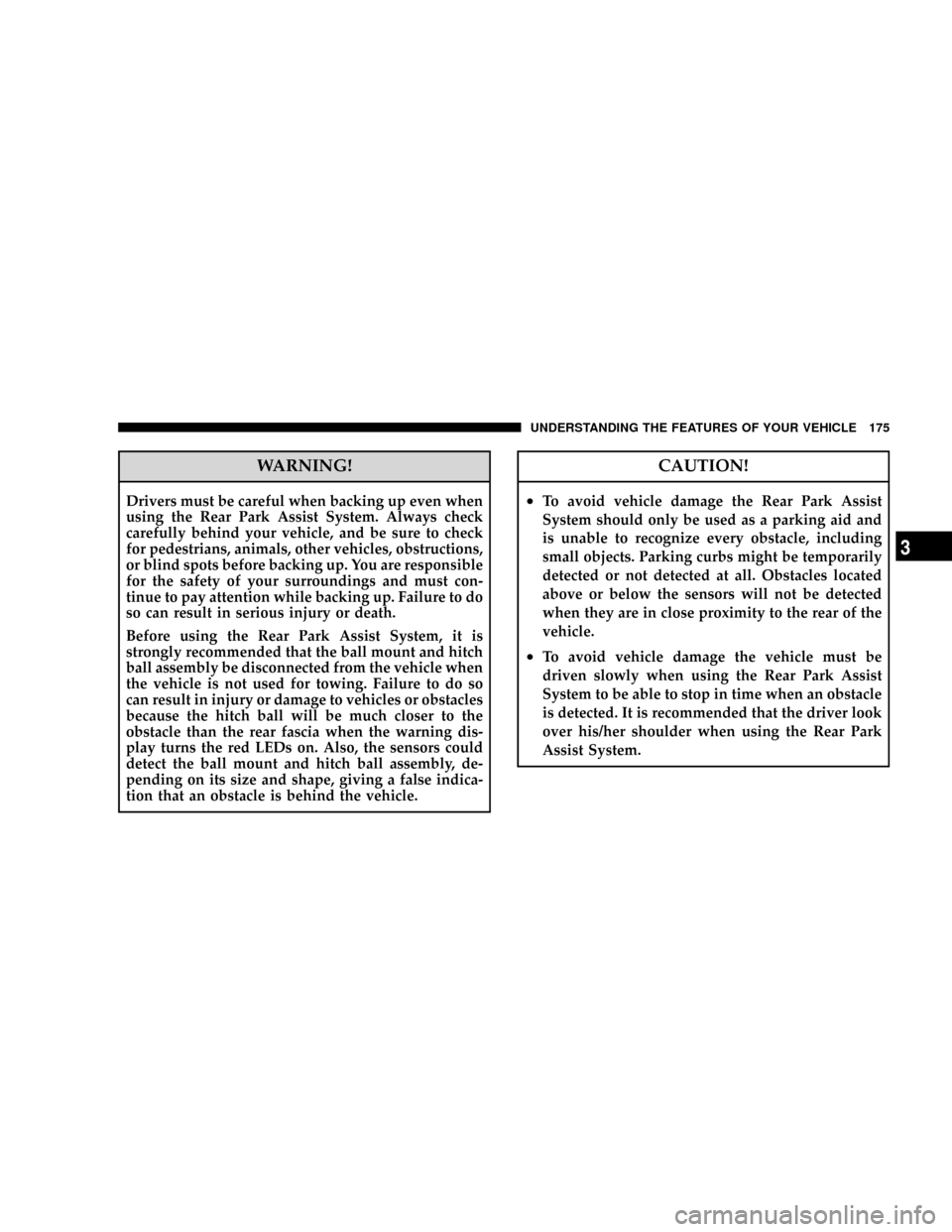
WARNING!
Drivers must be careful when backing up even when
using the Rear Park Assist System. Always check
carefully behind your vehicle, and be sure to check
for pedestrians, animals, other vehicles, obstructions,
or blind spots before backing up. You are responsible
for the safety of your surroundings and must con-
tinue to pay attention while backing up. Failure to do
so can result in serious injury or death.
Before using the Rear Park Assist System, it is
strongly recommended that the ball mount and hitch
ball assembly be disconnected from the vehicle when
the vehicle is not used for towing. Failure to do so
can result in injury or damage to vehicles or obstacles
because the hitch ball will be much closer to the
obstacle than the rear fascia when the warning dis-
play turns the red LEDs on. Also, the sensors could
detect the ball mount and hitch ball assembly, de-
pending on its size and shape, giving a false indica-
tion that an obstacle is behind the vehicle.
CAUTION!
²To avoid vehicle damage the Rear Park Assist
System should only be used as a parking aid and
is unable to recognize every obstacle, including
small objects. Parking curbs might be temporarily
detected or not detected at all. Obstacles located
above or below the sensors will not be detected
when they are in close proximity to the rear of the
vehicle.
²To avoid vehicle damage the vehicle must be
driven slowly when using the Rear Park Assist
System to be able to stop in time when an obstacle
is detected. It is recommended that the driver look
over his/her shoulder when using the Rear Park
Assist System.
UNDERSTANDING THE FEATURES OF YOUR VEHICLE 175
3