warning DODGE CARAVAN 2008 5.G Repair Manual
[x] Cancel search | Manufacturer: DODGE, Model Year: 2008, Model line: CARAVAN, Model: DODGE CARAVAN 2008 5.GPages: 531, PDF Size: 7.72 MB
Page 181 of 531
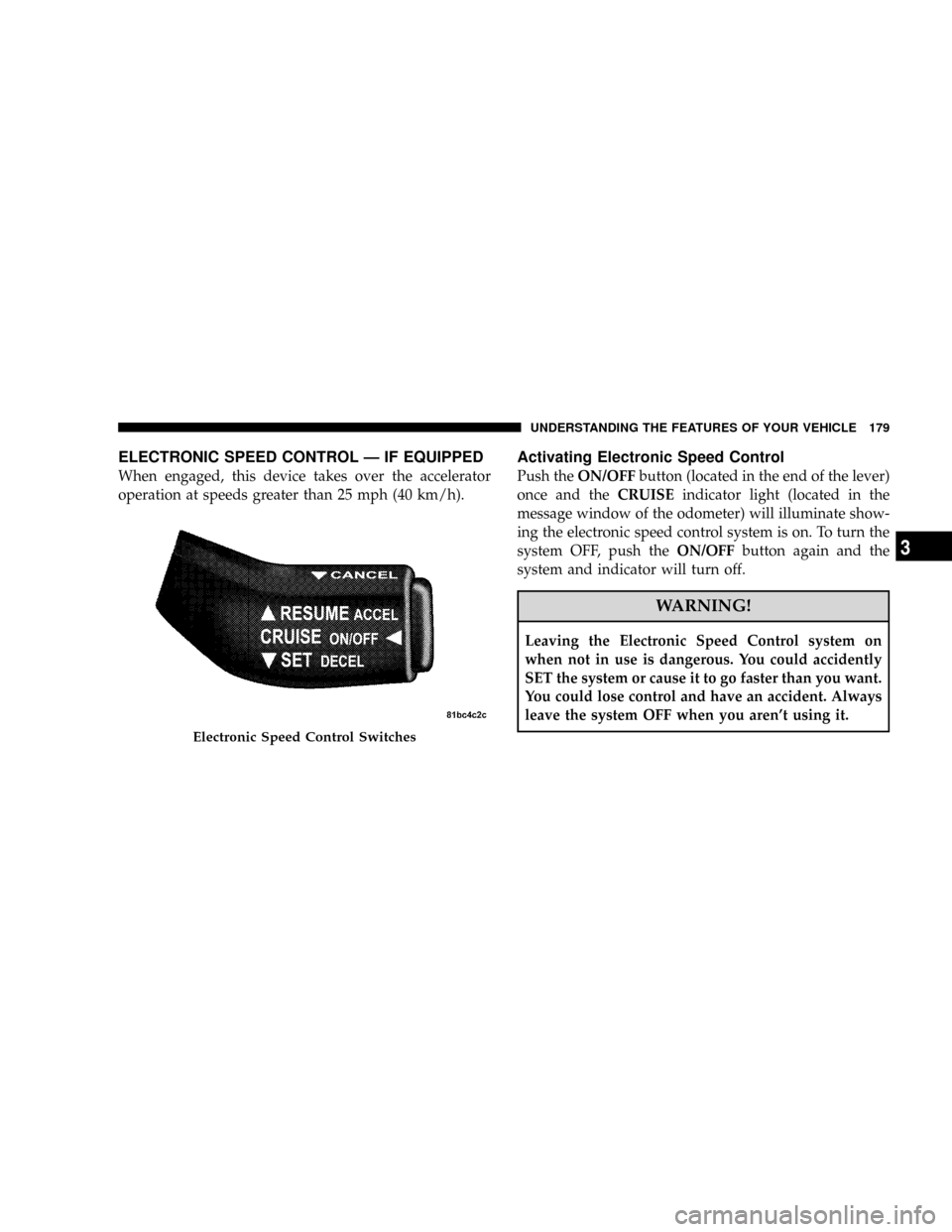
ELECTRONIC SPEED CONTROL Ð IF EQUIPPED
When engaged, this device takes over the accelerator
operation at speeds greater than 25 mph (40 km/h).
Activating Electronic Speed Control
Push theON/OFFbutton (located in the end of the lever)
once and theCRUISEindicator light (located in the
message window of the odometer) will illuminate show-
ing the electronic speed control system is on. To turn the
system OFF, push theON/OFFbutton again and the
system and indicator will turn off.
WARNING!
Leaving the Electronic Speed Control system on
when not in use is dangerous. You could accidently
SET the system or cause it to go faster than you want.
You could lose control and have an accident. Always
leave the system OFF when you aren't using it.
Electronic Speed Control Switches
UNDERSTANDING THE FEATURES OF YOUR VEHICLE 179
3
Page 183 of 531
NOTE:The Electronic Speed Control system has been
designed to shut down if multiple speed control switch
functions are operated simultaneously in order to ensure
proper operation. If this occurs, the system can be
reactivated by pushing the speed control switch ON/
OFF button and resetting the desired vehicle SET speed.
Accelerating To Pass
Depress the accelerator as you would normally. When the
pedal is released, the vehicle will return to the set speed.
NOTE:The speed control system maintains speed up
and down hills. A slight speed change on moderate hills
is normal.
Your vehicle may experience a downshift (automatic
transmissions only) while climbing uphill or descending
downhill. This downshift is necessary to maintain vehicle
set speed.On steep hills a greater speed loss or gain may occur so
it may be preferable to drive without speed control.
WARNING!
Speed Control can be dangerous where the system
can't maintain a constant speed. Your vehicle could
go too fast for the conditions, and you could lose
control. An accident could be the result. Don't use
Speed Control in heavy traffic or on roads that are
winding, icy, snow-covered, or slippery.
UNDERSTANDING THE FEATURES OF YOUR VEHICLE 181
3
Page 188 of 531
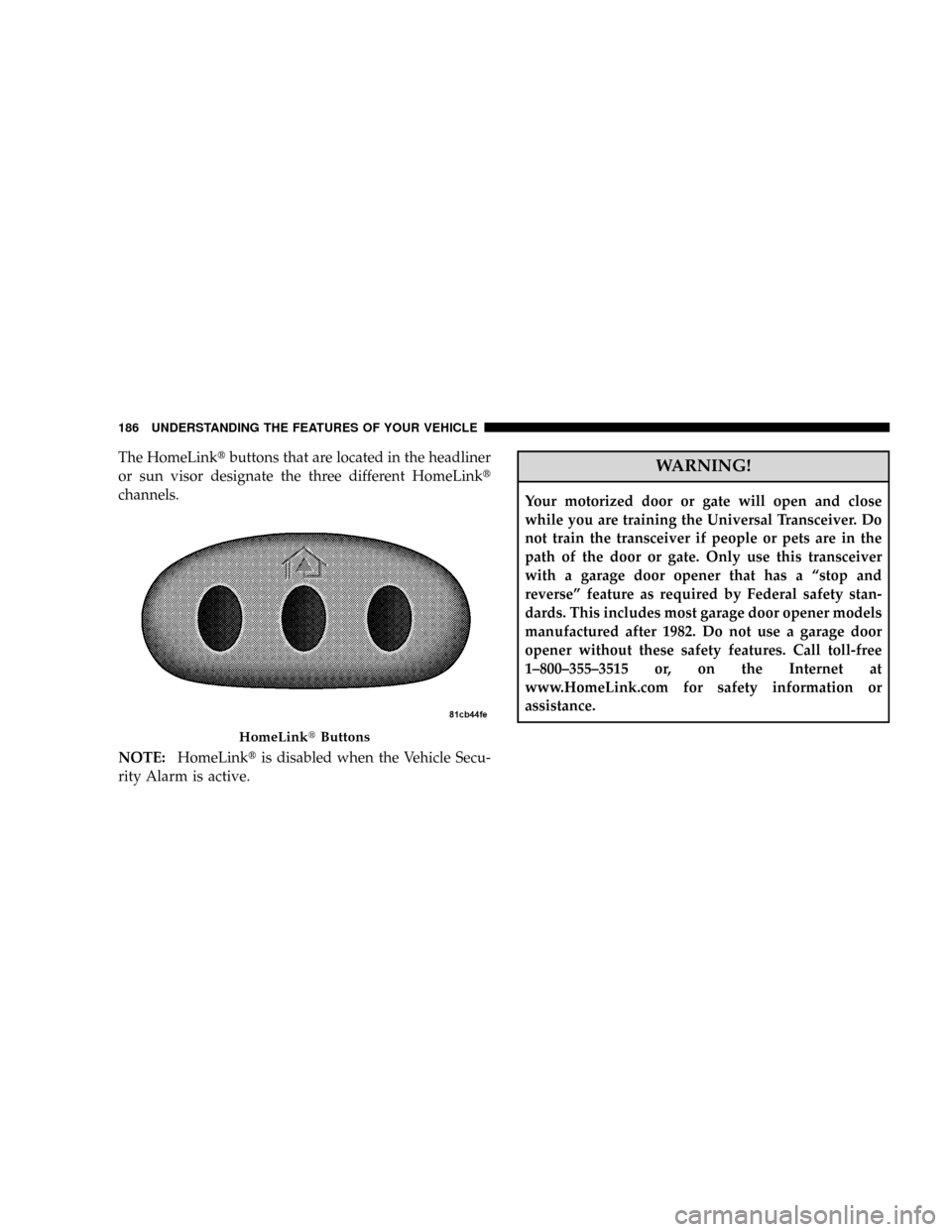
The HomeLinktbuttons that are located in the headliner
or sun visor designate the three different HomeLinkt
channels.
NOTE:HomeLinktis disabled when the Vehicle Secu-
rity Alarm is active.WARNING!
Your motorized door or gate will open and close
while you are training the Universal Transceiver. Do
not train the transceiver if people or pets are in the
path of the door or gate. Only use this transceiver
with a garage door opener that has a ªstop and
reverseº feature as required by Federal safety stan-
dards. This includes most garage door opener models
manufactured after 1982. Do not use a garage door
opener without these safety features. Call toll-free
1±800±355±3515 or, on the Internet at
www.HomeLink.com for safety information or
assistance.
HomeLinktButtons
186 UNDERSTANDING THE FEATURES OF YOUR VEHICLE
Page 189 of 531
WARNING!
Vehicle exhaust contains carbon monoxide, a danger-
ous gas. Do not run your vehicle in the garage while
training the transceiver. Exhaust gas can cause seri-
ous injury or death.
PROGRAMMING HOMELINKT
Before You Begin
If you have not trained any of the HomeLinktbuttons,
erase all channels before you begin training.
To do this, press and hold the two outside buttons for 20
seconds until the red indicator flashes.
It is recommended that a new battery be placed in the
hand-held transmitter of the device being programmed
to HomeLinktfor more efficient training and accurate
transmission of the radio-frequency signal.Your vehicle should be parked outside of the garage
when programming.
Begin Programming
1. Turn the ignition switch to the ON/RUN position.
2. Hold the battery side of the hand-held transmitter
away from the HomeLinktbutton you wish to program.
Place the hand-held transmitter 1 to 3 in (3 to 8 cm) away
from the HomeLinktbutton you wish to program while
keeping the indicator light in view.
3. Simultaneously press and hold both the chosen
HomeLinktbutton and the hand-held transmitter button
until the HomeLinktindicator changes from a slow to a
rapidly blinking light, then release both the HomeLinkt
and hand-held transmitter buttons.
UNDERSTANDING THE FEATURES OF YOUR VEHICLE 187
3
Page 194 of 531
2. This device must accept any interference that may be
received including interference that may cause undesired
operation.
NOTE:The transmitter has been tested and it complies
with FCC and IC rules. Changes or modifications not
expressly approved by the party responsible for compli-
ance could void the user 's authority to operate the
device.
The term IC before the certification/registration number
only signifies that Industry Canada technical specifica-
tions were met.
POWER SUNROOF Ð IF EQUIPPED
The power sunroof control switch is located in the front
overhead console.
The sunroof panel tilts upward at the rear for ventilation
or slides rearward under the roof.
Power Sunroof Operation
Opening the Sunroof Manually
Press the switch rearward and hold, and the sunroof will
open automatically from any position. The sunroof will
open fully, then stop automatically. During this opera-
tion, any release of the sunroof switch will stop the
sunroof.
WARNING!
In an accident, there is greater risk of being thrown
from a vehicle with an open sunroof. You could also
be seriously injured or killed. Always fasten your
seat belt properly and make sure all passengers are
properly secured too.
192 UNDERSTANDING THE FEATURES OF YOUR VEHICLE
Page 195 of 531
Closing the Sunroof Manually
To close the sunroof from an open or vent position, press
and hold the switch forward. The sunroof will close fully
and stop automatically. Release the switch to stop sun-
roof travel at any point.
Sunroof Sunshade Operation
The sunroof sunshade can be opened manually. How-
ever, the sunshade will open automatically as the sunroof
opens.
NOTE:The sunshade cannot be closed if the sunroof is
open.
WARNING!
Never leave children in a vehicle, with the keys in
the ignition switch. Occupants, particularly unat-
tended children, can become entrapped by the power
sunroof while operating the power sunroof switch.
Such entrapment may result in serious injury or
death.
Express-Open
Press the switch rearward and release, and the sunroof
will open automatically from any position. The sunroof
will open fully, then stop automatically. This is called
Express-Open. During Express-Open operation, any
movement of the sunroof switch will stop the sunroof.
UNDERSTANDING THE FEATURES OF YOUR VEHICLE 193
3
Page 196 of 531
Express-Vent
Press and release the9V9button, and the sunroof will
automatically open to the vent position. This is called
Express-Vent.
Express-Close
Press the switch forward and release, and the sunroof
will close automatically from any position. The sunroof
will close fully, then stop automatically. This is called
Express-Close. During Express-Close operation, any
movement of the sunroof switch will stop the sunroof.
WARNING!
Do not allow small children to operate the sunroof.
Never allow fingers or other body parts, or any object
to project through the sunroof opening. Injury may
result.
Ignition OFF Operation
The power sunroof switch will remain active for 10
minutes after the ignition switch is turned OFF. Opening
either front door will cancel this feature.
Auto-Express with Anti±Pinch Protection
During express closing, anytime an obstacle that restricts
glass movement is detected, the motor will stop and
reverse travel to avoid pinching the object.
Auto Express will stop and reverse travel up to three
times in succession. After the third time, Auto Express
will enter a manual operation mode. This allows the
operator to manually control the power switch in order to
close or open the sunroof in case of a malfunction.
Wind Buffeting
Wind buffeting can be described as the perception of
pressure on the ears or a helicopter type sound in the
ears. Your vehicle may exhibit wind buffeting with the
windows down, or the sunroof (if equipped) in certain
194 UNDERSTANDING THE FEATURES OF YOUR VEHICLE
Page 199 of 531
NOTE:
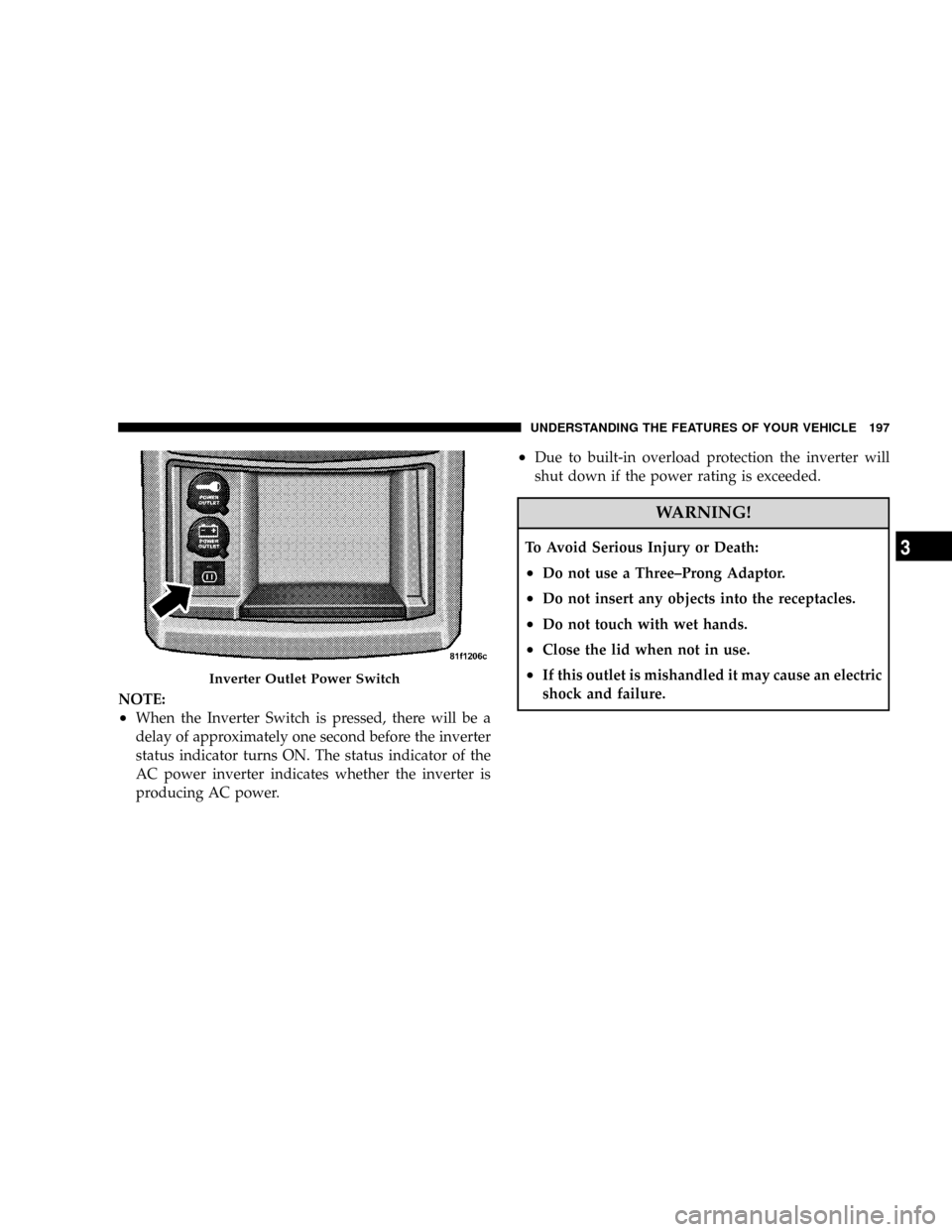
²When the Inverter Switch is pressed, there will be a
delay of approximately one second before the inverter
status indicator turns ON. The status indicator of the
AC power inverter indicates whether the inverter is
producing AC power.
²Due to built-in overload protection the inverter will
shut down if the power rating is exceeded.
WARNING!
To Avoid Serious Injury or Death:
²Do not use a Three±Prong Adaptor.
²Do not insert any objects into the receptacles.
²Do not touch with wet hands.
²Close the lid when not in use.
²If this outlet is mishandled it may cause an electric
shock and failure.Inverter Outlet Power Switch
UNDERSTANDING THE FEATURES OF YOUR VEHICLE 197
3
Page 205 of 531
²Slide the console base forward while lifting slightly to
clear the rear load floor hook.
²Remove the console.
To Reinstall The Basic Floor Console
²
Position the console at a slight angle (front slightly
higher than the rear.
²Slide the console rearward into the floor bracket/
hook.
²Align the console until the front anchor cup plug hole
is centered on the winch hole.
²Reinstall the clip first and then while pushing down-
ward on the console with slight pressure, reinstall the
cover plug.
²Pull up on the console to be sure it is firmly latched.
WARNING!
In an accident, serious injury could result if the
removable floor console is not properly installed.
Always be sure the removable floor console is fully
latched.
Premium Console ± If Equipped
The three-compartment console with sliding storage bin,
sliding upper tray with storage and large console storage
bin offers multiple configurations.
²Four cup holders can accept large cups or mugs with
handles or 20 oz (.6 L) plastic bottles. The cup holders
are dishwasher safe for cleaning. To remove, pull the
flexible liner from the cup holder drawer or tray;
starting at one edge. Refer to ªCleaning The Instru-
ment Panel Cup Holdersº in Section 7 for more
detailed information.
UNDERSTANDING THE FEATURES OF YOUR VEHICLE 203
3
Page 210 of 531
WARNING!
In an accident, serious injury could result if the
removable floor console is not properly installed.
Always be sure the removable floor console is fully
latched.
STORAGE
Glove Compartments
There are both upper and lower glove compartments.
Upper Glove Compartment
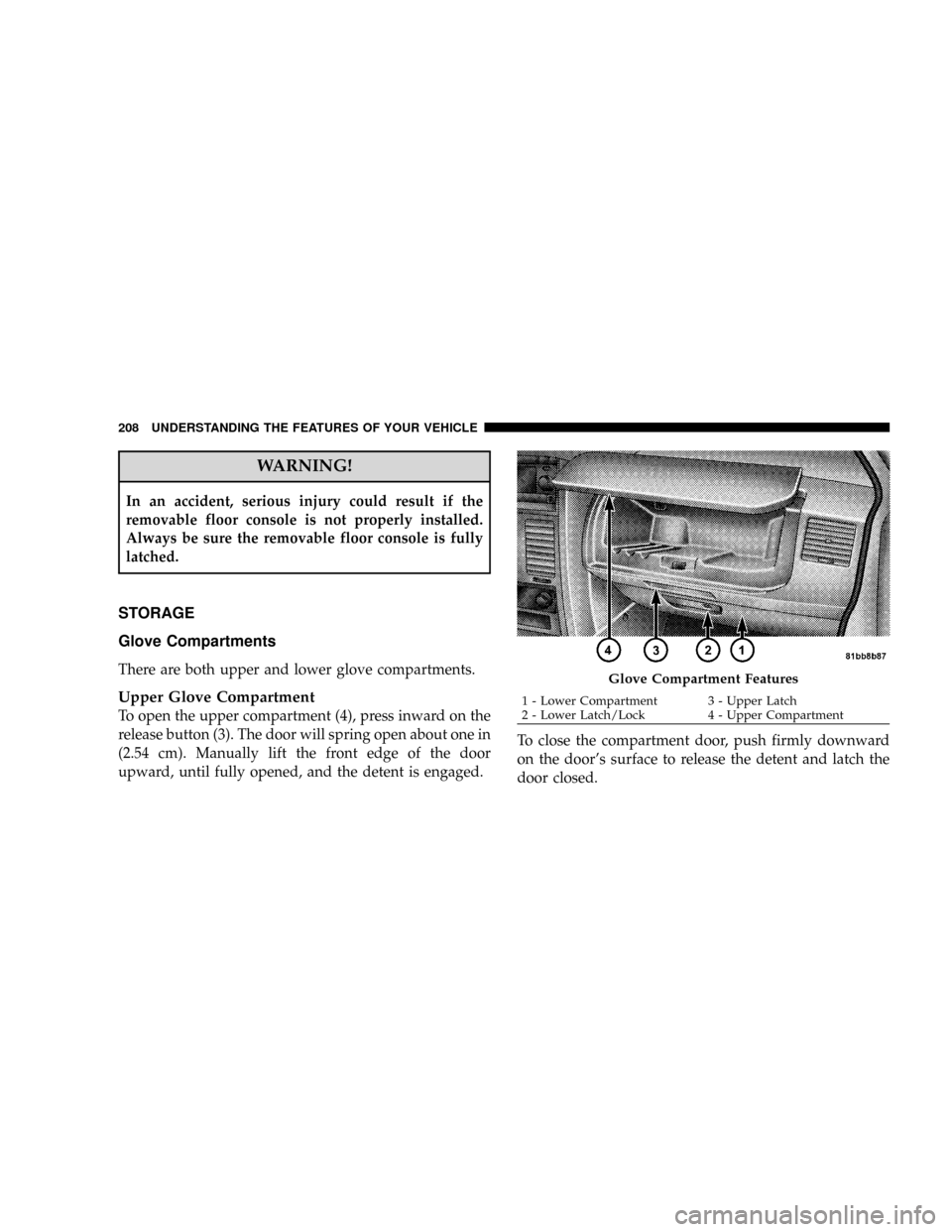
To open the upper compartment (4), press inward on the
release button (3). The door will spring open about one in
(2.54 cm). Manually lift the front edge of the door
upward, until fully opened, and the detent is engaged.To close the compartment door, push firmly downward
on the door's surface to release the detent and latch the
door closed.
Glove Compartment Features
1 - Lower Compartment 3 - Upper Latch
2 - Lower Latch/Lock 4 - Upper Compartment 208 UNDERSTANDING THE FEATURES OF YOUR VEHICLE