warning DODGE CHALLENGER 2015 3.G Owners Manual
[x] Cancel search | Manufacturer: DODGE, Model Year: 2015, Model line: CHALLENGER, Model: DODGE CHALLENGER 2015 3.GPages: 603, PDF Size: 14.97 MB
Page 236 of 603
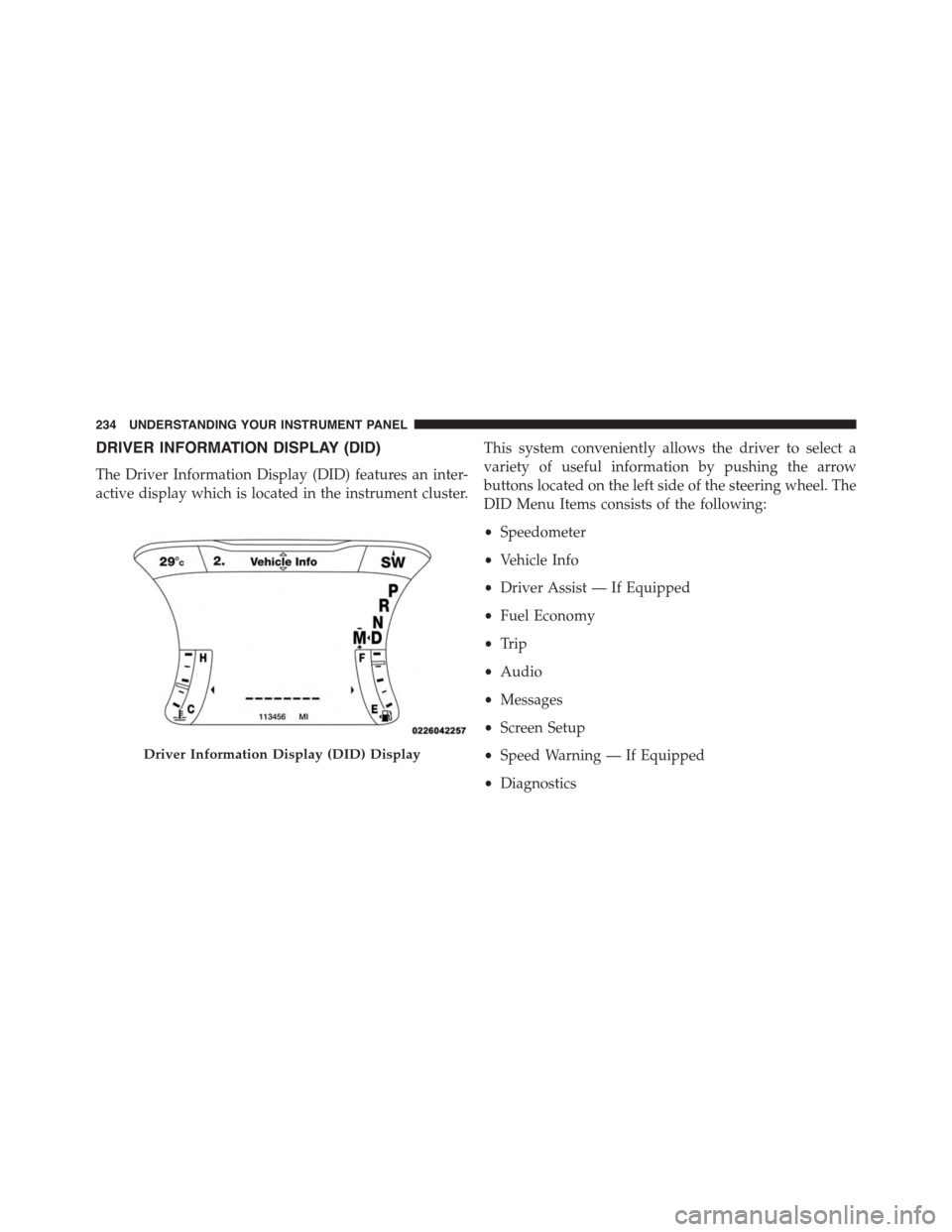
DRIVER INFORMATION DISPLAY (DID)
The Driver Information Display (DID) features an inter-
active display which is located in the instrument cluster.
This system conveniently allows the driver to select a
variety of useful information by pushing the arrow
buttons located on the left side of the steering wheel. The
DID Menu Items consists of the following:
•Speedometer
•Vehicle Info
•Driver Assist — If Equipped
•Fuel Economy
•Trip
•Audio
•Messages
•Screen Setup
•Speed Warning — If Equipped
•Diagnostics
Driver Information Display (DID) Display
234 UNDERSTANDING YOUR INSTRUMENT PANEL
Page 242 of 603
Engine Torque
Engine Power
NOTE:Depending on what your vehicles configuration,
the Performance Pages feature must be initially launched
in order to view certain gauges through the DID display.
Refer to “Uconnect Settings®” in this section for further
information.
Performance Features
WARNING!
Measurement of vehicle statistics with the Perfor-
mance Features is intended for off-highway or off-
road use only and should not be done on any public
roadways. It is recommended that these features be
used in a controlled environment and within the
limits of the law. The capabilities of the vehicle as
(Continued)
WARNING!(Continued)
measured by the performance pages must never be
exploited in a reckless or dangerous manner, which
can jeopardize the user ’s safety or the safety of
others. Only a safe, attentive, and skillful driver can
prevent accidents.
Refer to “Driver Information Display (DID)” in “ Under-
standing Your Instrument Panel” for Main Menu/Sub-
Menu selectable items and navigation.
This mode provides performance based suspension tun-
ing with improved handling and acceleration through an
electronic controlled dampening system. This system
reduces body roll and pitch in many driving situations
including cornering, acceleration and braking.
240 UNDERSTANDING YOUR INSTRUMENT PANEL
Page 249 of 603
•System Cancel
•Driver Override
•System Off
•ACC Proximity Warning
•ACC Unavailable Warning
•The DID will return to the last display selected after
five seconds of no ACC display activity.
For further information, refer to “Adaptive Cruise Con-
trol (ACC) — If Equipped” in “Understanding The
Features Of Your Vehicle”.
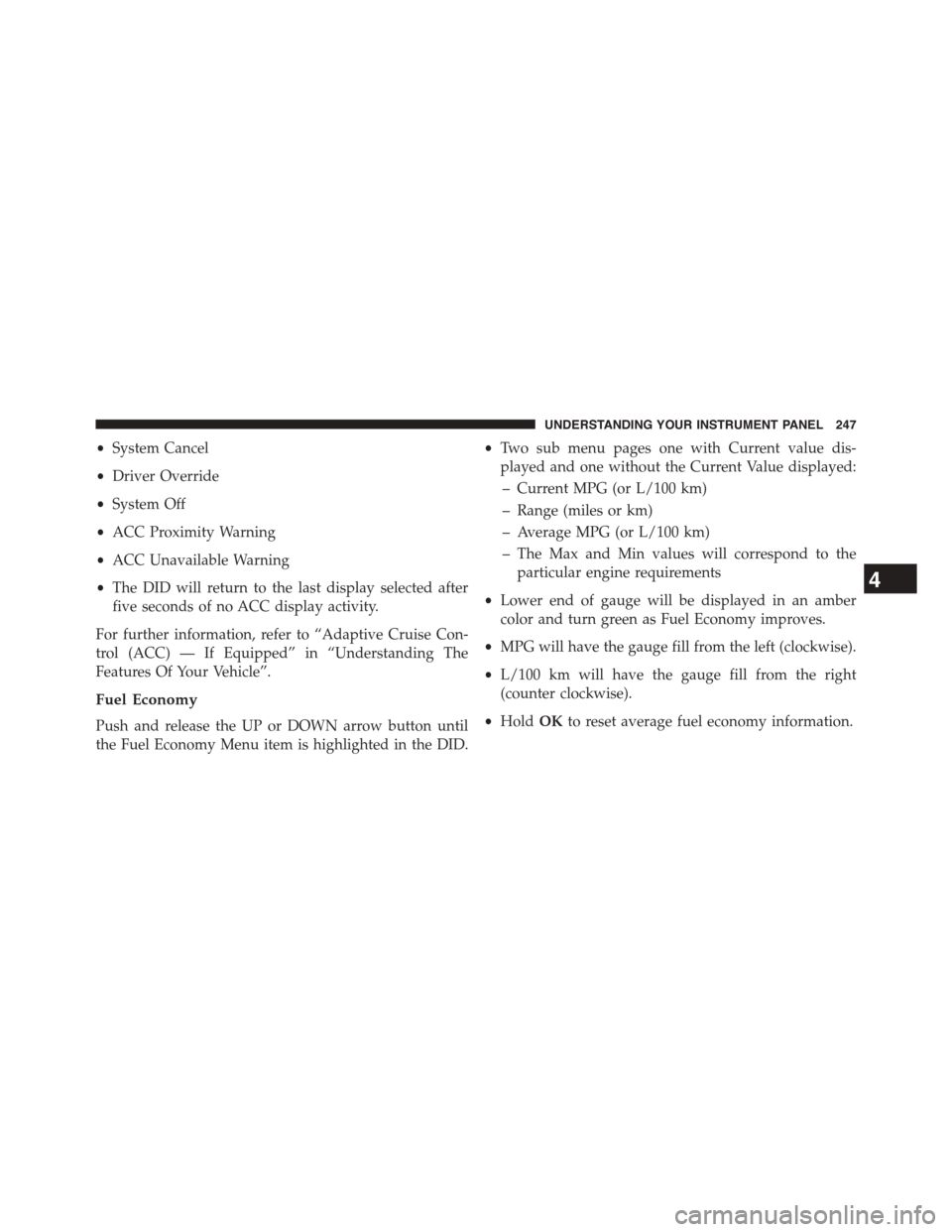
Fuel Economy
Push and release the UP or DOWN arrow button until
the Fuel Economy Menu item is highlighted in the DID.
•Two sub menu pages one with Current value dis-
played and one without the Current Value displayed:
– Current MPG (or L/100 km)
– Range (miles or km)
– Average MPG (or L/100 km)
– The Max and Min values will correspond to the
particular engine requirements
•Lower end of gauge will be displayed in an amber
color and turn green as Fuel Economy improves.
•MPG will have the gauge fill from the left (clockwise).
•L/100 km will have the gauge fill from the right
(counter clockwise).
•HoldOKto reset average fuel economy information.
4
UNDERSTANDING YOUR INSTRUMENT PANEL 247
Page 250 of 603
Trip Info
Push and release the UP or DOWN arrow button until
the Trip Menu item is highlighted in the DID (Toggle left
or right to select Trip A or Trip B). The Trip information
will display the following:
•Distance
•Average Fuel Economy
•Elapsed Time
Hold the OK button to reset feature information.
Audio
Push and release the UP or DOWN arrow button until
the Audio Menu displays in the DID.
Stored Messages
Push and release the UP or DOWN arrow button until
the Messages Menu item is highlighted in the DID. This
feature shows the number of stored warning messages.
Pushing the RIGHT arrow button will allow you to see
what the stored messages are.
Screen Setup
Push and release the UP or DOWN arrow button until
the Screen Setup Menu displays in the DID. Push and
release the OK button to enter the sub-menus. The Screen
Setup feature allows you to change what information is
displayed in the instrument cluster as well as the location
that information is displayed.
248 UNDERSTANDING YOUR INSTRUMENT PANEL
Page 258 of 603
the corresponding arrows above and below the current
date to adjust. Press the back arrow button/Done on the
touchscreen to return to the previous menu.
Safety/Assistance
After pressing the “Safety/Assistance” button on the
touchscreen the following settings will be available:
•Forward Collision Warning — If Equipped
The Front Collision Warning (FCW) feature provides an
audible and/or visual warning to potential forward
collisions. The feature can be can be set to Far, or set to
Near. The default status of FCW is the Far setting. This
means the system will warn you of a possible collision
with the vehicle in front of you when you are farther
away. This gives you the most reaction time. To change
the setting for more dynamic driving, select the Near
setting. This warns you of a possible collision when you
are much closer to the vehicle in front of you. To change
the FCW status, press and release the “Near” or “Far”
button. Press the back arrow/Done button on the touch-
screen to return to the previous menu.
For further information, refer to “Adaptive Cruise Con-
trol (ACC)” in “Understanding The Features Of Your
Vehicle.”
•Steering Feel Options — If Equipped
When your vehicle is not equipped with Performance
Control, the Steering Feel Options feature will allow you
to adjust the steering effort and feel. Press the “Sport”
button on the touchscreen to provide the greatest amount
of steering feel, requiring the highest amount of steering
effort. Press the “Normal” button on the touchscreen to
provide greater steering feel, requiring greater steering
effort. Press the “Comfort” button on the touchscreen to
provide a balance of steering feel and steering effort.
Press the back arrow/Done button on the touchscreen to
return to the previous menu.
256 UNDERSTANDING YOUR INSTRUMENT PANEL
Page 276 of 603
Safety & Driving Assistance
After pressing the “Safety & Driving Assistance” button
on the touchscreen the following settings will be avail-
able:
•Forward Collision Warning — If Equipped
The Front Collision Warning (FCW) feature provides an
audible and/or visual warning to potential forward
collisions. The feature can be can be set to Far, or set to
Near. The default status of FCW is the Far setting. This
means the system will warn you of a possible collision
with the vehicle in front of you when you are farther
away. This gives you the most reaction time. To change
the setting for more dynamic driving, select the Near
setting. This warns you of a possible collision when you
are much closer to the vehicle in front of you. To change
the FCW status, press and release the “Near” or “Far”
button. Then press the back arrow button on the touch-
screen.
For further information, refer to “Adaptive Cruise Con-
trol (ACC)” in “Understanding The Features Of Your
Vehicle”.
•Steering Feel Options — If Equipped
When your vehicle is not equipped with Performance
Control, the Steering Feel Options feature will allow you
to adjust the steering effort and feel. Press the “Sport”
button on the touchscreen to provide the greatest amount
of steering feel, requiring the highest amount of steering
effort. Press the “Normal” button on the touchscreen to
provide greater steering feel, requiring greater steering
effort. Press the “Comfort” button on the touchscreen to
provide a balance of steering feel and steering effort.
Press the back arrow button on the touchscreen to return
to the previous menu.
274 UNDERSTANDING YOUR INSTRUMENT PANEL
Page 289 of 603
WARNING!
Measurement of vehicle statistics with the Perfor-
mance Pages is intended for off-highway or off-road
use only and should not be done on any public
roadways. It is recommended that these features be
used in a controlled environment and within the
limits of the law. The capabilities of the vehicle as
measured by the Performance Pages must never be
exploited in a reckless or dangerous manner, which
can jeopardize the user ’s safety or the safety of
others. Only a safe, attentive, and skillful driver can
prevent accidents.
The Performance Pages include the following:
•Home
•Timers
•Digital Gauge 1
•Digital Gauge 2
•G-Force
•Engine Values
4
UNDERSTANDING YOUR INSTRUMENT PANEL 287
Page 299 of 603
driving behavior desired. The Performance Control fea-
ture is controlled through the Uconnect® radio and may
be accessed by performing any of the following:
•Pushing the Super Track Pack button on the instru-
ment panel switch bank.
•Selecting “Performance Control” from the “Apps”
menu.
•Selecting “Performance Control” from within the Per-
formance Pages menu.
You will be able to enable, disable, and customize the
functionality of the Launch Control and Drive Mode
Set-Up features within Performance Control.
Descriptions of these features are provided below. To
access information about the functionality of these fea-
tures through the Uconnect® system, press the “Info”
button on the touchscreen.
Launch Mode
WARNING!
Launch Mode is intended for off-highway or off-road
use only and should not be used on any public
roadways. It is recommended that this feature be
used in a controlled environment, and within the
limits of the law. The capabilities of the vehicle as
measured by the performance pages must never be
exploited in a reckless or dangerous manner, which
can jeopardize the user ’s safety or the safety of
others. Only a safe, attentive, and skillful driver can
prevent accidents.
4
UNDERSTANDING YOUR INSTRUMENT PANEL 297
Page 348 of 603
▫6.4L Engine..........................426
▫Reformulated Gasoline.................427
▫Gasoline/Oxygenate Blends..............427
▫E-85 Usage In Non-Flex Fuel Vehicles.......428
▫MMT In Gasoline.....................428
▫Materials Added To Fuel................429
▫Fuel System Cautions...................429
▫Carbon Monoxide Warnings.............430
!ADDING FUEL........................431
▫Fuel Filler Cap (Gas Cap)...............431
▫Loose Fuel Filler Cap Message............433
!VEHICLE LOADING....................433
▫Vehicle Certification Label...............433
▫Gross Vehicle Weight Rating (GVWR).......434
▫Gross Axle Weight Rating (GAWR).........434
▫Overloading.........................434
▫Loading............................435
!TRAILER TOWING.....................435
▫Common Towing Definitions.............436
▫Trailer Hitch Classification...............439
▫Trailer Towing Weights (Maximum Trailer Weight
Ratings)............................440
▫Trailer And Tongue Weight..............440
▫Towing Requirements..................441
▫Towing Tips.........................446
!RECREATIONAL TOWING (BEHIND
MOTORHOME, ETC.)...................448
▫Towing This Vehicle Behind Another Vehicle . .448
346 STARTING AND OPERATING
Page 349 of 603
STARTING PROCEDURES
Before starting your vehicle, adjust your seat, adjust the
inside and outside mirrors, fasten your seat belt, and if
present, instruct all other occupants to buckle their seat
belts.
WARNING!
•When leaving the vehicle, always remove the Key
Fob from the ignition and lock your vehicle.
•Never leave children alone in a vehicle, or with
access to an unlocked vehicle. Allowing children to
be in a vehicle unattended is dangerous for a
number of reasons. A child or others could be
seriously or fatally injured. Children should be
warned not to touch the parking brake, brake pedal
or the shift lever.
(Continued)
WARNING!(Continued)
•Do not leave the Key Fob in or near the vehicle (or
in a location accessible to children), and do not
leave the ignition of a vehicle equipped with
Keyless Enter-N-Go™ in the ACC or ON/RUN
mode. A child could operate power windows, other
controls, or move the vehicle.
Manual Transmission — If Equipped
Apply the parking brake, place the shift lever in NEU-
TRAL and press the clutch pedal before starting vehicle.
This vehicle is equipped with a clutch interlocking igni-
tion system. It will not start unless the clutch pedal is
pressed to the floor.
Normal Starting With Integrated Key — Manual
Transmission
Normal starting of either a cold or a warm engine does
not require pumping or pressing the accelerator pedal.
5
STARTING AND OPERATING 347