display DODGE CHALLENGER 2015 3.G User Guide
[x] Cancel search | Manufacturer: DODGE, Model Year: 2015, Model line: CHALLENGER, Model: DODGE CHALLENGER 2015 3.GPages: 603, PDF Size: 14.97 MB
Page 165 of 603
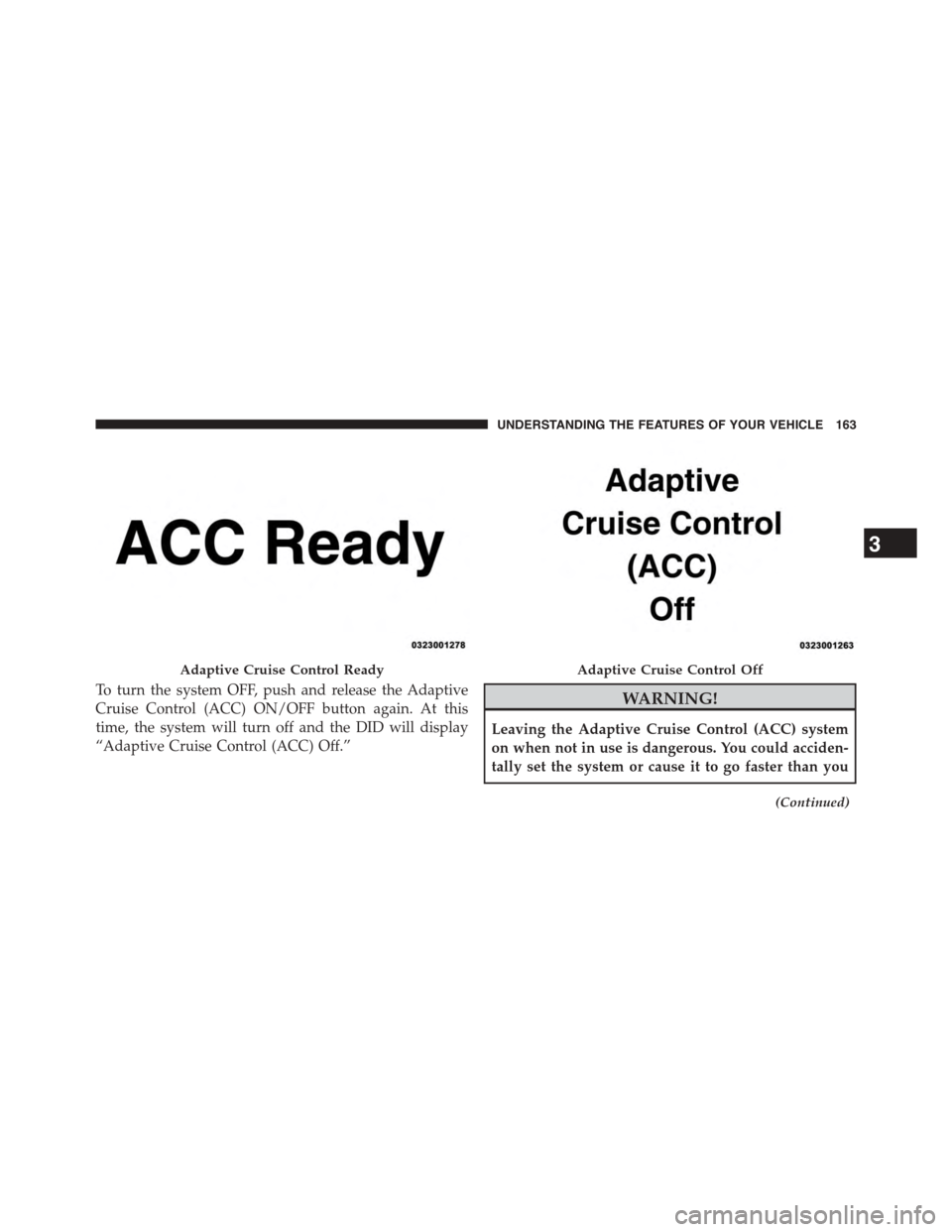
To turn the system OFF, push and release the Adaptive
Cruise Control (ACC) ON/OFF button again. At this
time, the system will turn off and the DID will display
“Adaptive Cruise Control (ACC) Off.”
WARNING!
Leaving the Adaptive Cruise Control (ACC) system
on when not in use is dangerous. You could acciden-
tally set the system or cause it to go faster than you
(Continued)
Adaptive Cruise Control ReadyAdaptive Cruise Control Off
3
UNDERSTANDING THE FEATURES OF YOUR VEHICLE 163
Page 166 of 603
WARNING!(Continued)
want. You could lose control and have a collision.
Always leave the system off when you are not using
it.
To Set A Desired ACC Speed
When the vehicle reaches the speed desired, push the
SET+button or the SET-button and release. The DID
will display the set speed.
If the system is Set when the vehicle speed is above
20 mph (32 km/h), the Set Speed shall be the current
speed of the vehicle.
Remove your foot from the accelerator pedal. If you do
not, the vehicle may continue to accelerate beyond the set
speed. If this occurs:
•The message “DRIVER OVERRIDE” will display in
the DID.
•The system will not be controlling the distance be-
tween your vehicle and the vehicle ahead. The vehicle
speed will only be determined by the position of the
accelerator pedal.
To Cancel
The following conditions cancel the system:
•The brake pedal is applied.
•The CANCEL button is pressed.
•The vehicle speed goes below 15 mph (25 km/h).
•An Anti-Lock Brake System (ABS) event occurs.
•The shift lever/gear selector is removed from the
Drive position.
•The Electronic Stability Control/Traction Control Sys-
tem (ESC/TCS) activates.
•The vehicle parking brake is applied.
164 UNDERSTANDING THE FEATURES OF YOUR VEHICLE
Page 167 of 603
•A Trailer Sway Control (TSC) event occurs.
•The driver switches ESC to full-off mode.
To Turn Off
The system will turn off and erase the set speed in
memory if:
•The Normal (Fixed Speed) Electronic Speed Control
ON/OFF button is pressed.
•The ignition is turned off.
•The Adaptive Cruise Control (ACC) On/Off button is
pressed.
To Resume
If there is a set speed in memory press the RES (resume)
button and then remove your foot from the accelerator
pedal. The DID will display the last set speed.
WARNING!
The Resume function should only be used if traffic
and road conditions permit. Resuming a set speed
that is too high or too low for prevailing traffic and
road conditions could cause the vehicle to accelerate
or decelerate too sharply for safe operation. Failure to
follow these warnings can result in a collision and
death or serious personal injury.
To Vary The Speed Setting
To Increase Speed
While ACC is set, you can increase the set speed by
pressing the SET+button.
3
UNDERSTANDING THE FEATURES OF YOUR VEHICLE 165
Page 169 of 603
Metric Speed (km/h)
•Pressing the SET-button once will result in a 1 km/h
decrease in set speed. Each subsequent tap of the
button results in a decrease of 1 km/h.
•If the button is continually pressed, the set speed will
continue to decrease in 10 km/h increments until the
button is released. The decrease in set speed is re-
flected in the DID.
NOTE:
•When you override and push the SET+button or SET
-buttons, the new Set Speed will be the current speed
of the vehicle.
•When you use the SET-button to decelerate, if the
engine’s braking power does not slow the vehicle
sufficiently to reach the set speed, the brake system
will automatically slow the vehicle.
•The ACC system applies the brake down to 15 mph
(24 km/h) when following a target vehicle.
•The ACC system maintains set speed when driving up
hill and down hill. However, a slight speed change on
moderate hills is normal. In addition, downshifting
may occur while climbing uphill or descending down-
hill. This is normal operation and necessary to main-
tain set speed. When driving up hill and down hill, the
ACC system will cancel if the braking temperature
exceeds normal range (overheated).
Setting The Following Distance In ACC
The specified following distance for ACC can be set by
varying the distance setting between four bars (longest),
three bars (long), two bars (medium) and one bar (short).
Using this distance setting and the vehicle speed, ACC
calculates and sets the distance to the vehicle ahead. This
distance setting displays in the DID.
3
UNDERSTANDING THE FEATURES OF YOUR VEHICLE 167
Page 172 of 603
To decrease the distance setting, press the Distance
Setting — Decrease button and release. Each time the
button is pressed, the distance setting decreases by one
bar (shorter).
If there is no vehicle ahead, the vehicle will maintain the
set speed. If a slower moving vehicle is detected in the
same lane, the DID displays the “Sensed Vehicle Indica-
tor” icon, and the system adjusts vehicle speed automati-
cally to maintain the distance setting, regardless of the set
speed.
The vehicle will then maintain the set distance until:
•The vehicle ahead accelerates to a speed above the set
speed.
•The vehicle ahead moves out of your lane or view of
the sensor.
•The distance setting is changed.
•The system disengages. (Refer to the information on
ACC Activation).
The maximum braking applied by ACC is limited; how-
ever, the driver can always apply the brakes manually, if
necessary.
NOTE:The brake lights will illuminate whenever the
ACC system applies the brakes.
A Proximity Warning will alert the driver if ACC predicts
that its maximum braking level is not sufficient to
maintain the set distance. If this occurs, a visual alert
“BRAKE” will flash in the DID and a chime will sound
while ACC continues to apply its maximum braking
capacity.
170 UNDERSTANDING THE FEATURES OF YOUR VEHICLE
Page 174 of 603
Adaptive Cruise Control (ACC) Menu
The DID displays the current ACC system settings. The
DID is located in the center of the instrument cluster. The
information it displays depends on ACC system status.
Press the ADAPTIVE CRUISE CONTROL (ACC) ON/
OFF button (located on the steering wheel) until one of
the following displays in the DID:
Adaptive Cruise Control Off
When ACC is deactivated, the display will read “Adap-
tive Cruise Control Off.”
Adaptive Cruise Control Ready
When ACC is activated but the vehicle speed setting has
not been selected, the display will read “Adaptive Cruise
Control Ready.”
Press the SET + or the SET- button (located on the
steering wheel) and the following will display in the DID:
ACC SET
When ACC is set, the set speed will display in the
instrument cluster.
The ACC screen may display once again if any ACC
activity occurs, which may include any of the following:
•Distance Setting Change
•System Cancel
•Driver Override
•System Off
•ACC Proximity Warning
•ACC Unavailable Warning
•The DID will return to the last display selected after
five seconds of no ACC display activity
172 UNDERSTANDING THE FEATURES OF YOUR VEHICLE
Page 175 of 603
Display Warnings And Maintenance
“Wipe Front Radar Sensor In Front Of Vehicle”
Warning
The “ACC/FCW Unavailable Wipe Front Radar Sensor”
warning will display and also a chime will indicate when
conditions temporarily limit system performance.
This most often occurs at times of poor visibility, such as
in snow or heavy rain. The ACC system may also become
temporarily blinded due to obstructions, such as mud,
dirt or ice. In these cases, the DID will display “ACC/
FCW Unavailable Wipe Front Radar Sensor” and the
system will deactivate.
The “ACC/FCW Unavailable Wipe Front Radar Sensor”
message can sometimes be displayed while driving in
highly reflective areas (i.e. tunnels with reflective tiles, or
ice and snow). The ACC system will recover after the
vehicle has left these areas. Under rare conditions, when
the radar is not tracking any vehicles or objects in its path
this warning may temporarily occur.
NOTE:If the “ACC/FCW Unavailable Wipe Front Radar
Sensor” warning is active Normal (Fixed Speed) Cruise
Control is still available. For additional information refer
to “Normal (Fixed Speed) Cruise Control Mode” in this
section.
If weather conditions are not a factor, the driver should
examine the sensor. It may require cleaning or removal of
an obstruction. The sensor is located in the center of the
vehicle behind the lower grille.
To keep the ACC System operating properly, it is impor-
tant to note the following maintenance items:
•Always keep the sensor clean. Carefully wipe the
sensor lens with a soft cloth. Be cautious not to damage
the sensor lens.
3
UNDERSTANDING THE FEATURES OF YOUR VEHICLE 173
Page 176 of 603
•Do not remove any screws from the sensor. Doing so
could cause an ACC system malfunction or failure and
require a sensor realignment.
•If the sensor or front end of the vehicle is damaged due
to a collision, see your authorized dealer for service.
•Do not attach or install any accessories near the sensor,
including transparent material or aftermarket grilles.
Doing so could cause an ACC system failure or
malfunction.
When the condition that deactivated the system is no
longer present, the system will return to the “Adaptive
Cruise Control Off” state and will resume function by
simply reactivating it.
NOTE:
•If the “ACC/FCW Unavailable Wipe Front Radar
Sensor” message occurs frequently (e.g. more than
once on every trip) without any snow, rain, mud, or
other obstruction, have the radar sensor realigned at
your authorized dealer.
•Installing a snow plow, front-end protector, an after-
market grille or modifying the grille is not recom-
mended. Doing so may block the sensor and inhibit
ACC/FCW operation.
Service ACC/FCW Warning
If the system turns off, and the DID displays “ACC/FCW
Unavailable Service Required”or “Cruise/FCW Unavail-
able Service Required”, there may be an internal system
fault or a temporary malfunction that limits ACC func-
tionality. Although the vehicle is still drivable under
normal conditions, ACC will be temporarily unavailable.
174 UNDERSTANDING THE FEATURES OF YOUR VEHICLE
Page 183 of 603
•If the button is continually pressed, the set speed will
continue to increase in 5 mph increments until the
button is released. The increase in set speed is reflected
in the DID display.
To Decrease Speed
When the Normal (Fixed Speed) Cruise Control is set,
you can decrease speed by pressing the SET-button.
The speed decrement shown is dependant on the speed
of U.S. (mph) or Metric (km/h) units:
U.S. Speed (mph)
•Pressing the SET-button once will result ina1mph
decrease in set speed. Each subsequent tap of the
button results in a decrease of 1 mph.
•If the button is continually pressed, the set speed will
continue to decrease in 5 mph increments until the
button is released. The decrease in set speed is re-
flected in the DID display.
Metric Speed (km/h)
•Pressing the SET-button once will result in a 1 km/h
decrease in set speed. Each subsequent tap of the
button results in a decrease of 1 km/h.
•If the button is continually pressed, the set speed will
continue to decrease in 10 km/h increments until the
button is released. The decrease in set speed is re-
flected in the DID display.
3
UNDERSTANDING THE FEATURES OF YOUR VEHICLE 181
Page 186 of 603
NOTE:
•The minimum speed for FCW activation is 5 mph
(10 km/h).
•The FCW alerts may be triggered on objects other than
vehicles such as guard rails or sign posts based on the
course prediction. This is expected and is a part of
normal FCW activation and functionality.
•The FCW system is intended for on-road use only. If
the vehicle is taken off-road, the FCW system should
be deactivated to prevent unnecessary warnings to the
surroundings.
WARNING!
Forward Collision Warning (FCW) is not intended to
avoid a collision on its own, nor can FCW detect
every type of potential collision. The driver has the
(Continued)
WARNING!(Continued)
responsibility to avoid a collision by controlling the
vehicle via braking and steering. Failure to follow
this warning could lead to serious injury or death.
Turning FCW ON Or OFF
NOTE:The default status of FCW is “On”, this allows
the system to warn you of a possible collision with the
vehicle in front of you.
The forward collision button is located on the switch
panel below the Uconnect® display.
To turn the FCW system OFF, press the forward collision
button once to turn the system OFF (led turns on).
To turn the FCW system back ON, press the forward
collision button again to turn the system ON (led turns
off).
184 UNDERSTANDING THE FEATURES OF YOUR VEHICLE