radio DODGE CHALLENGER 2015 3.G User Guide
[x] Cancel search | Manufacturer: DODGE, Model Year: 2015, Model line: CHALLENGER, Model: DODGE CHALLENGER 2015 3.GPages: 603, PDF Size: 14.97 MB
Page 149 of 603
Interior Light Defeat (OFF)
Rotate the left dimmer control to the extreme bottom
“OFF” position. The interior lights will remain off when
the doors are open.
Parade Mode (Daytime Brightness Feature)
Rotate the instrument panel dimmer control upward to
the first detent. This feature brightens all text displays
such as the odometer, Driver Information Display (DID),
and radio when the position lights or headlights are on.
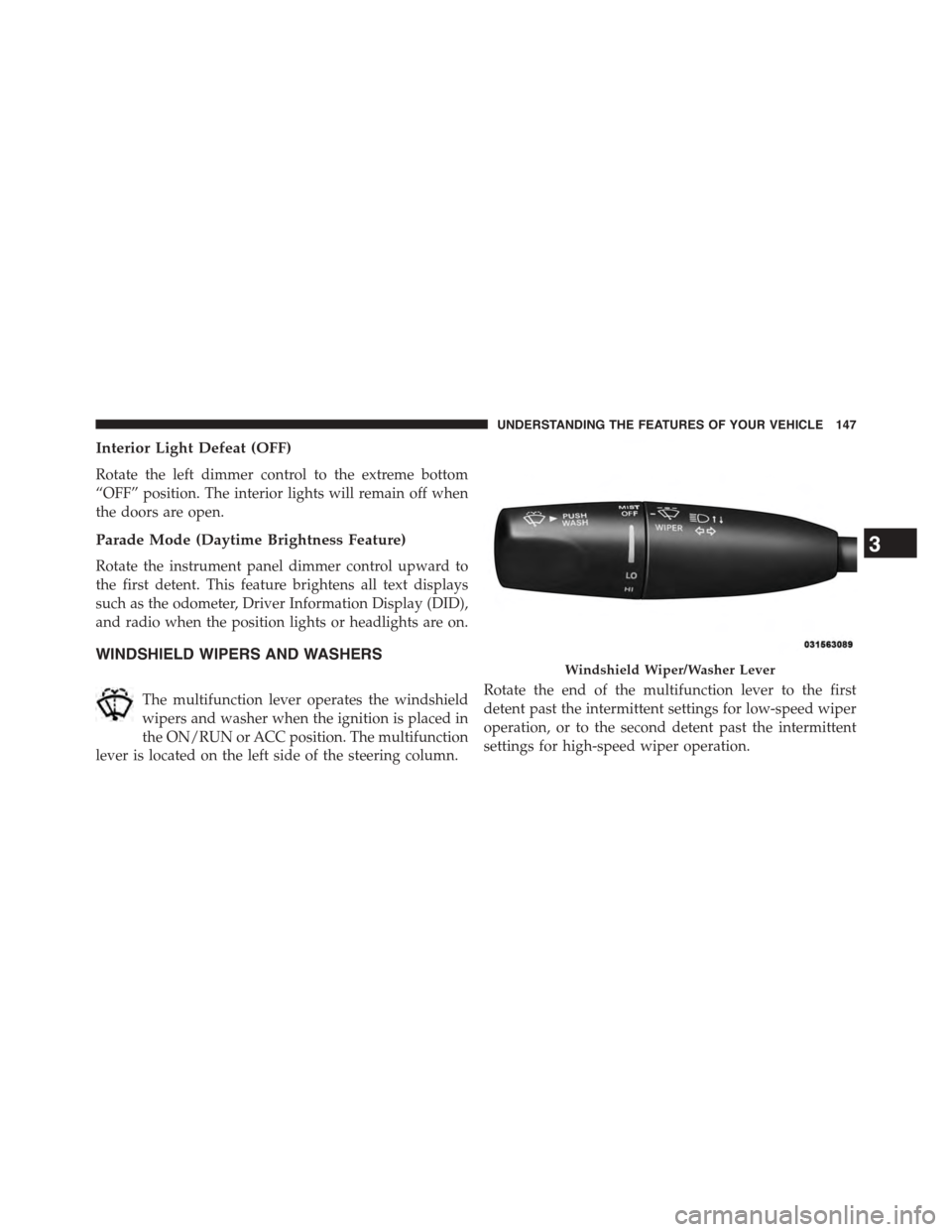
WINDSHIELD WIPERS AND WASHERS
The multifunction lever operates the windshield
wipers and washer when the ignition is placed in
the ON/RUN or ACC position. The multifunction
lever is located on the left side of the steering column.
Rotate the end of the multifunction lever to the first
detent past the intermittent settings for low-speed wiper
operation, or to the second detent past the intermittent
settings for high-speed wiper operation.
Windshield Wiper/Washer Lever
3
UNDERSTANDING THE FEATURES OF YOUR VEHICLE 147
Page 181 of 603
General Information
This vehicle has systems that operate on radio frequency
that comply with Part 15 of the Federal Communications
Commission (FCC) rules and with Industry Canada
Standards RSS- GEN/210/220/310.
Operation is subject to the following two conditions:
1. The device may not cause harmful interference.
2. The device must accept any interference received,
including interference that may cause undesired op-
eration of the device.
Changes or modifications to any of these systems by
other than an authorized service facility could void
authorization to use this equipment.
Normal (Fixed Speed) Electronic Speed Control
Mode
In addition to Adaptive Cruise Control mode, a Normal
(Fixed Speed) Electronic Speed Control mode is available
for cruising at fixed speeds. The Normal (Fixed Speed)
Electronic Speed Control mode is designed to maintain a
set cruising speed without requiring the driver to operate
the accelerator. Electronic Speed Control can only be
operated if the vehicle speed is above 20 mph (32 km/h).
To change between the different control modes, press the
ADAPTIVE CRUISE CONTROL (ACC) ON/OFF button
which turns the ACC and the NORMAL (Fixed Speed)
ELECTRONIC SPEED CONTROL OFF. Pressing of the
NORMAL (Fixed Speed) ELECTRONIC SPEED CON-
TROL ON/OFF button will result in turning ON (chang-
ing to) the Normal (Fixed Speed) Electronic Speed Con-
trol mode.
3
UNDERSTANDING THE FEATURES OF YOUR VEHICLE 179
Page 193 of 603
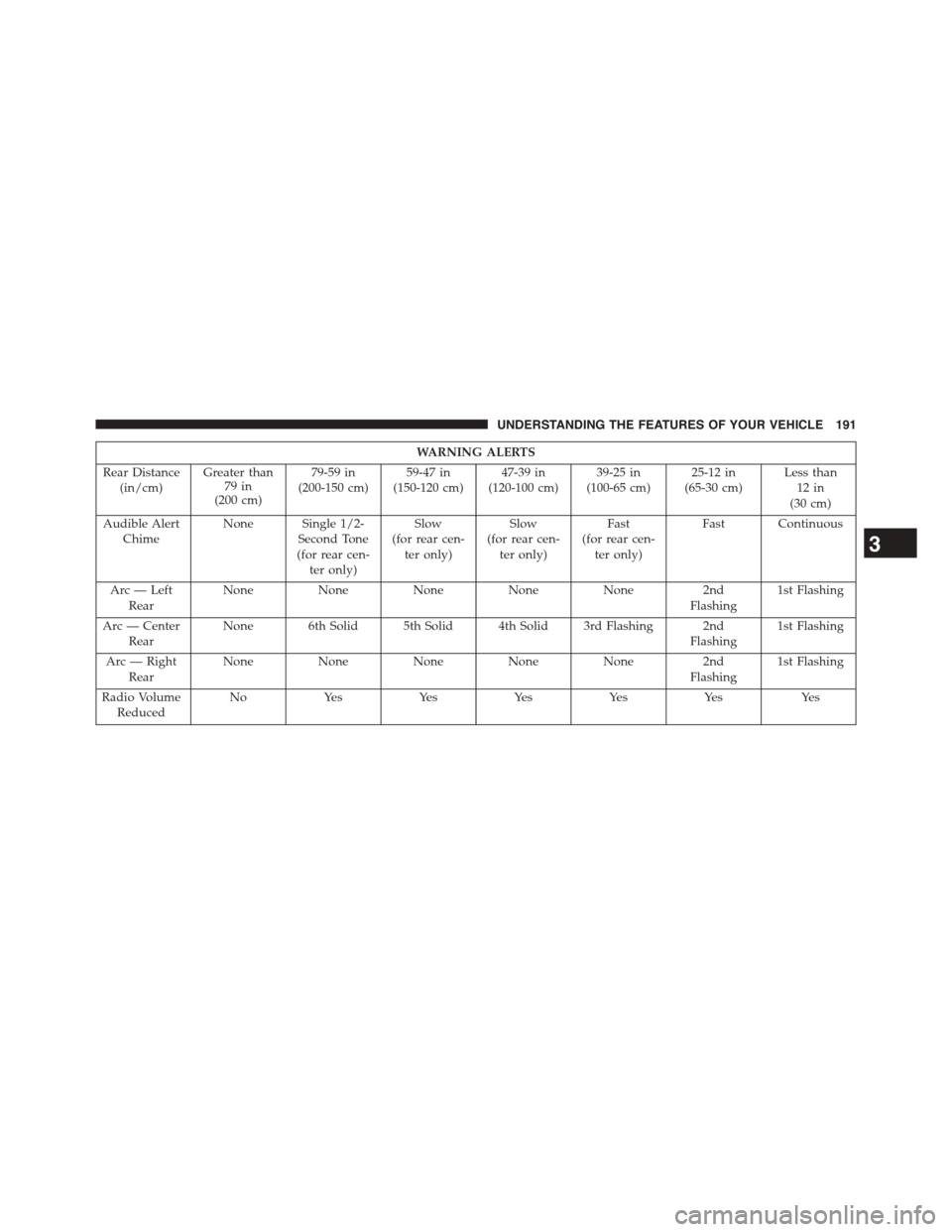
WA R N I N G A L E RT S
Rear Distance(in/cm)Greater than79 in(200 cm)
79-59 in(200-150 cm)59-47 in(150-120 cm)47-39 in(120-100 cm)39-25 in(100-65 cm)25-12 in(65-30 cm)Less than12 in(30 cm)
Audible AlertChimeNone Single 1/2-Second Tone(for rear cen-ter only)
Slow(for rear cen-ter only)
Slow(for rear cen-ter only)
Fast(for rear cen-ter only)
Fast Continuous
Arc — LeftRearNoneNoneNoneNoneNone2ndFlashing1st Flashing
Arc — CenterRearNone 6th Solid 5th Solid 4th Solid 3rd Flashing 2ndFlashing1st Flashing
Arc — RightRearNoneNoneNoneNoneNone2ndFlashing1st Flashing
Radio VolumeReducedNoYesYesYesYesYesYes
3
UNDERSTANDING THE FEATURES OF YOUR VEHICLE 191
Page 196 of 603
•When you move the shift lever to the REVERSE
position and ParkSense® is turned off, the Driver
Information Display (DID) will display “PARKSENSE
OFF” message for as long as the vehicle is in RE-
VERSE.
•ParkSense® will reduce the volume of the radio when
it is sounding an audio tone.
•Clean the ParkSense® sensors regularly, taking care
not to scratch or damage them. The sensors must not
be covered with ice, snow, slush, mud, dirt or debris.
Failure to do so can result in the system not working
properly. The ParkSense® system might not detect an
obstacle behind the fascia/bumper, or it could provide
a false indication that an obstacle is behind the fascia/
bumper.
•Ensure the ParkSense® system is OFF if objects such as
bicycle carriers, trailer hitches, etc., are placed within
12 inches 30 (cm) from the rear fascia/bumper. Failure
to do so can result in the system misinterpreting a
close object as a sensor problem, causing the
“PARKSENSE UNAVAILABLE SERVICE REQUIRED”
message to be displayed in the Driver Information
Display (DID).
CAUTION!
•ParkSense® is only a parking aid and it is unable to
recognize every obstacle, including small obstacles.
Parking curbs might be temporarily detected or not
detected at all. Obstacles located above or below
the sensors will not be detected when they are in
close proximity.
•The vehicle must be driven slowly when using
ParkSense® in order to be able to stop in time
when an obstacle is detected. It is recommended
that the driver looks over his/her shoulder when
using ParkSense®.
194 UNDERSTANDING THE FEATURES OF YOUR VEHICLE
Page 202 of 603
Before You Begin Programming HomeLink®
Be sure that your vehicle is parked outside of the garage
before you begin programming.
For more efficient programming and accurate transmis-
sion of the radio-frequency signal it is recommended that
a new battery be placed in the hand-held transmitter of
the device that is being programmed to the HomeLink®
system.
To erase the channels place the ignition in the ON/RUN
position and push and hold the two outside HomeLink®
buttons (I and III) for up 20 seconds or until the red
indicator flashes.
NOTE:
•Erasing all channels should only be performed when
programming HomeLink® for the first time. Do not
erase channels when programming additional buttons.
•If you have any problems, or require assistance, please
call toll-free 1-800-355-3515 or, on the Internet at
HomeLink.comfor information or assistance.
Programming A Rolling Code
For programming garage door openers that were manu-
factured after 1995. These garage door openers can be
identified by the “LEARN” or “TRAIN” button located
where the hanging antenna is attached to the garage door
opener. It is NOT the button that is normally used to
open and close the door. The name and color of the
button may vary by manufacturer.
200 UNDERSTANDING THE FEATURES OF YOUR VEHICLE
Page 206 of 603
Canadian/Gate Operator Programming
For programming transmitters in Canada/United States
that require the transmitter signals to “time-out” after
several seconds of transmission.
Canadian radio frequency laws require transmitter sig-
nals to time-out (or quit) after several seconds of trans-
mission – which may not be long enough for HomeLink®
to pick up the signal during programming. Similar to this
Canadian law, some U.S. gate operators are designed to
time-out in the same manner.
It may be helpful to unplug the device during the cycling
process to prevent possible overheating of the garage
door or gate motor.
1. Cycle the ignition to the ON/RUN position.
2. Place the hand-held transmitter 1 to 3 inches (3 to 8
cm) away from the HomeLink® button you wish to
program while keeping the HomeLink® indicator
light in view.
3. Continue to push and hold the HomeLink® button,
while you push and release (“cycle”) your hand-held
transmitter every two seconds until HomeLink® has
successfully accepted the frequency signal. The indi-
cator light will flash slowly and then rapidly when
fully trained.
4. Watch for the HomeLink® indicator to change flash
rates. When it changes, it is programmed. It may take
up to 30 seconds or longer in rare cases. The garage
door may open and close while you are programming.
5. Push and hold the programmed HomeLink® button
and observe the indicator light.
204 UNDERSTANDING THE FEATURES OF YOUR VEHICLE
Page 221 of 603
UNDERSTANDING YOUR INSTRUMENT PANEL
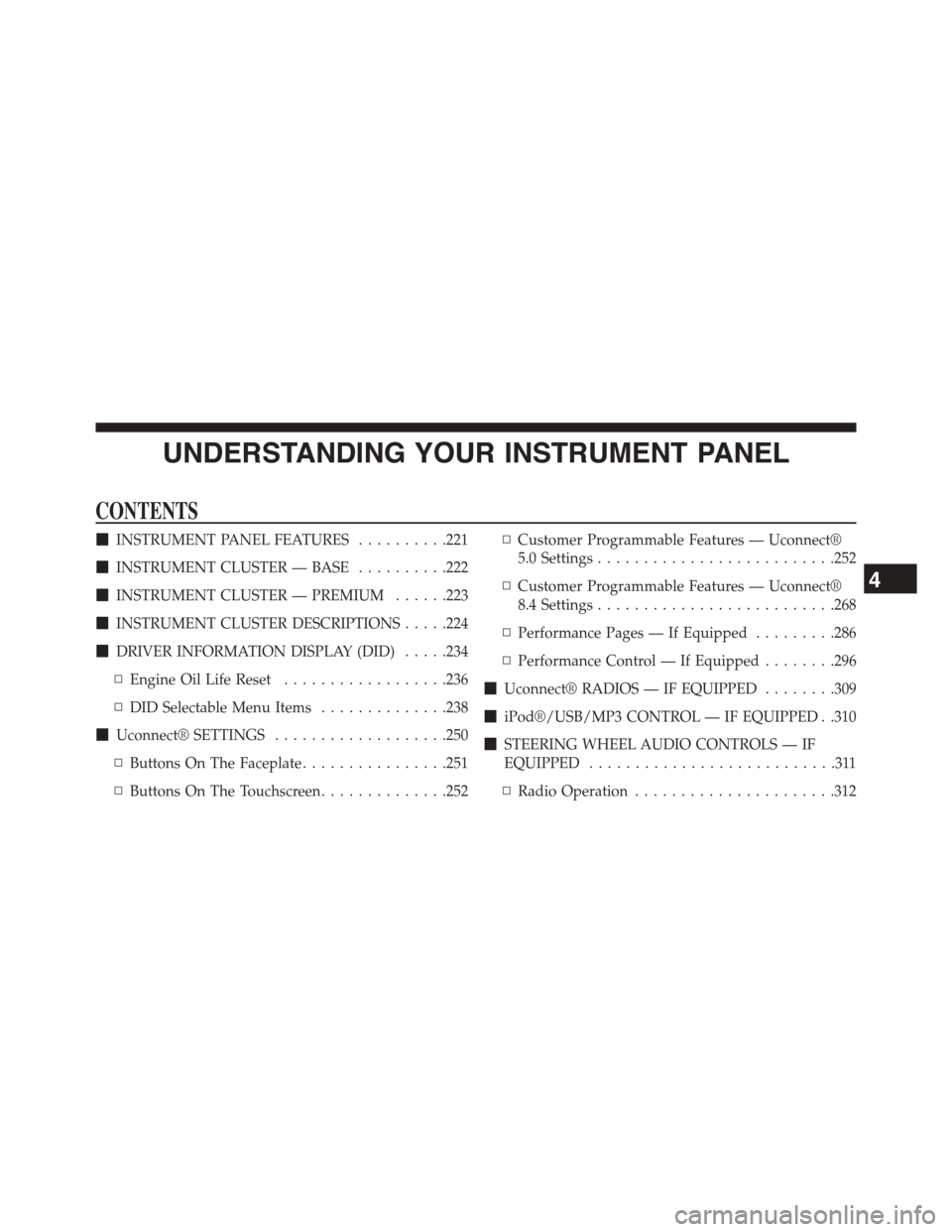
CONTENTS
!INSTRUMENT PANEL FEATURES..........221
!INSTRUMENT CLUSTER — BASE..........222
!INSTRUMENT CLUSTER — PREMIUM......223
!INSTRUMENT CLUSTER DESCRIPTIONS.....224
!DRIVER INFORMATION DISPLAY (DID).....234
▫Engine Oil Life Reset..................236
▫DID Selectable Menu Items..............238
!Uconnect® SETTINGS...................250
▫Buttons On The Faceplate................251
▫Buttons On The Touchscreen..............252
▫Customer Programmable Features — Uconnect®
5.0 Settings..........................252
▫Customer Programmable Features — Uconnect®
8.4 Settings..........................268
▫Performance Pages — If Equipped.........286
▫Performance Control — If Equipped........296
!Uconnect® RADIOS — IF EQUIPPED........309
!iPod®/USB/MP3 CONTROL — IF EQUIPPED . .310
!STEERING WHEEL AUDIO CONTROLS — IF
EQUIPPED...........................311
▫Radio Operation......................312
4
Page 222 of 603
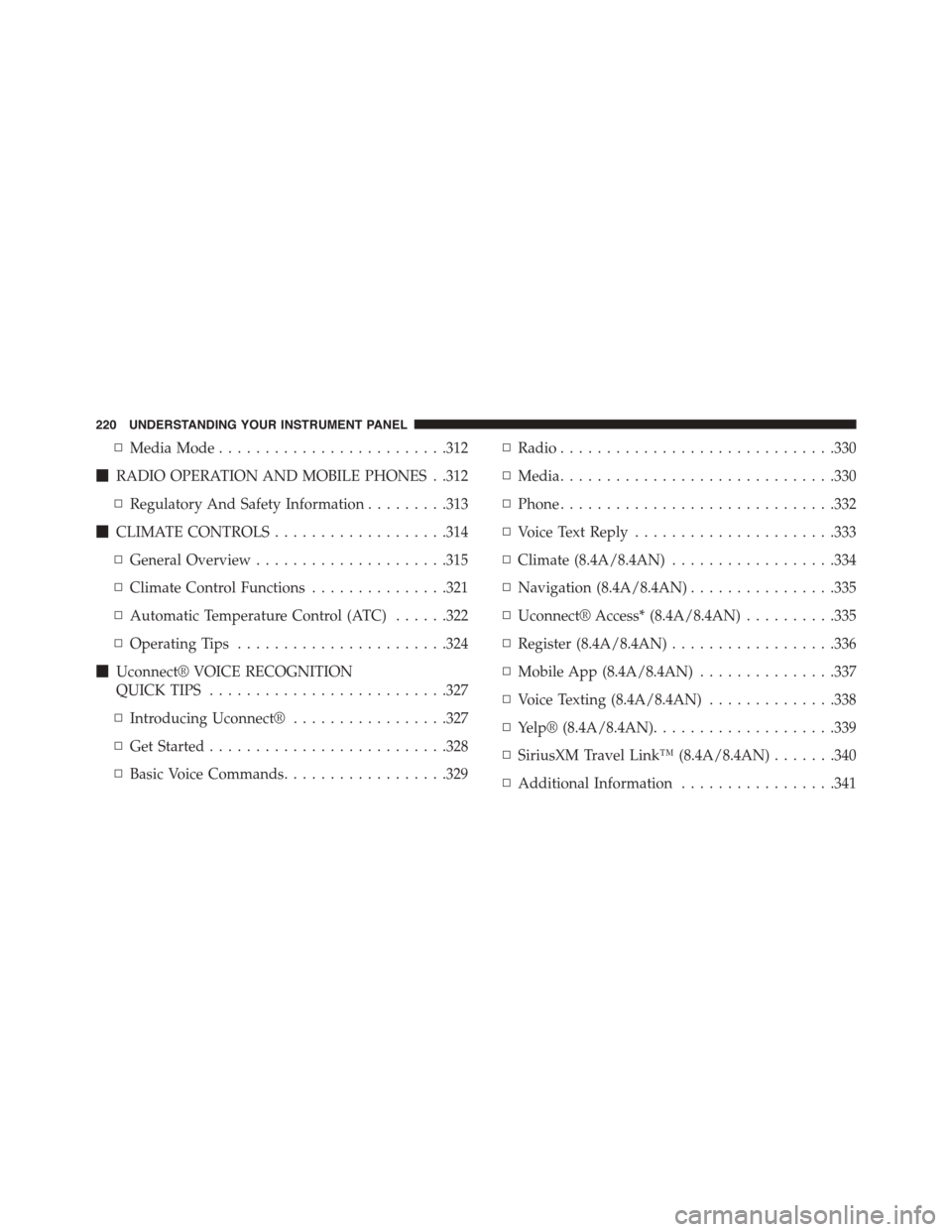
▫Media Mode.........................312
!RADIO OPERATION AND MOBILE PHONES . .312
▫Regulatory And Safety Information.........313
!CLIMATE CONTROLS...................314
▫General Overview.....................315
▫Climate Control Functions...............321
▫Automatic Temperature Control (ATC)......322
▫Operating Tips.......................324
!Uconnect® VOICE RECOGNITION
QUICK TIPS..........................327
▫Introducing Uconnect®.................327
▫Get Started..........................328
▫Basic Voice Commands..................329
▫Radio..............................330
▫Media..............................330
▫Phone..............................332
▫Voice Text Reply......................333
▫Climate (8.4A/8.4AN)..................334
▫Navigation (8.4A/8.4AN)................335
▫Uconnect® Access* (8.4A/8.4AN)..........335
▫Register (8.4A/8.4AN)..................336
▫Mobile App (8.4A/8.4AN)...............337
▫Voice Texting (8.4A/8.4AN)..............338
▫Yelp® (8.4A/8.4AN)....................339
▫SiriusXM Travel Link™ (8.4A/8.4AN).......340
▫Additional Information.................341
220 UNDERSTANDING YOUR INSTRUMENT PANEL
Page 260 of 603
status, press the “Off,” “Lights,” or “Lights & Chime”
button on the touchscreen. Then press the back arrow/
Done button on the touchscreen.
NOTE:If your vehicle has experienced any damage in
the area where the sensor is located, even if the fascia is
not damaged, the sensor may have become misaligned.
Take your vehicle to an authorized dealer to verify sensor
alignment. Having a sensor that is misaligned will result
in the BSM not operating to specification.
•ParkView® Backup Camera Active Guidelines
Your vehicle may be equipped with the ParkView® Rear
Back Up Camera Active Guidelines that allows you to see
active guidelines over the ParkView Back up camera
display whenever the shift lever/gear selector is put into
REVERSE. The image will be displayed on the radio
touchscreen display along with a caution note to “check
entire surroundings” across the top of the screen. After
five seconds, this note will disappear. To enable or
disable, press the “ParkView® Backup Camera Active
Guidelines” button on the touchscreen, and select “On”
or “Off.” Press the back arrow/Done button on the
touchscreen to return to the previous menu.
•ParkView® Backup Camera Delay
When the vehicle is shifted out of REVERSE (with camera
delay turned OFF), the rear camera mode is exited and
the navigation or audio screen appears again. When the
vehicle is shifted out of REVERSE (with camera delay
turned ON), the rear view image with dynamic grid lines
will be displayed for up to 10 seconds after shifting out of
“REVERSE” unless the forward vehicle speed exceeds
8 mph (12 km/h), the transmission is shifted into PARK
or the ignition is switched to the OFF position. To set the
ParkView® Backup Camera Delay press the “Controls”
button on the touchscreen, the “settings” button on the
touchscreen, then the “Safety & Assistance” button on the
258 UNDERSTANDING YOUR INSTRUMENT PANEL
Page 265 of 603
Auto Comfort Systems — If Equipped
After pressing the “Auto-On Comfort & Remote Start”
button on the touchscreen the following settings will be
available:
•Auto-On Driver Heated/Ventilated Seat & Steering
Wheel With Vehicle Start — If Equipped
When this feature is selected the driver’s heated seat and
heated steering wheel will automatically turn ON when
temperatures are below 40° F (4.4° C). When tempera-
tures are above 80° F (26.7° C) the driver vented seat will
turn ON. To make your selection, press the “Auto Heated
Seats” button on the touchscreen then select either “Off,”
“Remote Start” or “All Starts.” Press the back arrow/
Done button on the touchscreen to return to the previous
menu.
Engine Off Options
After pressing the “Engine Off Options” button on the
touchscreen the following settings will be available.
•Headlight Off Delay
When this feature is selected, the driver can choose to
have the headlights remain on for 0, 30, 60, or 90 seconds
when exiting the vehicle. To change the Headlight Off
Delay status press the “Headlight Off Delay” button on
the touchscreen and select from “0,” “30,” “60,” or “90”
buttons on the touchscreen to select your desired time
interval. Press the back arrow/Done button on the touch-
screen to return to the previous menu.
•Engine Off Power Delay
When this feature is selected, the power window
switches, radio, Uconnect® phone system (if equipped),
DVD video system (if equipped), power sunroof (if
equipped), and power outlets will remain active for up to
4
UNDERSTANDING YOUR INSTRUMENT PANEL 263