sport mode DODGE CHALLENGER 2020 User Guide
[x] Cancel search | Manufacturer: DODGE, Model Year: 2020, Model line: CHALLENGER, Model: DODGE CHALLENGER 2020Pages: 396, PDF Size: 16.64 MB
Page 160 of 396
158STARTING AND OPERATING
(Continued)
1–4 SKIP SHIFT
In Auto Drive Mode, Default, or Street Drive
Modes, there are times when you must shift the
transmission directly from FIRST gear to
FOURTH gear instead of from FIRST gear to
SECOND gear. This is to help you get the best
possible fuel economy from your vehicle. This
occurs when the engine coolant (antifreeze) is
higher than 106°F (41°C), vehicle speed is
greater than 19 mph (30 km/h) but less than
21 mph (34 km/h), and the transmission is in
FIRST gear, and the accelerator is at ¼ throttle
or less.
NOTE:
The 1 - 4 Skip Shift feature is disabled when
selecting Sport Mode, or when selecting Track
or Custom Drive Modes (SRT only). Refer to the
“Drive Mode Supplement” for further descrip-
tions of these modes.
After you shift the transmission to FOURTH gear,
you can press the clutch in and shift to another
forward gear.
DOWNSHIFTING
To maintain a safe speed and prolong brake life,
downshift to maintain a safe speed when
descending a steep grade.
AUTOMATIC TRANSMISSION — IF
EQUIPPED
WARNING!
Skipping more than one gear while
downshifting, could cause you to lose control
of your vehicle. You could have a collision.
CAUTION!
If you skip more than one gear while down -
shifting or downshift at too high an engine
speed, you could damage the engine, trans -
mission, or clutch.
Do not downshift into FIRST gear when the
vehicle is moving faster than 15 mph
(24 km/h), as you could damage the
engine and/or clutch.
WARNING!
Never use the PARK position as a substi -
tute for the parking brake. Always apply the
parking brake fully when exiting the vehicle
to guard against vehicle movement and
possible injury or damage.
Your vehicle could move and injure you and
others if it is not in PARK. Check by trying to
move the transmission gear selector out of
PARK with the brake pedal released. Make
sure the transmission is in PARK before
exiting the vehicle.
The transmission may not engage PARK if
the vehicle is moving. Always bring the
vehicle to a complete stop before shifting to
PARK, and verify that the transmission gear
position indicator solidly indicates PARK (P)
without blinking. Ensure that the vehicle is
completely stopped, and the PARK position
is properly indicated, before exiting the
vehicle.
20_LA_OM_EN_USC_t.book Page 158
Page 167 of 396
STARTING AND OPERATING165
In temporary AutoStick mode (gear selector
in DRIVE), the transmission will automatically
shift up when maximum engine speed is
reached. If the accelerator is fully depressed,
the transmission will downshift when
possible (based on current vehicle speed and
gear, except 6.2L and 6.4L models). Lack of
accelerator pedal activity will cause the
transmission to revert to automatic opera -
tion.
If normal AutoStick mode is engaged (gear
selector in MANUAL position), manual gear
selection will be maintained until the gear
selector is returned to DRIVE, or as described
below. The transmission will not upshift auto -
matically at redline in this mode, nor will
downshifts be obtained if the accelerator
pedal is pressed to the floor.
The transmission will automatically down -
shift as the vehicle slows (to prevent engine
lugging) and will display the current gear.
The transmission will automatically down -
shift to FIRST gear when coming to a stop.
After a stop, the driver should manually
upshift (+) the transmission as the vehicle is
accelerated.
You can start out, from a stop, in FIRST or
SECOND gear. Tapping (+) (at a stop) will
allow starting in SECOND gear. Starting out in
SECOND gear can be helpful in snowy or icy
conditions.
If a requested downshift would cause the
engine to over-speed, that shift will not occur
and an indication will display.
The system will ignore attempts to upshift at
too low of a vehicle speed and an indication
will display.
Holding the (-) paddle depressed
(if equipped), or holding the gear selector in
the (-) position, will downshift the transmis-
sion to the lowest gear possible at the current
speed.
Transmission shifting will be more noticeable
when AutoStick is enabled.
The system may revert to automatic shift
mode if a fault or overheat condition is
detected. To disengage AutoStick mode, return the gear
selector to the DRIVE position, or press and hold
the (+) shift paddle (if equipped, and the gear
selector is already in DRIVE) until “D” is once
again indicated in the instrument cluster. You
can shift in or out of the AutoStick mode at any
time without taking your foot off the accelerator
pedal.
SPORT MODE — WITHOUT PERFORMANCE
CONTROL
Your vehicle is equipped with a SPORT Mode
feature. This mode is a configuration set up for
typical enthusiast driving. The engine,
transmission (when equipped with automatic
transmission), and steering systems are all set
to their SPORT settings.
WARNING!
Do not downshift for additional engine
braking on a slippery surface. The drive
wheels could lose their grip and the vehicle
could skid, causing a collision or personal
injury.
5
20_LA_OM_EN_USC_t.book Page 165
Page 168 of 396
166STARTING AND OPERATING
SPORT Mode will provide improved throttle
response and modified shifting for an enhanced
driving experience, as well the greatest amount
of steering feel. This mode may be activated
and deactivated by pushing the SPORT button
on the instrument panel switch bank.
NOTE:
If equipped with a manual transmission, the
1 - 4 Skip Shift Feature is disabled in SPORT
Mode.
For vehicles equipped with Drive Modes or a
“SUPER TRACK PAK” button, refer to “Drive
Mode Supplement” for further information.
FUEL SAVER TECHNOLOGY 5.7L AND 6.4L
ONLY — IF EQUIPPED
This feature offers improved fuel economy by
shutting off four of the engine's eight cylinders
during light load and cruise conditions. The
system is automatic with no driver inputs or
additional driving skills required. When the
system is active, an indication will display within
the instrument cluster “Fuel Economy” main
menu screen. NOTE:
This system may take some time to return to full
functionality after a battery disconnect.
ELECTRIC POWER STEERING
The Electric Power Steering system will give you
good vehicle response and increased ease of
maneuverability in tight spaces. The system will
vary its assist to provide light efforts while
parking and good feel while driving. If the
electric steering system experiences a fault that
prevents it from providing assist, you will still
have the ability to steer the vehicle manually.
If the Electric Power Steering warning
icon is displayed and the “SERVICE
POWER STEERING” or the “POWER
STEERING ASSIST OFF – SERVICE
SYSTEM” message is displayed within the
instrument cluster display, this indicates the
vehicle needs to be taken to the dealer for
service. Refer to “Warning Lights And Messages” in
“Getting To Know Your Instrument Panel” for
further information.
NOTE:Even if the power steering assistance is no
longer operational, it is still possible to steer
the vehicle. Under these conditions there will
be a substantial increase in steering effort,
especially at low speeds and during parking
maneuvers.
If the condition persists, see an authorized
dealer for service.
If the Steering icon is displayed and the
“POWER STEERING SYSTEM OVER TEMP”
message is displayed on the instrument cluster
screen, they indicate that extreme steering
maneuvers may have occurred which caused
an over temperature condition in the power
steering system. Once driving conditions are
safe, pull over and let the vehicle idle for a few
moments until the icon and message turn off.
SPEED CONTROL — IF EQUIPPED
When engaged, the Speed Control takes over
accelerator operations at speeds greater than
25 mph (40 km/h) or 20 mph (32 km/h), depending on engine size and axle ratio.
WARNING!
Continued operation with reduced assist
could pose a safety risk to yourself and
others. Service should be obtained as soon
as possible.
20_LA_OM_EN_USC_t.book Page 166
Page 224 of 396
222IN CASE OF EMERGENCY
(Continued)
The Sealant Bottle (4) and Sealant Hose (3)
are a one tire application use and need to be
replaced after each use. Always replace
these components immediately at your orig-
inal equipment vehicle dealer.
When the Tire Service Kit sealant is in a liquid
form, clean water and a damp cloth will
remove the material from the vehicle or tire
and wheel components. Once the sealant
dries, it can easily be peeled off and properly
discarded.
For optimum performance, make sure the
valve stem on the wheel is free of debris
before connecting the Tire Service Kit.
You can use the Tire Service Kit air pump to
inflate bicycle tires. The kit also comes with
two needles, located in the Accessory
Storage Compartment (on the bottom of the
air pump) for inflating sport balls, rafts, or
similar inflatable items. However, use only
the Air Pump Hose (5) and make sure the
Mode Select Knob (2) is in the Air Mode when
inflating such items to avoid injecting sealant
into them. The Tire Service Kit Sealant is only
intended to seal punctures less than
1/4 inch (6 mm) diameter in the tread of your
tire.
Do not lift or carry the Tire Service Kit by the
hoses.
WARNING!
Do not attempt to seal a tire on the side of
the vehicle closest to traffic. Pull far enough
off the road to avoid the danger of being hit
when using the Tire Service Kit.
Do not use Tire Service Kit or drive the
vehicle under the following circumstances:
If the puncture in the tire tread is
approximately 1/4 inch (6 mm) or
larger.
If the tire has any sidewall damage.
If the tire has any damage from driving
with extremely low tire pressure.
If the tire has any damage from driving
on a flat tire.
If the wheel has any damage.
If you are unsure of the condition of the
tire or the wheel.
Keep Tire Service Kit away from open
flames or heat source.
A loose Tire Service Kit thrown forward in a
collision or hard stop could endanger the
occupants of the vehicle. Always stow the
Tire Service Kit in the place provided.
Failure to follow these warnings can result
in injuries that are serious or fatal to you,
your passengers, and others around you.
Take care not to allow the contents of Tire
Service Kit to come in contact with hair,
eyes, or clothing. Tire Service Kit sealant is
harmful if inhaled, swallowed, or absorbed
through the skin. It causes skin, eye, and
respiratory irritation. Flush immediately
with plenty of water if there is any contact
with eyes or skin. Change clothing as soon
as possible, if there is any contact with
clothing.
Tire Service Kit Sealant solution contains
latex. In case of an allergic reaction or rash,
consult a physician immediately. Keep Tire
Service Kit out of reach of children. If swal -
lowed, rinse mouth immediately with plenty
of water and drink plenty of water. Do not
induce vomiting! Consult a physician
immediately.
WARNING! (Continued)
20_LA_OM_EN_USC_t.book Page 222
Page 389 of 396
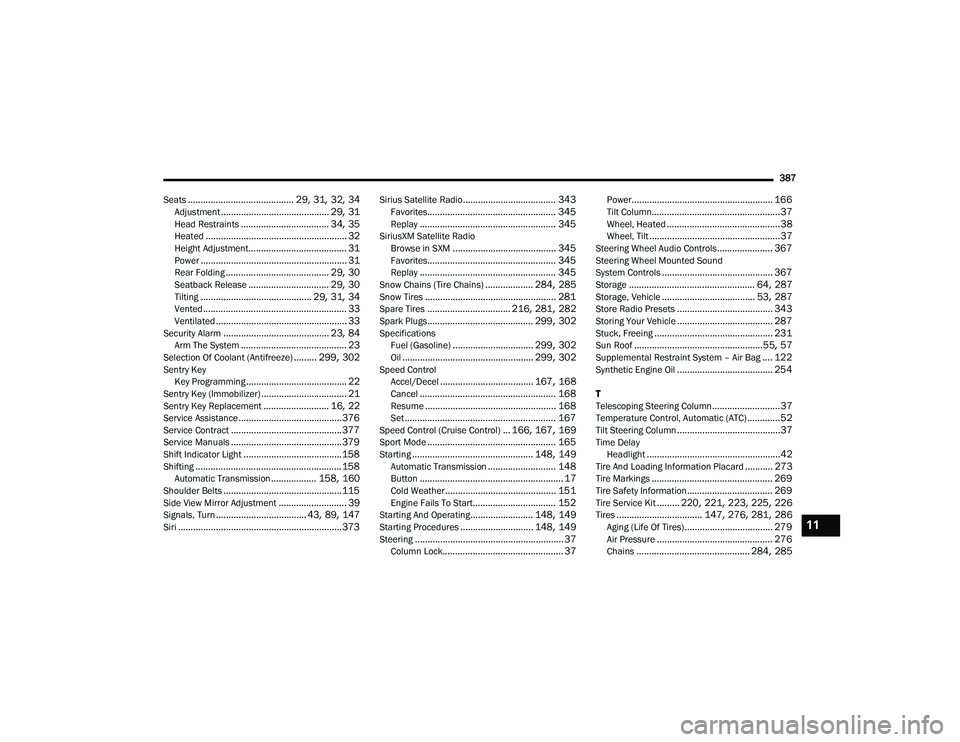
387
Seats
.......................................... 29, 31, 32, 34Adjustment........................................... 29, 31Head Restraints................................... 34, 35Heated........................................................ 32Height Adjustment....................................... 31Power.......................................................... 31Rear Folding......................................... 29, 30Seatback Release................................ 29, 30Tilting............................................ 29, 31, 34Vented......................................................... 33Ventilated.................................................... 33Security Alarm.......................................... 23, 84Arm The System.......................................... 23Selection Of Coolant (Antifreeze)......... 299, 302Sentry Key Key Programming........................................ 22Sentry Key (Immobilizer).................................. 21Sentry Key Replacement.......................... 16, 22Service Assistance......................................... 376Service Contract............................................ 377Service Manuals............................................ 379Shift Indicator Light....................................... 158Shifting.......................................................... 158Automatic Transmission.................. 158, 160Shoulder Belts............................................... 115Side View Mirror Adjustment........................... 39Signals, Turn.................................... 43, 89, 147Siri................................................................. 373
Sirius Satellite Radio..................................... 343Favorites................................................... 345Replay...................................................... 345SiriusXM Satellite RadioBrowse in SXM......................................... 345Favorites................................................... 345Replay...................................................... 345Snow Chains (Tire Chains)................... 284, 285Snow Tires.................................................... 281Spare Tires................................. 216, 281, 282Spark Plugs.......................................... 299, 302SpecificationsFuel (Gasoline)................................ 299, 302Oil.................................................... 299, 302Speed ControlAccel/Decel..................................... 167, 168Cancel...................................................... 168Resume.................................................... 168Set............................................................ 167Speed Control (Cruise Control)... 166, 167, 169Sport Mode................................................... 165Starting................................................ 148, 149Automatic Transmission........................... 148Button......................................................... 17Cold Weather............................................ 151Engine Fails To Start................................. 152Starting And Operating......................... 148, 149Starting Procedures............................. 148, 149Steering........................................................... 37Column Lock................................................ 37
Power........................................................ 166Tilt Column...................................................37Wheel, Heated.............................................38Wheel, Tilt....................................................37Steering Wheel Audio Controls...................... 367Steering Wheel Mounted Sound
System Controls............................................ 367Storage.................................................. 64, 287Storage, Vehicle..................................... 53, 287Store Radio Presets...................................... 343Storing Your Vehicle...................................... 287Stuck, Freeing............................................... 231Sun Roof...................................................55, 57Supplemental Restraint System – Air Bag.... 122Synthetic Engine Oil...................................... 254
T
Telescoping Steering Column...........................37Temperature Control, Automatic (ATC).............52Tilt Steering Column.........................................37Time DelayHeadlight.....................................................42Tire And Loading Information Placard........... 273Tire Markings................................................ 269Tire Safety Information.................................. 269Tire Service Kit......... 220, 221, 223, 225, 226Tires.................................. 147, 276, 281, 286Aging (Life Of Tires)................................... 279Air Pressure.............................................. 276Chains............................................. 284, 285
11
20_LA_OM_EN_USC_t.book Page 387