ECU DODGE CHALLENGER 2020 Service Manual
[x] Cancel search | Manufacturer: DODGE, Model Year: 2020, Model line: CHALLENGER, Model: DODGE CHALLENGER 2020Pages: 396, PDF Size: 16.64 MB
Page 231 of 396
IN CASE OF EMERGENCY229
IF YOUR ENGINE OVERHEATS
In any of the following situations, you can
reduce the potential for overheating by taking
the appropriate action.
On the highways — slow down.
In city traffic — while stopped, place the trans -
mission in NEUTRAL, but do not increase the
engine idle speed while preventing vehicle
motion with the brakes.
NOTE:
There are steps that you can take to slow down
an impending overheat condition:
If your Air Conditioner (A/C) is on, turn it off.
The A/C system adds heat to the engine
cooling system and turning the A/C off can
help remove this heat.
You can also turn the temperature control to
maximum heat, the mode control to floor and
the blower control to high. This allows the
heater core to act as a supplement to the
radiator and aids in removing heat from the
engine cooling system.
MANUAL PARK RELEASE — 8 – SPEED
TRANSMISSION WARNING!
You or others can be badly burned by hot
engine coolant (antifreeze) or steam from
your radiator. If you see or hear steam coming
from under the hood, do not open the hood
until the radiator has had time to cool. Never
try to open a cooling system pressure cap
when the radiator or coolant bottle is hot.
CAUTION!
Driving with a hot cooling system could
damage your vehicle. If the temperature
gauge reads HOT (H), pull over and stop the
vehicle. Idle the vehicle with the air
conditioner turned off until the pointer drops
back into the normal range. If the pointer
remains on HOT (H), and you hear continuous
chimes, turn the engine off immediately and
call for service.
WARNING!
Always secure your vehicle by fully applying
the parking brake before activating the
Manual Park Release. In addition, you should
be seated in the driver's seat with your foot
firmly on the brake pedal when activating the
Manual Park Release. Activating the Manual
Park Release will allow your vehicle to roll
away if it is not secured by the parking brake,
or by proper connection to a tow vehicle.
Activating the Manual Park Release on an
unsecured vehicle could lead to serious injury
or death for those in or around the vehicle.
6
20_LA_OM_EN_USC_t.book Page 229
Page 232 of 396
230IN CASE OF EMERGENCY
To move the vehicle in cases where the
transmission will not shift out of PARK (such as
a depleted battery), a Manual Park Release is
available.
Follow these steps to use the Manual Park
Release:
1. Firmly apply the parking brake.
2. Remove the console storage bin to access
the Manual Park Release lever.
Console Storage Bin
3. Using a small screwdriver or similar tool, fish the tether strap up through the opening
in the console base.
4. Press and maintain firm pressure on the brake pedal. 5. Insert the screwdriver into the slot in the
center of the lever, and disengage the lever
locking tab by pushing it to the right.
Engaging The Lever
6. Pull the tether strap to rotate the lever up and rearward until it locks in place in the
vertical position. The vehicle is now out of
PARK and can be moved. Release the
parking brake only when the vehicle is
securely connected to a tow vehicle. To Reset The Manual Park Release:
1. Push the latch (at the base of the lever, on
the rear side) rearward (away from the
lever) to unlatch the lever.
Disengaging The Lever
2. Rotate the Manual Park Release lever forward and down, to its original position,
until the locking tab snaps into place to
secure the lever.
3. Pull up gently on the tether strap to confirm that the lever is locked in its stowed
position.
4. Tuck the tether strap into the base of the console. Reinstall the console storage bin.
20_LA_OM_EN_USC_t.book Page 230
Page 235 of 396
IN CASE OF EMERGENCY233
REAR-WHEEL DRIVE (RWD) MODELS
The manufacturer recommends towing your
vehicle with all four wheels OFF the ground
using a flatbed. If flatbed equipment is not available, and the
transmission is operable, the vehicle may be
flat towed (with all four wheels on the ground)
under the following conditions:
The transmission must be in NEUTRAL. Refer
to "Manual Park Release" in this section for
instructions on shifting the automatic trans
-
mission to NEUTRAL when the engine is off.
The towing distance must not exceed
30 miles (48 km).
The towing speed must not exceed 30 mph
(48 km/h).
If the transmission is not operable, or the
vehicle must be towed faster than 30 mph
(48 km/h) or farther than 30 miles (48 km),
then the only acceptable method of towing is
with a flatbed truck.
ENHANCED ACCIDENT RESPONSE SYSTEM
(EARS)
This vehicle is equipped with an Enhanced
Accident Response System.
Please refer to “Occupant Restraint Systems” in
“Safety” for further information on the
Enhanced Accident Response System (EARS)
function.
EVENT DATA RECORDER (EDR)
This vehicle is equipped with an event data
recorder (EDR). The main purpose of an EDR is
to record data that will assist in understanding
how a vehicle’s systems performed under
certain crash or near crash-like situations, such
as an air bag deployment or hitting a road
obstacle.
Please refer to “Occupant Restraint Systems” in
“Safety” for further information on the Event
Data Recorder (EDR).
CAUTION!
Do not use sling type equipment when
towing. Vehicle damage may occur.
When securing the vehicle to a flat bed
truck, do not attach to front or rear suspen -
sion components. Damage to your vehicle
may result from improper towing.
The manufacturer does not recommend
towing this vehicle using a tow dolly.
Vehicle damage may occur.
CAUTION!
Towing this vehicle in violation of the above
requirements can cause severe engine and/
or transmission damage. Damage from
improper towing is not covered under the New
Vehicle Limited Warranty.
6
20_LA_OM_EN_USC_t.book Page 233
Page 268 of 396
266SERVICING AND MAINTENANCE
(Continued)
BRAKE SYSTEM
In order to ensure brake system performance,
all brake system components should be
inspected periodically. Refer to the
“Maintenance Plan” in this section for the
proper maintenance intervals.
Fluid Level Check — Brake Master Cylinder
Check the fluid level in the master cylinder
immediately if the brake system warning light
indicates system failure.
Check the fluid level in the master cylinder
when performing underhood services.
Clean the top of the master cylinder area before
removing the cap. Add fluid to bring the level up
to the top of the “FULL” mark on the side of the
master cylinder reservoir.Overfilling of fluid is not recommended because
it may cause leaking in the system.
Add enough fluid to bring the level up to the
requirements described on the brake fluid
reservoir. With disc brakes, fluid level can be
expected to fall as the brake pads wear.
However, low fluid level may be caused by a
leak and a checkup may be needed.
Use only brake fluid that has been
recommended by the manufacturer, and has
been kept in a tightly closed container to avoid
contamination from foreign matter or moisture.
Refer to “Fluids And Lubricants” in “Technical
Specifications” for further information.
WARNING!
Riding the brakes can lead to brake failure
and possibly a collision. Driving with your foot
resting or riding on the brake pedal can result
in abnormally high brake temperatures,
excessive lining wear, and possible brake
damage. You would not have your full braking
capacity in an emergency.
WARNING!
Use only manufacturer's recommended
brake fluid. Refer to “Fluids And Lubri
-
cants” in “Technical Specifications” for
further information. Using the wrong type of
brake fluid can severely damage your brake
system and/or impair its performance. The
proper type of brake fluid for your vehicle is
also identified on the original factory
installed hydraulic master cylinder
reservoir.
To avoid contamination from foreign matter
or moisture, use only new brake fluid or
fluid that has been in a tightly closed
container. Keep the master cylinder reser -
voir cap secured at all times. Brake fluid in
a open container absorbs moisture from
the air resulting in a lower boiling point. This
may cause it to boil unexpectedly during
hard or prolonged braking, resulting in
sudden brake failure. This could result in a
collision.
Overfilling the brake fluid reservoir can
result in spilling brake fluid on hot engine
parts, causing the brake fluid to catch fire.
Brake fluid can also damage painted and
vinyl surfaces, care should be taken to
avoid its contact with these surfaces.
Do not allow petroleum based fluid to
contaminate the brake fluid. Brake seal
components could be damaged, causing
partial or complete brake failure. This could
result in a collision.
WARNING! (Continued)
20_LA_OM_EN_USC_t.book Page 266
Page 307 of 396
305
MULTIMEDIA
UCONNECT SYSTEMS
For detailed information about your Uconnect
4/4C/4C NAV With 8.4-inch Display system,
refer to your Uconnect Owner’s Manual
Supplement.
NOTE:
Uconnect screen images are for illustration
purposes only and may not reflect exact soft-
ware for your vehicle.
CYBERSECURITY
Your vehicle may be a connected vehicle and
may be equipped with both wired and wireless
networks. These networks allow your vehicle to
send and receive information. This information
allows systems and features in your vehicle to
function properly. Your vehicle may be equipped with certain
security features to reduce the risk of
unauthorized and unlawful access to vehicle
systems and wireless communications. Vehicle
software technology continues to evolve over
time and FCA US LLC, working with its suppliers,
evaluates and takes appropriate steps as
needed. Similar to a computer or other devices,
your vehicle may require software updates to
improve the usability and performance of your
systems or to reduce the potential risk of
unauthorized and unlawful access to your
vehicle systems.
The risk of unauthorized and unlawful access to
your vehicle systems may still exist, even if the
most recent version of vehicle software (such as
Uconnect software) is installed.
WARNING!
It is not possible to know or to predict all of
the possible outcomes if your vehicle’s
systems are breached. It may be possible
that vehicle systems, including safety
related systems, could be impaired or a
loss of vehicle control could occur that may
result in an accident involving serious injury
or death.
ONLY insert media (e.g., USB, SD card, or
CD) into your vehicle if it came from a
trusted source. Media of unknown origin
could possibly contain malicious software,
and if installed in your vehicle, it may
increase the possibility for vehicle systems
to be breached.
As always, if you experience unusual
vehicle behavior, take your vehicle to your
nearest authorized dealer immediately.9
20_LA_OM_EN_USC_t.book Page 305
Page 308 of 396
306MULTIMEDIA
NOTE:
FCA US LLC or your dealer may contact you
directly regarding software updates.
To help further improve vehicle security and
minimize the potential risk of a security
breach, vehicle owners should:
Routinely check www.driveuconnect.com
(US Residents) or www.driveuconnect.ca
(Canadian Residents) to learn about
available Uconnect software updates.
Only connect and use trusted media
devices (e.g. personal mobile phones,
USBs, CDs). Privacy of any wireless and wired
communications cannot be assured. Third
parties may unlawfully intercept information
and private communications without your
consent. For further information, refer to “Data
Collection & Privacy” in your Uconnect Owner’s
Manual Supplement or “Onboard Diagnostic
System (OBD II) Cybersecurity” in “Getting To
Know Your Instrument Panel”.
UCONNECT SETTINGS
The Uconnect system uses a combination of
buttons on the touchscreen and buttons on the
faceplate located on the center of the
instrument panel. These buttons allow you to
access and change the Customer
Programmable Features. Many features can
vary by vehicle. Buttons on the faceplate are located below
and/or beside the Uconnect system in the
center of the instrument panel. In addition,
there is a Scroll/Enter control knob located on
the right side. Turn the control knob to scroll
through menus and change settings. Push the
center of the control knob one or more times to
select or change a setting.
Your Uconnect system may also have Screen
Off and Mute buttons on the faceplate.
Push the Screen Off button on the faceplate to
turn off the Uconnect screen. Push the button
again or tap the screen to turn the screen on.
Press the Back Arrow button to exit out of a
Menu or certain option on the Uconnect system.
20_LA_OM_EN_USC_t.book Page 306
Page 355 of 396
MULTIMEDIA353
Android Auto™ Maps
Push and hold the VR button on the
steering wheel or tap the microphone
icon to ask Google to take you to a
desired destination by voice. You can
also touch the Navigation icon in Android Auto™
to access Google Maps™.
NOTE:
If the VR button is not held, and is only pushed,
the built-in Uconnect VR prompts you and any
navigation command said launches the built-in
Uconnect navigation system.
While using Android Auto™, Google Maps™
provides voice-guided:
Navigation
Live traffic information
Lane guidance
For further information, refer to
www.android.com/auto/ (US Residents) https:/
/www.android.com/intl/en_ca/auto (Canadian
Residents).
For further information on the navigation
function, please refer to https://
support.google.com/android or https:// support.google.com/androidauto/. Android Auto™ Music
Android Auto™ allows you to access
and stream your favorite music with
apps like Google Play Music,
iHeartRadio, and Spotify. Using your
smartphone’s data plan, you can stream
endless music on the road.
NOTE:
Music apps, playlists, and stations must be set
up on your smartphone prior to using Android
Auto™, for them to work with Android Auto™.
NOTE:
To see the metadata for the music playing
through Android Auto™, select the Uconnect
System’s media screen.
For further information refer to https://
support.google.com/androidauto.
Android Auto™ Communication
With Android Auto™ connected, push
and hold the VR button on the
steering wheel to activate voice
recognition specific to the Android
Auto™. This will allow you to send and reply to
text messages, have incoming text messages
read out loud, and place and receive hands-free
calls. Android Auto™ Apps
The Android Auto™ App will display all the
compatible apps that are available to use with
Android Auto™, every time it is launched. You
must have the compatible app downloaded,
and you must be signed in to the app for it to
work with Android Auto™.
Refer to https://play.google.com/store/apps/
to see the latest list of available apps for
Android Auto™.
Apple CarPlay® Integration
NOTE:
Feature availability depends on your carrier and
mobile phone manufacturer. Some Apple
CarPlay® features may or may not be available
in every region and/or language.
Uconnect works seamlessly with Apple
CarPlay®, the smarter, more secure way to use
your iPhone® in the car, and stay focused on
the road. Use your Uconnect Touchscreen
display, the vehicle's knobs and controls, and
your voice with Siri to get access to Apple
Music®, Maps, Messages, and more.
9
20_LA_OM_EN_USC_t.book Page 353
Page 382 of 396
380
INDEX
A
About Your Brakes............................... 154, 291Adaptive Cruise Control (ACC)
(Cruise Control).............................................. 169Adding Engine Coolant (Antifreeze)............... 263Adding Washing Fluid.................................... 250Additives, Fuel............................................... 295AdjustForward................................................ 29, 31Rearward.............................................. 29, 31Air Bag........................................................... 122Advance Front Air Bag............................... 122Air Bag Operation...................................... 123Air Bag Warning Light................................ 121Enhanced Accident Response......... 128, 233Event Data Recorder (EDR)....................... 233Front Air Bag............................................. 122If Deployment Occurs................................ 127Knee Impact Bolsters................................ 124Maintaining Your Air Bag System.............. 128Maintenance............................................. 128Redundant Air Bag Warning Light.............122Side Air Bags............................................. 124Transporting Pets...................................... 145
Air Bag Light.................................. 83, 121, 146Air Cleaner, Engine
(Engine Air Cleaner Filter)............................. 255Air Conditioner Maintenance........................ 257Air Conditioner Refrigerant........................... 257Air Conditioner System................................. 257Air Conditioning......................................... 47, 52Air Conditioning Filter..............................54, 258Air Conditioning System................................... 47Air Conditioning, Operating Tips....................... 53Air Filter............................................... 255, 256Air PressureTires......................................................... 277AlarmArm The System................................... 23, 24Panic........................................................... 14Rearm The System...................................... 24Security Alarm...................................... 23, 84Alarm SystemSecurity Alarm............................................. 23All Wheel Drive (AWD)................................... 268Alterations/ModificationsVehicle......................................................... 10
Android Auto................................................. 374Antifreeze (Engine Coolant)......... 263, 297, 298Disposal.................................................... 265Anti-Lock Brake System (ABS)..........................93Anti-Lock Warning Light...................................88Apple CarPlay................................................ 374Arming SystemSecurity Alarm.............................................23Assist, Hill Start................................................98Audio Settings............................................... 347Audio Systems (Radio).................................. 305Auto Down Power Windows..............................55Automatic Door Locks......................................28Automatic Headlights.......................................42Automatic High Beams.....................................41Automatic Temperature Control (ATC)..............52Automatic Transmission................................ 160Adding Fluid......... 268, 299, 301, 302, 304Fluid And Filter Change............................. 268Fluid Change............................................. 268Fluid Level Check............................. 267, 268Fluid Type............ 267, 299, 301, 302, 304Special Additives...................................... 267
20_LA_OM_EN_USC_t.book Page 380
Page 384 of 396
382 Drain, Flush, And Refill
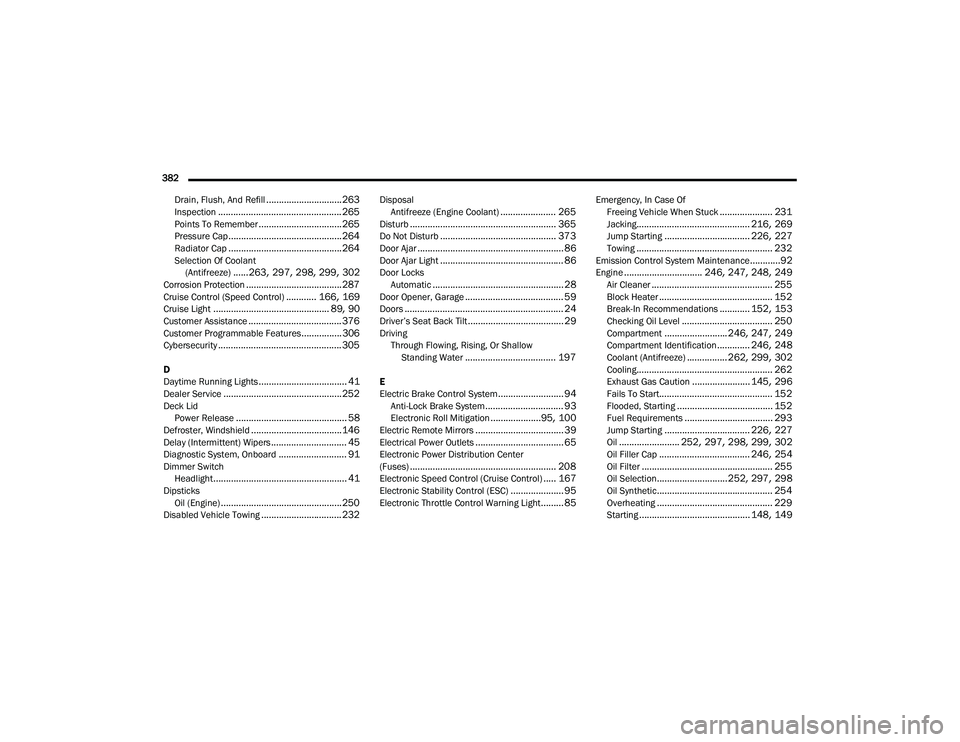
.............................. 263Inspection................................................. 265Points To Remember................................. 265Pressure Cap............................................. 264Radiator Cap............................................. 264Selection Of Coolant (Antifreeze)......263, 297, 298, 299, 302Corrosion Protection...................................... 287Cruise Control (Speed Control)............ 166, 169Cruise Light.............................................. 89, 90Customer Assistance..................................... 376Customer Programmable Features................306Cybersecurity................................................. 305
D
Daytime Running Lights................................... 41Dealer Service............................................... 252Deck LidPower Release............................................ 58Defroster, Windshield.................................... 146Delay (Intermittent) Wipers.............................. 45Diagnostic System, Onboard........................... 91Dimmer SwitchHeadlight..................................................... 41DipsticksOil (Engine)................................................ 250Disabled Vehicle Towing................................ 232
DisposalAntifreeze (Engine Coolant)...................... 265Disturb.......................................................... 365Do Not Disturb.............................................. 373Door Ajar.......................................................... 86Door Ajar Light................................................. 86Door LocksAutomatic.................................................... 28Door Opener, Garage....................................... 59Doors............................................................... 24Driver’s Seat Back Tilt...................................... 29DrivingThrough Flowing, Rising, Or Shallow Standing Water
.................................... 197
E
Electric Brake Control System.......................... 94Anti-Lock Brake System............................... 93Electronic Roll Mitigation....................95, 100Electric Remote Mirrors................................... 39Electrical Power Outlets................................... 65Electronic Power Distribution Center
(Fuses).......................................................... 208Electronic Speed Control (Cruise Control)..... 167Electronic Stability Control (ESC)..................... 95Electronic Throttle Control Warning Light......... 85
Emergency, In Case OfFreeing Vehicle When Stuck..................... 231Jacking............................................. 216, 269Jump Starting.................................. 226, 227Towing...................................................... 232Emission Control System Maintenance............92Engine............................... 246, 247, 248, 249Air Cleaner................................................ 255Block Heater............................................. 152Break-In Recommendations............ 152, 153Checking Oil Level.................................... 250Compartment......................... 246, 247, 249Compartment Identification............. 246, 248Coolant (Antifreeze)................ 262, 299, 302Cooling...................................................... 262Exhaust Gas Caution....................... 145, 296Fails To Start............................................. 152Flooded, Starting...................................... 152Fuel Requirements................................... 293Jump Starting.................................. 226, 227Oil........................ 252, 297, 298, 299, 302Oil Filler Cap.................................... 246, 254Oil Filter.................................................... 255Oil Selection............................ 252, 297, 298Oil Synthetic.............................................. 254Overheating.............................................. 229Starting............................................ 148, 149
20_LA_OM_EN_USC_t.book Page 382
Page 386 of 396
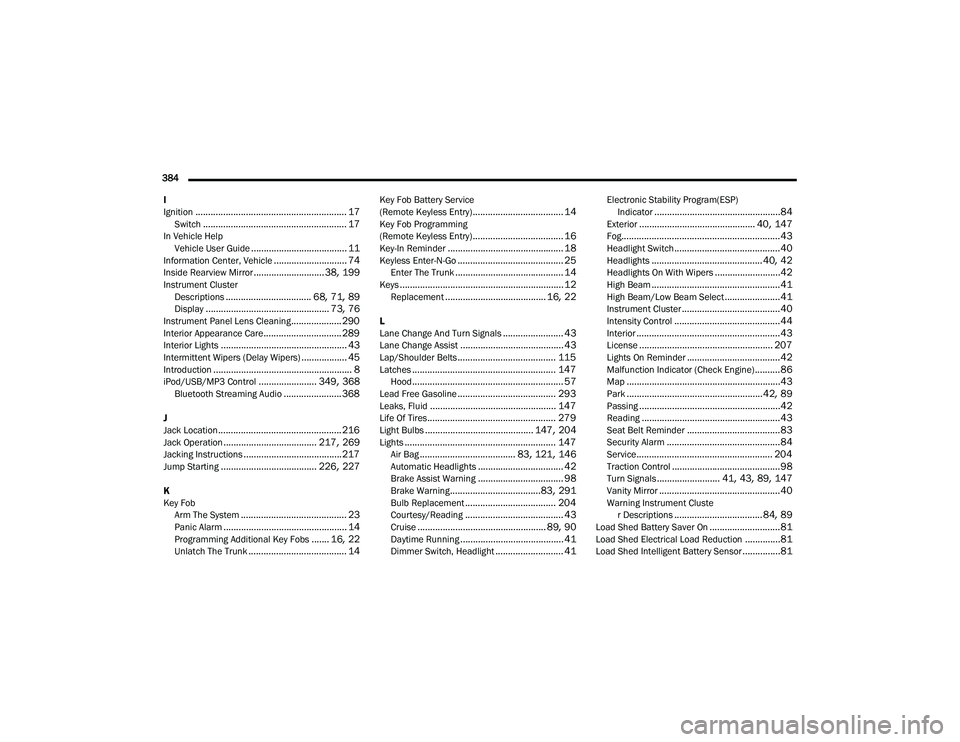
384 I
Ignition
............................................................ 17Switch......................................................... 17In Vehicle Help Vehicle User Guide...................................... 11Information Center, Vehicle............................. 74Inside Rearview Mirror............................ 38, 199Instrument ClusterDescriptions.................................. 68, 71, 89Display................................................. 73, 76Instrument Panel Lens Cleaning.................... 290Interior Appearance Care............................... 289Interior Lights.................................................. 43Intermittent Wipers (Delay Wipers).................. 45Introduction....................................................... 8iPod/USB/MP3 Control....................... 349, 368Bluetooth Streaming Audio....................... 368
J
Jack Location................................................. 216Jack Operation..................................... 217, 269Jacking Instructions....................................... 217Jump Starting...................................... 226, 227
K
Key FobArm The System
.......................................... 23Panic Alarm................................................. 14Programming Additional Key Fobs....... 16, 22Unlatch The Trunk....................................... 14
Key Fob Battery Service
(Remote Keyless Entry).................................... 14Key Fob Programming
(Remote Keyless Entry).................................... 16Key-In Reminder.............................................. 18Keyless Enter-N-Go.......................................... 25Enter The Trunk........................................... 14Keys................................................................. 12Replacement........................................ 16, 22
L
Lane Change And Turn Signals........................ 43Lane Change Assist......................................... 43Lap/Shoulder Belts....................................... 115Latches......................................................... 147Hood............................................................ 57Lead Free Gasoline....................................... 293Leaks, Fluid.................................................. 147Life Of Tires................................................... 279Light Bulbs........................................... 147, 204Lights............................................................ 147Air Bag...................................... 83, 121, 146Automatic Headlights.................................. 42Brake Assist Warning.................................. 98Brake Warning....................................83, 291Bulb Replacement.................................... 204Courtesy/Reading....................................... 43Cruise................................................... 89, 90Daytime Running......................................... 41Dimmer Switch, Headlight........................... 41
Electronic Stability Program(ESP)Indicator..................................................84Exterior.............................................. 40, 147Fog...............................................................43Headlight Switch..........................................40Headlights............................................ 40, 42Headlights On With Wipers..........................42High Beam...................................................41High Beam/Low Beam Select......................41Instrument Cluster.......................................40Intensity Control..........................................44Interior.........................................................43License..................................................... 207Lights On Reminder.....................................42Malfunction Indicator (Check Engine)..........86Map.............................................................43Park......................................................42, 89Passing........................................................42Reading.......................................................43Seat Belt Reminder.....................................83Security Alarm.............................................84Service...................................................... 204Traction Control...........................................98Turn Signals......................... 41, 43, 89, 147Vanity Mirror................................................40Warning Instrument Cluster Descriptions................................... 84, 89Load Shed Battery Saver On............................81Load Shed Electrical Load Reduction..............81Load Shed Intelligent Battery Sensor...............81
20_LA_OM_EN_USC_t.book Page 384