Uconnect DODGE CHARGER 2014 7.G Owner's Manual
[x] Cancel search | Manufacturer: DODGE, Model Year: 2014, Model line: CHARGER, Model: DODGE CHARGER 2014 7.GPages: 148, PDF Size: 3.77 MB
Page 37 of 148
Changing FCW Status
The FCW feature has three settings and can be changed within the Uconnect® System:
•Far
• Near
• Off
NOTE:
The FCW settings can only be changed when the vehicle is in PARK.
Far
The default status of FCW is the “Far” setting.
The far setting provides warnings for potential collisions more distant in front of the vehicle,
allowing the driver to have the most reaction time to avoid a collision.
This setting is designed to provide early warnings per NHTSA (National Highway Traffic
Safety Administration) recommendations.
More cautious drivers that do not mind frequent warnings may prefer this setting.
NOTE:
This setting gives you the most reaction time.
Near
Changing the FCW status to the “Near” setting, allows the system to warn you of a potential
frontal collision when you are much closer.
This setting provides less reaction time than the “Far” setting, which allows for a more
dynamic driving experience.
More dynamic or aggressive drivers that want to avoid frequent warnings may prefer this
setting.
Off
Changing the FCW status to “Off” prevents the system from warning you of a potential
frontal collision.
NOTE:
• If FCW is set to “Off”, “FCW OFF” will be displayed in the EVIC.
• Refer to the Owner's Manual on the DVD for further details.
OPERATING YOUR VEHICLE
35
Page 42 of 148

CLIMATE CONTROLS
Uconnect® 4.3 Climate Controls
Uconnect® 8.4 Climate Controls
OPERATING YOUR VEHICLE
40
Page 46 of 148
YOUR VEHICLE'S SOUND SYSTEM
1. Uconnect® Voice Command Button pg. 68
2. Uconnect® Phone Button pg. 62
3. Steering Wheel Audio Controls (Left) pg. 60
4. Steering Wheel Audio Controls (Right) pg. 60
5. Volume Knob/Audio Power Button
6. SD Card (push in to insert/eject) pg. 61
ELECTRONICS
44
Page 47 of 148
7. Uconnect® Radio pg. 46
8. Tune/Scroll Knob/Browse/Enter Button
9. CD Player pg. 54
10. Media Hub: Audio Jack / USB Port (located inside front console) pg. 60
11. CD Eject Button
ELECTRONICS
45
Page 48 of 148
IDENTIFYING YOUR RADIO
Uconnect® 4.3 & 4.3S
• Models 4.3 and 4.3S have a 4.3 inchtouchscreen with hard-keys to each side
of it.
• Model 4.3S has all Model 4.3 features, plus SiriusXM Satellite Radio (1 year trial
subscription included).
• Model 4.3S is identified by the presence of SAT on the band button, indicating the
presence of satellite radio.
Uconnect® 8.4 & 8.4N
• Models 8.4 and 8.4N have an 8.4 inchtouchscreen.
• Model 8.4N has all Model 8.4 features, plus Garmin® Navigation and SiriusXM
Travel Link (1-year trial subscription in-
cluded).
• Model 8.4N is identified by the unique Nav button on the main screen menu bar, lo-
cated at the bottom of the screen, and the
presence of SiriusXM Travel Link within
the More menu.
ELECTRONICS
46
Page 49 of 148
Uconnect® 4.3 & 4.3S AT A GLANCE
Displaying The Time
• If the time is not currently displayed at the top of the screen when in Radio mode, pressthe SETTINGS button, then touch “Clock.” Select “Show Time,” then touch “On.”
Setting The Time
• Press the SETTINGS hard-key, then touch the “Clock” soft-key.
• Touch the “Time” soft-key.
• Touch the “Up or Down” soft-keys to adjust the hours, minutes or AM/PM.
NOTE:
12hr format and 24hr format can also be set.
• Once the time is set press the “Done” soft-key to exit the time screen.
Audio Settings
• Press the SETTINGS hard-key on the right side of the unit.
• Then scroll down and press the “Audio” soft-key to get to the Audio menu.
• The Audio Menu shows the following options for you to customize your audio settings. • Equalizer
• Balance/Fade
• Speed Adjust Volume
• Touch the “Exit” soft-key to exit from the Audio Menu.
ELECTRONICS
47
Page 50 of 148
Equalizer
• Touch the “Equalizer” soft-key to adjust the Bass, Mid and Treble. Use the “+” or “–”soft-key to adjust the equalizer to your desired settings. Press the “Done” soft-key when
done.
Balance/Fade
• Touch the “Balance/Fade” soft-key to adjust the sound from the speakers. Use the “arrow” soft-key to adjust the sound level from the front and rear or right and left side
speakers. Touch the center “C” soft-key to reset the balance and fade to the factory
setting. Press the “Done” soft-key when done.
Speed Adjust Volume
• Touch the “Speed Adjust Volume” soft-key to select between OFF, 1, 2 or 3. This will decrease the radio volume relative to a decrease in vehicle speed. Press the “Done”
soft-key when done.
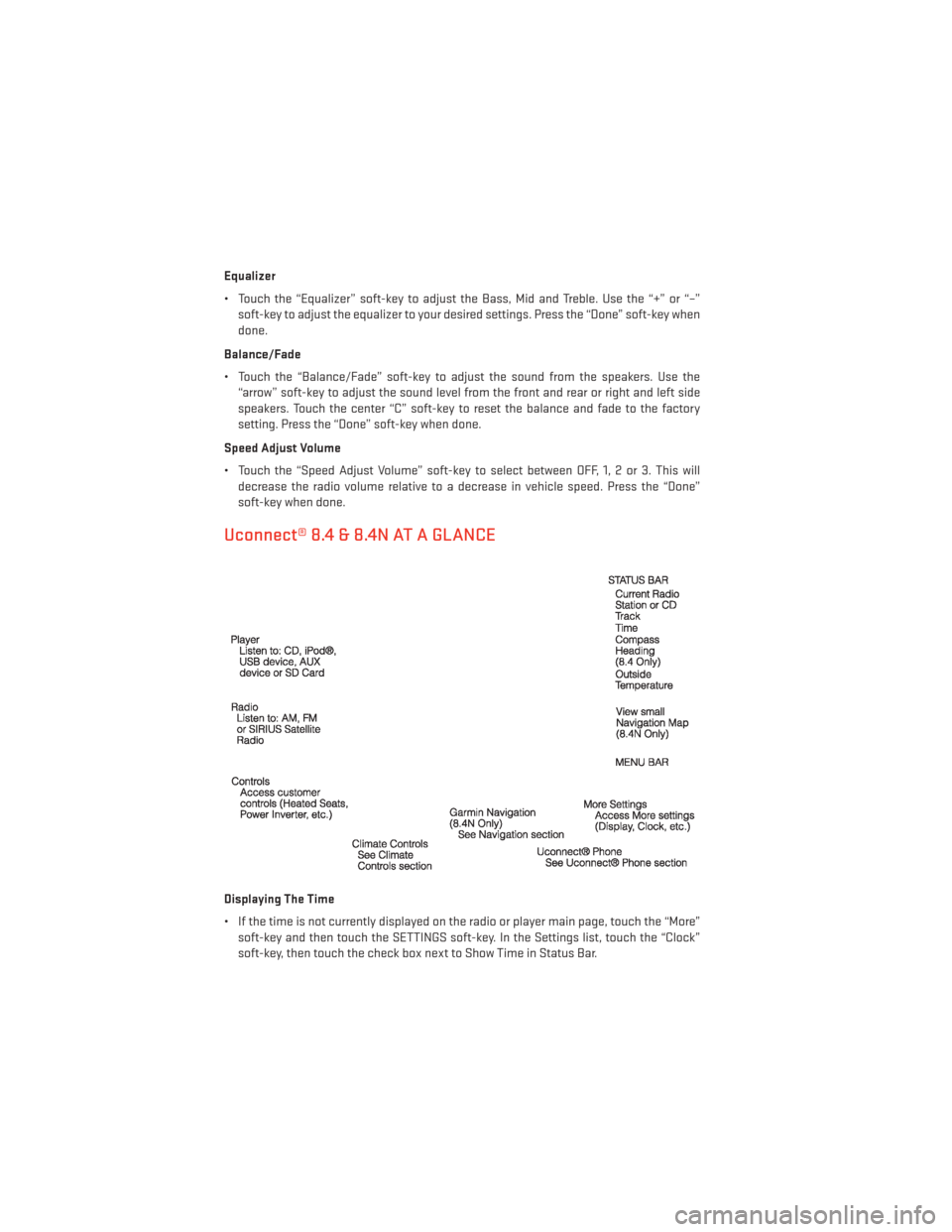
Uconnect® 8.4 & 8.4N AT A GLANCE
Displaying The Time
• If the time is not currently displayed on the radio or player main page, touch the “More”soft-key and then touch the SETTINGS soft-key. In the Settings list, touch the “Clock”
soft-key, then touch the check box next to Show Time in Status Bar.
ELECTRONICS
48
Page 53 of 148
• To access the Radio mode, touch the RADIO hard-key on the upper left side of thefaceplate (4.3 & 4.3S) or the “Radio” soft-key at the lower left of the screen (8.4 & 8.4N).
• Unless otherwise noted, the information provided on the operation and functionality of the radios in this section is common to all Uconnect® radios.
Selecting Radio Stations
• Touch the “Radio band” soft-key to cycle through AM, FM or SAT (4.3 & 4.3S) or the desired radio band (AM, FM or SAT) soft-key (8.4 & 8.4N). SiriusXM Satellite Radio is not
available on the 4.3.
Seek Up/Seek Down
• Touch the “Seek arrow” soft-keys for less than two seconds to seek through radio stations.
• Touch and hold either “arrow” soft-key for more than two seconds to bypass stations without stopping. The radio will stop at the next listenable station once the arrow
soft-key is released.
Direct Tune
• Tune directly to a radio station by pressing the “Tune” button on the screen, and entering the desired station number.
Store Radio Presets
• Your radio can store 12 total preset stations. They are shown at the top of your screen. To see all 12 stations, Press the “All” soft-key (4.3 & 4.3S) or press the “arrow” soft-key at the
top right of the screen to toggle between the six presets (8.4 & 8.4N).
• To set a station into memory press and hold the desired numbered soft-key for more than two seconds or until you hear a confirmation beep.
SiriusXM SATELLITE RADIO
• SiriusXM Satellite Radio gives you over 130 channels, including 100% commercial-freemusic from nearly every genre, plus all your favorite sports, news, talk and entertainment
channels – all with crystal clear, coast-to-coast coverage, all in one place and all at your
fingertips.
• To access SiriusXM Satellite Radio, touch the “Radio band” soft-key and select the “SAT” soft-key (4.3S) or touch the “SAT” soft-key on the main Radio screen (8.4 & 8.4N).
• The following describes features that are available when in SiriusXM Satellite Radio mode.
• Unless otherwise noted, the information provided on the operation and functionality of the radios in this section is common to all Uconnect® radios.
ELECTRONICS
51
Page 56 of 148
iPod®/CD/AUX CONTROLS
Models 4.3 & 4.3S
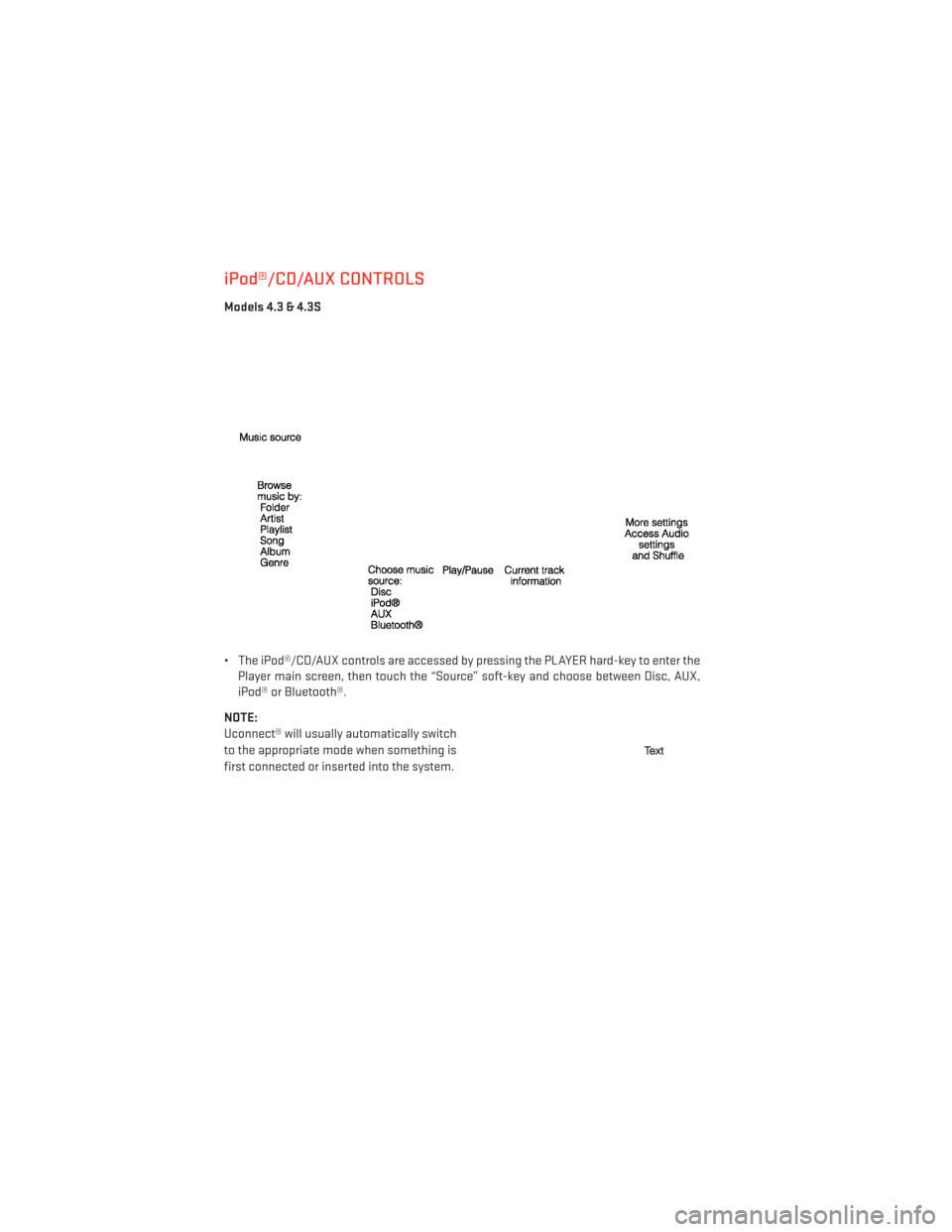
• The iPod®/CD/AUX controls are accessed by pressing the PLAYER hard-key to enter thePlayer main screen, then touch the “Source” soft-key and choose between Disc, AUX,
iPod® or Bluetooth®.
NOTE:
Uconnect® will usually automatically switch
to the appropriate mode when something is
first connected or inserted into the system.
ELECTRONICS
54
Page 57 of 148
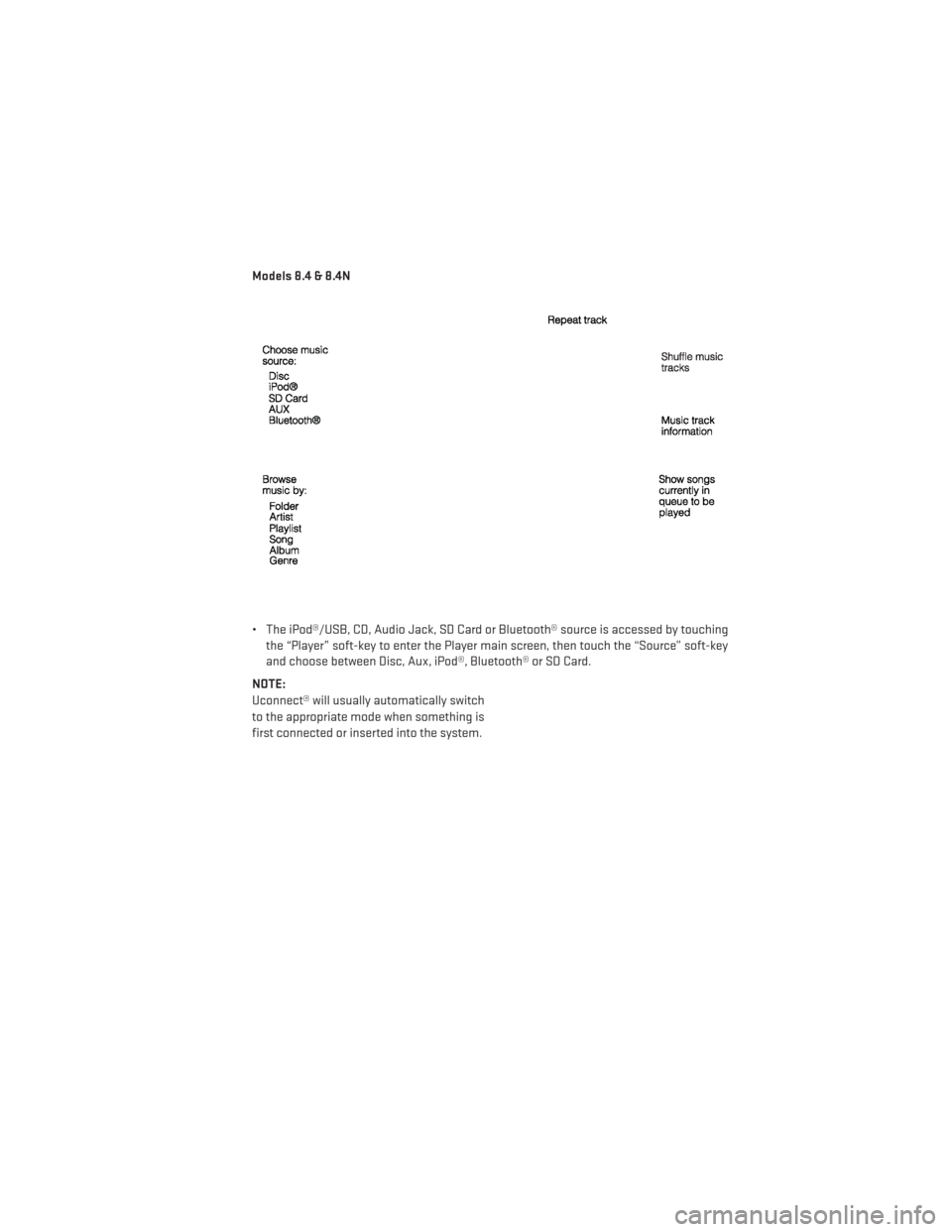
Models 8.4 & 8.4N
• The iPod®/USB, CD, Audio Jack, SD Card or Bluetooth® source is accessed by touchingthe “Player” soft-key to enter the Player main screen, then touch the “Source” soft-key
and choose between Disc, Aux, iPod®, Bluetooth® or SD Card.
NOTE:
Uconnect® will usually automatically switch
to the appropriate mode when something is
first connected or inserted into the system.
ELECTRONICS
55