manual DODGE CHARGER 2014 7.G Owner's Manual
[x] Cancel search | Manufacturer: DODGE, Model Year: 2014, Model line: CHARGER, Model: DODGE CHARGER 2014 7.GPages: 148, PDF Size: 3.77 MB
Page 26 of 148
HEATED/VENTILATED SEATS
Front Ventilated Seats
Located in the seat cushion and seatback are small fans that draw the air from the
passenger compartment and pull air through fine perforations in the seat cover to help keep
the driver and front passenger cooler in higher ambient temperatures.
There are two ventilated seat control buttons located in the touchscreen that allow the
driver and passenger to operate the seats independently.
The ventilated seat buttons are used to control the speed of the fans located in the seat.
To operate the system, press the “Controls” button on touchscreen located on the bottom
of the Uconnect® display.
• Press the ventilated seat button
once to choose HIGH.
• Press the ventilated seat button
a second time to choose LOW.
• Press the ventilated seat button
a third time to turn the ventilated seat OFF.
NOTE:
Vehicle Equipped With Remote Start
On models that are equipped with remote start, this feature can be programmed to come on
during a remote start through the Uconnect® system. Refer to “Uconnect® Settings” in
“Understanding Your Instrument Panel” in the Owner's Manual on the DVD.
Front Heated Seats
• There are two heated seat control buttons located in the touchscreen that allow the driver and passenger to operate the seats independently.
• Press the heated seat button
once to turn the High setting On. Press the heated seat
button a second time to turn the Low setting On. Press the heated seat button a third time
to turn the heating elements Off.
• If the High-level setting is selected, the system will automatically switch to Low-level after approximately 60 minutes. The Low-level setting will turn Off automatically after
approximately 45 minutes.
NOTE:
Vehicle Equipped With Remote Start
On models that are equipped with remote start, this feature can be programmed to come on
during a remote start through the Uconnect® system. Refer to “Uconnect® Settings” in
“Understanding Your Instrument Panel” in the Owner's Manual on the DVD.
GETTING STARTED
24
Page 28 of 148
WARNING!
• Persons who are unable to feel pain to the skin because of advanced age, chronicillness, diabetes, spinal cord injury, medication, alcohol use, exhaustion or other
physical conditions must exercise care when using the heated cup holders. It may
cause burns even at low temperatures, especially if used for long periods of time.
• Keep the cup holders free of debris such as anything that insulates against heat, for this may cause the cup holders to overheat. Coming in contact with overheated cup
holders could cause serious burns due to the increased surface temperature.
HEATED STEERING WHEEL
The steering wheel contains a heating element that heats the steering wheel to one
temperature setting.
The heated steering wheel control button is located within the climate or controls screen of
the touchscreen.
• Press the heated steering wheel button
once to turn the heating element On.
•
Press the heated steering wheel buttona second time to turn the heating element Off.
Once the heated steering wheel has been turned on, it will operate for up to 80 minutes
before automatically shutting off. The heated steering wheel can shut off early or may not
turn on when the steering wheel is already warm.
NOTE:
Vehicle Equipped With Remote Start
On models that are equipped with remote start, this feature can be programmed to come on
during a remote start through the Uconnect® system. Refer to “Uconnect® Settings” in
“Understanding Your Instrument Panel” in the Owner's Manual on the DVD.
WARNING!
• Persons who are unable to feel pain to the skin because of advanced age, chronic illness, diabetes, spinal cord injury, medication, alcohol use, exhaustion, or other
physical conditions must exercise care when using the steering wheel heater. It may
cause burns even at low temperatures, especially if used for long periods.
• Do not place anything on the steering wheel that insulates against heat, such as a
blanket or steering wheel covers of any type and material. This may cause the
steering wheel heater to overheat.
GETTING STARTED
26
Page 30 of 148
TILT/TELESCOPING STEERING COLUMN
Manual Tilt/Telescoping Steering Column
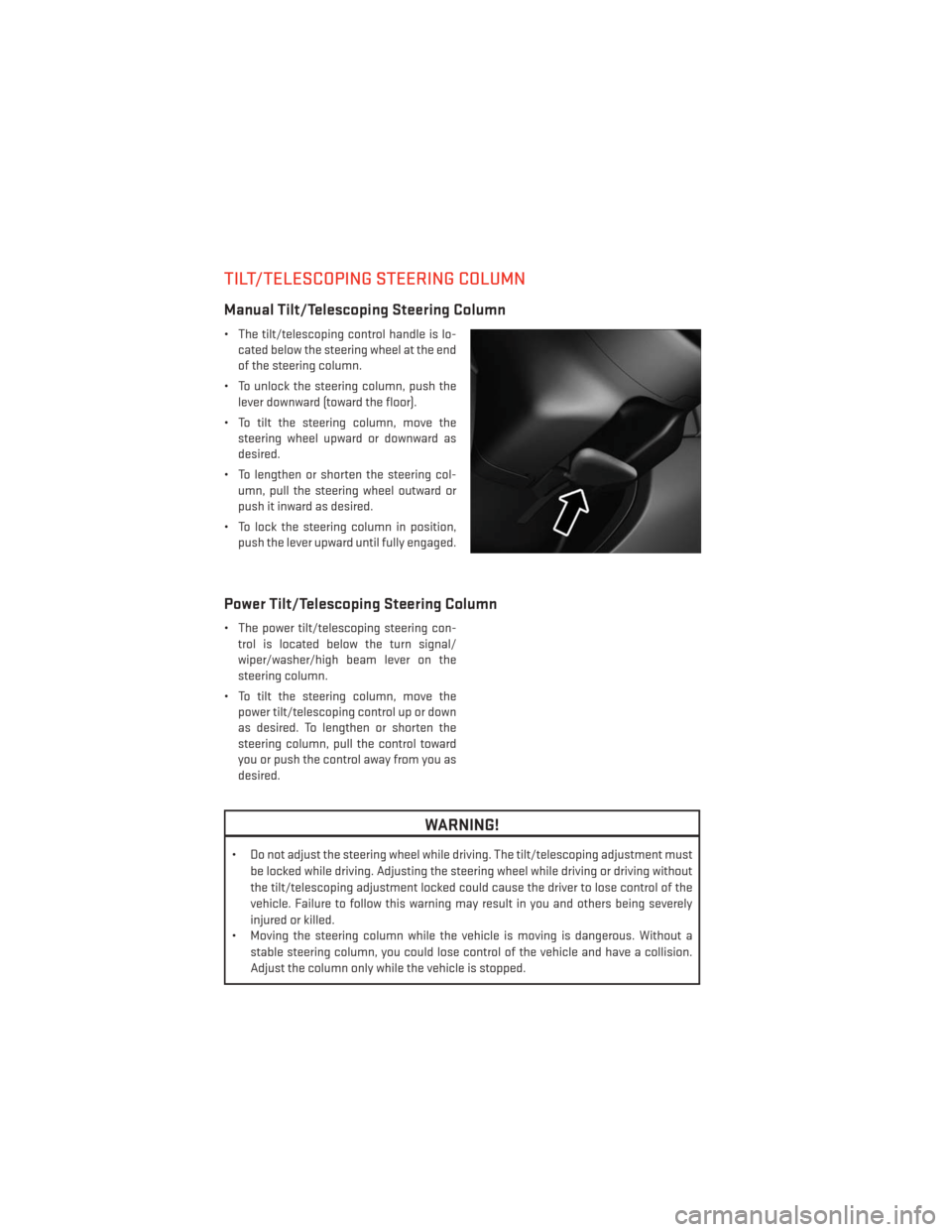
• The tilt/telescoping control handle is lo-cated below the steering wheel at the end
of the steering column.
• To unlock the steering column, push the lever downward (toward the floor).
• To tilt the steering column, move the steering wheel upward or downward as
desired.
• To lengthen or shorten the steering col- umn, pull the steering wheel outward or
push it inward as desired.
• To lock the steering column in position, push the lever upward until fully engaged.
Power Tilt/Telescoping Steering Column
• The power tilt/telescoping steering con-trol is located below the turn signal/
wiper/washer/high beam lever on the
steering column.
• To tilt the steering column, move the power tilt/telescoping control up or down
as desired. To lengthen or shorten the
steering column, pull the control toward
you or push the control away from you as
desired.
WARNING!
• Do not adjust the steering wheel while driving. The tilt/telescoping adjustment must
be locked while driving. Adjusting the steering wheel while driving or driving without
the tilt/telescoping adjustment locked could cause the driver to lose control of the
vehicle. Failure to follow this warning may result in you and others being severely
injured or killed.
• Moving the steering column while the vehicle is moving is dangerous. Without a
stable steering column, you could lose control of the vehicle and have a collision.
Adjust the column only while the vehicle is stopped.
GETTING STARTED
28
Page 33 of 148
Rain Sensing Wipers
• This feature senses moisture on the vehicle's windshield and automatically activates thewipers for the driver when the switch is in the intermittent position. Rotate the end of the
lever to one of four settings to activate this feature and adjust sensitivity.
• Rain Sensing can be turned on and off using the Uconnect® System, refer to the Owner's Manual on the DVD for further details.
High Beam Operation
• Push the lever forward to activate the high beams. Pull the lever toward you for flash topass.
NOTE:
For safe driving, turn off the high beams when oncoming traffic is present to prevent
headlight glare and as a courtesy to other motorists.
HEADLIGHT SWITCH
Automatic Headlights/Parking Lights/Headlights
• Rotate the headlight switch, located on the instrument panel to the left of the
steering wheel, to the first detent from the
off position for parking light
and
to the second detent for headlight
.
• With the parking lights or low beam head- lights on, press the headlight switch for
front fog lights. Pressing the switch a sec-
ond time will deactivate the front fog
lights. Turning the headlight switch off
will also deactivate the front fog lights.
• Rotate the headlight switch to “AUTO” for AUTO headlights.
• When set to AUTO, the system automati- cally turns the headlights on or off based
on ambient light levels.
Automatic High Beams
The Automatic High Beams system provides increased forward lighting at night by auto-
mating high beam control through the use of a digital camera mounted on the inside
rearview mirror. This camera detects vehicle specific light and automatically switches from
high beams to low beams until the approaching vehicle is out of view. This feature is
programmable through the Uconnect® system. Refer to “Uconnect® Settings ” in “Under-
standing Your Instrument Panel” in the Owner's Manual on the DVD for further details.
OPERATING YOUR VEHICLE
31
Page 34 of 148
Instrument Panel Dimmer
• Rotate the dimmer control to the extreme bottom position to fully dim the instrumentpanel lights and prevent the interior lights from illuminating when a door is opened.
• Rotate the dimmer control up to increase the brightness of the instrument panel and cupholders when the parking lights or headlights are on.
• Rotate the dimmer control up to the next detent position to fully brighten the odometer and radio when the parking lights or headlights are on.
• Rotate the dimmer control up to the last detent position to turn on the interior lighting.
• If your vehicle is equipped with a touchscreen, the dimming is programmable through the Uconnect® system. Refer to “Uconnect® Settings ” in “Understanding Your Instrument
Panel” in the Owner's Manual on the DVD for further details.
Ambient Light Dimmer
• Rotate the ambient light control up or down to increase or decrease the brightness of therelease handle, map pocket (if equipped), overhead and floor lighting when the parking
lights or headlights are on.
• Rotate to extreme bottom position to turn off.
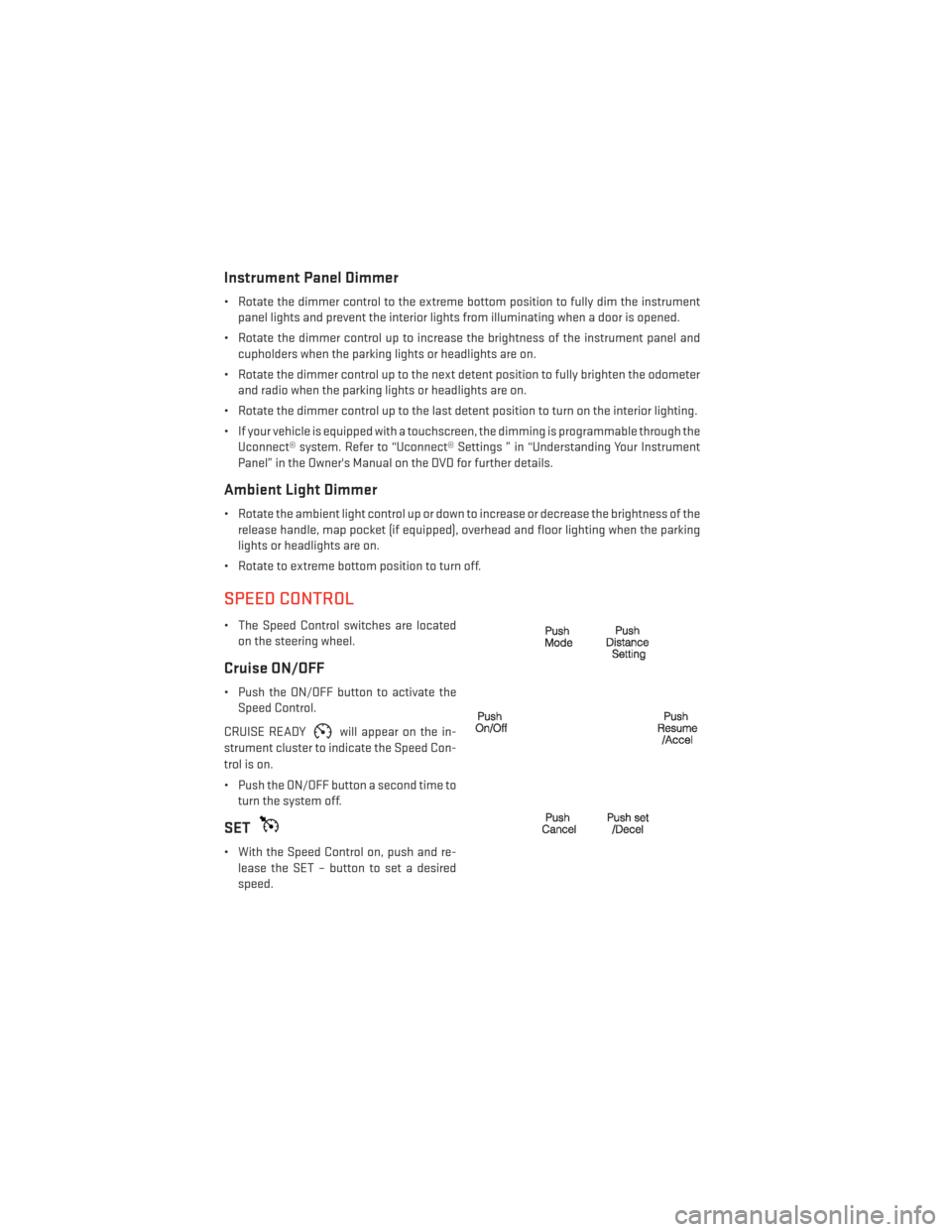
SPEED CONTROL
• The Speed Control switches are located on the steering wheel.
Cruise ON/OFF
• Push the ON/OFF button to activate theSpeed Control.
CRUISE READY
will appear on the in-
strument cluster to indicate the Speed Con-
trol is on.
• Push the ON/OFF button a second time to turn the system off.
SET
• With the Speed Control on, push and re-lease the SET – button to set a desired
speed.
OPERATING YOUR VEHICLE
32
Page 36 of 148
WARNING!
Leaving the Electronic Speed Control system on when not in use is dangerous. You could
accidentally set the system or cause it to go faster than you want. You could lose control
and have an accident. Always leave the system OFF when you are not using it.
Adaptive Cruise Control (ACC)
If your vehicle is equipped with Adaptive Cruise Control the controls operate exactly the
same as the standard cruise control with one difference. You can set a specified distance
you would like to maintain between you and the vehicle in front of you.
If the ACC sensor detects a vehicle ahead, ACC will apply limited braking or acceleration
automatically to maintain a preset following distance, while matching the speed of the
vehicle ahead.
If the sensor does not detect a vehicle directly ahead of you, it functions like a standard
cruise control system, maintaining the speed you set.
Distance Setting (ACC Only)
The specified following distance for ACC can be set by varying the distance setting between
3 (long), 2 (medium), and 1 (short). Using this distance setting and the vehicle speed, ACC
calculates and sets the distance to the vehicle ahead. This distance setting displays in the
Electronic Vehicle Information Center (EVIC).
• To set or change the distance setting, press the Distance button and release. Each timethe button is pressed, the distance setting adjusts between long (3), medium (2), and
short (1). The distance setting will default to the last set mode the next time the vehicle is
restarted and the ACC system is turned on.
Mode (ACC Only)
If desired, the Adaptive Cruise Control mode can be turned off and the system can be
operated as a standard (fixed speed) Cruise Control. When in the standard (fixed speed)
Cruise Control mode the distance setting feature will be disabled and the system will
maintain the speed you set.
• To change modes, press the MODE button when the system is in either the OFF, READY, orSET position. “Cruise Ready” will be displayed if the system was in ACC READY or ACC
SET position. “Cruise Off” will be displayed if the system was in the ACC OFF position. To
switch back to Adaptive Cruise Control mode, press the MODE button a second time.
Refer to your Owner's Manual on the DVD for further information.
Forward Collision Warning
The Forward Collision Warning (FCW) system provides the driver with audible and visual
warnings (within the EVIC) when it detects a potential frontal collision. The warnings are
intended to provide the driver with enough time to react and avoid the potential collision.
OPERATING YOUR VEHICLE
34
Page 37 of 148
Changing FCW Status
The FCW feature has three settings and can be changed within the Uconnect® System:
•Far
• Near
• Off
NOTE:
The FCW settings can only be changed when the vehicle is in PARK.
Far
The default status of FCW is the “Far” setting.
The far setting provides warnings for potential collisions more distant in front of the vehicle,
allowing the driver to have the most reaction time to avoid a collision.
This setting is designed to provide early warnings per NHTSA (National Highway Traffic
Safety Administration) recommendations.
More cautious drivers that do not mind frequent warnings may prefer this setting.
NOTE:
This setting gives you the most reaction time.
Near
Changing the FCW status to the “Near” setting, allows the system to warn you of a potential
frontal collision when you are much closer.
This setting provides less reaction time than the “Far” setting, which allows for a more
dynamic driving experience.
More dynamic or aggressive drivers that want to avoid frequent warnings may prefer this
setting.
Off
Changing the FCW status to “Off” prevents the system from warning you of a potential
frontal collision.
NOTE:
• If FCW is set to “Off”, “FCW OFF” will be displayed in the EVIC.
• Refer to the Owner's Manual on the DVD for further details.
OPERATING YOUR VEHICLE
35
Page 41 of 148
Autostick® (3.6L 8–Speed Transmission, If Equipped)
•Autostick® is only available on vehicles
equipped with SPORT mode.
• When the transmission is in DRIVE, it will operate automatically, shifting between
the eight available gears. While in SPORT
mode, the transmission will only shift be-
tween seven of the eight available gears.
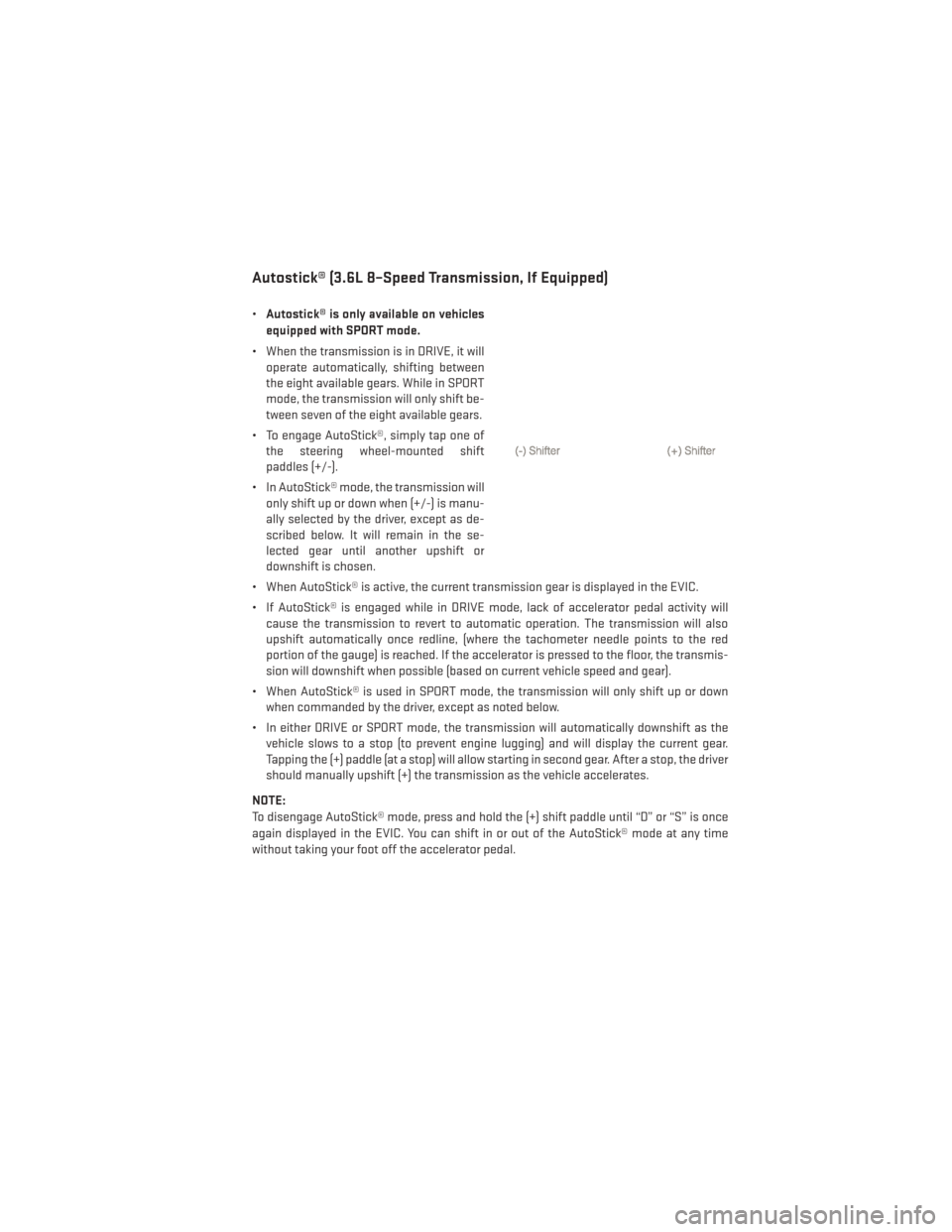
• To engage AutoStick®, simply tap one of the steering wheel-mounted shift
paddles (+/-).
• In AutoStick® mode, the transmission will only shift up or down when (+/-) is manu-
ally selected by the driver, except as de-
scribed below. It will remain in the se-
lected gear until another upshift or
downshift is chosen.
• When AutoStick® is active, the current transmission gear is displayed in the EVIC.
• If AutoStick® is engaged while in DRIVE mode, lack of accelerator pedal activity will cause the transmission to revert to automatic operation. The transmission will also
upshift automatically once redline, (where the tachometer needle points to the red
portion of the gauge) is reached. If the accelerator is pressed to the floor, the transmis-
sion will downshift when possible (based on current vehicle speed and gear).
• When AutoStick® is used in SPORT mode, the transmission will only shift up or down when commanded by the driver, except as noted below.
• In either DRIVE or SPORT mode, the transmission will automatically downshift as the vehicle slows to a stop (to prevent engine lugging) and will display the current gear.
Tapping the (+) paddle (at a stop) will allow starting in second gear. After a stop, the driver
should manually upshift (+) the transmission as the vehicle accelerates.
NOTE:
To disengage AutoStick® mode, press and hold the (+) shift paddle until “D” or “S” is once
again displayed in the EVIC. You can shift in or out of the AutoStick® mode at any time
without taking your foot off the accelerator pedal.
OPERATING YOUR VEHICLE
39
Page 43 of 148
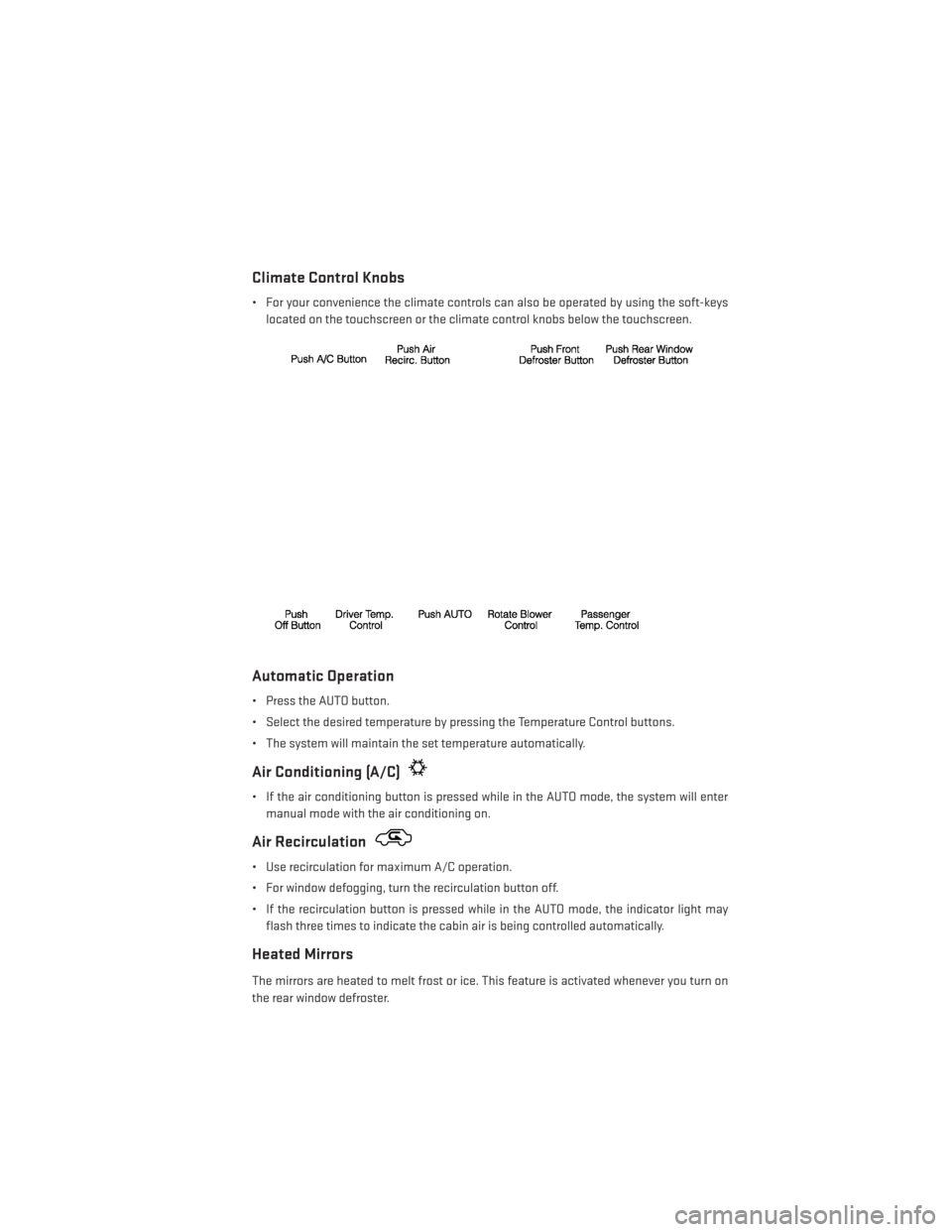
Climate Control Knobs
• For your convenience the climate controls can also be operated by using the soft-keyslocated on the touchscreen or the climate control knobs below the touchscreen.
Automatic Operation
• Press the AUTO button.
• Select the desired temperature by pressing the Temperature Control buttons.
• The system will maintain the set temperature automatically.
Air Conditioning (A/C)
• If the air conditioning button is pressed while in the AUTO mode, the system will entermanual mode with the air conditioning on.
Air Recirculation
• Use recirculation for maximum A/C operation.
• For window defogging, turn the recirculation button off.
• If the recirculation button is pressed while in the AUTO mode, the indicator light mayflash three times to indicate the cabin air is being controlled automatically.
Heated Mirrors
The mirrors are heated to melt frost or ice. This feature is activated whenever you turn on
the rear window defroster.
OPERATING YOUR VEHICLE
41
Page 44 of 148
POWER SUNROOF
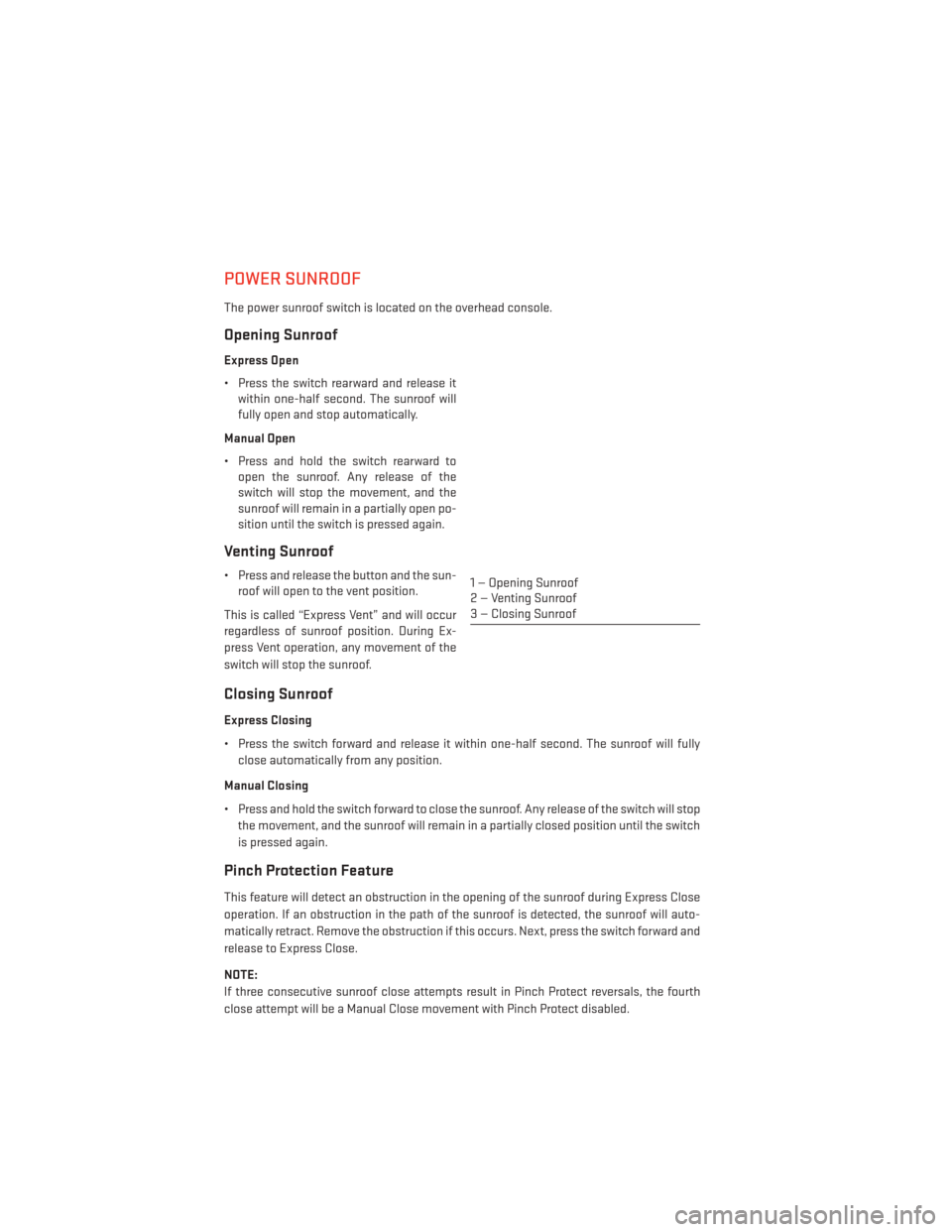
The power sunroof switch is located on the overhead console.
Opening Sunroof
Express Open
• Press the switch rearward and release itwithin one-half second. The sunroof will
fully open and stop automatically.
Manual Open
• Press and hold the switch rearward to open the sunroof. Any release of the
switch will stop the movement, and the
sunroof will remain in a partially open po-
sition until the switch is pressed again.
Venting Sunroof
• Press and release the button and the sun-roof will open to the vent position.
This is called “Express Vent” and will occur
regardless of sunroof position. During Ex-
press Vent operation, any movement of the
switch will stop the sunroof.
Closing Sunroof
Express Closing
• Press the switch forward and release it within one-half second. The sunroof will fully close automatically from any position.
Manual Closing
• Press and hold the switch forward to close the sunroof. Any release of the switch will stop the movement, and the sunroof will remain in a partially closed position until the switch
is pressed again.
Pinch Protection Feature
This feature will detect an obstruction in the opening of the sunroof during Express Close
operation. If an obstruction in the path of the sunroof is detected, the sunroof will auto-
matically retract. Remove the obstruction if this occurs. Next, press the switch forward and
release to Express Close.
NOTE:
If three consecutive sunroof close attempts result in Pinch Protect reversals, the fourth
close attempt will be a Manual Close movement with Pinch Protect disabled.
1 — Opening Sunroof
2 — Venting Sunroof
3 — Closing Sunroof
OPERATING YOUR VEHICLE
42