oil pressure DODGE CHARGER 2014 7.G User Guide
[x] Cancel search | Manufacturer: DODGE, Model Year: 2014, Model line: CHARGER, Model: DODGE CHARGER 2014 7.GPages: 148, PDF Size: 3.77 MB
Page 8 of 148
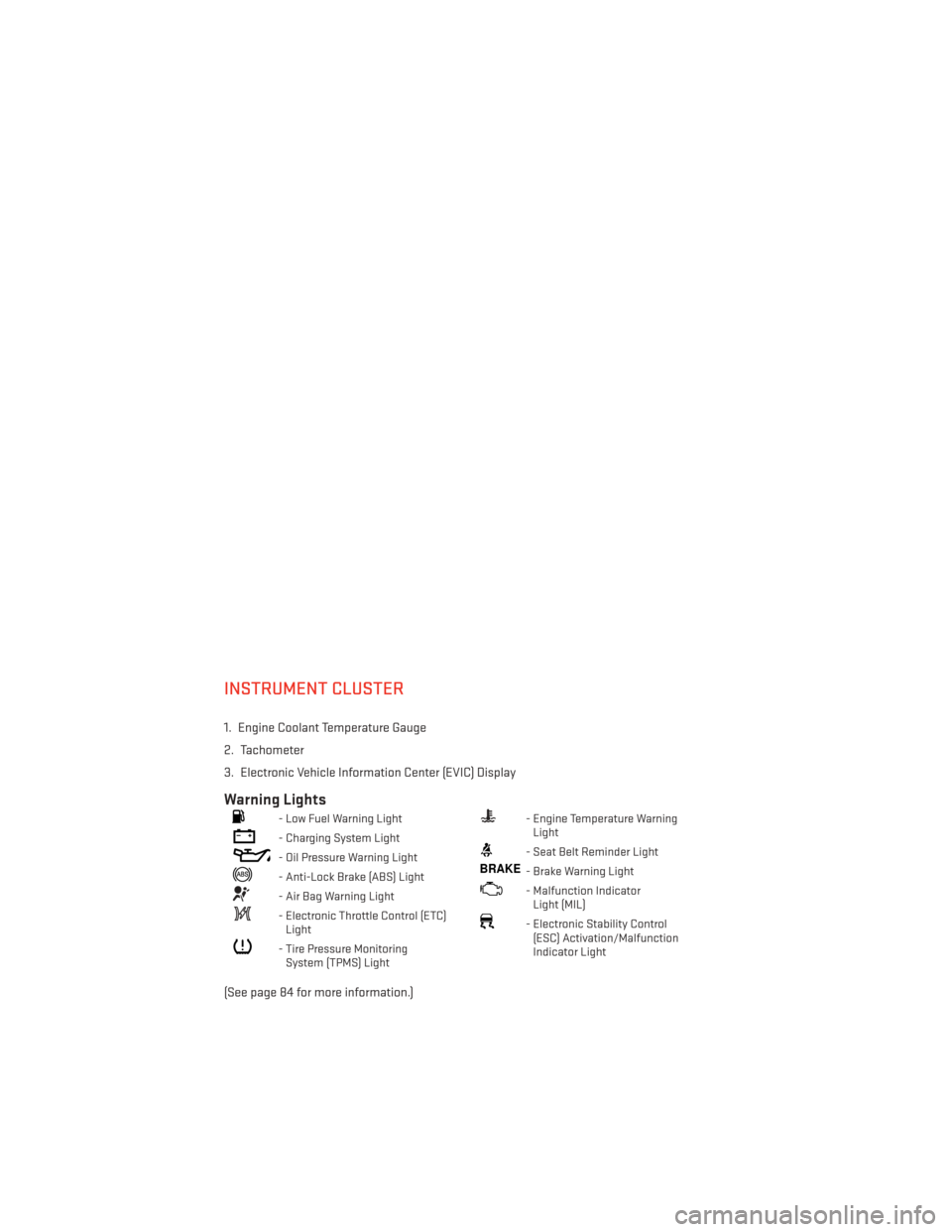
INSTRUMENT CLUSTER
1. Engine Coolant Temperature Gauge
2. Tachometer
3. Electronic Vehicle Information Center (EVIC) Display
Warning Lights
- Low Fuel Warning Light
- Charging System Light
- Oil Pressure Warning Light
- Anti-Lock Brake (ABS) Light
- Air Bag Warning Light
- Electronic Throttle Control (ETC)Light
- Tire Pressure MonitoringSystem (TPMS) Light
- Engine Temperature WarningLight
- Seat Belt Reminder Light
BRAKE- Brake Warning Light
- Malfunction IndicatorLight (MIL)
- Electronic Stability Control(ESC) Activation/Malfunction
Indicator Light
(See page 84 for more information.)
CONTROLS AT A GLANCE
6
Page 9 of 148
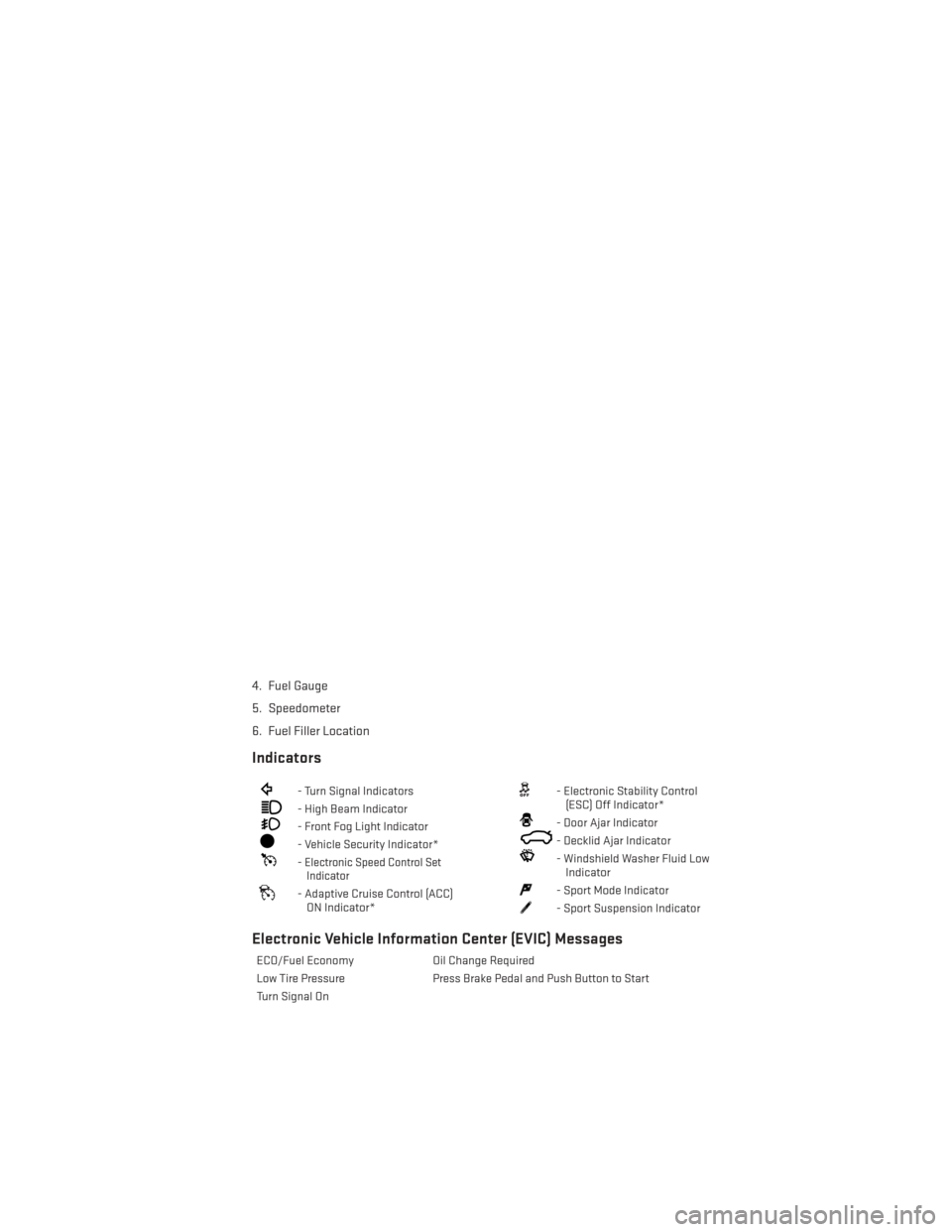
4. Fuel Gauge
5. Speedometer
6. Fuel Filler Location
Indicators
- Turn Signal Indicators
- High Beam Indicator
- Front Fog Light Indicator
- Vehicle Security Indicator*
-Electronic Speed Control SetIndicator
- Adaptive Cruise Control (ACC)
ON Indicator*
- Electronic Stability Control(ESC) Off Indicator*
- Door Ajar Indicator
- Decklid Ajar Indicator
- Windshield Washer Fluid LowIndicator
- Sport Mode Indicator
- Sport Suspension Indicator
Electronic Vehicle Information Center (EVIC) Messages
ECO/Fuel Economy Oil Change Required
Low Tire Pressure Press Brake Pedal and Push Button to Start
Turn Signal On
CONTROLS AT A GLANCE
7
Page 83 of 148
Braking Distance
• When selected, this screen displays the vehicle's braking distance and the speed atwhich the brake pedal was depressed.
1/8 Mile, 1/4 Mile
• When selected, this screen displays the time it takes the vehicle to travel 1/8 mile (1/4 mile) within 30 seconds and the vehicle's speed when it reaches 1/8 mile (1/4 mile).
Instantaneous G-Force
• When selected, this screen displays the current G-Force (lateral and longitudinal) along with a friction circle that displays the directions of the forces.
Peak G-Force
• When selected, this screen displays all four G-Force values (two lateral and two longitudinal).
Uconnect® SRT Performance Features
• To access the SRT Performance Features, touch the “SRT & More” soft-key then touchthe “SRT Performance” soft-key. Press the UP or DOWN soft-key to cycle through the
features. Press the feature soft-key to select that feature.
• The Performance Page includes the following menus:
• Home • Timers
• Instantaneou sG–Force • Gauges1
• Gauges 2 • Engine Values
• Options
Timers
0-60 mph (0-100 km/h), 1/8 Mile, 1/4 Mile
When selected, this screen displays the time it takes for the vehicle to go from 0 to 60 mph
(0 to 100 km/h), 1/8 mile or 1/4 mile.
Braking Distance
When selected, this screen displays the vehicle's braking distance and the speed at which
the brake pedal was depressed.
G-Force
When selected, this screen displays all four G-Force values (two lateral and two longitudi-
nal) as well as steering angle.
Gauges 1
• Oil Temperature
• Oil Pressure
• Battery Voltage
SRT
81
Page 84 of 148
Gauges 2
• Coolant Temperature
• Oil Temperature
• Transmission Temperature
• Intake Air Temperature
• Oil Pressure
• Battery Voltage
Engine
When selected, this screen displays miles per hour (mph), horsepower (hp), torque (ft/lb), oil
pressure (psi) and gear selector values.
Handling
When selected, this screen displays peak g-force, instantaneous g-force, steering and yaw
angles.
Options
When selected, this screen allows you to choose a standard or custom display for your SRT
home page.
WARNING!
Measurement of vehicle statistics with the Performance Features is intended for off-
highway or off-road use only and should not be done on any public roadways. It is
recommended that these features be used in a controlled environment and within the
limits of the law. The capabilities of the vehicle as measured by the performance pages
must never be exploited in a reckless or dangerous manner, which can jeopardize the
user’s safety or the safety of others. Only a safe, attentive, and skillful driver can prevent
accidents.
SRT
82
Page 88 of 148
WARNING!
A hot engine cooling system is dangerous. You or others could be badly burned by steam
or boiling coolant.
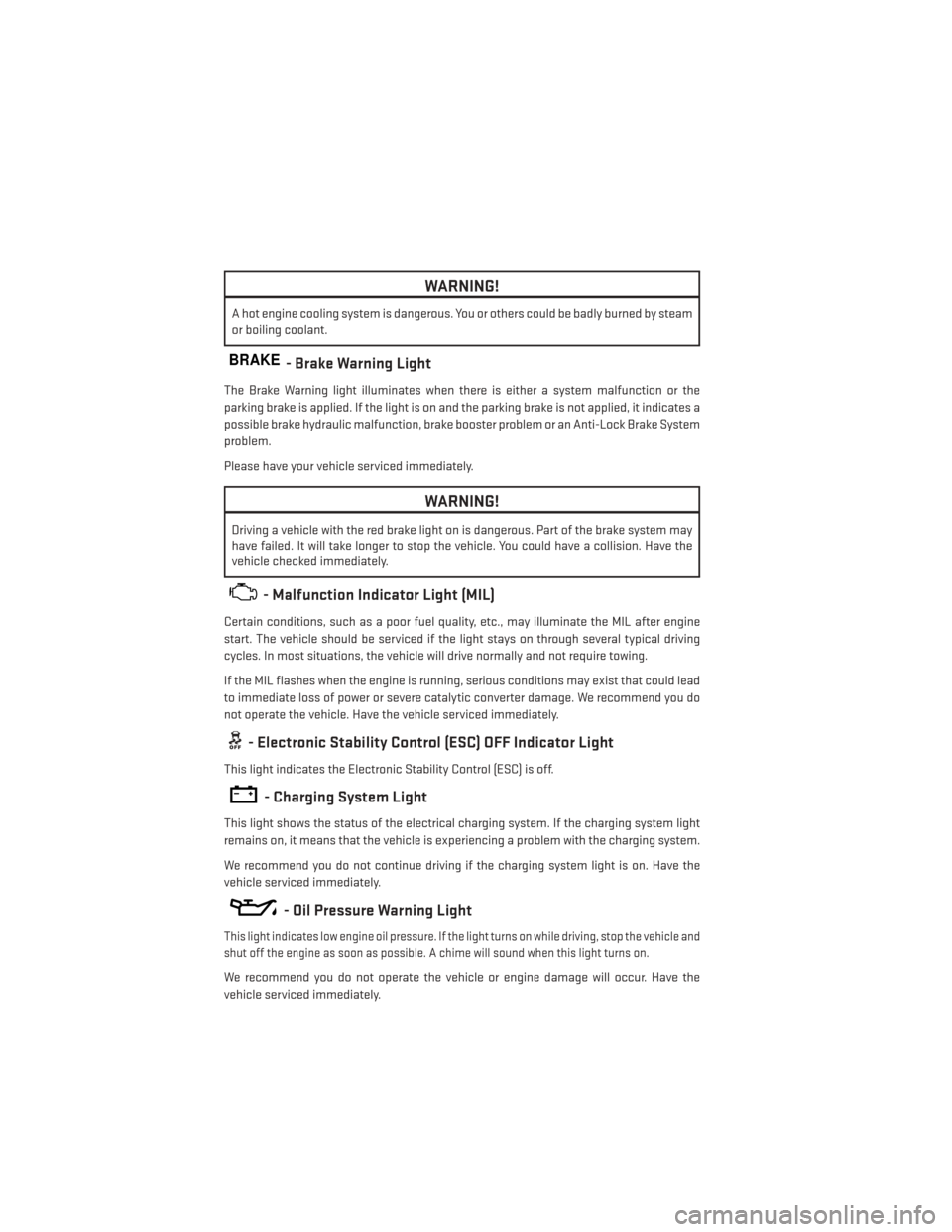
BRAKE- Brake Warning Light
The Brake Warning light illuminates when there is either a system malfunction or the
parking brake is applied. If the light is on and the parking brake is not applied, it indicates a
possible brake hydraulic malfunction, brake booster problem or an Anti-Lock Brake System
problem.
Please have your vehicle serviced immediately.
WARNING!
Driving a vehicle with the red brake light on is dangerous. Part of the brake system may
have failed. It will take longer to stop the vehicle. You could have a collision. Have the
vehicle checked immediately.
- Malfunction Indicator Light (MIL)
Certain conditions, such as a poor fuel quality, etc., may illuminate the MIL after engine
start. The vehicle should be serviced if the light stays on through several typical driving
cycles. In most situations, the vehicle will drive normally and not require towing.
If the MIL flashes when the engine is running, serious conditions may exist that could lead
to immediate loss of power or severe catalytic converter damage. We recommend you do
not operate the vehicle. Have the vehicle serviced immediately.
- Electronic Stability Control (ESC) OFF Indicator Light
This light indicates the Electronic Stability Control (ESC) is off.
- Charging System Light
This light shows the status of the electrical charging system. If the charging system light
remains on, it means that the vehicle is experiencing a problem with the charging system.
We recommend you do not continue driving if the charging system light is on. Have the
vehicle serviced immediately.
- Oil Pressure Warning Light
This light indicates low engine oil pressure. If the light turns on while driving, stop the vehicle and
shut off the engine as soon as possible. A chime will sound when this light turns on.
We recommend you do not operate the vehicle or engine damage will occur. Have the
vehicle serviced immediately.
WHAT TO DO IN EMERGENCIES
86
Page 100 of 148
If the tire inflates to the recommended pressure or is at least 26 psi (1.8 Bar) pressure
within 15 minutes:
1. Press the Power Button (4) to turn off the TIREFIT kit.
2. Remove the Speed Limit sticker from the top of the Sealant Bottle (1) and place thesticker on the instrument panel.
3. Immediately disconnect the Sealant Hose (6) from the valve stem, reinstall the cap on the fitting at the end of the hose, and place the TIREFIT kit in the vehicle storage
location. Quickly proceed to (D) “Drive Vehicle.”
(D) Drive Vehicle:
Immediately after injecting sealant and inflating the tire, drive the vehicle 5 miles (8 km) or
10 minutes to ensure distribution of the TIREFIT Sealant within the tire. Do not exceed
55 mph (88 km/h).
(E) After Driving:
Pull over to a safe location. Refer to “Whenever You Stop to Use TIREFIT” before continuing.
1. Turn the Mode Select Knob (5) to the Air Mode position.
2. Uncoil the Air Pump Hose (7) (black in color) and screw the fitting at the end of hose (7)onto the valve stem.
3. Uncoil the power plug and insert the plug into the vehicles 12 Volt power outlet.
4. Check the pressure in the tire by reading the Pressure Gauge (3).
If tire pressure is less than 19 psi (1.3 Bar), the tire is too badly damaged. Do not attempt
to drive the vehicle further. Call for assistance.
If the tire pressure is 19 psi (1.3 Bar) or higher:
1. Press the Power Button (4) to turn on TIREFIT and inflate the tire to the pressure indicated on the tire and loading information label on the driver-side door opening.
2. Disconnect the TIREFIT kit from the valve stem, reinstall the cap on the valve stem and unplug from 12 Volt outlet.
3. Place the TIREFIT kit in its proper storage area in the vehicle.
4. Have the tire inspected and repaired or replaced at the earliest opportunity at an authorized dealer or tire service center.
5. Replace the Sealant Bottle (1) and Sealant Hose (6) assembly at your authorized dealer as soon as possible. Refer to “(F) Sealant Bottle and Hose Replacement.”
NOTE:
• If the tire becomes over-inflated, press the Deflation Button to reduce the tire pressure to the recommended inflation pressure before continuing.
• When having the tire serviced, advise the authorized dealer or service center that the tire has been sealed using the TIREFIT service kit.
WHAT TO DO IN EMERGENCIES
98
Page 119 of 148
Your authorized dealer will reset the oil change indicator message after completing the
scheduled oil change. If a scheduled oil change is performed by someone other than your
authorized dealer, the message can be reset by referring to the steps described under
“Instrument Cluster Warning Lights” in “What To Do In Emergencies” in this guide or
“Electronic Vehicle Information Center (EVIC)” in “Understanding Your Instrument Panel” in
your Owners Manual on the DVD for further information.
NOTE:
Under no circumstances should oil change intervals exceed 10,000 miles (16,000 km) or
twelve months, whichever comes first.
Severe Duty All Models
Change Engine Oil at 4000 miles (6,500 km) if the vehicle is operated in a dusty and off road
environment. This type of vehicle use is considered Severe Duty
Once A Month Or Before A Long Trip:
• Check engine oil level
• Check windshield washer fluid level
• Check tire pressure and look for unusual wear or damage. Rotate tires at the first sign ofirregular wear, even if it occurs before your next scheduled service.
• Check the fluid levels of the coolant reservoir, brake master cylinder, and power steering and fill as needed.
• Check function of all interior and exterior lights
Required Maintenance Intervals.
Refer to the maintenance schedules on the following page for the required maintenance
intervals.
At Every Oil Change Interval As Indicated By Oil Change Indicator System:
• Change oil and filter
• Rotate the tires. Rotate at the first sign of irregular wear, even if it occurs before your
next scheduled service
• Inspect battery and clean and tighten terminals as required
• Inspect brake pads, shoes, rotors, drums, hoses and park brake
• Inspect engine cooling system protection and hoses
• Inspect exhaust system
• Inspect engine air cleaner if using in dusty or off-road conditions
MAINTAINING YOUR VEHICLE
117
Page 124 of 148
Once A Month
• Check tire pressure and look for unusual wear or damage.
• Inspect the battery, and clean and tighten the terminals as required.
• Check the fluid levels of the coolant reservoir, brake master cylinder, and power steering,and add as needed.
• Check all lights and other electrical items for correct operation.
At Each Oil Change
• Change the engine oil filter.
• Inspect the brake hoses and lines.
CAUTION!
Failure to perform the required maintenance items may result in damage to the vehicle.
MAINTAINING YOUR VEHICLE
122
Page 137 of 148
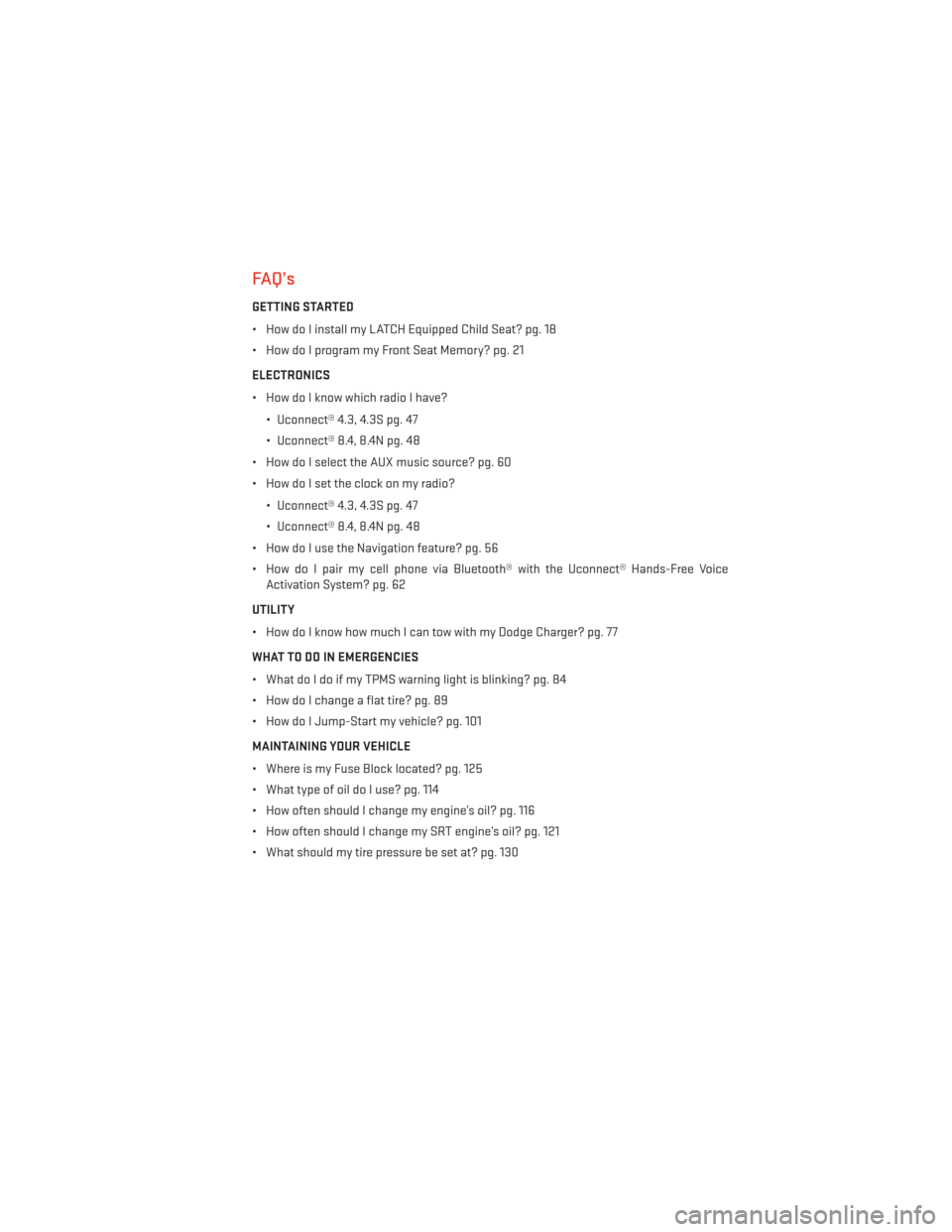
FAQ’s
GETTING STARTED
• How do I install my LATCH Equipped Child Seat? pg. 18
• How do I program my Front Seat Memory? pg. 21
ELECTRONICS
• How do I know which radio I have?• Uconnect® 4.3, 4.3S pg. 47
• Uconnect® 8.4, 8.4N pg. 48
• How do I select the AUX music source? pg. 60
• How do I set the clock on my radio?
• Uconnect® 4.3, 4.3S pg. 47
• Uconnect® 8.4, 8.4N pg. 48
• How do I use the Navigation feature? pg. 56
• How do I pair my cell phone via Bluetooth® with the Uconnect® Hands-Free Voice Activation System? pg. 62
UTILITY
• How do I know how much I can tow with my Dodge Charger? pg. 77
WHAT TO DO IN EMERGENCIES
• What do I do if my TPMS warning light is blinking? pg. 84
• How do I change a flat tire? pg. 89
• How do I Jump-Start my vehicle? pg. 101
MAINTAINING YOUR VEHICLE
• Where is my Fuse Block located? pg. 125
• What type of oil do I use? pg. 114
• How often should I change my engine’s oil? pg. 116
• How often should I change my SRT engine’s oil? pg. 121
• What should my tire pressure be set at? pg. 130
FREQUENTLY ASKED QUESTIONS
135
Page 138 of 148
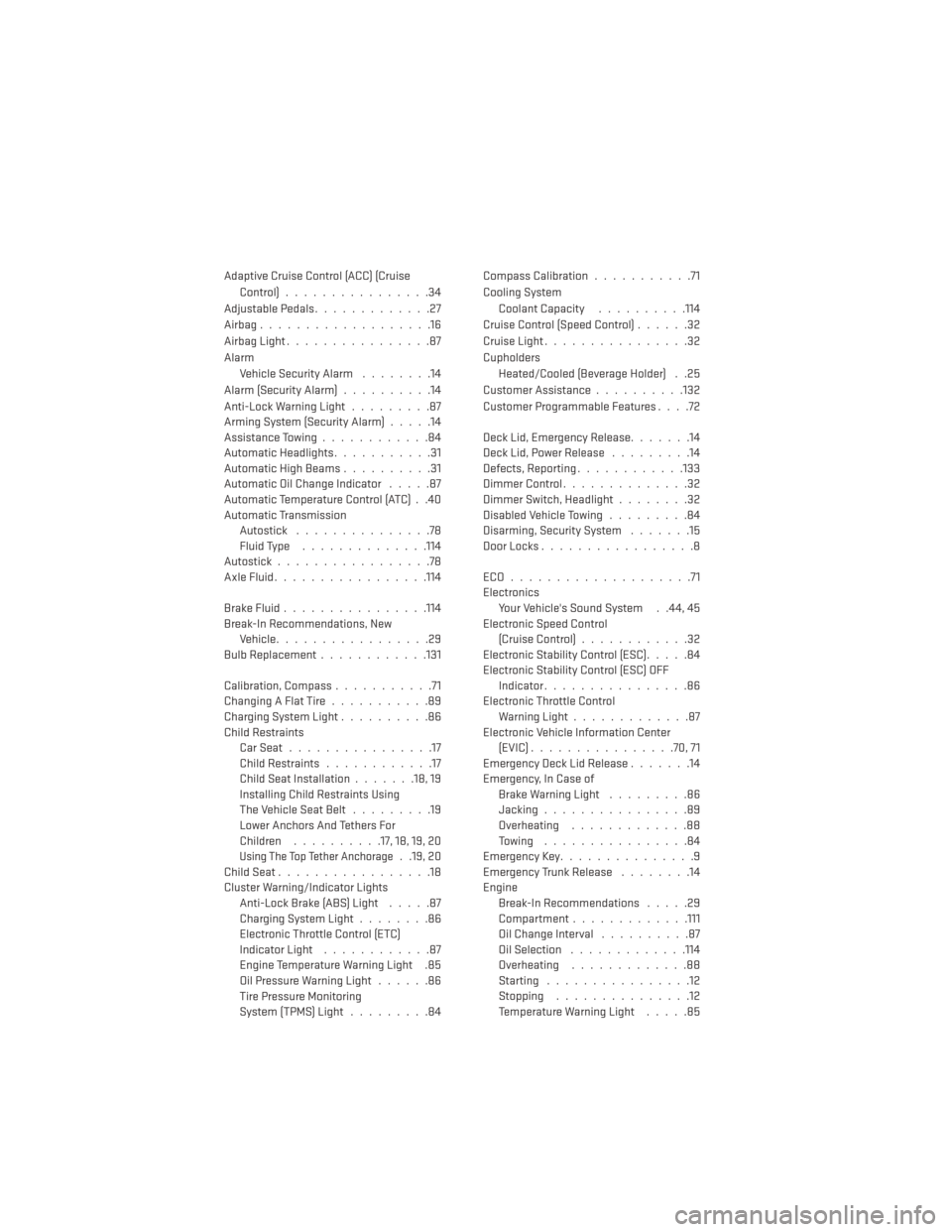
Adaptive Cruise Control (ACC) (CruiseControl)................34
AdjustablePedals.............27
Airbag ...................16
Airbag Light ................87
Alarm Vehicle Security Alarm ........14
Alarm (Security Alarm) ..........14
Anti-Lock Warning Light .........87
Arming System (Security Alarm) .....14
Assistance Towing ............84
Automatic Headlights ...........31
Automatic High Beams ..........31
Automatic Oil Change Indicator .....87
Automatic Temperature Control (ATC) . .40
Automatic Transmission Autostick ...............78
Fluid Type ..............114
Autostick .................78
AxleFluid.................114
BrakeFluid................114
Break-In Recommendations, New Vehicle .................29
Bulb Replacement ............131
Calibration, Compass ...........71
ChangingAFlatTire...........89
Charging System Light ..........86
Child Restraints CarSeat................17
Child Restraints ............17
Child Seat Installation .......18,19
Installing Child Restraints Using
The Vehicle Seat Belt .........19
Lower Anchors And Tethers For
Children ..........17, 18, 19, 20
Using The Top Tether Anchorage. .19, 20
ChildSeat.................18
Cluster Warning/Indicator Lights Anti-Lock Brake (ABS) Light .....87
Charging System Light ........86
Electronic Throttle Control (ETC)
Indicator Light ............87
Engine Temperature Warning Light .85
Oil Pressure Warning Light ......86
Tire Pressure Monitoring
System (TPMS) Light .........84 Compass Calibration
...........71
Cooling System Coolant Capacity ..........114
Cruise Control (Speed Control) ......32
Cruise Light ................32
Cupholders Heated/Cooled (Beverage Holder) . .25
Customer Assistance ..........132
Customer Programmable Features ....72
Deck Lid, Emergency Release .......14
Deck Lid, Power Release .........14
Defects, Reporting ............133
Dimmer Control ..............32
Dimmer Switch, Headlight ........32
Disabled Vehicle Towing .........84
Disarming, Security System .......15
DoorLocks.................8
ECO....................71
Electronics Your Vehicle's Sound System . .44, 45
Electronic Speed Control (Cruise Control) ............32
Electronic Stability Control (ESC) .....84
Electronic Stability Control (ESC) OFF Indicator ................86
Electronic Throttle Control Warning Light .............87
Electronic Vehicle Information Center (EVIC)................70,71
Emergency Deck Lid Release .......14
Emergency, In Case of Brake Warning Light .........86
Jacking ................89
Overheating .............88
Towing ................84
Emergency Key ...............9
Emergency Trunk Release ........14
Engine Break-In Recommendations .....29
Compartment............ .111
Oil Change Interval ..........87
Oil Selection .............114
Overheating .............88
Starting ................12
Stopping ...............12
Temperature Warning Light .....85
INDEX
136