display DODGE CHARGER 2015 7.G Manual Online
[x] Cancel search | Manufacturer: DODGE, Model Year: 2015, Model line: CHARGER, Model: DODGE CHARGER 2015 7.GPages: 638, PDF Size: 16.56 MB
Page 339 of 638
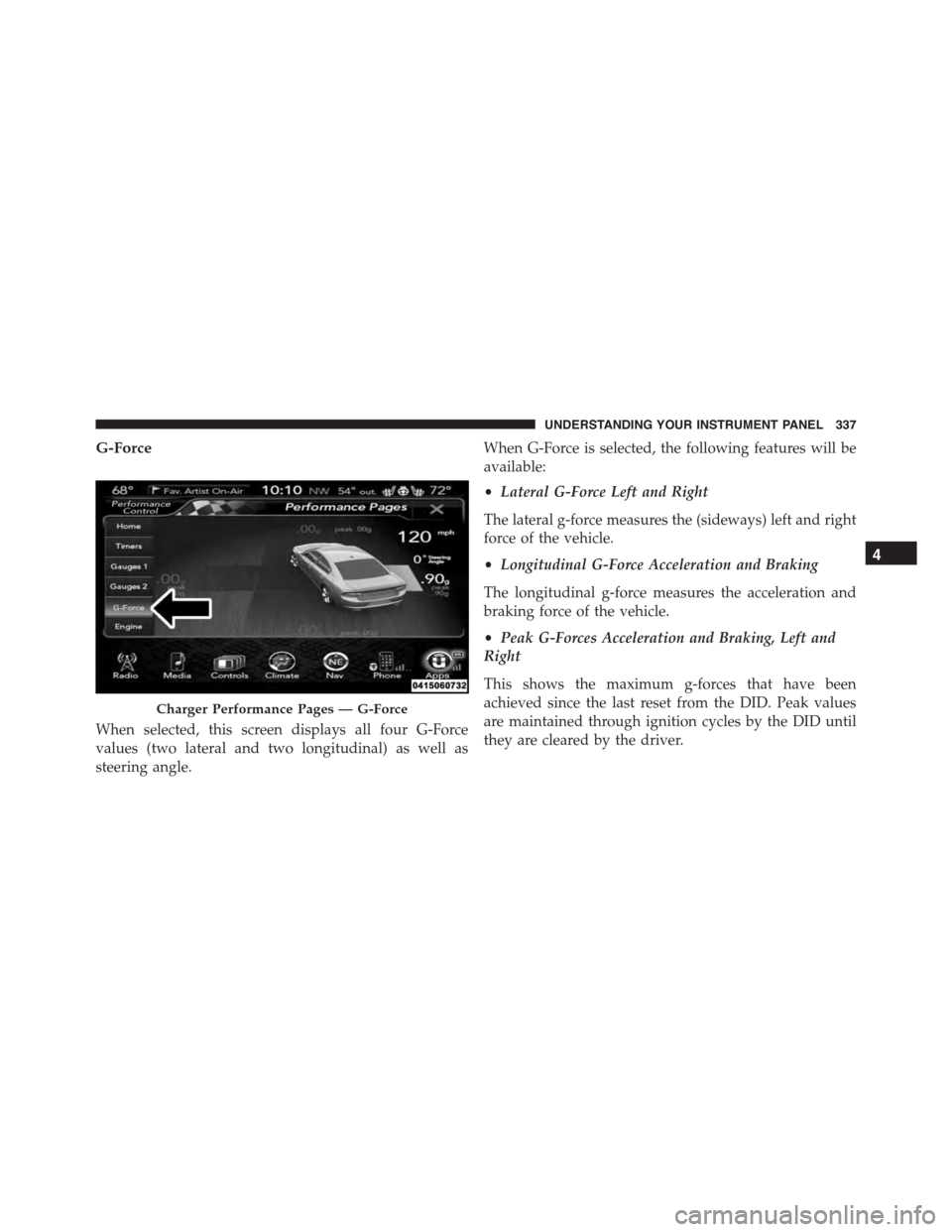
G-Force
When selected, this screen displays all four G-Force
values (two lateral and two longitudinal) as well as
steering angle.
When G-Force is selected, the following features will be
available:
•Lateral G-Force Left and Right
The lateral g-force measures the (sideways) left and right
force of the vehicle.
•Longitudinal G-Force Acceleration and Braking
The longitudinal g-force measures the acceleration and
braking force of the vehicle.
•Peak G-Forces Acceleration and Braking, Left and
Right
This shows the maximum g-forces that have been
achieved since the last reset from the DID. Peak values
are maintained through ignition cycles by the DID until
they are cleared by the driver.
Charger Performance Pages — G-Force
4
UNDERSTANDING YOUR INSTRUMENT PANEL 337
Page 340 of 638
•Vehicle Speed
Vehicle Speed measures the current speed of the vehicle
in either mph or km/h, starting at 0 with no maximum
value.
•Steering Wheel Angle
Steering Wheel Angle utilizes the steering angle sensor to
measure the degree of the steering wheel relative to zero.
The zero degree measurement indicates a steering wheel
straight ahead position. When the steering angle value is
negative, this indicates a turn to the left, and when the
steering angle value is positive, a turn to the right.
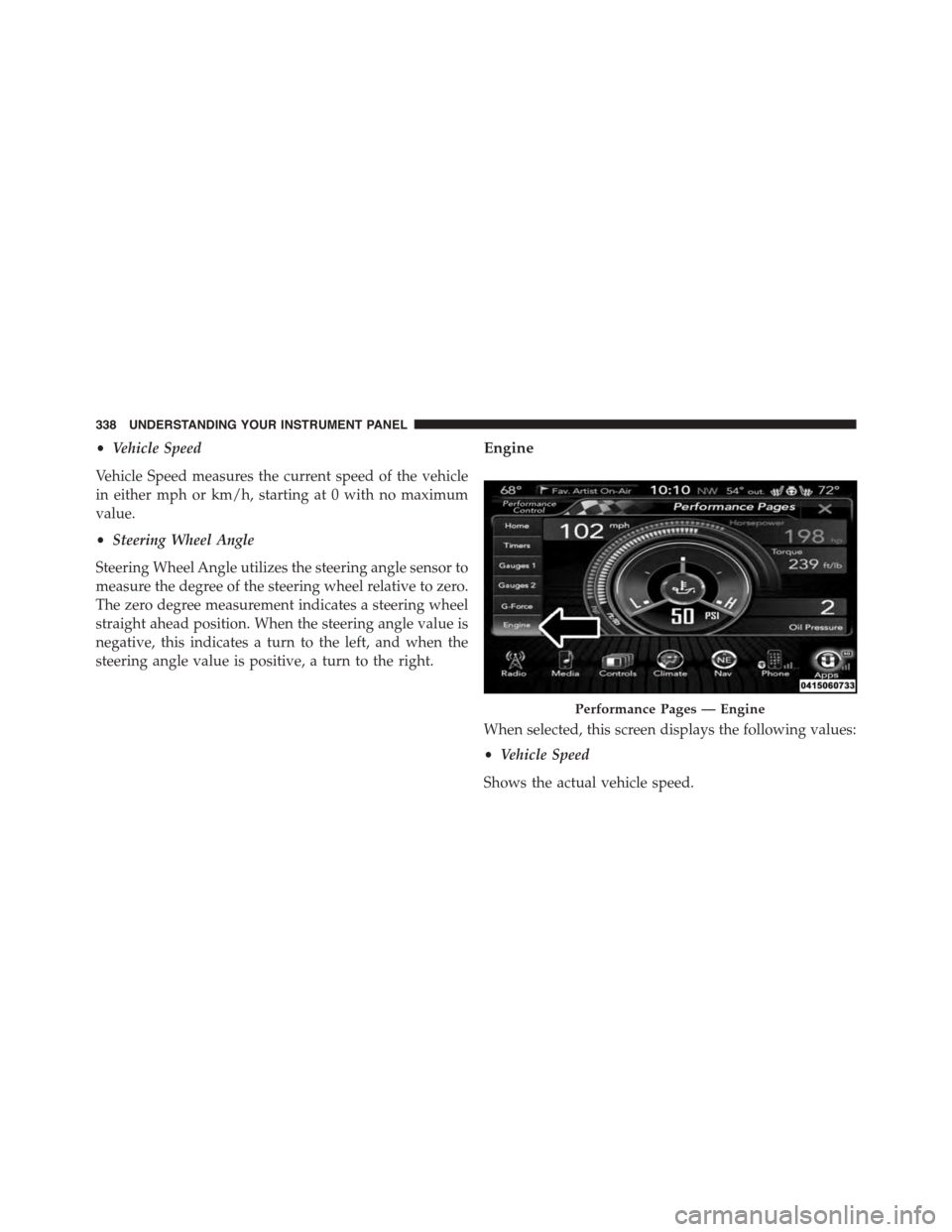
Engine
When selected, this screen displays the following values:
•Vehicle Speed
Shows the actual vehicle speed.
Performance Pages — Engine
338 UNDERSTANDING YOUR INSTRUMENT PANEL
Page 354 of 638
CLIMATE CONTROLS
The air conditioning and heating system is designed to
make you comfortable in all types of weather. This
system can be operated through either the controls on the
instrument panel or through the Uconnect® system dis-
play.
When the Uconnect® system is in different modes (Ra-
dio, Player, Settings, More, etc.) the driver and passenger
temperature settings will be indicated at the top of the
display.
Manual Climate Controls With Touchscreen — If
Equipped
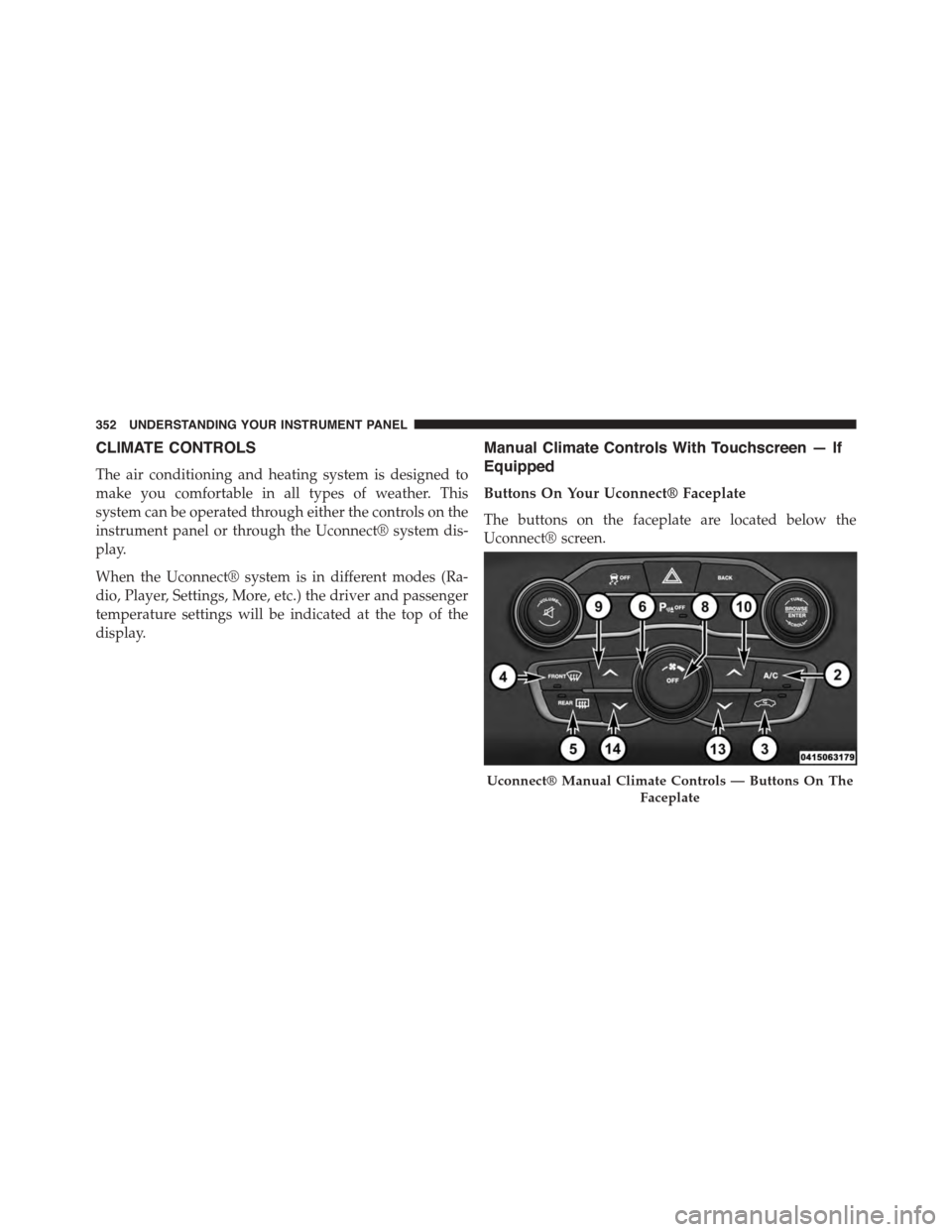
Buttons On Your Uconnect® Faceplate
The buttons on the faceplate are located below the
Uconnect® screen.
Uconnect® Manual Climate Controls — Buttons On The
Faceplate
352 UNDERSTANDING YOUR INSTRUMENT PANEL
Page 369 of 638
Automatic Temperature Control (ATC)
Automatic Operation
1. Press the AUTO button on the faceplate or the AUTO
button on the touchscreen on the Automatic Tempera-
ture Control (ATC) Panel.
2. Next, adjust the temperature you would like the
system to maintain by adjusting the driver and pas-
senger temperature control buttons. Once the desired
temperature is displayed, the system will achieve and
automatically maintain that comfort level.
3. When the system is set up for your comfort level, it is
not necessary to change the settings. You will experi-
ence the greatest efficiency by simply allowing the
system to function automatically.
NOTE:
•It is not necessary to move the temperature settings.
The system automatically adjusts the temperature,
mode, and blower speed to provide comfort as quickly
as possible.
•The temperature can be displayed in U.S. or Metric
units by selecting the US/M customer-programmable
feature. Refer to the “Uconnect® System Settings” in
this section of the manual.
To provide you with maximum comfort in the Automatic
mode, during cold start-ups the blower fan will remain
on low until the engine warms up. The blower will
increase in speed and transition into Auto mode.
Manual Operation Override
The system allows for manual selection of blower speed,
air distribution mode, A/C status and recirculation con-
trol.
4
UNDERSTANDING YOUR INSTRUMENT PANEL 367
Page 373 of 638
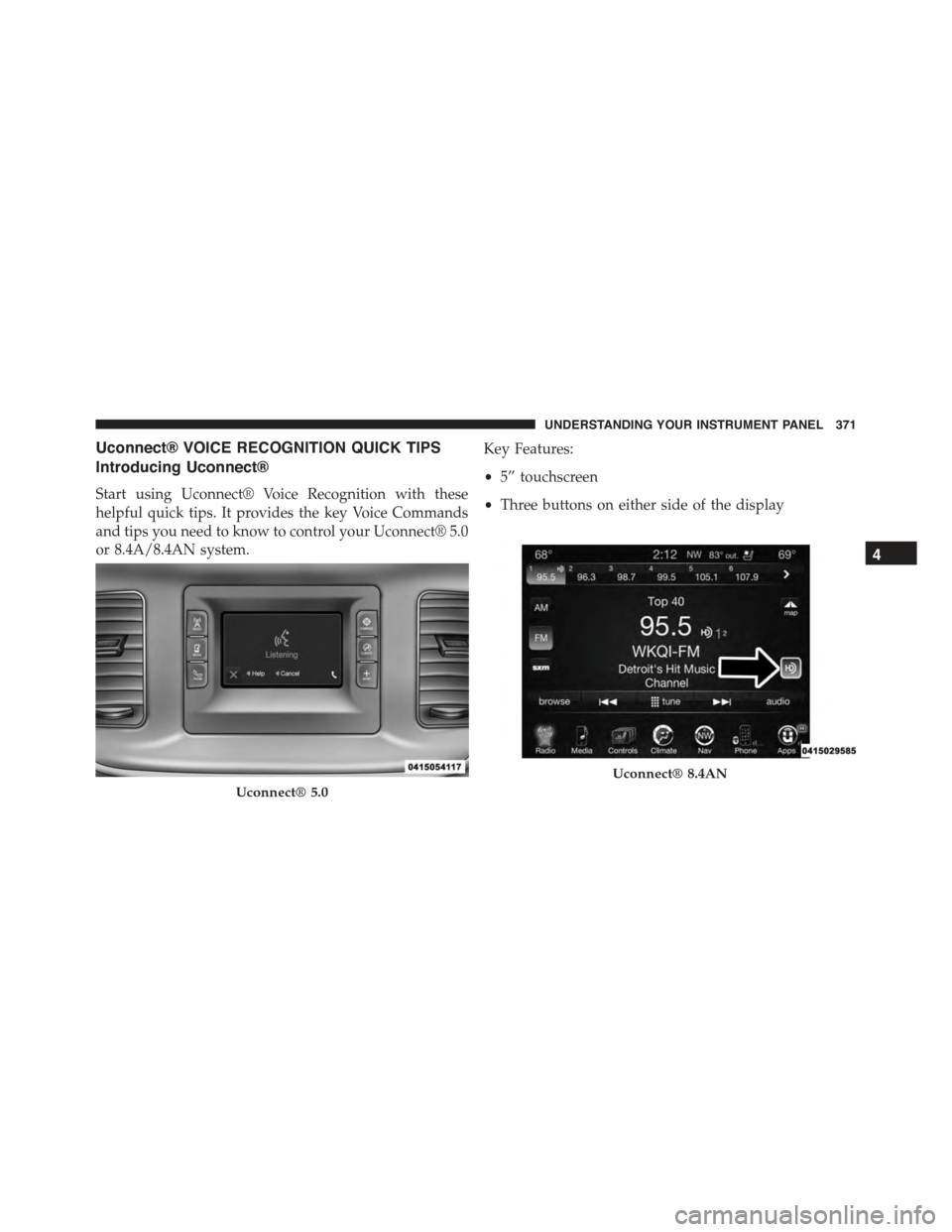
Uconnect® VOICE RECOGNITION QUICK TIPS
Introducing Uconnect®
Start using Uconnect® Voice Recognition with these
helpful quick tips. It provides the key Voice Commands
and tips you need to know to control your Uconnect® 5.0
or 8.4A/8.4AN system.
Key Features:
•5” touchscreen
•Three buttons on either side of the display
Uconnect® 5.0
Uconnect® 8.4AN
4
UNDERSTANDING YOUR INSTRUMENT PANEL 371
Page 378 of 638
Media
Uconnect® offers connections via USB, SD, Bluetooth®
and auxiliary ports (If Equipped). Voice operation is only
available for connected USB and iPod® devices. (Remote
CD player optional and not available on all vehicles.)
Push the VR button. After the beep, say one of the
following commands and follow the prompts to
switch your media source or choose an artist.
•Change sourceto Bluetooth®
•Change sourceto iPod®
•Change sourceto USB
•Play artistBeethoven;Play albumGreatest Hits;Play
songMoonlight Sonata;Play genreClassical
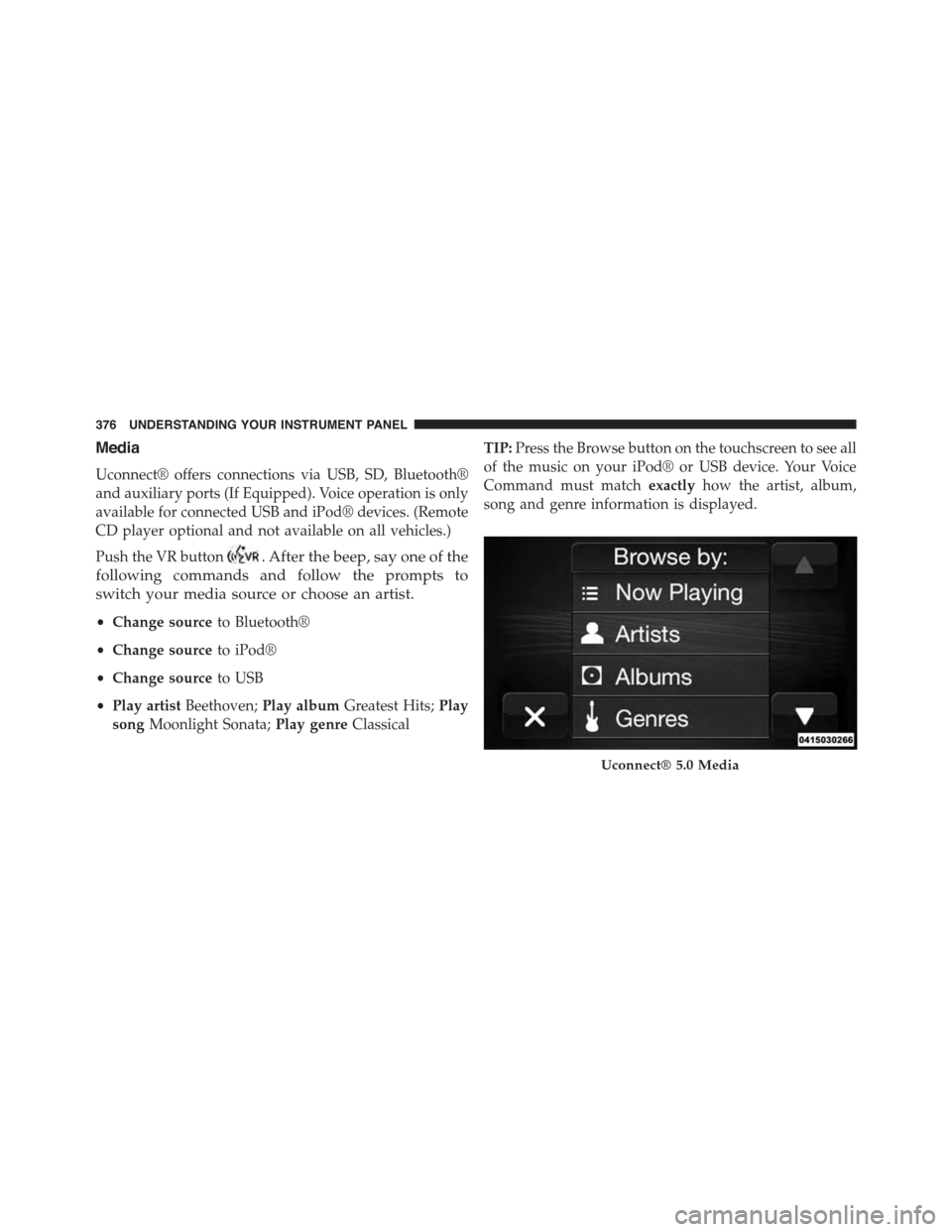
TIP:Press the Browse button on the touchscreen to see all
of the music on your iPod® or USB device. Your Voice
Command must matchexactlyhow the artist, album,
song and genre information is displayed.
Uconnect® 5.0 Media
376 UNDERSTANDING YOUR INSTRUMENT PANEL
Page 388 of 638
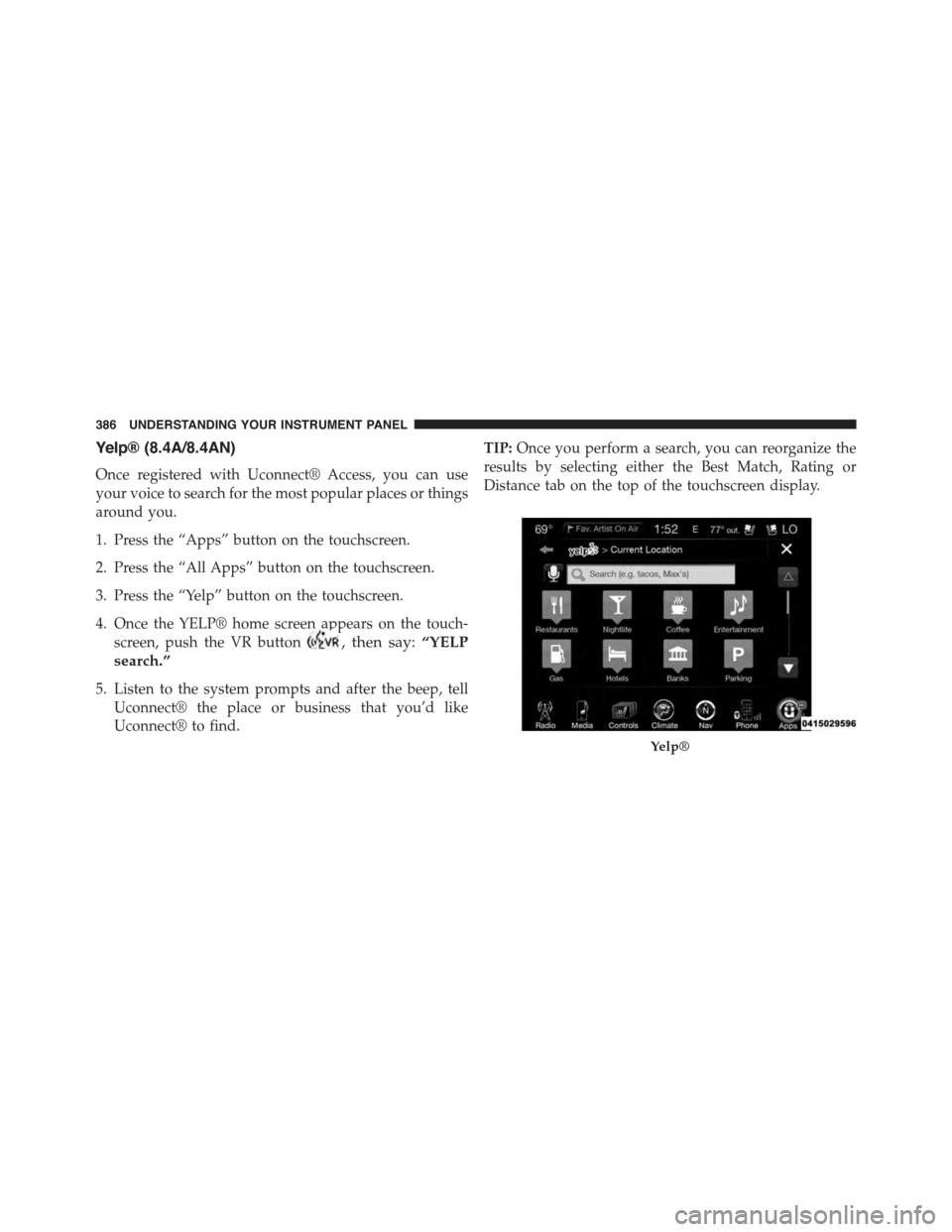
Yelp® (8.4A/8.4AN)
Once registered with Uconnect® Access, you can use
your voice to search for the most popular places or things
around you.
1. Press the “Apps” button on the touchscreen.
2. Press the “All Apps” button on the touchscreen.
3. Press the “Yelp” button on the touchscreen.
4. Once the YELP® home screen appears on the touch-
screen, push the VR button, then say:“YELP
search.”
5. Listen to the system prompts and after the beep, tell
Uconnect® the place or business that you’d like
Uconnect® to find.
TIP:Once you perform a search, you can reorganize the
results by selecting either the Best Match, Rating or
Distance tab on the top of the touchscreen display.
Yelp®
386 UNDERSTANDING YOUR INSTRUMENT PANEL
Page 397 of 638
3. The system takes over and attempts to start the
vehicle. If the vehicle fails to start, the starter will
disengage automatically after 10 seconds.
4. If you wish to stop the cranking of the engine prior to
the engine starting, push the button again.
NOTE:Normal starting of either a cold or a warm engine
is obtained without pumping or pressing the accelerator
pedal.
To Turn Off The Engine Using ENGINE
START/STOP Button
1. Place the shift lever/gear selector in PARK, then press
and release the ENGINE START/STOP button.
2. The ignition switch will return to the OFF position.
3. If the shift lever/gear selector is not in PARK, the
ENGINE START/STOP button must be held for two
seconds or three short presses in a row with the
vehicle speed above 5 mph (8 km/h) before the engine
will shut off. The ignition switch position will remain
in the ACC position until the shift lever/gear selector
is in PARK and the button is pressed twice to the OFF
position. If the shift lever/gear selector is not in PARK
and the ENGINE START/STOP button is pressed
once, the DID will display a “Vehicle Not In Park”
message and the engine will remain running. Never
leave a vehicle out of the PARK position, or it could
roll.
NOTE:If the ignition switch is left in the ACC or RUN
(engine not running) position and the transmission is in
PARK, the system will automatically time out after 30
minutes of inactivity and the ignition will switch to the
OFF position.
5
STARTING AND OPERATING 395
Page 403 of 638
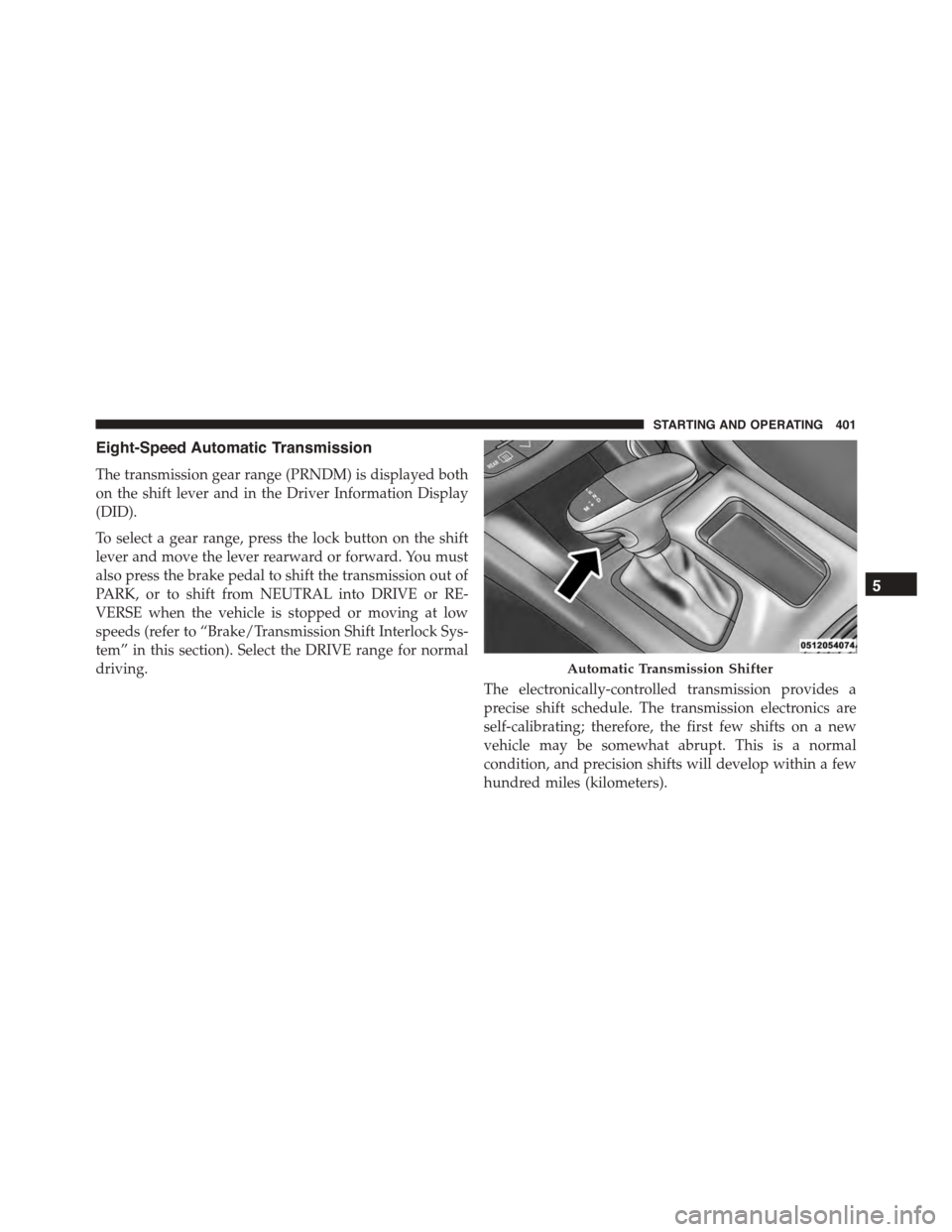
Eight-Speed Automatic Transmission
The transmission gear range (PRNDM) is displayed both
on the shift lever and in the Driver Information Display
(DID).
To select a gear range, press the lock button on the shift
lever and move the lever rearward or forward. You must
also press the brake pedal to shift the transmission out of
PARK, or to shift from NEUTRAL into DRIVE or RE-
VERSE when the vehicle is stopped or moving at low
speeds (refer to “Brake/Transmission Shift Interlock Sys-
tem” in this section). Select the DRIVE range for normal
driving.
The electronically-controlled transmission provides a
precise shift schedule. The transmission electronics are
self-calibrating; therefore, the first few shifts on a new
vehicle may be somewhat abrupt. This is a normal
condition, and precision shifts will develop within a few
hundred miles (kilometers).
Automatic Transmission Shifter
5
STARTING AND OPERATING 401
Page 404 of 638
Only shift from DRIVE to PARK or REVERSE when the
accelerator pedal is released and the vehicle is stopped.
Be sure to keep your foot on the brake pedal when
shifting between these gears.
The transmission shift lever has PARK, REVERSE, NEU-
TRAL, DRIVE, and MANUAL (Autostick) shift positions.
Manual shifts can be made using the Autostick shift
control (refer to “AutoStick” in this section for further
information). Toggling the shift lever forward (-) or
rearward (+) while in the MANUAL (AutoStick) position
(beside the DRIVE position) will manually select the
transmission gear, and will display the current gear in the
instrument cluster as M1, M2, M3, etc.
NOTE:If the shift lever cannot be moved to the PARK,
REVERSE, or NEUTRAL position (when pushed for-
ward) it is probably in the MANUAL (AutoStick, +/-)
position (beside the DRIVE position). In MANUAL
(AutoStick) mode, the transmission gear is displayed in
the instrument cluster (as M1, M2, M3, etc.). Move the
shift lever to the right (into the DRIVE [D] position) for
access to PARK, REVERSE, and NEUTRAL.
Gear Ranges
DO NOT race the engine when shifting from PARK or
NEUTRAL into another gear range.
NOTE:After selecting any gear range, wait a moment to
allow the selected gear to engage before accelerating.
This is especially important when the engine is cold.
PARK (P)
This range supplements the parking brake by locking the
transmission. The engine can be started in this range.
402 STARTING AND OPERATING