instrument panel DODGE CHARGER 2020 User Guide
[x] Cancel search | Manufacturer: DODGE, Model Year: 2020, Model line: CHARGER, Model: DODGE CHARGER 2020Pages: 412, PDF Size: 18.96 MB
Page 58 of 412
56GETTING TO KNOW YOUR VEHICLE
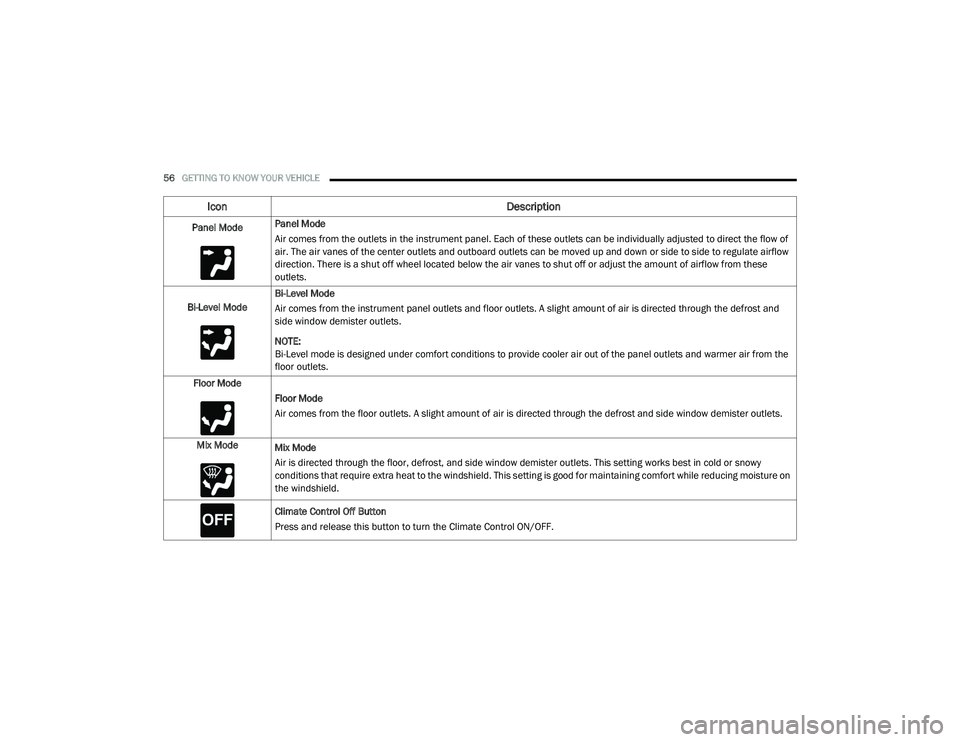
Panel ModePanel Mode
Air comes from the outlets in the instrument panel. Each of these outlets can be individually adjusted to direct the flow of
air. The air vanes of the center outlets and outboard outlets can be moved up and down or side to side to regulate airflow
direction. There is a shut off wheel located below the air vanes to shut off or adjust the amount of airflow from these
outlets.
Bi-Level Mode Bi-Level Mode
Air comes from the instrument panel outlets and floor outlets. A slight amount of air is directed through the defrost and
side window demister outlets.
NOTE:
Bi-Level mode is designed under comfort conditions to provide cooler air out of the panel outlets and warmer air from the
floor outlets.
Floor Mode Floor Mode
Air comes from the floor outlets. A slight amount of air is directed through the defrost and side window demister outlets.
Mix Mode Mix Mode
Air is directed through the floor, defrost, and side window demister outlets. This setting works best in cold or snowy
conditions that require extra heat to the windshield. This setting is good for maintaining comfort while reducing moisture on
the windshield.
Climate Control Off Button
Press and release this button to turn the Climate Control ON/OFF.
Icon Description
20_LD_OM_EN_USC_t.book Page 56
Page 59 of 412
GETTING TO KNOW YOUR VEHICLE57
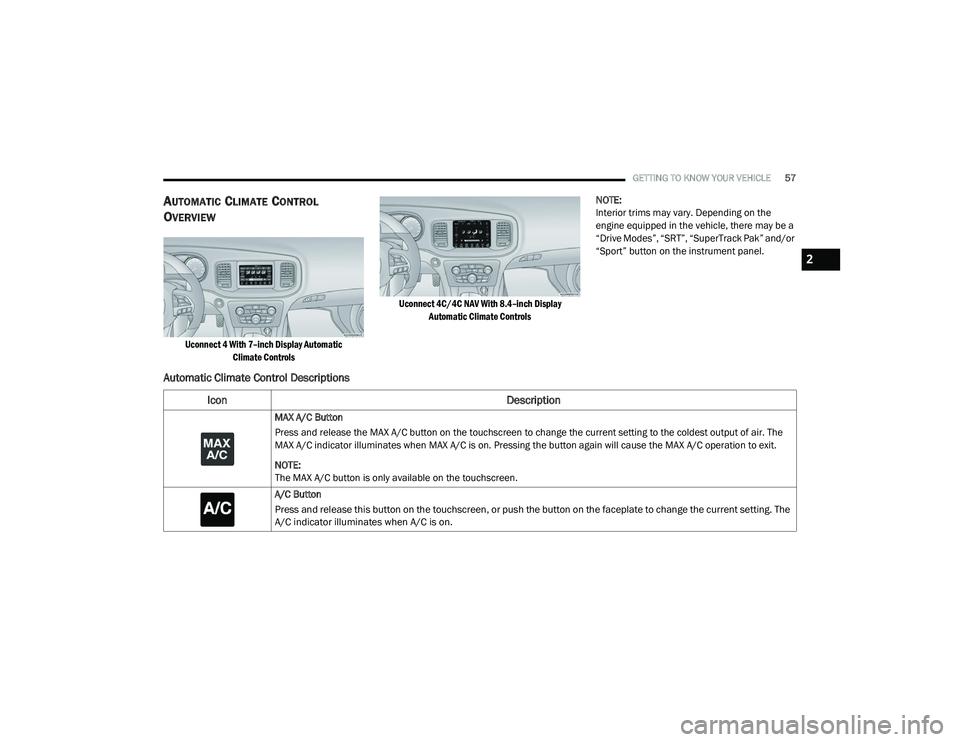
AUTOMATIC CLIMATE CONTROL
O
VERVIEW
Uconnect 4 With 7–inch Display Automatic
Climate Controls Uconnect 4C/4C NAV With 8.4–inch Display
Automatic Climate Controls
NOTE:
Interior trims may vary. Depending on the
engine equipped in the vehicle, there may be a
“Drive Modes”, “SRT”, “SuperTrack Pak” and/or
“Sport” button on the instrument panel.
Automatic Climate Control Descriptions
Icon
Description
MAX A/C Button
Press and release the MAX A/C button on the touchscreen to change the current setting to the coldest output of air. The
MAX A/C indicator illuminates when MAX A/C is on. Pressing the button again will cause the MAX A/C operation to exit.
NOTE:
The MAX A/C button is only available on the touchscreen.
A/C Button
Press and release this button on the touchscreen, or push the button on the faceplate to change the current setting. The
A/C indicator illuminates when A/C is on.
2
20_LD_OM_EN_USC_t.book Page 57
Page 62 of 412
60GETTING TO KNOW YOUR VEHICLE
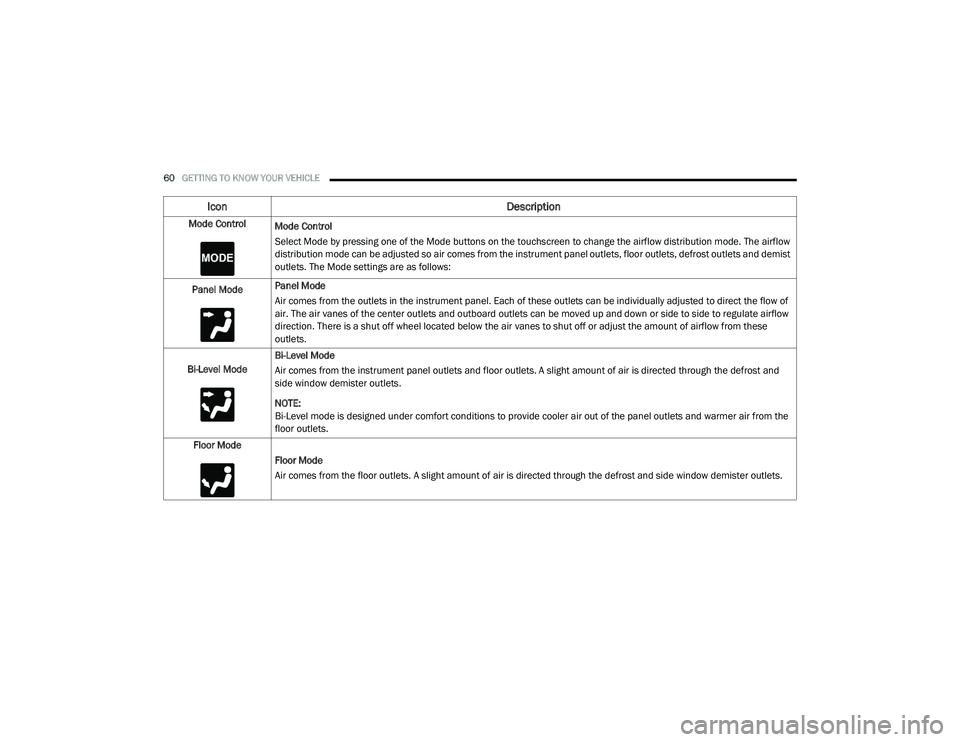
Mode Control
Mode Control
Select Mode by pressing one of the Mode buttons on the touchscreen to change the airflow distribution mode. The airflow
distribution mode can be adjusted so air comes from the instrument panel outlets, floor outlets, defrost outlets and demist
outlets. The Mode settings are as follows:
Panel Mode Panel Mode
Air comes from the outlets in the instrument panel. Each of these outlets can be individually adjusted to direct the flow of
air. The air vanes of the center outlets and outboard outlets can be moved up and down or side to side to regulate airflow
direction. There is a shut off wheel located below the air vanes to shut off or adjust the amount of airflow from these
outlets.
Bi-Level Mode Bi-Level Mode
Air comes from the instrument panel outlets and floor outlets. A slight amount of air is directed through the defrost and
side window demister outlets.
NOTE:
Bi-Level mode is designed under comfort conditions to provide cooler air out of the panel outlets and warmer air from the
floor outlets.
Floor Mode Floor Mode
Air comes from the floor outlets. A slight amount of air is directed through the defrost and side window demister outlets.
Icon Description
20_LD_OM_EN_USC_t.book Page 60
Page 70 of 412
68GETTING TO KNOW YOUR VEHICLE
SUNROOF MAINTENANCE
Use only a non-abrasive cleaner and a soft cloth
to clean the glass panel. Periodically check for
and clear out any debris that may have
collected in the tracks.
IGNITION OFF OPERATION
NOTE:
The power sunroof switch can remain active
in Accessory Delay for up to approximately
10 minutes after the vehicle’s ignition is
placed to the OFF position. Opening either
front door will cancel this feature.
This feature is programmable using the
Uconnect system. Refer to “Uconnect
Settings” in “Multimedia” for further informa -
tion.
HOOD
TO OPEN THE HOOD
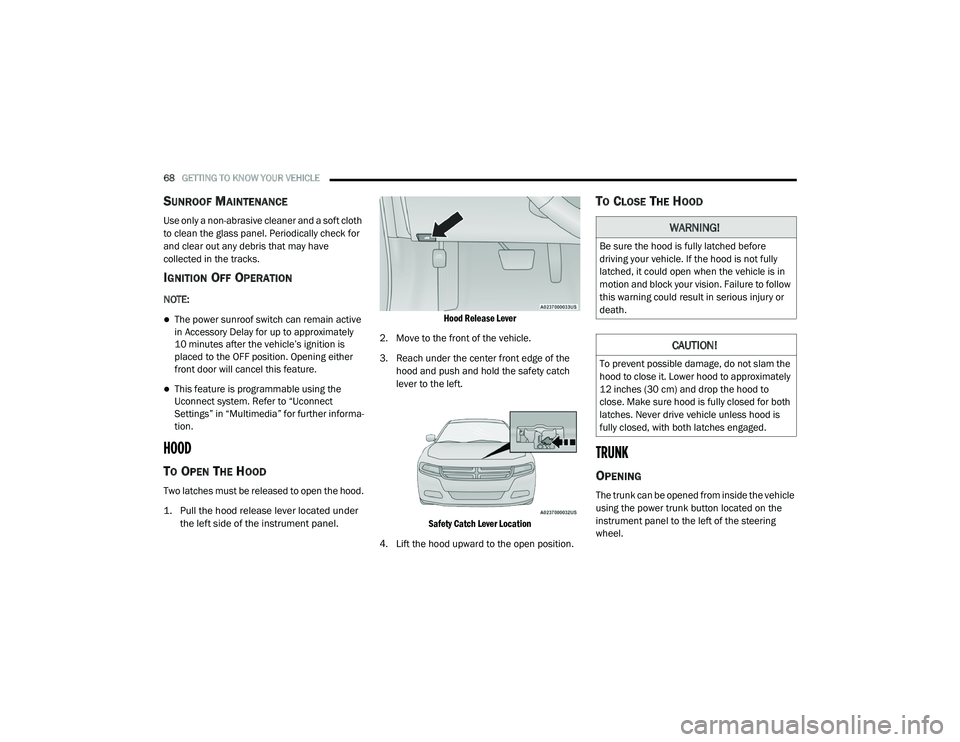
Two latches must be released to open the hood.
1. Pull the hood release lever located under
the left side of the instrument panel.
Hood Release Lever
2. Move to the front of the vehicle.
3. Reach under the center front edge of the hood and push and hold the safety catch
lever to the left.
Safety Catch Lever Location
4. Lift the hood upward to the open position.
TO CLOSE THE HOOD
TRUNK
OPENING
The trunk can be opened from inside the vehicle
using the power trunk button located on the
instrument panel to the left of the steering
wheel.
WARNING!
Be sure the hood is fully latched before
driving your vehicle. If the hood is not fully
latched, it could open when the vehicle is in
motion and block your vision. Failure to follow
this warning could result in serious injury or
death.
CAUTION!
To prevent possible damage, do not slam the
hood to close it. Lower hood to approximately
12 inches (30 cm) and drop the hood to
close. Make sure hood is fully closed for both
latches. Never drive vehicle unless hood is
fully closed, with both latches engaged.
20_LD_OM_EN_USC_t.book Page 68
Page 71 of 412
GETTING TO KNOW YOUR VEHICLE69
The trunk lid can be released from outside the
vehicle by pushing the trunk button on the key
fob twice within five seconds or by using the
external release switch located on the
underside of the decklid overhang. The release
feature will function only when the vehicle is in
the unlock condition.
With the ignition in the ON/RUN position, the trunk
open symbol will display in the instrument cluster
indicating that the trunk is open. The odometer
display will reappear once the trunk is closed.
With the ignition in the OFF position, the trunk
open symbol will display until the trunk is closed.
NOTE:
Refer to “Keyless Enter-N-Go — Passive Entry” in
“Doors” in this chapter for further information
on trunk operation with the Passive Entry
feature.
Opening From Inside The Vehicle
Interior Power Trunk Release
The trunk can be opened from inside
the vehicle using the power trunk
release button located on the
instrument panel to the left of the
steering wheel. NOTE:
The transmission must be in PARK before the
button will operate.
Opening From Outside The Vehicle
To Unlock/Open The Trunk
The trunk may be unlocked/opened using
either of the following methods:
Key Fob Trunk Release Button
Passive Entry Button
Key Fob Trunk Release Button Push the power trunk button on the
key fob twice within five seconds to
release the trunk.
Passive Entry Button
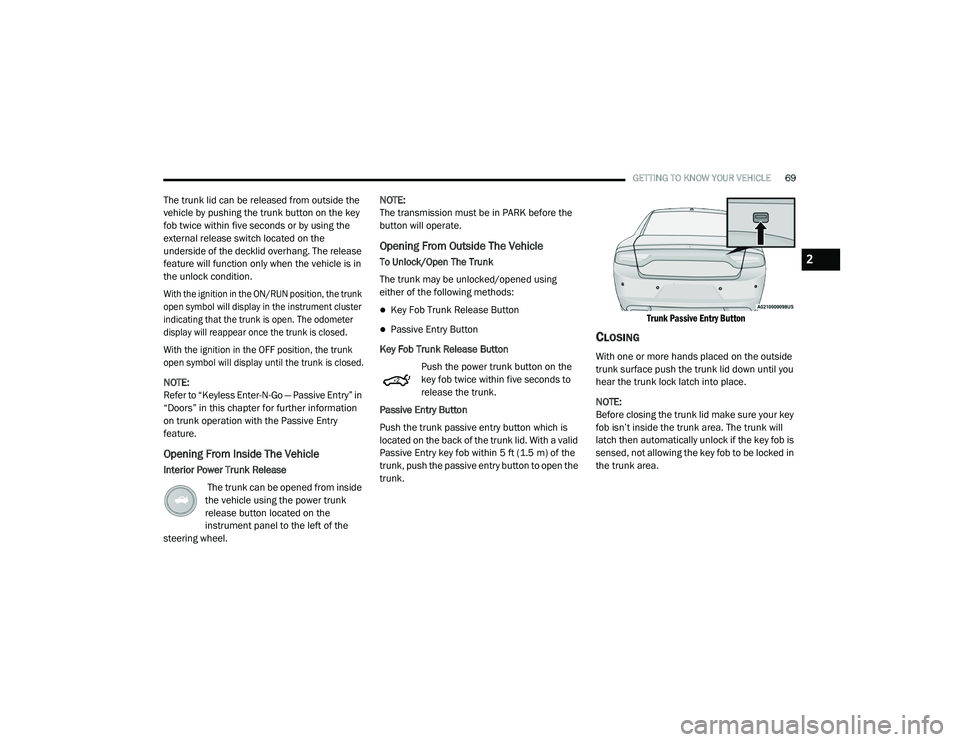
Push the trunk passive entry button which is
located on the back of the trunk lid. With a valid
Passive Entry key fob within 5 ft (1.5 m) of the
trunk, push the passive entry button to open the
trunk.
Trunk Passive Entry Button
CLOSING
With one or more hands placed on the outside
trunk surface push the trunk lid down until you
hear the trunk lock latch into place.
NOTE:
Before closing the trunk lid make sure your key
fob isn’t inside the trunk area. The trunk will
latch then automatically unlock if the key fob is
sensed, not allowing the key fob to be locked in
the trunk area.
2
20_LD_OM_EN_USC_t.book Page 69
Page 78 of 412
76GETTING TO KNOW YOUR VEHICLE
INTERNAL EQUIPMENT
STORAGE
Glove Compartment
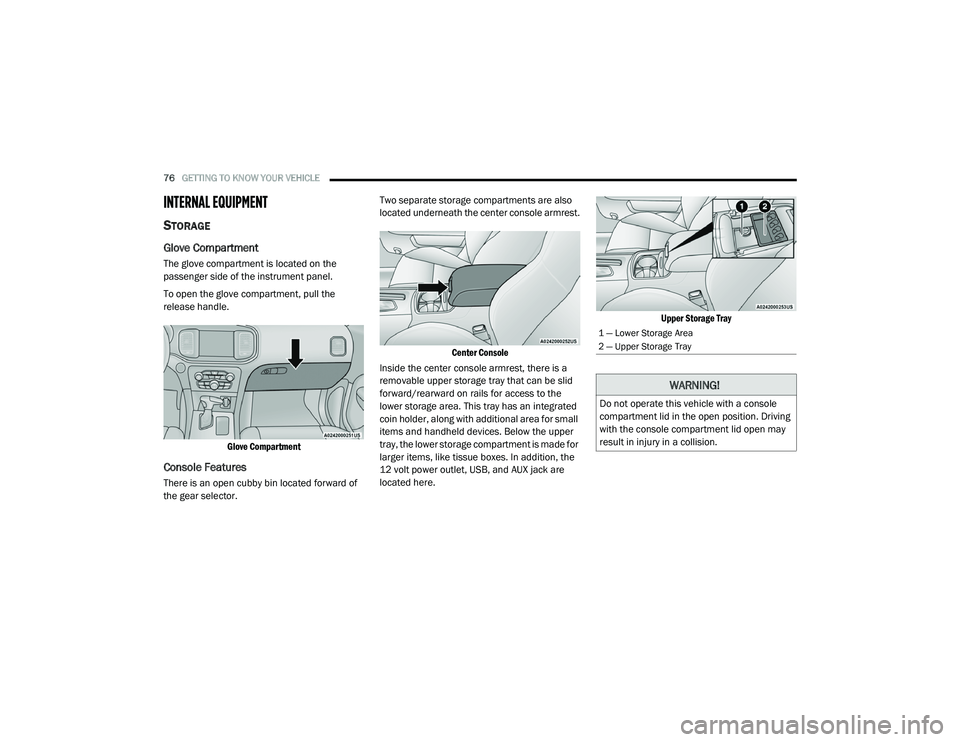
The glove compartment is located on the
passenger side of the instrument panel.
To open the glove compartment, pull the
release handle.
Glove Compartment
Console Features
There is an open cubby bin located forward of
the gear selector. Two separate storage compartments are also
located underneath the center console armrest.
Center Console
Inside the center console armrest, there is a
removable upper storage tray that can be slid
forward/rearward on rails for access to the
lower storage area. This tray has an integrated
coin holder, along with additional area for small
items and handheld devices. Below the upper
tray, the lower storage compartment is made for
larger items, like tissue boxes. In addition, the
12 volt power outlet, USB, and AUX jack are
located here.
Upper Storage Tray
1 — Lower Storage Area
2 — Upper Storage Tray
WARNING!
Do not operate this vehicle with a console
compartment lid in the open position. Driving
with the console compartment lid open may
result in injury in a collision.
20_LD_OM_EN_USC_t.book Page 76
Page 80 of 412
78GETTING TO KNOW YOUR VEHICLE
ELECTRICAL POWER OUTLETS
Your vehicle is equipped with one 12 Volt
(13 Amp) power outlet on the instrument panel
and one 12 Volt (13 Amp) power outlet in the
center console that can be used to power
cellular phones, small electronics and other low
powered electrical accessories. The power
outlets are labeled with either a “key” or a
“battery” symbol to indicate how the outlet is
powered. Power outlets labeled with a “key” are
powered when the ignition switch is in the ACC
or ON/RUN position, while the outlets labeled
with a “battery” are connected directly to the
battery and powered at all times.
NOTE:
All accessories connected to the “battery”
powered outlets should be removed or turned
off when the vehicle is not in use to protect the
battery against discharge.
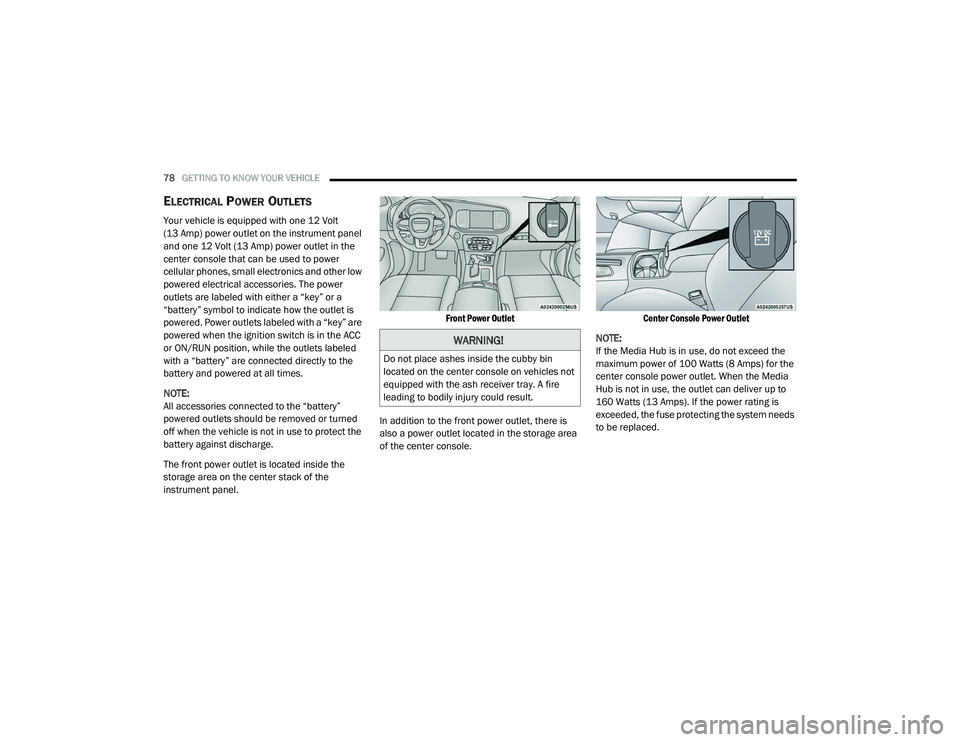
The front power outlet is located inside the
storage area on the center stack of the
instrument panel.
Front Power Outlet
In addition to the front power outlet, there is
also a power outlet located in the storage area
of the center console.
Center Console Power Outlet
NOTE:
If the Media Hub is in use, do not exceed the
maximum power of 100 Watts (8 Amps) for the
center console power outlet. When the Media
Hub is not in use, the outlet can deliver up to
160 Watts (13 Amps). If the power rating is
exceeded, the fuse protecting the system needs
to be replaced.
WARNING!
Do not place ashes inside the cubby bin
located on the center console on vehicles not
equipped with the ash receiver tray. A fire
leading to bodily injury could result.
20_LD_OM_EN_USC_t.book Page 78
Page 81 of 412
GETTING TO KNOW YOUR VEHICLE79
(Continued)
(Continued)
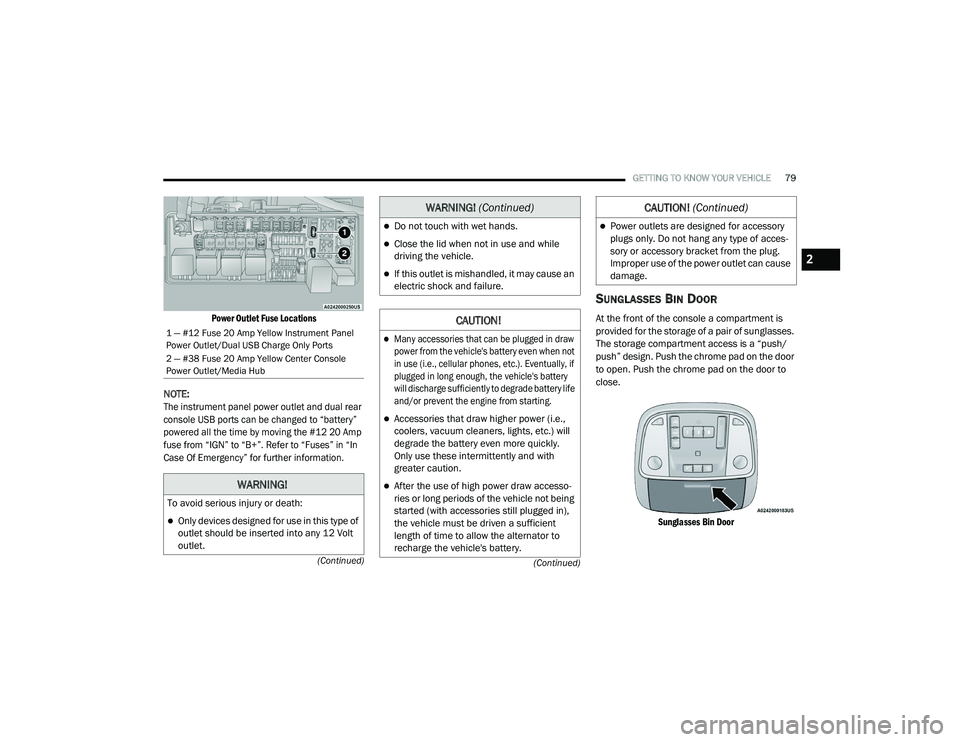
Power Outlet Fuse Locations
NOTE:
The instrument panel power outlet and dual rear
console USB ports can be changed to “battery”
powered all the time by moving the #12 20 Amp
fuse from “IGN” to “B+”. Refer to “Fuses” in “In
Case Of Emergency” for further information.
SUNGLASSES BIN DOOR
At the front of the console a compartment is
provided for the storage of a pair of sunglasses.
The storage compartment access is a “push/
push” design. Push the chrome pad on the door
to open. Push the chrome pad on the door to
close.
Sunglasses Bin Door
1 — #12 Fuse 20 Amp Yellow Instrument Panel
Power Outlet/Dual USB Charge Only Ports
2 — #38 Fuse 20 Amp Yellow Center Console
Power Outlet/Media Hub
WARNING!
To avoid serious injury or death:
Only devices designed for use in this type of
outlet should be inserted into any 12 Volt
outlet.
Do not touch with wet hands.
Close the lid when not in use and while
driving the vehicle.
If this outlet is mishandled, it may cause an
electric shock and failure.
CAUTION!
Many accessories that can be plugged in draw
power from the vehicle's battery even when not
in use (i.e., cellular phones, etc.). Eventually, if
plugged in long enough, the vehicle's battery
will discharge sufficiently to degrade battery life
and/or prevent the engine from starting.
Accessories that draw higher power (i.e.,
coolers, vacuum cleaners, lights, etc.) will
degrade the battery even more quickly.
Only use these intermittently and with
greater caution.
After the use of high power draw accesso -
ries or long periods of the vehicle not being
started (with accessories still plugged in),
the vehicle must be driven a sufficient
length of time to allow the alternator to
recharge the vehicle's battery.
WARNING! (Continued)
Power outlets are designed for accessory
plugs only. Do not hang any type of acces -
sory or accessory bracket from the plug.
Improper use of the power outlet can cause
damage.
CAUTION! (Continued)
2
20_LD_OM_EN_USC_t.book Page 79
Page 82 of 412
80
GETTING TO KNOW YOUR INSTRUMENT PANEL
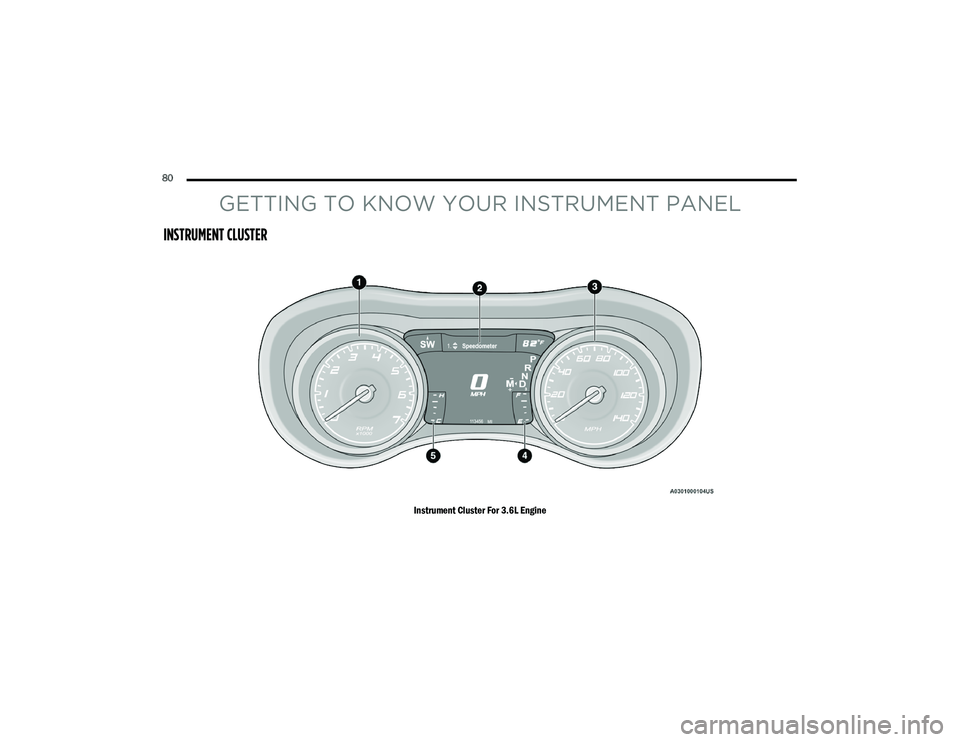
INSTRUMENT CLUSTER
Instrument Cluster For 3.6L Engine
20_LD_OM_EN_USC_t.book Page 80
Page 83 of 412
GETTING TO KNOW YOUR INSTRUMENT PANEL81
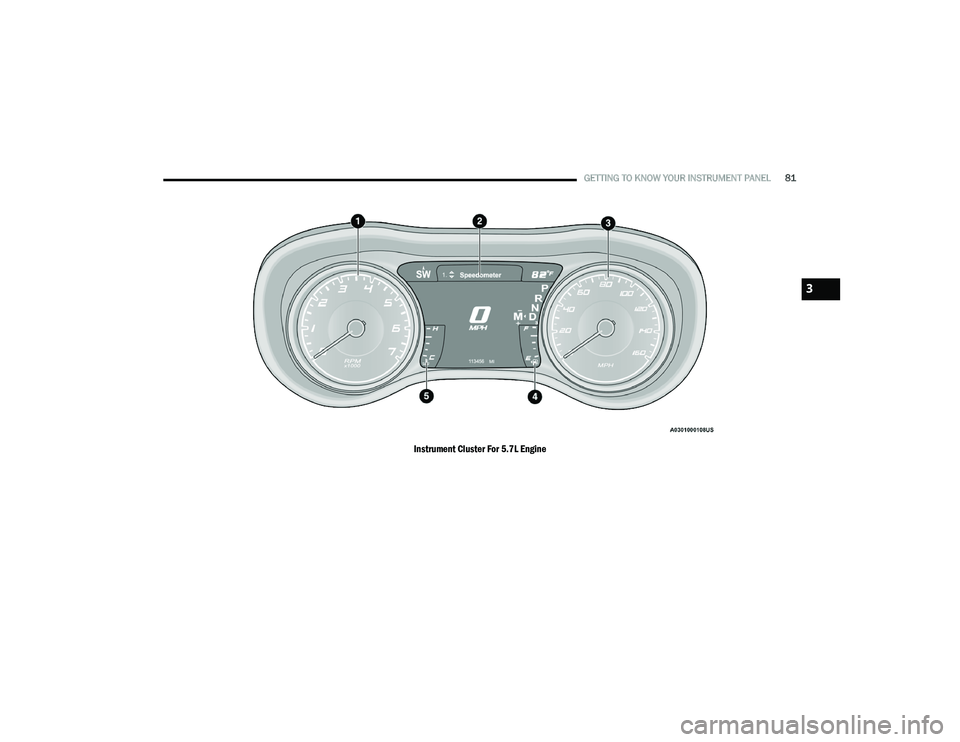
Instrument Cluster For 5.7L Engine
3
20_LD_OM_EN_USC_t.book Page 81