lights DODGE CHARGER SRT 2007 6.G User Guide
[x] Cancel search | Manufacturer: DODGE, Model Year: 2007, Model line: CHARGER SRT, Model: DODGE CHARGER SRT 2007 6.GPages: 350, PDF Size: 5.51 MB
Page 90 of 350
WARNING!
If the hood is not fully latched, it could fly up when
the vehicle is moving and block your forward vision.
You could have a collision. Be sure all hood latches
are fully latched before driving.
LIGHTS
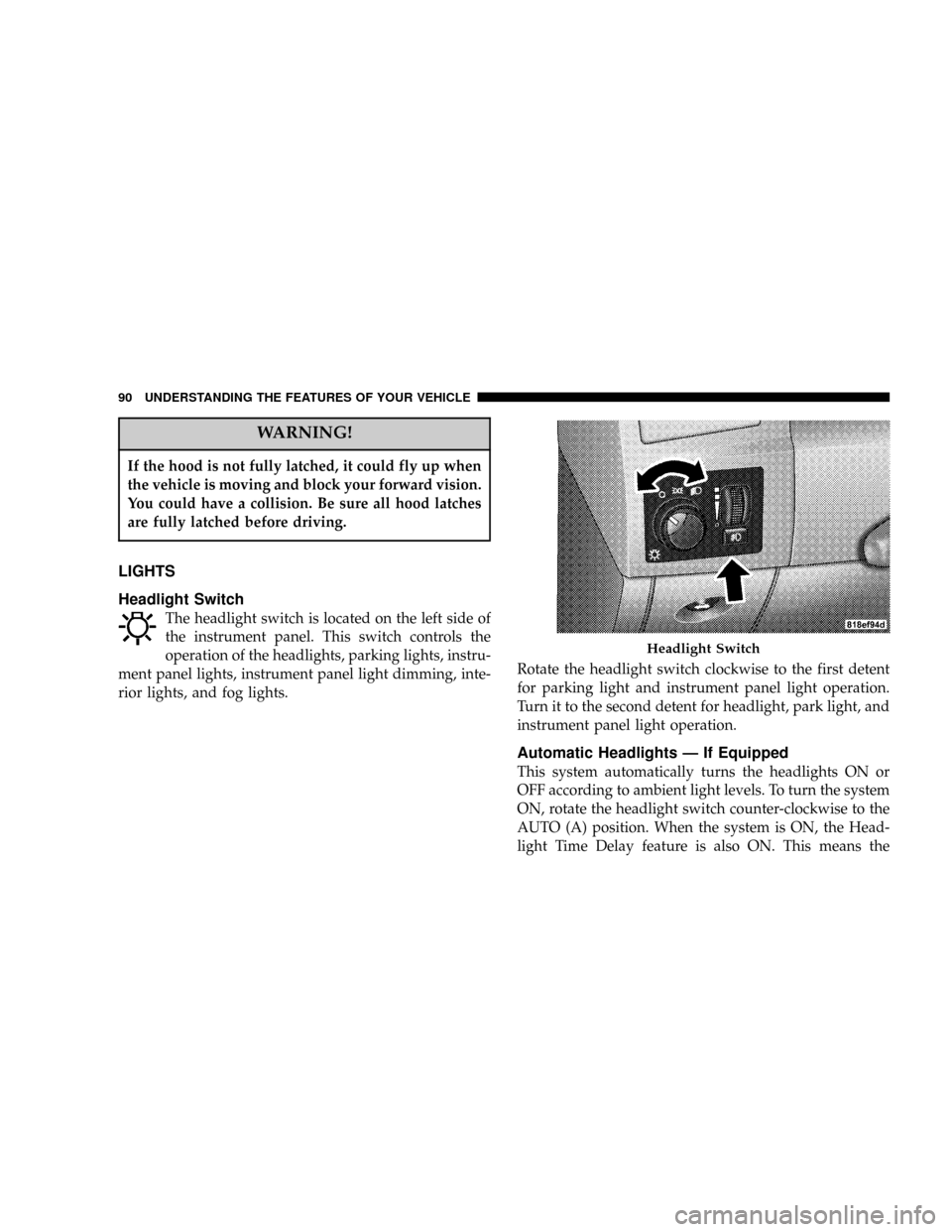
Headlight Switch
The headlight switch is located on the left side of
the instrument panel. This switch controls the
operation of the headlights, parking lights, instru-
ment panel lights, instrument panel light dimming, inte-
rior lights, and fog lights.Rotate the headlight switch clockwise to the first detent
for parking light and instrument panel light operation.
Turn it to the second detent for headlight, park light, and
instrument panel light operation.
Automatic Headlights Ð If Equipped
This system automatically turns the headlights ON or
OFF according to ambient light levels. To turn the system
ON, rotate the headlight switch counter-clockwise to the
AUTO (A) position. When the system is ON, the Head-
light Time Delay feature is also ON. This means the
Headlight Switch
90 UNDERSTANDING THE FEATURES OF YOUR VEHICLE
Page 91 of 350

headlights will stay ON for up to 90 seconds after you
turn the ignition switch OFF. To turn the Automatic
System OFF, move the headlight switch out of the AUTO
(A) position.
NOTE:The engine must be running before the head-
lights will come ON in the Automatic mode.
Headlights On with Wipers (Available with Auto
Headlights Only)
When this feature is active, the headlights will turn on
approximately 10 seconds after the wipers are turned on
if the headlight switch is placed in the AUTO position. In
addition, the headlights will turn off when the wipers are
turned off if they were turned on by this feature.
The Headlights On with Wipers feature can be enabled or
disabled. For details, refer to ºHeadlights On with Wip-
ers,º under ªPersonal Settings (Customer Programmable
Features),º under ªElectronic Vehicle Information Cen-
terº in Section 4 of this manual.
Headlight Time Delay
This feature provides the safety of headlight illumination
for 90 seconds (programmable) when leaving your ve-
hicle in an unlighted area.
To activate the delay feature, turn off the ignition switch
while the headlights are still on. Then, turn off the
headlights within 45 seconds. The delay interval begins
when headlight switch is turned off.
Headlight Switch
UNDERSTANDING THE FEATURES OF YOUR VEHICLE 91
3
Page 92 of 350

If you turn the headlights, park lights, or ignition switch
on again, the system will cancel the delay.
If you turn the headlights off before the ignition, they will
turn off in the normal manner.
NOTE:The lights must be turned off within 45 seconds
of turning the ignition off to activate this feature
The Headlight delay time is programmable. For details,
refer to ªDelay Turning Headlights Off,º under ªPersonal
Settings (Customer Programmable Features),º under
ªElectronic Vehicle Information Center (EVIC)º in Sec-
tion 4 of this manual.
Daytime Running Lights (Canada Only)
The high beam headlights will come on as Daytime
Running Lights, whenever the ignition switch is on, the
headlights are off, and the parking brake is off. The
headlight switch must be used for normal nighttime
driving.
Lights-on Reminder
If the headlights or parking lights are on after the ignition
is turned OFF, a chime will sound to alert the driver
when the driver's door is opened.
Fog Lights
The front fog light switch is on the headlight
switch below the dimmer control. To activate the
front fog lights, turn on the parking lights or the
low beam headlights and press the fog light switch.
An indicator light in the instrument cluster illuminates
when the fog lights are turned on.
NOTE:The fog lights will operate with the low beam
headlights, or parking lights on. However, selecting the
high beam headlights will turn off the fog lights.
92 UNDERSTANDING THE FEATURES OF YOUR VEHICLE
Page 93 of 350

Multi-Function Lever
The multi-function lever controls the operation of the
turn signals, headlight beam selection, and passing
lights. The lever is located on the left side of the steering
column.
Turn Signals
Move the Multi-Function Lever up or down and the
corresponding turn signal indicator in the instrument
cluster flashes to show proper operation of the front and
rear turn signal lights. You can also signal a lane changeby moving the lever partially up or down without
moving beyond the detent. Releasing the lever at the
detent will provide 3 flashes.
If either light has a very fast flash rate, check for a
defective outside light bulb. If an indicator fails to light
when the lever is moved, it would suggest that the fuse
or indicator is defective or there may be a circuit failure.
NOTE:A ªTurn Signal Onº message will appear in the
Electronic Vehicle Information Center (EVIC) and a con-
tinuous chime will sound if the vehicle is driven more
than 1 mile (1.6 km) with either turn signal on.
Highbeam/Lowbeam Select Switch
Push the Multi-Function Lever away from you to switch
the headlights to HIGH beam. Pull the Lever towards
you to switch the headlights back to LOW beam.
Flash to Pass
You can signal another vehicle with your headlights by
lightly pulling the Multi-Function Lever toward you.
This will cause the headlights to turn on at high beam
and remain on until the lever is released.
Multi-Function Lever
UNDERSTANDING THE FEATURES OF YOUR VEHICLE 93
3
Page 94 of 350

Overhead Console Map/Reading Lights
These lights are mounted between the sun visors on the
overhead console. Each light is turned ON by pressing
the lens. Press the lens a second time to turn OFF the
light. These lights also turn on when a door is opened, or
when the unlock button on the remote keyless entry
transmitter is pressed, or when the dimmer control is
turned fully upward, past the second detent.
Interior Lights
The interior lights come on when a door is opened.
To protect the battery, the interior lights will turn off
automatically 10 minutes after the ignition switch is
moved to the LOCK position. This will occur if the
interior lights were switched on manually or are on
because a door is open. This includes the glove box light,
but not the trunk light. To restore interior light operation,
either turn the ignition switch ON or cycle the light
switch.
Dimmer Control
The dimmer control is part of the
headlight switch, and is located on the
left side of the instrument panel. With
the parking lights or headlights on,
rotating the dimmer control upward
will increase the brightness of the in-
strument panel lights.
Overhead Console
94 UNDERSTANDING THE FEATURES OF YOUR VEHICLE
Page 95 of 350

Dome Light Position
Rotate the dimmer control completely upward to the
second detent to turn on the interior lights. The interior
lights will remain on when the dimmer control is in this
position.
Interior light Defeat (OFF)
Rotate the dimmer control to the extreme bottom ªOFFº
position. The interior lights will remain off when the
doors are open.
Parade Mode (Daytime Brightness Feature)
Rotate the dimmer control upward to the first detent.
This feature brightens all text displays such as the
odometer, Electronic Vehicle Information Center (EVIC)
Ð if equipped, and radio when the parking lights or
headlights are on.
WINDSHIELD WIPERS AND WASHERS
The multi-function lever operates the windshield
wipers and washer when the ignition switch is in
the ON position. The lever is located on the left
side of the steering column.
Rotate the end of the multi-function lever to the first
detent past the intermittent settings for Low-speed wiper
operation, or to the second detent past the intermittent
settings for High-speed wiper operation.
Windshield Wiper/Washer Control
UNDERSTANDING THE FEATURES OF YOUR VEHICLE 95
3
Page 97 of 350

two wipe cycles after releasing the lever and then resume
the intermittent interval previously selected.
If you activate the washer while the windshield wiper is
turned OFF, the wipers will operate for two wipe cycles
and then turn OFF.
Headlights On with Wipers (Available with Auto
Headlights Only)
When this feature is active, the headlights will turn on
approximately 10 seconds after the wipers are turned on
if the headlight switch is placed in the AUTO position. In
addition, the headlights will turn off when the wipers are
turned off if they were turned on by this feature.
The Headlights On with Wipers feature can be enabled or
disabled. For details, refer to ºHeadlights On with Wip-
ers,º under ªPersonal Settings (Customer Programmable
Features),º under ªElectronic Vehicle Information Cen-
terº in Section 4 of this manual.
Adding Washer Fluid
The windshield washer fluid reservoir is located in the
front of the engine compartment on the passenger side of
the vehicle. Be sure to check the fluid level in the
reservoir at regular intervals. Fill the reservoir with
windshield washer solvent (not radiator antifreeze) and
operate the system for a few seconds to flush out the
residual water.
Washer Fluid Reservoir
UNDERSTANDING THE FEATURES OF YOUR VEHICLE 97
3
Page 103 of 350
WARNING!
Speed Control can be dangerous where the system
can't maintain a constant speed. Your vehicle could
go too fast for the conditions, and you could lose
control. An accident could be the result. Don't use
Speed Control in heavy traffic or on roads that are
winding, icy, snow-covered, or slippery.
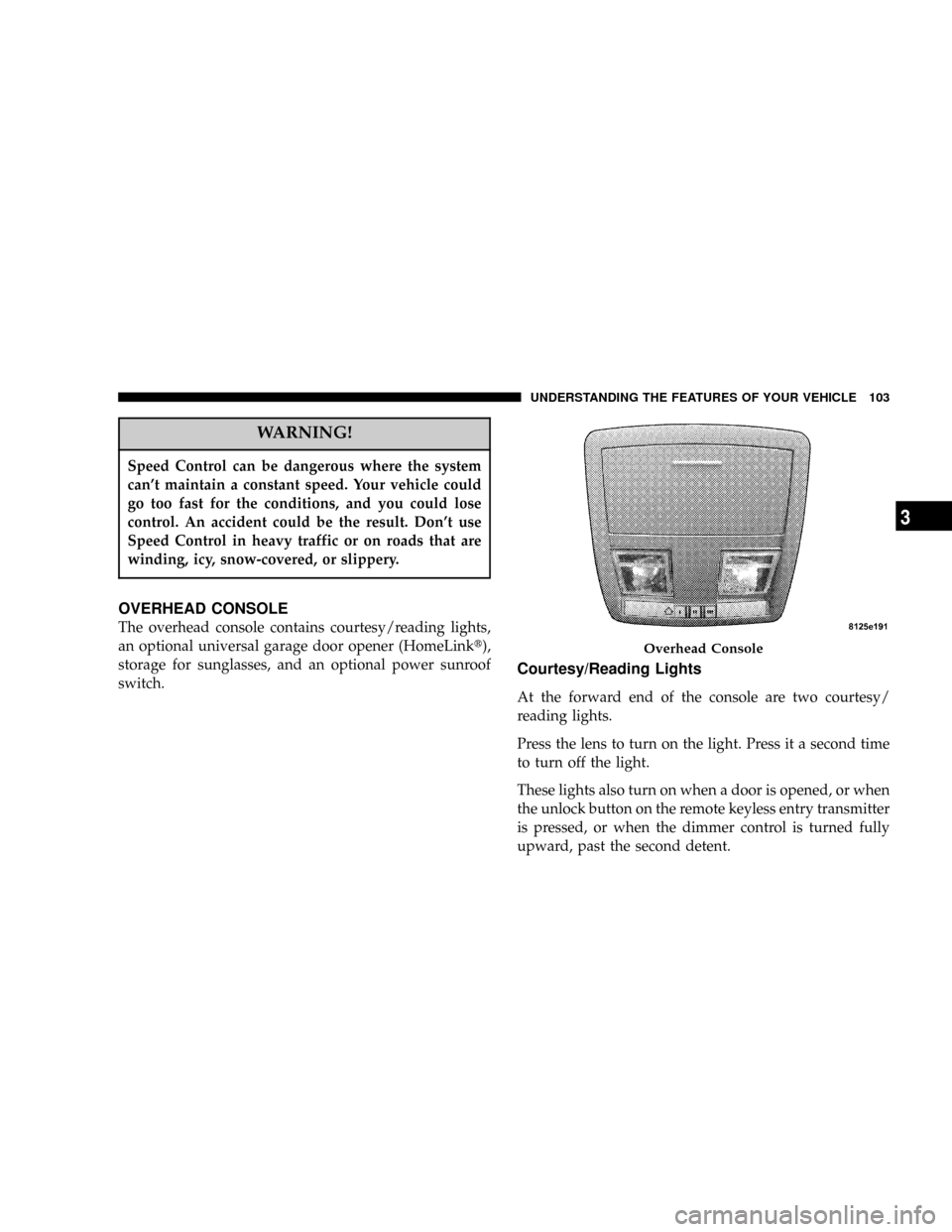
OVERHEAD CONSOLE
The overhead console contains courtesy/reading lights,
an optional universal garage door opener (HomeLinkt),
storage for sunglasses, and an optional power sunroof
switch.
Courtesy/Reading Lights
At the forward end of the console are two courtesy/
reading lights.
Press the lens to turn on the light. Press it a second time
to turn off the light.
These lights also turn on when a door is opened, or when
the unlock button on the remote keyless entry transmitter
is pressed, or when the dimmer control is turned fully
upward, past the second detent.
Overhead Console
UNDERSTANDING THE FEATURES OF YOUR VEHICLE 103
3
Page 113 of 350

The center console outlet is powered directly from the
battery (power available at all times). Items plugged into
this outlet may discharge the battery and/or prevent
engine starting.Electrical Outlet Use With Engine Off
CAUTION!
²Many accessories that can be plugged in draw
power from the vehicle's battery, even when not
in use (i.e. cellular phones, etc.). Eventually, if
plugged in long enough, the vehicle's battery will
discharge sufficiently to degrade battery life
and/or prevent engine starting.
²Accessories that draw higher power (i.e. coolers,
vacuum cleaners, lights, etc.); will degrade the
battery even more quickly. Only use these inter-
mittently and with greater caution.
²After the use of high power draw accessories, or
long periods of the vehicle not being started (with
accessories still plugged in), the vehicle must be
driven a sufficient length of time to allow the
alternator to recharge the vehicle's battery.
²Power outlets are designed for accessory plugs
only. Do not hang any type of accessory or acces-
sory bracket from the plug. Improper use of the
power outlet can cause damage not covered by
your warranty.
Center Console Power Outlet
UNDERSTANDING THE FEATURES OF YOUR VEHICLE 113
3
Page 127 of 350

cycles, and the vehicle has been driven several miles at
speeds greater than 30 mph (48 km/h), see your
authorized dealer as soon as possible to have the
problem diagnosed and corrected. (See page 213 for
more information.)
14. Oil Pressure Warning Light
This light shows low engine oil pressure. The
light should turn on momentarily when the
engine is started. If the light turns on while driving,
stop the vehicle, and shut off the engine as soon as
possible. A single chime will sound when this light
turns on.
Do not operate the vehicle until the cause is corrected.
This light does not show how much oil is in the engine.
The engine oil level must be checked using the procedure
shown in section 7. (See page 267 for more information.)
15. High Beam Light
This light will turn on when the high beam
headlights are ON. Push the Multi-Function
lever away from the steering wheel to switch the
headlights to high beam. (See page 93 for more
information.)16. Seat Belt Reminder Light
This light will turn on for 5 to 8 seconds as a
bulb check when the ignition switch is first
turned ON. A chime will sound if the driver's
seat belt is unbuckled during the bulb check. The Seat
Belt Warning Light will flash or remain on continu-
ously if the driver's seat belt remains unbuckled after
the bulb check or when driving. (See page 34 for more
information.)
17. Transmission Range Indicator
This display indicator shows the automatic transmission
gear selection.
18. Front Fog Light Indicator Ð If Equipped
This light will turn on when the front fog lights
are ON. (See page 92 for more information.)
19. Electronic Vehicle Information Center Display
This display shows the Electronic Vehicle Information
Center (EVIC) messages when the appropriate conditions
exist. (See page 132 for more information.)
UNDERSTANDING YOUR INSTRUMENT PANEL 127
4