lock DODGE CHARGER SRT 2007 6.G Owner's Guide
[x] Cancel search | Manufacturer: DODGE, Model Year: 2007, Model line: CHARGER SRT, Model: DODGE CHARGER SRT 2007 6.GPages: 350, PDF Size: 5.51 MB
Page 88 of 350
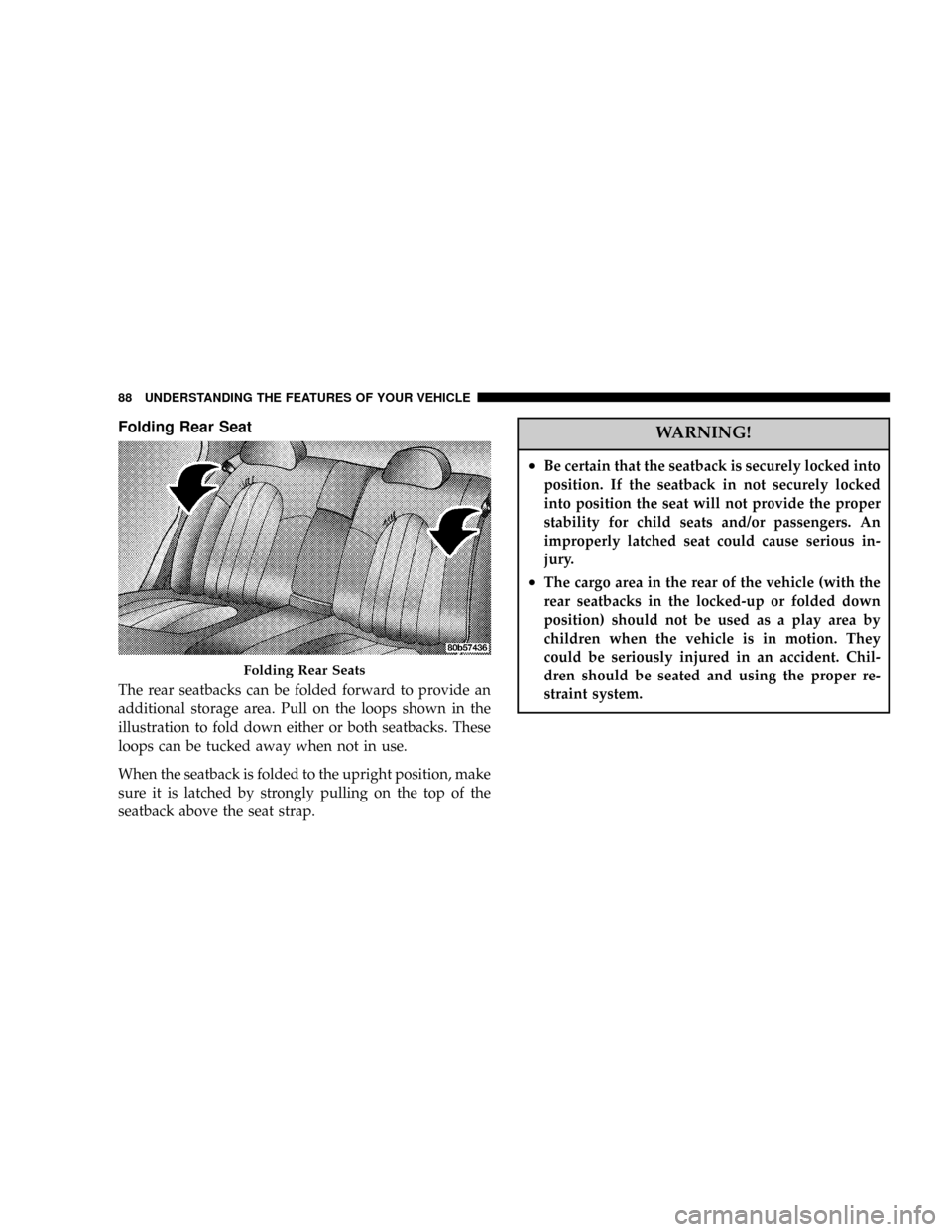
Folding Rear Seat
The rear seatbacks can be folded forward to provide an
additional storage area. Pull on the loops shown in the
illustration to fold down either or both seatbacks. These
loops can be tucked away when not in use.
When the seatback is folded to the upright position, make
sure it is latched by strongly pulling on the top of the
seatback above the seat strap.
WARNING!
²Be certain that the seatback is securely locked into
position. If the seatback in not securely locked
into position the seat will not provide the proper
stability for child seats and/or passengers. An
improperly latched seat could cause serious in-
jury.
²The cargo area in the rear of the vehicle (with the
rear seatbacks in the locked-up or folded down
position) should not be used as a play area by
children when the vehicle is in motion. They
could be seriously injured in an accident. Chil-
dren should be seated and using the proper re-
straint system.
Folding Rear Seats
88 UNDERSTANDING THE FEATURES OF YOUR VEHICLE
Page 90 of 350
WARNING!
If the hood is not fully latched, it could fly up when
the vehicle is moving and block your forward vision.
You could have a collision. Be sure all hood latches
are fully latched before driving.
LIGHTS
Headlight Switch
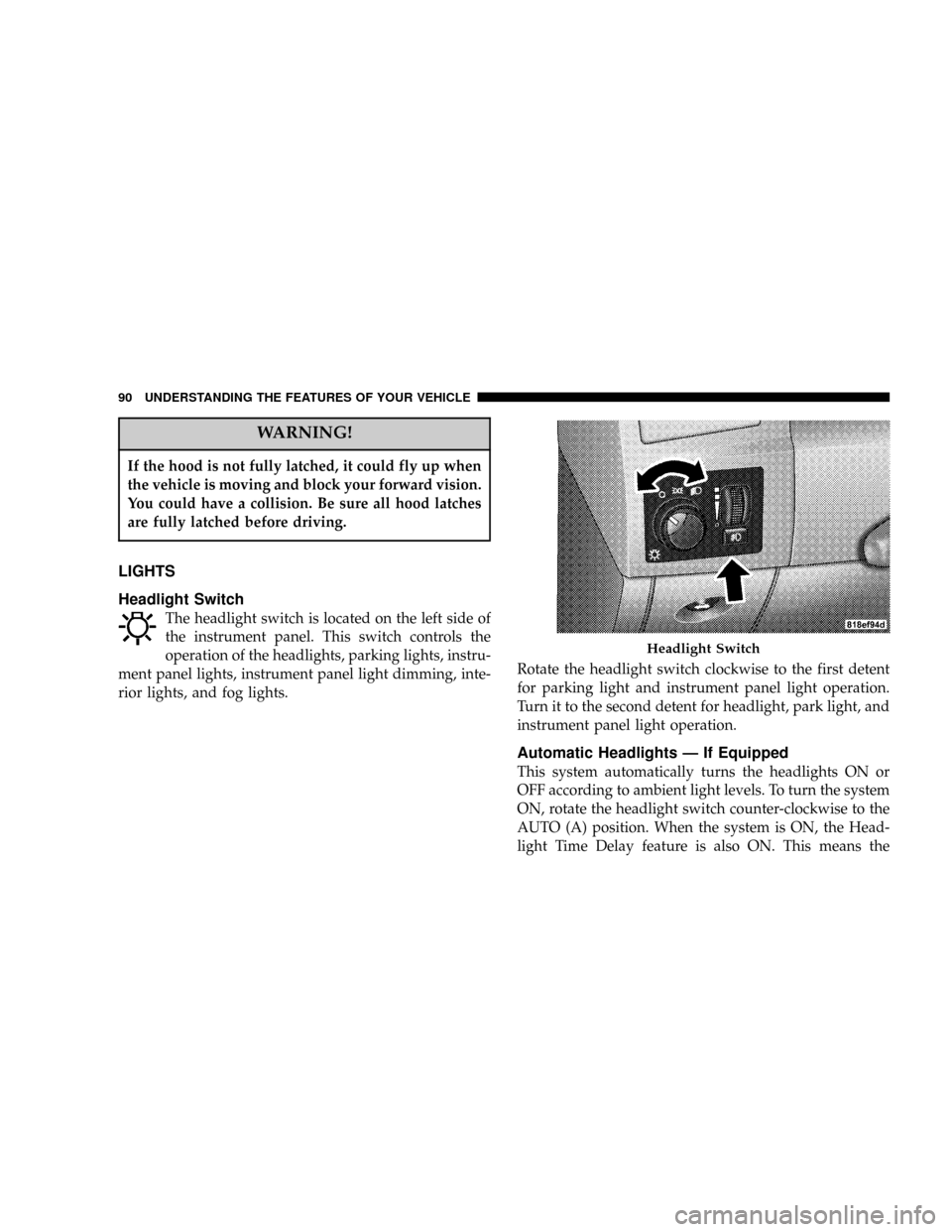
The headlight switch is located on the left side of
the instrument panel. This switch controls the
operation of the headlights, parking lights, instru-
ment panel lights, instrument panel light dimming, inte-
rior lights, and fog lights.Rotate the headlight switch clockwise to the first detent
for parking light and instrument panel light operation.
Turn it to the second detent for headlight, park light, and
instrument panel light operation.
Automatic Headlights Ð If Equipped
This system automatically turns the headlights ON or
OFF according to ambient light levels. To turn the system
ON, rotate the headlight switch counter-clockwise to the
AUTO (A) position. When the system is ON, the Head-
light Time Delay feature is also ON. This means the
Headlight Switch
90 UNDERSTANDING THE FEATURES OF YOUR VEHICLE
Page 94 of 350

Overhead Console Map/Reading Lights
These lights are mounted between the sun visors on the
overhead console. Each light is turned ON by pressing
the lens. Press the lens a second time to turn OFF the
light. These lights also turn on when a door is opened, or
when the unlock button on the remote keyless entry
transmitter is pressed, or when the dimmer control is
turned fully upward, past the second detent.
Interior Lights
The interior lights come on when a door is opened.
To protect the battery, the interior lights will turn off
automatically 10 minutes after the ignition switch is
moved to the LOCK position. This will occur if the
interior lights were switched on manually or are on
because a door is open. This includes the glove box light,
but not the trunk light. To restore interior light operation,
either turn the ignition switch ON or cycle the light
switch.
Dimmer Control
The dimmer control is part of the
headlight switch, and is located on the
left side of the instrument panel. With
the parking lights or headlights on,
rotating the dimmer control upward
will increase the brightness of the in-
strument panel lights.
Overhead Console
94 UNDERSTANDING THE FEATURES OF YOUR VEHICLE
Page 98 of 350
The fluid reservoir will hold nearly 1 gallon (4 liters) of
washer fluid when the message ªLow Washer Fluidº
appears in the Electronic Vehicle Information Center
(EVIC).
WARNING!
Commercially available windshield washer solvents
are flammable. They could ignite and burn you. Care
must be exercised when filling or working around
the washer solution.
TILT/TELESCOPING STEERING COLUMN
This feature allows you to tilt the steering column
upward or downward. It also allows you to lengthen or
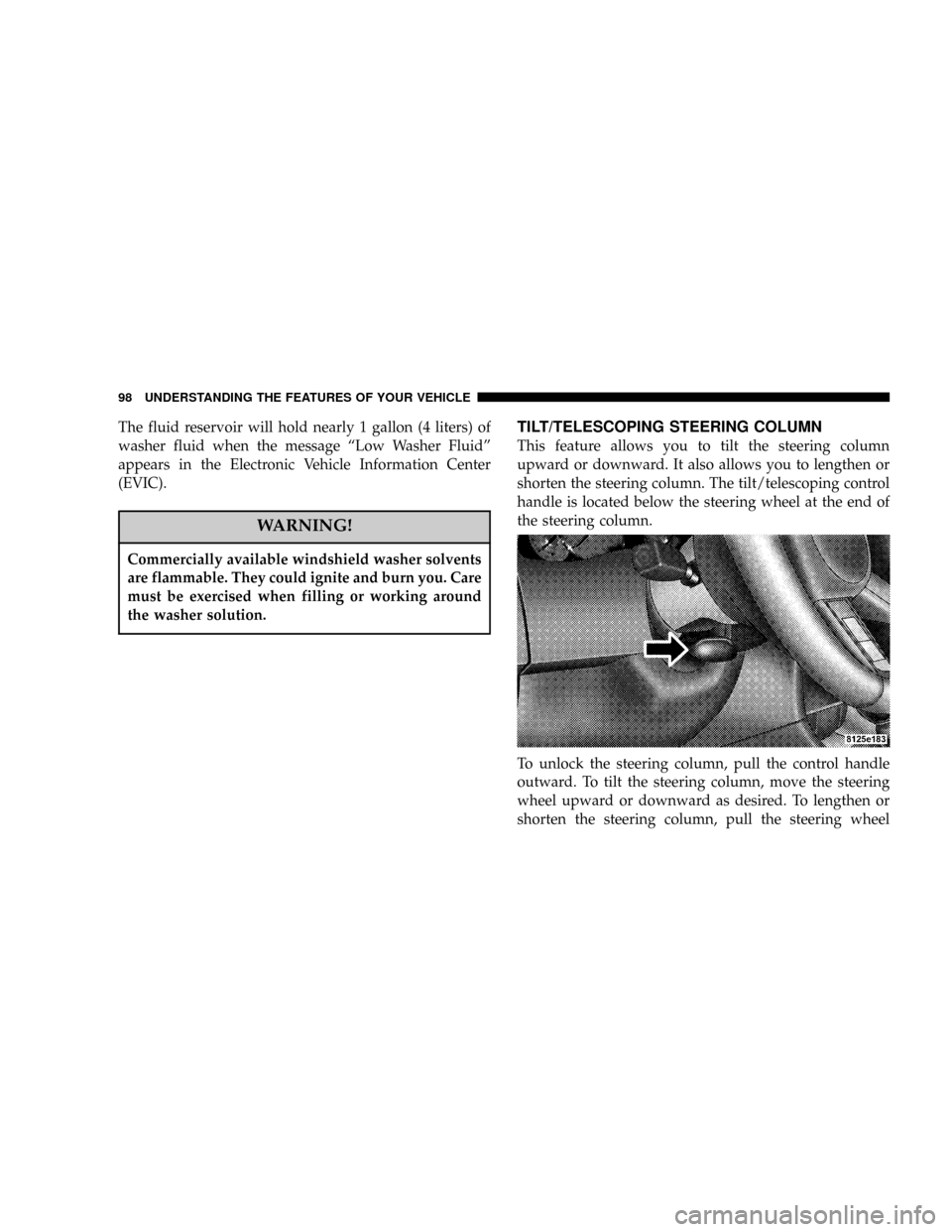
shorten the steering column. The tilt/telescoping control
handle is located below the steering wheel at the end of
the steering column.
To unlock the steering column, pull the control handle
outward. To tilt the steering column, move the steering
wheel upward or downward as desired. To lengthen or
shorten the steering column, pull the steering wheel
98 UNDERSTANDING THE FEATURES OF YOUR VEHICLE
Page 99 of 350
outward or push it inward as desired. To lock the steering
column in position, push the control handle inward until
fully engaged.
WARNING!
Do not adjust the steering wheel while driving. The
telescoping adjustment must be locked while driv-
ing. Adjusting the steering wheel while driving or
driving without the telescoping adjustment locked
could cause the driver to lose control of the vehicle.
ADJUSTABLE PEDALS Ð IF EQUIPPED
The adjustable pedal system is designed to allow a
greater range of driver comfort for steering wheel tilt and
seat position. This feature allows both the brake and
accelerator pedal to move toward or away from the
driver to provide improved position with the steering
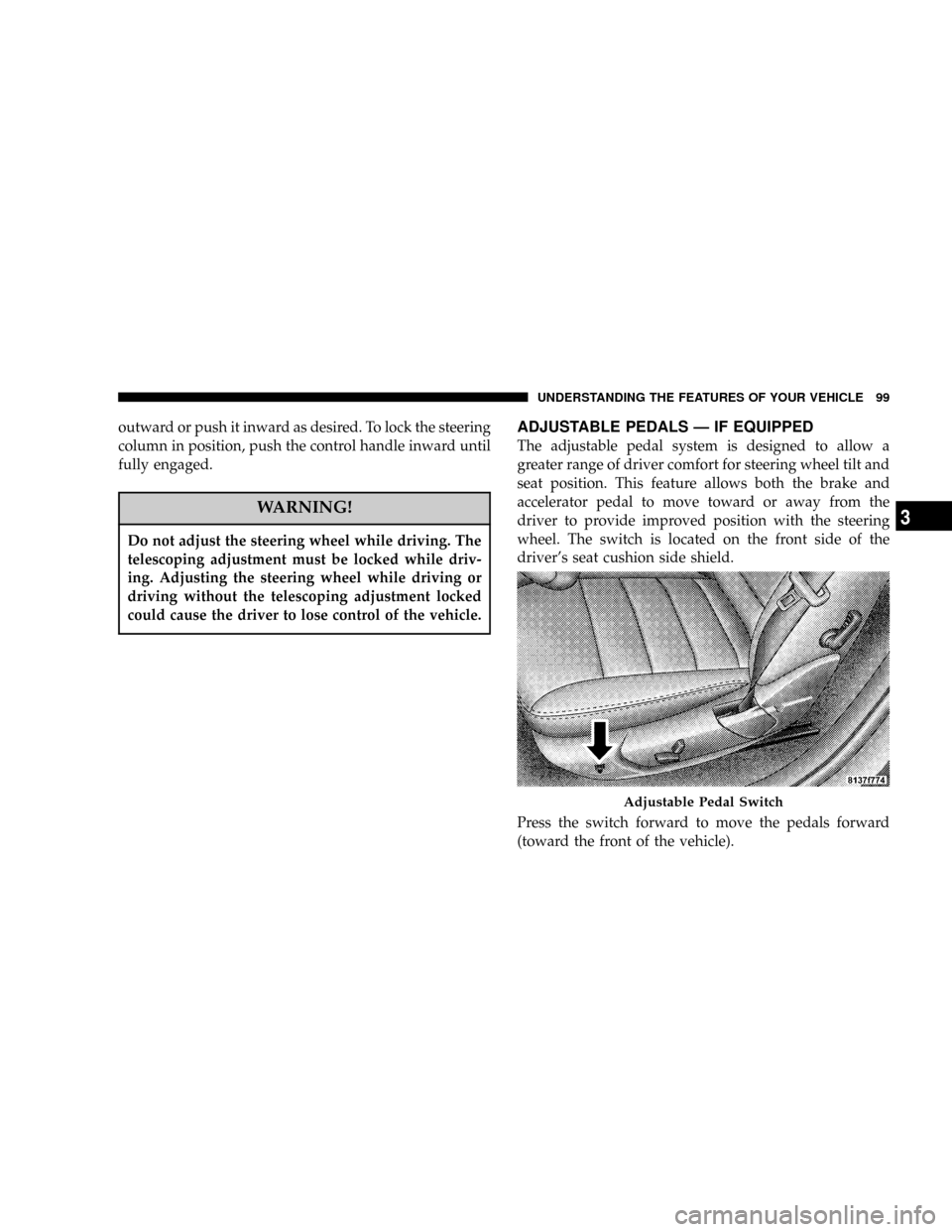
wheel. The switch is located on the front side of the
driver's seat cushion side shield.
Press the switch forward to move the pedals forward
(toward the front of the vehicle).
Adjustable Pedal Switch
UNDERSTANDING THE FEATURES OF YOUR VEHICLE 99
3
Page 103 of 350
WARNING!
Speed Control can be dangerous where the system
can't maintain a constant speed. Your vehicle could
go too fast for the conditions, and you could lose
control. An accident could be the result. Don't use
Speed Control in heavy traffic or on roads that are
winding, icy, snow-covered, or slippery.
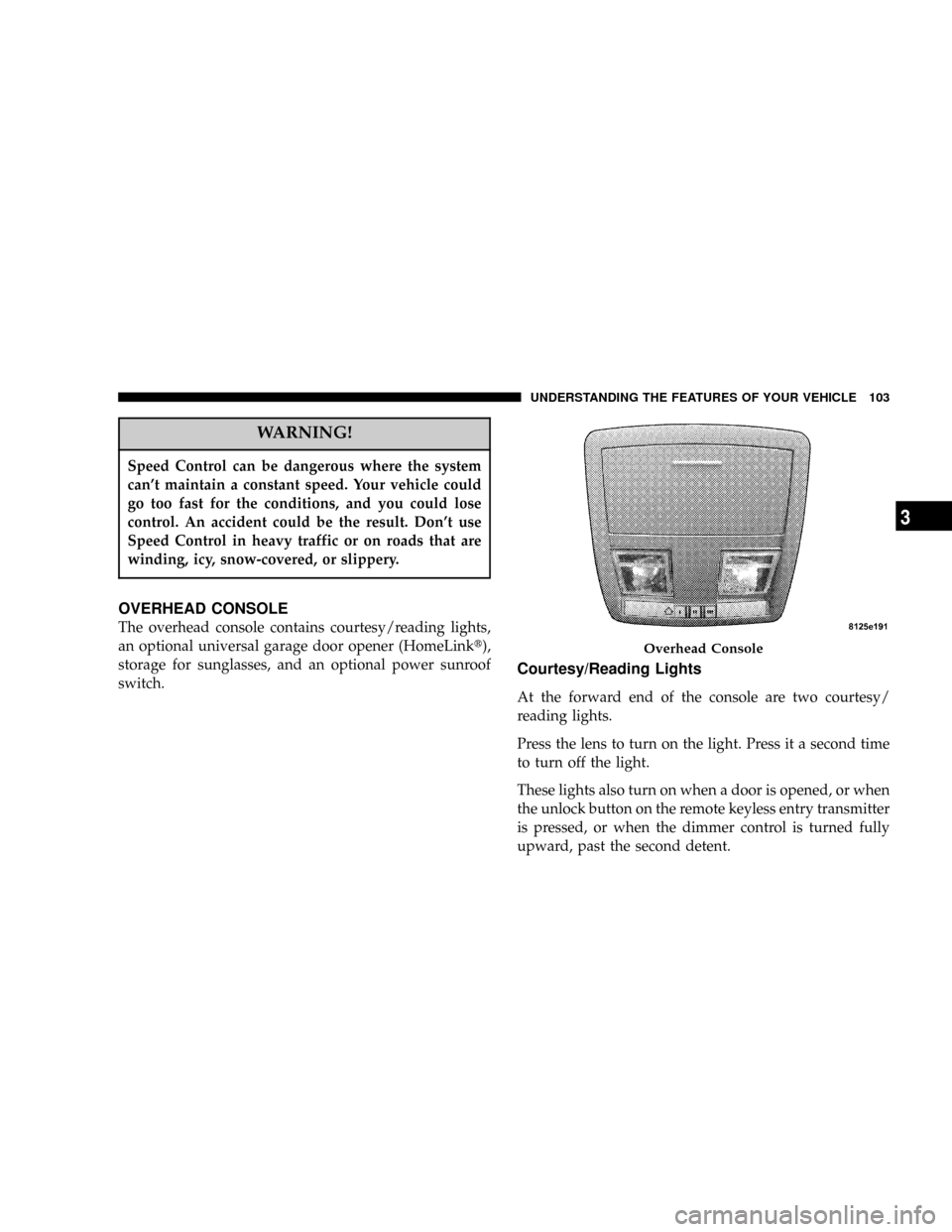
OVERHEAD CONSOLE
The overhead console contains courtesy/reading lights,
an optional universal garage door opener (HomeLinkt),
storage for sunglasses, and an optional power sunroof
switch.
Courtesy/Reading Lights
At the forward end of the console are two courtesy/
reading lights.
Press the lens to turn on the light. Press it a second time
to turn off the light.
These lights also turn on when a door is opened, or when
the unlock button on the remote keyless entry transmitter
is pressed, or when the dimmer control is turned fully
upward, past the second detent.
Overhead Console
UNDERSTANDING THE FEATURES OF YOUR VEHICLE 103
3
Page 108 of 350

successfully by HomeLink. The EVIC will display ªChan-
nel X Trainedº (where X is Channel 1, 2, or 3). Proceed
with9Programming9Step 4 to complete the procedure.
Using HomeLink
To operate, simply press and release the programmed
HomeLink button. Activation will now occur for the
trained device (i.e. garage door opener, gate operator,
security system, entry door lock, home/office lighting,
etc.). For convenience, the hand-held transmitter of the
device may also be used at any time. In the event that
there are still programming difficulties or questions,
contact HomeLink atwww.homelink.com or 1-800-355-
3515.
Erasing HomeLink Buttons
To erase programming from the three buttons (individual
buttons cannot be erased but can be9reprogrammed9-
note below), follow the step noted:
²Press and hold the two outer HomeLink buttons.
Release the buttons only when the EVIC displays
ªChannels Clearedº (after 20 seconds); however,do
nothold the buttons for longer than 30 seconds.HomeLink is now in the train (or learning) mode and
can be programmed at any time beginning with9Pro-
gramming9Step 2.
Reprogramming a Single HomeLink Button
To program a device a previously trained HomeLink
button, follow these steps:
1. Press and hold the desired HomeLink button.Do
NOTrelease the button.
2. The EVIC will display ªChannel X Transmitº (where X
is Channel 1, 2, or 3) for 20 seconds and then change to
ªChannel X Training.º Without releasing the HomeLink
button, proceed with9Programming9Step 2.
For questions or comments, contact HomeLink at:
www.homelink.com or 1-800-355-3515.
Security
If you sell your vehicle, be sure to erase the frequencies
by following the ªErasing HomeLink Buttonsº instruc-
tions in this section.
108 UNDERSTANDING THE FEATURES OF YOUR VEHICLE
Page 112 of 350
Settings (Customer Programmable Features),º under
ªElectronic Vehicle Information Center (EVIC)º in Sec-
tion 4 of this manual.
Sunroof Fully Closed
Press the switch forward and release to ensure that the
sunroof is fully closed.
ELECTRICAL POWER OUTLETS
There are two 12-volt electrical outlets on this vehicle.
Both of the outlets are protected by a fuse.
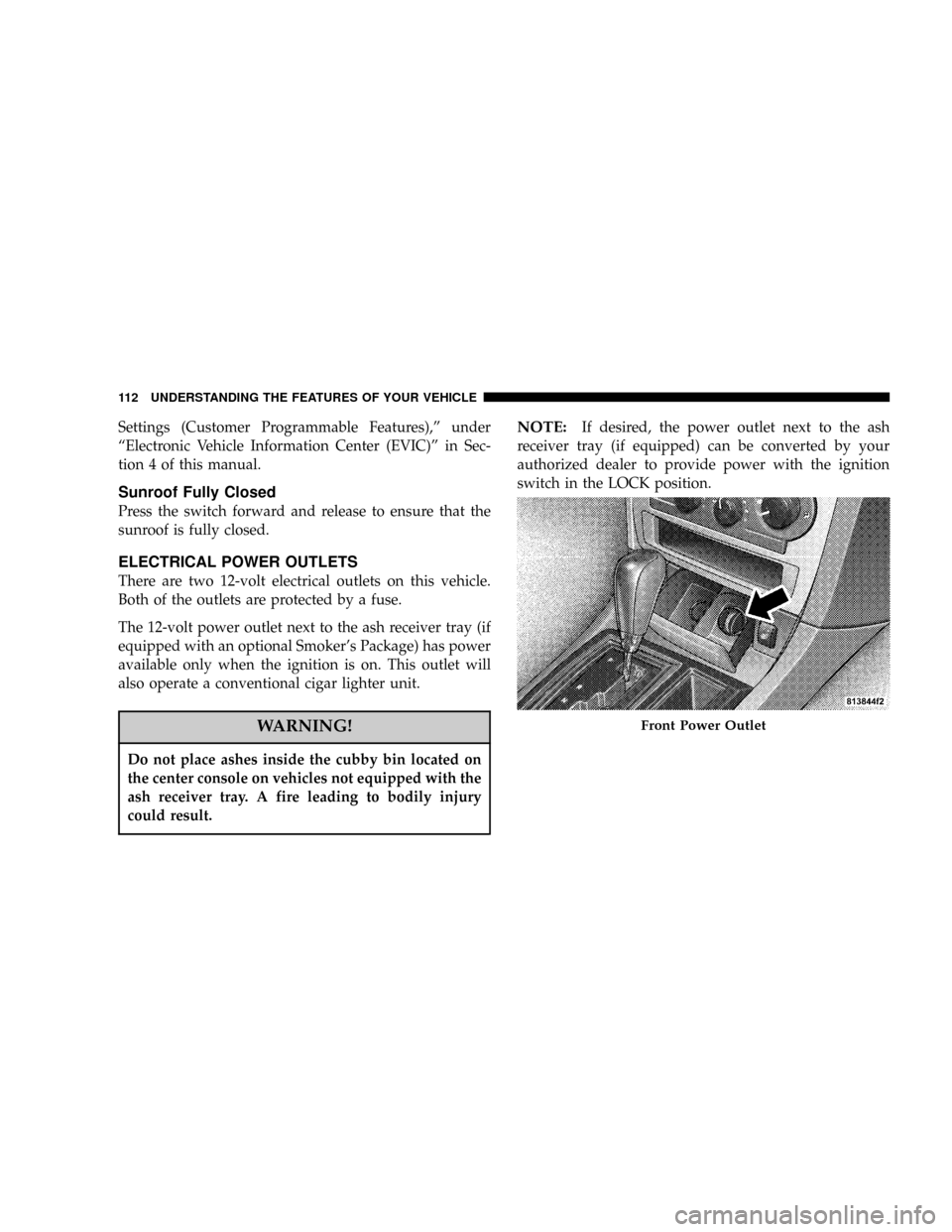
The 12-volt power outlet next to the ash receiver tray (if
equipped with an optional Smoker's Package) has power
available only when the ignition is on. This outlet will
also operate a conventional cigar lighter unit.
WARNING!
Do not place ashes inside the cubby bin located on
the center console on vehicles not equipped with the
ash receiver tray. A fire leading to bodily injury
could result.
NOTE:If desired, the power outlet next to the ash
receiver tray (if equipped) can be converted by your
authorized dealer to provide power with the ignition
switch in the LOCK position.
Front Power Outlet
112 UNDERSTANDING THE FEATURES OF YOUR VEHICLE
Page 116 of 350
Cargo Area
The 60/40 split-folding rear seat provides cargo-carrying
versatility. The seatbacks fold down easily by pulling
nylon tabs between the seatbacks and the bolsters. When
the seats are folded down, they provide a continuous,
nearly flat extension of the load floor.
When the seatback is folded to the upright position, make
sure it is latched by strongly pulling on the top of the
seatback above the seat strap.WARNING!
²Be certain that the seatback is securely locked into
position. If the seatback in not securely locked
into position, the seat will not provide the proper
stability for child seats and/or passengers. An
improperly latched seat could cause serious in-
jury.
²The cargo area in the rear of the vehicle (with the
rear seatbacks in the locked-up or folded down
position) should not be used as a play area by
children when the vehicle is in motion. They
could be seriously injured in an accident. Chil-
dren should be seated and using the proper re-
straint system.
²To help protect against personal injury, passen-
gers should not be seated in the rear cargo area.
The rear cargo space is intended for load carrying
purposes only, not for passengers, who should sit
in seats and use seat belts.
116 UNDERSTANDING THE FEATURES OF YOUR VEHICLE
Page 120 of 350

NOperation Instructions - CD Mode.........148
NOperation Instructions - Auxiliary Mode.....149
NOperating Instructions - Hands Free Phone Ð If
Equipped...........................150
NOperating Instructions - Satellite Radio Ð If
Equipped...........................150
mSales Code RAK ± AM/FM/Cassette/CD (6-Disc)
Radio With Optional Satellite Radio, Hands Free
Phone, Video, MP3, And WMA Capabilities
. . 151
NOperating Instructions - Radio Mode.......151
NOperating Instructions Ð Tape Player.......154
NSeek Button.........................155
NFast Forward (FF).....................155
NRewind (RW)........................155
NTape Eject...........................155
NScan Button.........................155
NChanging Tape Direction................155NMetal Tape Selection...................155
NPinch Roller Release...................155
NNoise Reduction......................156
NOperation Instructions - (CD Mode For CD Audio
Play)..............................156
NLoad/Eject Button (CD Mode For CD Audio
Play)..............................157
NNotes On Playing MP3 Files.............158
NOperation Instructions - (CD Mode For MP3 And
WMA Audio Play)....................160
NLoad/Eject Button (CD Mode For MP3 And
WMA Play).........................160
mSales Code REC Ð AM/FM/CD (6±Disc) Radio
With Navigation System
.................162
NOperating Instructions Ð Satellite Radio (If
Equipped)..........................163
NREC Setting The Clock.................163
NAudio Clock Display...................165
120 UNDERSTANDING YOUR INSTRUMENT PANEL